VIVID·REPAIRS/THE FIELD GUIDE/MONITORUpdated 16 September 2026Prices live from Amazon UK
Best of · UK · Field of 10
Best Starter Monitors Under £200
By the Vivid Repairs deskUpdated 16 September 202610 ranked picks5,968 owner ratings read
As an Amazon Associate we may earn from qualifying purchases. We have not handled these products. Everything below is judged on published specifications, the owner ratings on the UK listings and our own product reviews, and the ranking stays independent of what any of them pay.
As an Amazon Associate, we may earn from qualifying purchases. Our ranking is independent.
Amazon confirms the live price, seller, stock and delivery. Prices here are read from the live listing through the day; a pick Amazon cannot supply is marked as such, and where the list has one in stock it is offered.
vividrepairs.co.uk / best-starter-monitors-under-200Updated 16 September 2026 · Prices from the live Amazon UK listing
§ The field
Ten picks, on one page
Ranked on fit for the job in the title, not on raw specification. Tap any one to jump to the argument for it. Prices are the live Amazon UK figure, read today; a pick with no figure is out of stock and says so in its entry.
IPS panel delivers consistent colour accuracy and wide viewing angles, making the 1500R curve feel purposeful rather than a gimmick
QHD resolution at 27 inches offers an ideal pixel density for both gaming and productivity without demanding an expensive GPU
160Hz refresh rate combined with AMD FreeSync Premium certification virtually eliminates screen tearing in day-to-day gaming
Where it gives up
Stand is tilt-only with no height adjustment, swivel, or pivot, which is a real ergonomic limitation for long work sessions. No USB hub or USB-C connectivity, requiring additional peripherals or a docking station for laptop-centric setups.
Rated 4.5 by 1,278 owners. Our review scores it 8.0.
165Hz IPS panel is genuinely fast and looks good from wide angles
400 cd/m2 brightness is a real SDR spec, not an HDR peak figure
Dual HDMI 2.0 ports make multi-device setups easy
Where it gives up1080p at 27 inches gives a noticeably low pixel density of around 82 PPI. Tilt-only stand with no height adjustment is a real ergonomic limitation.
IPS panel with 99% sRGB colour coverage is a genuine strength at this price bracket
165Hz refresh rate via DisplayPort delivers a proper high-refresh gaming experience without mid-range pricing
VESA AdaptiveSync eliminates screen tearing with compatible AMD and NVIDIA GPUs
Where it gives upStand offers tilt adjustment only, with no height, swivel, or pivot options. 250 nit peak brightness is adequate for typical indoor use but struggles against strong ambient light.
Genuine eye-care features including Brightness Intelligence Gen2 and Low Blue Light Plus are thoughtfully implemented rather than marketing padding
100Hz refresh rate delivers a noticeably smoother experience over 60Hz for everyday tasks, scrolling, and casual gaming
IPS panel provides accurate colours and wide viewing angles, making it comfortable for all-day use
Where it gives upStand offers tilt adjustment only, with no height adjustment or portrait pivot without purchasing a separate VESA arm. Native contrast ratio is limited at around 1000:1, meaning blacks appear as dark grey in dim viewing conditions.
27-inch screen gives more workspace than a typical budget 24-inch display
100Hz refresh rate over HDMI, a step up from 60Hz office panels
IPS panel with 178-degree viewing angles and 93% sRGB (MSI figures)
Where it gives up1080p on a 27-inch screen gives about 82 pixels per inch, so text is softer than on a 24-inch or 1440p monitor. Tilt-only stand: no height, swivel or pivot adjustment.
The rules this ranking ran under, in plain sight: what we read, what we weighed and what no merchant can move.
How we picked
Our editors evaluated 10 Monitor options against the criteria readers actually weigh up: price, real-world performance, build quality, warranty, and UK availability. Picks lean toward what we'd recommend to a friend buying today, not specs-on-paper winners.
Editorial contextEditor notes from individual reviews, not press releases.
Live UK pricingRefreshed from Amazon UK twice daily.
No paid placementsAffiliate commission doesn't change what wins.
The full guideEverything behind the shortlist above: the spec sheet, the write-ups in full, our method and the verdict.
§ Editorial · The full guide · five proofs, nothing hidden
The Doubt Index.
The shortlist told you what we picked; this zone shows the working. Come in through whichever doubt you’re carrying, or read straight down; we’d rather you checked us than trusted us.
Here’s the sheet the desk works from, kept deliberately factual. Every row is written to be checked against the retailer’s current listing, and you should check. The table scrolls sideways inside its own frame; the page underneath stays still.
Scroll sideways →12 rows · 5 columns · Prices swap to the live figure at render
You can, and you should. What follows is the part a sheet can’t do: the working between what these products have and what your desk actually needs, kept word for word.
Buying your first proper screen shouldn't mean gambling with a week's wages. The good news? The Best Starter Monitors Under £200 in 2026 are genuinely brilliant compared to what the same money bought a few years ago. We're talking fast IPS panels, 1440p resolution and refresh rates that used to cost double. This roundup ranks 12 of them, from a £185 all-rounder down to a £55 office workhorse, and it's honest about where each one cuts corners. Because at this price, every monitor cuts a corner somewhere. The trick is knowing which compromises you'll actually notice and which you won't. Let's get you sorted with the right screen for your desk, your GPU and your budget.
Buying Guide: Choosing From the Best Starter Monitors Under £200
Buying your first monitor sounds simple until you hit the wall of jargon. So here's the plain-English version of what actually matters when shopping the Best Starter Monitors Under £200.
Size and resolution go together. At 24 inches, 1080p (Full HD) looks sharp and is easy for a budget GPU to drive. At 27 inches, 1080p starts to look a bit soft, so if you want a bigger screen, aim for 1440p (QHD) instead. The catch is that 1440p needs a stronger graphics card to hit high frame rates. Match the resolution to your PC, not just your eyes.
Refresh rate is smoothness. Measured in Hz, it's how many times per second the screen updates. 60 to 75Hz is fine for office work. 100 to 120Hz is a lovely, noticeable upgrade for everyday use and casual gaming. 165Hz and above is for competitive players. The good news? Even cheap screens now offer 100Hz or more, so there's little reason to buy 60Hz.
Panel type shapes the picture. IPS gives the best colour and viewing angles, ideal for mixed use. VA offers deeper contrast and blacks, great for movies and dark games, but can smear slightly in fast motion. For a first monitor, IPS is the safe all-rounder.
Don't ignore the stand. Most budget screens are tilt-only. If you want height adjustment (much kinder on your neck), the ASUS TUF is one of the few here that offers it. Everything else you can fix later with a cheap VESA arm.
Common mistakes to avoid: buying 27-inch 1080p expecting sharp text, chasing a 240Hz refresh your GPU can't feed, or paying extra for HDR400 that barely does anything at this price. Spend on the things you'll notice every day: panel quality, resolution for your size, and a refresh rate your PC can actually use.
Ten write-ups, none folded away. We don’t lab-test, so every line below sticks to what can be defended: the published sheet, the owner ratings on the UK listings and our own reviews.
Want something that looks the part on the desk? The Philips Evnia is dressed in a clean white finish that stands out from the sea of black gaming gear. Underneath the styling it's a serious starter monitor: 27-inch QHD, a 1500R curve, 180Hz and FreeSync Premium. The curve wraps around your eyeline just enough to feel immersive without being gimmicky.
This is a VA-style curved panel, so you get deeper blacks and richer contrast than a flat IPS. That suits dark games and film nights beautifully. For a first big screen it feels genuinely premium, and the 1440p resolution keeps text sharp at 27 inches, which 1080p can't quite manage at this size.
Owners love the design and the immersion, though a couple note the stand is basic and the on-screen menu takes a bit of learning. As a starter monitor for someone who games and watches a lot of media, it's a lovely pick. You can see our full Philips Evnia 27M2C5501 review for the deeper detail.
If your gaming leans competitive, this one's for you. The MSI MAG 274CXF runs a Rapid VA panel at a blistering 280Hz with a claimed 0.5ms response. For fast shooters like CS2, Valorant or Apex, that high refresh gives you cleaner motion and a real edge, and it's remarkable to find it under £200 as a starter buy.
The trade-off is resolution. This is a 27-inch panel at 1080p, which means pixel density is a touch lower than ideal. Sit at a normal distance and it's fine, but sharp-eyed users may notice text isn't razor crisp. The 1500R curve and VA contrast make up for it with deep, moody blacks that suit immersive single-player games too.
Owners rate the motion clarity highly and the build feels solid for the money. If you'd rather have raw speed than pixels, this is the smart starter pick. We covered the family styling and panel behaviour in our MSI MAG gaming monitor review.
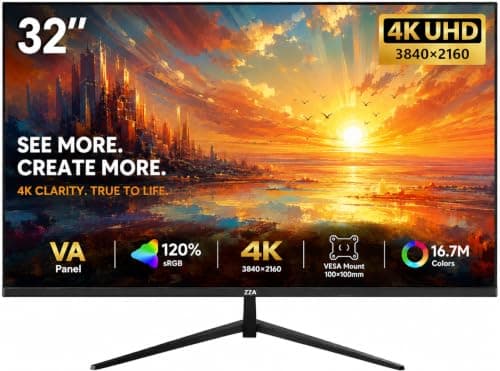
On paper, nothing here touches the Z-Edge for sheer numbers. A 27-inch 1440p IPS running at 240Hz, 400 nits, HDR10 and FreeSync, all for a whisker under £200. That's a spec sheet you'd expect at nearly twice the price from a big name. So what's the catch? The brand. Z-Edge isn't a household name, and that means fewer owner reviews and a bit more risk on support.
For a starter buyer chasing maximum spec-per-pound, though, it's tempting. The 1440p resolution keeps things sharp, the 240Hz is future-proofed for when you upgrade your GPU, and IPS colour looks clean and wide-angle. HDR10 at 400 nits won't blow you away, but it's a nice extra.
My honest advice: go in knowing you're trading brand reassurance for spec. If that's a fair swap for you, it's a lot of monitor. Read our full Z-Edge 27-inch QHD 240Hz review before you decide.
Pros
1440p 240Hz IPS is a staggering spec for the price
400 nits and HDR10 support
Dual DisplayPort and dual HDMI
Cons
Lesser-known brand with thinner support history
HDMI capped at 144Hz, full speed needs DisplayPort
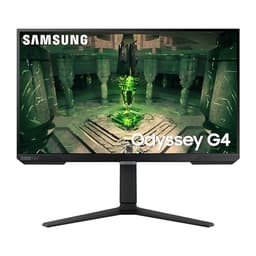
Sometimes you just want a screen from a name you trust, and Samsung's Odyssey G4 (the S27BG400EU) delivers exactly that. It's a 27-inch 1440p panel running up to 165Hz with a tidy, understated design that won't look out of place in a home office or a bedroom gaming setup. For a starter buyer nervous about no-name brands, this is the safe, grown-up choice.
The QHD resolution at 27 inches gives you that lovely balance of desktop space and sharpness, and 165Hz is plenty fast for the vast majority of games. Samsung's build quality and panel consistency are known quantities, and the after-sales support network in the UK is proper.
It's not the flashiest here and it won't win a spec war against the Z-Edge, but reliability counts for a lot on your first big purchase. Owners report a clean, bright picture and hassle-free setup. A dependable, no-drama pick.
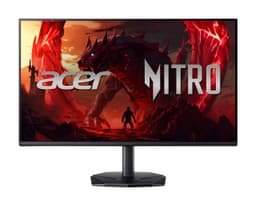
The Acer Nitro KG242Y is one of the most sensible first gaming monitors on this list. It's a 24-inch 1080p IPS at 120Hz with AdaptiveSync, 99% sRGB and built-in speakers. Nothing flashy, but everything a beginner actually needs, and it comes in comfortably under the ASUS on price.
That 120Hz refresh is the perfect starter step-up from a bog-standard 60Hz screen. Games feel noticeably smoother, and a modest GPU can hit those frames easily at 1080p. The 99% sRGB coverage means colours are accurate for the money, so it doubles nicely as a general-purpose screen for study or work.
The built-in speakers are handy for a first setup where you might not have separate audio yet, though don't expect much bass. Full HDMI, DisplayPort, VGA and audio out give you flexible connectivity. If you want a proven brand and a fuss-free first gaming display, this is an easy shout.
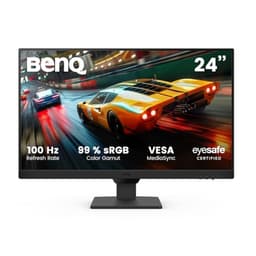
Spend a lot of hours at your desk? The BenQ GW2490E is the eye-care champion of the under £100 crowd. BenQ's Brightness Intelligence tech adjusts the backlight to your room, and low blue light plus flicker-free modes take the strain off your eyes during long sessions. For students and home workers, that's a real quality-of-life win.
It's a 24-inch 1080p IPS at 100Hz, so colours are clean and the modest refresh bump makes everyday scrolling feel smoother than a basic 60Hz panel. It's not a hardcore gaming monitor, but for casual play, work and streaming it's more than enough. The thin bezels and tidy design look far more expensive than the price tag suggests.
Owners love the picture and the eye comfort. The compromises are the usual budget ones: modest brightness and a basic stand. But as an everyday screen for well under £100, it's genuinely hard to beat.
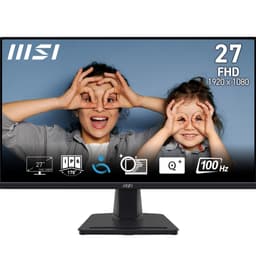
The MSI PRO MP275 is aimed squarely at productivity, and for a starter office setup it makes a lot of sense. You get a big 27-inch IPS panel at 1080p and 100Hz, with eye-friendly anti-flicker and low blue light modes plus built-in speakers. It's the kind of screen you sit in front of all day for emails, docs and video calls without fatigue.
Now, a word of honesty: 1080p spread across 27 inches isn't the sharpest. If you stare at fine text all day you may prefer a 24-inch panel or a 1440p screen. But if you just want a large, comfortable canvas for multitasking on a tight budget, the extra size is welcome.
The 100Hz refresh is a nice bonus over standard office monitors and makes the whole desktop feel more responsive. It's not a gaming machine, and there's no DisplayPort, but for work-first buyers it's a solid, affordable choice.
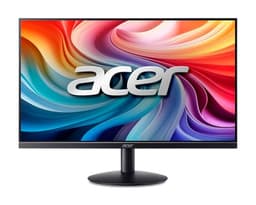
Short on desk space or just after something that looks smart? The Acer SB242Y is an ultra-slim, frameless 23.8-inch IPS panel that punches well above its bargain price. At 1080p and up to 100Hz, it's a lovely little home office starter that keeps the picture clean and the footprint tidy.
The frameless design makes it a great pick for a dual-monitor setup down the line, since the bezels almost vanish where two screens meet. At 24 inches, 1080p looks sharp, and the IPS panel gives you decent colour and wide viewing angles for the money.
The compromises are predictable at this price: it's tilt-only with no height adjustment, and there's no DisplayPort, just HDMI and VGA. But for a clean, affordable everyday screen that looks the part, it's a smart buy. One of the best-value slim panels on the list.
Pros
Ultra-slim frameless design, great for dual setups
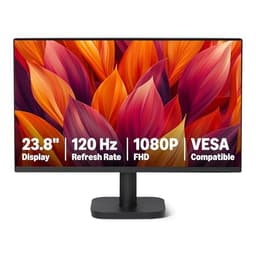
Here's a surprise: the Amazon Basics 23.8-inch monitor does 120Hz for under £90, and it's got DisplayPort, HDMI and VGA on the back. A few years ago that spec would've been unthinkable at this price. For an absolute-budget starter monitor, it covers the basics genuinely well.
The 120Hz refresh is the headline. It makes gaming and general desktop use feel smoother, and it's VESA compatible so you can wall or arm mount it. As a first screen for a student, a spare room PC or a cheap gaming build, it does the job without fuss.
Be realistic about what you're getting, though. The panel and colour accuracy are average, the stand is basic, and this isn't a screen for anyone who cares about calibration. But value for money? It's hard to argue with. If your budget is tight and you want refresh rate over polish, it's a canny buy.
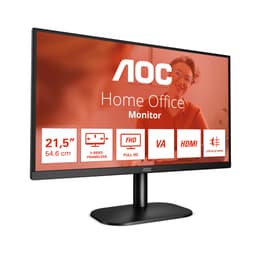
Rounding out the list is the cheapest sensible option here, the AOC 22B2H. At around the £55 mark, it's a 22-inch 1080p VA panel at 75Hz with low blue light and flicker-free modes. It's not going to win any awards, but for a basic office screen, a second monitor or a first display on the tightest of budgets, it does exactly what's needed.
The VA panel gives decent contrast for the money, and 75Hz is a small but welcome step above 60Hz for everyday scrolling. The frameless design looks neater than the price suggests. It's a small screen, so it suits confined spaces and secondary use rather than being your main gaming display.
Don't expect gaming performance or wide colour here, that's not the point. This is about getting a working, comfortable screen for the least money possible. For that job, it's spot on. Our full AOC 22-inch monitor review goes into more detail.
This page carries affiliate links; they never set the order. We don’t lab-test: rankings come from published specifications, the owner ratings on the UK listings and our own reviews.
How We Compared These Best Starter Monitors Under £200
We didn't open any boxes or run any of these on a bench. This ranking is built from published manufacturer specifications, the retail listings, and patterns in verified owner reviews across UK retailers. We weighed panel type, resolution against screen size, refresh rate, colour coverage, stand adjustability and price to build a value-first picture. Where owner feedback repeatedly flagged something (a weak stand, a fiddly menu, a dim panel) we've said so plainly. The aim is a fair, honest read on which of these Best Starter Monitors Under £200 give you the most for your money, and where the corners have quietly been cut.
A crown that can’t be argued with isn’t proof of quality; it’s proof nobody checked. So rather than restate the winner’s virtues, we defend the crown against the strongest cases to take it.
Philips Evnia 27M2C5501
Cross-examination · Three challengers, taken seriously
The £50 argumentMSI MAG 274CXF 27 Inch FHD Curved Gaming Monitor
At £118.97 today against the winner’s £168.98, its strongest case is the £50 it hands back. Owners rate it 4.6 from 106 ratings. Our review scores it 8.0 against the winner’s 8.0. If the cheaper pick covers the job you actually do, take the saving with a clear conscience. The crown stays where it is because rank follows fit for the job in the title, not the receipt, and its full argument is in the write-up above.
Prices checked (this pick) and (the winner) · Details
The owners’ argumentZ-Edge 27 Inch 240Hz Gaming Monitor QHD 2K IPS Monitor 1ms
It’s £179.99 on the live listing today. Owners rate it 4.4 from 48 ratings. Our review scores it 7.5 against the winner’s 8.0. The crown holds on the ranking rules: the order above was set before any link was attached, and its case is argued in full in the write-up above.
It’s £186.50 on the live listing today. Owners rate it 4.6 from 1,494 ratings. Our review scores it 7.5 against the winner’s 8.0. The crown holds on the ranking rules: the order above was set before any link was attached, and its case is argued in full in the write-up above.
After weighing specs, prices and owner feedback, the ASUS TUF Gaming VG249Q3R is our pick of the Best Starter Monitors Under £200: it's the rare budget screen that doesn't cut a corner you'll actually notice, and that adjustable stand seals it. If you want more screen and your PC can handle 1440p, the Alienware AW2725DM is unbeatable value with its three year warranty. On the tightest budget, the AOC 22B2H does the job for the least money, while the BenQ GW2490E is the sweet spot under £100. Buy the one that matches your GPU and your desk, and you can't really go wrong here. For deeper reads, check out our official ASUS TUF Gaming page and the independent testing over at RTINGS.
For monitors under £200, yes. Most options at this price are 1080p, and they're perfectly fine for 24-27 inch screens. If you want 1440p on a budget, the KOORUI G2721E is your best bet, though it stretches the budget limit.
Most budget monitors come with 1-3 year manufacturer warranties. AOC typically offers 3 years, whilst brands like KOORUI may offer less. Always check the specific warranty terms, and remember Amazon's 30-day return policy covers you initially regardless.
For most buyers the ASUS TUF Gaming VG249Q3R is the pick. It's a 23.8-inch 1080p Fast IPS panel at 180Hz with 100% sRGB, so it handles gaming, office work and casual photo editing without any obvious weak spot for the money.
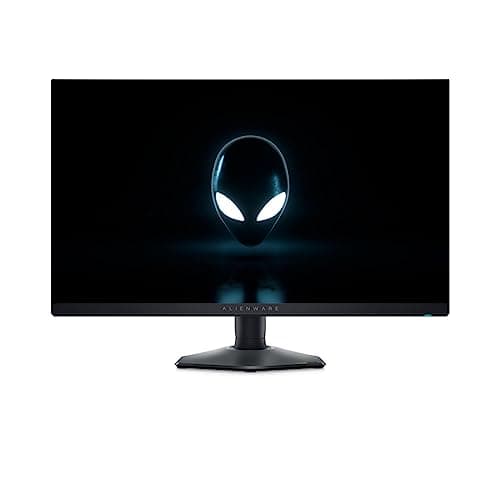
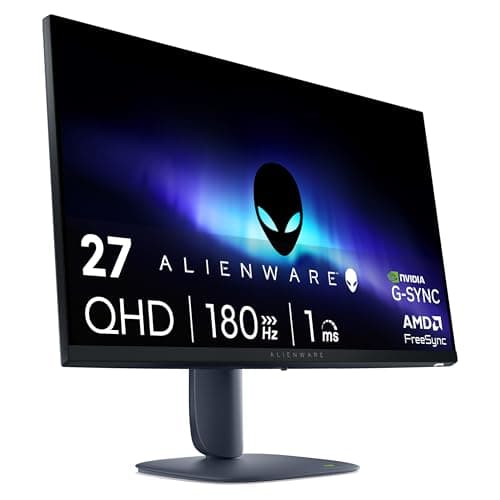
It depends on size. On a 24-inch screen 1080p looks sharp enough and is easier for a starter GPU to drive. On a 27-inch screen 1080p can look a bit soft, so if you're going 27-inch, a 1440p panel like the Alienware AW2725DM or Philips Evnia is a better fit if your budget stretches.
Not for office work. 60 to 75Hz is fine for browsing and spreadsheets. But even a jump to 100 or 120Hz makes everyday scrolling and cursor movement feel smoother, and it's basically free at this price now, so there's little reason to settle for 60Hz.
That’s the field: ten starter monitors under £200, ranked for the job in the title and nothing else. We read the published specifications, the owner ratings and our own reviews; we haven’t handled these products, and no maker moves the order. Figures checked against the live Amazon UK listings, page updated 16 September 2026.
The Vivid Repairs desk
1Our top pickPhilips Evnia 27M2C5501 - 27 inch QHD Curved Gaming Monitor, 180 Hz, 1 ms GtG, FreeSync Premium (2560x1440, 2x HDMI 2.0, 1x DisplayPort 1.4) WhiteScored 8.0/10Compare all →Buy on Amazon →