Mini desktops and compact all-in-one PCs have become the go-to choice for UK offices looking to reclaim desk space without sacrificing performance. Whether you are kitting out a home office, a small business, or a creative studio, the market in 2025 looks markedly different from twelve months ago: Apple's M4 iMac has raised the bar for integrated efficiency, Intel's N100-based all-in-ones now offer surprisingly capable everyday performance at budget prices, and AMD's Ryzen 5 5500 platform continues to punch well above its weight for mixed productivity and light creative work. This comparison is aimed at office workers, small-business owners, and remote professionals who need a machine that fits neatly on or under a desk, runs quietly, handles spreadsheets, video calls, document editing, and light media work without fuss, and ideally does not require a separate monitor purchase. We have assessed each pick on footprint, noise, real-world productivity speed, connectivity, and value for money in a typical UK office context.
Quick Verdict
Best Overall: Apple iMac (M4, B0DL7M1FJ3). The M4 chip delivers class-leading performance-per-watt, the 24-inch Retina display is built in, and the machine runs near-silently under office loads. For a macOS-friendly workplace, nothing else comes close at this size.
Best Value: Lenovo IdeaCentre A100 (B0DQTXHCMT). At its price point, the IdeaCentre A100 bundles a 24-inch Full HD display, 16 GB of RAM, and Windows 11 Home into one of the tidiest all-in-one packages available. It will not win any speed contests, but for email, web, Office 365, and video calls it is more than adequate.
Best Compact Workhorse: ADMI Ryzen 5 5500 PC (B0F3JVWCBY). For offices that need a separate monitor but want genuine multi-tasking muscle, the ADMI system delivers a fast six-core processor, 16 GB DDR4, and a 1 TB NVMe SSD at a competitive price.
The Apple iMac with M4 chip is, without question, the most refined all-in-one desktop available for office use in 2025. Apple's fourth-generation M-series silicon brings a 10-core CPU paired with a 10-core integrated GPU, and the entire package is housed behind a stunning 24-inch 4.5K Retina display that measures just 11.5 mm at its thinnest point. For a UK office, this means virtually no footprint beyond the display itself: there is no separate tower, no rats' nest of cables, and the machine draws so little power under typical office loads that energy bills are meaningfully lower than with a comparable Windows tower.
Performance in day-to-day office tasks is exceptional. The M4 chip handles large Excel workbooks, simultaneous Teams or Zoom calls, browser sessions with dozens of tabs, and PDF editing without any perceptible slowdown. The 16 GB of unified memory, shared efficiently between CPU and GPU, feels more capable than 16 GB on a conventional DDR4 system because of the tight integration between memory and processor. The 512 GB SSD is fast by any standard, though power users managing large media libraries or extensive local archives may find it fills up, making the higher-storage configurations worth considering.
Connectivity on the M4 iMac includes Thunderbolt 4 ports, USB-A ports, a headphone jack, and an Ethernet option via the power brick, which is a neat space-saving touch. The included Magic Keyboard with Touch ID and Magic Mouse are genuinely good peripherals rather than afterthoughts. Wi-Fi 6E and Bluetooth 5.3 ensure reliable wireless connectivity in busy office environments.
The key caveat is the ecosystem: if your business relies on Windows-only software, the iMac is not the right choice without running Parallels or a virtual machine, which adds cost and complexity. macOS Sequoia is polished and secure, but IT teams managing a mixed fleet may find macOS adds administrative overhead. The 512 GB base storage is also tight for video editors or designers working with large files.
For a macOS-first office, a creative studio, or any professional who values silence, build quality, and a gorgeous display in one package, the Apple iMac M4 is the clear best-in-class option. It costs more than any Windows all-in-one at this size, but the combination of performance, longevity, and display quality justifies the premium.
Verdict: The best compact office desktop money can buy for macOS users, combining near-silent operation, a stunning built-in display, and M4 performance that will remain relevant for years.
Pros
- M4 chip delivers class-leading performance-per-watt for office and creative workloads
- 24-inch 4.5K Retina display built in, eliminating the need for a separate monitor purchase
- Near-silent operation under typical office loads thanks to efficient fanless-style thermal design
Cons
- macOS is not compatible with Windows-only business software without additional virtualisation cost
- 512 GB base storage fills quickly for users handling large media or data files
The Lenovo IdeaCentre A100 is the most accessible entry point in this comparison, and it earns its place as the best-value pick for offices that need a clean, space-efficient setup without spending a great deal. Built around Intel's N100 processor, a four-core efficiency chip designed specifically for low-power, always-on computing, the IdeaCentre A100 packages a 24-inch Full HD display, 16 GB of RAM, and a 512 GB SSD into a slim all-in-one chassis that sits neatly on any desk.
The Intel N100 is not a powerhouse, but it is a significant step up from the older Celeron and Pentium chips that populated budget all-in-ones a few years ago. In practice, it handles Microsoft 365 applications, web browsing, video conferencing via Teams or Zoom, and light data entry work without frustration. Multi-tasking across several browser tabs and a spreadsheet simultaneously is manageable, though opening very large Excel files or running multiple demanding applications at once will reveal the processor's limits. For a receptionist's workstation, a meeting-room display PC, or a light administrative role, it is perfectly capable.
The 24-inch Full HD panel is a sensible choice for an office environment: 1920 x 1080 resolution is standard for most business applications, and the IPS-style panel offers decent viewing angles for shared workspaces. The 512 GB SSD provides adequate storage for most office users who rely on cloud storage for documents, and Windows 11 Home comes pre-installed and ready to go.
Lenovo's build quality is reliable, and the IdeaCentre range has a long track record in business environments. The machine is quiet in operation, and the slim profile means it can be VESA-mounted behind a monitor arm if desk space is at an absolute premium. Connectivity includes USB-A and USB-C ports, HDMI out, and a headphone jack, covering the basics for most office peripherals.
The main limitations are the N100's processing ceiling, which rules out video editing, large dataset analysis, or any compute-intensive task, and the Full HD display resolution, which looks noticeably less sharp than the iMac's 4.5K panel. The 512 GB storage is also the minimum most users will want, and there is no discrete GPU for any graphical work beyond basic presentations.
Verdict: An excellent budget all-in-one for light office duties, offering a complete out-of-the-box setup at a price that makes it easy to justify for small businesses or home offices on a tight budget.
Pros
- All-in-one design with 24-inch Full HD display included, reducing total setup cost and cable clutter
- Intel N100 is notably more efficient and capable than older budget Celeron-based office PCs
- Lenovo's proven build quality and business-friendly support reputation
Cons
- Intel N100 processor hits a ceiling quickly under multi-application workloads or large file processing
- Full HD display resolution feels dated compared to higher-end all-in-ones at similar desk footprints
- 512 GB SSD is limiting for users who store large files locally rather than in the cloud
The Vibox I-7 occupies an interesting middle ground in this comparison. It is a compact tower rather than an all-in-one, meaning you will need to supply your own monitor, but the small chassis takes up minimal desk or floor space and the AMD Ryzen 3 3200G processor with integrated Radeon Vega 8 graphics makes it a genuinely capable everyday office machine at a budget-friendly price point.
The Ryzen 3 3200G is a quad-core processor with a base clock of 3.6 GHz and a boost up to 4.0 GHz. For office workloads, this is more than sufficient: documents, spreadsheets, email, web browsing, and video conferencing all run smoothly. The integrated Radeon Vega 8 GPU is a step above Intel's integrated graphics, handling dual-monitor setups and light image editing without any dedicated graphics card. With 16 GB of DDR4 RAM, the system has enough headroom for multi-tasking across a busy working day without the slowdowns that plague lower-memory machines.
The 1 TB storage configuration provides ample room for local files, software installations, and a reasonable media library. Windows 11 comes pre-installed, and the compact tower form factor means upgrading RAM or adding a storage drive later is straightforward, which is a practical advantage over all-in-one designs where internals are often soldered or difficult to access.
Vibox is a UK-based system builder with a reasonable reputation for value pre-built PCs, and the I-7 is assembled and shipped from the UK, which means shorter delivery times and easier warranty support than grey-market imports. The compact chassis is designed to sit on a desk or tuck under it without dominating the workspace.
The Ryzen 3 3200G is, however, an older processor generation, and it will feel the strain if you push it with video editing, large database work, or running several virtual machines simultaneously. There is no NVMe SSD confirmed in the catalogue listing, which may mean slower storage compared to the NVMe-equipped machines in this comparison. For straightforward office use, though, the Vibox I-7 is a solid, affordable choice that is easy to recommend for budget-conscious buyers.
Verdict: A compact, affordable Windows desktop that covers everyday office tasks reliably, with the added benefit of UK assembly and straightforward upgradability.
Pros
- Compact tower footprint fits easily on or under a desk without dominating the workspace
- 16 GB DDR4 RAM provides solid multi-tasking headroom for a budget office machine
- UK-assembled with domestic warranty support, reducing returns hassle
Cons
- Ryzen 3 3200G is an older processor generation that will struggle with demanding creative or analytical workloads
- Requires a separate monitor purchase, adding to the total cost of the setup
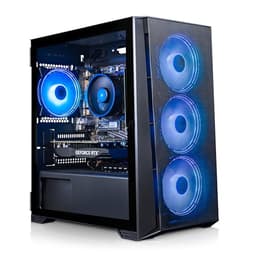
The ADMI system built around the AMD Ryzen 5 5500 and NVIDIA GeForce RTX 3050 is primarily marketed as a gaming PC, but its specifications make it an excellent choice for office environments that demand more than basic productivity, particularly creative agencies, architects, engineers, or anyone running GPU-accelerated applications such as Adobe Premiere, DaVinci Resolve, AutoCAD, or data visualisation tools.
The Ryzen 5 5500 is a six-core, twelve-thread processor running at up to 4.2 GHz boost, and it remains one of the best value mid-range CPUs available in 2025. Paired with 16 GB of DDR4 at 3200 MHz and a 1 TB NVMe SSD, this system handles heavy multi-tasking, large spreadsheets, video conferencing, and simultaneous rendering tasks without breaking a sweat. The NVMe SSD ensures fast boot times and snappy application launches, which makes a noticeable difference in day-to-day productivity compared to older SATA SSD or HDD-based machines.
The RTX 3050 with 6 GB of GDDR6 VRAM is the distinguishing feature over the other budget options in this comparison. While it is not a powerhouse GPU, it provides hardware-accelerated video encoding and decoding, supports multi-monitor setups at high resolutions, and enables GPU-accelerated tasks in Adobe Creative Cloud applications. For an office that occasionally handles video production, 3D modelling, or data visualisation, this is a meaningful advantage over integrated-graphics machines.
ADMI is a UK-based system builder with a solid track record for pre-built PCs, and the machine ships with Windows 11 pre-installed. The tower is compact enough to sit on a desk, though it is larger than the all-in-one options. You will need a separate monitor, keyboard, and mouse.
The RTX 3050 is now two GPU generations old, and the 6 GB VRAM is on the lower end for intensive creative work. For pure office productivity without any GPU-accelerated workloads, the ADMI system is arguably over-specified, and the Lenovo IdeaCentre A100 or Vibox I-7 would represent better value. But for offices that need genuine versatility, the ADMI strikes a strong balance between price and capability.
Verdict: The best pick for creative offices or mixed-use workstations that need a capable CPU, fast NVMe storage, and a discrete GPU without spending over £700.
Pros
- Ryzen 5 5500 six-core processor handles heavy multi-tasking and creative workloads confidently
- RTX 3050 enables GPU-accelerated video encoding and multi-monitor support at high resolutions
- 1 TB NVMe SSD delivers fast boot times and application loading across a working day
Cons
- RTX 3050 6 GB VRAM is limited for intensive 3D rendering or high-resolution video editing at scale
- Requires a separate monitor, keyboard, and mouse, adding to the overall outlay
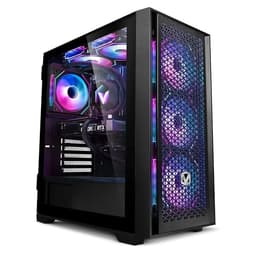
The Vibox V-196 bundle steps up the GPU significantly with an NVIDIA GeForce RTX 4060, making it the most capable discrete-graphics option in this comparison for offices with serious creative or compute demands. The AMD Ryzen 5 5500 processor, 16 GB of DDR4 RAM at 3200 MHz, and a 1 TB NVMe SSD form a well-balanced foundation, and the RTX 4060's 8 GB of GDDR6 VRAM and Ada Lovelace architecture bring meaningful advantages in GPU-accelerated workflows over the older RTX 3050 in the ADMI system.
For a creative agency, video production house, or architecture firm looking to run Adobe Premiere Pro, DaVinci Resolve, Blender, or Autodesk applications, the RTX 4060 provides hardware ray tracing, DLSS 3 support, and efficient video encoding via NVENC. The 8 GB VRAM is adequate for most professional creative tasks short of 8K video editing or very large 3D scenes. Day-to-day office productivity, including Microsoft 365, web browsing, Teams calls, and document management, is handled effortlessly by the Ryzen 5 5500 and 16 GB RAM combination.
The bundle nature of the V-196 listing is worth noting: Vibox frequently includes peripherals such as a monitor, keyboard, and mouse in their bundle configurations, which can represent significant additional value for offices setting up new workstations from scratch. The 1 TB NVMe SSD keeps the system feeling responsive throughout the working day, and Windows 11 comes pre-installed.
As a UK system builder, Vibox offers domestic warranty and support, which is a practical benefit for business customers who cannot afford extended downtime. The tower form factor is larger than the all-in-one options, but the RTX 4060 requires adequate airflow that a slim chassis cannot provide.
The Ryzen 5 5500 is the same processor as in the ADMI system, and for pure CPU-bound tasks the two machines are essentially identical. The V-196 justifies its higher price through the RTX 4060's superior GPU performance and the bundle value. For offices that do not need the extra GPU power, the ADMI or IdeaCentre A100 are more cost-effective.
Verdict: The top choice for creative offices or mixed workstation-gaming environments that want a modern GPU, fast storage, and a complete bundle setup in one purchase.
Pros
- RTX 4060 8 GB offers a meaningful generational GPU leap over RTX 3050, with DLSS 3 and efficient NVENC encoding
- Bundle configuration often includes monitor and peripherals, reducing total setup cost for new workstations
- 1 TB NVMe SSD and 16 GB DDR4 provide a well-rounded, responsive foundation for mixed office and creative use
Cons
- Ryzen 5 5500 CPU is the same generation as the lower-priced ADMI system, so CPU performance gains over that machine are minimal
- Tower form factor requires more desk or floor space than all-in-one alternatives
Buying Guide
All-in-One vs Compact Tower
The first decision to make when buying a mini desktop for the office is whether you want an all-in-one or a compact tower. All-in-ones, such as the Apple iMac and Lenovo IdeaCentre A100, integrate the display and computer into a single unit, which dramatically reduces cable clutter and desk footprint. They are ideal for reception desks, meeting rooms, and home offices where aesthetics matter. The trade-off is that all-in-ones are harder to upgrade: RAM and storage are often soldered or difficult to access, and you cannot swap out the display independently if it fails.
Compact towers, such as the Vibox I-7, ADMI Ryzen 5 5500, Vibox V-196, and CyberPowerPC Wyvern, require a separate monitor but offer easier internal access for upgrades. If you plan to keep the machine for five or more years, the ability to add RAM, swap a storage drive, or eventually upgrade the GPU is a meaningful long-term advantage. Compact towers also tend to run cooler and quieter under sustained loads than all-in-ones, because there is more room for airflow and larger cooling solutions.
Processor: What Do You Actually Need?
For pure office productivity, including email, web browsing, Microsoft 365, and video calls, any modern quad-core processor with 16 GB of RAM will be sufficient. The Intel N100 in the IdeaCentre A100 and the Ryzen 3 3200G in the Vibox I-7 both fall into this category. If your work involves video editing, large data analysis, running multiple virtual machines, or AI-assisted tools, you should look at a six-core or eight-core processor such as the Ryzen 5 5500 or Ryzen 7 8700F. The newer the CPU generation, the better the power efficiency and the stronger the support for modern software features.
RAM and Storage
16 GB of RAM is the sensible minimum for a 2025 office desktop. It provides enough headroom for multi-tasking across a busy working day without slowdowns. For users running virtual machines, large datasets, or multiple creative applications simultaneously, 32 GB is worth considering. For storage, an NVMe SSD is strongly preferred over a SATA SSD or HDD: the difference in boot times and application loading is immediately noticeable. 512 GB is workable for users who rely on cloud storage, but 1 TB is the more comfortable choice for most offices.
Display: Built-In or Separate?
If you choose an all-in-one, the display is included. The Apple iMac's 4.5K Retina panel is exceptional for colour accuracy and sharpness, making it ideal for design or media work. The IdeaCentre A100's Full HD panel is adequate for standard office tasks. If you choose a compact tower, budget for a monitor separately: a 24-inch or 27-inch 1080p or 1440p IPS monitor typically costs between £120 and £250 in the UK, and this should be factored into your total budget.
Connectivity and Peripherals
Check that any machine you consider has enough USB ports for your peripherals, including keyboard, mouse, webcam, and any external storage. USB-C or Thunderbolt ports are increasingly useful for connecting modern docking stations or high-resolution monitors via a single cable. If your office uses wired Ethernet rather than Wi-Fi, confirm the machine has a built-in RJ45 port or that a reliable adapter is available. Bluetooth connectivity is useful for wireless keyboards and mice, reducing cable clutter further.
Budget Planning
Set a realistic total budget that includes the machine, monitor (if not included), keyboard, mouse, and any software licences. An all-in-one may represent better value than a tower once you add the cost of a decent monitor and peripherals. Conversely, if you already own a good monitor, a compact tower gives you more processing power for the same total spend.
The Apple iMac with M4 chip is the overall winner for office use in 2025. It combines the most capable processor in this comparison with a stunning built-in display, near-silent operation, and a build quality that will last a decade. For macOS-compatible workplaces, it is simply the best compact office desktop available at any price point near its bracket.
For Windows users on a tighter budget, the Lenovo IdeaCentre A100 is the best-value all-in-one for light office duties, while the ADMI Ryzen 5 5500 system is the standout compact tower for mixed productivity and creative work. The CyberPowerPC Wyvern with Ryzen 7 8700F and RTX 5060 is the pick for forward-thinking offices that want a genuinely modern architecture capable of handling AI-assisted tools and creative workloads for years to come. Whichever you choose, all six machines in this comparison represent a significant step forward from the underpowered, slow-storage office PCs that were common just a few years ago.