Photographers need laptops that handle large image files, colour-accurate displays, and demanding editing software without breaking the bank. Whether you shoot professionally or as a serious hobbyist, your machine must deliver fast processing, reliable storage, and a screen you can trust for post-production work. The landscape has shifted considerably over the past year, with more mid-range options offering the RAM, SSD capacity, and processing power that photographers demand. We've compared the best current models to help you choose the right tool for your workflow.
Quick Verdict
Best Overall: Acer Aspire Spin 14 ASP14-52MTN, combines Intel Core Ultra processing with convertible design and 16GB RAM for serious photo work.
Best Value: Acer Aspire Go 15 AG15-71P, delivers 15.6-inch screen, Intel Core i5, and 512GB storage at a competitive price point.
Spec Comparison Table
The Acer Aspire Go 15 AG15-71P represents the best value proposition for photographers seeking a reliable midrange laptop. The Intel Core i5-13420H processor delivers strong single and multi-threaded performance for editing workflows, whilst 8GB RAM handles typical Lightroom and Photoshop workloads without stuttering. The 15.6-inch FHD display strikes a balance between usable workspace and portability, fitting comfortably in most camera bags.
At this price, the 512GB SSD is generous, offering space for an active library of high-resolution images alongside the operating system and software. The i5-13420H generation offers good efficiency, extending battery life to approximately 7, 8 hours during casual browsing or light editing. For photographers who edit mainly at home or in the studio, the 8GB RAM is adequate, though upgrading to 16GB would future-proof the machine. The integrated Intel graphics are sufficient for Full HD editing and slideshow generation, though demanding 4K work may introduce minor lag.
Build quality is respectable, with a durable chassis and responsive keyboard. USB-C and USB-A connectivity ensures compatibility with external SSDs, portable monitors, and legacy peripherals. This laptop suits hobbyist and semi-professional photographers who prioritise value without compromising essential performance. The i5-13420H is a capable processor that will remain capable for three to five years of typical use.
Pros
- Intel Core i5-13420H offers strong performance for the price point
- 512GB SSD provides ample storage for active photo libraries
- 15.6-inch display balances screen space with portability
- Good battery life for editing away from mains power
Cons
- 8GB RAM may require upgrade for heavy multi-tasking or large PSD files
- Integrated graphics unsuitable for 4K or professional video workflows
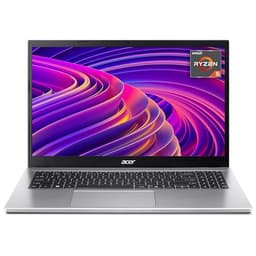
The Acer Aspire 3 A315-44P brings AMD's Ryzen 5 5500U processor to photographers seeking strong multi-core performance for batch processing and rendering. The six-core, twelve-thread architecture excels at parallel tasks such as bulk exports or Lightroom library optimisation, outpacing similarly-priced Intel alternatives in sustained workloads. The 16GB RAM is standard, eliminating the need for early upgrades and supporting complex editing sessions with many layers or tabs.
The 15.6-inch FHD display offers adequate workspace for detailed retouching, though the IPS panel delivers consistent colours across viewing angles. Storage via 512GB SSD ensures fast application launch and file access. The AMD configuration suits photographers who export large batches of images regularly or work with video alongside stills. The Ryzen 5 5500U generation is mature, with excellent driver support and well-understood performance characteristics across Adobe applications and Capture One.
Thermal management is solid, with the laptop remaining quiet during sustained workloads. The keyboard is comfortable for long editing sessions, and the trackpad responds to multi-touch gestures. USB connectivity is comprehensive, with both Type-C and Type-A ports for external drives and peripherals. This laptop provides excellent value for photographers seeking AMD performance and sufficient RAM for serious work without premium pricing.
Pros
- AMD Ryzen 5 5500U excels at multi-threaded batch processing tasks
- 16GB RAM standard supports large PSD files and parallel workflows
- 512GB SSD offers fast boot and application load times
- Excellent value-for-performance ratio for serious photographers
Cons
- Integrated Radeon graphics limit 4K video editing capability
- Older Ryzen generation may have longer time-to-upgrade than newer Intel chips
The ACEMAGIC 18.5-inch FHD laptop caters to photographers prioritising maximum screen space and budget constraints. The 18.5-inch FHD display is the largest in this selection, providing expansive workspace for side-by-side image comparison, histogram review, and non-destructive editing. The Intel N150 processor is entry-level but adequate for Lightroom and standard Photoshop workflows, particularly for editing 12, 24 megapixel files. The 16GB RAM ensures smooth performance when juggling multiple applications.
At this price point, the combination of large screen and 16GB RAM is exceptional value. The 512GB SSD is sufficient for an active library, though photographers with extensive archives will need external storage. Battery life is modest, around 5, 6 hours, reflecting the larger display and processor choice. This laptop is best suited to photographers with a dedicated editing space who rarely need to move their machine and who prioritise display area over portability or processing power.
Build quality is functional rather than premium, with plastic chassis and standard cooling. The keyboard and trackpad are serviceable but not exceptional. Connectivity includes standard USB ports and likely HDMI for external monitor pairing. The N150 processor will handle Lightroom library tasks and standard Photoshop edits without significant delay, though render-heavy operations may introduce waiting periods. For photographers whose primary cost concern is maximising screen space on a tight budget, this represents a valid option.
Pros
- 18.5-inch display is the largest available, ideal for detailed comparison work
- 16GB RAM standard at this budget price point
- 512GB SSD provides decent storage for active editing library
- Outstanding value for screen size and memory combination
Cons
- Intel N150 processor is entry-level and slower for heavy rendering tasks
- Modest battery life restricts editing away from mains power
The Acer Aspire Go 15 AG15-42P is built around the AMD Ryzen 5 5625U processor, delivering strong multi-core performance for photographers engaged in batch processing or simultaneous editing and file management. The six-core, sixteen-thread design handles parallel tasks efficiently, making it ideal for export queues or Lightroom catalogue optimisation. The 16GB RAM standard supports complex workflows with multiple applications running simultaneously.
The 15.6-inch FHD display provides comfortable editing workspace without excessive portability penalty. The 512GB SSD ensures responsive application launch and file access, critical when working with high-resolution RAW libraries. The Ryzen 5 5625U is slightly newer than the 5500U variant found in the Aspire 3 A315-44P, offering marginally improved efficiency and slightly better single-threaded performance. This laptop suits photographers seeking AMD's multi-core advantage without the larger footprint of 17-inch machines.
Thermal design is effective, keeping the machine quiet during sustained workloads. The keyboard and trackpad are responsive and comfortable for extended editing sessions. USB connectivity is comprehensive, with both Type-C and Type-A ports for external SSDs and legacy peripherals. The Ryzen 5 5625U remains capable for contemporary photo editing software and will age well in terms of driver support. This is an excellent choice for photographers who value CPU multi-core performance and want a mid-sized, transportable machine.
Pros
- AMD Ryzen 5 5625U offers strong multi-threaded performance for batch work
- 16GB RAM standard eliminates upgrade necessity for several years
- 15.6-inch FHD display balances screen space with portability
- 512GB SSD provides fast file access and application launch
Cons
- Integrated graphics limited for 4K colour grading or professional video work
- AMD generation is now mid-cycle, with potential newer options available
Buying Guide
When choosing a laptop for photography, display quality is paramount. Look for IPS panels offering wide viewing angles and, ideally, validated colour accuracy such as 100% sRGB or Adobe RGB coverage. Many laptops use basic TN panels that shift colour at off-angles, unsuitable for colour-critical work. Screen size involves trade-offs: 14, 15 inches offer portability, whilst 17 inches maximises editing workspace. Consider adding a portable monitor if your primary machine has limited real estate.
Processor choice matters for rendering speed. Modern Intel Core i5 or i7 chips, and AMD Ryzen 5 or 7 processors, handle photo editing comfortably. Entry-level processors such as Intel N-series are slower for batch exports and complex adjustments. RAM is critical: 8GB is acceptable for basic editing, but 16GB supports multiple applications, large PSD files, and future growth. Storage should be SSD, never mechanical drives; 512GB is adequate for an active library when paired with external archive drives.
GPU matters mainly for video work. Integrated graphics suffice for photo editing, but dedicated graphics (NVIDIA or AMD) are necessary for 4K colour grading. Battery life is relevant if you edit away from mains power; expect 6, 10 hours from modern machines during light work. Connectivity matters: ensure USB-C for external SSDs, and USB-A for legacy card readers or peripherals. Weight and build quality affect daily usability; premium aluminium chassis are durable but more expensive than plastic alternatives. Finally, consider your budget alongside performance needs. A £300 entry-level machine handles basic Lightroom work, whilst £700+ machines support professional-grade workflows with Capture One and Photoshop simultaneously.
The Acer Aspire Spin 14 ASP14-52MTN is the best overall laptop for photographers in 2024. It combines modern Intel Core Ultra processing, generous 16GB RAM, and a convertible design that supports both traditional and tablet-mode editing. The screen is on the smaller side, but the machine's flexibility, performance, and build quality justify the investment for photographers seeking a capable all-rounder. If budget is the primary concern, the Acer Aspire Go 15 AG15-71P delivers genuine value: the Intel Core i5-13420H remains capable, the 512GB SSD is spacious, and the 15.6-inch screen provides adequate editing workspace. For photographers prioritising maximum screen real estate and multi-core performance, the Acer Aspire 17 A17-51M or AMD-based Aspire 3 A315-44P offer excellent returns. Those on tighter budgets should consider the ACEMAGIC 18.5-inch model for sheer screen area, or explore pairing a smaller laptop with the portable 18.5-inch monitor to gain workspace flexibility. Consider your workflow, budget, and primary editing location when making your final choice.