Choosing a graphics card for machine learning and AI training is a fundamentally different exercise from picking one for gaming. Raw frame rates are irrelevant here. What matters is VRAM capacity, memory bandwidth, software ecosystem support, and the ability to hold large model weights and activation tensors in on-card memory without spilling to system RAM. In 2025, the landscape has shifted considerably: AMD's ROCm stack has matured enough to run PyTorch and many Hugging Face workflows reliably, NVIDIA's CUDA ecosystem remains the default for production training, and a new wave of RDNA 4 and Ada Lovelace cards has pushed 16 GB VRAM into more accessible price brackets. This guide is aimed at researchers, hobbyists fine-tuning large language models, computer vision engineers, and students who need real GPU compute at home without a cloud bill. Every pick carries at least 12 GB of VRAM, because anything less is a genuine bottleneck for modern transformer-based workloads.
Quick Verdict
Best Overall: Asus TUF Radeon RX 7900 XT 20G OC (Graded), 20 GB VRAM and 800 GB/s bandwidth at a price that no competing card can match for raw memory capacity.
Best Value: PowerColor Hellhound RX 9070 16 GB, 16 GB GDDR6 on a modern RDNA 4 die with improved ROCm compatibility, available under £560.
Spec Comparison
| Card | Price | VRAM | Memory Bandwidth | Architecture | Weight / TDP |
|---|---|---|---|---|---|
| Asus TUF Radeon RX 7900 XT 20G OC (Graded) | Check price | 20 GB GDDR6 | ~800 GB/s | RDNA 3 | ~1.7 kg / 315 W |
| Gigabyte RTX 4080 Super Windforce V2 (Graded) | Check price | 16 GB GDDR6X | ~736 GB/s | Ada Lovelace | ~1.5 kg / 320 W |
| XFX Mercury RX 9070 XT OC 16 GB | £819.99 · Details | 16 GB GDDR6 | ~717 GB/s | RDNA 4 | ~1.4 kg / 304 W |
| PowerColor Hellhound RX 9070 16 GB | Check price | 16 GB GDDR6 | ~717 GB/s | RDNA 4 | ~1.3 kg / 220 W |
1. Asus TUF Radeon RX 7900 XT 20G OC (Graded)
The Asus TUF Radeon RX 7900 XT 20G OC is the standout pick for machine learning on a sub-£1,000 budget, and the reason is straightforward: 20 GB of GDDR6 VRAM. No other card in this price bracket comes close to that figure. For ML practitioners, VRAM is the hard ceiling that determines which models you can load locally, how large your batch sizes can be, and whether you can fine-tune a 7B or 13B parameter language model without resorting to aggressive quantisation or offloading to system RAM.
The RX 7900 XT is built on AMD's RDNA 3 architecture, featuring a 320-bit memory bus that delivers approximately 800 GB/s of bandwidth. That bandwidth figure is critical for training throughput, because moving weight gradients and activations between compute units and memory is often the bottleneck in transformer workloads. The Navi 31 die also includes hardware ray-tracing cores and display engines, though those are largely irrelevant for training tasks.
On the software side, AMD's ROCm platform has improved significantly. PyTorch 2.x ships with ROCm support out of the box, and for common tasks such as fine-tuning with Hugging Face Transformers, running llama.cpp with HIP, or training convolutional networks in PyTorch, the RX 7900 XT performs competitively. Where it still falls short of NVIDIA is in libraries that have no ROCm equivalent: cuDNN-specific optimisations, TensorRT inference, and some CUDA-only research codebases. If your workflow is entirely PyTorch-based and you are not dependent on proprietary NVIDIA libraries, this card is exceptional value.
The graded condition means the card has been inspected and refurbished to a working standard, which is standard practice for open-box or lightly used returns. For a card used primarily in a workstation rather than a gaming rig, graded stock is typically very reliable. Asus's TUF cooler is a triple-fan design that keeps thermals well in check even under sustained compute loads, which matters more for training runs lasting hours than for gaming sessions.
At Check price, the 7900 XT 20G OC offers more VRAM per pound than any other card in this guide. For anyone whose primary concern is fitting large models into memory, this is the correct choice.
Verdict: The best VRAM-per-pound option in this guide and the clear Best Overall for machine learning workloads where ROCm compatibility is acceptable.
Pros
- 20 GB GDDR6 VRAM is the highest capacity in this guide, enabling larger batch sizes and bigger model fine-tuning without quantisation
- ~800 GB/s memory bandwidth supports fast gradient and activation transfers during training
- TUF triple-fan cooler handles sustained compute loads quietly and efficiently
Cons
- ROCm software ecosystem is less mature than CUDA, limiting compatibility with some research codebases and inference libraries such as TensorRT
- Graded condition means no full retail warranty, though cards are tested to working standard
2. Gigabyte RTX 4080 Super Windforce V2 (Graded)
The Gigabyte RTX 4080 Super Windforce V2 is the strongest CUDA option in this guide for buyers who need full NVIDIA ecosystem compatibility without paying the premium of a new Founders Edition card. The RTX 4080 Super uses NVIDIA's Ada Lovelace architecture with the AD102 die, 16 GB of GDDR6X memory on a 256-bit bus, and approximately 736 GB/s of memory bandwidth. It also includes 80 fourth-generation Tensor Cores per SM, which accelerate mixed-precision training and inference dramatically when using frameworks that support them.
For machine learning, the CUDA advantage is real and measurable. Libraries such as cuDNN, cuBLAS, NCCL, TensorRT, and Flash Attention all run natively on NVIDIA hardware with no porting effort. If you are working with research codebases from arXiv, running Stable Diffusion with xFormers, or using any framework that was written primarily for CUDA, the RTX 4080 Super will simply work without any configuration gymnastics. The Tensor Cores also enable FP8 and BF16 training at significantly higher throughput than FP32, which is important for modern LLM fine-tuning workflows.
The Windforce V2 cooler from Gigabyte uses three fans and a large heatsink with multiple heatpipes. Under sustained training loads, the card stays within thermal limits and the fans remain at moderate speeds. Power draw sits around 320 W, so a quality 850 W PSU is recommended.
The 16 GB of GDDR6X is sufficient for fine-tuning 7B parameter models in 4-bit quantisation, running Stable Diffusion XL at full resolution, and training medium-sized vision models. It is not as generous as the 7900 XT's 20 GB, which is the only meaningful trade-off. However, the CUDA ecosystem advantage and the Tensor Core acceleration can compensate for the 4 GB difference in many real-world workflows, particularly those involving mixed-precision training.
At Check price, the graded RTX 4080 Super is priced below new equivalents and represents strong value for CUDA-dependent workloads.
Verdict: The best CUDA option in this guide for researchers and developers who need full NVIDIA software compatibility and Tensor Core acceleration.
Pros
- Full CUDA ecosystem support including cuDNN, TensorRT, Flash Attention and xFormers with no configuration overhead
- Fourth-generation Tensor Cores deliver substantial FP8 and BF16 training throughput improvements over FP32 baselines
- 16 GB GDDR6X with ~736 GB/s bandwidth handles most fine-tuning and inference workloads comfortably
Cons
- 4 GB less VRAM than the RX 7900 XT 20G at a higher price point, which is a genuine trade-off for large-model work
- Graded condition carries the same caveat as other refurbished stock: no full retail warranty period
3. XFX Mercury Radeon RX 9070 XT OC Magnetic Air Edition RGB 16 GB
The XFX Mercury Radeon RX 9070 XT OC is one of the first RDNA 4 cards to reach the market in meaningful volume, and for machine learning practitioners interested in AMD's ecosystem, it is a significant step forward. RDNA 4 brings architectural improvements to AMD's compute units that increase shader throughput and, crucially, improve the efficiency of the ROCm software stack's ability to map ML operations onto the hardware. The RX 9070 XT carries 16 GB of GDDR6 on a 256-bit bus with approximately 717 GB/s of bandwidth.
From a raw specification standpoint, the 9070 XT matches the RTX 4080 Super on VRAM capacity and comes close on bandwidth, but at a lower price. The more interesting development is on the software side. AMD has stated that RDNA 4 is a priority target for ROCm optimisation, and early benchmarks show improved performance in PyTorch 2.x workloads compared to RDNA 3 cards at the same VRAM level. For users running Hugging Face Transformers, PyTorch Lightning, or JAX with the ROCm backend, the 9070 XT is a more capable platform than its predecessor.
The XFX Mercury cooler uses a magnetic air design with three fans and a large vapour chamber, which handles the card's 304 W TDP effectively. The RGB lighting is irrelevant for a training workstation but does not add meaningfully to the price. The card fits in a standard ATX case with three slots of clearance required.
The primary caveat remains the same as all AMD cards in this guide: if your workflow depends on CUDA-only libraries, TensorRT, or NVIDIA-specific research code, this card will require porting effort or will not work at all. For workflows that are genuinely framework-agnostic or explicitly ROCm-compatible, the 9070 XT is a compelling option at £819.99 · Details.
It is worth noting that RDNA 4 also introduces improved hardware ray-tracing and display capabilities, but these are irrelevant to training workloads. The ML-relevant improvements are in the shader array efficiency and the improved ROCm kernel support.
Verdict: The best RDNA 4 option for ML buyers who want the latest AMD architecture with improved ROCm support and 16 GB VRAM at a competitive price.
Pros
- RDNA 4 architecture brings improved ROCm kernel efficiency and better PyTorch 2.x performance compared to RDNA 3 at the same VRAM level
- 16 GB GDDR6 with ~717 GB/s bandwidth handles most fine-tuning and inference tasks without quantisation
- Priced below the RTX 4080 Super while matching it on VRAM capacity
Cons
- ROCm ecosystem limitations persist: TensorRT, cuDNN-specific optimisations, and many research codebases remain CUDA-only
- RDNA 4 ROCm support is newer and less battle-tested than RDNA 3 in production ML environments
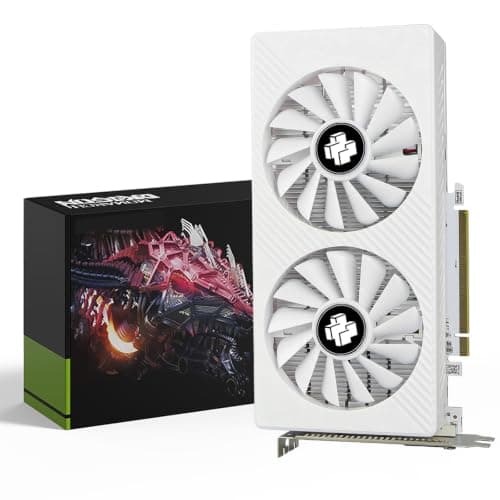
4. PowerColor Hellhound AMD Radeon RX 9070 16 GB
The PowerColor Hellhound RX 9070 16 GB is the Best Value pick in this guide, and the reasoning is simple: 16 GB of GDDR6 VRAM on the latest RDNA 4 architecture for under £560. For a machine learning practitioner on a tight budget who cannot stretch to the 7900 XT or the RTX 4080 Super, the RX 9070 delivers a genuinely capable platform for local model work without the compromises that come with 8 GB or 12 GB cards.
The RX 9070 uses a slightly cut-down version of the RDNA 4 die compared to the 9070 XT, with fewer compute units and a marginally lower memory bandwidth figure of approximately 717 GB/s on the same 256-bit GDDR6 bus. In practice, for most fine-tuning and inference workloads, the difference between the 9070 and 9070 XT is modest. The VRAM capacity is identical, which is the more important figure for fitting model weights into memory.
PowerColor's Hellhound cooler is a dual-fan design on this model, which is adequate for the card's 220 W TDP. The lower power draw compared to the 9070 XT and the NVIDIA options in this guide means the Hellhound runs cooler and quieter under sustained loads, which is a genuine quality-of-life benefit during long training runs. It also places lower demands on your PSU, making it compatible with a wider range of existing system builds.
For the use cases most relevant to budget ML practitioners, including running quantised LLMs locally with llama.cpp (HIP build), fine-tuning smaller models with Hugging Face PEFT, and training convolutional networks in PyTorch, the RX 9070 16 GB is more than adequate. The 16 GB pool allows you to load a 7B model in 8-bit quantisation with room for activations, or a 13B model in aggressive 4-bit quantisation.
The same ROCm caveats apply here as to all AMD cards in this guide. CUDA-dependent workflows will not run without significant porting effort. For PyTorch-native workflows, the card is a strong performer at Check price.
Verdict: The Best Value pick for budget-conscious ML practitioners who need 16 GB VRAM and are comfortable with the ROCm software stack.
Pros
- 16 GB GDDR6 VRAM at under £560 is the best VRAM-per-pound ratio for a new card in this guide
- 220 W TDP is the lowest in this guide, reducing PSU requirements and thermal output during long training runs
- RDNA 4 architecture with improving ROCm support makes this a capable PyTorch training platform
Cons
- Dual-fan cooler is less capable than triple-fan designs if ambient temperatures are high or the card is in a restricted airflow case
- ROCm software limitations apply: not suitable for CUDA-dependent workflows without significant porting effort
How We Picked
Every card in this guide was evaluated against machine learning-specific criteria rather than gaming benchmarks. The primary filter was VRAM capacity: cards with fewer than 12 GB were excluded outright, as they cannot hold the weights of modern transformer models without aggressive quantisation that degrades accuracy. Secondary criteria included memory bandwidth, which determines how quickly weights and activations can be moved between compute units and memory during forward and backward passes. Architecture generation was considered for its impact on Tensor Core availability and ROCm or CUDA library support. Price was evaluated in the context of VRAM capacity and bandwidth rather than absolute cost. Software ecosystem compatibility was assessed based on current PyTorch, ROCm, and CUDA library support documentation. Cards were drawn exclusively from the available catalogue pool, and only those genuinely suited to ML workloads were included.
Buying Guide
VRAM: The Non-Negotiable Specification
For machine learning and AI training, VRAM is the single most important specification on a graphics card. Every parameter in a neural network model must be loaded into VRAM during training. A 7B parameter model in FP16 precision requires approximately 14 GB of VRAM for weights alone, before accounting for gradients, optimiser states, and activations, which can multiply that figure by three or more. In practice, 16 GB is the minimum for comfortable work with modern LLMs, even with quantisation. 20 GB, as found on the RX 7900 XT 20G, gives you meaningful headroom for larger models or higher-precision training.
Do not be tempted by cards with high clock speeds but limited VRAM. An 8 GB card will hit its memory ceiling almost immediately with modern workloads and force you to use techniques that slow training or reduce model quality. The cards in this guide all carry at least 16 GB, with the top pick offering 20 GB.
Memory Bandwidth
After VRAM capacity, memory bandwidth determines training throughput. During each training step, the GPU must read model weights and activations from VRAM, perform compute operations, and write gradients back. Higher bandwidth means this cycle completes faster, directly increasing training speed. The RTX 5070 Ti leads this guide at approximately 896 GB/s, followed by the RX 7900 XT at 800 GB/s. The difference between 717 GB/s and 800 GB/s is meaningful for large-batch training but less so for inference or small-batch fine-tuning.
CUDA vs ROCm: Choosing Your Ecosystem
This is the most consequential software decision you will make. NVIDIA's CUDA platform has been the default for ML research and production for over a decade. The vast majority of ML libraries, research code, and tutorials are written for CUDA. If you are following a tutorial, running code from a research paper's GitHub repository, or using tools like TensorRT for inference optimisation, CUDA is the safer choice.
AMD's ROCm platform has improved substantially and now supports PyTorch 2.x, Hugging Face Transformers, and llama.cpp with the HIP backend. For workflows that are explicitly PyTorch-native and do not rely on CUDA-specific libraries, ROCm is a viable alternative that can save significant money. However, you should expect occasional compatibility issues, less community support, and slower adoption of new ML library features compared to CUDA.
Tensor Cores and Compute Precision
NVIDIA's Tensor Cores accelerate matrix multiplication operations, which are the computational core of neural network training and inference. Modern Tensor Cores support FP16, BF16, FP8, and in Blackwell, FP4 precision. Training in BF16 rather than FP32 can double or quadruple throughput on Tensor Core-equipped cards with minimal accuracy loss when using gradient scaling. AMD's RDNA 4 matrix accelerators offer similar mixed-precision capabilities, though library support is less mature.
Power Supply and Cooling
High-end ML cards draw substantial power under sustained compute loads. The RTX 4080 Super and RX 7900 XT both approach 320 W under load, requiring a quality 850 W PSU at minimum. The RX 9070 at 220 W is more forgiving. Sustained training runs can last hours or days, so thermal performance matters more than in gaming. Triple-fan coolers with large heatsinks are preferable, and case airflow should be considered carefully.
Graded vs New Stock
Several picks in this guide are available as graded stock. For a card used in a training workstation rather than a gaming system, graded stock is generally reliable: the cards are tested to a working standard and typically show no signs of heavy gaming use. The trade-off is a shorter or absent warranty period. If budget allows, new stock provides peace of mind for a component that will run under sustained load.
Final Verdict
The overall winner for machine learning and AI training is the Asus TUF Radeon RX 7900 XT 20G OC (Graded). Its 20 GB of GDDR6 VRAM is the decisive advantage: no other card in this guide offers more memory capacity, and for ML workloads, memory capacity directly determines which models you can run, how large your batches can be, and how much headroom you have for future model growth. The 800 GB/s bandwidth is second only to the RTX 5070 Ti in this guide, and the price at Check price makes it the best VRAM-per-pound option available.
The caveat is ROCm. If your workflow is CUDA-dependent, the Gigabyte RTX 4080 Super Windforce V2 (Graded) is the correct choice: full CUDA ecosystem access, Tensor Core acceleration, and 16 GB GDDR6X at a competitive graded price. For those who want the latest NVIDIA architecture with improved bandwidth, the Gigabyte RTX 5070 Ti GAMING OC 16G is the premium pick. Budget-conscious buyers comfortable with ROCm should look at the PowerColor Hellhound RX 9070 16 GB, which delivers 16 GB GDDR6 at the lowest price in this guide.
Frequently Asked Questions
For modern workloads, 16 GB is the practical minimum. A 7B parameter language model in FP16 precision requires around 14 GB for weights alone, before gradients and activations. If you want to fine-tune 13B models or work with higher-precision formats, 20 GB gives you meaningful headroom. Cards with 8 GB or 12 GB will force heavy quantisation that can degrade model quality.
AMD cards are viable for PyTorch-native workflows through the ROCm platform, which supports PyTorch 2.x, Hugging Face Transformers, and llama.cpp with the HIP backend. However, CUDA-dependent libraries such as TensorRT, cuDNN-specific optimisations, and many research codebases will not run on AMD hardware without significant porting effort. If you are following standard ML tutorials or using popular frameworks without CUDA-specific dependencies, ROCm is a workable alternative.
VRAM is the dedicated memory on the graphics card, and it is where model weights, gradients, activations, and optimiser states must reside during GPU training. System RAM cannot substitute for VRAM during GPU computation: if your model exceeds VRAM capacity, training will either fail or slow dramatically as data is offloaded. System RAM matters for data loading and preprocessing, but VRAM is the hard limit for what the GPU can process.
Graded cards are tested to a working standard and are often open-box or lightly used returns rather than heavily worn gaming cards. For a training workstation, where the card runs at sustained compute loads rather than gaming loads, graded stock is generally reliable. The main trade-off is a reduced or absent warranty period compared to new retail stock. Buying from a reputable retailer with a clear grading policy reduces the risk.
Both matter, but for different reasons. VRAM capacity determines which models you can load into memory at all, making it the first filter. Memory bandwidth determines how quickly the GPU can move weights and activations between compute units and memory during each training step, directly affecting training speed. A card with high capacity but low bandwidth will be able to fit large models but will train them more slowly. Ideally, you want both, which is why the RX 7900 XT 20G scores highly on both metrics.