AutoCAD places different demands on a graphics card than gaming does. The software relies heavily on OpenGL and, increasingly, DirectX 12 acceleration for 3D viewports, smooth pan-and-zoom in large 2D drawings, and hardware-accelerated visual styles. For 2025, Autodesk has tightened its certified and recommended GPU list, and the arrival of NVIDIA's RTX 50-series and AMD's RDNA 4 cards has reshuffled the value hierarchy considerably. Whether you are a sole-practitioner draughtsperson running AutoCAD LT on a modest budget, an architect pushing large 3D assemblies in AutoCAD Architecture, or a civil engineer juggling point clouds in Civil 3D, the right card makes a tangible difference to viewport responsiveness and crash stability. This guide focuses on five cards drawn from currently available UK stock, balancing driver maturity, VRAM headroom for complex drawings, display output flexibility for multi-monitor setups, and price-to-performance ratio. It is aimed at professionals and serious students who want a reliable, well-supported GPU rather than the fastest possible gaming frame rate.
Quick Verdict
Best Overall: MSI GeForce RTX 5070 12G Gaming Trio OC. It delivers workstation-class viewport performance at a mainstream price, with 12 GB GDDR7 and excellent driver support for AutoCAD's hardware acceleration features.
Best Value: Gigabyte GeForce GTX 1660 OC 6G. For users running AutoCAD LT or standard 2D/light 3D workflows, this card offers solid OpenGL performance, proven driver stability, and a low entry price that is hard to argue with.
1. Gigabyte GeForce GTX 1660 OC 6G
The Gigabyte GTX 1660 OC 6G is the budget pick in this selection, and it deserves its place because the majority of AutoCAD users, particularly those working primarily in 2D or with modest 3D models, simply do not need the power or expense of a current-generation card. The GTX 1660 is based on NVIDIA's Turing architecture, which has been in the market long enough to have exceptionally stable, well-optimised drivers for AutoCAD.
For AutoCAD LT users, sole practitioners working on architectural plans or mechanical drawings in 2D, or students learning the software, the GTX 1660 OC 6G provides everything the software needs. Hardware acceleration of 2D graphics, smooth pan and zoom in large DWG files, and reliable multi-monitor support are all present. The card handles AutoCAD's standard 3D visual styles, including Wireframe, Hidden, and Shaded, without difficulty.
The 6 GB GDDR5 VRAM is the card's most significant limitation. When working with complex 3D assemblies, large external reference (XREF) chains, or point cloud data, 6 GB can become a constraint, leading to slower viewport response or, in extreme cases, driver-level memory management that causes stuttering. For these use cases, stepping up to a card with 12 GB or 16 GB is strongly recommended.
Gigabyte's OC cooler on this card is a dual-fan design that is compact and quiet. The 120 W TDP means it runs on virtually any PSU, and its physical dimensions make it compatible with small form factor cases that cannot accommodate the larger triple-fan cards higher on this list. For a workstation build in a compact chassis, or for upgrading an older office machine, the GTX 1660 OC is a practical and cost-effective choice.
The display outputs, three DisplayPort 1.4 and one HDMI 2.0, support up to four monitors at 4K resolution, which is more than adequate for a professional dual-monitor drafting setup. The card's age means it lacks newer features such as AV1 encoding or DisplayPort 2.1, but neither of those is relevant to AutoCAD workflows.
Verdict: The best-value entry point for AutoCAD 2D and light 3D workflows, with proven driver stability and a price that is hard to argue with for budget-conscious users.
Pros
- Proven Turing architecture with exceptionally stable AutoCAD driver support built up over several years
- 120 W TDP is compatible with virtually any PSU and suits compact workstation builds
- Three DisplayPort 1.4 outputs support a multi-monitor professional setup without additional adapters
Cons
- 6 GB GDDR5 VRAM becomes a bottleneck with complex 3D assemblies, point clouds, or large XREF chains
- No support for DLSS 3 or Frame Generation, limiting future-proofing for GPU-accelerated rendering tools
Buying Guide
VRAM: How Much Do You Actually Need?
VRAM is the single most important specification for AutoCAD users after raw GPU performance. A 6 GB card such as the GTX 1660 is perfectly adequate for 2D drafting and simple 3D models, but it can struggle when you open large assemblies with multiple external references, import point cloud data, or work with high-resolution image underlays. As a practical guideline, 6 GB is sufficient for AutoCAD LT and standard 2D work; 12 GB covers the vast majority of professional 3D workflows; and 16 GB provides headroom for the most demanding scenarios, including large BIM coordination files and concurrent GPU-accelerated applications.
NVIDIA vs AMD for AutoCAD
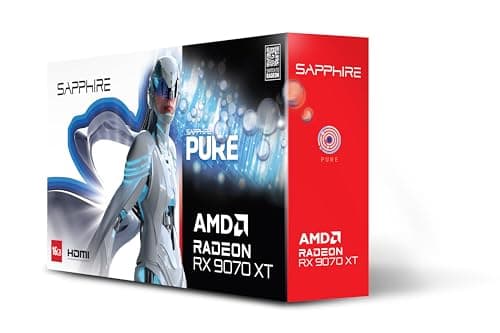
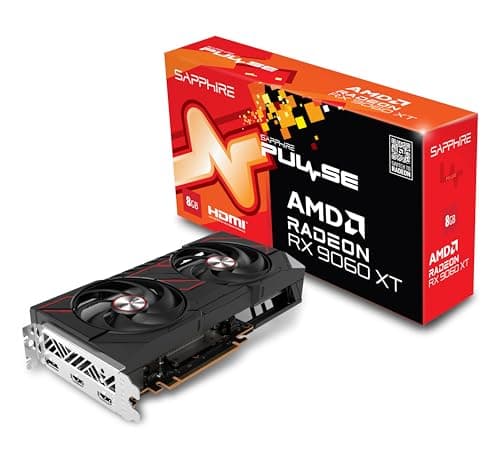
Both NVIDIA and AMD cards work reliably in AutoCAD with current drivers. NVIDIA has historically had a slight edge in OpenGL performance and driver stability in Autodesk applications, partly because NVIDIA's Studio drivers are specifically tuned for professional creative and design software. AMD's RDNA 4 cards have closed this gap considerably, and the RX 9070 and RX 9060 XT run AutoCAD 2025 without issues. The practical difference for most users is in the rendering ecosystem: if you use CUDA-accelerated renderers such as V-Ray GPU, Enscape, or Lumion's GPU mode, NVIDIA is the better choice. If you use CPU-based rendering or AMD-compatible tools, either platform works equally well.
Certified vs Consumer Cards
Autodesk publishes a list of certified graphics cards for AutoCAD, which is dominated by NVIDIA Quadro (now RTX Professional) and AMD Radeon Pro workstation cards. Consumer GeForce and Radeon cards are not on this list, but they work well in practice for the vast majority of users. The certified list matters most in enterprise environments where IT departments require validated configurations, or in cases where you need guaranteed support from Autodesk. For independent professionals and small practices, a current-generation consumer card with up-to-date drivers is a cost-effective and practical alternative.
Display Outputs and Multi-Monitor Support
Most AutoCAD professionals benefit from at least two monitors: one for the drawing canvas and one for palettes, properties, and reference material. All five cards in this guide support at least two simultaneous displays, and most support three or four. If you are planning a three-monitor setup, verify that the card has three native outputs rather than relying on adapters, as passive adapters can cause issues with high-resolution displays. DisplayPort 2.1 outputs on the newer cards support 4K at 144 Hz or 8K at 60 Hz, which is useful if you plan to upgrade to a high-resolution professional monitor.
Power and Case Compatibility
AutoCAD is not a power-hungry application for the GPU compared to gaming, but the card's TDP determines PSU requirements and thermal output in your workstation. Budget cards like the GTX 1660 at 120 W are easy to accommodate in any system. High-end cards like the RTX 5070 Ti at around 300 W require a quality 750 W or 850 W PSU and good case airflow. Physical card length is also worth checking: triple-fan cards can exceed 330 mm, which may not fit in compact or micro-ATX cases. Always verify clearance before purchasing.
For the majority of AutoCAD professionals, the MSI GeForce RTX 5070 12G Gaming Trio OC is the clear overall winner. It combines Blackwell architecture, 12 GB of fast GDDR7 memory, and excellent multi-monitor support at a price that sits comfortably within a professional workstation budget. It handles every AutoCAD workflow from 2D drafting to complex 3D assemblies and point cloud work without compromise, and NVIDIA's Studio driver ecosystem provides the most mature and stable support for Autodesk applications of any consumer GPU platform. For users on a tighter budget who work primarily in 2D or light 3D, the Gigabyte GTX 1660 OC 6G remains a sensible and cost-effective choice with years of proven stability behind it.