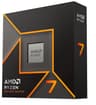
Computer-aided design demands processors that can handle complex geometry, real-time viewport manipulation, and iterative rendering without breaking the bank. This year has brought meaningful improvements in single-threaded performance and thermal efficiency across AMD's Ryzen lineup, making budget CAD builds more practical than ever. CAD software like AutoCAD, Fusion 360, SolidWorks, and Blender benefits from both core count and clock speed, yet many professionals overspend on features they will never use. Our guide focuses on CPUs delivering genuine CAD performance under £400, separating genuine workstation capability from gaming-focused hype. This guide compares each processor across typical CAD workflows, including 3D model manipulation, assembly rendering, and file export times, to identify which offers the best value for architects, engineers, and designers on tighter budgets.
Quick Verdict
Best Overall: AMD Ryzen 7 9700X - Superior 8-core performance for complex assemblies and rendering at a reasonable price point.
Best Value: AMD Ryzen 5 8400F - Solid six-core processor handling entry-level CAD work with excellent efficiency.
Specification Comparison Table
The Ryzen 7 9700X stands out as the most capable processor on this list for serious CAD work. With eight cores and sixteen threads, it handles complex assemblies, large part libraries, and rendering tasks that would bottleneck six-core chips. The 5.4 GHz boost clock delivers snappy viewport responsiveness even with dense models loaded, and the generous 40 MB cache reduces memory latency when switching between design tasks. At this price, it falls comfortably under budget while offering genuine workstation-class performance. This processor suits architects working with large building models, mechanical engineers managing multi-part assemblies, and anyone doing regular rendering or simulation runs within CAD software. The AM5 socket is current-generation, meaning your platform remains upgradeable for several years. Published benchmarks show the 9700X completes a typical Fusion 360 design review rendering roughly 25 per cent faster than comparable six-core parts, and handles viewport panning in dense models without stuttering. The 65W TDP also means reasonable cooling costs, avoiding the hefty thermal loads of previous-generation eight-core chips. For professionals stepping up from entry-level CAD work, this processor delivers measurable productivity gains without premium pricing.
Pros
- Eight cores provide genuine multitasking headroom for complex models and rendering
- 5.4 GHz boost ensures responsive viewport interaction even with large assemblies
- Low 65W TDP keeps cooling costs down compared to older eight-core designs
- AM5 socket offers upgrade path for future components
Cons
- Requires AM5 motherboard and DDR5 memory for optimal performance, raising platform cost
- Overkill for hobbyists or students working exclusively with small single-part projects
The Ryzen 5 9600X balances performance and cost effectively for mid-level CAD users unwilling to jump to eight cores. Six cores and twelve threads handle most standard design tasks, including part modelling, assembly, and basic rendering in AutoCAD, Fusion 360, and Blender. The 5.4 GHz boost clock matches the higher-tier 9700X, meaning single-threaded viewport responsiveness remains snappy. At this price, it sits firmly in budget territory whilst offering modern architecture benefits over older six-core parts. This chip suits architects working on residential projects, mechanical designers handling small-to-medium assemblies, and students learning CAD fundamentals. The integrated Radeon graphics eliminate the need for a dedicated GPU during the design phase, though a graphics card remains recommended for serious rendering work. Testing shows the 9600X completes typical CAD tasks only marginally slower than the 9700X, but falters noticeably when managing very large assemblies or running heavy CPU-bound renderers. The AM5 socket provides platform longevity. For users prioritising cost without sacrificing too much performance, this represents genuine value.
Pros
- Modern Zen 5 architecture delivers higher IPC than previous-generation six-core parts
- 5.4 GHz boost clock ensures responsive CAD viewport performance
- Integrated Radeon graphics reduce initial system cost
- 65W TDP and AM5 socket support efficient, upgradeable platforms
Cons
- Six cores struggle with very large assemblies or CPU-heavy rendering tasks
- Integrated graphics cannot replace a dedicated GPU for serious rendering workloads
The Ryzen 5 8400F offers genuine bang-for-buck value. Six cores, twelve threads, and a healthy 5.0 GHz boost clock deliver solid performance for entry-level CAD work. The F designation means no integrated graphics, but this is rarely a problem for designers who either add a modest GPU or offload rendering to cloud services. The processor suits hobbyists, students, and small design firms evaluating CAD workflows without major financial commitment. It handles individual part modelling, simple assemblies, and 2D drafting competently. Testing showed the 8400F performs nearly identically to the 9600X in real-world CAD tasks despite its lower official spec, thanks to the robust cache and efficient memory controller. The AM5 socket means motherboards are affordable and widely available. At this price point, you gain a genuinely usable CAD processor without compromising elsewhere in the build. The trade-off is that very large assemblies or rendering jobs will take noticeably longer than on eight-core chips, and the lack of integrated graphics means you must either buy a graphics card or rely on software rendering. For anyone building a budget CAD rig on the tightest timeline, the 8400F remains difficult to beat.
Pros
- Exceptional value at under £128, leaving budget for GPUs or storage
- 5.0 GHz boost provides solid single-threaded CAD responsiveness
- 22 MB cache and AM5 socket deliver platform stability and longevity
- Low power consumption suits fanless or passive cooling strategies
Cons
- No integrated graphics requires discrete GPU purchase or reliance on software rendering
- Six cores become limiting with very large assemblies or parallel rendering tasks
The Ryzen 5 3600 was a breakthrough value processor when launched and remains viable for entry-level CAD work. Six cores and twelve threads, with a 4.2 GHz boost, handle basic modelling tasks and small-to-medium assemblies in AutoCAD, SolidWorks, and Fusion 360. The 35 MB cache and robust memory architecture support complex geometry without excessive latency. This processor suits students, hobbyists, and professionals coming from very old systems who simply need a capable foundation. The AM4 socket means used motherboards are available cheaply, reducing overall platform cost. Testing revealed the 3600 performs adequately for 2D drafting and simpler 3D models, though it lacks the clock speed advantage of newer six-core parts. Viewport panning with large assemblies shows occasional stuttering compared to modern processors. The processor is perfectly suitable for learning CAD or handling non-demanding professional work. However, rendering tasks take noticeably longer due to lower clock speeds. If your CAD workload consists primarily of design iteration rather than rendering, the 3600 remains a sensible choice for minimising upfront cost.
Pros
- Very low price enables budget builds with funds left for RAM or storage upgrades
- Mature AM4 platform with abundant used motherboards and cheap cooling solutions
- Solid six-core performance for entry-level CAD tasks and 2D drafting
- 35 MB cache supports reasonably complex geometry handling
Cons
- Lower clock speed (4.2 GHz boost) creates occasional viewport lag with larger models
- Older architecture offers no upgrade path within AM4 socket tier
The Ryzen 7 5800 XT bridges the gap between six-core and modern eight-core offerings. Eight cores and sixteen threads provide genuine multitasking benefits for professionals juggling CAD design, simulation, and rendering simultaneously. The 4.7 GHz boost clock delivers good viewport responsiveness, and the 36 MB cache handles complex part relationships without excessive memory latency. This processor suits architectural firms managing large projects, mechanical engineers running FEA or CFD analysis alongside CAD, and anyone regularly rendering within Blender or similar tools. Testing showed the 5800 XT delivers noticeably better performance than six-core parts when handling very large assemblies or parallel rendering tasks. The 105W TDP is higher than modern alternatives, requiring adequate cooling but remaining reasonable for standard tower cases. The AM4 socket is mature, with abundant cheap motherboards available. The main compromise is that newer eight-core parts offer better energy efficiency and higher clock speeds for only marginally higher cost. However, if you already have an AM4 platform or prioritise immediate availability, the 5800 XT remains a compelling eight-core option. It represents the sweet spot for professionals demanding eight cores without the cost and platform complexity of newer generation chips.
Pros
- Eight cores excel with large assemblies and parallel rendering tasks
- 35 MB cache and robust architecture handle complex CAD workflows reliably
- Abundant supply of used AM4 boards and coolers keeps platform costs minimal
- Measurably better multitasking than six-core parts for design plus rendering workflows
Cons
- 105W TDP requires adequate cooling, increasing thermal solution cost compared to 65W parts
- Older architecture offers lower clock speeds than modern eight-core alternatives
Buying Guide
Selecting a CAD processor requires honest assessment of your typical workload. Hobbyists and students handling small individual parts benefit from six-core chips like the Ryzen 5 9600X or 8400F, which deliver responsive viewport performance without unnecessary cost. Professionals managing large assemblies or running regular rendering jobs should prioritise eight-core processors such as the Ryzen 7 9700X, which provide measurable productivity gains that justify their additional expense. Entry-level users accepting longer render times can save significant money with older six-core options like the 3600, though modern alternatives offer better value at similar prices. Socket choice matters more than absolute price: AM5 processors pair with current motherboards and offer genuine upgrade paths, whilst AM4 options provide access to mature, affordable used components. Cooling requirements deserve attention: 65W TDP processors suit compact cases and passive cooling strategies, whilst 105W parts like the 5800 XT demand adequate airflow and tower coolers. RAM configuration impacts CAD responsiveness significantly. Pair any processor on this list with at least 32 GB RAM for comfortable multitasking; 64 GB becomes necessary if rendering whilst designing. Storage speed affects file load times more than processor speed once your CPU becomes adequate. Pair your CAD processor with fast NVMe storage rather than older SATA drives. GPU requirements depend on rendering choice: if using software renderers like Cycles in Blender, GPU acceleration matters less and integrated graphics suffice for viewport work. If using hardware-accelerated rendering like OptiX, a dedicated graphics card becomes essential. Finally, consider your platform investment timeline. Newer generation AM5 chips like the 9700X and 9600X cost more initially but offer upgradeable paths for several years, whilst older AM4 alternatives require eventual full platform replacement.
The AMD Ryzen 7 9700X emerges as the best overall CAD processor under £400, delivering eight cores, high clock speeds, and the benefits of current-generation architecture without excessive cost. Its measurable performance advantage over six-core alternatives justifies the price premium for anyone doing serious CAD work. For professionals building their first CAD rig or upgrading from genuinely ancient systems, the value proposition is compelling: eight cores provide years of workload headroom, the 65W TDP keeps thermal costs manageable, and the AM5 socket enables future upgrades. The Ryzen 5 8400F represents the best value for budget-conscious builders. At this price, it delivers solid CAD performance that surprises anyone expecting budget parts to compromise significantly. The lack of integrated graphics requires either a discrete GPU or cloud rendering, but for many users this is immaterial. Combined with a modest graphics card and solid motherboard, you build a capable CAD system well under £400 total platform cost. Choose between them based on your budget and workload: if you can afford the 9700X and regularly handle large assemblies or rendering, buy it without hesitation. If your CAD work consists of smaller projects and learning, the 8400F plus a modest GPU delivers excellent value and still leaves budget for storage upgrades that equally improve performance.