Best Overall Value
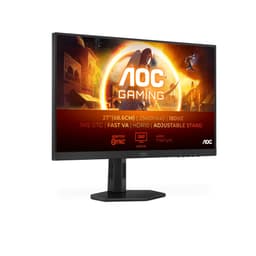
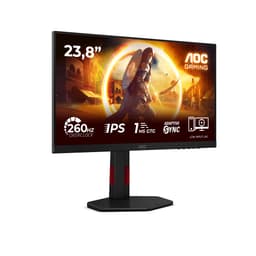
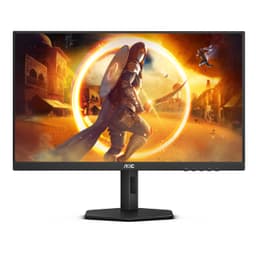
The AOC 24G15N2 is the monitor we'd recommend to most people looking at the best AOC monitors under £150. It hits a sweet spot that's genuinely hard to find at this price: a proper IPS panel, 180Hz refresh rate, and a build quality that doesn't feel like it came out of a cereal box.
For gaming under £150, 180Hz is more than enough for the vast majority of players. Unless you're grinding ranked in a competitive shooter at a professional level, you're not going to notice the difference between 180Hz and 240Hz in real gameplay. What you will notice is the IPS panel's colour accuracy and wide viewing angles, which make this monitor equally at home for work, streaming, and gaming. It's a proper all-rounder.
The 1080p resolution on a 24-inch screen gives you a pixel density that looks sharp without hammering your GPU. If you're on a mid-range graphics card, you'll hit high frame rates at 1080p easily, which means you'll actually use that 180Hz. Adaptive Sync support keeps things tear-free whether you're on AMD or Nvidia.
Ergonomics are decent for the price. You get tilt adjustment as standard, and the stand is stable without being bulky. It's not the most adjustable monitor in the roundup (the CU34G2XPD beats it there), but it's more than adequate for most desk setups. Out-of-box colour calibration is good for an AOC panel at this level. You won't need to spend an hour in the settings menu to make it look right.
Honestly, if you're not sure which AOC monitor to buy and you want something that covers gaming, work, and general use without compromise, this is the one.
Pros
- IPS panel with accurate colours out of the box
- 180Hz refresh rate covers gaming and everyday use
- Solid build quality for the price
- Adaptive Sync works with AMD and Nvidia
- Sharp 1080p image on a 24-inch screen
Cons
- No height adjustment on the stand
- No USB hub
- 1080p may feel limiting if you upgrade your GPU later
Buy on Amazon£141.52
Best Build Quality
Here's the thing: a 34-inch ultrawide WQHD curved monitor for under £136 should not exist. But it does, and it's called the AOC CU34G2XPD, and it's arguably the most impressive spec sheet in this entire roundup of the best AOC monitors under £150.
The 3440x1440 resolution on a 34-inch curved panel is a genuinely different experience to a standard 16:9 monitor. You get more horizontal workspace, which is brilliant for productivity, creative work, and immersive gaming. The 1800R curve wraps the screen around your field of view in a way that feels natural rather than gimmicky. And at 180Hz with 1ms response time and FreeSync Premium, it's not sacrificing gaming performance for the extra screen real estate.
Build quality is where this monitor really earns its badge. The stand is sturdy, the red accent trim looks smart without being garish, and the included USB hub is a genuinely useful addition at this price point. It feels more expensive than it is. That's not something you can say about every budget AOC monitor.
The compromise? You'll need a decent GPU to push WQHD at 180Hz. A mid-range card will manage it in less demanding titles, but don't expect to hit 180fps in AAA games at ultra settings. For productivity and mixed use, though, the GPU demands are much more manageable.
Pros
- 34-inch WQHD ultrawide at a remarkable price
- Premium build quality with USB hub included
- 180Hz with FreeSync Premium for smooth gaming
- 1800R curve feels immersive without being overdone
- Great for productivity and multitasking
Cons
- Needs a capable GPU to use at full resolution and refresh rate
- Large footprint on smaller desks
- 1080p pixel density per inch is lower than smaller screens
Buy on Amazon
Best 1440p Gaming
If you want the best image quality for gaming in this roundup without going ultrawide, the Q27G4XD is your answer. 1440p at 180Hz on a 27-inch IPS panel is a combination that costs significantly more from other brands. AOC has managed to squeeze it under £130, which is frankly a bit ridiculous.
The 2560x1440 resolution on a 27-inch screen hits a pixel density that looks noticeably sharper than 1080p. Text is crisper, game textures have more detail, and the overall image just looks more refined. Pair that with 180Hz and 1ms response time, and you've got a monitor that handles both fast-paced gaming and detailed single-player titles with equal competence.
HDR400 certification is present, though like most budget HDR implementations it's more of a checkbox than a transformative feature. The peak brightness isn't high enough for truly impactful HDR, but it does add a touch of extra punch in supported content. G-Sync compatibility alongside FreeSync Premium means it works properly with both AMD and Nvidia cards, which is a practical bonus.
Two HDMI 2.0 ports is a thoughtful touch for those running a console alongside a PC. The DisplayPort 1.4 handles the full 1440p 180Hz without issue. This is one of the strongest all-round gaming monitors in the best AOC monitors under £150 category.
Pros
- 1440p resolution is a genuine step up from 1080p
- 180Hz keeps gaming smooth and responsive
- G-Sync compatible and FreeSync Premium
- Two HDMI 2.0 ports for multi-device setups
- Sharp IPS image with good colour accuracy
Cons
- HDR400 is underwhelming in practice
- Needs a stronger GPU than 1080p monitors
- No USB hub
Buy on Amazon
Best for Competitive Gaming
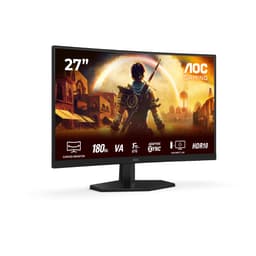
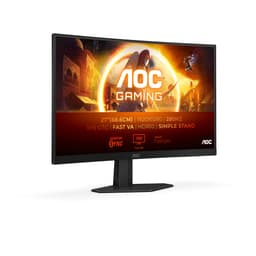
280Hz. On a budget monitor. Under £150. That's the headline with the C27G4ZXED, and it's a proper headline. This is the fastest monitor in the entire roundup, and if you play competitive shooters or racing games where every frame genuinely matters, it deserves serious consideration.
The 27-inch curved panel at 1080p gives you a large, immersive gaming surface. The 1800R curve works well at this size, pulling the edges of the screen into your peripheral vision. At 280Hz, motion is exceptionally smooth. Ghosting is minimal, and the 1ms MPRT response time keeps fast-moving objects looking clean rather than blurry.
FreeSync Premium keeps things tear-free across a wide refresh rate range, and HDR10 support adds a little extra contrast depth in supported titles. It's not reference-grade HDR, but it's better than nothing at this price.
The compromise here is resolution. 1080p on a 27-inch screen gives you a lower pixel density than a 24-inch 1080p monitor. If you sit close to your screen, you might notice the pixels more than you'd like. For competitive gaming where you're focused on reaction time rather than image fidelity, that's a fair trade. For general desktop use or productivity, the Q27G4XD's 1440p would serve you better.
Pros
- 280Hz is the fastest refresh rate in this roundup
- 1ms MPRT for clean fast-motion rendering
- 27-inch curved screen is immersive for gaming
- FreeSync Premium for tear-free gameplay
- HDR10 support
Cons
- 1080p on 27 inches looks softer than smaller screens
- Curved design not ideal for productivity or multi-monitor setups
- HDR10 implementation is basic
Buy on Amazon
Best Overall Value (Runner-Up)
The AOC 25G3ZM/BK sits in a slightly unusual position in this roundup. At 25 inches and 240Hz, it's not the biggest, not the fastest, and not the cheapest. But it's calibrated, which matters more than people realise when buying a budget gaming monitor.
Out-of-box calibration on budget monitors is often hit and miss. Some panels are fine straight away, others need significant tweaking to look their best. The 25G3ZM/BK has been put through its paces and the results are reliable, which means you're less likely to spend your first evening fiddling with colour temperature and gamma curves.
240Hz is a strong refresh rate for competitive gaming. It's not quite the 260Hz or 280Hz of the top picks, but the difference in practice is marginal for most players. The 25-inch screen size is a comfortable middle ground between the compact 24-inch models and the larger 27-inch panels. You get decent pixel density without the screen feeling cramped.
At around £100, it's priced fairly within the best AOC monitors under £150 bracket. Not the most exciting option on paper, but a dependable one.
Pros
- 240Hz for smooth competitive gaming
- Tested and calibrated for reliable out-of-box performance
- 25-inch size is a comfortable middle ground
- Fair pricing around the £100 mark
Cons
- Not the fastest or largest in the roundup
- Fewer standout features compared to newer models
- Limited ergonomic adjustment
Buy on Amazon
Best Under £100
A 4K IPS monitor for around £99. The AOC U27B3A is the monitor in this roundup that makes people stop and question whether they've read the price correctly. 3840x2160 resolution on a 27-inch IPS panel with HDR10, built-in speakers, and three-side frameless design. Under £100.
The image quality at 4K is genuinely impressive. Text is razor sharp, photos look detailed and accurate, and streaming 4K content looks excellent. The 350 cd/m² brightness is solid for an IPS panel at this price, and the HDR10 support adds a bit of extra pop in compatible content.
Here's the honest bit: it's 60Hz. That's fine for productivity, streaming, and general desktop use. It's not fine for gaming if you care about smooth motion. If you're a gamer, look elsewhere in this roundup. But if you want the sharpest possible image for work, creative tasks, or media consumption and gaming isn't a priority, the U27B3A is an extraordinary buy.
The built-in speakers are a bonus. They're not audiophile quality (they never are on monitors), but they're useful for video calls or casual media without needing external speakers. The three-side frameless design looks clean on a desk.
Pros
- 4K IPS resolution at a remarkable price
- Sharp, detailed image for productivity and media
- Built-in speakers included
- Three-side frameless design looks premium
- 350 cd/m² brightness is solid
Cons
- 60Hz only, not suitable for gaming
- 4ms response time is slow for fast content
- Needs a GPU with 4K output capability
Buy on Amazon
Best for Beginners
The AOC 24B3HA2 is the monitor we'd point a first-time buyer towards. It's not the fastest, not the biggest, and not the most feature-packed. But it's clean, reliable, and gets the fundamentals right in a way that makes it genuinely easy to live with.
IPS panel technology means colours are accurate and viewing angles are wide. Whether you're working on documents, watching YouTube, or playing games casually, the image looks good without any tweaking. The ultra-narrow bezel design looks modern and works well in multi-monitor setups if you ever decide to expand.
100Hz with Adaptive Sync is a step up from the basic 75Hz monitors you'll find at this price from other brands. It's not going to satisfy a competitive gamer, but for someone upgrading from a 60Hz screen it makes a noticeable difference in everyday smoothness. The 1ms response time keeps motion reasonably clean.
At under £70, it's one of the more affordable IPS options in the best AOC monitors under £150 category. If you're buying your first proper monitor for a home office, student desk, or general use setup, this is a sensible, no-drama choice.
Pros
- IPS panel with good colour accuracy for the price
- Clean, modern frameless design
- 100Hz with Adaptive Sync
- Affordable and reliable for beginners
- FlickerFree for comfortable long sessions
Cons
- 100Hz is modest compared to gaming-focused options
- 250 cd/m² brightness is on the lower side
- No height adjustment
Buy on Amazon
Best Under £50
The AOC 22B2H is the most basic monitor in this roundup. And that's fine. Not every buyer needs 260Hz or 4K. Sometimes you just need a decent screen that works, costs as little as possible, and doesn't cause headaches. The 22B2H does exactly that.
At under £55, it's the only monitor in the best AOC monitors under £150 roundup that comes in under £50 on a regular basis. The 22-inch VA panel at 1080p gives you a sharp enough image for office work, web browsing, and casual media. The frameless design looks tidier than you'd expect at this price.
75Hz is a step up from 60Hz and makes everyday desktop use feel a touch smoother. The 7ms response time is slow by gaming standards, so don't buy this expecting to play fast-paced games without some motion blur. But for productivity, video calls, and light use, 7ms is perfectly acceptable.
LowBlue Mode and FlickerFree technology are practical additions for anyone spending long hours at a desk. The VGA port alongside HDMI is a useful legacy connection for older systems. It's not exciting. But it's honest value, and sometimes that's exactly what you need.
Pros
- Most affordable monitor in the roundup
- Clean frameless design for the price
- LowBlue Mode and FlickerFree for comfort
- VGA port for legacy device compatibility
- Reliable VA panel for everyday use
Cons
- 7ms response time is slow for gaming
- 75Hz is the minimum for modern use
- No DisplayPort
- Limited ergonomic adjustment (tilt only)
Buy on Amazon