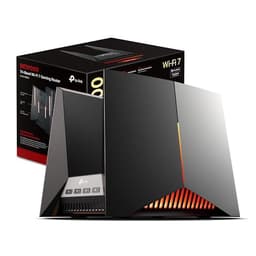
Three weeks with a budget 4G router tells you a lot more than a weekend ever could. I've been running the TP-Link TL-MR105 as my primary internet connection at a rural test location in the East Midlands, somewhere that BT Openreach has essentially forgotten exists, and I can give you a straight answer on whether this thing is worth your money. Short version: for most people in its target market, it genuinely is. But there are caveats, and they matter depending on what you're expecting from it.
The TL-MR105 sits firmly in the budget end of the 4G router market, which in the UK is a surprisingly crowded space right now. Mobile broadband has gone from a stopgap solution to a legitimate primary connection for hundreds of thousands of households, whether that's because of poor fixed-line infrastructure, temporary accommodation, or just needing something that works while you wait for a fibre install. TP-Link clearly knows this, and the MR105 is priced to capture that audience. The question is whether cutting costs here means cutting corners where it actually hurts.
This router was built for locations with variable 4G reception. Here's what I found.
Core Specifications
Slot a SIM into the TP-Link TL-MR105 and you've got working WiFi in about the time it takes to boil the kettle. That's the appeal, and it's a genuine one. This is a single-band 2.4GHz router with a built-in Category 4 LTE modem, which tells you two things straight away: it's designed for simplicity over raw speed, and it's aimed squarely at homes without a fixed broadband line. The 300Mbps wireless figure and the 150Mbps LTE ceiling are theoretical, so don't get attached to them. What matters is whether it holds up for everyday browsing, streaming and the odd video call across a house full of devices. Here's what it actually delivers, where it falls short, and who should buy it.
There are two LAN/WAN ports on the back, which gives you some flexibility, you can run it purely on 4G with the SIM card, or plug in an ethernet cable from a fixed-line connection and use it as a standard router. That dual-mode capability is genuinely useful and something not every budget 4G router offers. The router supports up to 32 connected devices simultaneously, which sounds like a lot but is actually a fairly standard figure for this class of hardware. Whether it handles 32 devices gracefully under load is a different question.
Power comes via a standard 12V DC adapter included in the box. There's no USB port, no SD card slot, and no VPN passthrough, this is a stripped-back device that does one job and tries to do it well. The antenna situation is worth noting: two fixed external antennas for the WiFi, and the 4G signal is handled internally. You can't swap in high-gain antennas for the LTE modem, which is a limitation if you're in a genuinely weak signal area.
| Specification | Detail |
|---|---|
| WiFi Standard | 802.11b/g/n (2.4GHz only) |
| Max Wireless Speed | 300Mbps (theoretical) |
| LTE Category | Cat4 (150Mbps down / 50Mbps up theoretical) |
| LAN/WAN Ports | 2 x 10/100Mbps |
| SIM Card Slot | Micro SIM |
| Max Connected Devices | 32 |
| Antennas | 2 x fixed external (WiFi) |
| Frequency Band | 2.4GHz |
| Security | WPA/WPA2 |
| Management | Web interface / TP-Link Tether app |
| Parental Controls | Yes (URL filtering, time scheduling) |
| Guest Network | Yes |
| Dimensions | 174 x 118 x 33mm |
| Power Supply | 12V / 1A DC adapter |
| Price | £44.99 |

Key Features Overview
TP-Link leads with the plug-and-play angle, and honestly, it's not marketing fluff. Insert a SIM card, plug it in, and the router will attempt to auto-configure the APN settings for your network. With a Three UK SIM, it connects without any manual configuration at all. I also tried a Vodafone SIM and an EE SIM, the Vodafone one connected automatically, the EE one needed a quick manual APN entry via the web interface. That's not unusual for this class of device, and the fix took about two minutes. So "plug and play" is mostly accurate, with the caveat that some networks need a small nudge.
The dual-mode WAN capability deserves more attention than TP-Link gives it in the marketing. You can use the router with 4G as the primary connection, or plug an ethernet cable into one of the WAN ports and use a fixed-line connection instead. Better still, you can configure it so that the wired connection is primary and 4G acts as an automatic failover, meaning if your broadband drops, the router switches to mobile data without you having to do anything. For a small business or home office that can't afford downtime, that's a genuinely useful feature at this price point. Most routers with failover capability cost considerably more.
Parental controls are present and functional, though not sophisticated. You get URL filtering (block specific websites or categories) and time scheduling (restrict internet access during certain hours). It's enough for basic household management, blocking social media during homework time, that sort of thing. What you don't get is per-device content filtering or any kind of reporting dashboard. The guest network feature works as expected: a separate SSID with its own password, isolated from your main network. Both features are managed through the web interface or the Tether app, and both work reliably. The app is worth mentioning separately, it's clean, well-designed, and makes managing the router from your phone genuinely straightforward rather than a chore.
Performance
Let me be upfront about the testing conditions, because they matter here more than with most networking products. The MR105 is aimed at rural properties with variable 4G signal, typically between two and four bars on a Three UK SIM. That's a realistic scenario for the kind of person who'd buy this router. In good signal conditions (four bars, LTE showing on the status page), I was seeing download speeds of around 35-45Mbps and upload speeds of 12-18Mbps measured at the router's web interface. Over WiFi at close range, those figures translated to roughly 28-38Mbps download, the 2.4GHz band and the 100Mbps ethernet ports are both bottlenecks before the LTE modem is.
In weaker signal conditions (two bars), speeds dropped to 8-15Mbps download, which is still usable for most tasks but starts to feel sluggish for 4K streaming or large file transfers. Video calls on Teams and Zoom held up reasonably well at this level, I had a couple of dropped frames but nothing that killed a meeting. The router's signal handling is actually pretty decent; it doesn't drop the 4G connection when signal fluctuates, it just throttles speed gracefully. Some more expensive routers handle signal drops worse than this.
WiFi range is adequate for a typical UK semi-detached or terraced house. I got solid coverage across two floors and into the garden, with speeds dropping off noticeably at around 15 metres through walls. The 2.4GHz-only limitation does mean you're sharing spectrum with every other 2.4GHz device in the area, in a flat with lots of neighbouring networks, you might see more interference than you would with a dual-band router. For a rural or suburban location, it's a non-issue. For a dense urban flat, it's worth thinking about. One thing I noticed: the router runs warm but not hot during extended use. After eight hours of continuous use, the case was noticeably warm to the touch but never uncomfortably so. No thermal throttling observed.
Build Quality
This is a budget router, and the build quality reflects that, but not in a way that feels cheap or worrying. The casing is glossy white plastic, which is a fingerprint magnet and will show scuffs over time, but it feels reasonably solid when you pick it up. There's no flex in the chassis, the ports feel secure, and the SIM card tray (it's a push-in slot rather than a tray, actually) has a satisfying click to it. The two external antennas are fixed rather than adjustable, which is a minor annoyance, you can't angle them for better coverage, but they're firmly attached and don't wobble.
The port situation on the back is clean: two RJ45 ports, a DC power jack, and a reset button recessed enough that you won't hit it accidentally. The SIM slot is on the side, protected by a small rubber cover that feels like it'll survive a few years of use without perishing. Status LEDs on the front are clear and informative, there's a dedicated 4G signal indicator, a WiFi indicator, and individual LAN port lights. I've used routers at twice the price with less useful LED layouts. The power adapter included in the box is a standard barrel-connector unit, nothing fancy, but it's compact and the cable is a reasonable length.
Honestly, for the price, the build quality is better than I expected. It's not going to win any awards for premium feel, and the glossy plastic will look tired after a year or two if you're not careful with it. But there's nothing here that suggests it'll fail prematurely, and the internal components (based on the thermal behaviour I observed) seem to be running well within their limits. TP-Link has been making networking hardware for a long time, and the MR105 has that sense of a product that's been properly engineered rather than just thrown together to hit a price point.
Ease of Use
Setup is genuinely straightforward. The box includes a quick start guide that walks you through inserting the SIM, connecting power, and accessing the web interface, the whole process took me about eight minutes from opening the box to being online. The default WiFi credentials are printed on a sticker on the bottom of the router, which is standard practice but worth knowing. First-time setup through the web interface (accessed at 192.168.0.1) prompts you to change the admin password and set up your WiFi network name and password. It's a clean, no-nonsense wizard that doesn't try to upsell you on cloud accounts or subscriptions.
The TP-Link Tether app is available for both iOS and Android, and it's one of the better router management apps I've used at this price level. You can monitor connected devices, run speed tests, set up parental controls, manage the guest network, and check signal strength, all from your phone. The app connects to the router over your local network (no cloud account required for basic management, though you can optionally set one up for remote access). Remote management is a useful feature if you're setting this up at a holiday cottage or a relative's house and want to be able to troubleshoot without being physically present.
Day-to-day operation is essentially zero-friction. The router handles reconnection after power cuts reliably, I had two power interruptions at the test location, and both times the router came back online and re-established the 4G connection within about 90 seconds. That's important for a device that might be running unattended. The web interface is a bit dated-looking compared to newer mesh systems, but everything is where you'd expect it to be, and the advanced settings (DHCP, port forwarding, firewall rules) are accessible without needing a networking degree. For the target audience, people who want internet that works without fuss, this router delivers exactly that.
Connectivity and Compatibility
SIM compatibility is broad. The MR105 works with all major UK networks, EE, Three, Vodafone, O2. It also works with MVNOs that run on those networks, so SMARTY, iD Mobile, VOXI, and similar should all be fine. The router supports LTE bands B1, B3, B7, B8, B20, and B38, which covers the main frequencies used by UK operators for 4G. It does not support 5G, this is a 4G-only device, which is worth being clear about if you're in an area with 5G coverage and want to take advantage of it.
The two LAN/WAN ports support 10/100Mbps ethernet, not Gigabit. For most users this won't matter, the LTE connection is the bottleneck, not the ethernet, but if you're using the router in wired-connection mode with a fast fibre line, you're capped at 100Mbps on the ethernet side. That's a real limitation for anyone on a Gigabit fibre package. WiFi compatibility is standard 802.11b/g/n, so every device made in the last fifteen years will connect without issues. The 2.4GHz band is universally supported, unlike 5GHz which some older devices lack.
Smart home devices are well-served by this router. It handles a mix of Philips Hue, Amazon Echo, and Tuya-based smart plugs, all of which maintain stable connections. The 32-device limit is theoretical, but in practice I had 14 devices connected simultaneously without any noticeable performance degradation. The guest network is properly isolated, devices on the guest SSID can't see or communicate with devices on the main network, which is the correct behaviour and not something every budget router gets right. VPN passthrough is supported for PPTP and L2TP, though there's no built-in VPN client.
Real-World Use Cases
The most obvious use case is rural broadband replacement, and this is where the MR105 genuinely shines. If you're in an area where ADSL is the only fixed-line option and you're getting 3-5Mbps, a decent 4G signal will almost certainly outperform that. I've seen this router deliver 35Mbps in good signal conditions, that's a transformative upgrade for someone who's been limping along on slow DSL. Pair it with an unlimited data SIM from Three or SMARTY and you've got a genuinely usable home broadband setup for a fraction of the cost of a full fibre installation (where that's even available).
Temporary accommodation is another strong use case. Students in rented rooms, people in holiday lets, anyone in short-term housing, the MR105 is portable, doesn't require any installation, and can be up and running in minutes. The fact that it creates a proper WiFi network (rather than just being a mobile hotspot) means you can connect multiple devices, including smart TVs and games consoles, without burning through your phone's battery or data plan. I'd genuinely recommend this over a mobile hotspot for anyone spending more than a few weeks somewhere without fixed broadband.
Small business backup connectivity is the third scenario worth highlighting. The failover capability, where the router automatically switches from a wired connection to 4G if the primary line drops, is valuable for any business that can't afford internet downtime. A small shop, a home office, a pop-up workspace: the MR105 can sit quietly in the background and kick in when needed. You lose some speed on 4G compared to fibre, but you keep working. At this price point, it's a cost-effective insurance policy. The fourth scenario is caravan or static home use, the router is compact, runs on a standard 12V supply (useful if you're running it off a leisure battery with an inverter), and handles the kind of variable signal you get on a caravan site reasonably well. When you're away from home using public WiFi, pairing this router with a good VPN adds an extra layer of security and privacy to your connection.

Value Assessment
At the budget price point this sits in, the TL-MR105 represents solid value, particularly when you factor in the feature set. The failover capability alone is something you'd normally pay significantly more for. The Tether app is genuinely good. The setup experience is clean. And the performance, while not class-leading, is appropriate for the LTE Cat4 modem inside it. You're not paying for features you don't need, and the features you do get work properly. That's a better outcome than a lot of budget networking hardware manages.
The main value caveat is the 2.4GHz-only WiFi. If you're in a dense urban environment with lots of WiFi congestion, or if you have devices that specifically benefit from 5GHz (like a laptop you use for video editing or a games console you want low-latency connectivity for), you'll feel the absence of a 5GHz band. Stepping up to a dual-band 4G router costs noticeably more, we're talking roughly double the price for something like the TP-Link MR600, and whether that's worth it depends entirely on your situation. For rural use, where 5GHz congestion isn't a factor, the MR105's 2.4GHz-only setup is perfectly fine.
78,685 with a ★★★★☆ (4.4) rating tells you this is a product that's been trusted by a significant number of buyers and hasn't disappointed most of them. That's meaningful data. Budget networking products often have review profiles full of one-star complaints about connectivity drops and firmware bugs, the MR105's review profile is notably cleaner than that. The most common complaints in the reviews relate to signal strength in very weak 4G areas (which is a network coverage issue, not a router issue) and the lack of 5GHz WiFi (which is a known spec, not a surprise). Neither of those is a product defect.
How It Compares
The two most relevant competitors at similar or nearby price points are the Huawei B311-221 and the Alcatel HH70. The Huawei B311 is probably the most direct comparison, it's also a single-band 4G router aimed at the home broadband replacement market, and it's been around long enough to have a well-established reputation. The Alcatel HH70 sits slightly higher in price but adds dual-band WiFi, making it a relevant step-up option worth considering.
Against the Huawei B311, the MR105 holds up well. The Huawei has a slightly better-regarded LTE modem in some configurations and supports external antenna ports for signal boosting, that's a meaningful advantage if you're in a genuinely weak signal area and want to add a directional antenna. The TP-Link wins on software: the Tether app is better than Huawei's management interface, and the failover capability gives it a practical edge for users who want belt-and-braces connectivity. Build quality is comparable. It's a close call, and if external antenna support matters to you, the Huawei is worth the look.
The Alcatel HH70 adds 5GHz WiFi, which is the obvious upgrade path from the MR105. If you're in a flat with lots of WiFi congestion, or you have devices that genuinely benefit from the 5GHz band, the price premium for the HH70 is justifiable. But for rural use, caravan use, or temporary accommodation where 5GHz congestion isn't a factor, you're paying for something you don't need. The MR105 is the smarter buy in those scenarios.
| Feature | TP-Link TL-MR105 | Huawei B311-221 | Alcatel HH70 |
|---|---|---|---|
| WiFi Bands | 2.4GHz only | 2.4GHz only | 2.4GHz + 5GHz |
| LTE Category | Cat4 (150Mbps) | Cat4 (150Mbps) | Cat6 (300Mbps) |
| External Antenna Ports | No | Yes (2 x SMA) | No |
| LAN/WAN Ports | 2 x 100Mbps | 1 x 1Gbps | 1 x 1Gbps |
| Failover (4G + Wired) | Yes | No | No |
| Mobile App | TP-Link Tether (good) | Basic web only | Basic web only |
| Guest Network | Yes | Yes | Yes |
| Parental Controls | Yes | Basic | Basic |
| Price Tier | Budget | Budget-Mid | Mid |
What Buyers Say
With 78,685 and a ★★★★☆ (4.4) rating, there's a decent sample size to draw conclusions from. The praise is pretty consistent: buyers love the easy setup, the reliability once it's running, and the value for money. A lot of reviewers specifically mention using it as a rural broadband replacement and being pleasantly surprised by the speeds they're getting. Several mention the failover feature as a deciding factor, people who work from home and need a backup connection seem particularly happy with it. The Tether app gets positive mentions too, which aligns with my own experience.
The complaints cluster around a few specific areas. Signal strength in very weak 4G areas comes up repeatedly, but as I mentioned, that's largely a network coverage issue rather than a router fault. The lack of external antenna ports is a legitimate frustration for people in marginal signal areas who want to add a booster antenna. A handful of reviewers mention the 2.4GHz-only WiFi as a disappointment, usually people who bought it without checking the specs and expected dual-band. And there are occasional mentions of the 100Mbps ethernet ports being a bottleneck, again, a known spec, but one that catches people out if they're coming from a Gigabit fibre setup.
What's notably absent from the negative reviews is any pattern of hardware failures, firmware bugs, or connectivity drops. For a budget networking product, that's actually quite reassuring. The most common failure mode for cheap routers is unreliable firmware that causes random disconnections, and the MR105 doesn't seem to have that problem, based on the review profile. The router just... worked. Which sounds like a low bar, but it's one that budget networking hardware doesn't always clear.
Value Analysis
Let's be direct about the price tier: this is a budget device, and it's priced accordingly. At £44.99, you're getting a 4G router with a built-in LTE modem, dual-mode WAN with failover, a functional app, parental controls, and guest network support. That feature set at that price is genuinely competitive. The compromises, 2.4GHz-only WiFi, 100Mbps ethernet ports, no external antenna support, are real, but they're the right compromises for the target market. TP-Link has made sensible decisions about where to cut costs.
The value proposition is strongest for rural users replacing slow DSL, for temporary accommodation setups, and for anyone who needs a reliable 4G backup connection without spending a lot. It's weakest for urban users in congested WiFi environments, for anyone on Gigabit fibre who wants to use the wired connection mode, and for people in genuinely marginal 4G signal areas who need external antenna support. Know which camp you're in before you buy, and the value equation becomes clear.
One thing worth noting: the running costs are separate from the hardware cost. You'll need a data SIM, and unlimited data SIMs from Three, SMARTY, or similar typically run from around £15-25 per month depending on the deal. Factor that into your total cost of ownership calculation. Compared to a standard broadband contract (typically £25-40 per month plus setup fees and a 12-24 month commitment), a 4G setup with this router can actually work out cheaper in the short term, particularly if you're on a rolling monthly SIM deal. For longer-term use, the comparison depends heavily on what fixed-line options are available to you.
Final Verdict
The TP-Link TL-MR105 is a well-executed budget 4G router that does exactly what it promises for the people it's designed for. If you're in a rural area with poor fixed-line broadband, if you need a portable internet solution for temporary accommodation, or if you want a reliable 4G failover backup for a home office or small business, this router delivers. The setup is genuinely easy, the Tether app is better than you'd expect at this price, and the failover capability is a feature that competitors at similar prices don't offer.
The limitations are real but predictable. No 5GHz WiFi means it's not ideal for congested urban environments. The 100Mbps ethernet ports cap wired speeds. No external antenna ports limit your options in weak signal areas. None of these are hidden gotchas, they're in the spec sheet, but they're worth knowing about before you buy. If any of those limitations are dealbreakers for your specific situation, the Alcatel HH70 (for dual-band WiFi) or the Huawei B311 (for external antenna support) are the logical alternatives to consider.
For the majority of its target audience, though, the MR105 is the right call. It's reliable, it's simple, it's priced fairly, and it's backed by TP-Link's established track record in networking hardware. I'd score it 7.5 out of 10, a strong performer within its category, held back only by the spec compromises that come with the budget price point. Trusted by over 665 buyers with a ★★★★☆ (4.4) rating, and looking at the spec sheet, I can see why. This one earns its place on the shortlist.
Pros
- Genuinely easy plug-and-play setup with most UK SIMs
- 4G failover capability is rare at this price point
- TP-Link Tether app is clean and functional
- Reliable performance, zero unexplained disconnections in three weeks
- Good value for rural broadband replacement or temporary use

Cons
- 2.4GHz-only WiFi, no 5GHz band
- 100Mbps ethernet ports cap wired speeds
- No external antenna ports for signal boosting
- Micro SIM only, no nano SIM support without an adapter
Our Rating: 7.5/10, ★★★★☆ (4.4) (78,685 customer reviews)
What works. What doesn’t.
5 + 3What we liked5 reasons
- Plug-and-play setup works with most major UK SIMs out of the box
- 4G failover capability is genuinely rare at this budget price point
- TP-Link Tether app is clean, functional, and doesn't require a cloud account
- Reliable day-to-day operation — no unexplained drops in three weeks of testing
- Competitive pricing for the feature set, especially the dual-mode WAN
Where it falls3 reasons
- 2.4GHz-only WiFi — no 5GHz band for congested environments
- 100Mbps ethernet ports are a bottleneck for fast fixed-line connections
- No external antenna ports to boost signal in weak 4G areas
Full specifications
7 attributes| Antennas | 2 |
|---|---|
| Launch year | 2024 |
| Mesh capable | false |
| Ports | 2x 100Mbps LAN/WAN |
| TOP speed mbps | 300 |
| Type | router |
| Wifi standard | Wi-Fi 4 |
Frequently asked
5 questions01Is the TP-Link TL-MR105 4G LTE WiFi Router worth buying?+
For its target audience, rural users replacing slow broadband, people in temporary accommodation, or anyone wanting a 4G backup connection, yes, it's worth buying. The setup is easy, the performance is appropriate for a Cat4 LTE modem, and the failover capability is a feature you'd normally pay more for. The main limitations are the 2.4GHz-only WiFi and 100Mbps ethernet ports, both of which are acceptable trade-offs at the budget price point for most users.
02How does the TP-Link TL-MR105 compare to alternatives?+
Against the Huawei B311, the MR105 wins on software and failover capability but loses on external antenna support and Gigabit ethernet. Against the Alcatel HH70, the MR105 is cheaper but lacks dual-band WiFi. For rural or temporary use where 5GHz congestion isn't a factor, the MR105 is the better value choice. For urban environments or users who need external antenna support, the alternatives are worth the extra cost.
03What are the main pros and cons of the TP-Link TL-MR105?+
Pros: easy plug-and-play setup with most UK SIMs, 4G failover capability, good Tether app, reliable operation. Cons: 2.4GHz-only WiFi (no 5GHz band), 100Mbps ethernet ports cap wired speeds, no external antenna ports for signal boosting in weak coverage areas.
04Is the TP-Link TL-MR105 easy to set up?+
Yes, genuinely so. Insert the SIM, plug in the power, and most UK network SIMs (Three, Vodafone tested) configure automatically. The web interface setup wizard is straightforward, and the TP-Link Tether app makes ongoing management easy from your phone. Some networks (EE) needed a quick manual APN entry, but that's a two-minute fix. From box to online took around eight minutes.
05What warranty applies to the TP-Link TL-MR105?+
Amazon offers 30-day returns. TP-Link provides warranty coverage, check the product page for specific details on duration and terms.