
Your ISP router is probably rubbish. Not because ISPs are evil, but because the box they hand you is designed to cost them as little as possible while technically ticking the "we gave you a router" box. So you end up with dead zones in the upstairs landing, the garden is basically offline, and anyone who tries to game while someone else streams gets a thoroughly miserable evening. The TP-Link Deco BE3600 three-pack is aimed squarely at households who've finally had enough of all that.
The short version: this is a solid, well-priced Wi-Fi 7 mesh system for a typical UK home. It's not perfect, and there are a couple of genuine compromises you should know about before you hand over your money. But for most households with a dead zone problem and a budget that doesn't stretch to the premium tier, it's a genuinely good answer.
So here's everything that matters about the TP-Link Deco BE3600, grounded in what the spec sheet actually says.
Core Specifications
The Deco BE3600 is a dual-band Wi-Fi 7 mesh system. You get three nodes in the box, which is the right number for most UK homes. The headline speed figure is BE3600, which is the theoretical combined maximum across both bands. As with every router spec number ever printed, nobody's phone is going to see that. What it actually means is a 2.4GHz band and a 5GHz band, both running the Wi-Fi 7 standard, with Multi-Link Operation (MLO) support. MLO is covered in the Wi-Fi standard section below.
Ports are 2x 1Gbps Ethernet per node. Each wired link tops out at 1Gbps, so a broadband line faster than that can't be passed through at full speed, and a NAS or gaming PC plugged into a node gets 1Gbps at most. Wired backhaul is supported, meaning you can run an Ethernet cable between nodes if your home allows it, and that's the right way to get the best out of any mesh system.
Built-in security comes via TP-Link's HomeShield platform, which includes parental controls, IoT device protection, and real-time threat monitoring. Some of the more advanced HomeShield features need a subscription, so bear that in mind. The system works with Google Home and Alexa, and it's compatible with any ISP and modem, so you're not locked into a particular broadband provider.
| Specification | Detail |
|---|---|
| Wi-Fi Standard | Wi-Fi 7 (802.11be) |
| Band Layout | Dual-band (2.4GHz + 5GHz) |
| Max Theoretical Speed | Up to 3.6 Gbps combined |
| Multi-Link Operation (MLO) | Yes |
| Nodes in Pack | 3 |
| WAN/LAN Ports | 2x 1Gbps Ethernet per node |
| Wired Backhaul | Yes (Ethernet, up to 1 Gbps) |
| Wireless Backhaul | Yes (wireless + wired simultaneously) |
| Security | HomeShield (subscription required for some features) |
| Smart Home | Google Home, Amazon Alexa |
| App Control | Deco app (iOS and Android) |
| VPN | Yes (VPN Encryption Booster) |
| Price | £222.99 |

Real-World Coverage and the TP-Link Deco BE3600 in a Typical Home
TP-Link rates the three-pack for up to 6,500 sq ft (about 600 square metres), but walls, floors and where you put the units decide what you actually get. What the three-node setup does give you is the ability to place units strategically around your home, which is how mesh coverage actually works in practice. One node near the router, one on the first floor, one at the far end of the house or in the garden-facing room. That's the pattern that works.
The AI-driven mesh roaming is designed so your phone or laptop switches between nodes without you noticing, rather than stubbornly clinging to the furthest node at a weak signal because it connected there first. That's a real problem with cheaper mesh systems and basic extenders.
The spec supports good range across a typical UK three or four-bedroom house with three nodes placed sensibly. But thick stone walls, older buildings with metal lath plaster, and unusual layouts will still cause problems for any wireless system. If your home is difficult, the wired backhaul option is your friend. Run Ethernet between nodes and you eliminate the wireless backhaul penalty entirely. More on that in the mesh section.
Sustained Speed Under Load
The BE3600 headline figure is the combined theoretical maximum across both bands measured at essentially zero distance with no interference and ideal conditions. Your actual throughput will be lower. That's not a criticism specific to this router; it's true of every Wi-Fi product ever made. What matters is how well it holds up when you're a couple of rooms away, when multiple devices are hammering it simultaneously, and when the wireless backhaul is carrying traffic between nodes at the same time as serving clients.
The dual-band setup means there's no dedicated third band for backhaul. That's the key trade-off at this price point. The 5GHz band does double duty: it handles client devices and carries the mesh backhaul traffic between nodes. On a tri-band system, you'd have a separate band exclusively for node-to-node communication. Here, you're sharing. In practice, for most households with a typical broadband connection under 500Mbps, this isn't a disaster. The MLO feature helps by allowing devices to use both bands simultaneously rather than being pinned to one.
Where you'll feel the shared backhaul most is when the nodes are placed far apart wirelessly and multiple devices are doing heavy lifting at the same time. If you're running four 4K streams plus a game download plus a video call simultaneously across the far node, throughput will compress. The fix is to wire at least one node via Ethernet. Wired links top out at 1 Gbps, and wiring the backhaul removes the shared-band problem entirely.
Mesh and Backhaul
Mesh networking is a fundamentally better approach than traditional extenders for most homes. An extender just rebroadcasts the signal, typically at half speed because it's receiving and transmitting on the same channel. A mesh system has nodes that communicate intelligently, share network information, and allow smooth roaming.
The backhaul story here is dual-mode. Each node can use wireless and wired backhaul simultaneously, which TP-Link says lifts overall throughput and cuts lag. That's a genuine advantage over systems that force you to choose one or the other. In a typical setup, you'd have the primary node wired to your modem, and then the satellite nodes either wired back via Ethernet (ideal) or connected wirelessly (fine for most use cases). The flexibility is real.
The limitation, as mentioned, is that this is a dual-band system. Premium mesh systems at higher price points offer a dedicated 6GHz backhaul band, which keeps node-to-node traffic completely separate from client traffic. The Deco BE3600 doesn't have that. For the majority of UK households with normal broadband speeds and a reasonable number of devices, the difference won't be dramatic. But if you're running a home office with heavy simultaneous uploads and downloads, gaming competitively, and also have a house full of 4K streaming, a tri-band system with dedicated backhaul would serve you better.
Device Capacity
Modern homes have a lot of connected devices. Every phone, laptop, tablet, smart TV, games console, streaming stick, security camera, doorbell, smart speaker, smart plug, and smart light bulb is on your network. Thirty to fifty devices is normal now. The Wi-Fi 7 standard addresses this directly through improved OFDMA (Orthogonal Frequency Division Multiple Access) and MU-MIMO support. TP-Link rates the system for more than 150 connected devices.
OFDMA is the technology that lets a router serve multiple devices simultaneously on the same channel rather than making them queue up and take turns. It was introduced in Wi-Fi 6 and Wi-Fi 7 improves on it further. In a busy home, this is the difference between your smart TV buffering because the doorbell camera just uploaded a clip, and everything running smoothly because the router is handling multiple conversations at once.
The three-node setup also distributes the load. Rather than every device connecting to one access point and competing for airtime, devices connect to their nearest node. Your upstairs bedroom devices connect to the upstairs node, your living room kit connects to the living room node. That spatial distribution is a real capacity benefit beyond just coverage. For a household with fifty-plus connected devices across a multi-floor home, three nodes handling the load is meaningfully better than one router trying to serve everyone.
Wi-Fi Standard and Future-Proofing: What Wi-Fi 7 Actually Means for You
Wi-Fi 7, formally IEEE 802.11be, is the latest generation of the standard. The headline improvements over Wi-Fi 6 and 6E are higher maximum throughput, Multi-Link Operation, and 320MHz channel width support on 6GHz, though that needs a 6GHz band and this dual-band unit tops out at 160MHz channels. How much of that matters to you right now?
Most devices currently in UK homes are Wi-Fi 5 or Wi-Fi 6. Your existing laptop, phone, and smart TV will connect to the Deco BE3600 and work fine, because Wi-Fi 7 is backwards compatible with all previous generations. They just won't use the Wi-Fi 7 features. The MLO feature, which allows a device to send and receive data across multiple bands simultaneously for lower latency and higher throughput, requires a Wi-Fi 7 client device to work. Newer flagship phones from 2024 onwards and some recent laptops support Wi-Fi 7. Your 2021 laptop does not.
So is Wi-Fi 7 worth paying for now? The argument for it is future-proofing. A mesh system you buy today should last you four to six years. By the time you replace it, a significant chunk of your devices will be Wi-Fi 7 capable, and you'll actually be using the features you paid for. The argument against is that you're paying a premium for capability your current hardware can't use. The TP-Link Deco BE3600 brings enough other genuine improvements that the Wi-Fi 7 label isn't pure marketing. It's a reasonable buy for a forward-looking home network.

Features and QoS
The Deco app gives you QoS controls, which is the ability to prioritise certain devices or traffic types. If you want to make sure your gaming console always gets priority over someone's background software update, QoS is how you do that. TP-Link's implementation in the Deco range is app-based and reasonably accessible for non-technical users, which is the right approach for a home mesh system. You shouldn't need to log into a web interface and navigate DSCP markings to stop Netflix killing your game.
HomeShield is TP-Link's security platform, and it bundles parental controls, real-time IoT device monitoring, and network threat detection. The basic parental controls and some security features are available without a subscription. The more advanced features, including detailed content filtering, usage reports, and enhanced threat intelligence, require a HomeShield Pro subscription. This is a common model in the mesh router market now, and it's upfront rather than being surprised by a subscription prompt after setup. The free tier is useful; the paid tier is for households that want more granular control.
VPN support is built in, under the name "VPN Encryption Booster". This means you can run a VPN at the router level, so every device on your network benefits without needing individual VPN apps on each one. That's useful for households that care about privacy or need to access geo-restricted content. Guest network support is standard in the Deco range, so you can give visitors their own network segment without them touching your main network or seeing your devices. Google Home and Alexa integration means you can check network status or run basic controls through a smart speaker, which is a nice-to-have rather than essential.
Firmware, App and Security Updates
The BE3600 is a current-generation product, so it should be in active support for the foreseeable future. TP-Link publishes firmware updates on their support pages, and the Deco app pushes notifications when updates are available.
Setup, network monitoring, device management, and parental controls are all handled through the app. The app requires a TP-Link account, which is a drawback if you'd prefer purely local management. That's a real trade-off: cloud-connected management means you can check your network from anywhere, but it also means your network data goes through TP-Link's servers. For most households this is a non-issue; privacy-conscious users should weigh it up.
As with any router, keeping firmware updated is the best thing you can do for long-term stability and security.
Setup and Management
Setup is app-driven and designed to be straightforward. You download the Deco app, create or log into a TP-Link account, plug in the primary node, and follow the guided setup. Adding satellite nodes is a case of plugging them in and letting the app detect and configure them. That matters because a mesh system that requires you to manually configure SSIDs, channels, and roaming thresholds is only useful if you know what those things mean.
Day-to-day management through the app covers device lists, speed tests, parental controls, QoS priority settings, and guest network management. If you want more advanced configuration, there's also a web management interface. The app handles the common tasks; the web interface is there if you need to go deeper.
The unified network name feature means all three nodes broadcast the same SSID. Your devices roam between them automatically based on signal strength and load. You don't manage three separate networks; you manage one. That's the point of mesh, and the AI-driven roaming in the Deco system means the handoff between nodes is handled without you needing to think about it. Whichever nodes you end up connecting to, pairing the network with a good VPN adds a privacy and security layer on top, and keeps you protected on public Wi-Fi when you are away from home.
Ports and Connectivity
Each node has 2x 1Gbps Ethernet ports. That's normal at this price, and fine for most UK broadband, but it does cap every wired connection at 1Gbps. If you're on a multi-gigabit fibre plan, you'll want a system with 2.5GbE ports.
This review covers the standard Deco BE3600. If a listing says Pro, check TP-Link's spec page for that exact model before comparing, because the figures here are for the standard version.
In practice, one port on the primary node goes to your modem or ISP router (in modem mode). The remaining port is available for a wired client or for wired backhaul to a satellite node. On satellite nodes, both ports are available for wired clients or backhaul.
If you can run an Ethernet cable between nodes, do it. Wired backhaul eliminates the shared-band penalty of wireless backhaul on a dual-band system, and it means the entire 5GHz band is available for client devices rather than being split between clients and node-to-node traffic. For homes with Ethernet already in the walls, or for anyone willing to run a cable, this transforms the performance of the system.
How the TP-Link Deco BE3600 Compares to the Competition
The main alternatives at a similar price make a different trade. Tri-band systems reserve a band for backhaul, so node-to-node traffic doesn't compete with client devices on the 5GHz band, which is the main structural advantage over the BE3600. The BE3600's Wi-Fi 7 standard and MLO support are more forward-looking. It's a genuine trade-off between dedicated backhaul now versus the Wi-Fi 7 standard for the future. Simpler dual-band Wi-Fi 6 systems cost less and suit households that don't care about Wi-Fi 7, but they give up MLO.

Final Verdict
The TP-Link Deco BE3600 three-pack is a genuinely good mesh Wi-Fi system for the money. It brings Wi-Fi 7, MLO, Gigabit Ethernet ports, and flexible wired-plus-wireless backhaul.
There are caveats. It's dual-band, so the 5GHz band does double duty as both client band and wireless backhaul. If you can wire the nodes together, that problem goes away. If you can't, it's still fine for most households, but a tri-band system with dedicated backhaul would serve a very busy home better. The HomeShield subscription is a real cost if you want the full security and parental control feature set. And Wi-Fi 7 MLO benefits only kick in when your devices support Wi-Fi 7, which most current hardware doesn't yet.
Who should buy this? Anyone with a three or four-bedroom UK home, a dead zone problem, and a broadband connection they're not getting the best out of because their ISP router is doing the bare minimum. Anyone upgrading from a single router or a cheap extender setup. Anyone who wants a system that will still be relevant in four years when their new devices actually support Wi-Fi 7.
Who should look elsewhere? If you're on a tighter budget and don't care about Wi-Fi 7, a Wi-Fi 6 three-pack system comes in cheaper and will cover most homes just as well with current devices. If your home is large or complex and you need maximum throughput at the far nodes wirelessly, spending more on a tri-band system with a dedicated 6GHz backhaul band is the right call.
Verdict: a dual-band Wi-Fi 7 mesh system with MLO and wired backhaul support.
Rated ★★★★½ (4.6) from 4,626 Amazon ratings.
What works. What doesn’t.
4 + 3What we liked4 reasons
- Wi-Fi 7 with MLO at an accessible price point
- Two Gigabit Ethernet ports per node
- Flexible wired and wireless backhaul simultaneously
- Deco app for setup and management
Where it falls3 reasons
- Dual-band only: 5GHz does double duty for clients and wireless backhaul
- Full HomeShield security features require a paid subscription
- MLO and Wi-Fi 7 benefits only available with Wi-Fi 7 client devices
Full specifications
8 attributes| Coverage SQM | 604 |
|---|---|
| Launch year | 2026 |
| Mesh capable | true |
| Ports | 2x 1GbE Ethernet per node |
| Security protocols | WPA3, WPA2 |
| TOP speed mbps | 3600 |
| Type | mesh_router |
| Wifi standard | Wi-Fi 7 |
If this isn’t right for you
2 options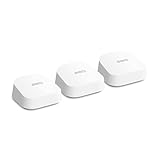 8.0 / 10
Amazon eero 7 dual-band mesh Wi-Fi 7 router (newest model) – Supports internet plans up to 2.5 Gbps, Coverage up to 560 m², 3-pack
£279.99 · eero
 8.0 / 10
TP-Link Deco X60(3-pack) AX5400Mbps Whole Home Mesh WiFi 6 System, up to 7,100 Sq ft Coverage, AI Driven WiFi Booster, 1 GHz Quad-Core CPU, Compatible with Amazon Alexa, HomeShield Security,Easy Setup
£249.99 · TP-Link
Frequently asked
5 questions01Will the TP-Link Deco BE3600 three-pack cover my whole house?+
For most UK three or four-bedroom homes, yes. Three nodes placed sensibly, one near your modem, one on the first floor, one at the far end, should eliminate dead zones. Very large homes, properties with thick stone walls, or unusual layouts may still struggle with any wireless system. If your home is difficult, using wired backhaul between nodes removes the wireless range limitation entirely.
02Do I really need Wi-Fi 7 for the TP-Link Deco BE3600?+
Not right now. Most devices currently in UK homes are Wi-Fi 5 or Wi-Fi 6, and they'll connect to and work perfectly well with the BE3600 because Wi-Fi 7 is backwards compatible. The headline Wi-Fi 7 features like Multi-Link Operation only kick in when your client device also supports Wi-Fi 7. Newer flagship phones from 2024 onwards and some recent laptops do. The case for buying Wi-Fi 7 now is future-proofing: a mesh system you buy today should last four to six years, and by then more of your devices will benefit from it.
03Is the TP-Link Deco BE3600 mesh worth it over a single router or extender?+
For most homes with multiple floors or a dead zone problem, yes. A traditional extender rebroadcasts the signal at roughly half speed because it's receiving and transmitting on the same channel. The Deco BE3600 mesh system has nodes that communicate intelligently, support smooth roaming so your devices follow you without dropping, and distribute the device load across three access points. If you live in a small flat and your current router covers everything fine, a mesh system is overkill. If you have dead zones or your router is struggling with lots of devices, the three-node mesh is the right fix.
04Is the TP-Link Deco BE3600 easy to set up and reliable?+
Setup is app-driven and designed to be straightforward, even for non-technical users. You download the Deco app, create a TP-Link account, plug in the primary node, and follow the guided steps. Adding satellite nodes is handled automatically by the app. Keeping firmware updated through the app is the best ongoing maintenance step for long-term stability and security.
05What warranty and returns apply to the TP-Link Deco BE3600?+
No warranty length is stated on the product page for this model. When buying through Amazon UK, you're covered by Amazon's standard 30-day return policy and the A-to-Z Guarantee, which protects your purchase if something goes wrong. For manufacturer warranty details, check TP-Link's UK support pages directly at tp-link.com before purchasing.













