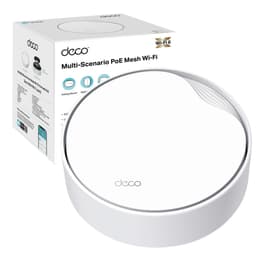
The router market loves a big number. AX3000, Wi-Fi 6, 6,500 square feet of coverage. What those numbers rarely tell you is whether your actual house, with its solid Victorian walls and three floors of concrete, will see any of it. The TP-Link Deco X55 is a three-node Wi-Fi 6 mesh system sitting in the upper-mid-range bracket, and the real question isn't whether the spec sheet looks good. It's whether it actually fixes the dead zones that your ISP's supplied router has been quietly failing to cover for the past three years.
Over 12,000 owners have left reviews on Amazon, averaging 4.3 stars. That's not a small sample, and it's not a fluke. But it also doesn't mean it's right for everyone. At this price point you're competing with Eero, Netgear Orbi, and TP-Link's own Deco range at various levels. So before you hand over your money, it's worth knowing exactly where the X55 sits in that landscape, what it genuinely does well, and where it cuts corners.
This is a comparison-led look at the Deco X55 3-pack, grounded in the spec sheet, what real owners consistently report, and how it stacks up against the alternatives you'd seriously consider at this price. Just what matters.
Core Specifications
The Deco X55 is a dual-band Wi-Fi 6 mesh system rated at AX3000, which means a theoretical combined maximum of around 3 Gbps across both bands. In practice, you'll see 574 Mbps on the 2.4GHz band and 2,402 Mbps on the 5GHz band, on paper. Real-world figures are a different story, and we'll get to that. It supports 1024-QAM modulation and HE160, which doubles the channel width on the 5GHz band and is one of the more meaningful spec differences between this and cheaper Wi-Fi 6 kit. BSS Colour is included, which helps reduce interference in flats or dense neighbourhoods where multiple networks are competing for airspace.
Each node ships with three Gigabit Ethernet ports. That's your WAN port and two LAN ports per unit, which is enough for most setups. There's no 2.5GbE here, which is worth knowing if your broadband connection exceeds 1 Gbps or you're planning to use wired backhaul at full speed between nodes. The coverage claim from TP-Link is up to 6,500 square feet for the 3-pack, and it supports 150-plus simultaneous device connections. That figure is best-case, but it does at least signal that the hardware isn't going to choke on a busy smart home.
Beamforming is supported, which helps the router focus signal toward connected devices rather than broadcasting equally in all directions. MU-MIMO (multi-user, multiple input, multiple output) and OFDMA (orthogonal frequency division multiple access) are both present, meaning the system can handle multiple devices talking at once rather than queuing them up. These aren't just marketing ticks at this level. They make a tangible difference in a home with twenty-plus devices fighting for bandwidth simultaneously.
| Specification | Detail |
|---|---|
| Wi-Fi Standard | Wi-Fi 6 (802.11ax) |
| Speed Rating | AX3000 (dual-band) |
| 2.4GHz Band | Up to 574 Mbps |
| 5GHz Band | Up to 2,402 Mbps |
| Modulation | 1024-QAM |
| Channel Width | HE160 (5GHz) |
| Ports per Node | 3x 1GbE |
| Coverage (3-pack) | Up to 6,500 ft² |
| Device Capacity | 150+ simultaneous connections |
| Features | BSS Colour, Beamforming, MU-MIMO, OFDMA, AI Mesh Roaming |
| Security | HomeShield (subscription for some features) |
| Price | £199.99 |

Real-World Coverage
TP-Link's 6,500 square foot claim for the 3-pack is the kind of number that assumes a single-storey open-plan American home with no brick walls, no stairwells, and no concrete floors. Your actual British semi-detached or Victorian terrace is going to be a bit more brutal on the signal. That said, the consistent message from owners across thousands of reviews is that the X55 3-pack genuinely does reach the rooms that cheaper single-router setups fail to cover. The far bedroom, the garden office, the kitchen at the back of the house. Owners in typical UK three and four-bedroom homes regularly report solid coverage throughout, which is more than you can say for a lot of kit at this price.
The three-node configuration is key here. With a node upstairs, one downstairs, and one in a garden building or garage, you're not relying on a single router to punch signal through multiple floors of plasterboard and brick. Each node creates its own coverage bubble, and the AI-driven mesh roaming feature handles device handoff between them. Owners report that this handoff is generally smooth. Phones and laptops transition between nodes without noticeable dropouts, which is the whole point of a mesh system and something cheaper range extenders consistently get wrong.
Where coverage can fall short is in larger or unusually shaped properties. A long thin house, a property with a detached garage more than 20 metres away, or a four-storey building might need a fourth node or a wired backhaul connection between nodes to keep signal quality up at the extremes. The X55 supports wired backhaul via its Ethernet ports, which is worth knowing if you can run a cable between floors. A wired backhaul connection between nodes transforms mesh performance and eliminates the bandwidth penalty of wireless backhaul entirely.
Sustained Speed Under Load
AX3000 is a theoretical maximum that no real device in your home will ever hit. What matters is what you actually keep at distance, with multiple devices active. The 5GHz band's HE160 support is genuinely useful here. By doubling the channel width, it allows compatible devices to transfer data faster when they're in good range of a node. Owners with Wi-Fi 6 laptops and phones consistently report strong throughput in the same room or adjacent rooms to a node. The drop-off as you move further away is where dual-band systems like this start to feel the pressure.
The core issue with dual-band mesh is backhaul. The X55 uses the 5GHz band for both client connections and node-to-node communication. That means the nodes are sharing their fastest band between talking to your devices and talking to each other. In a two-storey home with the nodes reasonably close together, this works fine. Push the nodes further apart, or add a lot of devices, and you'll start to feel the bandwidth being squeezed. Owners in larger homes report this more than owners in standard UK semis, which is roughly what you'd expect from the physics.
Under typical household load, the X55 handles streaming, video calls, gaming, and general browsing without complaint. Owners running four to five simultaneous 4K streams report no buffering. Online gaming latency is consistently reported as stable. Where it gets more interesting is when you've got thirty-plus devices all doing things at once. The OFDMA support helps here, allowing the router to serve multiple devices in a single transmission rather than taking turns. That's a real-world benefit in a smart home with a dozen IoT devices chattering in the background alongside your phone calls and Netflix sessions.
Mesh and Backhaul
This is where the X55 makes a compromise that's worth understanding before you buy. It's a dual-band system, not tri-band. Tri-band mesh systems, like the Netgear Orbi RBK863S or the higher-end Deco XE75, use a dedicated third band purely for node-to-node backhaul. That means your client devices get the full 5GHz band to themselves, and the nodes talk to each other on a separate channel. The X55 doesn't do that. Your devices and the mesh backhaul share the 5GHz band.
In practical terms, this matters more in some setups than others. If your nodes are placed within reasonable range of each other and you're using wireless backhaul, the shared band approach works adequately in a typical UK home. The AI mesh roaming and beamforming help manage the load. But if you're trying to serve a large property wirelessly with nodes spread far apart, the dual-band shared backhaul will cost you throughput at the far nodes. The speed you see on a device connected to the furthest node will be noticeably lower than what you see at the primary node.
The practical fix, if you can manage it, is wired backhaul. Run an Ethernet cable between nodes, plug it into one of the Gigabit ports, and the mesh backhaul moves off the wireless bands entirely. Your full 5GHz capacity is then available for client devices, and the performance difference is significant. Owners who've done this report much more consistent speeds across all nodes. It's not always possible depending on your house layout, but it's worth planning for if you're buying this system. The 1GbE port speed is the ceiling here, so you won't saturate it on most UK broadband connections.
Device Capacity
The 150-plus device claim is a headline figure, and you should treat it with the same scepticism as the 6,500 square foot coverage number. What it does tell you is that the hardware isn't designed for a five-device household. The X55 supports MU-MIMO, which allows multiple devices to receive data simultaneously rather than waiting in a queue. Combined with OFDMA, which subdivides channels to serve multiple devices in a single transmission, the system is genuinely better equipped for busy homes than older Wi-Fi 5 kit.
Modern UK homes are increasingly dense with connected devices. Two or three phones, a couple of laptops, a smart TV, a games console, a streaming stick, a doorbell camera, smart plugs, smart bulbs, a thermostat. That's twenty-plus devices before you've counted a single IoT sensor or smart speaker. The X55 handles this kind of load without drama, which is one of the things owners consistently praise. The system doesn't start misbehaving when the device count climbs, which is more than can be said for a lot of ISP-supplied routers and cheaper mesh options.
Where you might feel the limits is in a genuinely demanding environment: a home office with multiple people on video calls simultaneously, a household with heavy gaming alongside 4K streaming across several TVs, plus the full complement of smart home devices. The X55 manages this adequately in most owner reports, but it's not the same as a tri-band system with dedicated backhaul. If you're running a particularly dense or demanding setup, the step up to a tri-band mesh like the Deco XE75 starts to make more sense. For the majority of UK households, though, the X55 3-pack has more than enough capacity.
Wi-Fi Standard and Future-Proofing
Wi-Fi 6 (802.11ax) is the standard here, and it's worth being honest about what that means in 2026. Wi-Fi 6E and Wi-Fi 7 are now available at higher price points, and both offer real advantages. Wi-Fi 6E adds the 6GHz band, which is less congested and capable of very high throughput for compatible devices. Wi-Fi 7 adds multi-link operation and even higher theoretical speeds. But here's the practical reality: most devices in most UK homes are still Wi-Fi 5 or Wi-Fi 6. Your router can support Wi-Fi 7 all it likes, but if your phone is a 2022 Android or an iPhone 14, it's connecting at Wi-Fi 6 speeds regardless.
Wi-Fi 6 is not a compromise in 2026. It's the mainstream standard, and the X55 implements it properly. HE160 support on the 5GHz band, 1024-QAM, OFDMA, MU-MIMO. These are the features that actually make Wi-Fi 6 better than Wi-Fi 5 in real conditions, and the X55 has all of them. You're not getting a watered-down Wi-Fi 6 implementation. For most households, this is more than enough headroom for the next four to five years, especially given that Wi-Fi 6E device adoption in the UK is still relatively slow.
If you're buying a router expecting to use Wi-Fi 7's headline features today, you'd need to spend considerably more and also own Wi-Fi 7 client devices. For the vast majority of buyers looking at the X55's price bracket, Wi-Fi 6 is the right standard. It's mature, well-supported, and genuinely fast enough for anything a normal household throws at it. The future-proofing argument for jumping to Wi-Fi 7 now is real but modest. If you're planning to keep this system for five or more years and you're buying new devices regularly, Wi-Fi 7 becomes more relevant. For most people, the X55's Wi-Fi 6 implementation is the sensible choice at this price.
Features and QoS
The X55 ships with TP-Link's HomeShield security platform built in. The basics, including network protection and some parental controls, are available without a subscription. The more advanced features, including real-time IoT security scanning, detailed traffic analysis, and extended parental control options, require a HomeShield Pro subscription. This is an increasingly common model in the mesh market, and it's worth knowing upfront rather than discovering after purchase. The free tier is usable. The paid tier is more useful. Whether it's worth the ongoing cost depends on how much you value those features.
QoS (quality of service, which is the system's ability to prioritise certain traffic over others) is available through the Deco app. You can prioritise gaming or streaming traffic, which in theory reduces the impact of someone's large download killing your video call. Owners report this works as advertised for basic prioritisation. It's not the most granular QoS implementation on the market, but for a family household trying to stop one person's Netflix from ruining everyone else's evening, it does the job. Buffer bloat, which is the latency spike you get under heavy load, is managed reasonably well by the X55 according to owner reports.
Guest networks are supported, which is useful for separating IoT devices or visitors from your main network. You can create a separate SSID with its own password and keep it isolated from your primary devices. This is basic hygiene for smart home security and something every mesh system at this price should support. The X55 does. There's no built-in VPN server, which is a limitation if you want to access your home network remotely, but this is fairly typical at this price point and most people who need VPN functionality are running a good VPN at the device level anyway, which adds a privacy and security layer on top of the network these nodes build and keeps you protected on public Wi-Fi when you are away from home.
Firmware, App and Security Updates
TP-Link's track record on firmware updates is one of the better ones in the consumer mesh market. The Deco X55 has received regular updates since launch, and TP-Link's broader Deco range has generally been supported for several years after release. That's not guaranteed forever, but it's a better bet than some of the cheaper Chinese brands that ship a router, push one or two updates, and then go quiet. Security vulnerabilities in routers are a real concern, and a manufacturer that patches them promptly is genuinely important.
The Deco app, available on iOS and Android, handles setup and ongoing management. Owner reports on the app are broadly positive. It's clear, it's functional, and it doesn't require you to know what a subnet mask is to get the thing working. The setup process is guided step-by-step, and most owners report being up and running in under fifteen minutes. The app also handles firmware updates automatically if you want it to, which means most users will always be on the latest version without having to think about it.
The reboot question is worth addressing directly. Some mesh systems develop a reputation for needing a weekly restart to stay stable. The X55 doesn't have that reputation. Owners consistently report stable uptime over weeks and months without intervention. There are occasional reports of individual nodes dropping off and needing a power cycle, but this is infrequent and not a pattern that appears across the majority of reviews. For a system that's going to sit in a cupboard and be forgotten about, that's the right kind of boring.
Setup and Management
Setup is handled entirely through the Deco app, and this is genuinely one of the X55's strengths. You don't need to touch a web interface, type in an IP address, or know anything about networking to get it working. The app walks you through connecting the first node to your modem or ISP router, adding the additional nodes, and naming your network. Most owners are done in fifteen minutes. For a non-technical buyer who's been staring at the blinking lights on their ISP router for three years wondering why the kitchen has no signal, this is exactly the experience they need.
Ongoing management through the app is similarly straightforward. You can see which devices are connected, how much bandwidth they're using, pause internet access for specific devices (useful for parental controls), and run a speed test. Node placement recommendations are built into the app, which helps if you're not sure where to put the second and third nodes for best coverage. The app will tell you if a node is too far from the others to maintain a good backhaul connection, which is a practical feature that saves a lot of trial and error.
For more technical users, there is a web interface available, though it's less fully featured than the app. If you want to do things like set static IP addresses, configure port forwarding, or adjust DNS settings, you can. The X55 isn't locked down to the point where it's useless for anyone who knows what they're doing. But the primary experience is app-first, and that's the right call for the audience this system is aimed at. The balance between accessibility for beginners and enough depth for intermediate users is about right.
Ports and Connectivity
Each node has three Gigabit Ethernet ports. In a typical deployment, one port on the primary node goes to your modem or ISP router as the WAN connection, leaving two LAN ports for wired devices or wired backhaul to a satellite node. The satellite nodes have all three ports available as LAN ports, which means you can wire in a TV, a games console, or a NAS drive at each node location. That's a practical advantage over some mesh systems that ship with only one LAN port per satellite node.
The 1GbE ceiling is worth noting. If your broadband connection is faster than 1 Gbps, you won't be able to use the full speed through a wired connection. In the UK, full-fibre connections above 1 Gbps are increasingly available from providers like Virgin Media and some FTTP suppliers, and the X55's Gigabit ports would become a bottleneck. For the majority of UK broadband customers on connections up to 900 Mbps or below, this isn't a practical problem. But it's something to factor in if you're on a gigabit-plus plan or planning to upgrade to one.
There's no USB port on the X55, which means no network-attached storage via USB or printer sharing. This is a common omission at this price point and most buyers won't miss it, but it's worth knowing if you were hoping to plug in a USB drive and share it across the network. There's also no 2.5GbE or 10GbE option, which limits wired backhaul speed between nodes to 1 Gbps. Again, for most UK homes this is fine. For anyone building a more demanding home network with multi-gigabit aspirations, the X55's port spec is the limiting factor.
How It Compares
At the X55's price point, the two most obvious alternatives are the Amazon Eero Pro 6 3-pack and the Netgear Orbi RBK353. All three are Wi-Fi 6 mesh systems aimed at similar buyers, but they make different trade-offs. The Eero Pro 6 is tri-band, which gives it a dedicated backhaul band and better sustained throughput to satellite nodes. It's also deeply integrated with Amazon's ecosystem, which is either a feature or a concern depending on your feelings about Amazon having visibility into your network traffic. The Netgear Orbi RBK353 is a more budget-oriented tri-band option that competes directly on price but has a more mixed reputation for app stability.
The X55 wins on value for a typical UK home. It's generally priced competitively against the Eero Pro 6, delivers solid Wi-Fi 6 coverage across a standard three or four-bedroom house, and the Deco app is more consistently praised than Netgear's Orbi app. Where the Eero Pro 6 has an edge is in backhaul efficiency for larger homes, and where the Orbi RBK353 sometimes wins is on raw price. But the X55's combination of proper Wi-Fi 6 features, 150-plus device capacity, and a well-regarded app makes it the most balanced option in this bracket for most buyers.
| Feature | TP-Link Deco X55 (3-pack) | Amazon Eero Pro 6 (3-pack) | Netgear Orbi RBK353 (3-pack) |
|---|---|---|---|
| Wi-Fi Standard | Wi-Fi 6 (AX3000) | Wi-Fi 6 (AX4200) | Wi-Fi 6 (AX1800) |
| Band Configuration | Dual-band | Tri-band | Tri-band |
| Dedicated Backhaul | No (shared 5GHz) | Yes (dedicated 5GHz) | Yes (dedicated 5GHz) |
| Ports per Node | 3x 1GbE | 2x 1GbE | 2x 1GbE |
| Coverage (3-pack) | Up to 6,500 ft² | Up to 6,000 ft² | Up to 6,000 ft² |
| Device Capacity | 150+ | 75+ | Not specified |
| Security Platform | HomeShield (freemium) | Eero Plus (subscription) | Armor by Bitdefender (subscription) |
| HE160 Support | Yes | No | No |
| Price | £199.99 | Check Amazon | Check Amazon |
One thing the comparison table doesn't fully capture is port count. The X55 gives you three Gigabit ports per node versus two on the Eero Pro 6 and Orbi RBK353. That extra port matters if you want to wire in a device at each node location while also using wired backhaul between nodes. It's a small but practical advantage. The Eero Pro 6's tri-band backhaul is the more significant architectural difference, and it shows in performance reports from larger homes. But for a typical UK property, the X55's dual-band approach is adequate and the extra ports are genuinely useful.

Final Verdict
The TP-Link Deco X55 3-pack is a solid, sensible mesh system for the majority of UK homes. It covers a typical three or four-bedroom house properly, handles a busy device list without choking, and sets up in minutes through an app that doesn't require a networking degree to navigate. The 4.3-star average across 12,578 isn't the result of people being easily impressed. It's the result of a system that does what it says it will do, reliably, without demanding weekly reboots or constant attention.
The dual-band shared backhaul is the honest limitation. If you have a large or awkwardly shaped property and you can't run Ethernet between nodes, you'll get better sustained throughput from a tri-band system with dedicated backhaul. The Eero Pro 6 is the obvious alternative if that's your situation, though you'll pay more and get fewer ports. For everyone else, the X55's approach works well enough that most owners never notice the trade-off.
The 1GbE port ceiling is worth flagging for anyone on a multi-gigabit broadband connection, but that's a small minority of UK buyers right now. The HomeShield freemium model is manageable. The app is good. The firmware update track record is reassuring. This is a system you can buy, set up, put in a cupboard, and forget about. And that, genuinely, is the highest compliment you can pay a home router.
Who should buy it: Anyone in a typical UK home of two to five bedrooms who's fed up with dead zones and wants a proper Wi-Fi 6 mesh system without spending tri-band money. Families with lots of devices. Anyone whose ISP router is the problem and knows it.
Who should look elsewhere: Large property owners who can't run wired backhaul between nodes. Anyone on a multi-gigabit broadband connection who needs 2.5GbE ports. Anyone who wants a dedicated Wi-Fi 6E or Wi-Fi 7 system and has the client devices to use it.
Score: 8/10. Proper Wi-Fi 6 implementation, good coverage, excellent app, and competitive pricing. The dual-band backhaul is the only thing stopping it from being a straight recommendation for every home.
What works. What doesn’t.
6 + 5What we liked6 reasons
- Proper Wi-Fi 6 implementation with HE160, OFDMA, and MU-MIMO all present and correct
- Three Gigabit Ethernet ports per node gives more wired flexibility than most rivals at this price
- The Deco app makes setup and ongoing management genuinely straightforward for non-technical users
- Stable long-term uptime with no widespread pattern of needing regular reboots
- Handles busy households with 20-plus connected devices without degrading performance
- Competitive pricing against tri-band alternatives for typical UK three and four-bedroom homes
Where it falls5 reasons
- Dual-band shared backhaul limits throughput at far nodes in larger or awkwardly shaped properties
- No 2.5GbE ports, so anyone on a multi-gigabit broadband connection will hit a wired bottleneck
- Advanced HomeShield security features require an ongoing subscription to unlock
- No USB port, removing the option for basic network-attached storage or printer sharing
- No dedicated backhaul band means wireless performance lags behind tri-band rivals in demanding large-home deployments
Full specifications
8 attributes| Coverage SQM | 600 |
|---|---|
| Launch year | 2022 |
| Mesh capable | true |
| Ports | 3x 1GbE |
| Security protocols | WPA3, WPA2 |
| TOP speed mbps | 3000 |
| Type | mesh_router |
| Wifi standard | Wi-Fi 6 |
If this isn’t right for you
2 options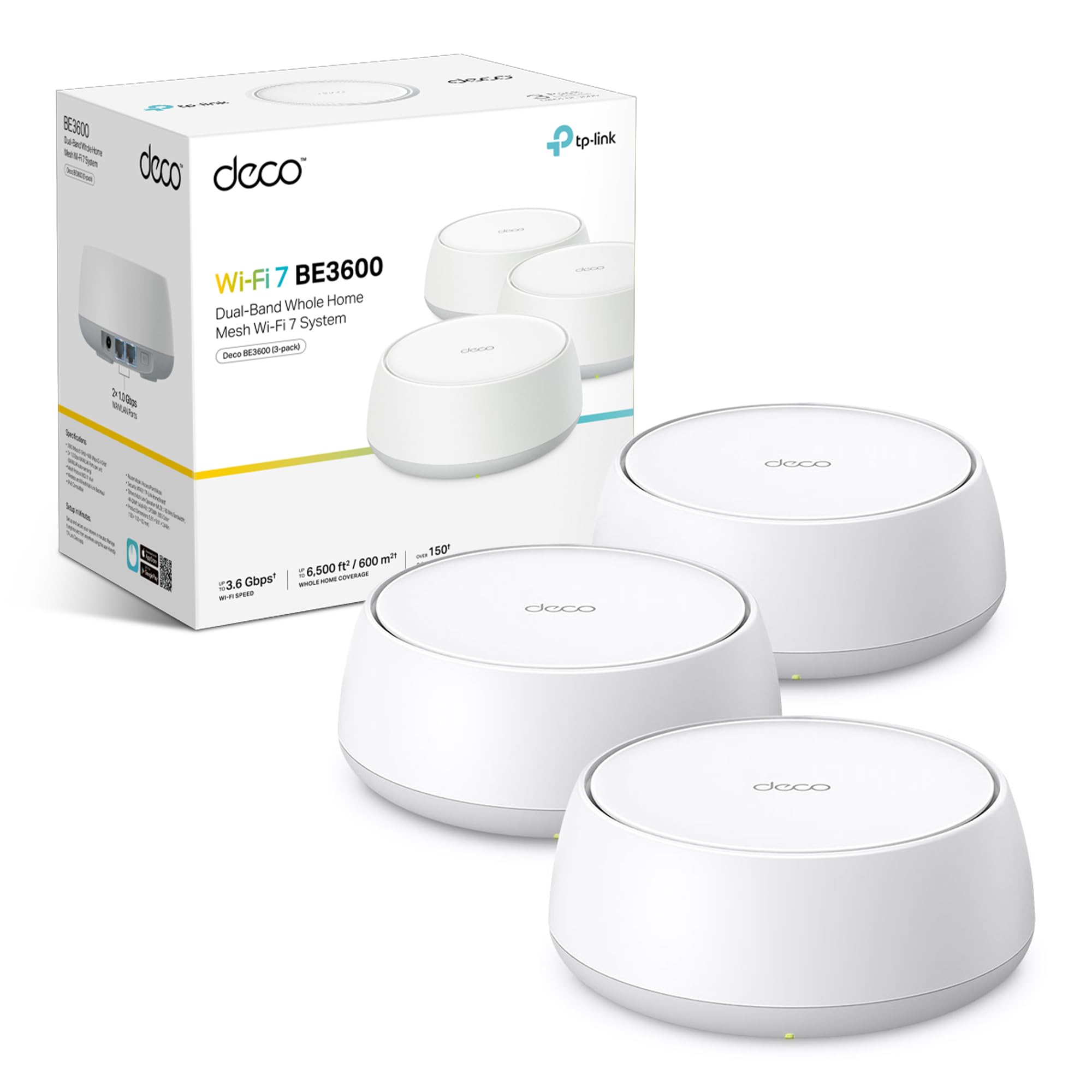
Frequently asked
7 questions01Does the TP-Link Deco X55 work with any UK broadband provider?+
Yes. The Deco X55 connects to your existing modem or ISP-supplied router via its WAN Ethernet port and works with any broadband provider in the UK, including BT, Sky, Virgin Media, and full-fibre FTTP suppliers. You simply plug the primary node into your existing router or modem and the Deco app guides you through the rest of the setup.
02What is the difference between the Deco X55 and a tri-band mesh system?+
The X55 is dual-band, meaning it has a 2.4GHz band and a single 5GHz band. Tri-band systems add a third radio band, typically a second 5GHz or a 6GHz channel, which can be reserved exclusively for node-to-node backhaul communication. Because the X55 shares its 5GHz band between client devices and inter-node backhaul, sustained speeds at nodes further from the primary unit can be lower in large properties compared with a dedicated-backhaul tri-band system.
03Can I use wired backhaul with the Deco X55 to improve performance?+
Yes, and it makes a meaningful difference. Each node includes three Gigabit Ethernet ports. If you can run an Ethernet cable between nodes, the mesh backhaul moves off the wireless bands entirely, freeing the full 5GHz capacity for your devices. Owners who have set up wired backhaul consistently report more even speeds across all nodes. The maximum wired backhaul speed is capped at 1 Gbps by the Gigabit Ethernet ports.
04How many devices can the Deco X55 3-pack handle at once?+
TP-Link rates it at 150-plus simultaneous connections for the 3-pack. In practice, the OFDMA and MU-MIMO support means the system manages busy households with 20 to 30 devices without obvious performance degradation. Owner reports confirm it handles the typical smart home load of phones, laptops, streaming devices, consoles, and IoT devices without complaint. For extraordinarily dense environments with sustained heavy usage across dozens of devices, a tri-band system with dedicated backhaul would provide more headroom.
05Does the Deco X55 require a subscription to function properly?+
No subscription is required for the core functionality. The basic HomeShield tier, which includes fundamental network protection and basic parental controls, is included at no extra cost. The HomeShield Pro subscription unlocks more advanced features including real-time IoT protection, detailed traffic analysis, and extended parental control options. The router works fully as a Wi-Fi 6 mesh system without ever subscribing to the paid tier.
06Is the TP-Link Deco X55 still worth buying now that Wi-Fi 7 exists?+
For most UK buyers in 2026, yes. Wi-Fi 6 remains the mainstream standard and the vast majority of devices in UK homes connect at Wi-Fi 5 or Wi-Fi 6 speeds. The X55 implements Wi-Fi 6 properly, with HE160, 1024-QAM, OFDMA, and MU-MIMO all included. Upgrading to Wi-Fi 7 at this stage requires both a Wi-Fi 7 router and Wi-Fi 7 client devices to see any practical benefit. If you plan to keep the system for five or more years and regularly upgrade to the latest devices, Wi-Fi 7 becomes more relevant, but for most households the X55 provides comfortable headroom for several years.
07How straightforward is the Deco X55 to set up for someone with no networking knowledge?+
Very straightforward. Setup is handled entirely through the Deco app on iOS or Android. The app walks you through connecting the primary node to your modem or router, then adding the satellite nodes one by one. No web interfaces, IP addresses, or technical configuration are needed. Most owners report completing setup in under fifteen minutes. The app also provides node placement guidance and alerts you if a node is positioned too far from the others to maintain a reliable backhaul connection.