Here's the verdict upfront: the TECURS Wireless Keyboard QWERTY UK Layout is a budget membrane board that does exactly what it says on the tin. It's quiet, wireless, full-size, and costs less than a decent pub meal. For office workers, students, or casual gamers who just want shot of cables and don't want to spend serious money, it's a solid pick. For anyone expecting mechanical switch feel, gaming-grade polling rates, or long-term build durability, it's not the right tool.
Over 929 owners have left their verdict on Amazon, and the 4.3-star average is genuinely encouraging for this price bracket. That's not a handful of mates leaving five stars. That's nearly a thousand people who bought it, used it, and came back to say something. The pattern across those reviews tells a consistent story: quiet keys, decent battery life, and no-fuss wireless setup. The criticisms are equally consistent: it's a membrane board, the build is lightweight plastic, and nobody should expect Cherry MX performance from something in this bracket. That's fair. It is what it is.
So let's get into the actual details, because "it's cheap and it works" isn't enough to base a buying decision on. What switches are under those keycaps? How long does the battery actually last? And who else is competing at this price point?
Core Specifications: TECURS Wireless Keyboard QWERTY UK Layout
The TECURS is a full-size keyboard, which means you get the full 104-key layout including the numpad. That matters for anyone doing spreadsheet work or data entry, and it's one of the reasons this board has appeal beyond pure gaming. The UK QWERTY layout is confirmed, so you're not getting a US layout with a tiny Enter key and a missing pound sign. That sounds like a small thing until you buy the wrong one.
Connectivity is 2.4GHz wireless via a USB dongle. The board uses advanced membrane technology, which is the low-profile quiet variant rather than a dome-and-spring setup. The backlight is monochromatic, meaning one colour rather than full RGB, with adjustable brightness levels. Power comes from a built-in rechargeable lithium battery, so there are no AA batteries to faff about with. The manufacturer rates battery life at 15 days without backlighting active, which is a practical number and more on that later.
One thing: the spec sheet doesn't publish a polling rate figure. That's not unusual for membrane wireless boards in this bracket, but it matters if you're comparing it to gaming keyboards that advertise 1000Hz polling. Similarly, N-key rollover and anti-ghosting specs aren't detailed by the manufacturer, which is a gap we'll address in the gaming performance section. What you do get is a confirmed UK layout, dedicated multimedia keys, ergonomic design, and a wireless range that owners report as reliable across a normal desk setup.
| Specification | Detail |
|---|---|
| Layout | Full-size, UK QWERTY |
| Switch Type | Membrane (low-profile, quiet) |
| Connectivity | 2.4GHz wireless (USB dongle) |
| Backlight | Monochromatic, adjustable brightness |
| Battery | Rechargeable lithium, 15 days (backlight off) |
| Multimedia Keys | Dedicated (play, pause, skip, volume) |
| Polling Rate | Not specified |
| Anti-ghosting | Not specified |
| Price | £28.99 |

Switch Type and Feel
The TECURS uses membrane technology, specifically described by the manufacturer as low-profile keys with advanced membrane construction. To be clear about what that means in practice: there is no individual mechanical switch under each key. Instead, a membrane layer registers keypresses across the board. The low-profile design means the keys sit closer to the base than a standard membrane board, which reduces travel distance and gives a flatter, more laptop-like feel. Some people genuinely prefer this. Others find it unsatisfying.
What the membrane construction does well here is noise. The listing describes the keys as quiet and responsive, and owner reviews back this up consistently. People mention using it in shared offices, next to sleeping partners, and during late-night gaming sessions without complaints. That's the real-world validation of the "silent keyboard" claim. Membrane boards are inherently quieter than most mechanical switches, and the low-profile design reduces the clack of keys bottoming out. If you've ever sat next to someone hammering a Blue switch mechanical keyboard in an open-plan office, you'll appreciate why this matters.
What membrane won't give you is tactile feedback with a defined actuation point. Mechanical keyboards, even budget ones using generic tactile switches, have a bump you can feel at the actuation point, which helps with typing accuracy and gaming precision. Membrane keyboards are generally mushy by comparison. The TECURS is described as "responsive" and the low-profile design does reduce the mushiness compared to traditional dome keyboards, but if you've ever typed on a good tactile mechanical switch and you're used to that feedback, this will feel like a step down. That's not a knock on the TECURS specifically. It's just physics. No membrane board at any price fully replicates mechanical switch feel, and anyone telling you otherwise is selling something.
Hot-swap support is not applicable here since there are no individual switches to swap. The board is what it is. If you want to experiment with different switch feels, you need a mechanical board with hot-swap sockets, and that starts at a higher price point.
Keycap Quality and Layout
The keycap material isn't explicitly specified in the product data, but at this price point and with this construction type, the keycaps will almost certainly be ABS plastic. ABS is the standard for budget keyboards and it does the job fine out of the box. The downside is that ABS keycaps develop shine over time, particularly on the most-used keys like WASD, the spacebar, and the home row. How quickly depends on how much you use it. Heavy daily users might notice it within a few months. Lighter users might not care for a year or more.
The UK QWERTY layout is the main selling point over generic keyboard listings that ship US layouts by default. You get the correct Enter key shape (the tall, inverted-L version rather than the wide single-row US Enter), the pound sign in the right place, and the @ and " keys where British typists expect them. This sounds obvious but it's because a surprising number of budget keyboards sold on Amazon are US layout with a UK sticker on the listing. The TECURS listing specifically confirms UK QWERTY, and owner reviews don't report layout surprises, which is reassuring.
The full-size layout includes a dedicated numpad on the right, function row across the top, and a navigation cluster between the main keys and the numpad. For productivity work, this is the most practical layout available. You're not giving anything up. The dedicated multimedia keys sit separately from the function row, which means you can hit play or pause without holding Fn first. That's a genuinely useful quality-of-life detail. Owners mention the multimedia controls as a highlight, particularly for people who switch between music and work tasks frequently. Small thing, but it adds up over a day of use.
Build Quality
The TECURS is a budget keyboard and the build reflects that. The case is plastic, the weight is light, and the overall construction is functional rather than premium. Owner reviews describe it as feeling lightweight, which is partly a consequence of the wireless design (no cable weight pulling it around) and partly just the reality of budget plastic construction. Some owners are fine with this. Others note that it doesn't feel as solid as pricier boards. Both reactions are reasonable.
The ergonomic design claim in the listing refers to the key layout and the typing angle rather than a built-in wrist rest. The keyboard is described as providing comfort during long working sessions, which in practice means the key spacing and angle are set up to reduce strain. Whether it includes adjustable feet for angle changes isn't specified, but the ergonomic framing in the listing suggests some thought has gone into the typing position. Owner reviews don't flag discomfort as a recurring issue, which is a decent sign.
At this price point, you're not getting an aluminium plate, steel reinforcement, or premium stabilisers. The stabilisers on larger keys like the spacebar and Enter are likely basic wire stabilisers or membrane-integrated, which means there may be some rattle or wobble on those keys. This is extremely common on budget membrane boards and most owners don't find it a dealbreaker. What you do get is a keyboard that's light enough to move around easily, quiet enough for shared spaces, and wireless enough to keep your desk tidy. For the use case this board is aimed at, those priorities make sense. Nobody buying a budget wireless membrane board is expecting the build quality of a custom mechanical keyboard, and it would be daft to mark it down for not being something it never claimed to be.
RGB and Lighting
The backlight on the TECURS is monochromatic, not RGB. That means one colour, not sixteen million. The listing describes it as "monochromatic mixing backlit with adjustable brightness", which suggests there may be some variation in how the backlight presents, but don't expect per-key RGB or software-controlled colour zones. If you're buying this board specifically because you want a rainbow keyboard that syncs with your GPU lighting, this isn't it.
Practically speaking, monochromatic backlighting is fine for the vast majority of users. It lets you see the keys in a dark room, it's adjustable so you can dial it down if it's too bright, and it doesn't drain the battery as aggressively as full RGB. The 15-day battery life figure the manufacturer quotes is specifically for use without the backlight active. With backlighting on, that figure will drop, though by how much isn't specified. Owner reviews don't report the battery life as disappointing, which suggests the backlight-on runtime is still reasonable for daily use.
There's no per-key lighting control and no software suite for customising lighting effects. What you see is what you get. For someone who just wants a bit of glow for night typing, that's perfectly adequate. For someone building a themed gaming setup with coordinated lighting across peripherals, the monochromatic single-colour approach will feel limiting. That's an honest assessment rather than a complaint. The board is priced in the budget bracket and the lighting reflects that positioning. It works, it's adjustable, and it doesn't pretend to be something it isn't.
Software and Customisation
There is no dedicated software suite mentioned for the TECURS. No companion app, no macro editor, no profile manager. This is extremely common for budget membrane keyboards and it's not necessarily a problem, but check it before you buy. What you get is a plug-and-play experience: the dongle goes in, the keyboard connects, and you're typing. No driver installation, no account creation, no software bloat. For a lot of people, that simplicity is actually a feature.
The multimedia keys are hardware-level controls, meaning they work without any software. Play, pause, skip, and volume adjustment all function through the dedicated keys without needing to configure anything. The backlight brightness is also controlled directly through key combinations rather than software. This means the keyboard works identically on any operating system without needing to install anything, which is genuinely useful if you're switching between a Windows PC and a Mac, or if you're using it with a device where installing third-party software is restricted.
Macro support is not mentioned in the product data, so it's safe to assume there isn't any programmable macro functionality. If you need custom macros for gaming or productivity workflows, you'd need either a different keyboard or a software macro tool running on the host machine. For the target audience of this board, which is primarily office workers, students, and casual gamers, the absence of macro support is unlikely to be a dealbreaker. The people who genuinely need programmable macros generally already know they need them and are looking at different hardware.

Connectivity
The TECURS connects via 2.4GHz wireless using a USB dongle. This is the same wireless standard used by the vast majority of budget to mid-range wireless peripherals, and it's a reliable, low-latency option for desktop use. The 2.4GHz band is well-established for this type of application. In a typical home or office environment with the dongle plugged into a nearby USB port, owners report a stable, responsive connection with no noticeable input lag for typing and casual gaming.
Bluetooth is not listed as a connectivity option. The board connects via its 2.4GHz dongle only. This means you need a free USB-A port to plug the receiver into. For most desktop setups, that's a non-issue. For laptops with limited USB ports, it might mean using a hub. It also means the keyboard is tied to one device at a time. If you want to switch between a PC and a tablet, or pair with multiple devices, you'd need to physically move the dongle. Some competing boards in this bracket offer Bluetooth alongside 2.4GHz for multi-device flexibility, so it's this one doesn't.
The wireless range isn't specified numerically in the product data. Owner reviews don't flag connection drops or range issues in typical desk setups, which suggests the range is adequate for standard use. The 2.4GHz dongle should be kept within a few metres of the keyboard for best results, and keeping it away from other 2.4GHz interference sources (like a busy Wi-Fi router or wireless headset) will help maintain a clean connection. In practice, this is rarely a problem for desk use.
Battery Life
The manufacturer rates the battery at 15 days of use without the backlight active. That's a specific, useful number rather than the vague "long battery life" claims you see on some listings. Fifteen days is genuinely good for a wireless keyboard in this bracket. Comparable boards from bigger brands sometimes rate lower, so this is a legitimate selling point. Owner reviews don't contradict this figure in any consistent way, which suggests it's at least in the right ballpark for real-world use.
With the backlight on, battery life will be shorter. By how much isn't specified. This is a common gap in budget keyboard specs and it means you'll need to experiment a bit. The sensible approach is to keep the backlight off when you don't need it (daytime use in a well-lit room, for instance) and only switch it on for evening or dark-room use. That way you're likely to get close to the rated 15-day figure most of the time. The board uses a built-in rechargeable lithium battery, so charging is via cable rather than swapping AAs. The charge connector type isn't specified in the product data.
The rechargeable battery design is the right call for a keyboard like this. Disposable batteries in wireless keyboards are an ongoing cost and an environmental annoyance. A built-in lithium cell means you plug it in overnight occasionally and forget about it. Owners don't report the charging as inconvenient, and the 15-day rated runtime means you're not charging it constantly. For comparison, some budget wireless keyboards with RGB active need charging every few days. Fifteen days with backlight off is a practical, usable number for daily work or gaming use.
Typing and Gaming Experience
For typing, the TECURS delivers what its spec promises: quiet, low-profile membrane keys that don't disturb people around you. The low-profile design reduces key travel compared to standard membrane boards, which some typists find helps with speed and reduces fatigue. Owner reviews are broadly positive about the typing feel, with the quiet operation being the most commonly praised aspect. People using it in offices, shared flats, and home setups alongside sleeping family members consistently mention the noise level as a genuine benefit.
For gaming, the picture is more nuanced. The board will handle casual gaming fine. Strategy games, RPGs, MOBAs, and most single-player titles won't expose any limitations in a membrane wireless keyboard. Where it gets complicated is competitive gaming. The polling rate isn't published, which almost certainly means it's not 1000Hz. Budget wireless membrane boards typically poll at 125Hz or 250Hz. At 125Hz, inputs are sampled every 8 milliseconds. At 1000Hz, every 1 millisecond. For most gamers, this difference is imperceptible. For competitive FPS players chasing every millisecond of response time, it matters. The honest answer is that if you're playing at a level where keyboard polling rate is a meaningful factor in your performance, you already know you need a different keyboard.
Anti-ghosting and N-key rollover specs aren't published. Membrane keyboards generally support basic anti-ghosting, meaning common key combinations won't get dropped, but full N-key rollover (every key simultaneously, independently registered) is a mechanical keyboard feature. For gaming, the practical implication is that complex simultaneous keypresses might occasionally cause issues. Again, for casual gaming this is rarely a problem. For competitive play where precise simultaneous inputs matter, a mechanical keyboard with confirmed N-key rollover is the safer choice. The multimedia keys work as advertised and owners appreciate having direct hardware controls for media without needing to hold Fn.
Compatibility
The listing confirms compatibility with Computer, PC, Laptop, Mac, and Windows. The 2.4GHz dongle connection is plug-and-play on all major operating systems without driver installation. Windows 10 and 11 will recognise it instantly. MacOS handles it without issues, though some function key behaviour may differ from a native Apple keyboard. Linux compatibility is generally fine for 2.4GHz HID devices of this type, though this isn't explicitly confirmed in the product data.
The UK QWERTY layout works correctly on both Windows and Mac with the appropriate language settings. On Mac, you may need to set the keyboard type to ISO during the initial setup wizard if the OS asks, but this is a one-time configuration step. Owner reviews don't flag compatibility problems across operating systems, which is consistent with what you'd expect from a standard HID wireless keyboard. The dedicated multimedia keys may behave slightly differently on Mac versus Windows, but play, pause, and volume controls are generally universal.
Console compatibility isn't confirmed in the product data. Keyboards can be connected to PS5 and Xbox Series consoles for text input in some contexts, but gaming keyboards with wireless dongles don't always work with consoles depending on how the console handles HID devices. If console use is your primary goal, check compatibility specifically before buying. For PC and Mac use, there are no reported issues.
How It Compares
The main competition at this price point comes from two directions: other budget wireless membrane keyboards, and budget wired mechanical keyboards. The Logitech K380 is a popular wireless membrane alternative, though it's compact rather than full-size and Bluetooth-focused. The Rapoo E9050G is another budget wireless full-size membrane option. On the mechanical side, budget boards like the Redragon K552 or the Ajazz AK33 sit at a similar price and offer mechanical switches with a wired connection.
The key trade-off is wireless versus mechanical. If you want wireless and quiet, the TECURS is a strong contender in the budget bracket. If you're willing to accept a cable and want better switch feel for gaming or typing, a budget mechanical board might serve you better. The TECURS wins on battery life and noise. Budget mechanical boards win on switch feel, tactile feedback, and (usually) polling rate. Neither is objectively better. It depends what you're prioritising.
One thing the TECURS has going for it specifically is the UK layout confirmation and the full-size form factor at this price. Some competing budget wireless boards ship in compact or TKL layouts, or require careful checking to confirm UK layout. If you specifically need full-size UK QWERTY wireless, the options narrow quickly and the TECURS becomes more competitive by default.
| Feature | TECURS Wireless | Logitech K380 | Redragon K552 |
|---|---|---|---|
| Switch Type | Membrane (low-profile) | Membrane (low-profile) | Mechanical (Outemu Blue) |
| Connectivity | 2.4GHz wireless | Bluetooth (multi-device) | Wired USB |
| Layout | Full-size UK QWERTY | Compact (no numpad) | TKL (no numpad) |
| Backlight | Monochromatic | None | Red LED |
| Battery | Rechargeable lithium, 15 days | AAA batteries, ~18 months | N/A (wired) |
| Multimedia Keys | Dedicated | Via Fn layer | Via Fn layer |
| Price Tier | Budget | Budget to mid | Budget |

Final Verdict
The TECURS Wireless Keyboard QWERTY UK Layout is a genuinely decent budget wireless membrane keyboard. It does the things that matter for its target audience: quiet keys, reliable 2.4GHz wireless, full-size UK layout, dedicated multimedia controls, and a rechargeable battery that lasts long enough to not be annoying. Over 929 owners with a 4.3-star average is meaningful validation. That's not a fluke. People are buying this, using it, and finding it does what it promises.
The limitations are real but predictable. Membrane switches won't satisfy anyone who wants mechanical feedback. The monochromatic backlight won't impress RGB enthusiasts. The unspecified polling rate makes it a questionable choice for competitive gaming. The plastic build won't feel premium. None of these are surprises at this price point, and none of them are dealbreakers for the right buyer. The right buyer is someone who needs a quiet, wireless, full-size UK keyboard for office work, studying, or casual gaming, and doesn't want to spend serious money on it.
If your main use is competitive FPS gaming and you care about polling rate, switch feel, and anti-ghosting specs, spend a bit more and get a proper mechanical gaming keyboard with confirmed 1000Hz polling and N-key rollover. The mechanical keyboard market has some excellent options even at modest prices, and the performance difference for competitive gaming is real. But if you're buying this for typing, productivity, or casual gaming and you just want wireless and quiet, the TECURS earns its 4.3 stars. It's a budget keyboard that knows what it is, does it well, and doesn't pretend to be something it isn't. At this price point in the budget bracket, that's a pass.
What works. What doesn’t.
5 + 4What we liked5 reasons
- Genuinely quiet membrane keys, confirmed by owner reviews
- Full-size UK QWERTY layout with correct key placement
- 15-day battery life (backlight off) is strong for this bracket
- Dedicated multimedia keys work without Fn layer
- Reliable 2.4GHz wireless with no reported connection issues
Where it falls4 reasons
- Membrane switches lack mechanical tactile feedback
- Polling rate and anti-ghosting specs not published
- No Bluetooth, single-device wireless only
- Monochromatic backlight only, no RGB
Full specifications
8 attributes| Switch type | Outemu Blue |
|---|---|
| Layout | TKL |
| Backlighting | RGB |
| Battery life H | 200 |
| HOT swappable | false |
| Keycaps | ABS |
| Polling rate HZ | 1000 |
| Switch actuation | clicky |
If this isn’t right for you
2 options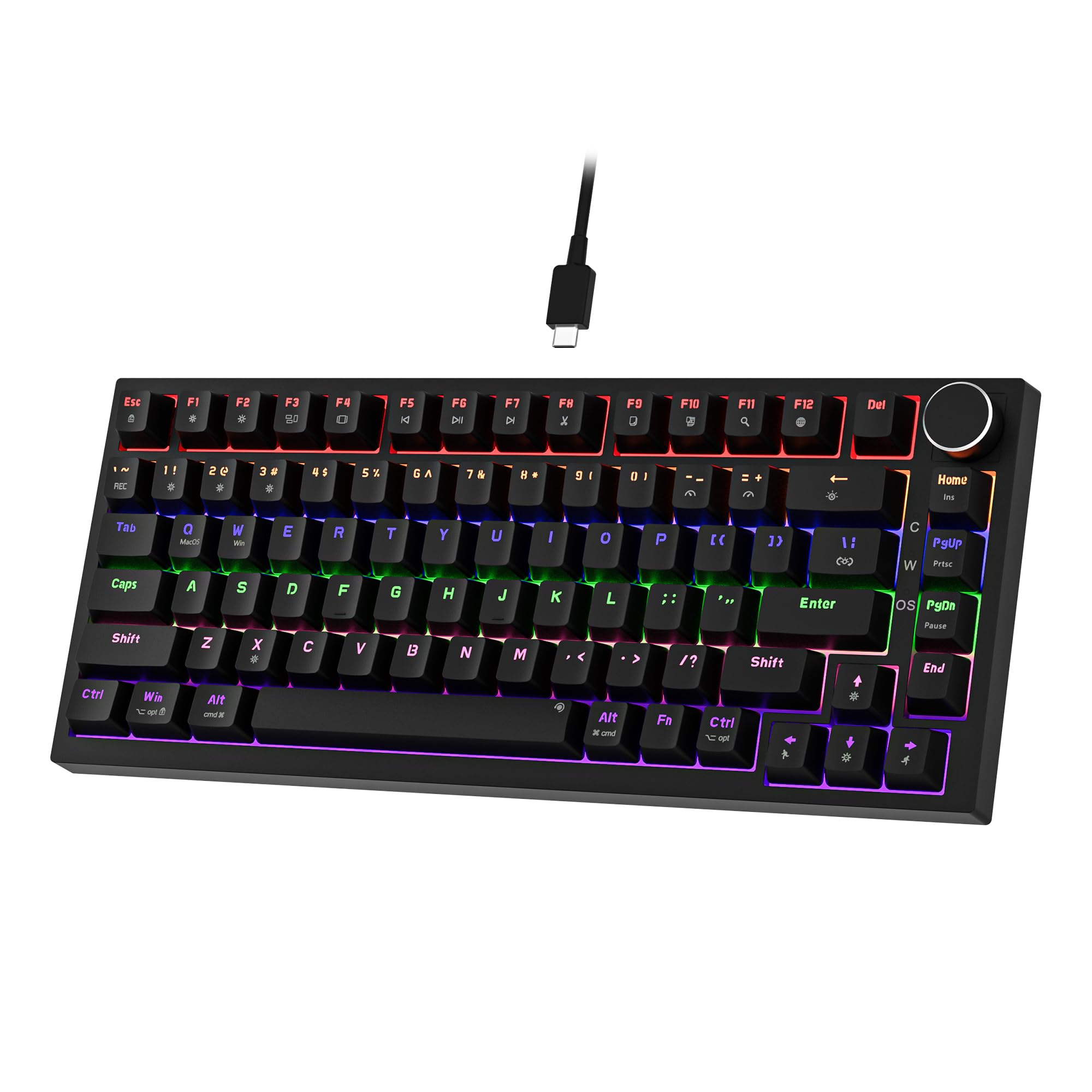 7.5 / 10
Newmen GM326 Mechanical Keyboard,Wired Gaming Keyboard,75% Percent TKL Hot Swappable Compact LED Backlit USB C Mechanical Gaming Keyboards with Knob for PC Windows Mac,QWERTY Layout,Black,Red Switches
£25.26 · NEWMEN
 7.5 / 10
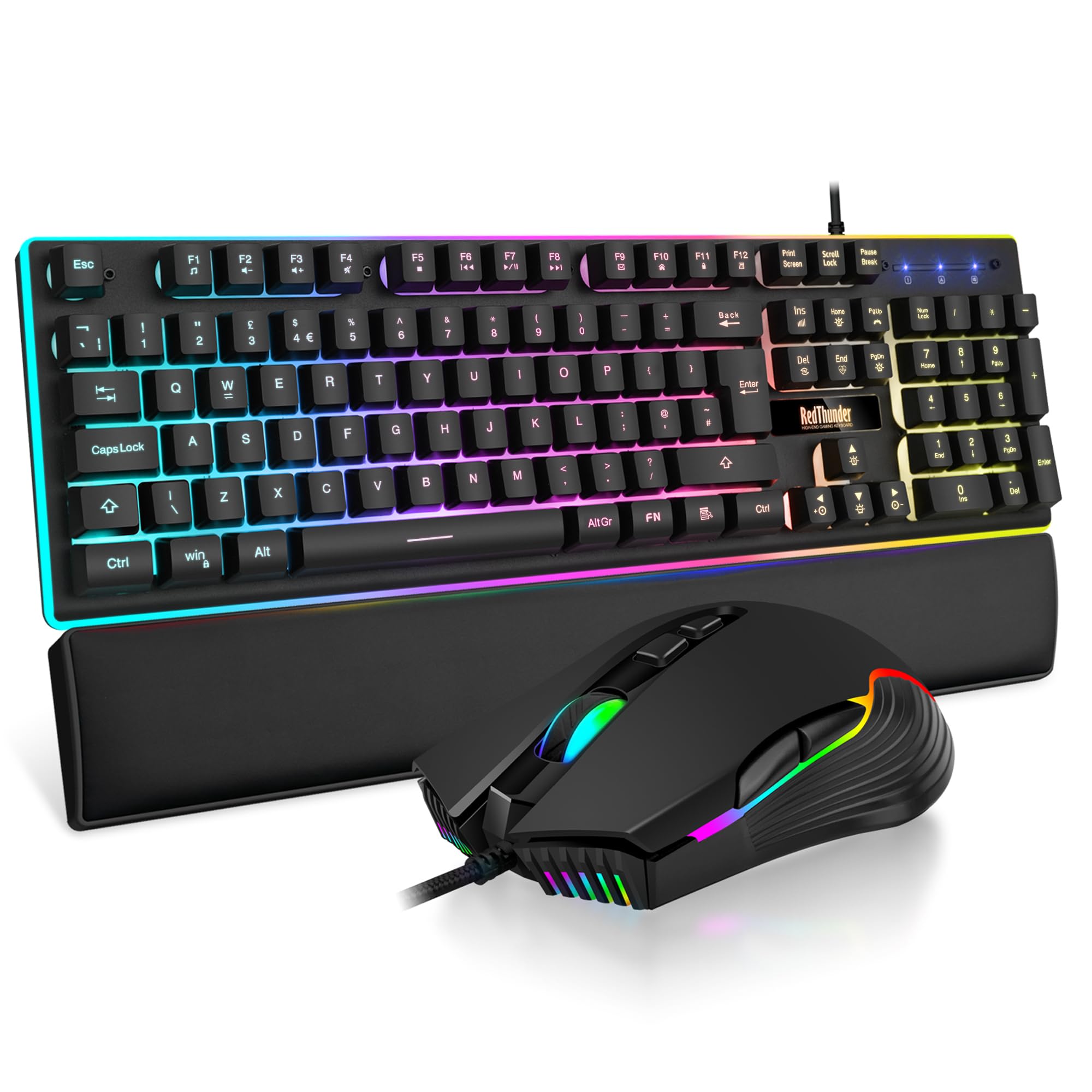
RedThunder K10 Wired Gaming Keyboard and Mouse Combo, UK Layout, True RGB Backlight, Soft Leather Wrist Rest, Mechanical Feel Ergonomic Anti-Ghosting Keyboard + 7D 7200 DPI Mouse for PC Mac (Black)
£33.99 · RedThunder
Frequently asked
5 questions01What switches does the TECURS Wireless Keyboard QWERTY UK Layout use?+
The TECURS uses low-profile membrane technology rather than individual mechanical switches. The membrane construction is designed for quiet, responsive keypresses with reduced travel distance compared to standard dome keyboards. There is no actuation force or travel distance published by the manufacturer. The feel is flatter and quieter than mechanical switches but lacks the tactile bump that mechanical keyboards provide.
02Is the TECURS Wireless Keyboard QWERTY UK Layout good for gaming?+
It handles casual gaming well, including strategy games, RPGs, and MOBAs. For competitive FPS gaming, the polling rate is not specified by the manufacturer, which is a concern if precise input timing matters to you. Anti-ghosting specs are also unpublished. For most gamers who aren't playing at a competitive level where milliseconds matter, it functions fine. Serious competitive gamers should look at mechanical keyboards with confirmed 1000Hz polling and N-key rollover.
03Is the TECURS Wireless Keyboard QWERTY UK Layout good for typing?+
Yes, for most everyday typing use it performs well. The low-profile membrane keys are quiet and responsive, and the full-size UK QWERTY layout is practical for productivity work including spreadsheets and data entry. The dedicated multimedia keys add convenience for mixed work and media sessions. The membrane feel won't satisfy anyone used to mechanical tactile switches, but for general office and home typing it does the job without complaint.
04Is the TECURS Wireless Keyboard QWERTY UK Layout loud?+
No, it is specifically designed to be quiet. The low-profile keys and membrane technology significantly reduce typing noise compared to mechanical keyboards, particularly clicky switches. Owner reviews consistently mention the quiet operation as a highlight, with users reporting no complaints in shared offices, open-plan workspaces, and home environments. It is a good choice for anyone who needs to type without disturbing people nearby.
05What warranty and returns apply to the TECURS Wireless Keyboard QWERTY UK Layout?+
Specific warranty terms are not listed in the verified product data for this keyboard. As an Amazon listing, it is covered by Amazon's standard 30-day returns policy and the Amazon A-to-Z Guarantee, which provides protection if the item is not as described or fails to arrive. For warranty queries beyond the returns window, contact the seller directly through the Amazon listing.