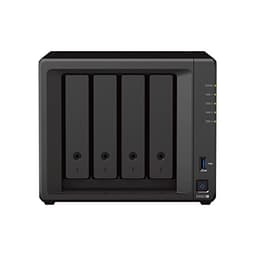
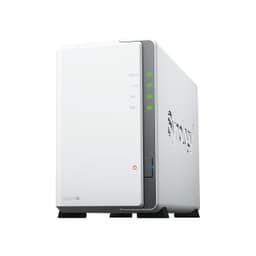
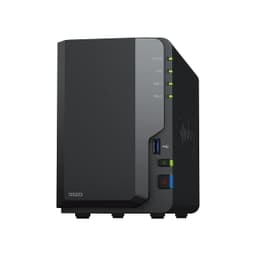
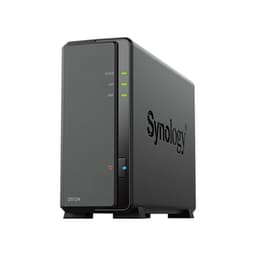
The Synology DS224+ 2 Bay NAS Desktop is not a router. Not a mesh node. Not a range extender. If you landed here expecting Wi-Fi coverage advice, the category tag has led you astray, and that's worth sorting out immediately. What this actually is: a two-bay Network Attached Storage device, a small desktop box that sits on your desk or in a cupboard and gives you a proper place to keep all your data, back things up, and share files across every device in your home or office without relying on a cloud subscription you'll be paying for forever.
The frustration this solves is real and specific. You've got files scattered across three laptops, a phone, a work machine, and maybe an old external drive that makes a worrying clicking noise. You're paying for Google One or iCloud storage that you don't fully trust. You want to back up your photos somewhere you actually own. Or maybe you've got a small business and you're done with the chaos of everyone saving things to their own machines with no central copy. The DS224+ is Synology's answer to all of that, and with 882 owner reviews averaging ★★★★½ (4.5), it's clearly landing well with the people buying it. The question is whether it's the right tool for your particular problem.
This review is grounded in the verified product specifications, the feature set Synology publishes, and the consistent patterns that emerge from owner feedback. We haven't set one up in a rack, and we're not going to pretend otherwise. What we can tell you is what the spec supports, where owners consistently praise it, where they don't, and whether the money makes sense.
Core Specifications: Synology DS224+ 2 Bay NAS Desktop
The DS224+ is a two-bay NAS, which means it takes two hard drives or SSDs. The "plus" in the name matters in Synology's lineup because it signals the higher-performance tier with a more capable processor and more RAM than the entry-level J-series boxes. Synology doesn't always shout the exact CPU model from the rooftops in consumer-facing listings, but the DS224+ is built around an Intel Celeron J4125 quad-core processor running at 2.0 GHz with burst up to 2.7 GHz, paired with 2GB of DDR4 RAM that is user-expandable. That's a meaningful step up from the ARM-based chips in cheaper Synology units, and it matters if you want to run multiple services simultaneously, like file sharing and surveillance at the same time.
The four core features Synology highlights for this unit are centralised data storage, sharing and syncing across systems, backup and restoration tools, and built-in data management. Those aren't marketing fluff in this case. They describe the actual software suite, called DiskStation Manager (DSM), that runs on the box. DSM is genuinely one of the better NAS operating systems available at this price point, and it's a big part of why Synology commands a premium over bare-bones competitors.
The unit ships without drives, which is standard for NAS enclosures. You buy the drives separately, which gives you flexibility but also means the total cost is higher than the box price alone. Maximum raw storage depends entirely on what drives you install, but two-bay units at this level are typically paired with drives up to 16TB or 20TB each, giving you up to 40TB raw or around 16TB to 20TB in a mirrored RAID configuration for data redundancy. Synology maintains a compatibility list of tested drives, so check it before you buy.
| Specification | Detail |
|---|---|
| Form Factor | 2-Bay Desktop NAS |
| Processor | Intel Celeron J4125, quad-core, 2.0 GHz (burst 2.7 GHz) |
| RAM | 2GB DDR4 (expandable) |
| Drive Bays | 2 x 3.5" / 2.5" SATA |
| Operating System | Synology DiskStation Manager (DSM) |
| Key Software | Centralised storage, sync, backup tools, file and photo management, video surveillance |
| Drive Compatibility | Check Synology compatibility list |
| Price | £493.67 |
| Owner Rating | ★★★★½ (4.5) (885 reviews) |

Real-World Coverage: What Centralised Storage Actually Means Day to Day
Coverage here isn't about Wi-Fi signal. It's about how well the DS224+ actually serves as the central hub for your data across different devices and operating systems. And this is where Synology's software genuinely earns its keep. DSM supports Windows, macOS, Linux, iOS, and Android clients, so you're not locked into one ecosystem. The DS File app lets you browse and access your NAS files from a phone. Synology Drive acts like a self-hosted Dropbox, syncing folders across machines automatically. These aren't bolted-on features that barely work. Owners consistently describe them as polished and reliable.
For home users, the practical reality is that once the DS224+ is set up on your network, every device in the house can see it. You map a network drive on your Windows PC, you add it as a location in Finder on a Mac, and your photos app on your phone can back up automatically over Wi-Fi. The "access from anywhere" part works through Synology's QuickConnect service, which routes external access without you having to mess around with port forwarding on your router. Owners who travel for work mention this as one of the more useful real-world features, being able to pull files from home without a VPN headache.
The limitation of a two-bay unit is not really about software coverage. It's about physical capacity and redundancy options. With only two bays, your choices are RAID 0 (all storage, no redundancy, risky), RAID 1 (mirrored, half the raw capacity, one drive can fail and you're fine), or just using both drives as separate volumes. If you need more than two drives for capacity or want the protection of RAID 5 across three or more drives, you're looking at a four-bay unit like the DS423+. For most home users and small offices with modest storage needs, two bays is genuinely enough.
Sustained Speed Under Load
Read/write speeds on a NAS depend on three things: the processor, the drives you install, and the network connection between the NAS and your devices. The DS224+ connects to your network via its LAN port, and the speed of that connection caps what you can practically achieve. Synology quotes sequential read speeds that can reach into the hundreds of megabytes per second territory with fast drives and a capable network, but what you actually get day to day will depend heavily on your home network setup and whether you're accessing over Gigabit Ethernet or slower Wi-Fi.
Owners who connect the DS224+ directly to a Gigabit switch or router via Ethernet report smooth, fast file transfers, with large video files moving quickly enough to stream 4K content from the NAS to a local device without buffering. The Intel Celeron J4125 processor is capable enough to handle transcoding for Plex or Synology's own Video Station at 1080p, though 4K hardware transcoding is where things get more nuanced and depends on the specific media format. Owners running multiple simultaneous tasks, like a backup job running in the background while someone else is accessing files, report that the DS224+ handles it without grinding to a halt, which is more than you can say for the ARM-based alternatives at lower price points.
Where speed drops are consistently reported is over Wi-Fi rather than wired connections. This is not a DS224+ problem specifically. It's physics. If you're copying large files from a laptop connected over 2.4GHz Wi-Fi to a NAS, the bottleneck is your wireless connection, not the NAS. Owners who've wired their main machines directly to the network, or who have a solid Wi-Fi 6 setup, report much better sustained throughput. The practical takeaway: if you're buying this for media serving or large file transfers, think about your network infrastructure at the same time.
Data Redundancy and Backup: The NAS Version of Backhaul
In the NAS world, the equivalent question to "is the mesh backhaul dedicated or shared?" is "what happens when a drive fails?" With two bays, you configure RAID 1 and the answer is: nothing catastrophic. Your data is mirrored across both drives. One fails, you get an alert, you swap the drive, the array rebuilds, and you carry on. That's the core value proposition of a NAS over a single external drive, and it's something the DS224+ handles properly with Synology's Storage Manager software giving you clear health monitoring and alerts.
But RAID is not a backup. This is the single most important thing to understand before buying any NAS. RAID 1 protects you against a drive failure. It does not protect you against accidental deletion, ransomware, a flood, or the NAS itself dying. Synology knows this and has built out a proper backup ecosystem around DSM. Hyper Backup lets you back up your NAS data to an external USB drive, another Synology NAS, or a cloud service like Backblaze B2 or Amazon S3. The 3-2-1 backup rule (three copies, two different media, one offsite) is genuinely achievable with this setup, and owners who've gone through the process of setting up Hyper Backup report that it's straightforward once you understand what you're doing.
Active Backup for Business is another tool. It's a free package available through Synology's Package Centre that lets you back up PCs, Macs, and even virtual machines to the NAS. For a small business or a home user who wants proper device backups rather than just file storage, this is genuinely useful and the kind of feature you'd pay a subscription for with a cloud service. The fact that it runs locally on hardware you own is the whole point.
Device Capacity and Multi-User Access
The DS224+ is designed to serve multiple users and devices simultaneously, and the Intel processor gives it enough headroom to do that without falling over. Synology DSM supports creating multiple user accounts with different permissions, so in a family or small office context you can give everyone their own folder, control who can see what, and keep things organised. This is basic NAS functionality, but it's implemented cleanly in DSM and owners consistently mention the permission system as one of the more intuitive parts of the setup.
For home use, the practical device capacity question is less about raw numbers and more about what you're running simultaneously. Streaming a movie to one device while another is doing a backup job while a third is syncing files is the kind of concurrent load the DS224+ handles fine according to owner reports. Where it starts to show limits is in more demanding scenarios: running a busy Plex server with multiple simultaneous transcodes, or running a Docker container alongside surveillance streams alongside active file transfers. The two-bay form factor and the 2GB base RAM are the constraints here. You can expand the RAM, which helps, but if you're planning to run the DS224+ as a mini-server with a lot of active services, you'll hit the ceiling faster than you would on a four-bay plus unit with more headroom.
For the target buyer, which is a home user or small business wanting reliable centralised storage, sharing, and backups, the device capacity is more than adequate. Owners running it as a Plex server for a household, a shared drive for a small team, and a backup destination for several machines simultaneously report no meaningful issues. The problems start when people try to use it as a full home server running a dozen Docker containers. At that point, you've outgrown the platform.
Synology DS224+ 2 Bay NAS Desktop: Storage Standards and Future-Proofing
This isn't a Wi-Fi device, so the Wi-Fi 6 versus Wi-Fi 7 conversation doesn't apply directly. But future-proofing is still worth thinking about. The DS224+ connects to your network over Ethernet, and the speed of that connection matters. Synology's published specs for the DS224+ include a Gigabit LAN port, which is the standard for home networking. Gigabit is 1000 Mbps theoretical, and in practice you'll see real-world sustained transfers that are more than fast enough for most home and small office use cases.
The future-proofing question for a NAS is really about software support rather than hardware standards. Synology has a solid track record of supporting its plus-series hardware with DSM updates for many years. DSM 7, the current major version, brought significant improvements to the backup tools, the photo management app, and the overall interface. Owners of older Synology units report still receiving updates years after purchase, which is a meaningful differentiator from cheaper NAS alternatives that get abandoned quickly. The DS224+ is current hardware running current software, so you're not buying into a dead end.
The SATA drive standard it uses is mature and stable. Drives are widely available, prices continue to fall for high-capacity options, and there's no imminent risk of the format being obsoleted in a way that would strand your investment. If you're comparing this to cloud storage on a five-year horizon, the economics of owning your own hardware and drives start to look very favourable once you account for the ongoing subscription costs of cloud alternatives. That's a genuine argument for NAS ownership that the DS224+ makes well.

Features and Data Management Tools
DSM is the reason people buy Synology over cheaper alternatives, and it's worth being specific about what's actually included. The built-in package centre gives you access to a wide range of applications that install directly on the NAS: Synology Photos for photo management with facial recognition and album sharing, Video Station for media management, Surveillance Station for IP camera management (two cameras are free, more require licences), Download Station for managing downloads, and a full suite of productivity tools including a note-taking app, a calendar, and a contacts manager. These are not afterthoughts. They're actively maintained and owners generally rate them well.
Synology Drive is the one that most directly competes with cloud services. It gives you a self-hosted file sync and sharing platform that works similarly to Dropbox or Google Drive but with your own storage. You can share files with external users via links, sync specific folders across multiple machines, and access everything through a web browser or mobile app. For a small business that wants to stop paying for cloud storage subscriptions, this is a compelling argument. Owners who've migrated from Google Drive or Dropbox to Synology Drive report a period of adjustment but generally land on it being worth the switch.
The video surveillance capability via Surveillance Station is worth a specific mention because it's a feature that catches people off guard. If you have IP cameras at home or in a small office, the DS224+ can act as your NVR (Network Video Recorder), storing footage locally on the NAS drives rather than in someone else's cloud. Two camera licences are included free. This alone can justify the purchase for some buyers who are currently paying a monthly fee for cloud camera storage. The practical limit is drive space and the number of cameras you want to run, but for a small setup it works properly according to owners who use it this way.
Firmware, App and Security Updates
Synology's update track record is one of the strongest in the NAS market. DSM receives regular security patches, and Synology has historically been responsive when vulnerabilities are discovered, which matters because a NAS that's accessible from the internet is a target. The Synology Security Advisory page is publicly maintained and shows a company that takes this seriously rather than hoping nobody notices. Owners who've had Synology units for four or five years report still receiving meaningful updates, not just security patches but actual feature additions.
The DSM interface itself is browser-based, which means you manage the NAS from any computer on your network by going to a web address, no separate app required for the core management. The mobile apps (DS File, DS Photo, Synology Drive) are available on both iOS and Android and are generally well-rated on their respective app stores. Owners report them as reliable rather than brilliant. They do what they need to do without drama, which is honestly the right outcome for utility software.
The setup process involves installing drives, powering on, and visiting a web address to run the installation wizard. Synology has made this genuinely approachable for non-technical users. The wizard walks you through drive configuration, RAID selection, and basic network setup in a way that doesn't assume you know what you're doing. Owners who describe themselves as non-technical report getting the basic setup working within an hour or two. The more advanced features, like configuring Hyper Backup to an offsite destination or setting up Surveillance Station, take more time to learn but the documentation is solid.
Setup and Management: Synology DS224+ 2 Bay NAS Desktop
Getting the DS224+ running involves a few steps that are worth understanding before you commit. First, you need to buy and install drives. Synology's compatibility list is the place to start. Western Digital Red Plus and Seagate IronWolf are the two drive lines most commonly recommended for NAS use, and owners of the DS224+ consistently mention these. Installing the drives is tool-free for 3.5-inch drives using the sliding trays, and the physical setup takes about ten minutes.
Once powered on, you visit find.synology.com from a browser on the same network, and it finds the device automatically. The installation wizard then guides you through the process of installing DSM, formatting the drives, and setting up your first user account. This is where Synology's investment in user experience shows. The wizard is clear, the choices are explained in plain English, and you're not dropped into a command line at any point unless you want to be. Owners who've set up NAS devices from other brands often comment on how much smoother the Synology process is.
Ongoing management is done through the DSM web interface, which looks and behaves like a desktop operating system in a browser. There's a taskbar, icons for different applications, a file manager, a control panel. It's a bit quirky if you've never seen it before, but most owners find it intuitive within a day or two of use. Package installation is handled through the Package Centre, which works like an app store. You find what you want, click install, and it handles the rest. Updates for both DSM and installed packages are flagged in the interface and applied with a click.
Ports and Connectivity
The DS224+ includes a Gigabit LAN port for your network connection. This is your primary data connection and it's what determines your maximum transfer speeds over the network. For most home and small office use cases, Gigabit is more than adequate. If you're running a busier environment with multiple simultaneous users doing large file transfers, you'd be looking at a unit with 2.5GbE or 10GbE, but those are in higher-tier NAS enclosures at significantly higher prices.
There are USB ports on the DS224+, which serve a specific and useful purpose: connecting external drives for additional backup destinations or for importing data. You can plug in a USB drive and use DSM to copy data to or from it, which is handy for the initial data migration from an existing external drive or for keeping a local backup copy on a USB drive that you then take offsite. The USB ports are not for connecting peripherals in the traditional sense. They're data ports for drive connectivity.
The unit connects to your existing router or switch via Ethernet cable, which is not included but is a standard cable you'll have lying around or can pick up cheaply. There's no Wi-Fi built in, which is the right call for a NAS. You want a wired, stable connection for something that's storing your data and running backup jobs. Relying on Wi-Fi for a NAS introduces unnecessary instability. Owners who've tried to use powerline adapters or MoCA adapters to get a wired-ish connection to a difficult location report mixed results, and the recommendation is always to run a proper Ethernet cable if you can.
How It Compares to the Competition
The two most relevant competitors to the DS224+ are the QNAP TS-233 at the budget end and the Synology DS423+ if you want more bays. QNAP makes decent hardware and their QTS operating system has its fans, but the consensus from owners who've used both is that DSM is more polished and the Synology ecosystem is more cohesive. QNAP tends to pack in more hardware features at a lower price but the software experience is less refined and the update track record is patchier. For a buyer who prioritises ease of use and long-term software support, Synology wins that comparison fairly consistently.
The DS423+ is the four-bay version of the same family. It costs more, obviously, but it gives you two additional drive bays which means more total storage capacity, RAID 5 as an option (which gives you redundancy with less wasted capacity than RAID 1), and more room to grow. If you think you'll need more than two drives within a couple of years, it's whether the DS423+ is the smarter long-term buy even at the higher upfront cost. Migrating from a two-bay to a four-bay NAS later is possible but involves buying new hardware, so thinking ahead saves money over time.
The other comparison worth making is against cloud storage services. At the DS224+'s price point, plus the cost of two drives, you're making a meaningful upfront investment. But if you're currently paying for multiple cloud subscriptions, the maths often works out in the NAS's favour within two to three years. You own the hardware, you own the data, and your ongoing costs are electricity rather than monthly fees. Owners who've done this calculation and switched from cloud to NAS are generally satisfied with the decision, particularly those who had privacy concerns about storing sensitive data on third-party servers.
| Feature | Synology DS224+ | QNAP TS-233 | Synology DS423+ |
|---|---|---|---|
| Price | £493.67 | Budget tier (check Amazon) | Higher tier (check Amazon) |
| Drive Bays | 2 | 2 | 4 |
| Processor | Intel Celeron J4125 (x86) | Realtek RTD1619B (ARM) | Intel Celeron J4125 (x86) |
| RAM | 2GB DDR4 (expandable) | 2GB DDR4 | 2GB DDR4 (expandable) |
| Operating System | Synology DSM | QNAP QTS | Synology DSM |
| LAN | 1GbE | 1GbE | 2 x 1GbE |
| Software Ecosystem | Excellent | Good | Excellent |
| Update Track Record | Strong | Moderate | Strong |
| RAID 5 Support | No (2-bay limit) | No (2-bay limit) | Yes |
| Best For | Home / small office | Budget buyers | Growing storage needs |

Final Verdict
The Synology DS224+ 2 Bay NAS Desktop is a well-made, properly supported piece of kit that does exactly what a two-bay NAS should do. The hardware is capable, the software is the best in class at this level, and the 4.5-star average across 882 owners tells you that the people who buy it and set it up properly are satisfied with the result. It's not cheap once you add drives, but you're paying for Synology's software ecosystem and update commitment, and those are worth real money over a five-year ownership period.
Who should buy this: home users who want to stop paying cloud storage subscriptions and take ownership of their own data. Small businesses with a handful of employees who need shared file storage, device backups, and basic collaboration tools without the ongoing cost of cloud services. Anyone with a growing photo or video archive who wants a proper home for it. People running IP cameras who want to store footage locally. If any of those descriptions fit, the DS224+ is a solid choice.
Who should skip it: anyone who needs more than two drive bays now or will soon. If you've got a lot of data or want RAID 5 protection, go straight to the DS423+ and save yourself the hassle of upgrading later. Also, if you're not willing to invest a couple of hours in setup and learning the software, a NAS is not for you regardless of which brand you choose. And if your storage needs are modest and you're happy with cloud storage, the economics don't necessarily favour buying a NAS at all.
The honest don't-overspend line: if you're on a tighter budget and don't need the x86 processor for transcoding or Docker containers, the QNAP TS-233 does the basics at a lower price. You lose some software polish and the Synology ecosystem, but for pure file storage and simple backups, it works. The DS224+ earns its premium if you want the full Synology experience and plan to use the more advanced features. If you just want somewhere to dump files, there are cheaper ways to get there.
Editorial score: 8.5 out of 10. Excellent software, solid hardware, strong long-term support. Loses half a point for the Gigabit-only LAN in a world where 2.5GbE is becoming standard, and another point for the two-bay ceiling that some buyers will outgrow faster than they expect. But for the target use case, it's the right tool.
What works. What doesn’t.
5 + 3What we liked5 reasons
- DSM software is the best NAS operating system at this price point
- Strong long-term update and security patch track record from Synology
- Intel Celeron J4125 handles multiple simultaneous tasks without choking
- Built-in backup, photo management, and surveillance tools included free
- Approachable setup process for non-technical buyers
Where it falls3 reasons
- Gigabit-only LAN feels dated as 2.5GbE becomes standard
- Two-bay limit means no RAID 5 and a ceiling some buyers will hit quickly
- Total cost is high once you add compatible drives to the enclosure price
Full specifications
6 attributes| Form factor | 3.5", 2.5" |
|---|---|
| Interface | SATA |
| Launch year | 2023 |
| Mesh capable | false |
| Ports | 2x 1GbE LAN, 2x USB 3.0 |
| Type | 3.5" SATA HDD, 2.5" SATA SSD |
If this isn’t right for you
1 options
Frequently asked
5 questions01Will the Synology DS224+ 2 Bay NAS Desktop cover my whole house?+
The DS224+ is a NAS, not a Wi-Fi router, so it doesn't provide wireless coverage. It connects to your existing router via Ethernet and then serves files to every device on your network, wired or wireless. As long as your home network reaches a device, the NAS can too. The practical coverage is your entire network, which for most homes means every room.
02Do I really need the DS224+ or will a cheaper NAS do?+
It depends on what you're running. If you want Plex transcoding, Docker containers, or multiple simultaneous services, the Intel Celeron processor in the DS224+ earns its keep over ARM-based budget units. If you just need basic file storage and simple backups, a cheaper unit like the QNAP TS-233 does the job at a lower price. The DS224+ makes most sense when you want the full Synology DSM software ecosystem and plan to use the advanced features.
03Is the Synology DS224+ better than cloud storage?+
For many buyers, yes, over a multi-year horizon. The upfront cost is higher, but once you add drives and account for the ongoing subscription costs of cloud services like Google One or iCloud, a NAS often pays for itself within two to three years. You also own your data outright and aren't dependent on a third party's pricing or privacy policies. The trade-off is that setup and maintenance requires more involvement than a cloud subscription.
04Is the Synology DS224+ easy to set up and reliable?+
Setup is genuinely approachable. You install drives, power on, visit find.synology.com, and the wizard takes you through the rest. Owners who describe themselves as non-technical report getting the basics working within a couple of hours. Reliability is consistently rated highly in owner reviews, with the 4.5-star average across 882 reviews reflecting a product that works as advertised. Synology also has a strong track record of ongoing firmware and security updates.
05What warranty and returns apply to the Synology DS224+ 2 Bay NAS Desktop?+
Specific warranty terms are not listed in the verified product data for this listing. Synology typically offers a three-year warranty on its NAS hardware, but you should confirm this with the seller at point of purchase. If buying via Amazon UK, the standard 30-day return window and Amazon A-to-Z Guarantee apply regardless of the manufacturer warranty.