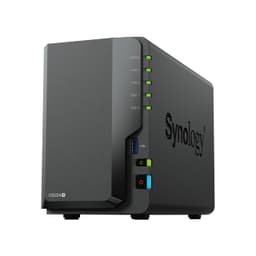
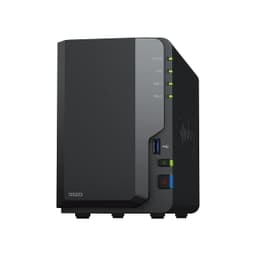
Bad storage planning is a slow disaster. You don't notice it until you're scrambling around external drives at midnight looking for a file you know you saved somewhere, or your Plex server starts buffering because three people decided to watch different things at once, or you realise your only backup of five years of photos is a single USB stick in a drawer. The Synology DS923+ 4-Bay Diskstation NAS exists to fix all of that properly, not with a bodge.
This particular bundle pairs the DS923+ with four 4TB Seagate IronWolf drives, giving you 16TB of raw storage to work with. Configure it in RAID 1 or SHR and you're looking at meaningful redundancy. Keep it as JBOD and you get the full capacity. Either way, this is a serious bit of kit aimed at people who've outgrown consumer NAS boxes or who want to do this right the first time. And with a 4.8-star average across 55 owner reviews, it's clearly landing well with the people actually using it.
But here's the honest question worth asking before you spend serious money on this: do you actually need the DS923+, or would a simpler two-bay unit do the job? We'll get into that. First, let's look at what you're actually buying.
Core Specifications: Synology DS923+ 4-Bay Diskstation NAS
The DS923+ runs on an AMD Ryzen R1600 dual-core processor with four threads. That's a real x86 chip, not the ARM silicon you find in budget NAS boxes, and it matters enormously for what you can actually do with the unit. Virtualisation, transcoding, running Docker containers, handling multiple simultaneous users: all of these benefit from proper x86 processing power. You get 4GB of RAM out of the box, which is enough to get started, and Synology's spec sheet confirms the memory is expandable if you need more headroom down the line.
Storage-wise, you've got four drive bays, and this bundle fills all four with 4TB Seagate IronWolf NAS drives. The IronWolf range is purpose-built for always-on NAS use, rated for higher workload cycles than desktop drives, and it appears on Synology's official compatibility list, which matters more than people realise. Using an incompatible drive can cause stability issues that are genuinely hard to diagnose. The unit also supports expansion: Synology says you can add a DX517 expansion unit to push total drive count up to nine. That's a lot of headroom for future growth.
Connectivity is where the DS923+ gets interesting. Two 1GbE LAN ports are standard, and you can use link aggregation to combine them for better throughput to multiple clients simultaneously. But the headline feature is the optional 10GbE upgrade via an expansion slot. That's not something you find on most consumer or prosumer NAS units at this level, and for anyone with a 10GbE switch or a workstation with a 10GbE card, it completely changes the performance picture. Two USB ports handle peripherals and external drives. Two M.2 NVMe slots let you add SSD caching to speed up random read/write performance without using up any of the four main drive bays.
| Specification | Detail |
|---|---|
| Processor | AMD Ryzen R1600 dual-core, 4 threads |
| RAM | 4GB (expandable) |
| Drive Bays | 4 (expandable to 9 with DX517) |
| Included Drives | 4x 4TB Seagate IronWolf (16TB raw) |
| LAN Ports | 2x 1GbE RJ-45 (link aggregation supported) |
| 10GbE | Optional via expansion slot |
| USB Ports | 2x USB |
| M.2 NVMe Slots | 2x (for SSD cache, not primary storage) |
| Sequential Read | Up to 625 MB/s |
| Sequential Write | Up to 559 MB/s |
| Warranty | 3-year limited hardware (extendable to 5 years in select regions) |
| Price | Check price |
Real-World Coverage and File Access
Coverage in NAS terms means something different to Wi-Fi coverage: it's about how many users can access the unit simultaneously without things grinding to a halt, and how well the thing performs across your actual network rather than in a lab. Synology rates the DS923+ at up to 625 MB/s sequential read and 559 MB/s sequential write. Those are the numbers you'd hit under ideal conditions with fast drives, a clean network, and a single client hammering the unit. Real-world multi-user access will be lower, as it always is, but the combination of a capable processor and dual 1GbE ports (or optional 10GbE) means the DS923+ has genuine headroom to serve multiple clients without immediately choking.
Owner feedback consistently points to the unit being solid for home and small office use. People running Plex media servers report smooth playback for multiple simultaneous streams. Users doing regular backups from several machines over a home network describe the process as fast and reliable. The IronWolf drives in this bundle are rated for up to 180TB of workload per year, which is far beyond what most home users will throw at them. That headroom matters for longevity: drives pushed beyond their rated workload fail faster, and NAS drives exist precisely to avoid that problem.
The two M.2 NVMe slots deserve a specific mention here. They don't add primary storage capacity, but adding a pair of NVMe SSDs for caching can dramatically improve random read/write performance. If you're accessing a large number of small files frequently, such as a photo library with thousands of images, the cache tier means the drives aren't spinning up and seeking constantly. Owners who've added NVMe cache describe noticeably snappier response times for exactly this kind of workload. It's not essential on day one, but it's a proper upgrade path rather than a marketing promise.
Sustained Speed Under Load
Synology quotes up to 625 MB/s sequential read and 559 MB/s sequential write for the DS923+. Those figures are achievable, but they require the right conditions: fast drives, a 10GbE connection, and a single client doing large sequential transfers. With the standard dual 1GbE setup and link aggregation, you're looking at a practical ceiling of around 225 MB/s per client (roughly the real-world limit of a single gigabit connection), though link aggregation helps when multiple clients are hitting the unit at once. The drives in this bundle, the Seagate IronWolf 4TB, are capable spinning drives that won't be the bottleneck in a standard home or small office setup.
The AMD Ryzen R1600 chip is the key to sustained performance under load. Budget NAS units with underpowered ARM processors start to struggle when you combine file serving, on-the-fly media transcoding, and running a Docker container or two simultaneously. The R1600 handles that kind of multi-tasking without breaking a sweat, according to owners who've pushed it with exactly those workloads. One common owner use case is running DSM (Synology's operating system) alongside Plex Media Server, a download manager, and a surveillance camera feed simultaneously. On underpowered NAS hardware, that combination causes stuttering and slowdowns. On the DS923+, owners report it stays stable.
If you do add the optional 10GbE card and have a 10GbE switch or direct connection to a workstation, the sequential throughput figures become genuinely relevant. Editing large video files directly from the NAS, for instance, becomes practical rather than painful. Without 10GbE, the dual 1GbE ports with link aggregation are perfectly adequate for most home and small business use. The point is that the hardware isn't the limiting factor: your network infrastructure is, which is a good position to be in.
Network Integration and Storage Architecture
The DS923+ isn't a networking device in the traditional sense, so the mesh and backhaul discussion here is really about how it fits into your existing network and how its storage architecture affects performance. The dual 1GbE ports support link aggregation, which means you can bond them together for increased aggregate throughput to multiple simultaneous clients. This isn't the same as doubling a single client's speed: one client still maxes out at roughly a gigabit. But if three people are pulling files from the NAS at the same time, link aggregation means they're not all fighting over the same pipe.
The optional 10GbE expansion changes the equation entirely. Synology offers a compatible 10GbE network card that slots into the PCIe expansion bay on the DS923+. If your switch or router supports 10GbE (and more home networking gear does now than ever before), that single connection can sustain the kind of throughput that makes the 625 MB/s headline figure actually achievable in practice. For video editors, photographers working with large RAW files, or anyone who moves genuinely large amounts of data regularly, that upgrade path is about from day one.
On the storage architecture side, Synology's DSM operating system gives you real flexibility in how you configure the four drives. Synology Hybrid RAID (SHR) is the sensible default for most users: it provides single-drive redundancy while maximising usable capacity, and it handles mixed drive sizes gracefully. Traditional RAID 5 is also available if you prefer it. With four 4TB IronWolf drives, SHR gives you around 12TB of usable space with one-drive fault tolerance. RAID 6 gives you two-drive fault tolerance at the cost of more capacity. The choice depends on how much redundancy you need versus how much storage you want to use.
Device Capacity and Multi-User Performance
One of the genuine strengths of the DS923+ over cheaper NAS units is its ability to handle multiple simultaneous users without performance degrading badly. The combination of the R1600 processor, 4GB of RAM, and dual network ports means it's genuinely set up for small office or busy home use rather than just one person doing occasional backups. Synology's own positioning for the DS923+ includes small business file sharing, which tells you something about the intended load.
Owner reviews back this up. People running the unit as a shared file server for a small team, a home media server for the whole household, and a backup target for multiple machines simultaneously describe it as handling the combined load without complaints. The processor doesn't max out under normal multi-user file serving, and the RAM is sufficient for DSM plus a handful of packages running concurrently. If you're planning to run a large number of Docker containers or virtualise multiple operating systems, upgrading the RAM is, but for typical NAS workloads the 4GB is fine.
The two M.2 NVMe slots for SSD caching are particularly relevant for device capacity. When multiple users are accessing the NAS simultaneously, random read performance matters more than sequential throughput. An NVMe cache tier absorbs those random reads and writes, keeping response times snappy even when several clients are active at once. It's not a day-one requirement, but it's a meaningful upgrade for anyone who finds the unit under sustained multi-user load. The fact that the slots exist and don't consume drive bays is a thoughtful design choice.
Wi-Fi Standard and Future-Proofing
The DS923+ is a wired NAS device, so Wi-Fi standards aren't directly relevant to the unit itself. But how it fits into a modern home or office network is worth thinking about. Most people accessing a NAS will do so over their local network, which means the quality of that network matters. If you're connecting wirelessly to the NAS, your Wi-Fi connection is the bottleneck, not the NAS itself. A modern Wi-Fi 6 router with good throughput to your devices will let you get much more out of the DS923+ than an older router running 802.11ac.
For wired connections, the DS923+'s dual 1GbE ports are the current standard for home and small office networking. Gigabit Ethernet is what most switches and routers support, and it's fast enough for most NAS workloads. The optional 10GbE upgrade future-proofs the unit for anyone who's already running or planning to run a 10GbE network. 10GbE switches and routers are coming down in price steadily, and having a NAS that can take advantage of that upgrade when you're ready is genuinely useful.
The three-year warranty (extendable to five years in select regions) is a meaningful future-proofing point in itself. NAS units are long-term investments. You're not replacing this every two years like a phone. Synology has a strong track record of supporting its hardware with DSM software updates for many years after purchase, which means you're not buying a device that'll be abandoned by its maker in eighteen months. That matters when you're trusting something with your data.

Features and Software Ecosystem
The hardware is only half the story with Synology. DSM, their operating system, is genuinely one of the best NAS operating systems available. It's polished, well-documented, and actively developed. The package centre gives you access to a huge range of applications: Plex Media Server, Synology's own Photos and Drive apps, surveillance station for IP cameras, download station, VPN server, and much more. Most of these are free. Some, like Surveillance Station beyond a certain number of cameras, require licences.
Synology's own apps matter. Synology Photos is a genuine alternative to Google Photos for people who want their photo library on hardware they own rather than in someone else's cloud. It does facial recognition, object tagging, and album sharing, all running on your own hardware. Synology Drive is a Dropbox-style sync client that lets you access your NAS files from anywhere. These aren't afterthoughts bolted onto a file server: they're proper applications that owners consistently praise for reliability and polish.
On the data protection side, the DS923+ supports Synology's Hyper Backup for backing up to external drives, other NAS units, or cloud storage services. Snapshot Replication lets you take point-in-time snapshots of shared folders, which is useful protection against ransomware or accidental deletion. The virtualisation support via Virtual Machine Manager is a genuine feature for power users who want to run a lightweight VM on the NAS. All of this runs on the R1600 processor without the unit becoming unusable, which is the practical test that matters.
Firmware, App and Security Updates
Synology's update track record is one of the best in the NAS market. DSM receives regular security patches and feature updates, and the company has a published security advisory page where vulnerabilities are disclosed and addressed transparently. This is not a company that ships firmware once and disappears. For a device that sits on your network and holds your data, that matters enormously. A NAS with stale firmware is a security liability, and Synology understands this.
The DSM interface is available via web browser and through Synology's mobile apps. The apps are well-regarded by owners: DS file for file access, DS photo for the photo library, DS cam for surveillance, and so on. Setup notifications, health alerts for drives, and temperature warnings all come through reliably. Owners who've had drives start to fail describe getting clear warnings well in advance, which is exactly what you want from a NAS. The whole point of RAID redundancy is that you have time to replace a failed drive before you lose data, and the monitoring tools make sure you know when that clock is ticking.
Drive health monitoring deserves specific mention because it's where a lot of cheaper NAS units fall short. Synology's DSM includes S.M.A.R.T. monitoring for all drives, with scheduled tests and email or push notification alerts. The IronWolf drives in this bundle also support Seagate's own IronWolf Health Management, which integrates with DSM to provide additional drive-specific diagnostics. It's a proper early warning system, not just a blinking light that comes on after things have already gone wrong.
Setup and Management
Setting up the DS923+ is straightforward if you're comfortable with basic networking. You install the drives, connect an Ethernet cable, power it on, and point a browser at find.synology.com. DSM walks you through the initial configuration, including creating your storage pool and shared folders. The whole process takes maybe thirty minutes if you've never done it before. Synology's documentation is excellent, and there's a large community of users online if you hit any snags.
Day-to-day management is where DSM really earns its reputation. The interface is clean and logical. Adding new packages, managing user permissions, setting up backup jobs, configuring remote access: all of it is accessible without needing to touch a command line. For power users who want to get into the terminal, SSH access is available. But the vast majority of what most people need is achievable through the web interface without any technical expertise beyond basic computer literacy.
Owners consistently describe the ongoing management experience as low-maintenance. The unit runs quietly in the background, handles scheduled tasks without intervention, and sends alerts when something needs attention. A few owners mention that the initial RAID build (when DSM first sets up your storage pool) takes several hours and the unit is slower during that process. That's normal NAS behaviour and not a concern, but it's so you're not worried when it happens. After that initial setup period, owners describe the unit as essentially set-and-forget.
Ports and Connectivity: Synology DS923+ 4-Bay Diskstation NAS
The port layout on the DS923+ is genuinely well thought out. Two 1GbE RJ-45 LAN ports are the standard connection points, and they support link aggregation via IEEE 802.3ad for increased aggregate throughput across multiple clients. This is the configuration most users will run, and it's perfectly adequate for home and small office use. The two USB ports handle external drives for backup or additional storage, and they're useful for connecting a UPS (uninterruptible power supply) for graceful shutdown during power cuts.
The optional 10GbE upgrade is the connectivity headline. Synology offers a compatible 10GbE network interface card that fits the PCIe expansion slot on the DS923+. If you have or plan to have a 10GbE switch (brands like QNAP and Netgear now offer affordable 10GbE switches), this upgrade makes the DS923+ a significantly more capable device for high-throughput workloads. Video editors and photographers working with large files will feel the difference immediately. For everyone else, the dual 1GbE setup is the right starting point.
The two M.2 NVMe slots are a connectivity feature that often gets overlooked in favour of the headline drive bays. They're specifically for SSD caching rather than primary storage, which is an important distinction. You can't use them to add a fifth and sixth data drive. But for improving random I/O performance across the whole storage pool, a pair of NVMe SSDs in these slots can make a meaningful real-world difference. The fact that they don't compete with the main drive bays for capacity is the right design choice for a four-bay unit at this level.
How It Compares to the Competition
The DS923+'s most direct competition comes from QNAP and from Synology's own lineup. The QNAP TS-464 is the obvious rival: four bays, Intel Celeron processor, 8GB RAM standard, and built-in 2.5GbE ports rather than the DS923+'s 1GbE. The QNAP has faster built-in networking out of the box, and more RAM as standard. But QNAP's software, QTS, is more complex and less polished than DSM, and QNAP has had some high-profile security vulnerabilities in recent years that damaged trust among security-conscious users. If software quality and long-term support matter to you, Synology's track record is stronger.
Within Synology's own range, the DS923+ sits above the DS423+ (which uses a Realtek ARM processor rather than x86, limiting virtualisation and some package support) and below the RS-series rack units. If you don't need virtualisation, Docker, or the x86 architecture specifically, the DS423+ is cheaper and still capable for basic file serving and backup. But the DS923+'s R1600 processor opens up a lot more of what DSM can do, and if you're spending this kind of money on a NAS, you probably want that headroom.
The bundle pricing with four IronWolf drives is worth examining. Buying the DS923+ bare and adding drives separately gives you flexibility but usually costs more overall. The IronWolf drives included here are the right choice for NAS use, they appear on Synology's compatibility list, and the bundle pricing typically works out better than buying components separately. That said, if you already have compatible drives or want larger capacity drives, buying the bare unit makes more sense.
| Feature | Synology DS923+ (16TB Bundle) | QNAP TS-464 (Bare) | Synology DS423+ |
|---|---|---|---|
| Processor | AMD Ryzen R1600 (x86, 4 threads) | Intel Celeron N5105 (x86, 4 threads) | Realtek RTD1619B (ARM) |
| RAM | 4GB (expandable) | 8GB (expandable) | 2GB |
| Drive Bays | 4 (expandable to 9) | 4 | 4 (expandable to 9) |
| LAN Ports | 2x 1GbE + optional 10GbE | 2x 2.5GbE | 2x 1GbE |
| M.2 NVMe Slots | 2x | 2x | 2x |
| Virtualisation | Yes (x86) | Yes (x86) | Limited (ARM) |
| Software | Synology DSM (excellent) | QNAP QTS (capable, complex) | Synology DSM (excellent) |
| Included Drives | 4x 4TB IronWolf (this bundle) | None (bare unit) | None (bare unit) |
| Warranty | 3 years (extendable to 5) | 2 years | 3 years (extendable to 5) |
| Price | Check price | Check Amazon | Check Amazon |
Final Verdict
The Synology DS923+ 4-Bay Diskstation NAS is the right answer for anyone who wants a proper, long-term home or small office storage solution and doesn't want to compromise on software quality or future upgrade potential. The AMD Ryzen R1600 processor gives you real x86 capability that ARM-based NAS units can't match. DSM is genuinely the best NAS operating system available. The IronWolf drives in this bundle are the correct choice for always-on NAS use. And the optional 10GbE upgrade means the unit won't be the bottleneck if your network grows. A 4.8-star average from 55 owners is about as strong a signal as you'll find at this price level.
The honest caveats are few but worth stating. The built-in 1GbE ports are a slight step behind the QNAP TS-464's standard 2.5GbE, though the optional 10GbE upgrade leapfrogs that entirely. The 4GB of RAM is adequate but not generous if you're planning to run multiple VMs or a large number of Docker containers simultaneously. And the price, with four drives included, is a significant outlay. This is not an impulse purchase.
Who should buy this? Anyone running a small business or a busy household who needs reliable, expandable network storage with proper software support and a clear upgrade path. Photographers and videographers who want to keep their libraries on hardware they own. Anyone who's been burned by cloud storage costs or privacy concerns and wants to take back control of their data. People who want a Plex server that can actually handle multiple simultaneous streams without stuttering.
Who should skip it? If you just need a basic backup target for one or two machines and don't care about media serving, virtualisation, or running additional packages, the Synology DS223 or DS423 (with ARM processors) will do the job at lower cost. The DS923+'s x86 horsepower is genuinely useful, but not everyone needs it. Be honest with yourself about your actual workload before spending the extra.
Overall rating: 9 out of 10. It's not perfect (the base 1GbE ports and 4GB RAM could be more generous), but the combination of capable hardware, outstanding software, and Synology's long-term support track record makes this one of the most sensible NAS purchases you can make at this level. The IronWolf bundle makes the value case even stronger.
★★★★½ (4.8) based on 55 owner reviews on Amazon.
What works. What doesn’t.
5 + 3What we liked5 reasons
- AMD Ryzen R1600 x86 processor handles virtualisation, Docker, and multi-user workloads properly
- DSM is the best NAS operating system available, with long-term software support
- Optional 10GbE upgrade via PCIe slot is a genuine future-proofing path
- Seagate IronWolf drives in the bundle are compatibility-verified and NAS-rated
- Expandable to 9 drives with DX517, plus two M.2 NVMe slots for SSD caching
Where it falls3 reasons
- Base 1GbE ports are behind rivals like QNAP TS-464 which ships with 2.5GbE standard
- 4GB RAM is adequate but tight if you plan to run multiple VMs or many Docker containers
- Significant upfront cost, though the bundle pricing is fair given drive quality
Full specifications
5 attributes| Capacity | 4GB |
|---|---|
| KIT size | 1 |
| RGB | no |
| Speed | 2666 |
| Type | DDR4 ECC SODIMM |
Frequently asked
5 questions01Will the Synology DS923+ 4-Bay Diskstation NAS handle multiple users accessing it simultaneously?+
Yes, and this is one of its genuine strengths over cheaper NAS units. The AMD Ryzen R1600 processor and dual 1GbE ports with link aggregation support give it real headroom for multi-user access. Owners running it as a shared file server for small teams, a household Plex server, and a backup target for multiple machines simultaneously report stable performance. Adding NVMe SSD cache via the two M.2 slots improves random I/O further for multi-user workloads.
02Do I need the optional 10GbE upgrade for the Synology DS923+ 4-Bay Diskstation NAS?+
For most home users, no. The dual 1GbE ports with link aggregation handle typical NAS workloads well. The 10GbE upgrade becomes worthwhile if you're editing large video or photo files directly from the NAS, have a 10GbE switch or workstation already, or want to get close to the unit's rated 625 MB/s sequential read performance. It's a meaningful upgrade path, but not a day-one requirement for the majority of buyers.
03Is the Synology DS923+ 4-Bay Diskstation NAS worth it over a simpler two-bay unit?+
It depends on your workload. If you need virtualisation, Docker containers, Plex transcoding for multiple streams, or plan to expand storage significantly over time, the DS923+'s four bays and x86 processor are worth the extra cost. If you just need a backup target or a basic file server for one or two users, a two-bay unit with an ARM processor like the DS223 will do the job at lower cost. Be honest about what you'll actually use.
04Is the Synology DS923+ 4-Bay Diskstation NAS easy to set up and reliable long-term?+
Setup is straightforward: install drives, connect Ethernet, power on, and follow the browser-based wizard at find.synology.com. Most owners describe the process taking thirty minutes or less. Long-term reliability is consistently praised in owner reviews. DSM handles scheduled tasks in the background, sends drive health alerts via S.M.A.R.T. monitoring, and requires minimal ongoing intervention. Synology has a strong track record of providing DSM updates for years after purchase, which matters for security and feature support.
05What warranty applies to the Synology DS923+ 4-Bay Diskstation NAS bundle?+
Synology provides a 3-year limited hardware warranty on the DS923+, which can be extended to 5 years in select regions. The Seagate IronWolf drives included in this bundle carry Seagate's own warranty (typically 3 years for the IronWolf range). For the bundle purchase itself, Amazon's standard 30-day returns policy and A-to-Z guarantee apply. Check Seagate's warranty terms directly for the drives, as they're covered separately from the NAS unit.