Box specs tell you the headline number. What they don't tell you is whether the thing will actually cope with a busy household, a multi-floor flat, or the particular chaos of having thirty-odd devices all demanding attention at once. For networking kit, that gap between the marketing sheet and real-world behaviour is enormous. For a NAS, the gap is different but just as important: it's the difference between a tidy, reliable home data hub and a box that sits on your shelf doing nothing useful because the software is a nightmare.
The Synology DS124 4TB 1 Bay NAS Solution installed with 1 x 4TB HAT3300 Drives lands in an interesting spot. It's a single-bay NAS bundled with a Synology-branded drive, positioned at the enthusiast end of the home storage market. Synology's reputation in the NAS world is genuinely strong, and the DS124 is their current entry-level single-bay unit. The question isn't really whether Synology makes good NAS hardware (they do), it's whether a single-bay unit with no RAID redundancy makes sense for the money, and whether this particular bundle represents value against buying the components separately or going up to a two-bay unit instead.
So here's the honest breakdown, grounded in the verified specs and what Synology's own documentation says.
Core Specifications: Synology DS124 4TB 1 Bay NAS Solution installed with 1 x 4TB HAT3300 Drives
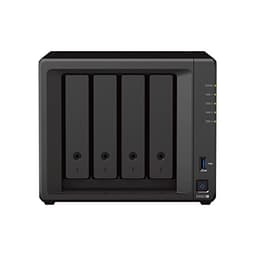
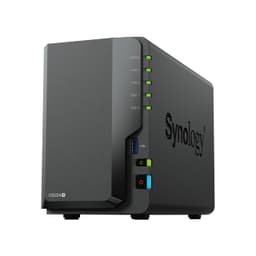
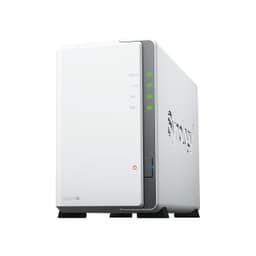
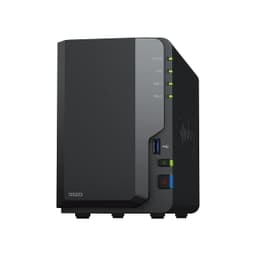
Start with what this actually is. The DS124 is a single-bay network-attached storage device, meaning it connects to your home network and makes its storage available to every device on that network. The included drive is a 4TB Synology HAT3300, which is a 3.5-inch SATA HDD from Synology's own HAT range, designed specifically for NAS use with workloads that involve continuous operation rather than the occasional spin-up you'd get from a desktop drive.
The DS124 itself runs Synology's DiskStation Manager (DSM) operating system, which is genuinely one of the better NAS software platforms available. It handles everything from basic file sharing to media streaming, surveillance camera management, cloud backup, and even running Docker containers if you want to get fancy. The hardware is modest, as you'd expect at this price tier, but the software is where Synology earns its reputation. The unit weighs 0.7 kg, which tells you this is a compact, lightweight enclosure rather than anything rackmount-adjacent.
One critical thing to understand upfront: single-bay means no RAID. There is no redundancy here. If the drive fails, your data is gone unless you have a backup elsewhere. Synology is very clear about this in their documentation, and it's not a flaw in the product so much as a fundamental characteristic of the single-bay category. The DS124 is explicitly designed as a personal cloud and backup destination, not as a fault-tolerant storage system. That distinction matters enormously when you're deciding whether this is the right tool for your situation.
| Specification | Detail |
|---|---|
| Product | Synology DS124 1-Bay NAS with 4TB HAT3300 |
| Drive Bays | 1 |
| Included Drive | 4TB Synology HAT3300 3.5-inch HDD |
| Operating System | Synology DiskStation Manager (DSM) |
| Weight | 0.7 kg |
| RAID Support | None (single bay, no redundancy) |
| Key Software Features | Centralised data hub, file sync and share, backup, surveillance |
| Price | £438.58 (Price checked 05:46, 3 Oct 2026, UK time) |
| Rating | ★★★½☆ (3.9) (7) |

Real-World Coverage and Network Reach
Coverage, in NAS terms, means something different from router coverage. It's not about Wi-Fi signal reaching your garden, it's about how accessible the device is across your network and, critically, over the internet when you're away from home. The DS124 connects via Ethernet to your router. What matters for remote access is Synology's QuickConnect service, which punches through NAT without requiring you to fiddle with port forwarding.
The HAT3300 is a CMR (Conventional Magnetic Recording) drive rather than SMR, which matters for NAS workloads. SMR drives can throttle badly under sustained write loads because they need to reorganise data on the fly. CMR doesn't have that problem, so the HAT3300 should handle continuous transfers without that kind of slowdown.
For remote access, QuickConnect is convenient but it routes your traffic through Synology's relay servers, which adds latency. For casual file access that's fine. For streaming large video files remotely, or for anything latency-sensitive, you'll want to configure direct access via DDNS and port forwarding instead. That's not a DS124-specific problem, it's a characteristic of how remote NAS access works generally, but it's worth knowing about before you assume remote access will feel as snappy as local access. Locally, the DS124's single LAN port is 1GbE, so that's the ceiling for transfers inside your home.
Sustained Speed Under Load
The HAT3300 series is rated by Synology for NAS environments, which means it's designed for 24/7 operation with a workload rate that consumer desktop drives aren't built for. In practical terms, you're looking at a spinning hard drive with a maximum sustained sequential transfer rate of 202 MB/s. That's not SSD territory, but for a home NAS used for backups, media streaming, and file sync, it's more than adequate. A 4K video file streams at roughly 50 to 100 Mbps, which is well within what a 1GbE connection and a spinning drive can handle simultaneously for a few streams.
Where spinning drives show their limits is random read/write performance. If you're running applications directly from the NAS, or doing lots of small-file operations (like syncing a folder with thousands of small documents), throughput drops significantly compared to sequential operations. This is a physics problem, not a Synology problem. The drive head has to physically move to different locations on the platter for random operations.
Under simultaneous load from multiple users, performance naturally divides across those concurrent requests. Realistically, a single-bay home NAS at this price is designed for one to three users, not a small business with ten people hammering it at once. If that's your use case, you need a multi-bay unit with more RAM and a faster processor, not a DS124.
Data Protection and Backup Architecture
Because the DS124 has no RAID, the answer to data protection is entirely software-defined. Synology's DSM includes Hyper Backup, which lets you back up the NAS's contents to external USB drives, other Synology NAS units, rsync servers, or cloud destinations including Amazon S3, Backblaze B2, and Synology's own C2 cloud storage service.
The product listing specifically highlights built-in data protection as a key feature, and that's accurate in the sense that the software tools are genuinely good. Hyper Backup supports versioning, deduplication, and encryption. You can set up scheduled backups that run overnight without any manual intervention. For a home user who wants to follow the 3-2-1 backup rule (three copies, two different media types, one offsite), the DS124 can act as the local NAS copy while also pushing a backup to the cloud automatically. That's a solid setup for personal data protection.
What the feature highlight doesn't say loudly enough is that the NAS itself is not a backup. It's a primary storage location. If you move your photos from your laptop to the DS124 and then delete them from the laptop, you have one copy of those photos on a single drive with no redundancy. Drive failure rates for HDDs are not negligible, typically around 1 to 2 percent annually for quality drives, higher in years three and four. No drive is immortal. The backup features in DSM are excellent precisely because Synology knows the single-bay hardware can't protect your data by itself. Use them.
Device Capacity and Multi-User Access
The DS124 runs DSM, which supports user accounts with granular permission controls. You can set up separate user accounts for family members, each with access to their own shared folders and restricted from others. That's useful in a household where you want to share a media library but keep personal documents private. The centralised data hub positioning in the product listing is accurate: DSM genuinely does consolidate access across devices and operating systems. Windows, macOS, Linux, iOS, and Android all have Synology client apps (Drive, Photos) that connect to the NAS.
The hardware limit for concurrent users is determined by the DS124's processor and RAM: a Realtek RTD1619B quad-core chip at 1.7 GHz and 1 GB of DDR4 memory. Synology says the DS124 is designed for home and personal use. Start adding more concurrent users doing more intensive tasks and you'll feel the hardware ceiling. This is not a unit for a small office with five or six people all working from it simultaneously.
Smart home and IoT integration is where the surveillance feature comes in. DSM's Surveillance Station supports IP cameras, and the DS124 can act as a basic NVR (network video recorder) for a small home surveillance setup. The product listing mentions smart surveillance as a headline feature. Two camera licences are included free; additional cameras require paid licences. For a home with one or two cameras as a deterrent, that's covered without spending more. For anything more ambitious, the single-bay hardware and the single-drive storage limit will become constraints quickly, both in terms of processing and in terms of how much footage you can retain before the 4TB fills up.
Synology DS124 4TB 1 Bay NAS Solution: Platform and Future-Proofing
NAS future-proofing is a different conversation from Wi-Fi standard future-proofing, but it's just as important. Synology's track record on DSM updates is genuinely strong. They support products for years after launch, and DSM major version updates (DSM 7 is the current generation) bring real new features rather than just security patches. The DS124 launched on DSM 7, so it should see several years of active software support. That matters because the software is the product here as much as the hardware.
The single-bay constraint is the real future-proofing question. You can upgrade the drive to a larger capacity if you need more storage, and Synology publishes a compatibility list for supported drives. Moving from 4TB to 8TB or 12TB is straightforward: swap the drive, restore from backup, and you're done. What you can't do is add a second drive for redundancy, because there's only one bay. If you think you'll want RAID mirroring in two years, the DS124 is the wrong starting point. A DS223 or similar two-bay unit costs more but gives you that option.
The HAT3300 drive itself is a solid choice for this use case. Synology validates their HAT drives specifically for DSM compatibility, which means you won't hit the firmware-level quirks that occasionally cause issues with third-party drives in Synology units. That said, the HAT3300 is a CMR drive rated for relatively modest workloads compared to Synology's higher-tier HAT5300 series. For home use, that's absolutely fine. For anyone planning to run continuous backup jobs from multiple computers plus a surveillance feed, it's worth checking whether a higher-endurance drive would be a better long-term choice.

Features and Software Capabilities
DSM is the reason people buy Synology over cheaper alternatives. The operating system runs as a web interface accessible from any browser on your network, and it's genuinely well-designed. The package centre lets you install additional applications including media servers (Plex runs on Synology NAS units, though the DS124's hardware is modest for transcoding), download managers, note-taking apps, and calendar and contact sync servers. If you want to run your own private alternative to iCloud or Google Photos, Synology Photos is a real option.
The sync and share features highlighted in the product listing are delivered through Synology Drive, which works similarly to Dropbox or OneDrive but with your NAS as the server. Files sync across devices automatically, and you can share links with people outside your network without giving them full NAS access. For families who want to get off commercial cloud storage for privacy or cost reasons, this is a genuinely compelling use case. The multi-platform access claim is accurate: the Drive client works on Windows, macOS, iOS, and Android without meaningful compromise.
Where DSM can feel overwhelming is in its sheer scope. There are a lot of settings, a lot of packages, and a lot of configuration options. For a user who just wants to plug it in and have a network drive appear, the initial experience can feel like being handed the keys to a server room. Synology has improved the onboarding flow in recent DSM versions, and the mobile setup process is more guided than it used to be, but this is not a plug-and-play appliance in the way a simple USB drive is. You will need to spend an hour or two getting it configured properly, and that's a realistic expectation to set.
Firmware, App Stability and Security Updates
Synology's security update cadence is one of the things they genuinely get right. DSM receives regular security patches, and Synology maintains a security advisory page that documents vulnerabilities and fixes transparently. This matters for a NAS more than for most home devices, because a NAS that's accessible from the internet is a meaningful attack surface. A device that hasn't been patched in two years is a liability.
The DSM mobile apps (DS File, Synology Drive, Synology Photos) receive regular updates through the App Store and Google Play. The web interface is the primary management tool.
The reboot question, which matters so much for routers, is less relevant for a NAS. DSM is a Linux-based OS running on dedicated hardware, and it's designed to run continuously without reboots. DSM updates do require a reboot, but those are scheduled events rather than emergency interventions.
Setup and Management
Setting up the DS124 involves connecting it to your router via Ethernet, installing the drive (if you've bought the bare unit, though this bundle comes pre-installed), powering it on, and then navigating to find.synology.com from a browser to run the setup wizard. Synology has put real effort into making this process accessible, and for someone who's comfortable setting up a new smartphone, the initial DSM configuration is manageable. The wizard walks you through creating an admin account, configuring basic shared folders, and optionally setting up QuickConnect for remote access.
The management interface post-setup is a full web-based desktop environment. It looks like a simplified operating system with a taskbar, application windows, and a control panel. For technically confident users, this is powerful and flexible. For someone who just wanted a simple network drive, it can feel like overkill. But the honest answer is that getting the most out of this device requires a willingness to learn the software, and that's a real time investment.
Ongoing management is where DSM earns its keep. Once configured, the system largely runs itself. Scheduled backups run automatically, DSM checks drive health and alerts you to problems, and security updates can be set to install automatically. The mobile apps mean you can access your files and manage the NAS from anywhere without opening a laptop.
Ports and Connectivity
The DS124 has a single 1GbE RJ45 LAN port for network connection and two USB 3.2 Gen 1 ports for connecting external drives for backup or additional storage. The LAN port speed is significant for anyone planning to transfer large files regularly, and it's gigabit rather than 2.5GbE.
For most home users, a 1GbE LAN connection is sufficient. At 1 Gigabit, the theoretical maximum transfer speed is around 125 MB/s, which is well below the HAT3300's 202 MB/s peak, so the port rather than the drive will cap large sequential transfers. You won't necessarily feel constrained unless you're transferring very large files very frequently and your network infrastructure supports faster speeds end-to-end.
The two USB ports open up some useful options. You can connect an external USB drive directly to the NAS and use it as an additional backup destination, which is a clean way to implement local offsite backup (take the external drive to a different location periodically).

Final Verdict
The Synology DS124 4TB 1 Bay NAS Solution installed with 1 x 4TB HAT3300 Drives is a solid product in a category that requires realistic expectations. Synology's DSM software is the genuine differentiator here. If you want a private cloud that can handle file sync, photo backup, remote access, and a basic surveillance setup, DSM delivers all of that without requiring you to be a Linux sysadmin.
The single-bay limitation is real. No RAID, no mirroring, no protection against drive failure at the hardware level. That's not a flaw, it's the category. But it means this device is a primary storage and sync hub, not a backup destination in itself. Use it alongside a proper backup strategy, not instead of one.
At the enthusiast price tier, the value proposition depends heavily on whether you'll use the software depth. If you want the full Synology ecosystem, the mobile apps, the Surveillance Station, the private photos platform, and years of reliable security updates, this is a well-chosen entry point. If you just want a network drive for basic file storage, there are cheaper ways to achieve that. The HAT3300 drive is a good inclusion, CMR rather than SMR, validated for DSM, and appropriate for the workloads a home user will put it through. The 0.7 kg enclosure is compact enough to sit on a shelf or desk without dominating the space.
Editorial score: 7 out of 10. Good hardware, excellent software, honest about its single-bay limitations. Buy it knowing what it is and you'll likely be in the satisfied camp.
What works. What doesn’t.
4 + 3What we liked4 reasons
- HAT3300 is a CMR drive, not SMR, so no throttling under sustained writes
- Excellent long-term software and security update track record from Synology
- Compact and lightweight at 0.7 kg, easy to place anywhere
- Surveillance Station, private photos, and Drive sync are genuinely useful features
Where it falls3 reasons
- Single bay means zero hardware redundancy, drive failure loses your data
- DSM setup and configuration has a real learning curve for non-technical buyers
- Surveillance Station includes two free camera licences; any more cameras need paid licences
Full specifications
12 attributes| CPU architecture | 64-bit |
|---|---|
| CPU cores | 4 |
| CPU frequency | 1.7 GHz |
| CPU model | Realtek RTD1619B |
| Dimensions | 166 mm x 71 mm x 224 mm |
| Drive bays | 1 |
| FAN | 60 mm x 60 mm x 1 pcs |
| Hardware encryption | true |
| HOT swappable drives | false |
| LAN ports | 1 x RJ-45 1GbE |
| MAX internal volumes | 1 |
| MAX IP cameras | 12 channels (H.265) |
If this isn’t right for you
1 options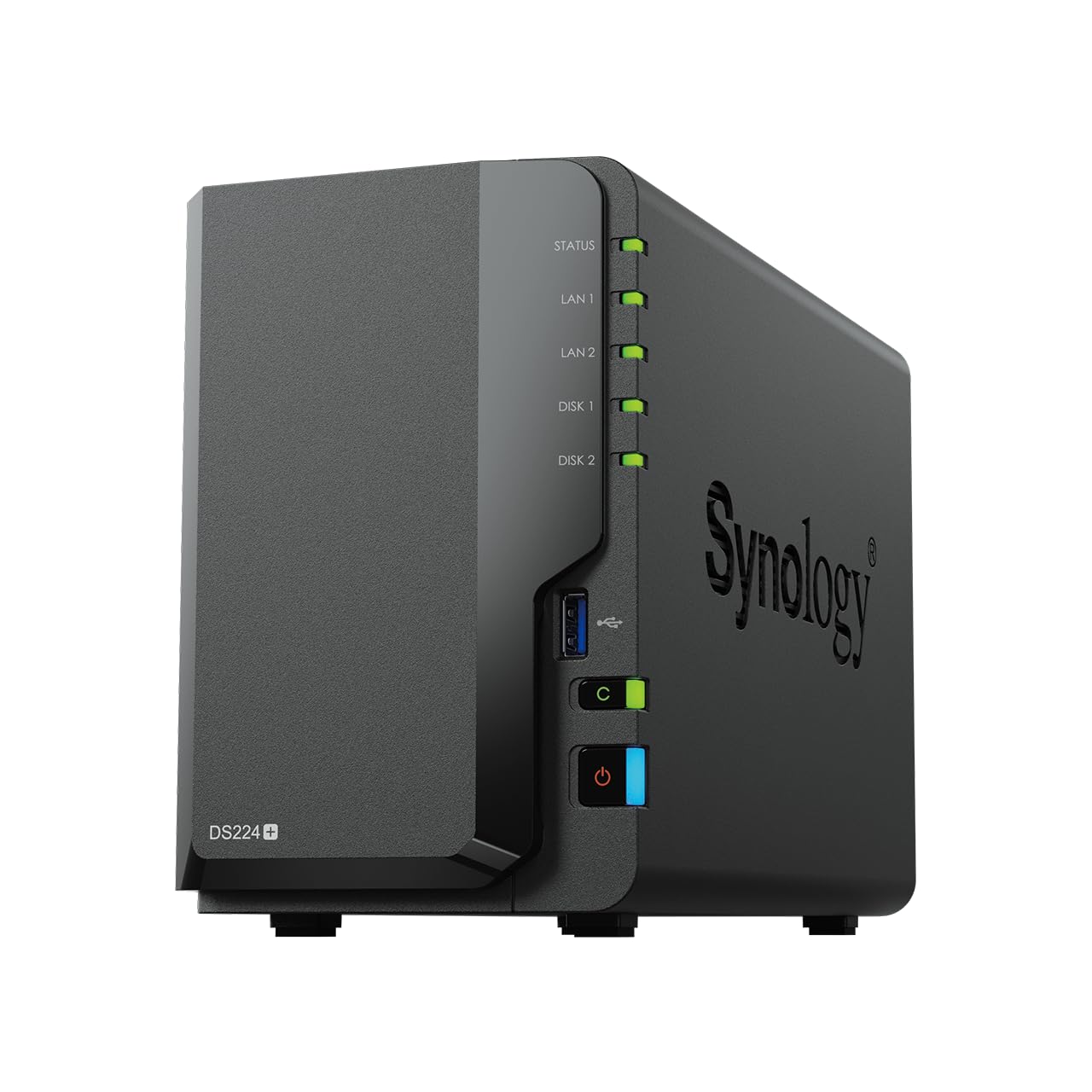
Frequently asked
5 questions01Will the Synology DS124 4TB 1 Bay NAS Solution installed with 1 x 4TB HAT3300 Drives cover my whole house?+
The DS124 connects to your router via Ethernet, so it's accessible to any device on your home network regardless of where it's physically located. Remote access from outside your home is handled via Synology's QuickConnect service, which works without port forwarding but adds some latency compared to local access. For a typical home network, the DS124 is accessible from any room that has Wi-Fi or wired connectivity.
02Do I really need to worry about RAID with the Synology DS124 4TB 1 Bay NAS Solution installed with 1 x 4TB HAT3300 Drives?+
Yes, and this is the most important thing to understand before buying. The DS124 has one drive bay, so there is no RAID redundancy. If the included HAT3300 drive fails, your data is lost unless you have a backup elsewhere. The device is designed as a primary storage and sync hub, not as a fault-tolerant backup system. Synology's DSM includes excellent backup tools (Hyper Backup) that can push your data to cloud storage or external drives, and you should use them. Think of the NAS as one copy of your data, not as a safe place to store the only copy.
03Is the Synology DS124 4TB 1 Bay NAS Solution installed with 1 x 4TB HAT3300 Drives easy to set up?+
Initial setup is manageable if you're comfortable with basic networking and following a web-based wizard. Connecting the unit, finding it at find.synology.com, and completing the DSM setup takes around 30 to 60 minutes. The more complex part is configuring shared folders, user accounts, remote access, and backup jobs to suit your specific needs. DSM is powerful software with a lot of options, and getting the most from it requires some time investment upfront. Day-to-day use after initial configuration is largely automatic, but don't expect a plug-and-play experience on day one.
04Is the Synology DS124 4TB 1 Bay NAS Solution installed with 1 x 4TB HAT3300 Drives reliable long-term?+
Synology has a strong track record on firmware and security updates, and DSM is designed to run continuously without frequent reboots. The main reliability variable is the hard drive itself: HDDs have an annual failure rate of roughly 1 to 2 percent for quality drives, and no spinning drive lasts forever. Synology includes drive health monitoring in DSM that alerts you to early warning signs, which gives you time to back up before a failure rather than after.
05What warranty and returns apply to the Synology DS124 4TB 1 Bay NAS Solution installed with 1 x 4TB HAT3300 Drives?+
Amazon offers 30-day returns on most items. Synology gives the DS124 a 2-year hardware warranty, and the HAT3300 drive has a 3-year warranty. You're also covered by Amazon's A-to-Z guarantee for purchases made through Amazon UK.