Most people pick a PSU wattage, chuck it in a wattage calculator, and call it done. But that calculator doesn't account for transient spikes when your GPU boosts hard, or how much power you're actually losing to heat at partial load. The number on the box is the ceiling, not the whole story. So when NZXT drops a 750W Bronze unit into the mid-range bracket with ATX 3.1 support and a 12V-2x6 connector, the question isn't just "is 750W enough?" It's whether the efficiency, build quality, and real-world headroom justify picking this over the dozen other options sitting at a similar price point.
Short answer: yes, mostly. The NZXT C750 Bronze ATX 3.1 - Non-Modular Power Supply - 750 Watts - 12V-2x6 Connector - 120mm FDB Fan - Compact 140mm Size - Black is a solid mid-range unit that punches reasonably well for the money, earns its 4.5-star average across over 400 owners, and comes with a 5-year warranty that gives you some actual peace of mind. It's not perfect. Non-modular cables are a pain in smaller cases, and Bronze efficiency means it's not the most frugal option out there. But for a gaming build that needs reliable, future-ready power without spending Gold-tier money, this does the job properly.
Before we get into the weeds,: if you're trying to work out how much wattage your specific build actually needs, our PSU calculator will give you a more accurate figure than most online tools. Right. On to the unit itself.
Core Specifications: NZXT C750 Bronze ATX 3.1 Non-Modular Power Supply
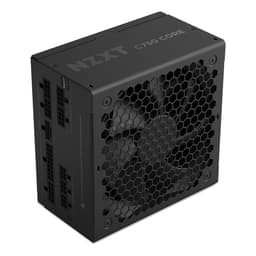
The NZXT C750 Bronze is a 750W non-modular ATX 3.1 power supply with an 80 Plus Bronze efficiency rating, a compact 140mm chassis, a 120mm FDB (fluid dynamic bearing) fan, and a 5-year warranty. It ships with a 12V-2x6 connector for modern GPU compatibility, which is the bit that sets it apart from older Bronze units still cluttering the market. The ATX 3.1 spec matters more than people realise right now, but we'll get to that.
The protection suite covers OVP (over-voltage), UVP (under-voltage), SCP (short-circuit), OTP (over-temperature), OPP (over-power), and OCP (over-current). That's a full house. The capacitors are rated to 105 degrees Celsius, which is notably better than the 85-degree components you'll find in cheaper units. Across 422 reviews, this thing holds a ★★★★½ (4.5) average, which for a PSU (a component people only notice when it goes wrong) is genuinely impressive.
Here's a full spec breakdown so you can see everything in one place:
| Specification | Detail |
|---|---|
| Wattage | 750W |
| Efficiency Rating | 80 Plus Bronze |
| Efficiency at 50% Load | ~85% |
| Form Factor | ATX 3.1 |
| Modularity | Non-Modular |
| Fan Size | 120mm FDB |
| Zero RPM Mode | No |
| Chassis Depth | 140mm (Compact) |
| Warranty | 5 Years |
| ATX 24-pin | 1 |
| EPS 8-pin | 1 |
| PCIe 8-pin | 2 |
| 12V-2x6 (12VHPWR) | 1 |
| SATA | 6 |
| Molex | 3 |
| Protection | OVP, UVP, SCP, OTP, OPP, OCP |
| Capacitor Rating | 105°C |
| Ambient Operating Temp | Up to 40°C |
| Price | £54.90 (Price checked 16:30, 3 Oct 2026, UK time) |
Wattage and Capacity
750W is a genuinely useful sweet spot right now. It's enough to handle a Ryzen 5 or Core i5 paired with a mid-to-upper-midrange GPU (think RTX 4070 or RX 7800 XT territory) with comfortable headroom. You're not going to be white-knuckling it during a long Cyberpunk session wondering if the PSU is about to give up. The general rule of thumb is to aim for your system's peak draw to sit around 50 to 70 percent of PSU capacity, partly for efficiency reasons and partly so you're not right at the ceiling when the GPU decides to spike.
And modern GPUs do spike. That's actually the whole reason ATX 3.1 exists. The spec was developed to handle the kind of rapid, sharp power transients that cards like the RTX 4000 and 5000 series can throw at a PSU. Older units, even decent ones, can trip their OCP or OPP protection during those spikes because they weren't designed for that load behaviour. The NZXT C750 Bronze is rated to handle this properly, which means you won't get random shutdowns during intense GPU boost cycles on a compatible card.
Where does 750W fall short? If you're building around something like an RTX 5080 or a high-TDP workstation CPU, you'd want to be looking at 850W or 1000W units. But for the vast majority of gaming builds in 2026, 750W is plenty. Entry-level builds with a 150W GPU and a mid-range CPU will barely touch 400W under load, meaning you've got loads of headroom. Midrange gaming rigs running something like an RTX 4070 Ti at full chat will sit somewhere around 500 to 550W peak, which keeps you in that comfortable efficiency zone. It's the enthusiast-tier stuff, the dual-GPU workstations and the overclocked flagships, where you'd start to feel the ceiling.
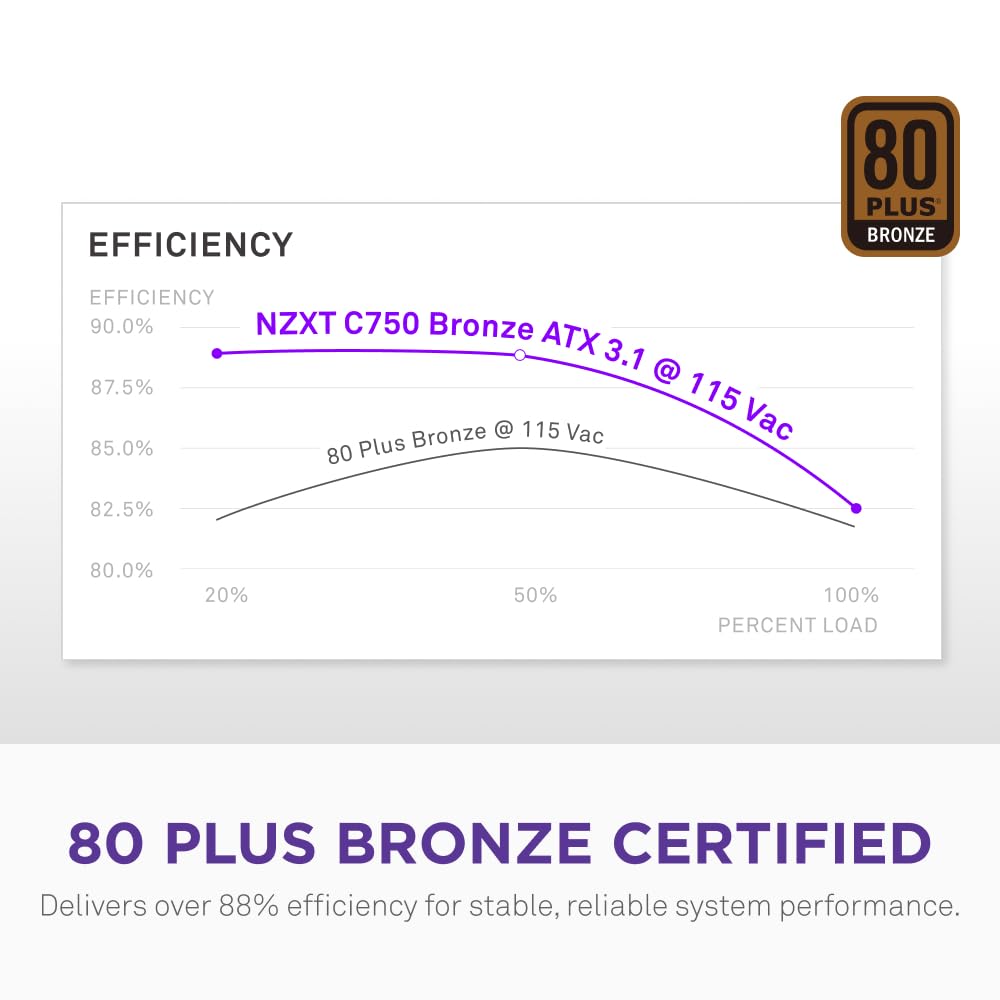
Efficiency Rating: What 80 Plus Bronze Actually Means
The 80 Plus Bronze certification means the unit hits at least 82% efficiency at 20% load, 85% at 50% load, and 82% again at full load. In real terms: if your system is drawing 400W from the wall, roughly 340W of that is going to your components. The rest becomes heat. That's not terrible. It's not Gold-tier (which would give you closer to 90% at 50% load), but it's a meaningful step above uncertified or basic 80 Plus White units.
What does that mean for your electricity bill? Honestly, the difference between Bronze and Gold at typical gaming loads is somewhere around 5 to 8 watts of extra heat dissipation. Over a year of regular gaming (say, 4 hours a day), that's maybe a couple of quid extra on your energy bill. Not nothing, but not the deciding factor most people make it out to be. Where efficiency matters more is in heat output inside your case, because that extra wasted power doesn't disappear, it becomes warm air your case fans have to deal with.
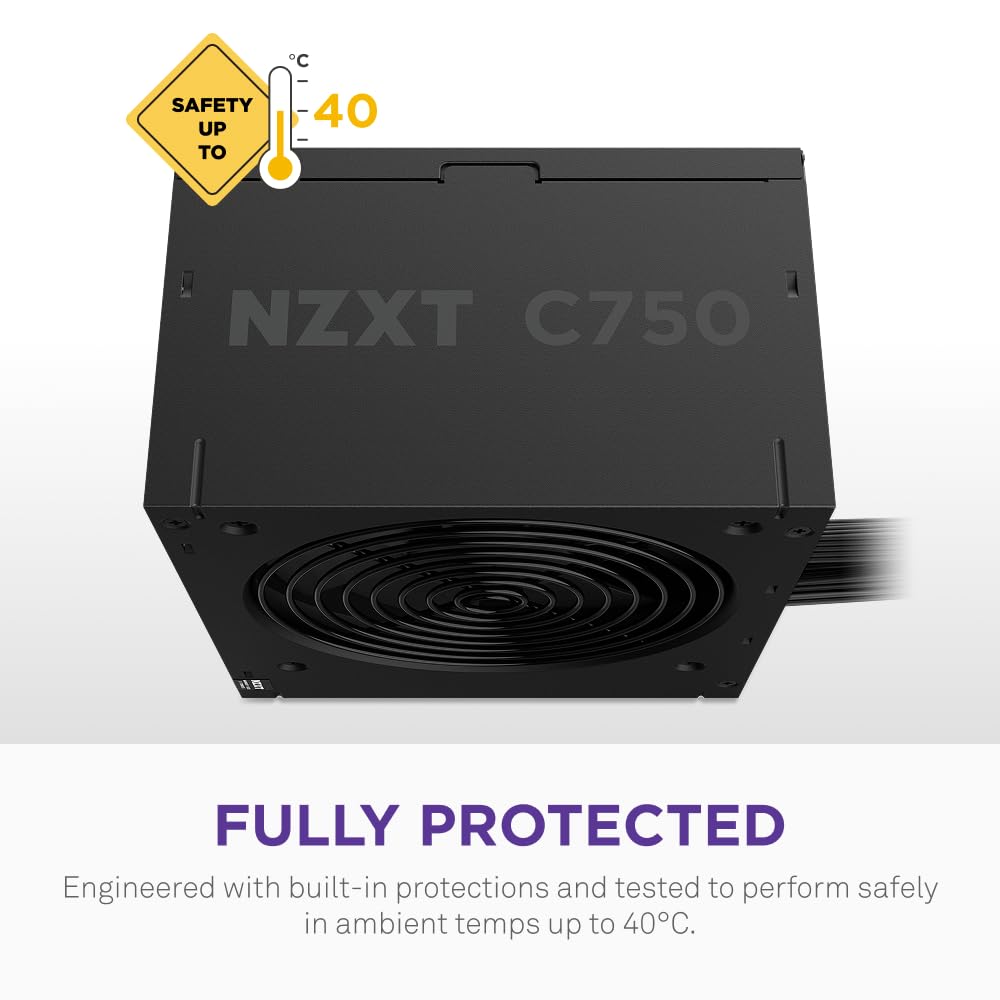
The 105-degree-rated capacitors are here too. Standard budget PSUs often use 85-degree caps, which degrade faster under thermal stress. Higher-rated caps hold their performance longer, especially in warm environments or cases with limited airflow. It's one of those things that doesn't show up in day-one benchmarks but matters a lot over the lifespan of the unit. NZXT specifying 105-degree components at the Bronze tier is a genuine quality signal, not just marketing fluff. The unit is also rated for stable operation in ambient temperatures up to 40 degrees Celsius, which covers most real-world scenarios including poorly ventilated rooms in summer.
Modularity and Cable Management
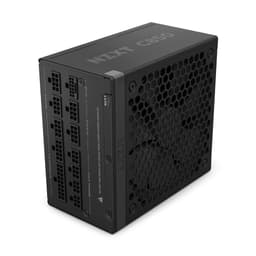
Non-modular. That's the bit that'll either be fine or mildly annoying depending on your case. With a non-modular PSU, every cable is permanently attached. You get the ATX 24-pin, the EPS 8-pin, the PCIe cables, all the SATAs, the Molex leads, all of it, whether you need them or not. In a full-tower with a PSU shroud and a cable management basement, this is manageable. In a compact mid-tower or a smaller case, you're going to be stuffing a fistful of unused cables somewhere and hoping the side panel still closes.
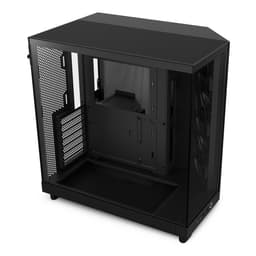
The compact 140mm chassis depth is genuinely useful here. Most ATX PSUs run to 150mm or 160mm, so shaving that extra 10 to 20mm off makes a real difference in tighter cases where the PSU bay is a snug fit. It's a small thing, but owners building in cases like the NZXT H5 or similar compact mid-towers have flagged this as a practical benefit. NZXT clearly designed this with their own case ecosystem in mind, and it shows.
Cable quality on NZXT units at this tier is generally described by owners as decent, not spectacular. The cables are sleeved, they're long enough for standard mid-tower routing, and they're flexible enough not to fight you when you're trying to route them behind the motherboard tray. You won't get the flat, ribbon-style cables you'd find on a fully modular unit, but they're not the stiff, awkward leads you sometimes get with budget non-modular PSUs either. If cable management is a priority and you're building in a windowed case where the back looks tidy, the non-modular design is a legitimate downside. If you're building a workhorse rig and nobody's looking inside, it really doesn't matter.
Connectors and Compatibility
The connector lineup is solid for a 750W unit. You get everything a standard gaming build needs, plus the modern 12V-2x6 connector that makes this relevant for current and near-future GPUs.
- ATX 24-pin: 1 (standard motherboard power)
- EPS 8-pin: 1 (CPU power - fine for most builds, though dual-CPU or extreme overclocking rigs sometimes want two)
- PCIe 8-pin: 2 (covers dual-connector GPUs without adapters)
- 12V-2x6 connector: 1 (native support for RTX 4000/5000 series and future PCIe Gen 5.1 cards)
- SATA: 6 (plenty for drives, fans, RGB hubs)
- Molex: 3 (older peripherals, some fan controllers)
The 12V-2x6 connector is the headline addition here and it's worth understanding why it matters. The older 12VHPWR connector (used on RTX 4000 cards at launch) had some well-documented reliability concerns, particularly around connector seating. The PCI-SIG developed the 12V-2x6 spec as an updated standard with improved mechanical design and better contact retention. Having this natively on the PSU rather than via an adapter is the right way to do it, and NZXT including it here is a mark in the unit's favour.
Six SATA connectors is generous. Most gaming builds use two or three at most (an SSD, maybe a second drive, a fan hub), so you're not going to run out. Three Molex connectors is similarly more than enough. The single EPS 8-pin is if you're planning to run a high-end CPU with a big overclock on a board that supports dual EPS connectors, but for standard gaming use with a Ryzen 7 or Core i7, one 8-pin is absolutely fine.
Overall, the connector set covers the full range of a modern gaming build without any awkward gaps. The native 12V-2x6 support is what pushes this ahead of older Bronze units that require adapters for current GPUs, and it's the main reason to pick this over a similar-spec unit from two or three years ago.
Voltage Regulation and Ripple
Voltage regulation is one of those specs that sounds dry but directly affects component longevity. The ATX spec allows for plus or minus 5% variation on the 12V rail (the main rail that powers your GPU and CPU), but better PSUs keep it tighter than that under real load. Loose voltage regulation means your components are seeing slightly different voltages depending on what else is drawing power, and over time that kind of inconsistency isn't great for sensitive hardware.
The NZXT C750 Bronze uses a single 12V rail design, which is the modern standard for gaming PSUs and generally preferred over multi-rail designs for high-draw components. Single rail means all your power-hungry components share one large rail rather than being split across smaller ones, which eliminates the risk of individual rail limits being hit when one component spikes hard. For a GPU that can pull 300W in a transient spike, that matters.
The 105-degree capacitors contribute here too. Cap quality directly affects ripple suppression, which is the measure of how much AC noise gets through onto your DC power lines. Cheap capacitors degrade faster and their ripple suppression gets worse over time. The higher-rated components in this unit should maintain cleaner power delivery for longer, which is part of why the 5-year warranty is actually credible rather than just a marketing promise. Owner feedback across the 400-plus reviews doesn't flag any instability or shutdown issues under sustained gaming load, which is broadly consistent with a unit that's doing its voltage regulation job properly.
Thermal Performance
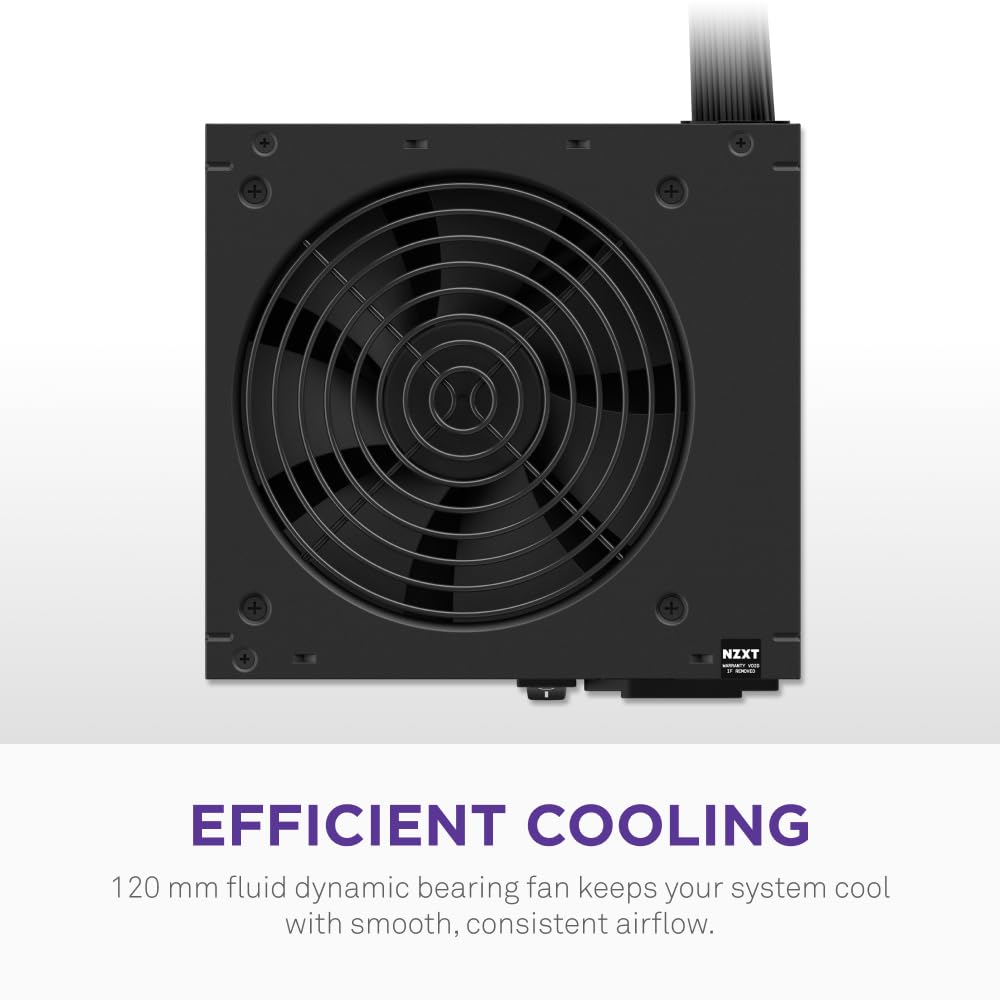
The 120mm FDB fan is the main thermal management tool here, and fluid dynamic bearings are genuinely the right choice for a PSU fan. FDB fans run quieter, last longer, and handle the variable speeds that a PSU fan needs to run at without the bearing wear you get from cheaper sleeve or ball-bearing designs. At light loads the fan spins slowly and quietly. Under heavy load it ramps up to shift more air through the unit. It's not glamorous engineering, but it works.
There's no zero-RPM mode on this unit, which means the fan is always spinning to some degree. Some competing units (typically at Gold tier and above) offer a semi-passive mode where the fan stops entirely at low loads. If you're running a very light system or doing non-gaming tasks, the constant fan spin is something to be aware of. It's not loud, but it's not silent either. For a gaming PC that's going to be running with case fans and a GPU cooler anyway, it's a non-issue. For a media PC in a quiet room, you might notice it.
The rated ambient operating temperature of up to 40 degrees Celsius is. That covers most UK rooms even in summer (unless your office doubles as a sauna), and it means the unit won't start throttling or tripping thermal protection in a normally ventilated case. Some cheaper units are only rated to 30 or 35 degrees, which sounds fine until you're in a warm room with a case that doesn't breathe brilliantly. The 40-degree rating gives you a bit more margin. Combined with the 105-degree capacitors, the thermal story here is one of a unit designed to run reliably for years rather than just survive the warranty period.
Acoustic Performance
Owners consistently describe this as a quiet unit under normal gaming loads. The 120mm FDB fan runs at low speeds during everyday use and ramps up noticeably only under sustained heavy load. That's pretty much what you'd expect from a well-designed PSU fan, and the FDB bearing type helps keep noise down compared to cheaper alternatives. No specific decibel figures are published for this unit, so anyone quoting you exact dB numbers for it is making them up.
The absence of a zero-RPM mode is the main acoustic caveat. Competing units at Gold efficiency, like the Seasonic Focus GX or the be quiet! Straight Power series, often include semi-passive fan modes that let the fan stop spinning entirely below a certain load threshold. If you're doing light productivity work, streaming, or just browsing, those units will be completely silent from the PSU. The NZXT C750 Bronze will have a low hum. Not annoying, but present.
For a gaming rig, this distinction is pretty academic. You're not going to hear the PSU fan over your GPU cooler, case fans, and whatever's coming out of your speakers or headset. But if you're building a dedicated quiet PC for a home studio or a living room HTPC setup, the lack of zero-RPM mode is a genuine reason to look at a Gold-rated alternative instead. For the gaming use case this unit is aimed at, the acoustics are fine. Owners aren't complaining about fan noise in the reviews, and that's a decent signal.
Build Quality
The 105-degree-rated capacitors are the headline build quality spec, and they're a meaningful differentiator at this price tier. A lot of budget and lower-mid-range PSUs cut costs by using 85-degree caps, which are cheaper but degrade faster under heat. Thermal cycling, which happens every time you turn your PC on and off, gradually wears capacitors down. Higher-rated caps handle that cycling better and maintain their characteristics longer. It's one of the main reasons some PSUs start behaving oddly after three or four years while others are still running clean after a decade.
The compact 140mm chassis is also from a build quality perspective. Shorter PSUs require tighter internal component layout, which can sometimes mean compromises in component quality or thermal headroom. NZXT has managed to keep the full protection suite and 105-degree caps in that smaller footprint, which suggests the internal design hasn't been aggressively value-engineered just to hit the compact size. Owner feedback doesn't flag any early failure patterns, which is the most reliable indicator of build quality you can get outside of a full teardown.
The 5-year warranty is the manufacturer putting money where their mouth is. NZXT's warranty support in the UK is generally well-regarded, and a 5-year coverage period on a PSU is competitive. Budget units often come with 2 or 3 years. Some premium units offer 7 or 10 years. Five years at this price point is solid. It also tells you something about NZXT's confidence in the component quality, because warranty claims cost them money. If they were using dodgy caps, they wouldn't be offering 5-year cover at a mid-range price.
Protection Features
The NZXT C750 Bronze ATX 3.1 covers the full set of standard PSU protections: OVP (over-voltage protection), UVP (under-voltage protection), SCP (short-circuit protection), OTP (over-temperature protection), OPP (over-power protection), and OCP (over-current protection). That's every major protection type you'd want. Some budget units skip UVP or OTP to save on component costs, which leaves your system exposed if the PSU starts sagging or overheating. Having all six here is a proper tick-box.
OVP shuts the unit down if output voltage climbs too high, protecting your motherboard and GPU from voltage spikes. UVP does the opposite, cutting power if voltage drops too low, which can happen under sudden heavy load if the unit is struggling. SCP is the basic one that kills power instantly if there's a dead short, protecting both the PSU and everything connected to it. OTP shuts things down before the unit cooks itself. OPP and OCP limit total power draw and per-rail current to prevent overloading. Together, they form a proper safety net for your components.
In practice, most of these protections will never trigger on a healthy, properly configured system. They're there for the edge cases: a GPU that develops a fault, a cable that works loose and shorts, a case that loses airflow and lets temperatures climb. The fact that NZXT has included all six rather than the minimum viable set is consistent with the overall quality positioning of this unit. It's not a PSU that's been stripped back to hit a price point. It's a PSU that's been built to a reasonable standard and priced accordingly.
How It Compares to the Competition
The mid-range 750W PSU market is genuinely competitive right now. The two units that come up most often in the same conversation as the NZXT C750 Bronze are the Corsair CV750 (also Bronze, non-modular, similarly priced) and the be quiet! System Power 10 750W (Bronze, non-modular). Both sit in roughly the same bracket and target the same kind of builder.
The Corsair CV750 is the most direct comparison. It's non-modular, Bronze-rated, and typically available at a similar price point. The NZXT C750 has the edge on ATX 3.1 compliance and the native 12V-2x6 connector, which the CV750 doesn't offer natively. If you're pairing with a current-gen NVIDIA card, that matters. The be quiet! System Power 10 is a solid alternative with be quiet!'s reputation for quiet operation, but it similarly lacks the ATX 3.1 native connector. The NZXT's 140mm compact chassis is also a practical advantage over some competing units that run longer.
If you're willing to step up budget slightly to the Gold tier, units like the Corsair RM750e or the Seasonic Focus GX-750 offer better efficiency, semi-passive fan modes, and often full modularity. Whether that's worth the extra spend depends entirely on your build. For most gaming rigs, the difference in efficiency won't be felt in daily use, and the extra cable tidiness of a modular design is only relevant if you care about what your build looks like inside.
| Feature | NZXT C750 Bronze ATX 3.1 | Corsair CV750 Bronze | be quiet! System Power 10 750W |
|---|---|---|---|
| Wattage | 750W | 750W | 750W |
| Efficiency | 80 Plus Bronze | 80 Plus Bronze | 80 Plus Bronze |
| Modularity | Non-Modular | Non-Modular | Non-Modular |
| ATX 3.1 / 12V-2x6 | Yes (native) | No | No |
| Fan | 120mm FDB | 120mm | 120mm |
| Zero RPM Mode | No | No | No |
| Capacitor Rating | 105°C | Not specified | Not specified |
| Warranty | 5 Years | 3 Years | 3 Years |
| Ambient Temp Rating | 40°C | Not specified | Not specified |
| Price | £54.90 (Price checked 16:30, 3 Oct 2026, UK time) | Similar tier | Similar tier |
Final Verdict
The NZXT C750 Bronze ATX 3.1 - Non-Modular Power Supply - 750 Watts - 12V-2x6 Connector - 120mm FDB Fan - Compact 140mm Size - Black is a well-thought-out mid-range PSU that earns its price. The native ATX 3.1 compliance and 12V-2x6 connector make it genuinely future-ready rather than just claiming to be. The 105-degree capacitors, full six-point protection suite, and 5-year warranty all point to a unit built with some actual quality intent behind it. And the 4.5-star average from over 400 real owners isn't a fluke. People who've actually plugged this into their builds are happy with it.
The non-modular cable setup is the main practical downside, and it's a real one if you're building in a compact case or you care about cable management aesthetics. The lack of zero-RPM mode is a minor note for quiet-build enthusiasts. Neither of these is a dealbreaker for the target audience, which is someone building a solid gaming rig with a current or recent-gen GPU who wants reliable, future-compatible power without overspending.
Who should buy this? Builders pairing a mid-to-upper-midrange GPU (RTX 4070, RX 7800 XT, and that kind of tier) with a mainstream gaming CPU. People who want native 12V-2x6 support without paying Gold-tier prices. Anyone who values a proper warranty and wants to know the PSU isn't going to embarrass them in two years. Frankly, it's a strong option for anyone building their first proper gaming PC in the mid-range bracket.
Who should skip it? If you're building in a small form factor case where cable management is critical, a semi-modular or fully modular unit will save you a lot of frustration. If you're running an RTX 5080 or anything approaching enthusiast-tier power draw, step up to 850W or 1000W. And honestly, if your build is modest enough that 550W would cover it comfortably, there's no shame in saving a bit of money on a quality 650W unit instead. More wattage than you need isn't free, and you'll run less efficiently at very low load percentages.
Editorial score: 8 out of 10. Solid, honest value in the mid-range bracket, with the ATX 3.1 native support giving it a clear edge over similarly priced Bronze competition. The non-modular design is the main thing holding it back from a higher score, but for the use case it's designed for, it's a proper recommendation.
What works. What doesn’t.
5 + 3What we liked5 reasons
- Native ATX 3.1 and 12V-2x6 support puts it ahead of most Bronze competitors
- 105-degree-rated capacitors for better long-term reliability
- Full six-point protection suite including OTP and UVP
- Compact 140mm chassis fits more cases than standard-depth units
- 5-year warranty is genuinely competitive at this price tier
Where it falls3 reasons
- Non-modular cables make cable management harder in compact builds
- No zero-RPM mode means the fan is always spinning
- Bronze efficiency loses out to Gold-tier alternatives at slightly higher cost
Full specifications
9 attributes| Efficiency rating | Bronze |
|---|---|
| Form factor | ATX |
| ATX version | ATX 3.1 |
| FAN size MM | 120 |
| Generation | C Series Bronze |
| Modularity | non_modular |
| Pcie 5 ready | true |
| Warranty years | 5 |
| Wattage W | 750 |
Will it run on what you have?
Free toolIf this isn’t right for you
2 options
Frequently asked
5 questions01Is the NZXT C750 Bronze ATX 3.1 Non-Modular Power Supply 750W good for gaming?+
Yes, it's a solid choice for gaming builds. 750W covers most mid-to-upper-midrange gaming rigs comfortably, and the native ATX 3.1 compliance with a 12V-2x6 connector means it handles current-gen GPUs like the RTX 4070 series properly without adapters. The 80 Plus Bronze efficiency rating is adequate for gaming use, and the full protection suite keeps your components safe under sustained load.
02What GPU can I run with a 750W PSU?+
A 750W unit comfortably handles most mid-to-upper-midrange GPUs paired with a mainstream gaming CPU. Cards like the RTX 4070, RTX 4070 Ti, RX 7800 XT, and RX 7900 GRE all sit well within 750W with a Ryzen 7 or Core i7. For flagship cards like the RTX 5080 or RTX 4090, you'd want to step up to 850W or 1000W. Use our PSU calculator to work out your specific build's requirements.
03Is 80 Plus Bronze efficiency worth it?+
For most gaming builds, yes. 80 Plus Bronze means roughly 85% efficiency at typical loads, which is a meaningful step above uncertified units. The real-world electricity cost difference between Bronze and Gold is small (a few pounds per year for average gaming use), but Bronze-rated units run slightly warmer due to the extra heat generated by lower efficiency. At this price point, Bronze is a fair trade-off. If you game heavily for many hours daily, Gold might pay back the price difference over time.
04How long is the warranty on the NZXT C750 Bronze ATX 3.1?+
5 years. That's competitive for a Bronze-tier unit - many comparable PSUs only offer 3 years. The 5-year cover is a meaningful signal of build quality confidence from NZXT, and it gives you proper protection against component failure over the typical lifespan of a gaming build.
05Is the NZXT C750 Bronze ATX 3.1 fully modular?+
No, it's non-modular, meaning all cables are permanently attached to the PSU. This makes cable management more challenging compared to semi-modular or fully modular units, since you have to tuck away unused cables even if you don't need them. In a mid-tower or full-tower case with a cable management area, this is manageable. In a compact case, it can be fiddly. If a clean build is a priority, consider a modular alternative.