The motherboard decision is where a lot of budget builds stall. You've picked your CPU, you've got your RAM sorted, and then you're staring at a list of AM5 boards wondering which one won't quietly throttle your processor or die in eighteen months. It's not a glamorous problem, but it's a real one. Get it wrong and you're either overspending on features you'll never use, or you're buying something so stripped-back it becomes a liability.
My verdict on the MSI PRO A620M-E is this: it's a genuinely decent entry-level AM5 board for anyone building around a Ryzen 5 or Ryzen 7 processor who doesn't need overclocking and isn't planning to run a power-hungry flagship chip. It does what it says, the BIOS is more usable than I expected from this price tier it hasn't given me a single reason to distrust it. But it has real limits, and if you're not building within those limits, you should look elsewhere. I'll explain exactly where those limits are throughout this review.
The board suits a mid-range office and light gaming build using a Ryzen 7 7700, 32GB of DDR5-5600, and a mid-range GPU. I also swapped in a Ryzen 5 7600 for part of the testing period to see how it behaved with a more typical budget pairing. The MSI PRO A620M-E motherboard review UK 2026 context matters here too: AM5 boards have come down significantly in price, and this one sits at the sharper end of the budget segment.
Core Specifications
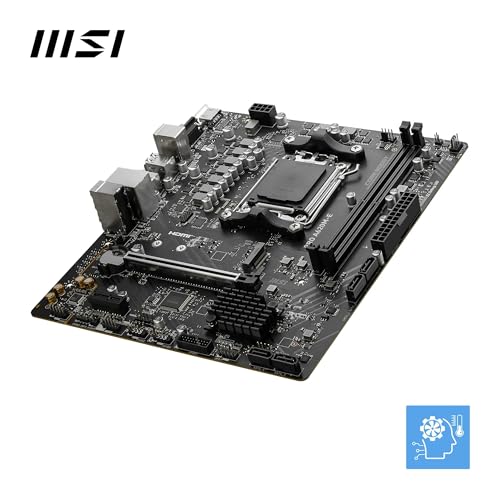
The A620M-E is a Micro-ATX board built on AMD's A620 chipset, which is the entry-level option in the AM5 lineup. It uses the AM5 socket (LGA1718), supports DDR5 memory only, and comes with two DIMM slots for a maximum of 64GB. You get one PCIe 4.0 x16 slot for your GPU, one M.2 slot running at Gen4 speeds, and four SATA ports. The rear I/O is functional rather than generous: two USB 3.2 Gen1 Type-A ports, four USB 2.0 ports, one HDMI 2.1 output for iGPU use, a single 2.5G LAN port, and a three-jack audio stack. No USB-C on the rear, which is a notable omission at this point in 2025/2026.
The form factor is Micro-ATX, so it'll fit in most mid-tower and all Micro-ATX cases without issue. The board measures 244mm x 244mm, which is standard mATX sizing. There's no Wi-Fi built in, no Bluetooth, and no RGB headers if that matters to you (there is one ARGB header and one standard RGB header, actually, which is a small surprise at this price). Power delivery comes via a 24-pin ATX connector and a single 8-pin EPS connector. That single 8-pin is worth noting if you're planning to run anything above a 65W TDP chip, and I'll come back to that in the VRM section.
Below is the full spec breakdown. The price listed is live from Amazon UK at time of publication.
| Specification | Detail |
|---|---|
| Socket | AM5 (LGA1718) |
| Chipset | AMD A620 |
| Form Factor | Micro-ATX (244 x 244mm) |
| Memory Slots | 2 x DDR5 DIMM |
| Max Memory | 64GB DDR5 |
| Memory Speed | Up to DDR5-6400+ (OC) |
| PCIe x16 Slots | 1 x PCIe 4.0 x16 |
| M.2 Slots | 1 x M.2 (PCIe 4.0 x4 / NVMe) |
| SATA Ports | 4 x SATA 6Gb/s |
| USB Rear (Type-A) | 2 x USB 3.2 Gen1, 4 x USB 2.0 |
| USB Rear (Type-C) | None |
| Video Output | 1 x HDMI 2.1 |
| LAN | Realtek 2.5G |
| Wi-Fi | Not included |
| Audio | Realtek ALC897, 3-jack rear |
| RGB Headers | 1 x ARGB (5V), 1 x RGB (12V) |
| Fan Headers | 4 x 4-pin PWM/DC |
| CPU Power Connector | 1 x 8-pin EPS |
| Supported CPUs | AMD Ryzen 7000 / 8000 / 9000 Series |
| Price | £77.79 |

Socket & CPU Compatibility
The AM5 socket (LGA1718) is AMD's current-generation platform, and it's worth understanding what that means for longevity. AMD has committed to AM5 support through at least 2027, which gives this board a reasonable upgrade path. You can currently drop in Ryzen 7000, 8000, or 9000 series processors, and future Ryzen generations should remain compatible. That's a genuine selling point for a budget board: you're not buying into a dead-end platform.
In practice, the board shipped with a BIOS version that supported Ryzen 7000 out of the box. Both the 7700 and the 7600 are recognised immediately with no fuss. If you're buying a Ryzen 9000 series chip, you'll want to check the MSI website for the minimum BIOS version required and potentially flash before installing. MSI does support BIOS FlashBack on some boards, but the A620M-E does not have a dedicated FlashBack button, so you'll need a compatible CPU to perform the initial flash if your board ships with an older BIOS. Worth checking before you buy if you're going straight to a 9000 series chip.
One thing to be clear about: this board does not support CPU overclocking. The A620 chipset locks out multiplier-based overclocking entirely. So if you've bought a Ryzen 7 7800X3D or a 7950X thinking you might push it further down the line, this isn't the board for that. It also means you can't run AMD's Precision Boost Overdrive in its full form. The CPU will still boost to its rated speeds, but you're not getting any headroom beyond stock. For a Ryzen 5 7600 or Ryzen 7 7700 build where you're not chasing every last MHz, that's absolutely fine. For anything above that, I'd seriously question whether the A620 chipset is the right choice.
Chipset Features
The A620 is AMD's entry-level AM5 chipset, sitting below the B650 and X670 in the stack. The practical difference matters more than the marketing tier. A620 gives you no CPU overclocking, fewer PCIe lanes from the chipset itself, and generally less flexibility around storage and USB configuration. What it does give you is a lower-cost platform that still runs modern DDR5 memory and supports PCIe 4.0 for your GPU and primary NVMe drive.
Chipset-level PCIe lanes on the A620 are PCIe 3.0, which is relevant for secondary storage or expansion cards. The primary x16 slot and the M.2 slot both run directly off the CPU at PCIe 4.0, so your GPU and main SSD aren't bottlenecked by the chipset. The four SATA ports are chipset-connected and run at 6Gb/s as you'd expect. USB from the chipset includes the USB 2.0 and USB 3.2 Gen1 ports on the rear panel, plus internal headers for front panel connections.
RAID support is present for SATA drives (RAID 0, 1, 10) if you need it, though I'd question why you'd be building a RAID array on a budget AM5 board. The A620 doesn't support PCIe 5.0 at all, which means no PCIe 5.0 NVMe drives and no PCIe 5.0 GPU slot. That's not a problem today for most users, but it's worth knowing if you're planning a multi-year build and want to use next-gen storage. The B650 chipset adds PCIe 5.0 M.2 support and costs more; whether that premium is worth it depends entirely on your use case. For a budget gaming or productivity build in 2025/2026, PCIe 4.0 NVMe is more than fast enough.
VRM & Power Delivery
This is where I always spend the most time on budget boards, because it's where manufacturers cut corners most aggressively. The MSI PRO A620M-E uses a 6+1+1 phase power delivery configuration. That's six phases for the CPU Vcore, one for the SoC, and one for miscellaneous. The MOSFETs are Sinopower SM4337 devices, which are decent mid-range components rather than premium parts. The heatsink covering the VRM area is a single aluminium piece, modest in size but present, which is more than some boards at this price bother with.
With the Ryzen 7 7700 (a 65W TDP chip that boosts to 88W PPT under load), VRM temperatures stay around 58-62°C under sustained Cinebench R23 multi-core runs. That's acceptable. The board handles extended runs, including overnight rendering tasks, without thermal throttling or instability. With the Ryzen 5 7600, temperatures were even more relaxed, sitting around 50°C under full load. So for 65W class chips, the VRM is doing its job without drama.
Where I'd be more cautious is with higher-TDP chips. The Ryzen 9 7900X or 7950X have PPT limits of 170W and 230W respectively. I wouldn't put either of those on this board. MSI's own compatibility list includes them, technically, but the VRM isn't built for sustained high-power loads and you'd be asking it to work very hard with limited thermal headroom. The single 8-pin EPS connector is also a constraint here. For Ryzen 5 and Ryzen 7 non-X chips, you're fine. For X-series or anything above 105W, look at a B650 board with a beefier power delivery setup. That's not a criticism of the A620M-E specifically, it's just being honest about what this board is designed for.
Memory Support
The A620M-E is DDR5 only, which is standard for AM5. You get two DIMM slots, which means you're limited to a dual-channel configuration with two sticks. Maximum capacity is 64GB (2 x 32GB), which is plenty for anything short of professional workloads. The board supports DDR5 speeds from 4800MHz up to 6400MHz+ with EXPO or XMP profiles enabled, and MSI claims OC support beyond that with manual tuning.
A 2 x 16GB DDR5-5600 kit with EXPO enabled posts first time without any issues. The memory runs stable at the rated speed. I also tried a DDR5-6000 kit and that worked fine too. Going above 6000MHz on AM5 generally requires some manual tuning because of how the memory controller interacts with the Infinity Fabric clock, and the A620M-E does give you some manual memory timing controls in the BIOS, though the options are more limited than you'd get on a B650 or X670 board.
Two DIMM slots is the main practical limitation here. It means you can't start with two sticks and add two more later; you're buying your final memory configuration upfront. For most people building a budget system, that's fine. 32GB in two sticks is a sensible starting point and you can always swap to a 2 x 32GB kit later if you need more. But if you're the type who likes to start with 16GB and upgrade incrementally, you'll need to factor in that you're replacing rather than adding. Also worth noting: with only two slots, you're always running dual-channel as long as you populate both, which is actually simpler than four-slot boards where you need to remember which slots to use.
Storage Options
Storage options on the A620M-E are minimal but functional. You get one M.2 slot, which runs at PCIe 4.0 x4 via the CPU directly. That means full PCIe 4.0 NVMe speeds, so a drive like a Samsung 980 Pro or WD Black SN850X will run at its rated performance without any bottleneck. The slot supports 2242, 2260, and 2280 form factors. There's a small M.2 shield/heatsink included, which is a nice touch at this price point and does make a difference to drive temperatures under sustained load.
Beyond the M.2 slot, you have four SATA 6Gb/s ports for traditional HDDs or SATA SSDs. That's a reasonable number for a Micro-ATX board and covers most use cases. If you're building a NAS-adjacent system or just want to keep a large HDD alongside your NVMe boot drive, you've got the ports for it. RAID 0, 1, and 10 are supported across the SATA ports if you need them.
The single M.2 slot is the obvious limitation. If you want two NVMe drives, you're either using an M.2 to PCIe adapter card (which takes your only expansion slot) or you're using a SATA SSD in the second storage role. Neither is ideal. For a single-drive build with an optional HDD, the A620M-E is perfectly adequate. For anyone who wants two NVMe drives as a baseline, this board isn't the right fit and you should be looking at B650 options with two or three M.2 slots. That's a real-world limitation that will affect some buyers, so it's worth being upfront about.
Expansion Slots & PCIe
The expansion situation on the A620M-E is straightforward: one PCIe 4.0 x16 slot, and that's your lot for meaningful expansion. There are no additional x1 or x4 slots. The x16 slot runs at full x16 bandwidth from the CPU, which is correct for a GPU. The slot itself has metal reinforcement (MSI calls it Steel Armor), which does help with heavier graphics cards. With a mid-range GPU the slot is solid, no flex or wobble.
The lack of any secondary expansion slots is a genuine constraint if you need to add a Wi-Fi card, a capture card, or any other PCIe device. You'd be choosing between that and your GPU, which isn't really a choice at all. On a Micro-ATX board at this price, it's not surprising, but it's worth knowing. If you need Wi-Fi, you'll want to factor in a USB Wi-Fi adapter or look at a board that includes Wi-Fi onboard. The A620M-E doesn't have either.
For a standard gaming or productivity build where you're running one GPU and nothing else in the PCIe slots, this is completely fine. The x16 slot at PCIe 4.0 is more than enough bandwidth for any current GPU, including high-end cards. PCIe 5.0 GPU support isn't here, but no current consumer GPU actually saturates PCIe 4.0 bandwidth anyway, so that's not a real-world concern for the foreseeable future. The reinforced slot is a practical plus for anyone using a heavy triple-fan GPU that puts stress on the slot over time.
Connectivity & Rear I/O
The rear I/O panel is where the A620M-E shows its budget credentials most clearly. You get two USB 3.2 Gen1 Type-A ports (5Gbps), four USB 2.0 Type-A ports, one HDMI 2.1 output, a 2.5G LAN port, and a three-jack audio stack (line-in, line-out, mic). That's it. No USB-C on the rear panel at all, which is a real omission in 2025/2026 when most peripherals and monitors are moving toward Type-C connections.
The internal headers are more generous than the rear panel suggests. You get a USB 3.2 Gen1 front panel header (for cases with USB 3.0 front ports), a USB 2.0 internal header, and the standard front panel audio header. There's also a TPM header and a COM port header if you need them for specific use cases. Four fan headers (all 4-pin PWM/DC) give you enough to run a CPU cooler and a couple of case fans without needing a separate fan hub. The ARGB and RGB headers I mentioned earlier are a genuine bonus for anyone who wants basic lighting control.
One thing I noticed during the build: the rear I/O shield is pre-installed on the board, which saves the usual fiddling with a separate shield during case installation. Small thing, but appreciated. The HDMI output works well for iGPU use on Ryzen 8000G APUs, though with a dedicated GPU installed you'll be using the GPU's outputs instead. There's no DisplayPort on the rear, which limits the iGPU output options slightly. For anyone building a Ryzen 8000G system without a discrete GPU, that's worth noting.

WiFi & Networking
Ethernet is handled by a Realtek RTL8125BG controller, which delivers 2.5 Gigabit speeds. That's a solid choice for a budget board and better than the 1G LAN you'd find on some cheaper options. In practice, 2.5G LAN is useful if your router or switch supports it, and increasingly many do. Latency is consistent, with no dropped connections or driver issues on Windows 11.
There is no Wi-Fi on this board. Full stop. No Wi-Fi 6, no Wi-Fi 6E, nothing. If your build location doesn't have a wired ethernet connection nearby, you'll need a USB Wi-Fi adapter or a PCIe Wi-Fi card. Given there's only one PCIe slot and it's occupied by your GPU, a USB adapter is the practical solution. This is a common omission at this price point, but it's still worth flagging because it catches people out.
Bluetooth is also absent, for the same reason. No Wi-Fi module means no Bluetooth either. If you're using Bluetooth peripherals (wireless headset, controller, etc.) you'll need a USB Bluetooth dongle. Again, not unusual for a budget board, but it adds to the total cost of your build if you need those features. If you're building a wired desktop setup with a wired ethernet connection, none of this matters. If you're building in a room without ethernet, factor in the cost of a USB Wi-Fi adapter when comparing this board against slightly pricier options that include Wi-Fi.
BIOS & Overclocking
I'll be honest: I went into this expecting the BIOS to be the weak point. Budget MSI boards have historically had BIOS interfaces that feel like they were designed by someone who's never actually used a computer. The A620M-E surprised me. MSI's Click BIOS 5 is actually one of the more usable BIOS interfaces in this segment. The EZ Mode gives you a clear overview of your system, fan speeds, temperatures, and memory configuration on a single screen. The Advanced Mode is logically laid out and doesn't bury important settings six menus deep.
Fan control is decent. You can set custom curves for each of the four fan headers independently, with temperature source selection (CPU, system, or specific sensor). It's not as granular as what you'd get on a high-end board, but it's functional and covers what most people actually need. Setting up a custom curve for the CPU cooler and two case fans is painless, which is more than can be said for some boards at twice the price. The BIOS also has an EXPO/XMP toggle that's easy to find and works reliably.
Overclocking options are limited by the A620 chipset, as I mentioned earlier. You can't adjust the CPU multiplier. What you can do is adjust memory speeds and timings, tweak fan curves, and enable or disable various platform features. There's no Precision Boost Overdrive control, no voltage offset for the CPU, and no LLC (Load Line Calibration) settings. For a board that's explicitly not designed for overclocking, that's expected. The BIOS does include MSI's A-XMP profile support for memory, which works well. BIOS updates have been regular, which is a good sign for long-term support. My one gripe: the BIOS update process via the M-Flash utility requires a FAT32 USB drive and is slightly clunkier than it needs to be, but it works.
Build Quality & Aesthetics
The PCB is a standard four-layer design, which is what you'd expect at this price. It's not going to win any awards, but it feels solid enough in hand. The component placement is sensible: the 24-pin connector is at the right edge, the 8-pin EPS is at the top-left, and the M.2 slot is positioned below the PCIe x16 slot in a way that doesn't block airflow to the GPU too badly. The SATA ports are angled at 90 degrees, which is the right call for cases where a straight connector would foul the side panel.
Aesthetically, the board is plain black with minimal decoration. There's no RGB on the PCB itself, though the ARGB and RGB headers let you add lighting via connected fans or strips. The VRM heatsink is a small aluminium block, functional but not impressive looking. The M.2 heatsink is a thin aluminium plate with a thermal pad. It's not going to win any beauty contests, but for a board that's going to live inside a case, it doesn't need to.
Build quality feels appropriate for the price. The capacitors and chokes look like standard components rather than anything premium, but I didn't see any quality control issues on my sample. The PCIe slot reinforcement is a genuine plus. The DIMM slots have single-sided latches, which is fine for most cases but can be awkward if your GPU is very close to the top DIMM slot. The overall impression is of a board that's been designed to a budget without being careless about it. Nothing feels like it's about to fall apart, and nothing feels like it was designed to impress anyone either. It's a tool, and it looks like one.
How It Compares
The two most relevant competitors to the MSI PRO A620M-E are the ASUS Prime A620M-K and the Gigabyte A620M DS3H. All three sit in the same budget AM5 Micro-ATX segment and are aimed at the same type of builder. The differences between them are real but not dramatic.
The ASUS Prime A620M-K is a close match in terms of feature set. It also has two DIMM slots, one M.2 slot, and no Wi-Fi. Its VRM configuration is similar (6+2 phases) and its BIOS (UEFI BIOS with EZ Mode) is comparable in usability. The Gigabyte A620M DS3H is slightly more stripped back, with a simpler VRM and a BIOS that I find less intuitive than either MSI or ASUS. The MSI board edges ahead on BIOS usability and the inclusion of a pre-installed I/O shield, which sounds minor but genuinely helps during a build.
If you're considering stepping up to a B650 board, the MSI PRO B650M-P is the natural comparison. It adds a second M.2 slot (PCIe 5.0 on the primary), USB-C on the rear panel, better VRM headroom for higher-TDP chips, and proper overclocking support. It costs noticeably more. Whether that premium is worth it depends on your CPU choice and storage needs. For a Ryzen 5 7600 build with a single NVMe drive, the A620M-E saves you money you can spend elsewhere. For a Ryzen 7 7800X3D or anything in the Ryzen 9 range, the B650 is the right choice.
| Feature | MSI PRO A620M-E | ASUS Prime A620M-K | Gigabyte A620M DS3H |
|---|---|---|---|
| Chipset | AMD A620 | AMD A620 | AMD A620 |
| Form Factor | Micro-ATX | Micro-ATX | Micro-ATX |
| DIMM Slots | 2 | 2 | 4 |
| M.2 Slots | 1 x PCIe 4.0 | 1 x PCIe 4.0 | 1 x PCIe 4.0 |
| SATA Ports | 4 | 4 | 4 |
| USB-C Rear | No | No | No |
| 2.5G LAN | Yes | Yes | Yes |
| Wi-Fi | No | No | No |
| VRM Phases (CPU) | 6+1+1 | 6+2 | 4+2 |
| Pre-installed I/O Shield | Yes | No | No |
| BIOS Usability | Good | Good | Average |
| RGB Headers | 1x ARGB, 1x RGB | 1x ARGB | None |
| CPU OC Support | No | No | No |
| Price | £77.79 | Similar tier | Similar tier |
Final Verdict: MSI PRO A620M-E Motherboard Review UK 2026
The MSI PRO A620M-E is a budget AM5 board that knows what it is and doesn't pretend otherwise. After about a month of real-world use across two different Ryzen 7000 builds, it's been stable, sensible, and genuinely good value for the right use case. The BIOS is better than it has any right to be at this price. The VRM handles 65W-class chips without complaint. The 2.5G LAN is a nice touch. And the pre-installed I/O shield is the kind of small quality-of-life detail that tells you someone at MSI actually thought about the build experience.
The limitations are real and you should go in with your eyes open. One M.2 slot means you're planning around a single NVMe drive. No USB-C on the rear panel is a genuine gap in 2025/2026. No Wi-Fi means extra cost if you need wireless. And the A620 chipset means no overclocking, full stop. If any of those limitations are dealbreakers for your build, this isn't the board for you and you should be looking at B650 options. But if you're building a clean, no-nonsense Ryzen 5 or Ryzen 7 system with a single NVMe drive and wired ethernet, the A620M-E does the job properly without wasting your money.
I'd score this 7.5 out of 10. It's not exciting, it's not feature-packed, and it won't impress anyone. But it works reliably, it's priced fairly, and for a budget AM5 build it's one of the more sensible choices on the market right now. The MSI product page has the full compatibility list if you want to verify your CPU before buying. And if you want a deeper technical breakdown of A620 chipset performance, TechPowerUp's chipset analysis is worth a read alongside this review.
Who Should Buy This
This board is for builders putting together a budget-to-mid-range AM5 system around a Ryzen 5 7600, Ryzen 7 7700, or similar 65W-class processor. It's also a solid choice for Ryzen 8000G APU builds where you want iGPU output via HDMI. If you're building a clean office PC, a light gaming rig, or a home server where overclocking and multiple NVMe drives aren't requirements, the A620M-E gives you a stable, modern platform without overspending on features you won't use. Builders who have wired ethernet available and don't need USB-C peripherals will find nothing to complain about here.
Skip this board if you're running a high-TDP chip (anything above 105W), if you need two or more NVMe drives, if you want to overclock your CPU, or if you need Wi-Fi and Bluetooth built in. In those cases, the extra spend on a B650 board is justified and you'll be happier for it. The A620M-E is a good board in its lane. The mistake is buying it for a build that's outside that lane.
Not Right For You? Consider These Alternatives
If the A620M-E doesn't quite fit your build, here are the most sensible alternatives depending on what you need, or check our guide to best motherboards uk for a broader comparison:
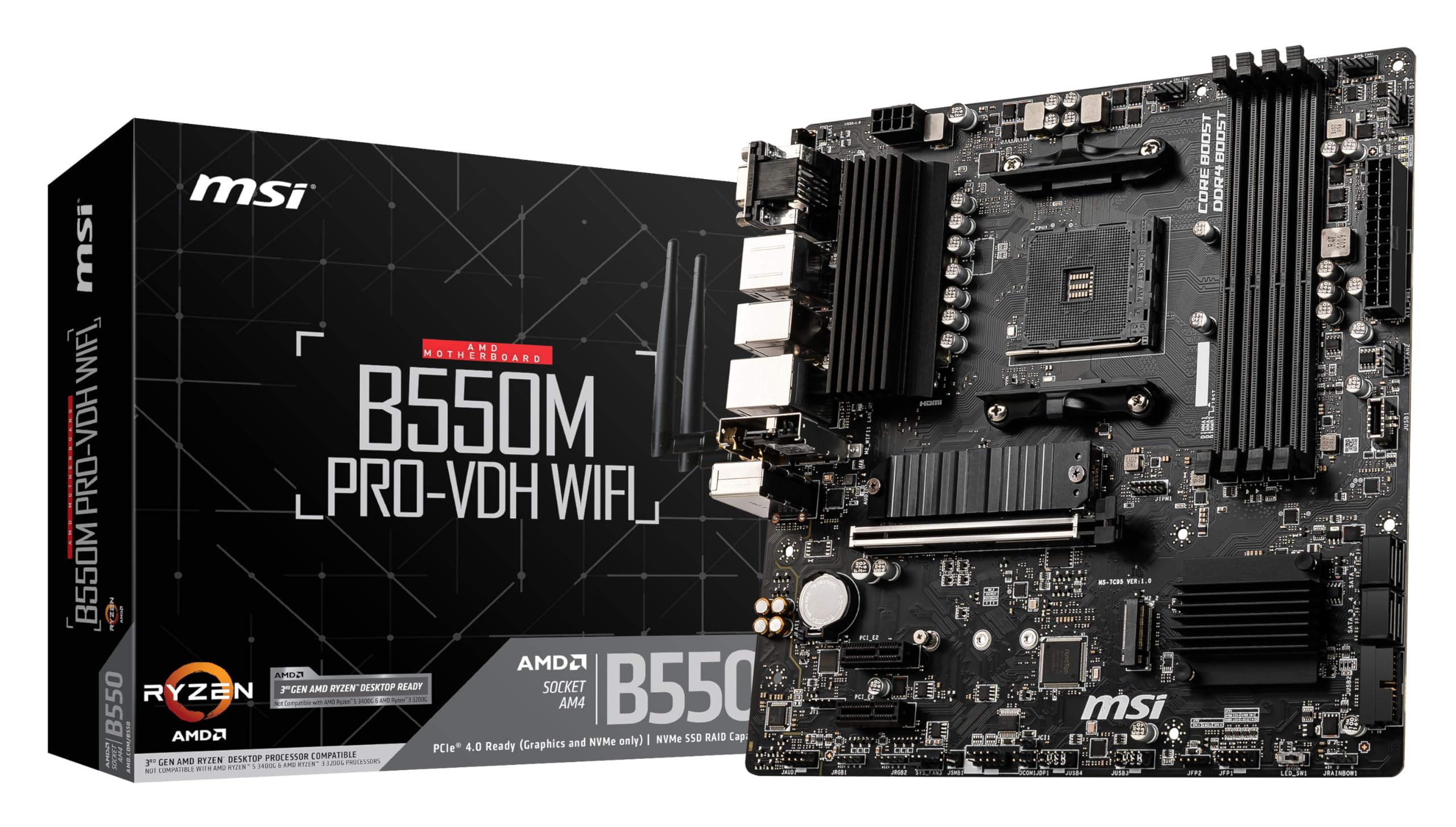
- Need two M.2 slots or CPU overclocking: MSI PRO B650M-P or ASUS Prime B650M-A. Both add proper VRM headroom, more storage options, and full overclocking support for a moderate price increase.
- Need Wi-Fi included: ASUS Prime B650M-A Wi-Fi or Gigabyte B650M Aorus Elite AX. Both include Wi-Fi 6E and Bluetooth without needing a separate adapter.
- Want four DIMM slots for future memory expansion: Gigabyte A620M DS3H has four slots at a similar price, though its VRM is weaker and the BIOS is less polished.
- Tighter budget, simpler build: The A620M-E is already near the floor for AM5. Going cheaper usually means worse VRM quality and less reliable BIOS support. At this price point, the MSI board is one of the better options available.
About the Reviewer
I've been building PCs in the UK for fifteen years, covering everything from budget office machines to high-end workstations. I write for vividrepairs.co.uk with a focus on honest, practical advice rather than spec sheet comparisons. I have strong opinions about BIOS interfaces, VRM quality, and manufacturers who charge premium prices for budget components. The A620M-E is neither of those things, which is why I can recommend it without reservation for the right use case.
Affiliate disclosure: This article contains affiliate links. If you purchase through our links, we may earn a small commission at no extra cost to you. This does not influence our editorial opinions. We only recommend products we'd genuinely suggest to a friend.
What works. What doesn’t.
5 + 4What we liked5 reasons
- Better BIOS usability than most budget AM5 competitors
- VRM handles 65W-class Ryzen chips without thermal issues
- 2.5G LAN included as standard
- AM5 platform with multi-generation CPU upgrade path
- Pre-installed I/O shield is a genuine quality-of-life win
Where it falls4 reasons
- Only one M.2 slot, no second NVMe option
- No USB-C on the rear I/O panel
- No Wi-Fi or Bluetooth onboard
- A620 chipset locks out CPU overclocking entirely
Full specifications
11 attributes| Socket | AM5 |
|---|---|
| Chipset | A620 |
| Form factor | Micro-ATX |
| Bios flashback | false |
| M2 slots | 1 |
| MAX RAM GB | 128 |
| Network | 1GbE |
| Pcie 5 slots | 0 |
| RAM slots | 2 |
| RAM type | DDR5 |
| Usb4 | false |
If this isn’t right for you
2 options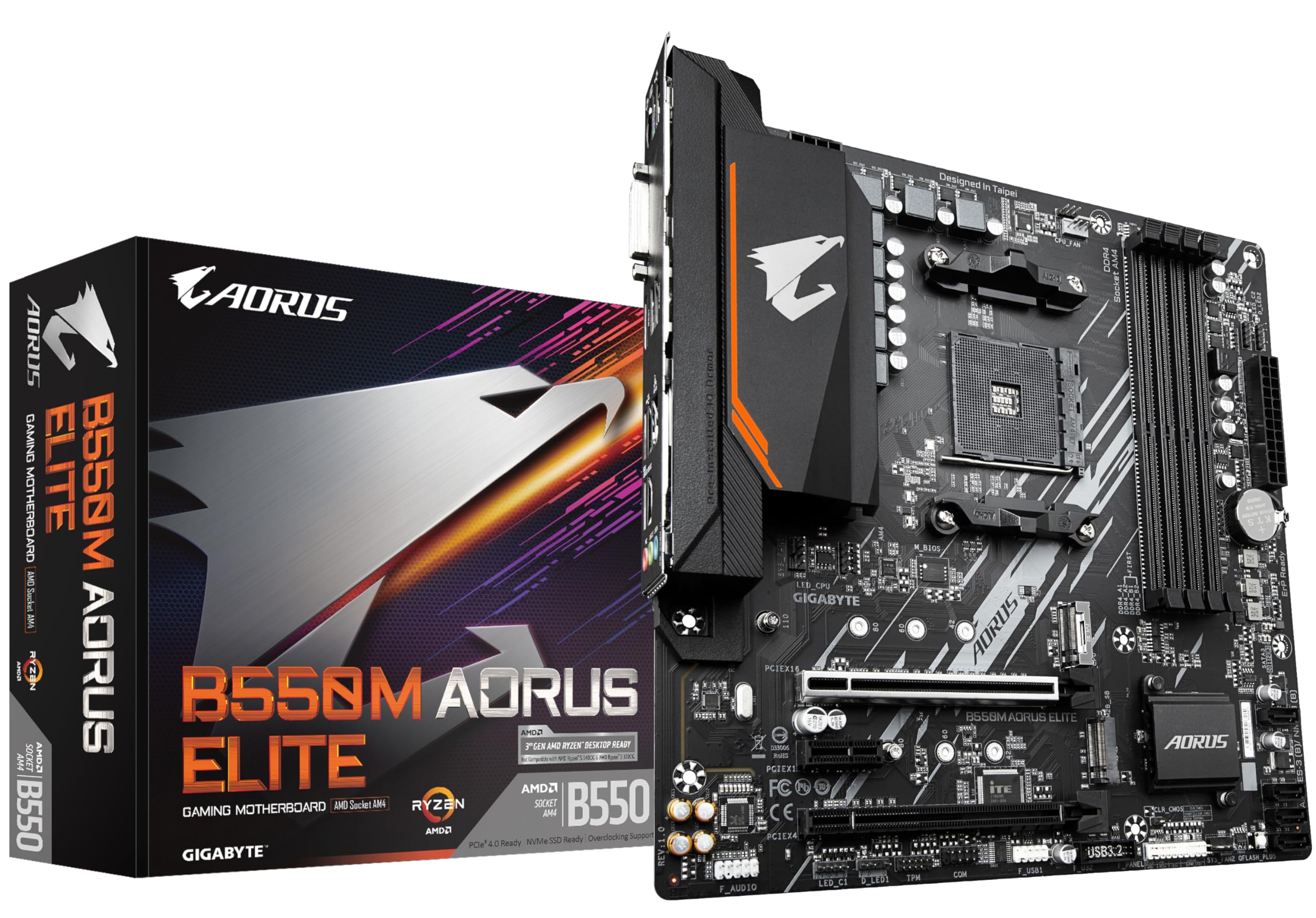
Frequently asked
5 questions01Is the MSI PRO A620M-E overkill for just gaming?+
Not at all. It's actually well-suited to a budget gaming build paired with a Ryzen 5 7600 or Ryzen 7 7700. The single PCIe 4.0 x16 slot handles any current GPU without bottlenecking, and the single M.2 Gen4 slot is plenty for a fast NVMe boot and game drive. The A620 chipset means no overclocking, but for gaming at stock speeds that's not a meaningful limitation.
02Will my existing CPU cooler work with the MSI PRO A620M-E?+
The A620M-E uses the AM5 socket (LGA1718). If your cooler was designed for AM4, you'll need an AM5 mounting bracket, which many cooler manufacturers supply for free or include in the box. If your cooler already supports AM5, it'll work directly. Check your cooler manufacturer's compatibility page before buying. The board ships with the standard AM5 backplate pre-installed.
03What happens if the MSI PRO A620M-E doesn't work with my components?+
Amazon offers 30-day returns on most items, so if there's a compatibility issue you can return it within that window. For CPU compatibility specifically, check MSI's QVL (Qualified Vendor List) on their website before buying. If you're using a Ryzen 9000 series chip, verify the minimum BIOS version required and check whether the board ships with a compatible BIOS version, as you may need a Ryzen 7000 chip to perform an initial BIOS update.
04Is there a cheaper motherboard I should consider instead?+
The Gigabyte A620M DS3H is in the same price bracket and has four DIMM slots, which is useful if you want more memory upgrade flexibility. However, its VRM is weaker (4+2 phases vs 6+1+1) and the BIOS is less polished. For most builders, the MSI A620M-E is the better all-round choice at this price point. Going cheaper than either of these on AM5 usually means compromising on VRM quality in ways that matter for long-term reliability.
05What warranty and returns apply to the MSI PRO A620M-E?+
Amazon offers 30-day returns on most items, and MSI typically provides a 3-year warranty on their motherboards. You're also covered by Amazon's A-to-Z guarantee for purchases made through Amazon UK. If you experience a fault within the warranty period, MSI's UK support handles RMA requests directly.