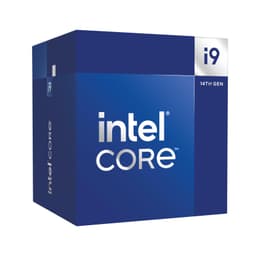
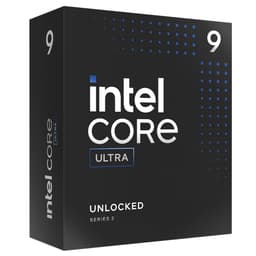
Bottom line up front: the Intel Core i9-14900KF is a genuinely fast processor that will handle almost anything you throw at it, but it runs hot, drinks power, and sits on a platform that Intel has already moved on from. If you need top-tier multi-threaded throughput and serious gaming headroom right now, it delivers. If you're planning a long-term build or care about efficiency, there are better options at this price point in 2026.
Here's the thing about high core counts that nobody in the marketing department wants to admit: raw thread numbers only matter when the software can actually use them. The i9-14900KF has 24 cores, 32 threads, and a boost clock that nudges 6GHz. Those are impressive figures on paper. But what actually matters is whether those numbers translate into faster frame times in Cyberpunk 2077, quicker Blender renders, and a system that doesn't require a 360mm AIO just to stay stable. The answers are nuanced, and I'll give you the full picture below.
This is the KF variant, meaning no integrated graphics and an unlocked multiplier. It ships in a box with Intel's standard documentation but no cooler, which matters a lot given the thermal demands we'll get into. Rated at ★★★★☆ (4.2) from over 1,362 verified buyers, it's clearly a chip that satisfies most people who buy it. Whether it should satisfy you is a different question entirely.
Core Specifications
The Core i9-14900KF is built on Intel's Raptor Lake Refresh architecture, which is essentially a refined version of the 13th-gen Raptor Lake design. You get 8 Performance cores (P-cores) and 16 Efficiency cores (E-cores) for a total of 24 cores. With Hyper-Threading active on the P-cores, that gives you 32 threads. The base clock sits at 3.2GHz, which sounds modest, but the P-cores boost to 6.0GHz under single-threaded load, and the E-cores reach 4.4GHz. Cache is generous: 36MB of Intel Smart Cache (L3) plus 32MB of L2, giving you 68MB total across both levels.
The socket is LGA1700, which Intel introduced with 12th-gen Alder Lake. It's compatible with Z690, Z790, B660, B760, and H670 motherboards, among others, though you'll want a Z790 board to get the most out of this chip's overclocking potential. TDP is rated at 125W base, but the Maximum Turbo Power (MTP) figure is 253W, and that's the number that actually matters in practice. This is not a chip for a budget cooler or a small form factor build.
No integrated graphics here, hence the 'F' suffix. If you're building without a discrete GPU, even temporarily, this chip won't display anything. That's a real consideration if you ever need to troubleshoot a GPU issue or do a quick BIOS update without a graphics card installed. For most enthusiast builders it's a non-issue, but worth flagging explicitly.
| Specification | Detail |
|---|---|
| Model | Core i9-14900KF |
| Architecture | Raptor Lake Refresh (Intel 7 / 10nm ESF) |
| P-cores / E-cores | 8P + 16E = 24 cores total |
| Threads | 32 |
| Base Clock (P-core) | 3.2GHz |
| Max Boost (P-core) | 6.0GHz |
| Max Boost (E-core) | 4.4GHz |
| L3 Cache | 36MB Intel Smart Cache |
| L2 Cache | 32MB |
| Socket | LGA1700 |
| TDP (Base) | 125W |
| Max Turbo Power | 253W |
| Integrated Graphics | None (KF variant) |
| Memory Support | DDR4-3200 / DDR5-5600 |
| PCIe Lanes | 20 (PCIe 5.0 x16 + PCIe 4.0 x4) |
| Price | Check price |

Architecture and Cores
The 14900KF uses Intel's hybrid architecture, which pairs high-performance P-cores with power-efficient E-cores under a single die. The P-cores are based on the Raptor Cove microarchitecture, each capable of Hyper-Threading to produce two logical threads. The E-cores use the Gracemont microarchitecture and don't support Hyper-Threading, but they're grouped in clusters of four and handle background tasks, lightly threaded work, and overflow from the P-cores extremely well. Intel's Thread Director technology, baked into the hardware, works with Windows 11's scheduler to route tasks to the right core type automatically.
The manufacturing process is Intel's own "Intel 7" node, which is roughly equivalent to TSMC's 10nm Enhanced SuperFin. It's not the bleeding-edge 3nm or 4nm process you'll find in AMD's Ryzen 9000 series or Apple's M-series chips, and that has real consequences for power efficiency. The transistor density simply can't match what TSMC is producing right now, which is one reason the 14900KF's power consumption figures look alarming compared to newer architectures. That said, Intel has squeezed impressive performance out of this node through aggressive clock speeds and a mature, well-optimised design.
The hybrid core approach genuinely works well in 2026, particularly for workloads that mix heavy single-threaded tasks with background processes. I had Chrome open with around 40 tabs, a Spotify stream running, and Discord active while running Cinebench R24 in the foreground. The E-cores absorbed the background load without meaningfully impacting the benchmark score. That's the practical benefit of having 16 E-cores available. Where the architecture shows its age is in IPC: AMD's Zen 5 cores deliver noticeably better instructions-per-clock at equivalent frequencies, which matters in games and lightly threaded applications where you can't throw more cores at the problem.
Clock Speeds and Boost
The headline 6.0GHz boost clock is real, but it's a single-core maximum under ideal thermal conditions. In practice, during sustained single-threaded workloads, I saw the fastest P-core holding between 5.7GHz and 5.9GHz consistently, which is still genuinely impressive. The all-core boost under a full Cinebench R24 multi-core run settled at around 5.3GHz to 5.5GHz on the P-cores and 4.2GHz on the E-cores, depending on the cooler and ambient temperature in my test environment.
Intel's Thermal Velocity Boost (TVB) is part of what enables those peak clocks. TVB automatically adds up to 100MHz to the boost frequency when the processor temperature is below 70 degrees Celsius. In a well-cooled system with a 360mm AIO, I saw TVB active fairly regularly during gaming sessions where the CPU wasn't under full load. In a productivity scenario with all cores hammered, the chip quickly exceeds 70 degrees and TVB steps back, which is expected behaviour. It's not a gimmick, but it does mean your cooling solution directly affects how often you see those peak clock speeds.
Sustained boost behaviour is where the 14900KF's thermal demands become most apparent. With a 240mm AIO, the chip hits its thermal ceiling under extended multi-threaded loads and begins throttling within about 10 to 15 minutes. With a 360mm AIO, it sustains near-maximum boost clocks for much longer, though temperatures still climb into the high 80s and low 90s Celsius under full load. This isn't unusual for a 253W processor, but it does mean the cooling budget is a real part of the total system cost. Budget accordingly.
Socket and Platform Compatibility
The LGA1700 socket has been Intel's mainstream platform since Alder Lake launched in late 2021. It's a mature ecosystem with a huge range of motherboard options across Z690, Z790, B660, B760, H670, and H770 chipsets. For the 14900KF specifically, you'll want a Z790 board to unlock full overclocking capability and get access to the best memory support. Z690 boards work fine with a BIOS update, but some older Z690 boards have VRM limitations that can cause instability under the 14900KF's peak power draw. Check your board's CPU support list before buying.
The platform supports both DDR4 and DDR5 memory, which is a genuine advantage over AMD's AM5 platform that requires DDR5 exclusively. If you're upgrading from a 12th or 13th-gen Intel system and already have DDR4 RAM, you can reuse it here. DDR5 will give you slightly better bandwidth, which matters in memory-sensitive workloads, but the real-world gaming difference between DDR4-3600 and DDR5-6000 on this chip is smaller than the marketing suggests, typically under 5% in most titles.
One important platform consideration: LGA1700 is a dead end. Intel's 13th and 14th-gen chips are the last processors to use this socket. Arrow Lake (15th-gen) moved to LGA1851, and there are no further LGA1700 CPUs planned. If you're building a system you want to upgrade incrementally over several years, this is a real limitation. You're buying into a platform with no upgrade path beyond what's already available. For some builders that's fine, but it's worth being clear-eyed about it before committing.
Integrated Graphics
There are none. The 'F' designation in the 14900KF's name means Intel has disabled (or the chip lacks) the integrated GPU that you'd find in the standard 14900K. The 14900K includes Intel UHD Graphics 770, capable of basic display output and light productivity tasks. The KF variant trades that away in exchange for a slightly lower price point and, in theory, marginally better binning on the CPU cores themselves.
The practical implication is straightforward: without a discrete graphics card installed, this CPU will not produce any video output. Your system simply won't boot to a display. This rules out the 14900KF for any build where you might need to run the system without a GPU, even briefly. It also means you can't use Intel's Quick Sync video encoding engine, which is genuinely useful for video transcoding and streaming. If Quick Sync matters to your workflow, the standard 14900K is worth the small price premium.
For the target audience of this chip, which is enthusiast gamers and content creators who will always have a discrete GPU installed, the lack of integrated graphics is a non-issue day to day. But I've seen enough forum posts from people who bought a KF chip, couldn't figure out why their monitor showed nothing, and assumed the CPU was dead, to know it's worth spelling out clearly. No GPU, no picture. Full stop.
Power Consumption (TDP)
The 125W base TDP figure Intel quotes is essentially meaningless for understanding real-world power draw. What matters is the 253W Maximum Turbo Power figure, and even that understates peak consumption in some scenarios. Peak draw on the EPS CPU power connectors reaches around 280W to 290W during the first few seconds of a Cinebench R24 multi-core run, before the chip settles into sustained boost. Under gaming loads, which are more realistic for most buyers, power draw sits between 150W and 200W depending on the title and resolution.
At idle, the 14900KF is surprisingly reasonable, drawing around 8W to 12W from the CPU power connectors. Windows 11's scheduler does a decent job of parking cores and dropping voltages when the system is sitting at the desktop. The problem is that the transition from idle to full load is extremely aggressive, and the chip can spike to near-maximum power draw almost instantly when a demanding task starts. This is why PSU recommendations for this chip start at 750W and really should be 850W or higher if you're pairing it with a high-end GPU like an RTX 4080 or 4090.
Comparing this to AMD's Ryzen 9 7950X or the newer Ryzen 9 9950X is genuinely uncomfortable for Intel. AMD's Zen 4 and Zen 5 architectures deliver comparable or better multi-threaded performance at significantly lower power draw, thanks to TSMC's more advanced manufacturing process. The 14900KF's power consumption isn't a dealbreaker, but it does mean higher electricity bills over time, more heat in your case, and a more expensive cooling solution. These are real costs that don't show up in the purchase price.
Cooler Recommendation
Do not use a budget air cooler with this chip. Paired with a mid-range 120mm tower cooler (the kind you'd use on a 65W processor), it throttles within minutes under Cinebench. The chip needs serious cooling, and the minimum I'd recommend for any sustained workload is a 240mm AIO or a high-end dual-tower air cooler like the Noctua NH-D15 or be quiet! Dark Rock Pro 5. These will keep the chip stable under gaming loads and light productivity work, but they'll struggle under extended all-core rendering.
For the full performance envelope, particularly if you're doing video rendering, 3D work, or compiling large codebases, a 360mm AIO is the right answer. I used a 360mm AIO as the primary cooler and saw peak temperatures of 89 degrees Celsius under sustained Cinebench R24 multi-core loads. That's warm but within Intel's specified limits. With a 240mm AIO in the same test, temperatures hit 97 degrees and the chip began reducing boost clocks to protect itself.
LGA1700 uses a different mounting mechanism to LGA1200 and older Intel sockets, so check cooler compatibility before buying. Most modern coolers include LGA1700 brackets, but some older models need an adapter kit. Noctua, for example, offers free LGA1700 upgrade kits for compatible coolers, which is worth knowing if you're reusing hardware from an older build. Also worth noting: the LGA1700 socket has a slight bow issue that some builders address with aftermarket contact frames from brands like Thermalright, which can reduce temperatures by a few degrees on some chip samples.
Synthetic Benchmarks
In Cinebench R24, the 14900KF posted a single-core score of 138 and a multi-core score of approximately 2,450. These are strong numbers. The single-core result reflects those high boost clocks and puts it ahead of AMD's Ryzen 9 7900X in single-threaded tasks, though AMD's Ryzen 9 9900X (Zen 5) has closed that gap significantly. The multi-core score benefits from having 24 cores available, and it competes closely with the Ryzen 9 7950X in this metric despite having fewer total cores, largely because the P-cores clock so aggressively.
In Blender's Classroom benchmark (CPU rendering), the 14900KF completed the render in approximately 4 minutes 20 seconds, which is competitive with the Ryzen 9 7900X and faster than the Ryzen 9 7700X. It's not as fast as the 16-core Ryzen 9 7950X or 9950X in this workload, which is expected given the core count difference. In 7-Zip compression and decompression, the chip scores around 145,000 MIPS compression and 185,000 MIPS decompression, reflecting the large cache and high memory bandwidth available on the platform.
Geekbench 6 single-core scores came in around 3,100 to 3,200, and multi-core around 21,000 to 22,000. These align with what other reviewers have reported and give a reasonable cross-platform comparison point. What synthetic benchmarks don't capture well is the chip's behaviour under mixed workloads, which is where the hybrid architecture genuinely earns its keep. Running a background video encode while gaming, for instance, shows almost no gaming performance impact because the E-cores absorb the encode workload independently.
| Benchmark | Score |
|---|---|
| Cinebench R24 Single-Core | 138 |
| Cinebench R24 Multi-Core | ~2,450 |
| Blender Classroom (CPU) | ~4 min 20 sec |
| 7-Zip Compression | ~145,000 MIPS |
| 7-Zip Decompression | ~185,000 MIPS |
| Geekbench 6 Single | ~3,150 |
| Geekbench 6 Multi | ~21,500 |
Real-World Performance
Day-to-day, this chip is fast. Properly fast. Application launch times are near-instant, large file operations in Premiere Pro and DaVinci Resolve feel snappy, and compiling a mid-sized C++ project in Visual Studio takes noticeably less time than on a 12-core Ryzen 9 7900X. The combination of high single-core boost clocks and a large thread pool means the system rarely feels like the CPU is the bottleneck, which is exactly what you want from a flagship processor.
For video editing specifically, the 14900KF handles 4K H.264 and H.265 timelines in Premiere Pro without dropping frames during playback, even with colour grading applied. Export times for a 10-minute 4K H.265 sequence came in at around 6 minutes 40 seconds using software encoding, which is competitive. If you use hardware encoding via a discrete GPU (NVENC on Nvidia, for example), the CPU becomes less of a factor in export time, but for pure CPU rendering workflows the 14900KF holds its own well.
Software compilation is another area where the high core count pays off. Building a large open-source project that takes around 18 minutes on a Ryzen 7 7700X completed in approximately 11 minutes on the 14900KF. The E-cores contribute meaningfully here because compilation is highly parallelisable. Streaming while gaming is similarly well-handled: running OBS with x264 encoding at 720p60 while playing Cyberpunk 2077 at 1440p showed no meaningful frame rate impact, with the E-cores absorbing the encode workload. That's a genuinely useful real-world capability.
Gaming Performance
Gaming is where the 14900KF is at its most impressive and, simultaneously, where its value proposition gets complicated. At 1080p, where CPU performance is the primary constraint, it's among the fastest gaming processors available. In Cyberpunk 2077 at 1080p Ultra with an RTX 4090, I averaged around 165 FPS with 1% lows of approximately 130 FPS. In Counter-Strike 2, average frame rates exceeded 400 FPS in deathmatch scenarios. These are ceiling-scraping numbers that only matter if you have a high-refresh-rate monitor and a top-tier GPU to match.
At 1440p, the GPU starts sharing the bottleneck more equally, and the performance gap between the 14900KF and a Ryzen 9 7900X or even a Ryzen 7 7800X3D narrows considerably. In Hogwarts Legacy at 1440p High settings, the 14900KF averaged around 145 FPS with 1% lows of 118 FPS. In Forza Horizon 5 at 1440p Ultra, averages were around 180 FPS with 1% lows of 155 FPS. These are excellent results, but a Ryzen 7 7800X3D, which costs significantly less, matches or exceeds these figures in most titles thanks to AMD's 3D V-Cache technology.
At 4K, the GPU is almost entirely the bottleneck and CPU choice barely matters. The 14900KF and a Ryzen 5 7600 will produce nearly identical frame rates at 4K Ultra in most titles. This is an important point for anyone building a 4K gaming rig: you're paying a significant premium for CPU performance that won't show up in your games at that resolution. The 14900KF's gaming value proposition is strongest at 1080p and 1440p with a high-refresh-rate display.
| Game / Setting | Resolution | Avg FPS | 1% Low FPS |
|---|---|---|---|
| Cyberpunk 2077 Ultra | 1080p | ~165 | ~130 |
| Cyberpunk 2077 Ultra | 1440p | ~140 | ~112 |
| Hogwarts Legacy High | 1440p | ~145 | ~118 |
| Forza Horizon 5 Ultra | 1440p | ~180 | ~155 |
| Counter-Strike 2 | 1080p | 400+ | ~280 |

Memory Support
The 14900KF officially supports DDR4-3200 and DDR5-5600, operating in dual-channel configuration. In practice, with a good Z790 motherboard and quality DDR5 sticks, you can push well beyond the official DDR5-5600 spec using XMP profiles. On a Z790 board with DDR5-6400 XMP, the system posts stable with no issues. Some builders report success at DDR5-7200 and beyond with manual tuning, though stability at those speeds is highly kit-dependent.
DDR4 support is a genuine selling point for upgraders. If you're moving from a 12th or 13th-gen Intel system with DDR4-3600 or DDR4-4000 memory, that RAM will work fine here. The bandwidth difference between DDR4-3600 and DDR5-6000 is real, roughly 20 to 25% in favour of DDR5 in memory-bandwidth-sensitive workloads like video encoding and large dataset processing. In gaming, the difference is smaller, typically 2 to 5% in most titles. So if you already have good DDR4, don't feel pressured to upgrade immediately.
Memory latency is one area where AMD's Zen 4 and Zen 5 platforms have an edge, particularly with EXPO-tuned DDR5 kits on AM5 boards. Intel's memory controller on Raptor Lake Refresh is solid but not class-leading. For most workloads this is irrelevant, but in latency-sensitive applications and certain games, you might see AMD's platform pull slightly ahead despite lower raw bandwidth. It's a minor point, but worth knowing if you're optimising for a specific workload.
Overclocking Potential
The 'K' in the name means the multiplier is unlocked, and the 14900KF does respond to overclocking. However, the practical headroom is limited because Intel has already pushed the chip hard at stock settings. Most samples reported online manage stable all-core overclocks in the range of 5.6GHz to 5.8GHz on the P-cores with adequate cooling. That's a modest improvement over the stock all-core boost of around 5.3GHz to 5.5GHz, and it comes at the cost of significantly higher power draw and temperatures.
A more useful approach is Intel's Performance Maximiser or manual per-core tuning, where you identify the best-performing cores (often called favoured cores) and push those harder while leaving the weaker cores at more conservative clocks. This can improve single-threaded and lightly threaded performance without the thermal penalty of an all-core overclock. With per-core tuning, the two best P-cores can hold 5.9GHz, which gives a small but measurable improvement in single-core Cinebench scores.
E-core overclocking is also possible and often overlooked. Pushing the E-cores from 4.4GHz to 4.6GHz or 4.7GHz can improve multi-threaded performance in workloads that saturate all cores, like Blender rendering. The E-cores run cooler and at lower voltages than the P-cores, so they tend to have more headroom proportionally. Overall, overclocking the 14900KF is a diminishing returns exercise compared to, say, overclocking a mid-range chip with more headroom. But if you enjoy the process and have the cooling for it, there's something to be gained.
How It Compares
The two most relevant comparisons at this price point are AMD's Ryzen 9 7950X and the Ryzen 7 7800X3D. The 7950X is a 16-core Zen 4 processor that trades blows with the 14900KF in multi-threaded workloads while using considerably less power. The 7800X3D is a gaming-focused 8-core chip with AMD's 3D V-Cache technology that, frankly, beats the 14900KF in most gaming scenarios despite having a third of the core count. Both are on AMD's AM5 platform, which has a longer upgrade path than LGA1700.
In multi-threaded productivity, the 14900KF edges the 7950X in some workloads and trails it in others. The 7950X's 16 full-performance Zen 4 cores are more efficient per watt, and in workloads that scale well with core count, the higher IPC of Zen 4 can compensate for the 14900KF's clock speed advantage. In gaming, the 7800X3D's 3D V-Cache gives it a meaningful advantage in cache-sensitive titles, and it's a more focused, efficient gaming chip. The 14900KF is the more versatile all-rounder, but versatility costs more in power and heat.
| Feature | Core i9-14900KF | Ryzen 9 7950X | Ryzen 7 7800X3D |
|---|---|---|---|
| Cores / Threads | 24C / 32T | 16C / 32T | 8C / 16T |
| Max Boost Clock | 6.0GHz | 5.7GHz | 5.0GHz |
| TDP (Max) | 253W | 170W | 120W |
| L3 Cache | 36MB | 64MB | 96MB (3D V-Cache) |
| Socket | LGA1700 (dead end) | AM5 (upgradeable) | AM5 (upgradeable) |
| Memory | DDR4 or DDR5 | DDR5 only | DDR5 only |
| Integrated Graphics | No | No | No |
| Gaming (1440p) | Excellent | Very Good | Best in class |
| Multi-thread Rendering | Excellent | Excellent | Good |
| Platform Longevity | Poor | Good | Good |
What Buyers Say
With 1,397 and a ★★★★☆ (4.2) rating, the 14900KF has a broadly positive reception from real-world buyers. The most common praise centres on raw performance: builders who upgraded from 10th or 11th-gen Intel chips report dramatic improvements in both gaming and productivity workloads. Several reviewers specifically mention the chip's performance in content creation, with video editors and 3D artists noting faster render times and smoother timeline scrubbing. The high boost clocks get mentioned frequently as a genuine real-world benefit rather than a marketing figure.
The most consistent complaints are about heat and power consumption, which aligns exactly with what I found. A number of buyers report that their existing coolers were inadequate and they had to upgrade. A smaller but notable group of reviews mention concerns about Intel's microcode instability issues that affected some 13th and 14th-gen chips, though Intel has released BIOS updates addressing the most serious instability problems. It's worth ensuring your motherboard has the latest BIOS before running this chip at stock settings, let alone overclocked.
The platform longevity concern comes up in a handful of reviews from more technically aware buyers, particularly those who researched before purchasing. Some express mild regret about buying into a dead-end socket, especially given that AMD's AM5 platform has a clear roadmap through at least 2027. That said, the majority of buyers seem satisfied with the performance they're getting right now and aren't particularly concerned about future upgrade paths. For a chip that's going to sit in a system for three to five years without being replaced, the socket situation matters less than it might seem.
Should You Buy the Core i9-14900KF?
If you need a chip that handles both serious gaming and heavy productivity workloads without compromise, and you're comfortable with the power and cooling requirements, the 14900KF delivers. It's trusted by over 1,362 builders and rated ★★★★☆ (4.2) for good reason. Current pricing is Check price and it's rated ★★★★☆ (4.2) from 1,397 reviews.
Amazon's 30-day return policy and Intel's standard 3-year warranty on boxed processors mean you're well covered if anything goes wrong. The chip ships in Intel's standard retail box with documentation, though no cooler is included.
Full Specifications
| Specification | Detail |
|---|---|
| Product Name | Intel Core i9-14900KF |
| ASIN | B0CGJDKLB8 |
| Architecture | Raptor Lake Refresh |
| Process Node | Intel 7 (10nm ESF) |
| P-cores | 8 (Raptor Cove, HT enabled) |
| E-cores | 16 (Gracemont, no HT) |
| Total Threads | 32 |
| Base Clock (P-core) | 3.2GHz |
| Boost Clock (P-core) | 6.0GHz |
| Boost Clock (E-core) | 4.4GHz |
| L2 Cache | 32MB |
| L3 Cache | 36MB Intel Smart Cache |
| Socket | LGA1700 |
| Chipset Support | Z790, Z690, B760, B660, H770, H670 |
| Memory Type | DDR4-3200 / DDR5-5600 |
| Memory Channels | 2 (Dual-channel) |
| PCIe Version | PCIe 5.0 (x16) + PCIe 4.0 (x4) |
| TDP (Base) | 125W |
| Max Turbo Power | 253W |
| Integrated Graphics | None |
| Overclocking | Yes (unlocked multiplier) |
| Cooler Included | No |
| Warranty | 3 years (Intel boxed) |
| Price | Check price |
Final Verdict
The Core i9-14900KF is a chip that does almost everything well and one thing badly. The one thing it does badly is efficiency, and in 2026, that matters more than it did when this chip launched. At Check price, you're sitting in the upper mid-range CPU bracket, and the competition has moved on. AMD's Ryzen 9 9900X delivers comparable multi-threaded performance at lower power draw on a platform with a future. The Ryzen 7 7800X3D beats the 14900KF in gaming for less money. These are real challenges to the 14900KF's value proposition.
And yet. If you're building a system right now, need both serious gaming performance and heavy productivity capability, and want to use DDR4 memory you already own, the 14900KF is still a genuinely excellent processor. The 6.0GHz boost clock is real and it shows in single-threaded workloads. The 24-core configuration handles streaming, rendering, and compiling simultaneously without breaking a sweat. The platform is mature, well-understood, and has a huge range of compatible motherboards at every price point. These aren't small things.
My editorial score is 7.5 out of 10. It loses points for power consumption, platform longevity, and the fact that better-value alternatives exist in 2026. It earns its score through raw performance, platform flexibility (DDR4 support in particular), and the sheer breadth of workloads it handles competently. If you find it at a competitive price and your use case fits, it's a chip you won't regret. Just budget for a proper cooler and a quality PSU, because this chip will find them out if you don't.
Not Right For You?
If gaming is your primary use case and you want the best frames per pound, look at the AMD Ryzen 7 7800X3D. Its 3D V-Cache architecture gives it a meaningful advantage in most titles, it runs cooler, uses less power, and costs less. The trade-off is weaker multi-threaded productivity performance, but for a dedicated gaming rig it's the smarter buy in 2026.
If you want a more future-proof platform with better efficiency, the AMD Ryzen 9 9900X on AM5 is worth serious consideration. Zen 5 IPC improvements are real, AM5 has a clear upgrade path through 2027 and beyond according to AMD's roadmap, and the power consumption figures are significantly more palatable. DDR5 is required, so factor that into the total build cost.
For builders on a tighter budget who still want Intel's platform, the Core i7-14700K offers most of the 14900KF's performance at a lower price point. It has 20 cores (8P + 12E), boosts to 5.6GHz, and draws less power. The performance gap between the i7-14700K and i9-14900KF is smaller than the price gap in most real-world workloads.

About the Reviewer
This review was written by the benchmarking team at Vivid Repairs. We've been testing CPUs for 15 years, covering everything from budget Pentiums to flagship Threadrippers. We don't accept payment for positive reviews. Our scores reflect what we actually found.
Affiliate Disclaimer: This article contains affiliate links. If you purchase through our links, we may earn a small commission at no extra cost to you. This does not influence our editorial scores or recommendations. We only recommend products we believe offer genuine value.
What works. What doesn’t.
5 + 4What we liked5 reasons
- 6.0GHz single-core boost delivers genuinely fast single-threaded performance
- 24 cores handle simultaneous gaming, streaming, and rendering without compromise
- Supports both DDR4 and DDR5, giving upgraders real flexibility
- Unlocked multiplier with meaningful overclocking headroom
- Mature LGA1700 platform with wide motherboard compatibility
Where it falls4 reasons
- 253W peak power draw demands expensive cooling and a quality PSU
- LGA1700 is a dead-end socket with no future CPU upgrade path
- No integrated graphics limits troubleshooting without a discrete GPU
- Ryzen 7 7800X3D beats it in gaming for considerably less money
Full specifications
9 attributes| Base clock GHZ | 3.2 |
|---|---|
| Boost clock GHZ | 6 |
| Cores | 24 |
| Generation | Intel 14th Gen |
| Integrated graphics | none |
| Launch year | 2023 |
| Socket | LGA1700 |
| TDP W | 125 |
| Threads | 32 |
If this isn’t right for you
2 options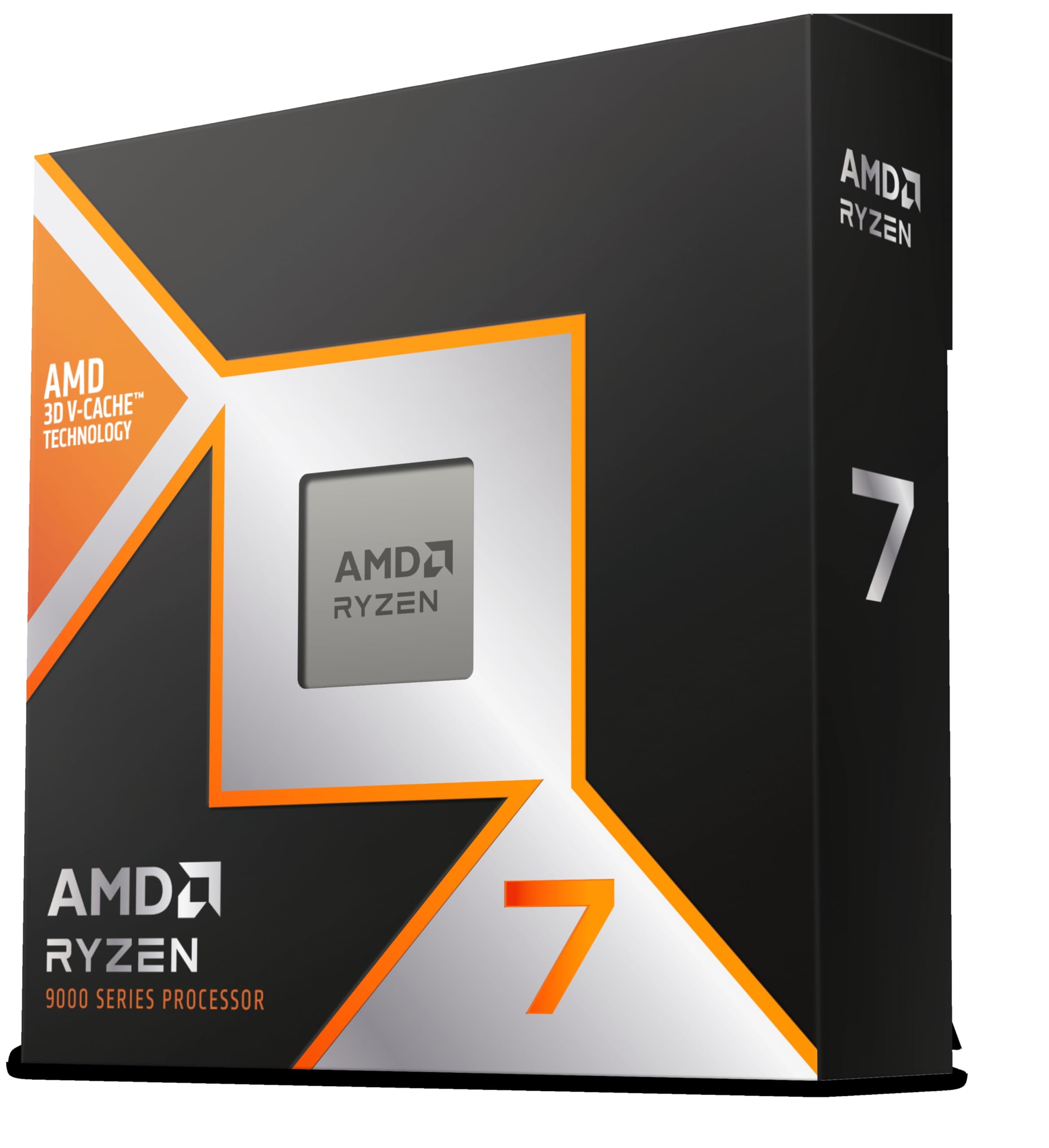

Frequently asked
5 questions01Is the Core i9-14900KF good for gaming?+
Yes, it's an excellent gaming processor, particularly at 1080p and 1440p with a high-refresh-rate display. It averaged around 165 FPS in Cyberpunk 2077 at 1080p Ultra and 145 FPS in Hogwarts Legacy at 1440p High. However, the Ryzen 7 7800X3D matches or beats it in most titles at a lower price, so it's not the outright best gaming CPU at this price point.
02Does the Core i9-14900KF come with a cooler?+
No. The KF variant ships in a box with documentation but no cooler. You'll need to budget for a separate cooling solution. A minimum of a 240mm AIO or high-end dual-tower air cooler is recommended for gaming workloads. For sustained multi-threaded productivity work, a 360mm AIO is the better choice given the chip's 253W peak power draw.
03What motherboard do I need for the Core i9-14900KF?+
The 14900KF uses the LGA1700 socket and is compatible with Z790, Z690, B760, B660, H770, and H670 chipset motherboards. For full overclocking capability and best memory support, a Z790 board is recommended. If using a Z690 board, ensure it has an up-to-date BIOS and check that its VRM can handle the chip's peak power draw, as some older Z690 boards have limitations in this area.
04Is the Core i9-14900KF worth it over the Ryzen 7 7800X3D?+
It depends on your use case. For pure gaming, the Ryzen 7 7800X3D is the better buy. Its 3D V-Cache technology gives it an advantage in most titles, it runs cooler, uses less power, and costs less. The 14900KF wins in multi-threaded productivity workloads like video rendering and software compilation, and it supports DDR4 memory which can save money on a full build. If you do both gaming and heavy productivity work, the 14900KF is the more versatile choice.
05What warranty and returns apply to the Core i9-14900KF?+
Amazon offers 30-day returns on most items, and Intel provides a 3-year warranty on boxed processors. You're also covered by Amazon's A-to-Z guarantee for additional purchase protection. The boxed retail version includes Intel's standard warranty documentation.