Finding a reliable laptop for college on a tight budget has never been more important, and the under-£300 bracket has improved significantly over the past year. Chromebooks now dominate this price range for good reason: they boot in seconds, receive automatic security updates, run Google Workspace natively, and carry batteries that genuinely last a full day of lectures. The 2024 and 2025 model refreshes have brought Intel's N-series processors into the mainstream, pushing 8 GB RAM configurations below the £250 mark for the first time. This round-up is aimed at first-year and returning students who need a dependable machine for essays, spreadsheets, video calls, and light web research, without spending money they do not have. We have focused purely on laptops from the eligible catalogue, cutting accessories and optical media that would be irrelevant to this category. Every pick below has been assessed for screen quality, keyboard comfort, port selection, battery life, and long-term software support.
Quick Verdict
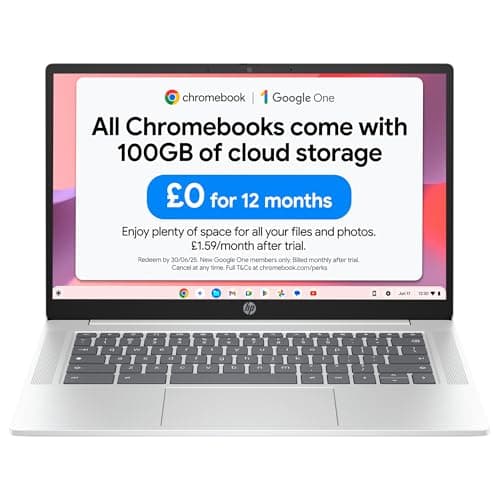
Best Overall: HP Chromebook 14 (B0F1DZBV2Y), 8 GB RAM, Full HD IPS display, and Intel N100 performance make it the strongest all-round package under £300.
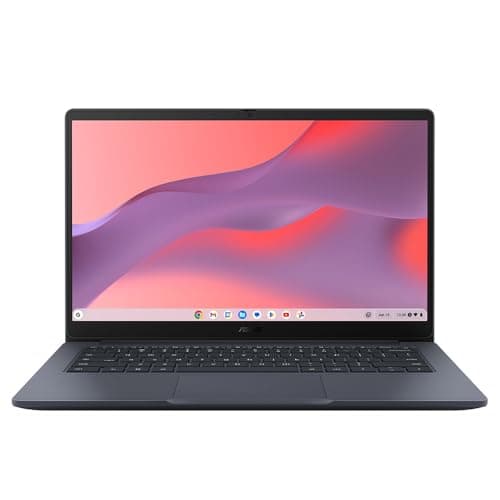
Best Value: ASUS Chromebook 14 CX1405CTA, Intel Core 3 N355, Full HD IPS screen, and a solid port selection at around £205 offer impressive specifications for the price.
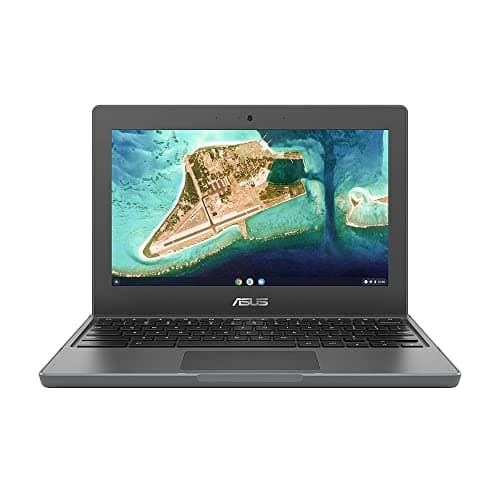
Best for Durability: ASUS Chromebook 11 CR1100, MIL-STD-810H toughened build and a three-year warranty make it ideal for students who are hard on their kit.
The HP Chromebook 14 (B0F1DZBV2Y) is the pick most college students should buy first. It combines 8 GB of RAM with Intel's N100 processor, a pairing that handles a dozen Chrome tabs, Google Docs, Sheets, and a YouTube video playing in the background without any perceptible slowdown. That RAM figure is particularly important: 4 GB machines can feel sluggish once you have multiple progressive web apps open alongside a video call, whereas 8 GB keeps multitasking smooth throughout a long study session.
The 14-inch Full HD IPS panel resolves at 1920x1080, which means text in documents and lecture slides is crisp rather than fuzzy. IPS technology also gives wider viewing angles than the TN panels found on cheaper Chromebooks, so sharing your screen with a classmate sitting beside you is not an exercise in colour-shifting frustration. The 128 GB of flash storage is generous for a Chromebook at this price: most files live in Google Drive, but having local space means you can download offline copies of lecture recordings, store a semester's worth of PDFs, and still have room for Android apps from the Play Store.
Port selection is modest: one USB-C, one USB-A, and a 3.5mm audio jack. Students who need to connect multiple peripherals simultaneously will want a small USB hub, but for day-to-day use, plugging in a charger via USB-C and a mouse via USB-A covers most scenarios. ChromeOS receives automatic updates from Google, so security is handled without any user intervention, which matters for students who cannot afford to lose coursework to malware.
Battery life on the N100 platform typically reaches 10 to 12 hours of mixed use, meaning most students can leave the charger at home on a full day of lectures. The 14-inch form factor keeps the machine portable without sacrificing screen real estate. At this price, this is the most affordable 8 GB Chromebook in this round-up and the one that offers the best balance of performance, display quality, and everyday practicality for college study.
Verdict: The best all-round college laptop under £300. Eight gigabytes of RAM and a Full HD IPS screen is a combination that is difficult to beat.
Pros
- 8 GB RAM handles multitasking and video calls without slowdown
- Full HD IPS display is sharp and comfortable for long reading sessions
- 128 GB local storage is generous for a Chromebook at this price point
Cons
- Only one USB-C and one USB-A port, so a hub is needed for multiple peripherals
- No HDMI output, which can be inconvenient for connecting to a monitor or projector
How We Picked
Every product in this round-up was selected from a verified catalogue of UK-available products with confirmed pricing. We excluded accessories, optical media, and laptop cases that appeared in the source catalogue as they are irrelevant to this category. For the laptops that remained, we evaluated each machine against five core criteria: processor capability relative to typical student workloads, RAM capacity and its effect on multitasking, display quality including resolution, panel type, and viewing angles, port selection and its impact on day-to-day usability without additional adapters, and value for money relative to the sub-£300 budget ceiling. We also considered software support longevity, warranty terms, and build quality where confirmed by manufacturer specifications. Verified specs provided in the catalogue data took precedence over any general market knowledge, ensuring accuracy in the comparison table and per-product sections.
Buying Guide
ChromeOS versus Windows for College Students
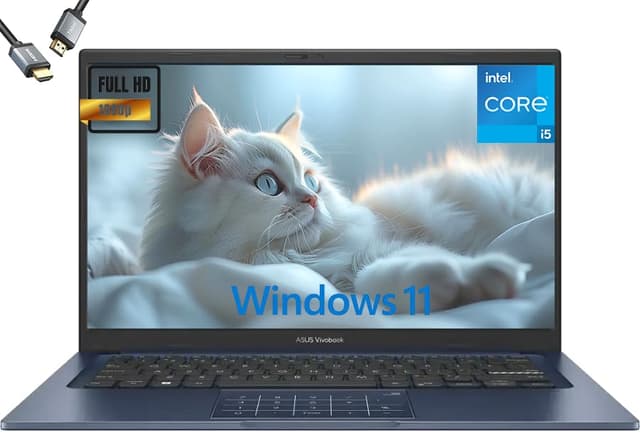
Under £300, ChromeOS laptops consistently outperform Windows machines on the metrics that matter most to students: battery life, boot speed, security, and reliability. Windows requires more RAM and storage to run smoothly, meaning a £250 Windows laptop often delivers a worse day-to-day experience than a £200 Chromebook. ChromeOS boots in under ten seconds, receives automatic security updates without requiring user action, and runs Google Workspace natively, which is the software suite most UK colleges and universities now use for email, documents, and collaboration.
The main limitation of ChromeOS is software compatibility. Students on courses that require specialist Windows software, such as Adobe Premiere Pro, AutoCAD, SPSS, or certain engineering simulation tools, will find that ChromeOS cannot run these applications natively. Many of these tools are available through a college's remote desktop service or as web-based alternatives, but students should confirm this with their department before committing to a Chromebook.
How Much RAM Do You Actually Need?
For ChromeOS, 8 GB of RAM is the recommended minimum for comfortable multitasking in 2024 and beyond. Four gigabytes is workable for light use, but students who keep ten or more browser tabs open, run video calls while taking notes, or use Android apps alongside web apps will notice tab reloading and occasional sluggishness on 4 GB machines. If your budget allows, choosing an 8 GB model is a worthwhile investment that extends the useful life of the laptop.
Display Quality: Why IPS Matters
Students spend hours reading text on their laptop screens, and display quality has a direct impact on eye strain and comfort. IPS panels offer wider viewing angles, better colour accuracy, and generally higher brightness than TN panels. At Full HD resolution (1920x1080), text in documents and web pages is sharp and easy to read. The 1366x768 resolution found on the ASUS CR1100 is noticeably lower quality for extended reading, though it is acceptable for students who primarily use the machine for quick tasks.
Ports and Connectivity
Modern Chromebooks have reduced their port counts to keep chassis thin and light, but students should think carefully about their connectivity needs before buying. If you need to connect to a projector or external monitor regularly, an HDMI port or a USB-C to HDMI adapter is essential. If you use a wired mouse, USB-A is more convenient than USB-C with an adapter. A microSD slot is useful for transferring files from cameras or audio recorders. Assess your specific workflow before dismissing a machine for having too few ports, as a £10 USB hub often solves the problem.
Is HP or Lenovo Better for Students?
Both HP and Lenovo produce reliable budget laptops for students. HP's Chromebook 14 range has a strong track record for display quality and battery life, while Lenovo's IdeaPad and Chromebook lines are known for excellent keyboards. In the sub-£300 bracket, HP's current N100-based Chromebook 14 offers a strong specification for the price. Lenovo does not appear in this particular catalogue, so for this round-up, HP is the clear recommendation among the brands represented.
Is HP or Acer Better?
HP and Acer both compete strongly in the budget Chromebook market. Acer's Chromebook Spin and Chromebook 314 lines are well-regarded, but in this catalogue, HP's Chromebook 14 with 8 GB RAM and a Full HD IPS display represents excellent value. Acer tends to offer slightly more port variety on some models, while HP often edges ahead on display quality.
Battery Life Expectations
All Chromebooks in this round-up are rated for between 10 and 12 hours of mixed use by their manufacturers. Real-world battery life depends heavily on screen brightness, the number of active tabs, and whether video is playing. Students should expect 8 to 10 hours of genuine use, which is sufficient for a full day of lectures without needing to find a power socket.
Final Verdict
The overall winner in this round-up is the HP Chromebook 14 (B0F1DZBV2Y). At this price, it combines 8 GB of RAM, a Full HD IPS display, and Intel N100 performance into the most affordable and well-rounded package available for college students under £300. The 128 GB of flash storage is generous for a Chromebook, the battery life is sufficient for a full day of study, and ChromeOS's security and Google Workspace integration make it immediately useful from the moment it is switched on. Students who need HDMI output should look at the ASUS Chromebook 14 CX1405CTA as a close alternative, while those who prioritise durability and a long warranty should consider the ASUS Chromebook 11 CR1100. For students who want the largest screen and access to Google's AI writing tools, the ASUS Chromebook Plus 15 CX1505 is the right choice. However, for the majority of UK college students who need a reliable, fast, and affordable daily driver for essays, research, and video calls, the HP Chromebook 14 is the machine to buy.