Best Overall Value
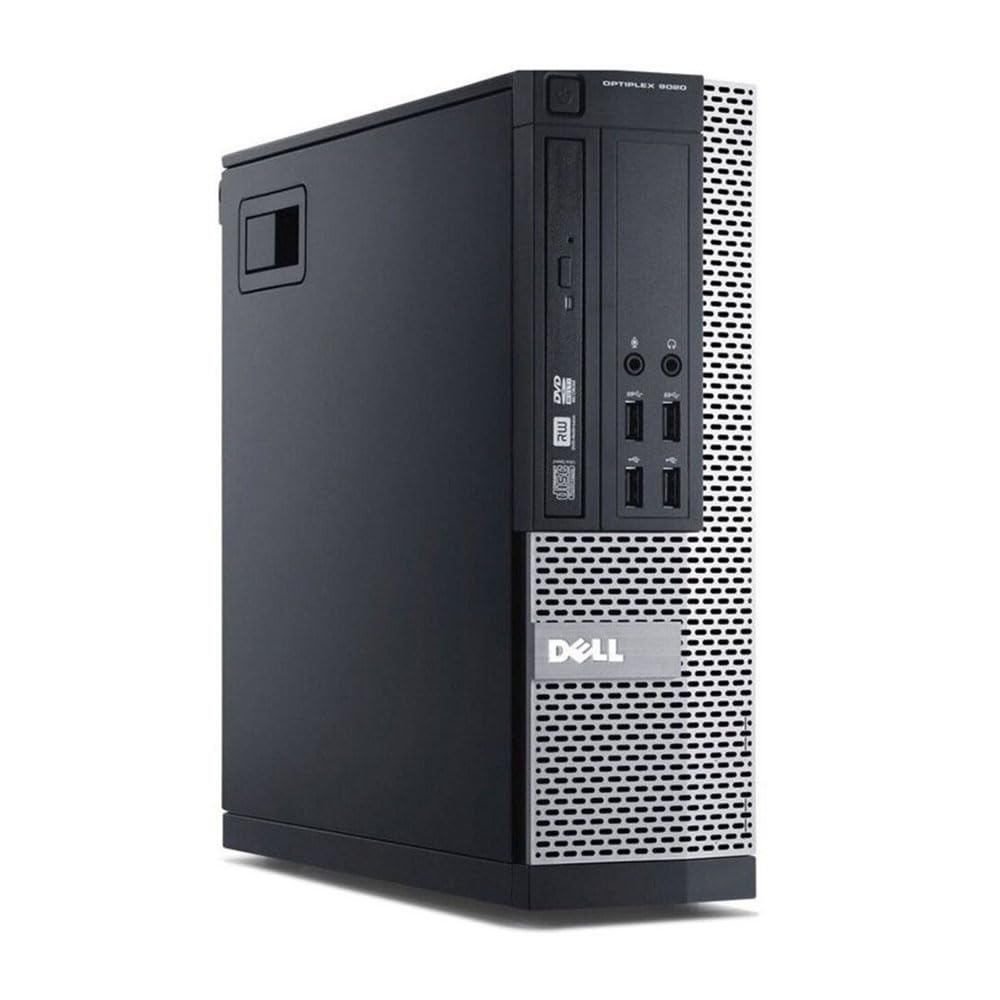
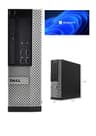
If you want the safest all-round pick in this whole roundup, start here. For our Best Desktops Under £300 UK 2026 | 6 Compared & Ranked shortlist, this renewed OptiPlex hits the sweet spot: a proper business chassis, a quad-core i5-4570 and, crucially, an SSD instead of a spinning hard drive. That SSD is what makes it feel quick where it counts. Windows boots in seconds, apps open without lag and browsing stays snappy right up until you pile on the tabs.
The i5-4570 is a 4th Gen chip, so nobody's pretending it's cutting edge. But for email, Office, video calls, YouTube and general home use, it's more than enough. The 8GB of RAM is the one area where you'll feel the pinch if you're a heavy multitasker, though it's easy to upgrade later since these OptiPlex boxes are dead simple to open up.
Build quality is where renewed Dell machines quietly win. These were made for offices running 24/7, so they're tough and the cooling is sensible. At under £100, nothing new comes close on real-world speed. For most people reading this guide, it's the one to buy. You can see our full Window 11 Pro Optiplex Core i5 4570 review for the deeper detail.
Pros
- SSD makes everyday use genuinely fast
- Tough ex-office build quality
- Runs Windows 11 Pro out of the box
- Superb price, usually under £100
Buy on Amazon£87.30Read full review
Best Build Quality
This is the muscle of the group. The i7-6700 is a 6th Gen chip, a clear step newer than most of the OptiPlex machines here, and it's paired with a whopping 32GB of RAM and a 1TB SSD. For anyone who keeps twenty browser tabs open, edits the odd photo, or runs a couple of demanding apps at once, this is the machine that won't flinch. It's still comfortably inside our £300 ceiling too.
For the use case that defines this roundup, value under £300, it's the one that gives you the most headroom for the years ahead. That 32GB of RAM is genuinely unusual at this price. Most budget desktops ship with 8GB and hope for the best. Here you've got enough to breeze through multitasking, and the 1TB SSD means you're not constantly juggling storage.
The SFF Dell chassis is the same well-cooled, well-made design that makes these renewed units so dependable. If your budget stretches to it, this is the smart long-term buy. We covered the finer points in our Dell OptiPlex i7-6700 SFF review.
Pros
- 32GB RAM handles serious multitasking
- Roomy 1TB SSD
- Newer 6th Gen i7 with strong single-core speed
- Solid, reliable Dell build
Cons
- Priciest option here at around £270
- No dedicated graphics card
- Overkill if you only browse and email
Buy on Amazon£252.37Read full review
Best Under £100
Here's the value champion. Around £150 gets you an i7-4770, 16GB of RAM and a 512GB SSD. Read that again. That's a proper i7 with double the RAM of our overall pick and over four times the storage, for not much more money. Pound for pound, nothing else in this Best Desktops Under £300 UK 2026 | 6 Compared & Ranked list works out as sensibly as this one.
The i7-4770 is 4th Gen, so it sits alongside the other OptiPlex machines here in raw age, but those four cores plus the healthy RAM allocation make a real difference day to day. Video calls, spreadsheets, streaming, a bit of light photo work, it all runs without complaint. The 512GB SSD is the part that seals it. You get genuine speed and enough room for years of files.
Add built-in WiFi and Windows 11 Pro and you've got a machine that needs nothing else out of the box (except a monitor). If our overall pick sells out, this is the one I'd grab instead. Full detail lives in our OptiPlex 7020 SFF i7-4770 review.
Pros
- i7, 16GB and 512GB SSD is exceptional value
- Fast everyday performance
- WiFi and Windows 11 Pro included
- Easy to upgrade later
Cons
- No monitor in the box
- 4th Gen platform is ageing
- Integrated graphics only
Buy on Amazon£147.00Read full review
Best for Beginners
New to desktops and don't want to shop for a screen separately? This is your pick. It bundles a capable 4th Gen i7 machine with 16GB RAM and a 500GB SSD alongside a 23-inch monitor, so you plug in and get going. For a first-time buyer, that removes a whole layer of guesswork about cables, ports and screen sizes.
Performance-wise it's very close to the 7020 above, which is a good thing. The i7 and 16GB combo sails through browsing, office tasks, video calls and streaming. The SSD keeps everything feeling responsive. Where it earns its beginner badge is the completeness: monitor included, WiFi built in, Windows 11 Pro ready, and a keyboard and mouse are typically thrown in too depending on the listing.
It sits a bit higher than the bare 7020 because of the screen, but if you'd otherwise be buying a monitor anyway, the maths works out fine and stays under £300. A genuinely fuss-free entry point. See the specifics in our Dell OptiPlex 7020/9020 review.
Pros
- 23-inch monitor included, ready to use
- i7 with 16GB RAM and 500GB SSD
- Great for first-time buyers
- Stays under budget
Cons
- Monitor is basic, not colour-critical
- 4th Gen chip, not the newest
- No dedicated GPU
Buy on Amazon£200.00Read full review
Best Complete Bundle
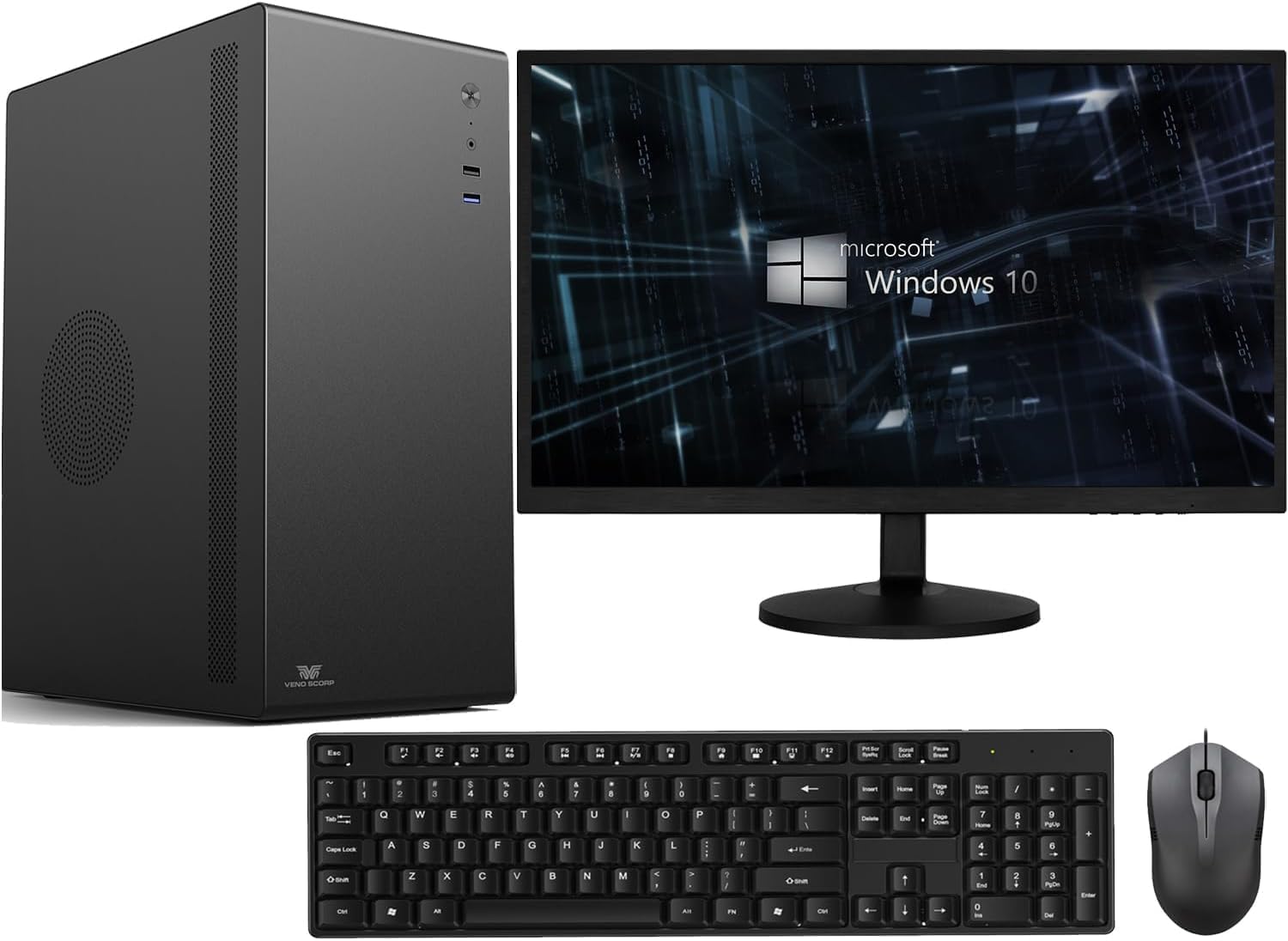
Another complete kit, this one pairs an OptiPlex-style machine with a 21.5-inch screen, 16GB RAM and a generous 1TB NVMe SSD. On paper the storage is excellent for the money, and NVMe is quicker than the SATA SSDs in some rivals here. The bundle approach makes it appealing if you want everything in one box under £300.
Here's the honest bit though. The processor is an i5-2400, and that's a 2nd Gen part. It's noticeably older than the 4th and 6th Gen chips elsewhere in this Best Desktops Under £300 UK 2026 | 6 Compared & Ranked lineup. For basic browsing, office work and video calls it still copes, and the fast NVMe drive papers over a lot of the age. But if you push it with heavier multitasking, you'll feel it lagging behind the 7020 and the i7-6700.
So it's a decent complete package for a light user who values storage and a screen in one purchase. Just know you're trading raw CPU speed for that convenience. More on it in our Veno Scorp OptiPlex i5-2400 review.
Pros
- Fast 1TB NVMe SSD
- Monitor and WiFi included
- 16GB RAM for the price
- Everything in one box
Cons
- Old 2nd Gen i5-2400 CPU
- Slower than 4th Gen rivals
- Not suited to demanding tasks
Buy on Amazon£279.00Read full review
Best for Light Gaming
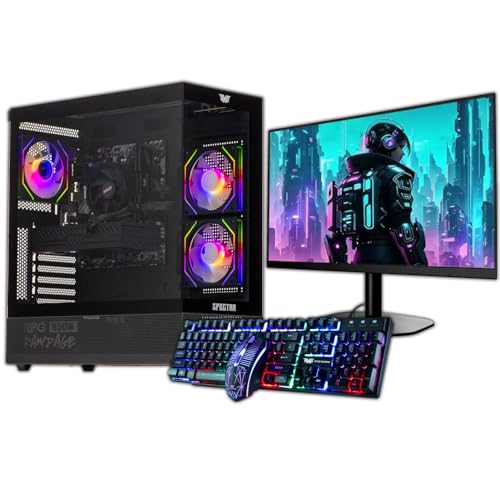
The only machine here with a dedicated graphics card, and that's exactly why it's on the list. If you want to play games rather than just work, the GTX 750 4GB opens up light 1080p gaming that the integrated-graphics OptiPlex boxes simply can't touch. It arrives as a bundle with a 22-inch monitor and an ARGB gaming case, so it looks the part on a desk too.
Let's be straight about the GPU though. The GTX 750 is an older card. It'll handle esports titles, older games and indie stuff at 1080p on medium-ish settings, but modern AAA games are off the menu. The storage setup is a mixed bag as well: a small 120GB SSD for Windows plus a 500GB HDD for everything else. That SSD is tight for a gaming rig, so you'll be managing space.
Still, for a first gaming PC on a real budget, it's a sensible entry point that stays under £300 and includes a screen. Just keep your expectations grounded. We break it down in our Veno Scorp Budget Gaming PC review.
Pros
- Dedicated GTX 750 4GB GPU
- Light 1080p gaming is possible
- Monitor and flashy case included
- 16GB RAM
Cons
- GTX 750 is dated, no AAA gaming
- Only 120GB SSD
- Slower HDD for bulk storage
Buy on AmazonRead full review
Best Under £50
This one's here for honesty's sake more than anything. The Lenovo Q190 is a tiny, tidy little box, and if you can find it truly cheap, its compact size has a certain charm for very basic jobs. But there's no dressing up the specs. A Celeron 1017U, 4GB of RAM and a 500GB mechanical hard drive make for a slow experience by 2026 standards.
Against everything else in this Best Desktops Under £300 UK 2026 | 6 Compared & Ranked guide, it feels a generation or two behind. The lack of an SSD is the killer. Even the cheapest OptiPlex here with a small SSD will run rings around it on boot times and general responsiveness. And it ships with Windows 8.1, which means an upgrade path headache before you can even get to a supported OS.
So who's it for? Honestly, only someone who needs the smallest possible footprint for the lightest possible tasks, and who finds it at a rock-bottom price. For nearly everyone else, spend a little more on an OptiPlex. It's not close.
Pros
- Very small footprint
- WiFi built in
- Fine for the lightest basic tasks
Cons
- Weak Celeron CPU
- Only 4GB RAM
- Slow mechanical HDD, no SSD
- Ships with dated Windows 8.1
Buy on Amazon£199.99