VIVID·REPAIRS/THE FIELD GUIDE/CPUUpdated 23 September 2026Prices live from Amazon UK
Best of · UK · Field of 11
Best AMD CPUs Under £300
By the Vivid Repairs deskUpdated 23 September 202611 ranked picks90,744 owner ratings read
As an Amazon Associate we may earn from qualifying purchases. We have not handled these products. Everything below is judged on published specifications, the owner ratings on the UK listings and our own product reviews, and the ranking stays independent of what any of them pay.
As an Amazon Associate, we may earn from qualifying purchases. Our ranking is independent.
Check our top-ranked product on Amazon before you buy: we could not confirm it is available. The next ranked pick in stock is AMD Ryzen 5 3600 Processor, number 2 on this list.
Stock alert
Currently unavailable on Amazon UK
The AMD Ryzen 5 9600X Processor is out of stock right now. Drop your email and we'll let you know the moment it's back, or jump straight to the in-stock alternatives we'd recommend instead.
Amazon confirms the live price, seller, stock and delivery. Prices here are read from the live listing through the day; a pick Amazon cannot supply is marked as such, and where the list has one in stock it is offered.
vividrepairs.co.uk / best-amd-cpus-under-300Updated 23 September 2026 · Prices from the live Amazon UK listing
§ The field
Eleven picks, on one page
Ranked on fit for the job in the title, not on raw specification. Tap any one to jump to the argument for it. Prices are the live Amazon UK figure, read today; a pick with no figure is out of stock and says so in its entry.
Twelve threads at 65W make it genuinely efficient for gaming and light multi-tasking without demanding a high-end PSU
Broad AM4 platform compatibility across 400 and 500-series chipsets provides a real upgrade path to Ryzen 5000 series without changing the motherboard
Wraith Stealth cooler is included and adequate for everyday gaming workloads, reducing the out-of-box cost for most builders
Where it gives up
No integrated graphics means the system cannot POST without a discrete GPU installed, which complicates staged or phased builds. Zen 2 IPC trails Zen 3 by 15 to 19 percent, so the Ryzen 5 5600X is a meaningfully faster gaming chip in CPU-sensitive titles.
Rated 4.8 by 44,157 owners. Our review scores it 8.5.
Excellent single-thread performance from Zen 3 architecture makes it highly capable in gaming workloads
Low 65W TDP keeps power draw, heat output, and electricity costs genuinely manageable
AM4 socket compatibility allows straightforward upgrades from existing Ryzen 2000 and 3000 series boards without replacing the motherboard
Where it gives up
No integrated graphics means a discrete GPU is absolutely required for any display output. Six cores can feel limiting under heavy sustained multi-threaded workloads such as video rendering or large software compilation.
Rated 4.8 by 29,783 owners. Our review scores it 9.0.
Strong single-core boost to 5.1 GHz for excellent gaming performance
Efficient 65W TDP runs cool and quiet at stock settings
AM5 socket provides a long-term upgrade path
Where it gives upWraith Stealth cooler limits PBO headroom and is noisy under sustained load. AM5 motherboards carry a price premium over Intel LGA1700 alternatives.
Excellent single-core and gaming performance from Zen 5 architecture with real IPC gains over Zen 4
65W TDP is genuinely impressive for this performance tier, resulting in cool, quiet operation and lower electricity costs
AM5 platform longevity with PCIe 5.0 support for both GPU and primary NVMe slot provides meaningful future-proofing
Where it gives upNo cooler included in the box, adding a required extra cost that first-time builders may not anticipate. Ryzen 7 9800X3D is a meaningfully faster gaming chip in cache-sensitive titles and is the better choice if gaming is the sole priority.
The rules this ranking ran under, in plain sight: what we read, what we weighed and what no merchant can move.
How we picked
Our editors evaluated 11 Cpu options against the criteria readers actually weigh up: price, real-world performance, build quality, warranty, and UK availability. Picks lean toward what we'd recommend to a friend buying today, not specs-on-paper winners.
Editorial contextEditor notes from individual reviews, not press releases.
Live UK pricingRefreshed from Amazon UK twice daily.
No paid placementsAffiliate commission doesn't change what wins.
The full guideEverything behind the shortlist above: the spec sheet, the write-ups in full, our method and the verdict.
§ Editorial · The full guide · five proofs, nothing hidden
The Doubt Index.
The shortlist told you what we picked; this zone shows the working. Come in through whichever doubt you’re carrying, or read straight down; we’d rather you checked us than trusted us.
Here’s the sheet the desk works from, kept deliberately factual. Every row is written to be checked against the retailer’s current listing, and you should check. The table scrolls sideways inside its own frame; the page underneath stays still.
Scroll sideways →11 rows · 5 columns · Prices swap to the live figure at render
You can, and you should. What follows is the part a sheet can’t do: the working between what these products have and what your desk actually needs, kept word for word.
Best AMD CPUs Under £300
Spending under £300 on an AMD processor no longer means settling. The Best AMD CPUs Under £300 now span two live sockets, Zen 2 through Zen 5, chips with capable integrated graphics, and even a budget 3D V-Cache gaming part. That's a lot of choice, and a lot of overlap. The right pick depends on whether you're dropping a chip into an existing AM4 board or building fresh on AM5, whether you have a graphics card already, and whether you game, create, or both. We've ranked eleven of them here using published specifications and verified Amazon UK owner ratings, and every entry names who should buy it and who should look elsewhere.
Buying Guide: What to Look For
The first fork is the socket. AM5 uses DDR5 and has a confirmed upgrade path through 2027 and beyond, so a board you buy now can host a future Ryzen. AM4 is mature and finished, with no new CPUs coming, but boards and DDR4 are cheaper. So the rule is simple: building fresh and keeping it for years, go AM5; already own an AM4 board, a drop-in like the 5600X or 5800 XT saves you a rebuild.
Core count next. Six cores with twelve threads, which most chips here run, is plenty for gaming when a discrete GPU carries the load. You feel the limit in heavy multi-threaded work: 4K video, 3D rendering, big compiles. That's where eight cores (9700X, 8700F) or twelve (7900X) earn their keep. Don't pay for cores a gaming-only build won't use.
Watch the TDP. Most of these are 65W, which means quiet running and modest cooling. The 7900X is 170W and its real draw runs higher, so it needs a proper cooler and a bit more from the PSU. Cache matters for games too: the 7500X3D's 3D V-Cache is why it leads on frame rates despite modest clocks.
Two mistakes to dodge. First, buying a chip with no integrated graphics (the 3600, 5600X, 8400F, 8700F, 5800 XT and 7500X3D) when you don't have a graphics card, because the system won't display anything. If that's you, the 8600G or a chip with basic Radeon output is the safer buy. Second, forgetting the cooler: the 9600X, 9700X, 7900X and 7500X3D ship without one, so factor that into the total. AM4 coolers do fit AM5 sockets, which softens the blow for upgraders.
Eleven write-ups, none folded away. We don’t lab-test, so every line below sticks to what can be defended: the published sheet, the owner ratings on the UK listings and our own reviews.
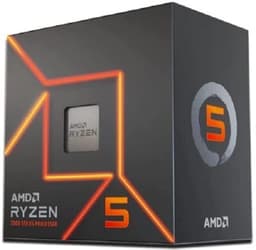
Start here if you're building fresh and gaming is the priority, but you also want the chip to still make sense in 2027. The 9600X is six Zen 5 cores and twelve threads with a 3.9GHz base and a 5.4GHz boost, on a 38MB cache and a 65W TDP. Zen 5 brings a genuine IPC step up over Zen 4, and our review notes that translates into low frame times in CPU-sensitive titles. For a build centred on a mid-range GPU, that single-thread strength is what actually decides your frame rate, not core count.
The 65W figure matters more than it looks. It means a modest cooler keeps this quiet under sustained gaming, and it keeps your electricity bill sensible over a system's life. The AM5 socket carries PCIe 5.0 on both the GPU slot and the primary NVMe slot, and AMD has committed to the platform through 2027 and beyond, so the motherboard you buy now can host a future Ryzen without a rebuild.
Two costs are baked in. No cooler ships in the box, so budget one separately, though existing AM4 coolers bolt straight on and can save you the spend. And it's DDR5-only, which stings if you're coming from a DDR4 machine. Against the Ryzen 5 7600 below, the 9600X asks for a bit more and gives you newer architecture and a longer runway; against the eight-core Ryzen 7 9700X, it saves money but concedes cores that heavy multi-threaded work will miss. Our review scores it 9 out of 10, and Amazon UK owners rate it 4.8 stars across 4,005 ratings, the strongest showing among the AM5 chips here. The listing includes basic Radeon graphics for display output, but it's not for serious gaming, so plan on a discrete card. See our full Ryzen 5 9600X review for the full breakdown.
Pros
Zen 5 IPC gains lift gaming frame times over the previous generation
PCIe 5.0 on both GPU and NVMe slots
AM4 coolers are compatible, saving upgraders a purchase
Highest owner rating count in this AM5 group at 4,005 ratings
Cons
No cooler included
DDR5-only adds cost for DDR4 upgraders
Six cores limit 4K video and 3D rendering work
Uplift over the older 7600X is incremental if that chip is much cheaper
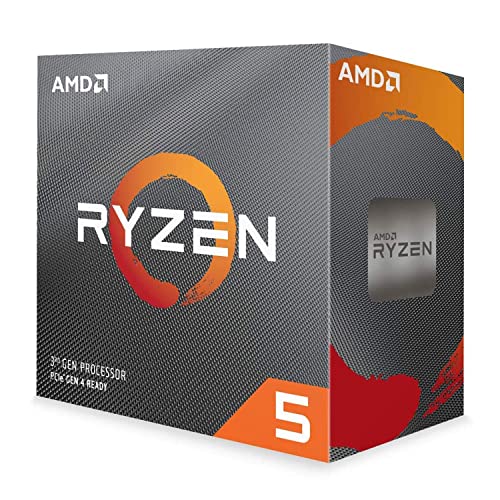
The 3600 is the cheap way to get a working AM4 gaming PC going, and the Wraith Stealth cooler in the box means you don't pay for cooling on day one. Six Zen 2 cores, twelve threads, 65W, and a 35MB cache handle GPU-bound gaming perfectly well when a graphics card is doing the heavy lifting. The 4.8-star rating across 44,138 Amazon UK ratings is the largest sample of any chip on this page, a signal of a design that has held up.
Here's the honest catch. Zen 2 trails Zen 3 by 15 to 19 percent on IPC, so the Ryzen 5 5600X below is a meaningfully faster gaming chip for not a lot more money. There's no integrated graphics, so the system won't POST without a discrete GPU, which complicates a phased build. And some older 400-series boards need a BIOS update before they'll recognise it.
Our review scores it 8.5 out of 10 and its verdict is blunt: from scratch, stretch to a Ryzen 5 5600 unless you find AM4 boards cheap enough to justify the older tech. That's exactly the buyer this suits, someone with a cheap or existing board and a tight budget. We covered this in our Ryzen 5 3600 review.
Pros
Wraith Stealth cooler included, no immediate cooling spend
Largest owner sample here at 44,138 ratings
Upgrade path to Ryzen 5000 on the same board
65W keeps PSU demands low
Cons
No integrated graphics, discrete GPU mandatory to POST
If you already own an AM4 board, this is the chip that gets you the most gaming performance for the least money without swapping the motherboard. The 5600X is six Zen 3 cores at a 4.6GHz boost, 65W, with 32MB of unified L3 cache that cuts inter-core latency in games. Our review still calls it a brilliant gaming CPU in 2025, capable of frame rates that rival far pricier processors when paired with a mid-range graphics card, and it scores 9 out of 10.
The Wraith Stealth cooler is included, so there's no extra cooling outlay to get running. It drops into existing Ryzen 2000 and 3000-series boards, which is the whole appeal against the 3600 above: same socket, meaningfully faster gaming, cooler still in the box. Owner sentiment backs the pick, with 4.8 stars across 29,729 Amazon UK ratings.
The limits are the platform and the core count. AM4 is finished, so there are no future CPUs to upgrade to on this board, which makes it a poor foundation for a fresh build compared with the AM5 chips here. Six cores also feel tight under heavy video rendering or large compiles. And there's no iGPU, so a graphics card is non-negotiable. More on it in our Ryzen 5 5600X review.
Pros
Zen 3 gaming performance rivals far dearer chips with a mid-range GPU
Drops into existing 2000 and 3000-series AM4 boards
This is the friendliest way onto AM5 for someone who doesn't want to buy a cooler separately. Six Zen 4 cores, twelve threads, a 5.1GHz boost, 38MB cache and a 65W TDP, with a Wraith Stealth cooler in the box and integrated Radeon graphics for display output and troubleshooting. The seller lists DDR5-5200 support and PCIe 5.0 on select 600-series boards.
Against the Ryzen 5 9600X at the top, the 7600 saves money and includes a cooler, but gives up the Zen 5 IPC step. For a first AM5 build on a budget, that trade is often worth taking: you still get the modern socket, the upgrade path through 2027, and an iGPU the 9600X's basic graphics roughly matches but the AM4 chips lack entirely. The 4.7-star rating across 3,254 Amazon UK ratings is solid.
The cost is the platform. AM5 needs DDR5, which pushes the total build higher than an AM4 route with the 5600X. Six cores also cap sustained multi-core work. Our specification-led review rates the 7600 line at 8.5 out of 10. See our Ryzen 5 7600 review for detail.
Pros
Wraith Stealth cooler included on the AM5 platform
Integrated Radeon graphics for display and troubleshooting
AM5 upgrade path through 2027 and beyond
PCIe 5.0 on select 600-series boards per the listing
Eight Zen 5 cores and sixteen threads at a 65W TDP is a striking combination, and it's what makes the 9700X the step up from the 9600X for anyone who wants headroom beyond pure gaming. The 5.5GHz boost and 40MB cache keep single-thread gaming strong, while the extra two cores over the 9600X help streaming, editing and code compiles. Our review scores it 9 out of 10 and calls it a mid-range gaming chip that genuinely deserves its positioning.
The homogeneous eight-core design, with no efficiency cores, keeps game scheduling consistent and helps 1% lows. AM5 with PCIe 5.0 gives it the same long runway as the 9600X, and existing AM4 coolers fit via bracket. Owners rate it 4.8 stars across 2,667 Amazon UK ratings.
No cooler ships in the box, and it's DDR5-only, so AM4 upgraders buy new RAM too. If gaming is your sole priority, our review points out an X3D part is the faster choice in cache-sensitive titles. Against the 8700F below, the 9700X is the newer, faster architecture but asks more and drops the bundled cooler. Full detail in our Ryzen 7 9700X review.
The 8600G is the one chip here you can game on without a graphics card. Its Radeon 760M iGPU is genuinely capable of 1080p gaming, which makes it the sensible core of a compact or cost-capped build where a dGPU isn't in the budget yet. Six Zen 4 cores, a 5.0GHz boost, 22MB cache and 65W, with a Wraith Stealth cooler included. Owners rate it 4.7 stars across 1,269 Amazon UK ratings, and our review scores it 8.5 out of 10.
Against the 8400F below, both are Zen 4 AM5 six-cores with a cooler, but the 8600G's iGPU is the whole point: pay a bit more, skip the graphics card entirely, and add one later when funds allow. AM5 gives it the same upgrade path as the rest of the modern group.
Two caveats. The iGPU leans heavily on fast dual-channel DDR5, so slow RAM blunts it. And the Wraith Stealth runs audibly loud under sustained heavy loads. More in our Ryzen 5 8600G review.
Pros
Radeon 760M handles 1080p gaming with no dGPU
Wraith Stealth cooler included
Ryzen AI on board per the listing
AM5 upgrade path
Cons
iGPU drops off without fast dual-channel DDR5
Stock cooler audible under sustained load
Six cores trail higher core-count rivals in threaded work
The cheapest route onto the modern AM5 platform in this lineup, and it still arrives with a cooler. Six Zen 4 cores, twelve threads, a 4.7GHz boost, 22MB cache and 65W, with a Wraith Stealth in the box. For a first-time builder who has a graphics card and wants DDR5 and a real upgrade path without paying 9600X money, this is the pragmatic choice. Our review scores it 8.5 out of 10 and calls it a genuinely excellent budget gaming CPU.
Two caveats decide the fit. There's no integrated graphics, so a dedicated GPU is mandatory, and the multiplier is locked, which limits tuning to Precision Boost Overdrive rather than manual overclocking. Against the 8600G above, the 8400F drops the iGPU to save money, so it's the pick when you already have a card. Owners rate it 4.5 stars across 297 Amazon UK ratings, a smaller sample than the older chips here. Detail in our Ryzen 5 8400F review.
Pros
Lowest-cost entry to AM5 here with a cooler included
Zen 4 single-thread gaming pace
AM5 upgrade path through 2027
Ryzen AI and NX-bit virus protection per the listing
Eight Zen 4 cores on AM5 with a cooler already in the box, which is what separates the 8700F from the coolerless 9700X above. Sixteen threads, a 5.0GHz boost, 24MB cache and a 65W TDP make it a balanced pick for someone who games and also does productivity, video editing, streaming or compiling, without paying Zen 5 money or buying a cooler separately. Our review scores it 8.5 out of 10 and rates the frame-time consistency well.
Precision Boost Overdrive delivers a free performance uplift without manual voltage tuning. Against the 8400F, you're paying for two extra cores that matter in threaded work; against the 9700X, you save and keep the bundled cooler but concede Zen 5's IPC edge. Owners rate it 4.6 stars across 214 Amazon UK ratings.
No integrated graphics means a dGPU from day one, the multiplier is locked to PBO, and it's DDR5-only. Full breakdown in our Ryzen 7 8700F review.
Twelve cores and twenty-four threads is the core count no other chip here offers, which makes the 7900X the pick for creators who game rather than gamers who dabble. A 5.6GHz boost, 76MB cache and Zen 4 architecture chew through rendering, editing and streaming. Our review scores it 8.5 out of 10. Owners rate it 4.6 stars across 2,638 Amazon UK ratings.
Two honest costs: the 170W TDP means real power draw exceeds the headline, and no cooler is included, so budget a good one. For pure gaming an X3D chip beats it at similar money.
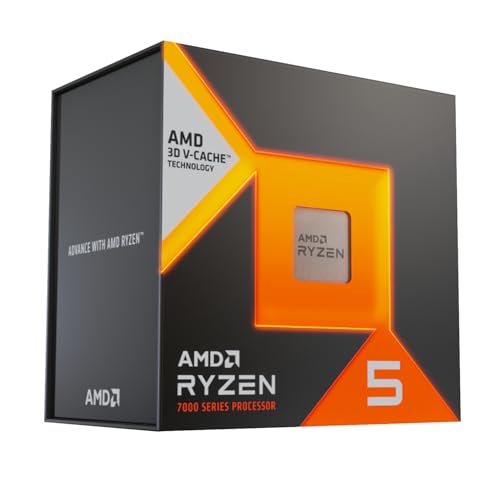
The only 3D V-Cache chip on the page, and for gaming that's the decider. The 7500X3D's stacked cache lifts 1% lows and cuts micro-stutter, and our review calls it the best gaming CPU in the budget bracket, scoring 8.5 out of 10. Six cores at a 4.5GHz boost, 65W, on AM5.
The trade against the 9600X is clear: the 7500X3D wins gaming, the 9600X wins mixed and multi-threaded work. Six cores and lower boost clocks limit productivity, and no cooler is included. Owners rate it 4.6 stars across 104 Amazon UK ratings. More in our Ryzen 5 7500X3D review.
The fastest single-chiplet chip AMD released for AM4, and it drops into existing 400 and 500-series boards with a Wraith Prism cooler in the box. Eight Zen 3 cores, a 4.8GHz boost, 105W. For a Ryzen 3000 owner it's a big jump without a platform rebuild, which is the whole case. Our review scores it 8.5 out of 10, and owners rate it 4.7 stars across 1,994 Amazon UK ratings.
From scratch, skip it: AM5 chips like the 8700F offer better future-proofing. The 105W TDP pushes the Wraith Prism under all-core loads, there's no iGPU, and a 5800X3D is faster for pure gaming. Detail in our Ryzen 7 5800 XT review.
This page carries affiliate links; they never set the order. We don’t lab-test: rankings come from published specifications, the owner ratings on the UK listings and our own reviews.
How We Compared These
We ranked these eleven AMD processors on published specifications, socket and platform longevity, bundled cooler and iGPU provision, and verified Amazon UK owner ratings and counts, cross-checked against our own research-led reviews. We don't run a bench or hold the chips, so nothing here is a measured figure from us. Where a listing's claim and the specifications on record disagreed, we said so or left the point out. Prices move daily and show live on the page, so we've ranked on value within the under-£300 bracket rather than on any fixed figure. Owner sample sizes vary widely, from over 44,000 down to a few hundred, and we've named them where they matter.
A crown that can’t be argued with isn’t proof of quality; it’s proof nobody checked. So rather than restate the winner’s virtues, we defend the crown against the strongest cases to take it.
AMD Ryzen 5 9600X Processor
Cross-examination · Three challengers, taken seriously
The owners’ argumentAMD Ryzen 5 3600 Processor
It’s £199.00 on the live listing today. Owners rate it 4.8 from 44,157 ratings. Our review scores it 8.5 against the winner’s 9.0. The crown holds on the ranking rules: the order above was set before any link was attached, and its case is argued in full in the write-up above.
It’s £145.99 on the live listing today. Owners rate it 4.8 from 29,783 ratings. Our review scores it 9.0 against the winner’s 9.0. The crown holds on the ranking rules: the order above was set before any link was attached, and its case is argued in full in the write-up above.
Owners rate it 4.7 from 3,297 ratings. Our review scores it 8.5 against the winner’s 9.0. The crown holds on the ranking rules: the order above was set before any link was attached, and its case is argued in full in the write-up above.
The original verdict, preserved in full
Final Verdict: Best AMD CPUs Under £300
For most buyers building fresh, the Ryzen 5 9600X is the pick: Zen 5 gaming performance, 65W efficiency and an AM5 board that stays useful through 2027, provided you budget a cooler. On the tightest budget, the Ryzen 5 8400F gets you onto the same modern platform with a cooler included, as long as you have a graphics card. Gamers who want the best frame rates for the money should grab the 7500X3D instead, while creators who also game will get more from the twelve-core 7900X. And if you already own an AM4 board, the 5600X or 5800 XT save you a full rebuild.
AM4 is AMD's older socket standard, nearing end-of-life with no upcoming processors planned. AM5 represents the current and future standard, supporting multiple processor generations through 2027+. For new builds, AM5 provides substantially better long-term upgrade viability, though AM4 motherboards currently offer lower pricing due to older inventory.
Yes, but with limitations. Integrated Radeon graphics handle 1080p gaming at medium-to-high settings, achieving 40 to 60 fps in modern titles. 1440p gaming becomes impractical; you'll need medium settings and potentially 30 to 45 fps. For demanding gaming, discrete graphics remain essential.
Most budget processors carry 65W TDP ratings, compatible with basic tower coolers or modest all-in-one liquid solutions. Exceptions include the 5800 XT and 7500X3D at 105W, requiring quality tower coolers and adequate case airflow. Budget 65W chips can utilise fanless or passive cooling in some applications.
The Ryzen 7 9700X and 5800 XT both offer eight cores for simultaneous gaming and encoding. The 9700X provides superior long-term value through AM5 socket support and lower TDP, though the 5800 XT delivers identical encoding performance if you prioritise immediate availability on AM4 platforms.
AM5 investment makes sense for anyone building now, despite higher motherboard costs, as you'll maintain upgrade viability through 2027. AM4 only makes sense if purchasing used boards or already owning compatible platforms. New AM4 builders lock themselves into a dead platform with limited future options.
That’s the field: eleven amd cpus under £300, ranked for the job in the title and nothing else. We read the published specifications, the owner ratings and our own reviews; we haven’t handled these products, and no maker moves the order. Figures checked against the live Amazon UK listings, page updated 23 September 2026.
The Vivid Repairs desk
2Next ranked pickAMD Ryzen 5 3600 Processor (6 Cores/12Threads, 65W DTP, AM4 Socket, 35 MB Cache, up to 4.1 GHz Max Boost frequency, Wraith stealth cooler)Scored 8.5/10Compare all →Buy on Amazon →