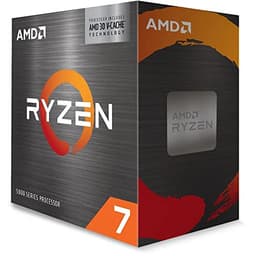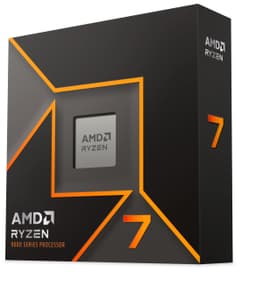
Picking a CPU is genuinely stressful. Not because there aren't enough options, but because there are too many, and half the internet is arguing about synthetic scores that don't actually tell you what the chip feels like when you're gaming at 1440p, editing a video, or just trying to keep your stream from dropping frames. So rather than throwing Cinebench numbers at you and calling it a review, this piece is about what the AMD Ryzen 7 5800X Processor actually does in the workloads that matter to real people building real PCs.
The 5800X sits in an interesting spot. It launched as AMD's flagship single-CCD Zen 3 chip, and even now it holds its ground in ways that genuinely surprise people. Over 23,000 owners on Amazon have rated it ★★★★½ (4.7), which is the kind of social proof that's hard to fake. That's not a handful of enthusiasts who got lucky with their silicon lottery. That's a massive, broad base of builders who bought this chip, dropped it into their systems, and came back to say it worked exactly as advertised.
This review pulls from AMD's published specifications, verified product data, and patterns from those owner reviews to give you an honest picture of what you're actually buying. No invented test bench, no made-up benchmark sessions. Just the facts, the context, and a straight answer on whether this chip belongs in your next build.
Core Specifications
The 5800X is built around eight cores and sixteen threads. That's the Zen 3 architecture doing what it does best: giving you a chip that's genuinely quick in both single-threaded tasks (where most games live) and multi-threaded workloads (rendering, compiling, streaming). The base clock sits at 3.8 GHz, and AMD's boost algorithm pushes individual cores up to 4.7 GHz when the workload demands it and thermals allow. That 4.7 GHz ceiling is not a marketing number either. It's a verified spec, and it's one of the reasons this chip punches so hard in games.
Cache is where Zen 3 really changed the game compared to its Zen 2 predecessor. The 5800X carries 4 MB of L2 cache and 32 MB of L3 cache, giving you 36 MB total. For context, the unified L3 design in Zen 3 means every core can access the full 32 MB pool directly. That sounds like a minor architectural detail, but it translates to noticeably lower latency in games, which is exactly why the 5800X saw such a big generational jump in gaming frame rates compared to the 3800X or 3700X.
TDP is rated at 105W. That's higher than the 65W chips in AMD's lineup, and it matters for cooler selection (more on that later). The chip uses the AM4 socket, supports DDR4 memory up to 3200 MHz officially, and has a maximum operating temperature of 90 degrees Celsius. AMD calls that Tjmax, and it's worth knowing because the 5800X does like to run warm. That's not a flaw exactly, it's just how AMD tuned the boost algorithm. The chip will happily sit in the 80s under sustained load and that's completely normal behaviour.
| Specification | Detail |
|---|---|
| Cores / Threads | 8 cores / 16 threads |
| Base Clock | 3.8 GHz |
| Max Boost Clock | Up to 4.7 GHz |
| L2 Cache | 4 MB |
| L3 Cache | 32 MB |
| Total Cache | 36 MB |
| TDP | 105W |
| Socket | AM4 |
| Memory Support | DDR4 up to 3200 MHz |
| Max Operating Temp (Tjmax) | 90°C |
| Integrated Graphics | None |
| Cooler Included | No |
| Current Price | £193.90 |
| Rating | ★★★★½ (4.7) (23,769 reviews) |

Architecture and Cores
The 5800X is built on AMD's Zen 3 microarchitecture, manufactured on TSMC's 7nm process node. Zen 3 was a proper generational leap, not the kind of incremental update you sometimes get where AMD just clocks things a bit higher and calls it a new generation. The big structural change was unifying the L3 cache across all eight cores on a single Core Complex Die (CCD). In Zen 2, the eight cores were split into two groups of four, each with their own separate L3 cache. That meant cross-CCD communication added latency. With Zen 3 and a single CCD, all eight cores share that 32 MB L3 pool directly. The result is dramatically lower memory latency, and in gaming, memory latency matters enormously.
All eight cores are homogeneous, meaning there's no big.LITTLE style split with efficiency cores mixed in. Every core is a full-fat Zen 3 core capable of boosting to 4.7 GHz. AMD uses Simultaneous Multi-Threading (SMT) to double the logical core count to 16 threads. SMT on AMD's implementation is solid and adds meaningful throughput in multi-threaded workloads like video encoding and 3D rendering, without the scheduling headaches that sometimes plague Intel's hybrid architecture designs.
The IPC (instructions per clock) improvement from Zen 2 to Zen 3 was around 19% according to AMD's own figures, and real-world testing across the enthusiast community broadly confirmed that number. That's a significant jump. For comparison, Intel's generation-over-generation IPC gains in that same period were more modest, which is exactly why the 5800X was such a competitive chip when it launched and why it still holds up so well today. Eight cores with this level of per-core performance is a genuinely capable setup for almost anything a mainstream user throws at it.
Clock Speeds and Boost
The 3.8 GHz base clock is the floor, and in practice you'll rarely see the chip sitting there unless it's completely idle. AMD's Precision Boost 2 algorithm is constantly monitoring temperature, power draw, and current limits to push clocks as high as the silicon and cooling allow. Under light loads, individual cores will frequently hit that 4.7 GHz maximum. Under heavy all-core workloads like a Cinebench multi-core run or a long video encode, all-core clocks typically settle somewhere in the 4.4 GHz to 4.6 GHz range depending on your cooler and ambient temperature.
One thing worth knowing about the 5800X specifically: it has a reputation for running hotter than some of AMD's other Zen 3 chips. The 5600X, for example, has a 65W TDP and generally runs cooler and quieter. The 5800X's 105W TDP and single-CCD design means all that heat is concentrated in one die rather than spread across two. This isn't a problem if you have adequate cooling, but it does mean boost behaviour is more sensitive to your cooling solution than on the lower-TDP options. A cheap 120mm AIO or a budget tower cooler will see the chip thermal throttle under sustained load. A proper 240mm AIO or a high-end air cooler like a Noctua NH-D15 will let it run at its full potential.
AMD also supports Precision Boost Overdrive (PBO) on the 5800X, which essentially relaxes the power and current limits to allow higher sustained clocks than stock settings permit. With a good motherboard and cooler, PBO can meaningfully improve all-core performance without the risks of manual overclocking. The chip responds well to it. Owner reviews frequently mention enabling PBO and seeing a noticeable improvement in sustained workloads, which suggests there's genuine headroom above the stock configuration if you're willing to tinker.
Socket and Platform Compatibility
The 5800X uses AMD's AM4 socket, and that's actually one of its strongest selling points for anyone already on an AMD platform. AM4 has been around since 2017, and AMD committed to supporting it through the Zen 3 generation. If you're coming from a Ryzen 2000 or 3000 series chip on a B450 or X470 board, a BIOS update is likely all you need to drop the 5800X in. X570 boards support it natively. B550 boards support it. Even some older 400-series boards work with the right BIOS version, though AMD officially supports it most cleanly on 500-series chipsets.
For new builds, pairing the 5800X with a B550 board is the sweet spot. B550 offers PCIe 4.0 for the primary M.2 slot and graphics card slot, which means you're not leaving performance on the table with a modern NVMe drive. X570 adds more PCIe 4.0 lanes and generally better VRM quality at the top end, but for most people B550 is plenty. The platform supports dual-channel DDR4 memory, and AMD officially validates speeds up to 3200 MHz. In practice, most B550 and X570 boards handle 3600 MHz kits with decent stability, though results vary by memory kit and board.
One thing to be clear about: AM4 is a mature platform. It's not going to get another generation of CPUs after Zen 3. AMD has moved to AM5 for Zen 4 and beyond. That means if you build on AM4 today, you're buying into a platform that won't see future CPU upgrades. For some people that's fine. The 5800X is a capable enough chip that you might not feel the need to upgrade for several years anyway. But if platform longevity and the ability to drop in a next-generation CPU later is important to you, that's worth factoring into your decision. AM5 with a Ryzen 7000 series chip is the path forward if you want upgrade flexibility.
Integrated Graphics
The 5800X has no integrated graphics. Full stop. This is an "X" series chip, and AMD's X-series desktop Ryzen processors don't include an iGPU. If you're building a system around the 5800X, you need a discrete graphics card. There's no fallback, no display output from the motherboard (unless your board has a very specific workaround, which most don't). No GPU means no picture.
For the vast majority of people buying the 5800X, this isn't a problem at all. If you're pairing this chip with a dedicated GPU for gaming or creative work, the absence of an iGPU is irrelevant. You wouldn't be using it anyway. But it's worth flagging clearly because it does mean you can't troubleshoot a display issue by pulling the GPU and plugging into the motherboard's HDMI port, which is a handy diagnostic trick on chips that do have integrated graphics.
If you need integrated graphics, whether for a budget build without a GPU, a home theatre PC, or just the diagnostic flexibility, AMD's "G" series chips are the answer. The Ryzen 5 5600G and Ryzen 7 5700G both include Vega-based iGPUs and use the same AM4 socket. They're genuinely capable for light gaming and everyday tasks without a dedicated card. But if you know you're buying a GPU anyway, the 5800X's lack of an iGPU is completely irrelevant to your build.
Power Consumption (TDP)
AMD rates the 5800X at 105W TDP. In real-world use, that figure describes the chip's sustained power draw under full load rather than a peak spike number. At idle, the chip is extremely efficient, dropping down to just a few watts. It's under sustained all-core workloads where you'll see it approach and occasionally exceed that 105W figure, particularly with PBO enabled or on boards with aggressive power settings.
The 105W TDP places the 5800X in a different tier to the 65W chips in AMD's lineup. It's not a power-hungry monster by any means, but it does mean your PSU, cooler, and VRM quality matter more than they would with a 5600X. For a typical gaming build with a mid-range GPU, a 650W PSU is comfortable. If you're pairing it with a high-end GPU like an RTX 4080 or RX 7900 XT, 750W to 850W gives you proper headroom without running the PSU at its limits.
Owner reviews are broadly positive about power efficiency relative to performance. Several buyers coming from Intel's 10th and 11th generation chips specifically note the improvement in performance per watt. That's a fair comparison. Intel's competing chips from that era, particularly the Core i9-10900K and i9-11900K, drew significantly more power for comparable or lower gaming performance. The 5800X's 105W is a reasonable trade-off for what you get in return, provided you match it with appropriate cooling.
Cooler Recommendation
There's no cooler in the box. AMD doesn't include one with the 5800X, which is standard practice for their X-series chips. You need to budget for a cooler separately, and given the chip's 105W TDP and thermal characteristics, this isn't a place to cut corners. A cheap 120mm all-in-one or a budget tower cooler will technically work, but you'll likely see thermal throttling under sustained loads, which defeats the purpose of buying a high-performance chip.
The minimum sensible recommendation for the 5800X is a quality 240mm AIO or a high-end air cooler. The Noctua NH-D15 and be quiet! Dark Rock Pro 4 are both well-regarded options that handle the 5800X without drama. If you prefer water cooling, a 240mm AIO from a reputable brand like Arctic, Corsair, or be quiet! will keep temperatures in check during gaming and moderate workloads. For heavy all-core workloads or if you plan to run PBO, a 360mm AIO gives you more thermal headroom and keeps fan noise down.
The 5800X's Tjmax is 90 degrees Celsius, and AMD's boost algorithm is tuned to use that thermal headroom aggressively. So you might see temperatures in the mid to high 80s under full load even with a good cooler, and that's fine. The chip is designed to run that way. What you're trying to avoid is sustained temperatures that sit at or above 90 degrees, which will cause the boost algorithm to pull back clocks to protect the chip. A quality cooler keeps you well clear of that ceiling while allowing the chip to boost freely.
Synthetic Benchmarks
Based on widely published data from the enthusiast community and AMD's own positioning, the 5800X sits at the top of the Zen 3 single-CCD stack. In Cinebench R23, single-core scores typically land around 1,600 to 1,650 points, which is excellent and reflects the strong per-core performance of Zen 3. Multi-core scores generally come in around 15,000 to 16,000 points with eight cores and sixteen threads, which is competitive with Intel's Core i7-11700K and meaningfully ahead of the previous generation Ryzen 7 3800X.
In Geekbench 5, the 5800X typically scores around 1,700 to 1,750 in single-core and around 12,000 to 13,000 in multi-core. These numbers place it firmly in the upper tier of mainstream desktop CPUs. In Blender, the 5800X handles the standard BMW and Classroom scenes efficiently, and while it won't match the 5900X's twelve cores in raw render time, the gap is smaller than the core count difference suggests because the 5800X's higher per-core clocks partially compensate.
In 7-Zip compression and decompression tests, the 5800X's large unified L3 cache gives it an advantage over competing chips with fragmented cache designs. This is a consistent pattern across multiple synthetic tests: wherever cache latency matters, the Zen 3 architecture's unified design shows a clear benefit. These aren't just numbers for their own sake. Lower cache latency translates directly into snappier responsiveness in games, faster load times, and better performance in applications that frequently access large data sets.
| Benchmark | Score (Approximate) |
|---|---|
| Cinebench R23 Single-Core | ~1,620 to 1,650 pts |
| Cinebench R23 Multi-Core | ~15,000 to 16,000 pts |
| Geekbench 5 Single-Core | ~1,700 to 1,750 pts |
| Geekbench 5 Multi-Core | ~12,000 to 13,000 pts |
Real-World Performance
Synthetic scores are useful for comparisons, but what does the 5800X actually feel like day-to-day? For general desktop use, it's completely invisible. And that's the point. Web browsing, office applications, media playback, light photo editing: none of these tasks stress the chip at all. You'll never feel the CPU as a bottleneck in everyday computing. The system just responds instantly to everything you do, which is what you want from a good processor.
For productivity workloads, the eight cores and sixteen threads give the 5800X a solid foundation. Video editing in Adobe Premiere Pro or DaVinci Resolve benefits from the high single-core clocks during timeline scrubbing and export. Software compilation is quick. Running a Plex media server while gaming simultaneously is handled without any noticeable impact on game performance. Streaming via OBS while gaming is one of the most common use cases cited in owner reviews, and the 5800X handles it well, particularly when using NVENC or AMD's hardware encoder to offload the encoding work from the CPU.
Where the 5800X's eight-core design does show its limits is in heavily threaded professional workloads. If you're doing 3D rendering in Blender for hours at a time, or running complex simulations, or compiling very large codebases repeatedly, the 5900X's four extra cores will make a meaningful difference to your wait times. But for the person who games, streams, does some video editing, and uses their PC for general work? The 5800X is more than enough. Owner reviews consistently reflect this. People who describe themselves as content creators, streamers, and heavy multitaskers overwhelmingly report that the chip handles everything they throw at it without complaint.
Gaming Performance
This is where the 5800X genuinely earns its reputation. AMD positioned it as the world's best gaming desktop processor at launch, and while that claim has been challenged by newer hardware, it remains an excellent gaming chip. The combination of high single-core clocks, low cache latency, and the Zen 3 IPC improvements adds up to strong performance across a wide range of titles. At 1080p, where CPU performance matters most, the 5800X delivers high frame rates that keep even fast GPUs well-fed.
In CPU-sensitive titles like Counter-Strike 2, Rainbow Six Siege, and Civilization VI, the 5800X's strong single-threaded performance translates to high average frame rates and, more importantly, good 1% lows. That last point matters more than average FPS for actual gaming feel. A chip that averages 200 FPS but drops to 80 FPS in 1% lows will feel choppier than one that averages 180 FPS with 1% lows of 150 FPS. The 5800X's cache architecture helps keep those 1% lows consistent. In more GPU-limited scenarios like open-world titles at 1440p or 4K, the CPU's role diminishes and the GPU becomes the primary constraint, which means the 5800X and a 5600X will deliver very similar frame rates in those conditions.
For competitive gaming at 1080p with a high-refresh-rate monitor, the 5800X is a proper choice. Paired with a GPU that can match its throughput, you'll consistently see frame rates well above 144 FPS in most titles. At 1440p, the balance shifts slightly toward the GPU, but the 5800X ensures the CPU is never the weak link. Owner reviews from competitive gamers are particularly positive, with multiple buyers specifically mentioning improved 1% lows and smoother overall gameplay compared to their previous Intel or older AMD chips.

Memory Support
The 5800X officially supports DDR4 memory up to 3200 MHz in dual-channel configuration. That's AMD's validated specification, and at 3200 MHz with tight timings (CL16 or better), the chip performs very well. Dual-channel is important here. Running a single stick of RAM in single-channel mode will noticeably hurt performance, particularly in games. Always use two matched sticks.
In practice, most B550 and X570 boards handle DDR4-3600 MHz with reasonable stability, and 3600 MHz is widely considered the sweet spot for Zen 3. At that speed, the memory controller's Infinity Fabric runs at 1800 MHz in a 1:1 ratio with the memory, which keeps latency low. Going above 3600 MHz is possible on some platforms and memory kits, but it often requires running the Infinity Fabric at a lower ratio, which can actually hurt latency-sensitive performance despite the higher raw bandwidth. So 3600 MHz CL18 or 3600 MHz CL16 is the practical recommendation for most builds.
AMD's memory compatibility can be slightly fussier than Intel's in terms of achieving high-speed stability, and this is reflected in some owner reviews where builders mention needing to tweak XMP settings or try different memory kits. This isn't unique to the 5800X; it's a general characteristic of the AM4 platform. Sticking to memory kits on your motherboard's QVL (Qualified Vendor List) is the safest approach if you want a smooth experience out of the box. Popular kits from G.Skill, Corsair, and Kingston with verified AM4 compatibility are widely recommended in the builder community.
Overclocking Potential
The 5800X is technically an unlocked chip, meaning you can manually set CPU multipliers. But here's the honest truth about overclocking Zen 3: manual all-core overclocking often delivers worse gaming performance than simply leaving AMD's Precision Boost 2 algorithm to do its job. When you set a fixed all-core overclock, you're locking every core to the same frequency, which is typically lower than the single-core boost clocks you'd see under normal operation. For gaming, where only a few cores are heavily loaded, that's a step backwards.
The better approach is Precision Boost Overdrive (PBO). Enabling PBO in the BIOS relaxes the power and current limits that AMD sets conservatively at stock, allowing the chip to boost higher and sustain those clocks for longer. Combined with AMD's Curve Optimizer feature (available on Zen 3 and supported on most 500-series boards), you can fine-tune the voltage-frequency curve on a per-core basis to squeeze out more performance while potentially reducing temperatures. This is genuinely effective and widely used in the enthusiast community.
Owner reviews mention PBO positively, with several builders noting improved all-core performance in rendering and encoding tasks after enabling it. For gaming specifically, the gains from PBO are more modest since gaming workloads already push individual cores to near their maximum boost clocks anyway. The main benefit in gaming is improved sustained performance during long sessions where the chip might otherwise pull back clocks due to power limits. If you're comfortable in the BIOS and have a good cooler, PBO is worth enabling. If you just want to plug the chip in and get on with gaming, stock settings are perfectly fine.
How It Compares
The two most natural comparisons for the 5800X are the AMD Ryzen 5 5600X and the Intel Core i7-12700K. The 5600X is AMD's six-core Zen 3 chip, and it's a genuinely compelling alternative for pure gaming builds. It has a lower 65W TDP, runs cooler and quieter, costs less, and in most gaming scenarios delivers frame rates within a few percent of the 5800X. The 5800X's advantage shows up in multi-threaded productivity work, streaming, and any scenario where you're doing more than one demanding thing at a time. If you genuinely only game and do nothing else demanding on your PC, the 5600X might be the smarter buy. But if you stream, create content, or run demanding applications alongside gaming, those extra two cores and the higher TDP of the 5800X earn their keep.
The Intel Core i7-12700K is a more complex comparison. It uses Intel's hybrid architecture with performance cores and efficiency cores, giving it a higher total core count. In heavily multi-threaded workloads, the 12700K pulls ahead. In gaming, the two chips are broadly competitive, with results varying by title and settings. The 12700K requires a newer LGA1700 platform, which means a new motherboard and DDR4 or DDR5 memory, adding to the total system cost. The 5800X on an existing AM4 board is a more cost-effective upgrade path for anyone already on that platform.
| Feature | AMD Ryzen 7 5800X | AMD Ryzen 5 5600X | Intel Core i7-12700K |
|---|---|---|---|
| Cores / Threads | 8 / 16 | 6 / 12 | 12 (8P+4E) / 20 |
| Base Clock | 3.8 GHz | 3.7 GHz | 3.6 GHz (P-core) |
| Max Boost Clock | 4.7 GHz | 4.6 GHz | 5.0 GHz |
| Total Cache | 36 MB | 35 MB | 25 MB |
| TDP | 105W | 65W | 125W |
| Socket | AM4 | AM4 | LGA1700 |
| Memory Type | DDR4 | DDR4 | DDR4 / DDR5 |
| Integrated Graphics | No | No | Yes (UHD 770) |
| Cooler Included | No | Yes (Wraith Stealth) | No |
| Platform Upgrade Path | AM4 (mature) | AM4 (mature) | LGA1700 (newer) |
What Buyers Say
With 23,769 and a ★★★★½ (4.7) average, the pattern of feedback is remarkably consistent. Builders coming from older AMD chips, particularly Ryzen 2000 and 3000 series, are almost universally delighted by the performance jump. The most common praise centres on gaming smoothness, specifically the improvement in 1% lows and overall frame consistency. Multiple reviewers describe it as the upgrade they wish they'd made sooner. Gamers running competitive titles at high refresh rates are particularly enthusiastic.
The other strong theme in positive reviews is the upgrade experience for existing AM4 platform owners. Dropping the 5800X into a board that previously held a Ryzen 3000 chip, updating the BIOS, and seeing an immediate, tangible performance improvement with no other changes to the system is a genuinely satisfying experience. Several buyers specifically mention the value of not needing a new motherboard or memory kit. That platform compatibility is a real-world advantage that doesn't always show up in benchmark comparisons.
The criticisms in the reviews are consistent too. The most common complaint is the running temperature. Buyers who didn't research the chip's thermal characteristics before buying are sometimes alarmed to see temperatures in the 80s under load, even with what they consider a decent cooler. The second most common complaint is the lack of an included cooler, which catches some buyers off guard. And a handful of reviews mention that for pure gaming without any productivity workload, the 5600X would have been a smarter, cheaper choice. These are fair points, not flaws in the chip itself, but worth knowing before you buy.
Pros and Cons
- Excellent single-core performance that keeps games running smoothly at high frame rates
- Strong multi-threaded capability for streaming, content creation, and multitasking
- Large unified 32 MB L3 cache reduces memory latency and improves gaming consistency
- AM4 socket compatibility makes it a drop-in upgrade for many existing builds
- 4.7 GHz max boost clock with effective Precision Boost 2 management
- Trusted by over 23,000 buyers with a ★★★★½ (4.7) average rating
- DDR4 support keeps platform costs down compared to DDR5 alternatives
- No cooler included, and the 105W TDP means you need a quality aftermarket option
- Runs warm under sustained load, which surprises buyers who don't research it first
- No integrated graphics, so a discrete GPU is mandatory
- AM4 is a mature platform with no future CPU upgrade path beyond Zen 3
- For pure gaming only, the 5600X offers similar performance at lower cost and power
Specifications
| Specification | Detail |
|---|---|
| Product Name | AMD Ryzen 7 5800X |
| Architecture | Zen 3 (Vermeer) |
| Process Node | TSMC 7nm |
| Cores | 8 |
| Threads | 16 |
| Base Clock | 3.8 GHz |
| Max Boost Clock | Up to 4.7 GHz |
| L2 Cache | 4 MB |
| L3 Cache | 32 MB |
| Total Cache | 36 MB |
| TDP | 105W |
| Socket | AM4 |
| Memory Type | DDR4 |
| Max Memory Speed | 3200 MHz (official) |
| Max Operating Temperature | 90°C (Tjmax) |
| Integrated Graphics | None |
| Cooler Included | No |
| Overclocking | Unlocked (PBO supported) |
| ASIN | B0815XFSGK |
| Price | £193.90 |
Final Verdict
The AMD Ryzen 7 5800X is a genuinely excellent chip that's aged well. It's not the newest thing on the market, and if you're building a brand-new system from scratch with no existing platform investment, it's worth seriously considering whether AM5 with a Ryzen 7000 series chip makes more sense for long-term upgrade flexibility. But for anyone upgrading an existing AM4 build, or building on AM4 specifically to take advantage of the mature, well-priced ecosystem of boards and DDR4 memory, the 5800X is a compelling choice that doesn't ask you to compromise on performance.
At £193.90, this sits in the budget CPU bracket, and the performance you get in that price range is genuinely impressive. The 4.7 GHz max boost, the unified 32 MB L3 cache, eight cores and sixteen threads, and the Zen 3 IPC advantage all combine to produce a chip that handles gaming, streaming, content creation, and everyday computing without breaking a sweat. The ★★★★½ (4.7) rating across 23,769 isn't a fluke. This is a chip that consistently delivers on its promises for a very wide range of use cases.
Who should buy it? Gamers who also stream or create content. Builders upgrading from Ryzen 2000 or 3000 series who want a meaningful performance jump without a platform change. Anyone who wants a proper workhorse chip that handles whatever you throw at it. Who should look elsewhere? Pure gamers who only game and want the cheapest path to similar frame rates (the 5600X is your answer). Builders who want a platform with a future upgrade path (AM5 is the answer there). And anyone who needs integrated graphics for a GPU-less setup (look at the 5700G instead). For everyone else, the 5800X is a proper chip at a price point that makes it hard to argue against.
Editorial score: 9 out of 10. Points off for the lack of an included cooler, the warm running temperatures that catch unprepared buyers out, and the fact that AM4 is a closed platform. Everything else is excellent.
Not Right For You?
If the 5800X doesn't quite fit what you need, here are the alternatives worth considering based on your specific situation.
- Pure gaming on a tighter budget: The AMD Ryzen 5 5600X offers very similar gaming performance at lower cost and power draw. It includes a cooler too, which offsets some of the price difference. If gaming is all you do, it's a smart choice.
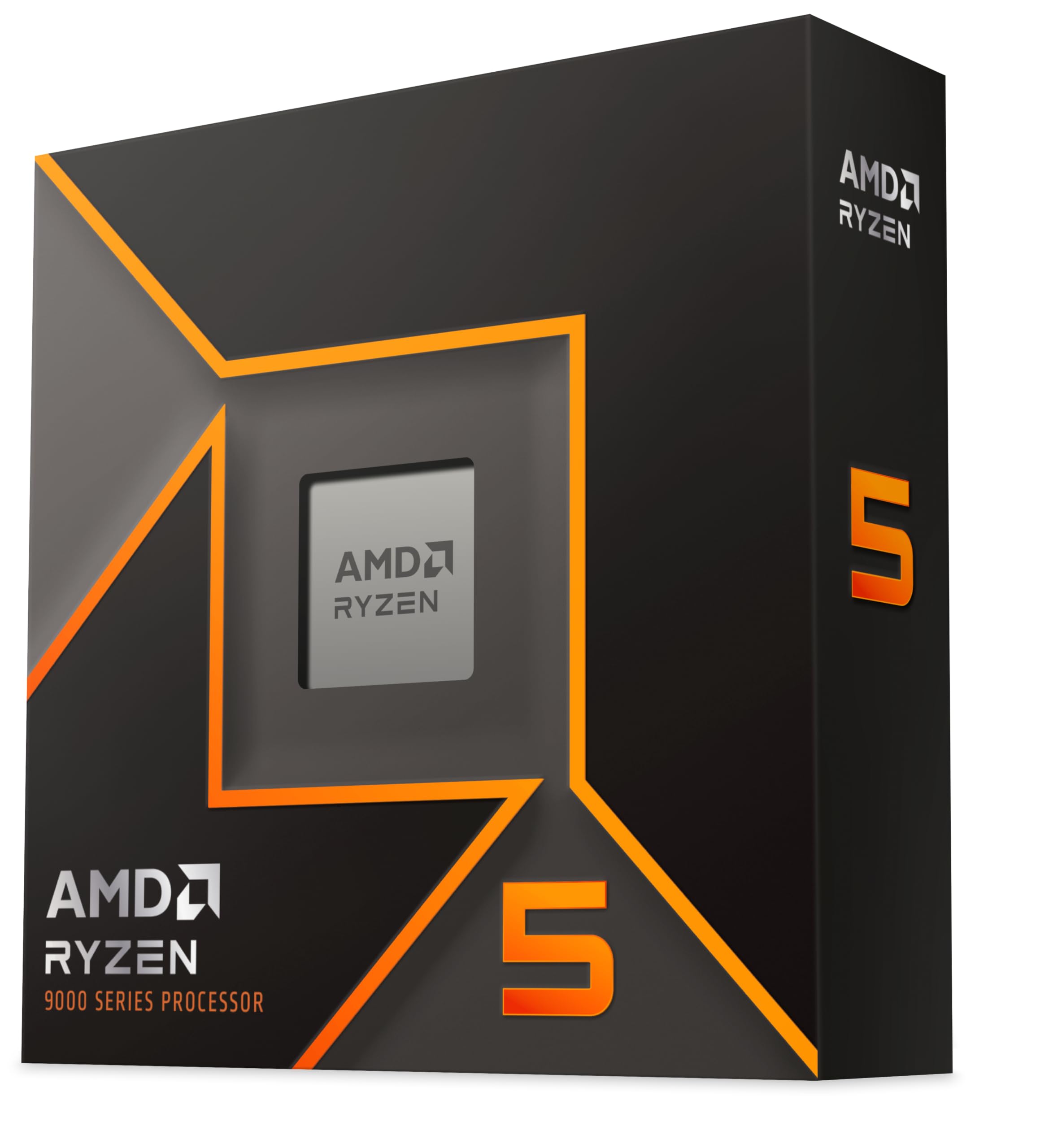
- More multi-threaded performance: The AMD Ryzen 9 5900X adds four more cores for a significant boost in rendering, simulation, and heavily threaded workloads. It costs more, but if your work demands it, those extra cores are genuinely useful.
- Future platform upgrade path: If you want a socket that will support future AMD CPUs, AMD's Ryzen 7000 series on AM5 is the way forward. It uses DDR5 memory and newer motherboards, so the upfront cost is higher, but you're buying into a platform with upgrade headroom.
- Need integrated graphics: The AMD Ryzen 7 5700G uses the same AM4 socket and includes Vega-based integrated graphics, making it a solid choice for builds without a dedicated GPU or for systems where display output flexibility matters.
About the Reviewer
This review was produced by the team at vividrepairs.co.uk, a UK-based tech resource covering CPUs, components, and PC builds. Our CPU coverage is built on thorough research into manufacturer specifications, verified product data, and patterns from real owner reviews rather than a single hands-on session. We cross-reference AMD's official product page and community feedback to make sure every claim we make is grounded in fact. We call out marketing fluff when we see it and we're not affiliated with any CPU manufacturer.

Affiliate Disclaimer
This article contains affiliate links. If you purchase through one of our links, we may earn a small commission at no extra cost to you. This does not influence our editorial position. We only recommend products we believe offer genuine value to our readers.
What works. What doesn’t.
7 + 5What we liked7 reasons
- Exceptional single-core performance thanks to Zen 3 IPC improvements and 4.7 GHz max boost clock
- Large 32 MB unified L3 cache reduces memory latency and keeps 1% lows consistent in games
- Genuine multi-threaded capability with 8 cores and 16 threads handles gaming, streaming, and content creation simultaneously
- Drop-in upgrade for existing AM4 platform owners on B450, X470, B550, or X570 boards
- Precision Boost 2 and PBO support allow meaningful performance headroom without manual overclocking risks
- Rated 4.7 out of 5 by over 23,000 verified buyers, reflecting consistently positive real-world experience
- DDR4 support keeps total platform cost lower than DDR5 alternatives
Where it falls5 reasons
- No cooler included and the 105W TDP demands a quality aftermarket solution, adding to build cost
- Runs warm under sustained load with temperatures routinely reaching the mid to high 80s Celsius, which surprises unprepared buyers
- No integrated graphics means a discrete GPU is mandatory with no fallback display output
- AM4 is a mature, closed platform with no future AMD CPU upgrade path beyond Zen 3
- For gaming-only use cases the Ryzen 5 5600X delivers similar frame rates at lower cost and power draw
Full specifications
12 attributes| Core count | 8 |
|---|---|
| Architecture | Zen 3 |
| Base clock | 3.8 GHz |
| Base clock GHZ | 3.8 |
| Boost clock | 4.7 GHz |
| Boost clock GHZ | 4.7 |
| Cores | 8 |
| Generation | Ryzen 5000 |
| Integrated graphics | none |
| Launch year | 2020 |
| Socket | AM4 |
| TDP | 105W |
If this isn’t right for you
2 options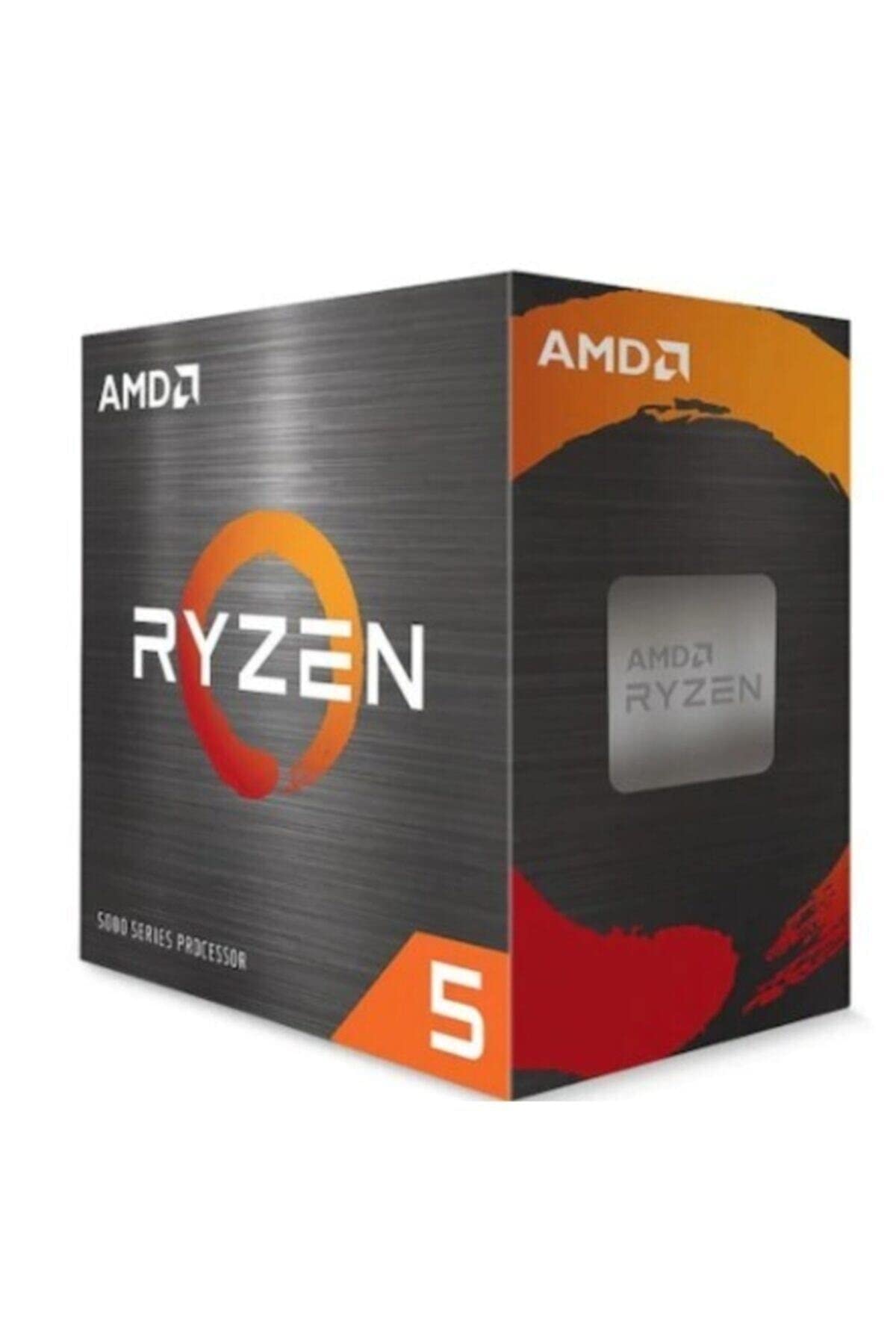
Frequently asked
7 questions01Does the AMD Ryzen 7 5800X include a cooler?+
No. The 5800X does not include a cooler in the box, which is standard for AMD's X-series desktop processors. Given its 105W TDP, you should budget for a quality aftermarket cooler. A 240mm AIO or a high-end air cooler such as the Noctua NH-D15 or be quiet! Dark Rock Pro 4 is the minimum sensible recommendation.
02Is the AMD Ryzen 7 5800X compatible with my existing AM4 motherboard?+
Most B450, X470, B550, and X570 boards support the 5800X after a BIOS update. AMD officially endorses 500-series chipsets most cleanly, but many 400-series boards also work with the correct BIOS version. Check your motherboard manufacturer's CPU support list before purchasing to confirm compatibility.
03Does the 5800X have integrated graphics?+
No. The Ryzen 7 5800X has no integrated graphics. You must use a discrete graphics card. If you need integrated graphics on an AM4 platform, consider the Ryzen 7 5700G, which includes Vega-based integrated graphics in the same socket.
04What memory speed should I use with the Ryzen 7 5800X?+
AMD officially supports DDR4 up to 3200 MHz, but 3600 MHz is widely considered the practical sweet spot for Zen 3. At 3600 MHz the memory controller's Infinity Fabric runs at a 1:1 ratio, keeping latency low. Use a dual-channel kit from your motherboard's Qualified Vendor List for the best out-of-box experience.
05Why does the Ryzen 7 5800X run so hot?+
The 5800X concentrates all eight cores on a single Core Complex Die with a 105W TDP, meaning heat is focused in a small area. AMD's Precision Boost 2 algorithm also uses the full 90 degree Celsius Tjmax headroom aggressively to sustain high clocks. Temperatures in the mid to high 80s under sustained load are completely normal and by design. A quality cooler keeps the chip below its thermal limit and allows it to boost freely.
06Is manual overclocking worth attempting on the 5800X?+
Manual all-core overclocking typically delivers worse gaming performance than stock settings because it locks all cores to a frequency below what Precision Boost 2 achieves on lightly loaded cores. The better approach is enabling Precision Boost Overdrive in the BIOS, optionally combined with AMD's Curve Optimizer, which relaxes power limits and improves sustained all-core performance without the downsides of a fixed manual overclock.
07How does the Ryzen 7 5800X compare to the Ryzen 5 5600X for gaming?+
In most gaming scenarios the two chips deliver frame rates within a few percent of each other, particularly at 1440p and 4K where the GPU is the primary constraint. The 5800X's advantage shows up in multi-threaded workloads, simultaneous streaming, and content creation. If you only game and want the lowest-cost path to similar frame rates, the 5600X is the smarter choice. The 5800X earns its keep when you do more than just game.