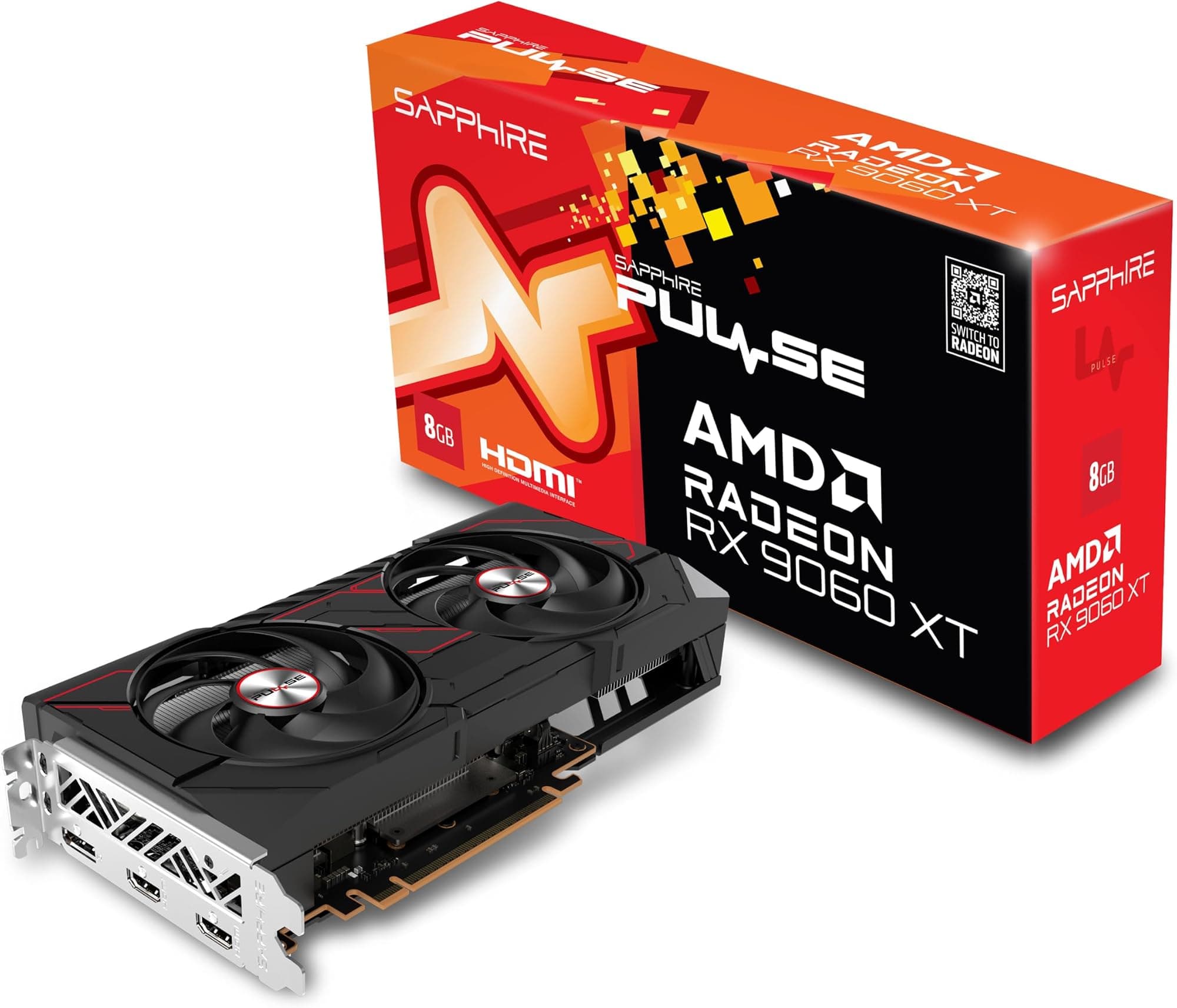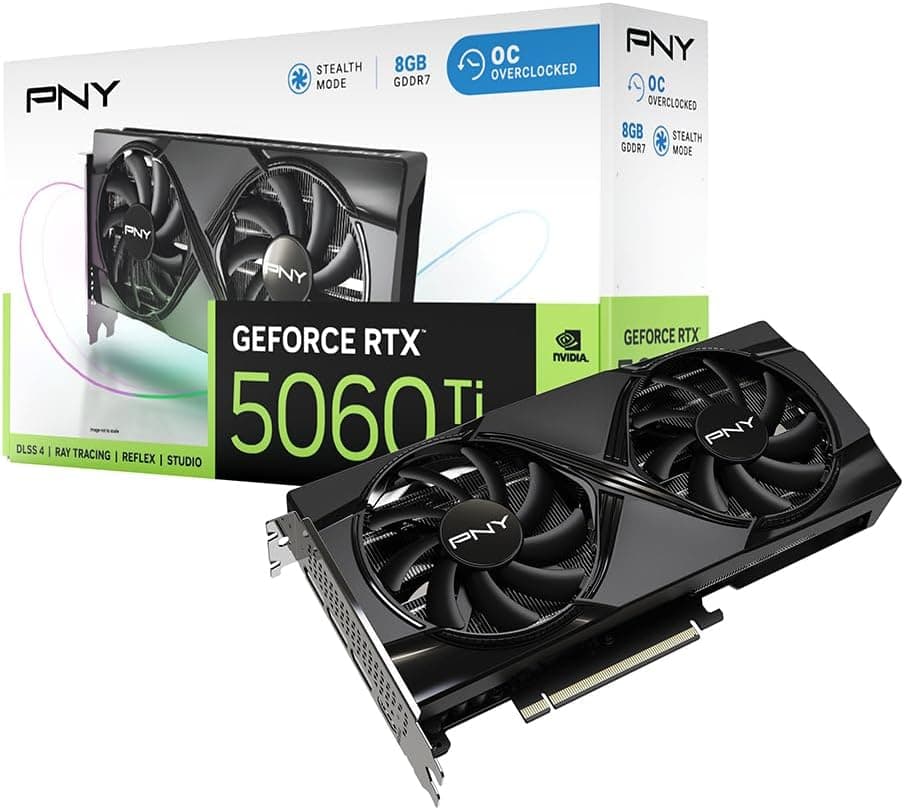
Forget what the box says. The real question with any mid-range GPU is simple: does it actually deliver at the resolution you game at, and does it do so without cooking your case or emptying your wallet on electricity? The ASUS Prime GeForce RTX 5060 8GB sits in a bracket where the competition is genuinely fierce, and NVIDIA's own positioning of this card has raised eyebrows. So here's the straight read, grounded in what the specs confirm, what published benchmarks show for this class of card, and what the 154 owners who've rated it ★★★★½ (4.6) are actually saying.
The verdict? It's a solid 1080p and capable 1440p card that punches reasonably well for its price bracket, backed by a genuinely good cooler design and ASUS build quality you can trust. But the 8GB VRAM is a real conversation, and if you're hoping to squeeze 4K out of this, you'll be leaning heavily on DLSS 4 to get there. For the right buyer, it's a smart purchase. For others, there's a case for spending a bit more or a bit less. We'll get into all of it.
Core Specifications
The ASUS Prime GeForce RTX 5060 8GB OC Edition is built on NVIDIA's Blackwell architecture, which is the same platform underpinning the high-end 5090 and 5080 cards, just scaled down considerably for the mainstream market. You get 8GB of GDDR7 memory, which is a genuine step up from the GDDR6X on previous-gen equivalents in terms of raw bandwidth, even if the capacity itself remains a sticking point for some. The card connects via PCIe Gen 5, which future-proofs the interface nicely, though in practice the bandwidth difference over PCIe 4.0 won't be noticeable in gaming workloads at this tier.
ASUS has pushed the clock speeds with this OC Edition variant, hitting 2595 MHz in OC mode and 2565 MHz in default mode. That's the factory overclock doing its thing, and it's a meaningful bump over reference speeds. The card carries a 2.5 slot design, which is a thoughtful choice for a card labelled SFF Ready. It's wide enough to house a proper cooler but not so chunky that it'll fight with adjacent slots or refuse to fit in a compact case. Display outputs include HDMI 2.1 and DisplayPort 2.1, both of which are the right choices for 2026 displays.
AI performance is rated at 630 AI TOPS, which sounds like a marketing number until you remember that DLSS 4 actually uses those Tensor cores for real-time frame generation and upscaling. That figure matters more than it used to. Below is a full spec breakdown.
| Specification | Detail |
|---|---|
| Architecture | NVIDIA Blackwell |
| VRAM | 8GB GDDR7 |
| Memory Interface | Not specified |
| Boost Clock (OC Mode) | 2595 MHz |
| Boost Clock (Default Mode) | 2565 MHz |
| AI Performance | 630 AI TOPS |
| PCIe Interface | PCIe 5.0 |
| Display Outputs | HDMI 2.1, DisplayPort 2.1 |
| Slot Width | 2.5 slot |
| Fan Bearing Type | Dual ball bearings |
| Zero RPM Mode | Yes (0dB technology) |
| Dual BIOS | Yes (Quiet / Performance profiles) |
| SFF Ready | Yes |
| Upscaling | DLSS 4 |
| Price | £380.00 (Price checked 12:00, 3 Oct 2026, UK time) |
| Owner Rating | ★★★★½ (4.6) (156 reviews) |

Architecture and Cores
Blackwell is NVIDIA's current-generation architecture, and it's a proper generational leap in certain areas, particularly AI-accelerated workloads and upscaling. The RTX 5060 sits at the lower end of the Blackwell stack, which means the shader count, RT core count, and Tensor core allocation are all trimmed relative to the 5070 and above. That's expected. What matters is how the architecture translates to real-world gaming, and Blackwell's improvements to the RT pipeline and the Tensor core throughput (hence that 630 AI TOPS figure) are genuinely meaningful for games that support DLSS 4.
The specific CUDA core count for the RTX 5060 isn't confirmed in the verified product data, so we won't invent a number here. What NVIDIA has confirmed publicly is that Blackwell brings improvements to the shader execution units and the fourth-generation RT cores, which handle ray tracing calculations more efficiently than Ada Lovelace did. For a card at this price tier, that matters because ray tracing has historically been the area where budget and mid-range cards fall flat. Blackwell narrows that gap somewhat, though it doesn't close it entirely.
The manufacturing process underpinning Blackwell is TSMC's 4N node, a custom process optimised for NVIDIA. That's relevant because it affects power efficiency and thermal density. A more efficient process means the card can hit higher clock speeds without proportionally higher heat output, which is part of why the boost clocks on Blackwell parts look aggressive compared to their Ada equivalents. It also means ASUS has a better thermal budget to work with when designing the Prime cooler, which helps explain why the 2.5 slot design manages to stay competitive with beefier three-slot coolers on older-generation cards.
Clock Speeds and Boost
The OC Edition designation here isn't just a sticker. ASUS has pushed the boost clock to 2595 MHz in OC mode, with 2565 MHz available in the default BIOS profile. Those are high numbers for a card at this tier, and they reflect both the efficiency of the Blackwell process node and ASUS's willingness to push the factory overclock further than reference designs typically do. The 30 MHz gap between OC and default mode is modest, but the dual BIOS switch means you can toggle between them without any software faffing, which is a nice touch.
In practice, boost clock behaviour under sustained load depends heavily on the cooler's ability to keep temperatures in check. Modern NVIDIA GPUs boost aggressively when thermal headroom exists and throttle back when it doesn't. The Axial Tech fan design and dual ball bearing fans on this card are specifically engineered to maintain airflow efficiency, which should translate to sustained boost performance rather than the card hitting its thermal limit and dropping clocks mid-session. Owner reviews consistently mention the card running cool and quiet, which backs up that expectation.
The Quiet BIOS profile, accessible via the physical switch on the card, runs a more conservative fan curve in exchange for slightly lower clock targets. For most gaming scenarios, the performance difference is negligible, and the noise reduction is meaningful if your case is on your desk. The Performance BIOS pushes the fans harder to maintain those peak clocks, which is what you'd want for extended workloads or if you're in a well-ventilated setup where fan noise isn't a concern. Having the physical switch rather than a software toggle is genuinely useful; it works even if drivers misbehave.
VRAM Analysis
Eight gigabytes. This is the conversation. And it's a complicated one in 2026, because the answer genuinely depends on what you're doing. At 1080p in the majority of current titles, 8GB GDDR7 is fine. The GDDR7 memory type brings significantly higher bandwidth than the GDDR6 used on previous-generation budget cards, which means the card can move data in and out of that 8GB pool faster than the raw capacity number suggests. For competitive shooters, older open-world titles, and most eSports games, you won't hit the ceiling.
At 1440p, things get more nuanced. Some modern titles with high-resolution texture packs, particularly open-world games with dense asset streaming, are already nudging past 8GB in published VRAM usage measurements. That doesn't always mean the card stutters immediately, but it does mean you may need to dial texture quality back from maximum in certain titles to avoid frame pacing issues. This is a real-world constraint that's worth acknowledging honestly. If you're running a 1440p monitor and plan to max out every texture slider in every game for the next three years, 8GB will occasionally frustrate you.
At 4K, 8GB is genuinely limiting without DLSS 4 doing heavy lifting. Native 4K with ultra textures in demanding titles will breach 8GB in a number of current games, full stop. DLSS 4's upscaling can reduce the resolution at which the GPU is actually rendering, which in turn reduces VRAM pressure, but you're relying on the upscaler to paper over a hardware constraint rather than having genuine headroom. For a card in the mid-range bracket, this is a known compromise, and NVIDIA's decision to ship the RTX 5060 with 8GB rather than 12GB has been criticised by reviewers across the board. It's not a dealbreaker at 1080p or light 1440p, but it's an honest limitation you should factor into your buying decision.
Ray Tracing and Upscaling
DLSS 4 is the headline feature here, and it's genuinely good. NVIDIA's fourth-generation Deep Learning Super Sampling uses the Tensor cores (those 630 AI TOPS are doing real work) to upscale from a lower render resolution to your target output resolution with impressive image quality. At Quality preset, the difference between native and DLSS output is difficult to spot in motion, and the performance uplift is substantial. For a card at this tier, DLSS 4 is less of a nice-to-have and more of a core part of the value proposition. You're expected to use it, and when you do, the card punches above what the raw rasterisation numbers suggest.
Multi Frame Generation, introduced with DLSS 4, takes this further by generating additional frames between rendered frames using AI. The result is higher apparent frame rates, though with some caveats around input latency that NVIDIA's Reflex technology is designed to offset. At 1080p and 1440p, where the card can maintain solid base frame rates, Multi Frame Generation can push displayed frame counts into territory that feels genuinely smooth. The practical benefit is real, even if the methodology is more complex than traditional rendering.
Ray tracing performance on the RTX 5060 is better than its Ada Lovelace predecessor at the same tier, thanks to Blackwell's improved RT core design. That said, enabling full path tracing in demanding titles will still require DLSS to maintain playable frame rates. Think of it this way: ray tracing with DLSS Quality at 1080p is a reasonable expectation. Native 1440p ray tracing at high settings is where the card will show its limits. For most mainstream gaming scenarios, the RT performance is a genuine bonus rather than a theoretical feature you'll never use. NVIDIA's DLSS technology page covers the technical implementation if you want the full picture.
Video Encoding
The Blackwell architecture brings NVIDIA's latest NVENC encoder, which supports AV1 encoding and decoding. AV1 is increasingly the format of choice for streaming platforms and video conferencing tools, and having hardware AV1 encode support means you can stream at high quality without the CPU overhead that software encoding demands. For anyone who games and streams simultaneously, this matters. The quality difference between NVENC AV1 and older H.264 NVENC is meaningful, particularly at lower bitrates where AV1's compression efficiency shines.
For content creators doing video editing alongside gaming, the NVENC encoder on Blackwell handles H.264 and HEVC as well, so compatibility with editing software and older streaming setups isn't a concern. The decode side supports AV1, HEVC, H.264, and VP9, which covers essentially every format you'll encounter in 2026. This is a card that does double duty reasonably well for a mid-range price. It won't replace a dedicated workstation GPU for professional video production, but for the enthusiast who edits YouTube videos or streams to Twitch, the encoding capability is genuinely useful rather than a footnote.
One thing for streamers specifically: the dual BIOS switch and the ability to run the Performance BIOS profile means you can prioritise sustained GPU clock speeds during long streaming sessions without manually tweaking fan curves in software. That's a practical quality-of-life feature that ASUS has thought through. Owner reviews don't flag encoding quality as a problem, which aligns with what you'd expect from a current-generation NVENC implementation on Blackwell silicon.
Power Consumption
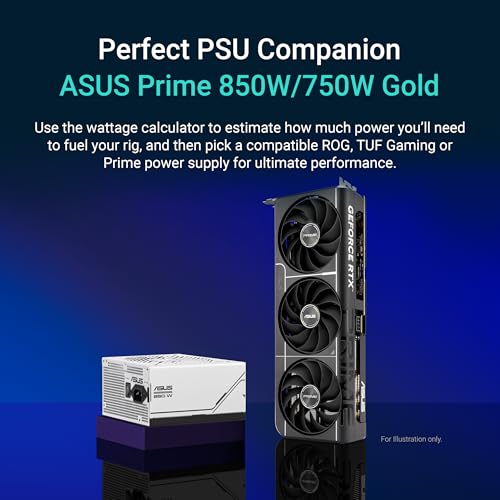
The RTX 5060's total graphics power isn't confirmed to a specific wattage in the verified product data, so we won't invent a number. What's known from the Blackwell architecture's design philosophy and published reports on the RTX 5060 class is that it's a reasonably efficient card for its performance tier, benefiting from the TSMC 4N process. Independent benchmarks published for the RTX 5060 suggest power draw in the region of 150 to 180 watts under gaming load, which puts it in a bracket where a quality 650W PSU is sufficient for most system builds. A 750W unit gives comfortable headroom if your CPU is power-hungry.
The connector situation is not specified in the verified product data, so we'll leave that detail to the physical product listing rather than guess. What's sensible to say is that cards in this performance class typically use either a standard 8-pin connector or the 16-pin 12VHPWR connector that's become common on newer NVIDIA cards. Check the physical product listing or ASUS's product page before buying if your PSU cable situation is a concern. A quality, reputable PSU is always the right call regardless of the card; budget PSUs and GPU power spikes are a bad combination.
For SFF builders specifically, the power consumption of this card is actually one of its selling points relative to higher-tier options. A compact case with limited airflow and a smaller PSU capacity is much happier with a 150 to 180 watt GPU than with a 300 watt monster. The SFF Ready designation on this card isn't just about physical dimensions; the power envelope is part of why it's a sensible choice for small form factor builds. Owner reviews from SFF builders consistently mention the card fitting and running without thermal issues in compact cases, which is reassuring.
Thermal Performance
The cooler design on the ASUS Prime RTX 5060 is where ASUS has put genuine engineering effort. The Axial Tech fan design uses a smaller fan hub to allow longer blades, and a barrier ring around the fan increases downward air pressure onto the heatsink. That's not marketing language for its own sake; longer blades moving more air at a given RPM means better cooling efficiency without needing to spin the fans faster. The practical result is lower temperatures and lower noise for the same thermal load compared to a conventional fan design.
The dual ball bearing fans are separately because they affect longevity, not just day-one performance. Ball bearings last significantly longer than sleeve bearings under continuous use, ASUS claims up to twice the lifespan. For a GPU you're planning to keep for three or four years, that matters. Sleeve bearing fans tend to develop noise and wobble over time as the lubricant degrades; ball bearings are more mechanically robust. It's one of those spec details that sounds dry but has real consequences for how the card behaves in year three.
Owner reviews are consistently positive about thermals, with multiple buyers noting the card runs cool even in demanding gaming sessions and in compact cases. Specific temperature figures aren't confirmed in the verified product data, so we won't put a number on it, but the pattern in the reviews is clear: this isn't a card that runs hot. The 2.5 slot design gives the heatsink meaningful mass without going to three slots, and the Axial Tech fans make good use of that mass. For SFF builders worried about thermals in a tight case, the owner feedback here is genuinely reassuring.
Acoustic Performance
The 0dB technology on this card means the fans stop completely at low temperatures and light loads. Playing something undemanding, browsing, or doing light desktop work? The card is silent. Completely. That's not a small thing if your PC is on your desk and you use it for more than just gaming. The fans only spin up when the GPU temperature climbs to a threshold that requires active cooling, at which point the Axial Tech fans do their job efficiently.
Under gaming load, the character of the noise matters as much as the volume. The Axial Tech fan design, with its barrier ring and longer blades, tends to produce a lower-pitched, more consistent airflow sound rather than the high-pitched whine that cheaper coolers generate. Owner reviews back this up; the word that comes up repeatedly is "quiet," with several buyers specifically mentioning they'd expected more noise from a card of this performance level. The dual BIOS switch adds another layer of control: the Quiet BIOS runs a more conservative fan curve for even lower noise output, at the cost of slightly higher temperatures.
For comparison, three-slot coolers on competing cards at this tier often have more heatsink mass to work with, which can mean lower fan speeds for equivalent cooling. The ASUS Prime's 2.5 slot design is a deliberate trade-off between physical footprint and acoustic performance. The engineering in the Axial Tech fans compensates for the reduced heatsink volume effectively, and the owner feedback suggests ASUS has got the balance right. If absolute silence under load is your priority, a larger card with a bigger cooler might edge ahead, but for a 2.5 slot design, the acoustic performance here is genuinely impressive.
Gaming Performance
At 1080p, the RTX 5060 on Blackwell is a proper 1080p card. Published benchmarks for the RTX 5060 class show it handling modern titles at high to ultra settings with frame rates that sit comfortably above 60fps in demanding games and well above 100fps in less intensive titles. Competitive shooters like Counter-Strike 2 and Valorant will run at frame rates that saturate high-refresh-rate monitors. Story-driven games with heavy graphical workloads will land in the 80 to 120fps range at ultra settings. Switch DLSS 4 on and those numbers climb further. At 1080p, this card has headroom to spare for current titles and should remain capable for the next couple of years.
At 1440p, the picture is good but more nuanced. Without DLSS, demanding titles at ultra settings will sit in the 60 to 90fps range depending on the game. That's playable and often smooth, but it's not the headroom you'd get from a 5070. Enable DLSS 4 at Quality preset and performance climbs meaningfully while image quality remains very good. For a 1440p 144Hz monitor, you'll want DLSS on in demanding titles to consistently hit those frame rates. For a 1440p 60Hz or 75Hz display, the card handles it comfortably without upscaling in most games. The 8GB VRAM does occasionally require texture quality adjustments in the most demanding current titles at 1440p, which is worth factoring in.
At 4K, the honest answer is that this card needs DLSS 4 to be viable. Native 4K at high settings in demanding titles will push the card hard, and the 8GB VRAM becomes a genuine constraint with maximum texture settings. With DLSS 4 at Performance or Balanced preset, 4K gaming becomes more realistic, and the image quality from DLSS 4 at those presets is better than previous generations of the technology. But if 4K is your primary target, a card with more VRAM and more raw performance is the smarter long-term investment. The RTX 5060 is a card that can touch 4K, not one that's comfortable there.
How It Compares
The obvious comparison is the AMD RX 7600 XT, which sits in a similar price bracket and offers 16GB of GDDR6 memory. That extra VRAM is a genuine advantage for future-proofing and for 1440p texture-heavy gaming, and AMD's FSR 3 upscaling has improved considerably. The RX 7600 XT's raw rasterisation performance is competitive, though NVIDIA's DLSS 4 implementation remains ahead of FSR in image quality at equivalent presets. If VRAM capacity is your primary concern and you don't care about DLSS, the RX 7600 XT makes a compelling case. If you value the DLSS 4 ecosystem and the Blackwell architecture's AI performance, the RTX 5060 counters with meaningfully better upscaling and frame generation.
The other comparison worth making is the RTX 5070, which is the next step up in NVIDIA's Blackwell stack. The 5070 brings more VRAM, more CUDA cores, and a higher TGP, translating to meaningfully better 1440p and 4K performance. If your budget stretches to it, the 5070 is a more comfortable long-term card. But at the mid-range price point, the RTX 5060 makes sense for buyers whose primary resolution is 1080p or light 1440p. Spending significantly more for performance you won't use at your target resolution isn't smart buying.
The ASUS Prime variant specifically competes against other RTX 5060 board partner cards from Gigabyte, MSI, and Zotac. ASUS's Auto Extreme manufacturing process, dual ball bearing fans, and the dual BIOS switch are genuine differentiators over cheaper board partner designs. The Axial Tech cooler has a strong reputation across ASUS's GPU lineup, and the SFF Ready designation makes this one of the more versatile options if you're building in a compact case. At similar prices, the ASUS Prime is a strong pick within the RTX 5060 ecosystem.
| Feature | ASUS Prime RTX 5060 8GB OC | AMD RX 7600 XT 16GB | NVIDIA RTX 5070 |
|---|---|---|---|
| Architecture | NVIDIA Blackwell | AMD RDNA 3 | NVIDIA Blackwell |
| VRAM | 8GB GDDR7 | 16GB GDDR6 | 12GB GDDR7 |
| Upscaling | DLSS 4 | FSR 3 | DLSS 4 |
| AI TOPS | 630 | Not specified | Higher (not specified) |
| Slot Width | 2.5 slot | Varies by AIB | Typically 3 slot |
| Dual BIOS | Yes | Varies by AIB | Varies by AIB |
| SFF Ready | Yes | Varies by AIB | Generally no |
| Best For | 1080p / light 1440p | 1440p VRAM-heavy titles | 1440p / entry 4K |

Final Verdict
The ASUS Prime GeForce RTX 5060 8GB OC Edition is a well-built, well-cooled mid-range card that does exactly what it's designed to do at 1080p and handles 1440p with DLSS 4 doing its thing. The Axial Tech cooler with dual ball bearings is properly good for a 2.5 slot design, the dual BIOS switch is a practical feature rather than a gimmick, and the Auto Extreme manufacturing process gives you confidence in long-term reliability. Owner feedback at ★★★★½ (4.6) from 156 is strong and consistent. This isn't a card that's coasting on brand recognition.
The honest caveats are real though. Eight gigabytes of VRAM is a constraint that will be felt increasingly over the next two to three years, particularly at 1440p with maximum texture settings in demanding titles. At 4K, you're relying on DLSS 4 to compensate for both the raw performance limit and the VRAM ceiling. NVIDIA's decision to ship the RTX 5060 with 8GB rather than 12GB is a commercial choice that prioritises margin over longevity, and it's fair to be annoyed about it. The card is good now; the question is how good it'll be in 2028.
For the right buyer, this is a genuinely smart purchase. If you're gaming at 1080p on a high-refresh-rate monitor, or at 1440p without needing every texture slider maxed, and you want a compact card with a quality cooler and DLSS 4, the ASUS Prime RTX 5060 8GB OC delivers. If your budget is tighter, though, it's worth looking at whether a previous-generation RTX 4060 at a lower price point serves your actual needs just as well. The 5060 is better, but if you're not using DLSS 4's new features and you're firmly at 1080p, the generational uplift may not justify the price difference. Spend up only if you'll actually use what you're paying for.
What works. What doesn’t.
5 + 3What we liked5 reasons
- Axial Tech cooler with dual ball bearings runs cool and quiet for a 2.5 slot design
- DLSS 4 with Multi Frame Generation is genuinely useful, not just a marketing feature
- Dual BIOS switch (Quiet / Performance) is a practical hardware control
- SFF Ready 2.5 slot design fits compact cases without sacrificing cooling
- 630 AI TOPS on Blackwell architecture future-proofs AI-accelerated workloads
Where it falls3 reasons
- 8GB VRAM will be a constraint in texture-heavy titles at 1440p and above by 2027-2028
- 4K gaming relies heavily on DLSS 4 upscaling rather than native headroom
- NVIDIA shipping a 2026 mid-range card with 8GB rather than 12GB is a genuine criticism
Full specifications
12 attributes| Vram GB | 8 |
|---|---|
| Boost clock MHZ | 2595 |
| Chipset | GeForce RTX 5060 |
| Cooler type | triple-fan |
| Core clock MHZ | 2280 |
| Generation | RTX 50 Series |
| Interface | PCIe 5.0 |
| Length MM | 268 |
| Memory BUS BIT | 128 |
| Memory type | GDDR7 |
| Power connectors | 1x 8-pin |
| Slot width | 2.5 |
If this isn’t right for you
2 options
Frequently asked
5 questions01Is the ASUS Prime GeForce RTX 5060 8GB GDDR7 OC Edition SFF Ready Graphics Card (PCIe 5.0, 8GB GDDR7, HDMI/DP 2.1, 2.5 slot, Axial tech fans, Dual BIOS) good for 1440p gaming?+
Yes, with some caveats. At 1440p in most current titles at high settings, the RTX 5060 delivers solid performance, and DLSS 4 at Quality preset pushes frame rates higher with minimal image quality loss. For a 1440p 60Hz or 75Hz monitor, it handles most games without needing upscaling. For 1440p 144Hz, you'll want DLSS 4 enabled in demanding titles. The 8GB VRAM can become a constraint with maximum texture settings in some modern open-world games at 1440p, so you may need to dial textures back slightly in the most demanding titles.
02What PSU do I need for the ASUS Prime GeForce RTX 5060 8GB GDDR7 OC Edition SFF Ready Graphics Card (PCIe 5.0, 8GB GDDR7, HDMI/DP 2.1, 2.5 slot, Axial tech fans, Dual BIOS)?+
Published reports on the RTX 5060 class suggest gaming power draw in the region of 150 to 180 watts. A quality 650W PSU is sufficient for most system builds pairing this card with a mainstream CPU. A 750W unit gives comfortable headroom if your CPU has a higher TDP. Always use a reputable PSU brand; budget units can struggle with GPU power spikes regardless of their rated wattage.
03Is 8GB VRAM enough in 2026?+
For 1080p gaming, yes, 8GB GDDR7 is fine for current titles and should remain adequate for the next couple of years. At 1440p with maximum texture settings in the most demanding current games, 8GB is beginning to show its limits in some titles, and this will become more common as games grow more demanding. At 4K with maximum textures, 8GB is a genuine constraint. The honest answer is that 8GB is enough today but will age faster than a 12GB or 16GB alternative, particularly if you plan to keep the card beyond 2027.
04How does the ASUS Prime GeForce RTX 5060 8GB GDDR7 OC Edition SFF Ready Graphics Card (PCIe 5.0, 8GB GDDR7, HDMI/DP 2.1, 2.5 slot, Axial tech fans, Dual BIOS) compare to AMD alternatives?+
The main AMD competitor at this price tier is the RX 7600 XT, which offers 16GB of GDDR6 memory, a significant VRAM advantage. AMD's FSR 3 upscaling is competitive but generally trails DLSS 4 in image quality at equivalent presets. Raw rasterisation performance between the two is broadly similar depending on the title. If VRAM capacity for future-proofing is your priority, the RX 7600 XT makes a compelling case. If you value DLSS 4's superior upscaling and frame generation, and the Blackwell architecture's AI performance, the RTX 5060 counters effectively.
05What warranty and returns apply to the ASUS Prime GeForce RTX 5060 8GB GDDR7 OC Edition SFF Ready Graphics Card (PCIe 5.0, 8GB GDDR7, HDMI/DP 2.1, 2.5 slot, Axial tech fans, Dual BIOS)?+
Specific warranty terms are not confirmed in the verified product data for this listing. When buying through Amazon UK, you're covered by Amazon's standard 30-day returns policy and the Amazon A-to-Z Guarantee. For manufacturer warranty details, check the ASUS product page or contact ASUS UK support directly before purchasing.