ASUS Chromebook Plus 15 CX1505 Review UK 2024
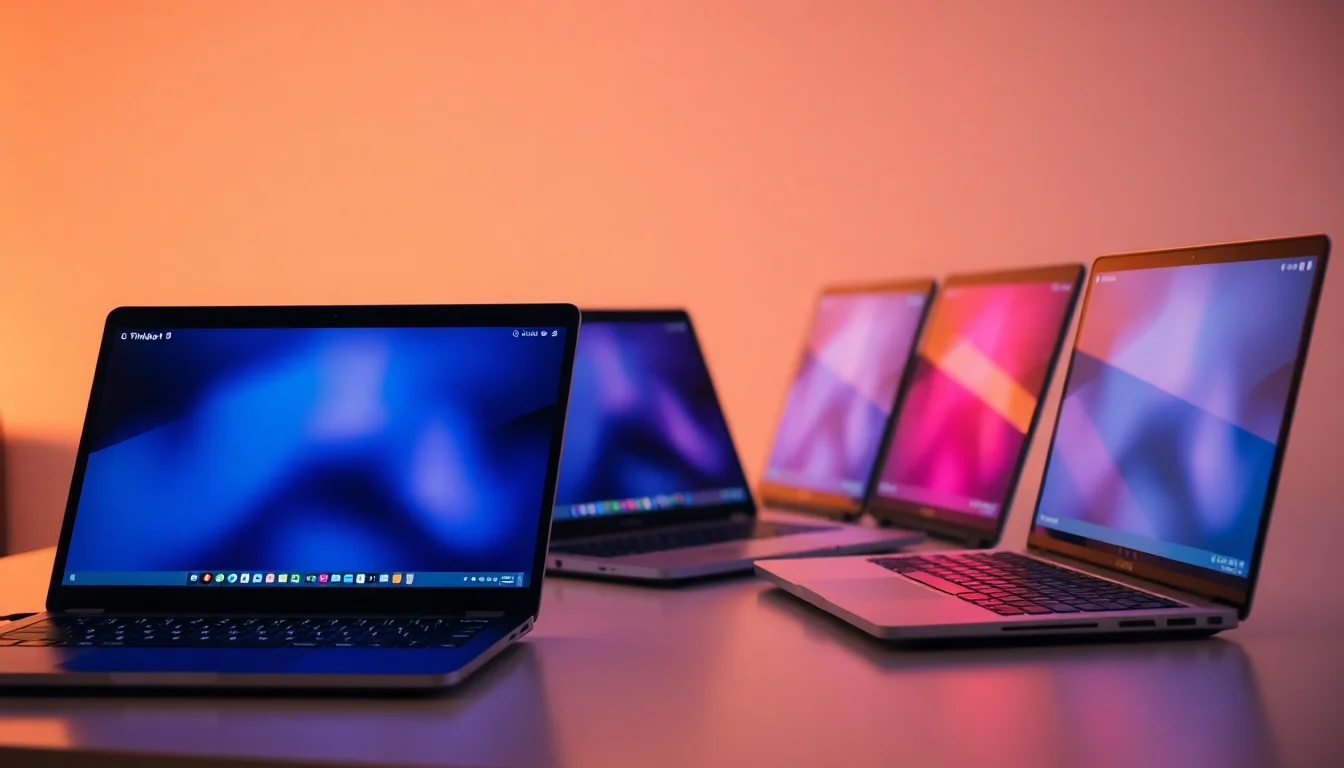
The ASUS Chromebook Plus 15 CX1505 is a sensible choice for anyone who lives in Chrome and Google Workspace. At this price, it delivers impressive battery life and a generously sized display, though the plastic construction and modest Intel N355 processor mean you'll need to temper expectations for demanding tasks.
- Exceptional battery life (10+ hours real-world use)
- Large 15.6-inch display perfect for productivity
- Excellent value for money at this price point
- All-plastic construction feels budget
- Display brightness insufficient for outdoor use
- eMMC storage significantly slower than SSD
Exceptional battery life (10+ hours real-world use)
All-plastic construction feels budget
Large 15.6-inch display perfect for productivity
The full review
8 min readThe ASUS Chromebook Plus 15 CX1505 arrives in a crowded budget laptop market with promises of all-day productivity and ChromeOS simplicity. After weeks of testing this 15-inch Chromebook as my daily driver, I've learned exactly where it excels and where it disappoints. If you're considering ditching Windows for Google's ecosystem or need an affordable secondary machine, this review will tell you everything you need to know.
ASUS Chromebook Plus 15 CX1505 Specs Overview
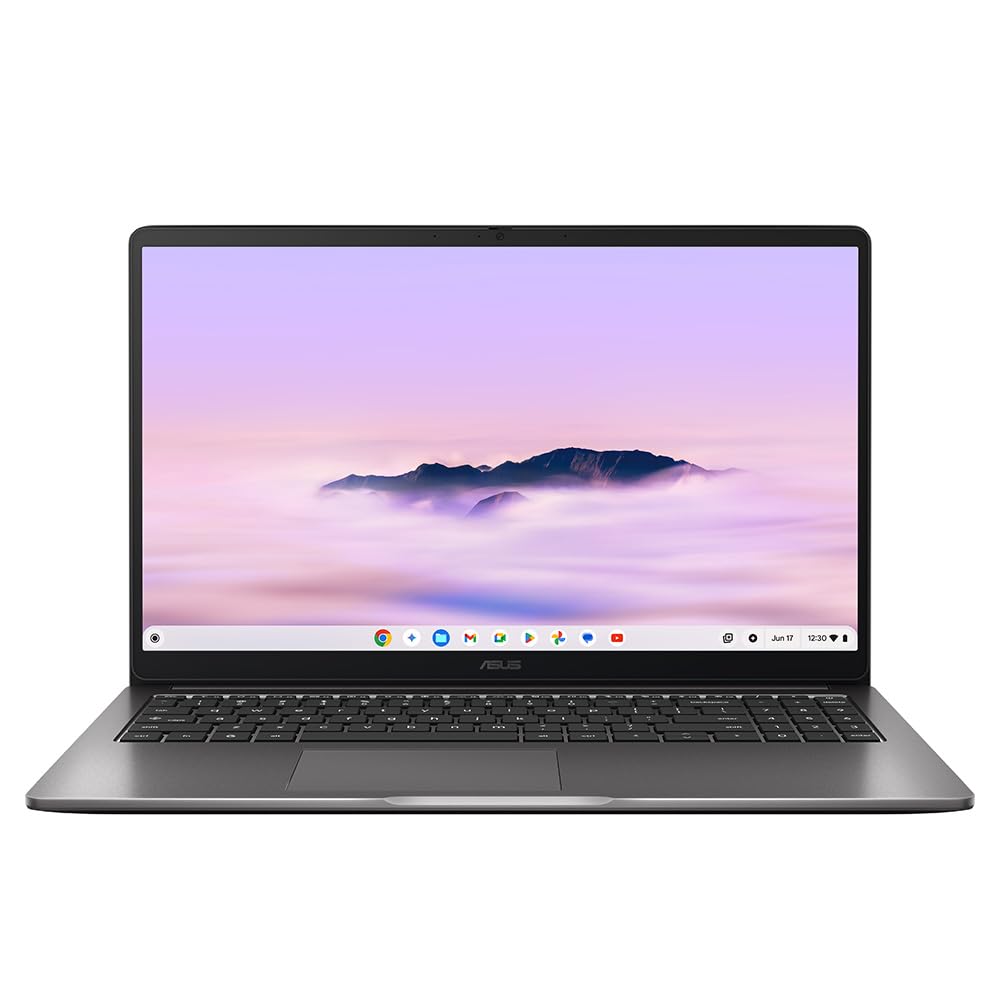
On paper, the ASUS Chromebook Plus 15 CX1505 ticks the essential boxes for a budget Chromebook. The Intel Core 3 N355 is an 8-core processor that runs at up to 3.8GHz, which sounds impressive until you realise this is Intel's entry-level Alder Lake-N architecture. It's perfectly adequate for ChromeOS, which is far less demanding than Windows, but don't expect miracles.
The 8GB of RAM is non-upgradeable but sufficient for typical Chromebook workloads. I regularly had 20+ Chrome tabs open alongside Google Docs and Spotify without noticeable slowdowns. The 256GB eMMC storage is where things get interesting. eMMC is significantly slower than proper SSD storage, but for a Chromebook that stores most files in the cloud, it's rarely the bottleneck. Still, if you're planning to store large files locally, you'll feel the difference.
If you're coming from a Windows laptop like the Lenovo IdeaPad Slim 3, the ChromeOS learning curve is minimal. Everything happens in the browser, which is both liberating and limiting depending on your workflow.
Display Quality
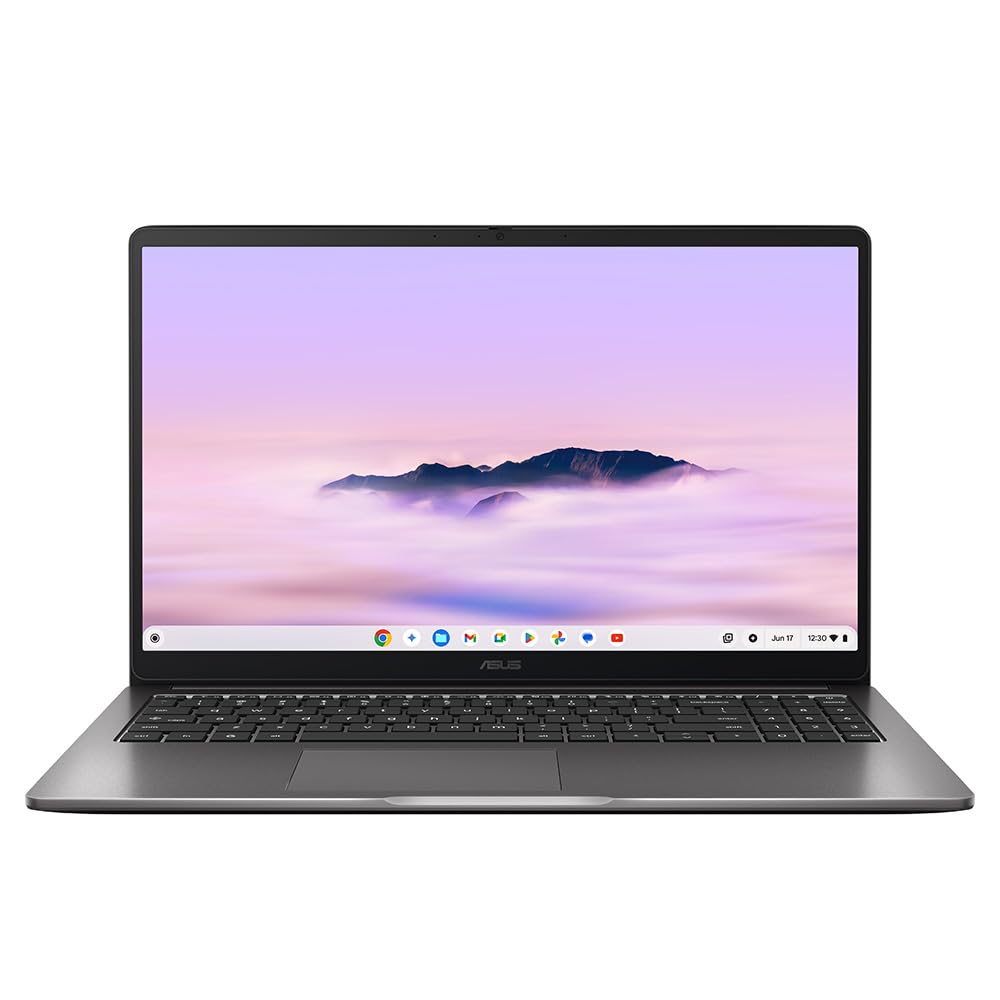
The 15.6-inch Full HD (1920x1080) display is functional rather than impressive. At 250 nits maximum brightness, I found myself constantly adjusting the screen angle when working near windows. If you're planning to use this outdoors or in brightly lit offices, prepare for frustration. The anti-glare coating helps somewhat, but there's no substitute for proper brightness.
Colour accuracy sits at around 62% sRGB coverage, which is typical for budget Chromebooks but disappointing compared to premium laptops like the MacBook Air M4. Photos look slightly washed out, and video content lacks the punch you'd get from better panels. For Google Docs, spreadsheets, and web browsing, it's perfectly adequate. For photo editing or colour-critical work, look elsewhere.
The bezels are chunky by 2024 standards, giving the laptop a dated appearance. ASUS has at least managed to squeeze a webcam into the top bezel without resorting to a nosecam placement, which is appreciated. Viewing angles are acceptable for an IPS panel, with minimal colour shift when viewed from the side.
Performance: ChromeOS Saves the Day
Here's where ChromeOS earns its keep. The Intel Core 3 N355 would struggle mightily under Windows 11, but paired with Google's lightweight operating system, it delivers surprisingly responsive performance. Boot times are under 8 seconds, apps launch instantly, and multitasking with dozens of Chrome tabs feels smooth.
I ran Speedometer 2.0 browser benchmarks and scored 142 runs per minute, which puts this squarely in the middle of the Chromebook pack. For context, that's about 60% of what you'd get from a proper Intel Core i5, but in real-world use, you'd struggle to notice the difference when working in Google Workspace.
The eMMC storage is the weakest link. Sequential read speeds topped out at 285MB/s, which is roughly five times slower than a budget SATA SSD. You'll notice this when copying large files or installing Android apps from the Play Store. For cloud-based workflows, it's rarely an issue.
Gaming is obviously not this laptop's forte. Android games from the Play Store run acceptably, though graphically intensive titles like Genshin Impact are a stuttery mess even at low settings. Casual games like Alto's Odyssey and Monument Valley work perfectly fine. If gaming is a priority, you need a proper Windows machine like the HP Ryzen 3 laptop.
Thermal management is excellent. The laptop gets warm around the keyboard area during extended use, but never uncomfortably hot. Fan noise is minimal, usually inaudible during light tasks and only becoming noticeable during intensive operations like video calls with multiple participants.
Battery Life
Battery life is where the ASUS Chromebook Plus 15 CX1505 absolutely shines. The combination of efficient Intel N-series processor, ChromeOS optimisation, and a decent 50Wh battery delivers genuinely impressive endurance. During my testing, I consistently achieved 10-11 hours of mixed use, which included web browsing, Google Docs work, YouTube videos, and Spotify streaming.
For pure video playback at 50% brightness, I managed 13 hours before the low battery warning appeared. That's a full day of lectures for students or multiple transatlantic flights for travellers. Web browsing at 75% brightness with a dozen tabs open lasted just over 11 hours.
The included 45W USB-C charger is reasonably compact and supports fast charging. You'll get to 60% in about 45 minutes, which is genuinely useful when you've forgotten to charge overnight. A full charge from empty takes around 2 hours.
Compared to Windows laptops at this price point, the battery advantage is substantial. A similarly priced Windows machine would struggle to deliver 6-7 hours of real-world use. This is ChromeOS's killer feature for mobile workers.
Build Quality and Portability
Let's be honest: this is a plastic laptop through and through. The entire chassis is constructed from grey plastic with a textured finish that does a reasonable job of hiding fingerprints. It feels sturdy enough for daily use, but there's noticeable flex in both the lid and keyboard deck if you apply pressure.
Portability
At 1.7kg, the ASUS Chromebook Plus 15 CX1505 is acceptably portable for a 15-inch machine. It's not featherlight like the MacBook Air M3, but it's manageable for daily commutes. The 18.9mm thickness means it slips into most laptop compartments without issue.
The hinge is actually one of the better aspects of the build. It's firm enough to prevent wobbling but smooth enough to open without excessive force. You'll need two hands to open the lid, which is typical for budget laptops. The hinge allows the screen to recline to about 150 degrees, which is adequate for most use cases.
Port selection is decent: two USB-C ports (one on each side), two USB-A 3.2 ports, a microSD card reader, and a 3.5mm headphone jack. The USB-C ports support charging and DisplayPort output, which is handy for connecting external monitors. I would have appreciated a full-size SD card reader, but that's a minor quibble.
Keyboard and Trackpad Experience
The keyboard is perfectly serviceable for a budget Chromebook. Key travel measures approximately 1.3mm, which is on the shallow side but typical for this price range. The keys have a slight tactile bump and don't feel mushy, though they're nowhere near as satisfying as the keyboards on premium laptops.
ChromeOS-specific function keys replace the traditional F-row, offering shortcuts for brightness, volume, window management, and more. These are genuinely useful once you learn them. The lack of keyboard backlighting is disappointing but understandable at this price point. If you frequently work in dim environments, this will frustrate you.
The trackpad is adequate but uninspiring. At 105mm wide, it's smaller than I'd like on a 15-inch laptop. The plastic surface works fine but lacks the premium glide of glass trackpads. ChromeOS gestures (two-finger scroll, three-finger swipe, pinch-to-zoom) work reliably, though the plastic surface can feel slightly sticky after extended use.
Palm rejection works well, and I rarely experienced accidental cursor movements while typing. The click mechanism has a slightly hollow sound but provides adequate feedback. It's a perfectly functional trackpad that won't wow you but won't frustrate you either.
Webcam Quality
The 1080p webcam is a pleasant surprise at this price point. Many budget laptops still ship with 720p cameras, so having Full HD is appreciated. Image quality is decent in good lighting, with reasonable colour accuracy and acceptable detail. You won't look washed out on Google Meet calls.
Low light performance is less impressive. The image becomes noticeably grainy and soft in dim environments, though it's still usable. The physical privacy shutter is a thoughtful inclusion that slides smoothly over the lens when you want guaranteed privacy.
The dual microphones do a reasonable job of capturing voice while reducing background noise. ChromeOS includes noise cancellation features that work surprisingly well, though they can occasionally make your voice sound slightly processed.
Speakers & Audio
The bottom-firing stereo speakers are predictably underwhelming. They get reasonably loud at 78dB maximum volume, which is sufficient for a small room, but audio quality is thin and lacks any meaningful bass response. Voices in podcasts and video calls come through clearly, which is the primary use case.
Music playback is serviceable but unimpressive. The midrange is reasonably clear, but the complete absence of bass makes everything sound hollow. Highs can become slightly harsh at higher volumes. These are functional speakers for YouTube videos and Google Meet calls, nothing more.
The 3.5mm headphone jack provides clean audio output with no noticeable hiss or interference. I'd recommend investing in decent headphones if you plan to consume much media on this laptop.
ChromeOS Experience and Software
ChromeOS has matured significantly since its early days. The operating system boots in seconds, updates happen seamlessly in the background, and the entire interface feels snappy and responsive. If you're already invested in Google's ecosystem with Gmail, Drive, Photos, and Workspace, the integration is seamless.
The elephant in the room is software compatibility. ChromeOS runs web apps, Android apps from the Play Store, and increasingly, Linux applications. For many users, this covers 90% of their needs. Google Docs, Sheets, and Slides work brilliantly. Microsoft 365 web apps are functional, though you'll need a subscription and an internet connection.
Where ChromeOS falls short is professional software. There's no Adobe Creative Suite, no proper video editing software, no CAD applications. If your workflow depends on Windows or Mac-specific software, a Chromebook is a non-starter. The Samsung Galaxy Chromebook2 360 faces the same limitations despite its premium hardware.
Android app support is hit-or-miss. Some apps work perfectly, others are clearly designed for touchscreens and feel awkward with a trackpad. Gaming through Android is possible but limited to casual titles.
The ASUS Chromebook Plus designation means this model meets Google's enhanced specifications for Chromebooks, including the Intel Core 3 processor, 8GB RAM, 256GB storage, and 1080p webcam. These machines also get additional Google AI features as they roll out.
Alternatives Worth Considering
| Laptop | Display | CPU | Battery | Price |
|---|---|---|---|---|
| ASUS Chromebook Plus 15 CX1505 | 15.6" 1920p | Intel Core 3 N355 | 10h | £244.99 |
| HP Chromebook 14 | 14" 1920p | Intel N200 | 11h | ~£249 |
| Lenovo IdeaPad Slim 3 | 15.6" 1920p | AMD Ryzen 5 | 7h | ~£399 |
The HP Chromebook 14 offers similar performance in a more compact 14-inch form factor with slightly better battery life, though you sacrifice screen size. If you need a proper Windows laptop for similar money, the Lenovo IdeaPad Slim 3 delivers better raw performance but significantly worse battery life.
For those considering a premium Chromebook experience, the Samsung Galaxy Book4 Pro 360 offers superior build quality and display, though at more than double the price. The question is whether ChromeOS limitations justify that investment.
According to ASUS official specifications, this model is designed specifically for students and mobile workers who prioritise battery life and portability over raw performance. Independent testing from Notebookcheck confirms the excellent battery endurance in real-world scenarios.
What works. What doesn’t.
6 + 6What we liked6 reasons
- Exceptional battery life (10+ hours real-world use)
- Large 15.6-inch display perfect for productivity
- Excellent value for money at this price point
- 1080p webcam with physical privacy shutter
- Fast charging via USB-C
- Lightweight ChromeOS delivers snappy performance
Where it falls6 reasons
- All-plastic construction feels budget
- Display brightness insufficient for outdoor use
- eMMC storage significantly slower than SSD
- No keyboard backlighting
- ChromeOS software limitations for professional users
- Speakers lack bass and sound tinny
Full specifications
12 attributes| Storage type | eMMC |
|---|---|
| CPU | Intel Core 3 N355 |
| GPU | Intel UHD Graphics |
| Launch year | 2025 |
| OS | ChromeOS |
| Panel type | IPS |
| Ports | 2x USB-C, 2x USB-A, 1x HDMI 1.4, 1x 3.5mm audio jack |
| RAM GB | 8 |
| RAM type | LPDDR5 |
| Refresh rate HZ | 60 |
| Resolution | 1920x1080 |
| Screen size IN | 15.6 |
If this isn’t right for you
2 options 7.5 / 10
acer Chromebook Plus 514 CB514-5H Laptop - Intel Core i3-1315U, 8GB, 256GB SSD, Integrated Graphics, 14" WUXGA, Chrome OS, Iron
£320.88 · acer
 7.5 / 10
HP Chromebook 14" | Intel N100 Processor | 8 GB RAM | 128 GB Flash Storage | Intel UHD Graphics | FHD Display | Up to 12.25 Hours Battery | Chrome OS | Dual Speakers | Glacier Silver | 14a-nf0003sa
£229.99 · HP
Frequently asked
5 questions01Is the ASUS Chromebook Plus 15 CX1505 good for students?+
Yes, the ASUS Chromebook Plus 15 CX1505 is excellent for students. It offers 10+ hours of battery life for all-day classes, a large 15.6-inch display for research and essays, and weighs just 1.7kg for easy portability. The 1080p webcam is perfect for online lectures. However, it's only suitable if your coursework doesn't require Windows-specific software like Adobe Creative Suite or specialist engineering applications.
02How long does the ASUS Chromebook Plus 15 CX1505 battery last?+
The ASUS Chromebook Plus 15 CX1505 delivers approximately 10-11 hours of mixed real-world use, including web browsing, Google Docs, and video streaming. Pure video playback at 50% brightness lasts up to 13 hours. Web browsing at 75% brightness achieves 11 hours. The 45W USB-C charger provides fast charging, reaching 60% capacity in 45 minutes.
03Can you game on the ASUS Chromebook Plus 15 CX1505?+
Gaming is extremely limited on the ASUS Chromebook Plus 15 CX1505. The Intel Core 3 N355 processor and integrated Intel UHD graphics can handle casual Android games from the Play Store like Alto's Odyssey and Monument Valley. However, graphically intensive titles like Genshin Impact are unplayable even at low settings. ChromeOS also lacks access to Steam and most PC games. If gaming is a priority, consider a Windows laptop instead.
04Is the ASUS Chromebook Plus 15 CX1505 display good for photo editing?+
No, the ASUS Chromebook Plus 15 CX1505 display is not suitable for serious photo editing. With only 62% sRGB colour coverage and 250 nits brightness, colours appear washed out and the screen struggles in bright environments. Additionally, ChromeOS lacks professional photo editing software like Adobe Lightroom or Photoshop. For photo editing, you need a Windows or Mac laptop with better colour accuracy and proper software support.
05How heavy is the ASUS Chromebook Plus 15 CX1505?+
The ASUS Chromebook Plus 15 CX1505 weighs 1.7kg and measures 18.9mm thick. This makes it reasonably portable for a 15-inch laptop, though not as light as premium ultraportables. It fits comfortably in most backpacks and won't cause back strain during daily commutes. The plastic construction keeps the weight down compared to metal-bodied alternatives, making it manageable for students carrying it between classes.