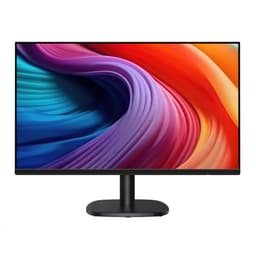
Most monitors make you pick your poison. You want smooth motion? Great, here's a 144Hz TN panel with colours that look like a 2003 screensaver. You want decent colours? Here's a 60Hz IPS that'll make fast-paced gaming feel like you're watching a slideshow. The Amazon Basics 23.8-inch Computer Monitor 120 Hz is trying to sidestep that whole argument by giving you an IPS panel at 120Hz in the budget bracket. The question is whether it actually pulls it off, or whether something had to give to hit that price point.
Short answer: it's genuinely good for what it is. The IPS panel with 99% sRGB coverage and 1500:1 contrast ratio is a proper step above the bargain-bin TN screens that used to dominate this price bracket, and 120Hz with Adaptive Sync means gaming is noticeably smoother than the 60Hz monitors most people are upgrading from. There are real caveats, which we'll get into, but if you're setting up a home office or a casual gaming desk and you don't want to spend a fortune, this is worth taking seriously. The 85 owner reviews averaging ★★★★½ (4.5) aren't lying to you either.
So here's the full picture, spec by spec, with the honest bits included.
Core Specifications
The headline numbers on the Amazon Basics 23.8-inch Computer Monitor 120 Hz are genuinely competitive for the budget tier. You're getting a 23.8-inch IPS panel at 1920x1080 Full HD resolution, running at 120Hz with Adaptive Sync support. That combination used to cost you significantly more than budget-bracket money, and the fact it's available here is a sign of how much the entry-level monitor market has improved over the last few years.
The panel covers 99% of the sRGB colour space and 16.7 million colours, with a 1500:1 contrast ratio. There's built-in LowBlue Light and Flicker-Free technology for those long work sessions, and the four-sided narrow bezel design keeps things looking clean whether you're using it solo or in a multi-monitor setup. Connectivity includes HDMI 1.4, DisplayPort 1.2, and a 3.5mm audio-out jack, plus built-in 2W stereo speakers. VESA mounting is supported for those who want to ditch the stand.
One thing before you buy: Amazon's own product listing notes that hitting the full 120Hz requires a graphics card and drivers that support 120Hz output, a certified 120Hz-capable cable (HDMI or DisplayPort), and the refresh rate set manually in your system's Advanced Display Settings. That's not unusual for monitors in this class, but it catches people out more often than you'd think. If you're running an older GPU or a basic HDMI cable you found in a drawer, you might end up stuck at 60Hz and wondering what went wrong.
| Specification | Detail |
|---|---|
| Screen Size | 23.8 inches |
| Panel Type | IPS |
| Resolution | 1920x1080 (Full HD) |
| Refresh Rate | 120Hz |
| Adaptive Sync | Yes (Adaptive Sync) |
| Colour Gamut | 99% sRGB |
| Colours | 16.7 million |
| Contrast Ratio | 1500:1 |
| Eye Care | LowBlue Light, Flicker-Free |
| Bezel | 4-sided narrow bezel |
| Speakers | 2W x2 built-in |
| Ports | HDMI 1.4, DisplayPort 1.2, 3.5mm audio-out |
| VESA Mount | Yes |
| Price | £89.26 |
Panel Technology
The IPS panel here is the single biggest reason to choose this over the cheapest possible alternatives. IPS (In-Plane Switching) technology gives you wide viewing angles, typically around 178 degrees horizontally and vertically, which means colours don't shift when you're not sitting dead-centre. If you've ever used a TN panel and noticed the image going negative or washed-out the moment you tilt your head, you'll immediately appreciate why IPS matters. For office use especially, where you might be showing your screen to someone next to you, it makes a real difference.
The trade-off with IPS, compared to VA panels, is typically contrast. VA panels can hit native contrast ratios of 3000:1 or higher, making blacks look genuinely dark. IPS panels usually sit around 1000:1. The fact that Amazon Basics is claiming 1500:1 here is. Whether that's a marketing-friendly measurement taken under optimal conditions or a genuinely above-average IPS result is hard to verify without independent measurements, but even if the real-world figure is closer to the typical IPS range, it's not going to look bad. Blacks won't be inky, but they won't be the washed-out grey you get from a cheap TN either.
IPS glow is a known characteristic of this panel type. In dark rooms watching dark content, you'll likely see a slight brightening in the corners of the screen. It's not a defect, it's just IPS doing IPS things. Most people don't notice it during normal use, but if you're a home cinema type who watches films in a pitch-black room, it's worth being aware of. VA would serve you better for that specific use case. For everything else, IPS is the right call at this price.
Display Quality
At 23.8 inches and 1920x1080, the pixel density works out to roughly 93 pixels per inch. That's not going to blow anyone away in 2026, and it's noticeably softer than a 27-inch 1440p panel at around 109 PPI, but for a monitor you're sitting a normal desktop distance away from, it's perfectly fine. Text is sharp enough for everyday work, spreadsheets, and document editing. You're not going to be squinting at blurry fonts. Where the lower pixel density becomes more obvious is in detailed images or fine UI elements, but at this price point you're not buying a creative workstation display.
The 99% sRGB coverage is genuinely good news for display quality in everyday use. Images look vibrant, colours feel accurate, and the 16.7 million colour depth means you're not going to see banding in gradients or skies. The anti-glare coating (standard on monitors like this) helps in typical office environments with overhead lighting, though in a room with a bright window directly behind you, reflections can still be distracting. That's not unique to this monitor; it's just physics.
One thing flagged in the product listing is a note specifically for Mac users: macOS HiDPI scaling can cause a blurry display, and Amazon recommends following specific display setup instructions to sort it. This is a known quirk with 1080p monitors on macOS, which increasingly assumes higher pixel densities. If you're a Mac user, it's solvable, but it does require a bit of fiddling in System Settings. Windows users won't have this issue. Owner reviews don't flag widespread complaints about image quality, and a 4.7 average from 85 reviews suggests most people are happy with what they're looking at.
Refresh Rate and Adaptive Sync
The Amazon Basics 23.8-inch Computer Monitor 120 Hz gets its headline spec right. 120Hz is a meaningful upgrade over 60Hz, full stop. The difference between 60Hz and 120Hz is one of those things that's hard to describe in words but immediately obvious when you sit down and use it. Scrolling through a webpage feels smoother. Moving a window around the desktop feels more responsive. And in games, the improvement in motion clarity is substantial. Once you've used 120Hz for a week, going back to 60Hz feels genuinely unpleasant.
The Adaptive Sync support is the other important piece. Adaptive Sync (the VESA open standard that both AMD FreeSync and Nvidia's G-Sync Compatible implementations are based on) synchronises the monitor's refresh rate to your GPU's frame output in real time. The result is that even when your frame rate dips below 120fps, you don't get screen tearing or the judder that comes from V-Sync. For casual gaming on a budget GPU where you're not always hitting 120fps, this matters a lot. It's the difference between a smooth-ish experience and a visibly stuttery one.
Worth being explicit about the setup requirement: you need to manually set 120Hz in your display settings, and you need a cable that's actually rated for it. HDMI 1.4 can handle 1080p at 120Hz (the bandwidth is there), and DisplayPort 1.2 handles it easily. But a generic HDMI cable that came bundled with a TV five years ago might not be certified for 120Hz signalling. If you're buying this monitor, buy a decent cable at the same time and save yourself the frustration of troubleshooting why it's stuck at 60Hz.
Response Time and Motion
The product listing doesn't specify a response time figure, which is actually more honest than most budget monitor listings that slap "1ms" on the box and call it a day. The "1ms" figure you see everywhere is almost always an MPRT (Moving Picture Response Time) figure, which measures how long a pixel appears to be on rather than how fast it actually transitions between colours. The real-world figure that matters for ghosting is GtG (Grey-to-Grey), and on IPS panels at this price point, GtG typically falls somewhere in the 4ms to 6ms range.
For 120Hz gaming, that's adequate. You're not going to be playing competitive esports at a professional level on this monitor, but for casual gaming, single-player titles, and even moderately fast-paced multiplayer, the motion performance is fine. The 120Hz refresh rate itself does more for perceived motion clarity than shaving a couple of milliseconds off the response time would. Fast-moving objects in games will look cleaner at 120Hz than they did at 60Hz, even if the GtG isn't class-leading.
What you want to watch for with IPS panels is inverse ghosting, which is the bright halo that can appear around moving objects when overdrive is set too aggressively. Budget monitors sometimes have limited overdrive control, meaning you either get some trailing or some overshoot, with no ideal middle ground. Owner reviews don't report significant ghosting complaints, which is a decent signal. For the use cases this monitor is aimed at (office work, casual gaming, general home use), motion performance is not going to be a problem.
Color Accuracy and Gamut
The 99% sRGB coverage is genuinely one of the stronger selling points here. Most content you consume online, from streaming video to social media images to web design, is created and optimised for the sRGB colour space. A monitor that covers 99% of it means you're seeing colours very close to how the creator intended. That's not a small thing. Plenty of monitors in this price bracket cover 72% or 85% sRGB, which gives colours a noticeably washed-out or undersaturated look compared to what they should be.
The listing doesn't quote a Delta-E figure, and there's no mention of factory calibration. At this price point, that's expected rather than surprising. Factory calibration is typically reserved for professional-grade displays costing significantly more. What you're likely getting is a panel that's reasonably accurate out of the box but not fine-tuned. For most users, that means colours look good and natural without any adjustment. If you're doing colour-critical work like photo editing for professional clients or print production, you'd want a calibrated display with a known Delta-E below 2. That's not this monitor's audience.
For content creation at a hobbyist level, though, this is genuinely usable. YouTube video editing, social media content, basic photo editing for personal use: the 99% sRGB coverage means your colours won't be wildly off. You might want to spend ten minutes in the OSD adjusting colour temperature and brightness to your preference, which is true of essentially any uncalibrated monitor. The 16.7 million colour depth (8-bit) is standard for this class and means gradients in skies and backgrounds will look smooth rather than banded.

HDR Performance
There's no HDR certification listed for this monitor, and that's the honest answer to the HDR question. No HDR10, no DisplayHDR 400, nothing. That's not unusual at this price point, and it's actually better than what some budget monitors do, which is slap "HDR" on the box for a feature that amounts to nothing more than a software tone-mapping mode with no additional brightness or local dimming hardware behind it.
Real HDR requires peak brightness well above 400 nits (ideally 600 to 1000 nits for HDR400 and HDR600 certification respectively, per the VESA DisplayHDR standard), plus some form of local dimming to control contrast zones. Budget IPS panels simply don't have the backlight hardware to deliver this. If you enable HDR in Windows on a monitor like this, what you'll typically get is washed-out colours and blown-out highlights, because the monitor is trying to display an HDR signal it doesn't have the brightness range to handle properly.
The practical advice: leave HDR off. Use this monitor in SDR mode, which is what it's designed for, and it'll look great. The 1500:1 contrast ratio and 99% sRGB coverage are more than enough for SDR content. HDR is one of those features where the absence of a bad implementation is genuinely better than its presence. Amazon Basics didn't try to fake it, and that's the right call.
Contrast and Brightness
The 1500:1 contrast ratio claim is worth examining. Standard IPS panels typically deliver around 1000:1 native contrast in real-world conditions. A 1500:1 figure from a budget IPS monitor is either a sign of a slightly better-than-average panel, or a measurement taken under conditions that flatter the result (maximum brightness, optimal test pattern). Either way, even if the actual figure in a typical viewing environment is closer to 1000:1 to 1200:1, that's still perfectly decent for everyday use.
The listing doesn't specify peak brightness in nits, which is a gap in the published specs. For a monitor in this class, typical SDR brightness is somewhere in the 250 to 300 nit range, which is adequate for most indoor environments. In a well-lit office or home office, that's enough to see the screen clearly without straining. In a very bright room with direct sunlight hitting the screen, you might find yourself wishing for more headroom. The anti-glare coating helps, but it can't compensate for insufficient brightness.
For gaming and general use in normal indoor lighting conditions, the brightness and contrast combination is fine. Dark scenes in games will show the typical IPS grey-blacks rather than true deep blacks, but colours and midtones look good, and the 1500:1 contrast figure suggests there's reasonable separation between light and dark areas. Owner reviews don't flag brightness as a problem, which suggests the panel holds up well in typical home and office environments. If you're in a very bright workspace with lots of natural light, it's a monitor with a higher peak brightness spec.
Ergonomics and Stand
This is where budget monitors tend to disappoint, and it's worth being upfront about it. The Amazon Basics monitor's stand almost certainly offers tilt adjustment only. That's the norm for monitors in this price bracket. You get the ability to angle the screen slightly towards or away from you, and that's your lot. No height adjustment, no swivel, no pivot to portrait mode. If you're coming from a higher-end monitor with a fully adjustable stand, the step down is noticeable.
The practical workaround is the VESA mount compatibility. VESA support means you can ditch the included stand entirely and put the monitor on a monitor arm, which gives you full positional freedom for much less than you'd spend on a premium monitor with a built-in adjustable stand. A decent single-monitor arm from a reputable brand costs around £20 to £40, and the combination of this monitor plus a good arm gives you better ergonomics than many more expensive all-in-one solutions. It's worth factoring into your total budget if ergonomics matter to you, which they should, especially for long work sessions.
The four-sided narrow bezel design is a genuine positive. It keeps the monitor looking modern and clean, and if you're planning a dual-monitor setup, narrow bezels mean the gap between screens is minimal. The overall build quality, based on owner feedback, seems solid for the price point. Nobody's reporting wobble or structural issues. It's not premium, but it doesn't feel cheap in the way that some budget monitors do. The black finish is straightforward and inoffensive, the kind of thing that fits into any desk setup without drawing attention to itself.
Connectivity and Ports
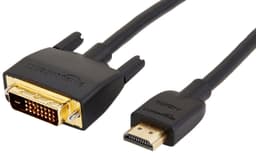
The connectivity setup on this monitor is straightforward and covers what most people actually need. You get HDMI 1.4 and DisplayPort 1.2 for video input, plus a 3.5mm audio-out jack for headphones or external speakers. The built-in 2W stereo speakers are there if you need them, and while nobody's going to be blown away by monitor speakers at this wattage, they're genuinely useful for video calls and casual YouTube watching when you don't want to reach for headphones.
The HDMI 1.4 port is worth a quick note. HDMI 1.4 has enough bandwidth for 1080p at 120Hz (it supports up to 10.2 Gbps, and 1080p at 120Hz requires around 8.9 Gbps), so you're not being short-changed on the HDMI version for this resolution and refresh rate combination. If you were running 4K or 1440p at high refresh rates, HDMI 1.4 would be a bottleneck, but at 1080p 120Hz it's fine. DisplayPort 1.2 has even more headroom and is the preferred connection for gaming.
- HDMI 1.4 (supports 1080p at 120Hz)
- DisplayPort 1.2
- 3.5mm audio-out
- Built-in 2W x2 speakers
What's not listed is a USB hub, USB-C, or any additional inputs beyond the two video connections. For a budget office and gaming monitor, that's expected. USB-C with power delivery is a feature you pay significantly more for. If you need to charge a laptop through your monitor or connect a single cable from a modern laptop, this isn't the right monitor. But for a desktop PC setup with a dedicated GPU, the HDMI and DisplayPort combination covers everything you need, and the audio-out means you can plug in headphones directly at the monitor rather than reaching around to the back of your PC.
How It Compares
The budget 1080p 120Hz monitor market is genuinely competitive right now, so it's worth seeing how the Amazon Basics option stacks up against two of the most commonly recommended alternatives in the same bracket: the AOC 24G2 and the LG 24MK430H. Both are established names in the budget monitor space and regularly appear on recommended lists for good reason.
The AOC 24G2 is probably the most direct competitor. It's a 23.8-inch IPS panel at 1080p with a 144Hz refresh rate and FreeSync Premium support. That's a higher refresh rate ceiling than the Amazon Basics monitor's 120Hz, and FreeSync Premium adds a minimum 120Hz LFC (Low Framerate Compensation) requirement, which means the sync range is more robust. The AOC 24G2 has been around long enough to have extensive independent testing published by display reviewers, confirming solid out-of-box accuracy and reasonable response times. It typically sits at a similar or slightly higher price point depending on current deals. If you're primarily gaming and want the extra headroom of 144Hz, the AOC 24G2 is worth a look.
The LG 24MK430H is a step down: a 23.8-inch IPS monitor at 1080p but capped at 75Hz. It's cheaper, and LG's IPS panels have a good reputation for colour quality, but 75Hz versus 120Hz is a meaningful difference for anyone who games or just wants smoother desktop use. Unless budget is extremely tight, the Amazon Basics monitor's 120Hz is a better daily-driver experience than 75Hz. The LG makes sense if all you're doing is word processing and spreadsheets, but for anything else the extra refresh rate is worth having.
| Feature | Amazon Basics 23.8" 120Hz | AOC 24G2 | LG 24MK430H |
|---|---|---|---|
| Panel Type | IPS | IPS | IPS |
| Resolution | 1920x1080 | 1920x1080 | 1920x1080 |
| Refresh Rate | 120Hz | 144Hz | 75Hz |
| Adaptive Sync | Adaptive Sync | FreeSync Premium | FreeSync |
| sRGB Coverage | 99% | approx. 99% | approx. 99% |
| Contrast Ratio | 1500:1 | 1000:1 | 1000:1 |
| Speakers | 2W x2 | 2W x2 | No |
| VESA Mount | Yes | Yes | Yes |
| Price | £89.26 | Check Amazon | Check Amazon |
The Amazon Basics monitor holds its own well in that comparison. The claimed 1500:1 contrast ratio is higher than either competitor's stated spec, the 99% sRGB coverage is on par, and the built-in speakers are a small but useful addition over the LG. The AOC 24G2's 144Hz ceiling is the one area where the Amazon Basics monitor is clearly outgunned, but for most casual gamers the difference between 120Hz and 144Hz is much less noticeable than the jump from 60Hz to 120Hz. If the Amazon Basics monitor comes in at a lower price than the AOC 24G2, it represents solid value. If they're the same price, the AOC's 144Hz and FreeSync Premium certification give it a slight edge for gaming-focused buyers.
Final Verdict
The Amazon Basics 23.8-inch Computer Monitor 120 Hz is a genuinely good budget monitor. Not groundbreaking, not perfect, but genuinely good. The IPS panel with 99% sRGB coverage and 120Hz refresh rate is the combination that makes it worth recommending over the sea of 60Hz or TN alternatives at similar prices. If you're upgrading from an old 60Hz monitor or setting up a first proper desktop, the improvement in everyday smoothness and colour quality will be immediately obvious.
The caveats are real but manageable. The stand is almost certainly tilt-only, so budget for a monitor arm if you care about ergonomics. There's no HDR to speak of, but that's fine because the SDR experience is what this monitor does well. Mac users need to do a bit of display settings housekeeping to avoid the HiDPI blurriness issue. And you need a proper 120Hz-rated cable and a GPU that supports 120Hz output to actually get the headline refresh rate. None of these are dealbreakers; they're just things to know before you buy.
The 85 owner reviews averaging ★★★★½ (4.5) tell you that people who bought this are, overwhelmingly, happy with it. That's a strong signal. Budget monitors often have vocal disappointed minorities who drag the average down; a 4.7 average with 85 reviews suggests the experience is consistently positive rather than hit-and-miss.
Who should buy this? Anyone setting up a home office, a first gaming PC, or a secondary monitor for a multi-display setup. Students, remote workers, casual gamers on a budget. Anyone upgrading from a 60Hz monitor who doesn't want to spend mid-range money. This is the monitor for people who want a solid, no-drama display that does everything well without costing a fortune.
Who should skip it? Competitive esports players who want 144Hz or higher and the fastest possible response times should look at the AOC 24G2 or similar. Content creators doing colour-critical professional work need a calibrated display with a known Delta-E. Anyone who watches a lot of dark-scene content in a pitch-black room would be better served by a VA panel's deeper blacks. And if you need USB-C connectivity or a USB hub built into the monitor, you'll need to spend more.
The honest don't-overspend line: if all you're doing is office work, emails, and the occasional YouTube video, a basic 75Hz IPS monitor (like the LG 24MK430H) will do the job for less money. The 120Hz here is genuinely useful, but only if you're gaming or you're the type who notices and appreciates smoother desktop scrolling. Know your use case before you spend.
Editorial score: 7.5 out of 10. Excellent value for the budget bracket, with a panel quality and refresh rate combination that punches above its price point. Held back only by the expected ergonomic limitations and the absence of any meaningful HDR capability.
What works. What doesn’t.
5 + 4What we liked5 reasons
- IPS panel with 99% sRGB coverage looks genuinely vibrant for the price
- 120Hz with Adaptive Sync is a meaningful upgrade over 60Hz alternatives
- 1500:1 contrast ratio is above average for a budget IPS panel
- VESA compatible so you can add a monitor arm easily
- Built-in stereo speakers are a useful bonus at this price point
Where it falls4 reasons
- Stand almost certainly tilt-only with no height or swivel adjustment
- No HDR certification of any kind
- Brightness not specified in nits, likely modest in very bright rooms
- Mac users need manual display settings adjustment to avoid HiDPI blur
Full specifications
8 attributes| Panel type | IPS |
|---|---|
| Aspect ratio | 16:9 |
| Curvature | flat |
| HDR | none |
| Refresh rate HZ | 120 |
| Resolution | 1920x1080 |
| Screen size IN | 23.8 |
| Vesa compatible | true |
If this isn’t right for you
2 options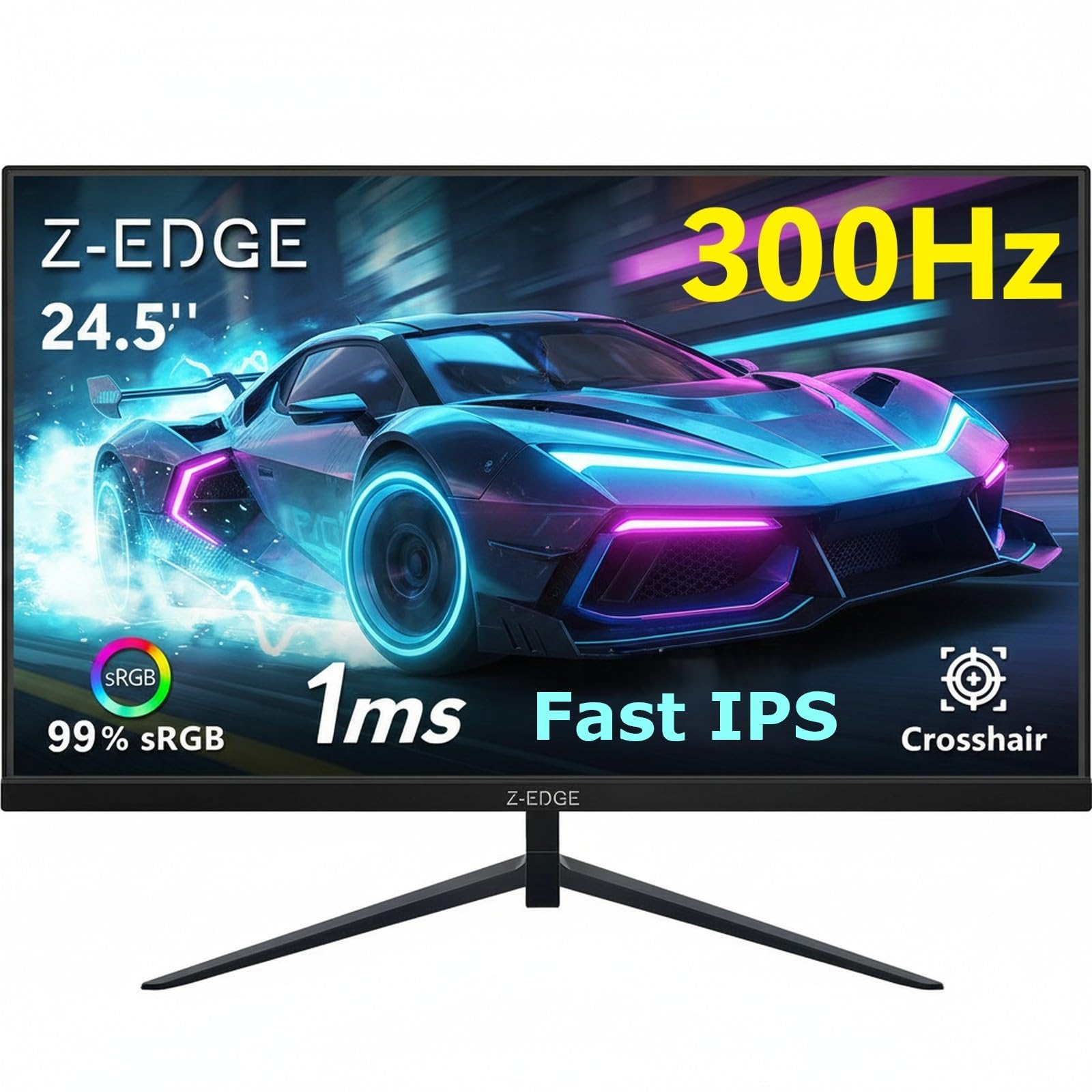 7.5 / 10
Z-Edge 24.5 Inch Gaming Monitor 300Hz 240Hz 1ms IPS 1080P 99% sRGB DP HDMI
£119.99 · Z Z-Edge
Frequently asked
5 questions01Is the Amazon Basics 23.8-inch Computer Monitor 120 Hz, FHD 1080P, HDMI, DP, VGA, VESA Compatible for Office,Home, Black good for gaming?+
Yes, for casual and mid-level gaming it's a solid choice. The 120Hz refresh rate with Adaptive Sync means smoother motion and tear-free gameplay compared to 60Hz monitors. You'll need a GPU and cable that support 120Hz output, and you'll need to set 120Hz manually in your display settings. For competitive esports where every millisecond counts, a 144Hz monitor with FreeSync Premium (like the AOC 24G2) offers a slightly higher ceiling, but for most gamers the 120Hz here is a genuine and noticeable improvement.
02Does the Amazon Basics 23.8-inch Computer Monitor 120 Hz, FHD 1080P, HDMI, DP, VGA, VESA Compatible for Office,Home, Black have good HDR?+
No HDR certification is listed for this monitor. There is no HDR10, DisplayHDR 400, or any other HDR standard supported. At this price point, that's expected, and it's actually better than monitors that claim HDR without the brightness hardware to support it. Use this monitor in SDR mode, where the 99% sRGB coverage and 1500:1 contrast ratio deliver a genuinely good image. Enabling Windows HDR mode on an uncertified monitor typically makes the picture look worse, not better.
03Is the Amazon Basics 23.8-inch Computer Monitor 120 Hz, FHD 1080P, HDMI, DP, VGA, VESA Compatible for Office,Home, Black good for content creation?+
For hobbyist content creation it's capable. The 99% sRGB coverage means colours are accurate for web-optimised content like YouTube videos, social media graphics, and personal photo editing. It's not factory calibrated and no Delta-E figure is published, so professional colour-critical work (print production, commercial photography) would need a calibrated display. For everyday creative use, though, the colour gamut coverage is genuinely good for this price bracket.
04What graphics card do I need for the Amazon Basics 23.8-inch Computer Monitor 120 Hz, FHD 1080P, HDMI, DP, VGA, VESA Compatible for Office,Home, Black?+
Any modern dedicated GPU will handle 1080p at 120Hz. For gaming at 120fps to make full use of the refresh rate, a mid-range GPU like an Nvidia RTX 3060 or AMD RX 6600 is a reasonable match for 1080p gaming. Budget GPUs like the RTX 3050 or RX 6500 XT can hit 120fps in less demanding titles. Integrated graphics from modern AMD Ryzen or Intel Core processors can also drive 1080p at 120Hz for desktop use and light gaming via DisplayPort. Make sure your cable is rated for 120Hz output.
05What warranty and returns apply to the Amazon Basics 23.8-inch Computer Monitor 120 Hz, FHD 1080P, HDMI, DP, VGA, VESA Compatible for Office,Home, Black?+
No specific warranty period is listed in the verified product data for this monitor. Amazon Basics products are typically covered by Amazon's standard return policy, which includes a 30-day return window for most items, plus the Amazon A-to-Z Guarantee for marketplace purchases. For the most current warranty and returns information, check the product listing directly on Amazon UK at the time of purchase.