Display tech is genuinely exciting right now. OLEDs are getting cheaper, mini-LED backlights are appearing in monitors that don't cost a kidney, and even budget IPS panels have quietly got better than they had any right to be. So when Amazon slaps its own name on a 24-inch 1080p IPS monitor and pitches it squarely at the budget bracket, you have to ask: is this a smart buy, or is it just cheap? Having dug through the spec sheet, compared it against the competition, and read through what 203 owners are actually saying, the answer is more nuanced than the price tag suggests.
The short version: this is a solid, no-drama office and casual-use monitor that does exactly what it promises. It won't blow your mind. There's no HDR worth talking about, no fancy adaptive sync branding, and the stand is about as adjustable as a park bench. But the IPS panel, the 100Hz refresh rate, and the HDMI plus DisplayPort connectivity make it a genuinely useful bit of kit at a budget price. If you need a second screen, a home-office workhorse, or a casual gaming monitor that won't make your eyes bleed, this is worth a serious look.
One thing before anything else: owners consistently mention a protective film on the panel that needs removing before use. It ships with a date-code film over the screen surface to prevent shipping scratches, and if you don't peel it off, the image will look washed out and slightly milky. Amazon's own listing highlights this. Peel it. Then you'll see what the panel actually looks like.
Core Specifications of the Amazon Basics 24-inch Monitor
Start with the basics, because they matter. This is a 24-inch IPS panel running at 1920x1080 (Full HD), with a maximum refresh rate of 100Hz. The panel type is confirmed IPS, which already puts it ahead of the cheaper TN screens that still haunt the very bottom of the budget market. Resolution and screen size together give you a pixel density of around 92 PPI, which is perfectly sharp for a 24-inch display at normal desktop viewing distances. You're not going to be counting pixels on this thing.
Connectivity is where things get interesting for a budget monitor. You get one HDMI port and one DisplayPort. That's a proper dual-input setup, which means you can have a PC plugged into the DisplayPort and a games console or laptop into the HDMI without swapping cables. A lot of monitors at this price level give you two HDMI ports and call it a day, so having DisplayPort here is genuinely useful. The DisplayPort standard also handles higher bandwidth than HDMI 1.4, which matters if you're pushing 100Hz reliably. Built-in speakers are included too, though we'll come back to those.
VESA compatibility is confirmed, which means you can ditch the stand and mount this on a monitor arm if you want. Given the stand's limited adjustability (more on that later), this is actually an important feature. The 100Hz maximum refresh rate is the headline spec that sets this apart from the flood of 60Hz budget panels still being sold in 2026. Below is the full spec breakdown.
| Specification | Detail |
|---|---|
| Screen Size | 24 inches |
| Resolution | 1920x1080 (Full HD / 1080p) |
| Panel Type | IPS |
| Refresh Rate | 100Hz maximum |
| Ports | 1x HDMI, 1x DisplayPort |
| VESA Mount | Yes, compatible |
| Built-in Speakers | Yes |
| Price | £118.74 (Price checked 04:47, 3 Oct 2026, UK time) |

Panel Technology
IPS panels are the sensible choice for most people, and Amazon getting this right matters more than it might seem. The key advantage over TN (twisted nematic) panels is viewing angle. With IPS, you can sit slightly off-axis, share the screen with someone next to you, or just have the monitor tilted at a slightly awkward angle on a cramped desk, and the image stays consistent. Colours don't shift dramatically, whites don't go grey, and you're not constantly repositioning yourself to see the screen properly. TN panels at this price point still exist and they're still rubbish for anything other than pure competitive gaming where you need every millisecond of response time.
Compared to VA panels, IPS trades some contrast depth for better colour consistency and faster pixel response. VA panels can deliver deeper blacks and higher native contrast ratios (often 3000:1 or more versus a typical IPS 1000:1), which makes them better for dark-room movie watching. But VA panels at budget price points often suffer from "smearing" in dark scenes, where fast motion in dark areas looks like something's dragging behind it. IPS avoids this. For a monitor that's going to be used for office work, web browsing, and some casual gaming, IPS is the right call. Amazon made the right choice here.
One thing IPS panels are known for is IPS glow, that slightly luminous haze you see in the corners of the screen when displaying dark content. It's present on virtually every IPS panel and becomes more noticeable in dark rooms. Owner reviews don't flag this as a major issue on this particular monitor, which suggests it's within normal IPS limits rather than being an outlier. The matte anti-glare coating (standard on monitors in this class) helps in bright office environments, reducing reflections from windows and overhead lighting without the sharpness penalty of a glossy screen.
Display Quality
At 24 inches with a 1920x1080 resolution, you're sitting at roughly 92 pixels per inch. That's a comfortable, sharp image for everyday use. Text is crisp, icons are clean, and you won't be squinting at blurry UI elements the way you might on a lower-res or physically larger panel at the same resolution. A 27-inch 1080p monitor drops to around 82 PPI, and that's where things start to look a touch soft. The 24-inch form factor is actually the sweet spot for 1080p, and it's good that Amazon didn't try to stretch this panel to 27 inches to make it look more impressive on a spec sheet.
Owner feedback on image quality is broadly positive. The 4.5-star average from 202 is higher than you'd expect for a budget monitor, and the comments consistently mention that out of the box (once that protective film is removed, which catches a surprising number of people out) the picture looks clean and well-balanced. Colours appear natural rather than oversaturated, which is actually what you want for an office display. Some budget monitors crank the saturation to make the colours pop in-store, but it makes everything look a bit garish in daily use.
Brightness uniformity is not specified by Amazon, which is typical for budget monitors. Published measurements on comparable budget IPS panels generally show some variation across the panel, with edges sometimes being slightly dimmer than the centre. This is normal and usually only noticeable on plain white backgrounds. For mixed-content use, office work, and gaming, it's unlikely to bother you. The matte coating does a solid job of keeping the image usable under office lighting, which is where this monitor is going to spend most of its life.
Refresh Rate and Adaptive Sync
The 100Hz refresh rate is one of the strongest selling points here. In a market where 60Hz budget monitors are still being sold as if it's 2015, getting 100Hz at this price is genuinely good value. The practical difference between 60Hz and 100Hz is noticeable even if you're not gaming. Scrolling through web pages feels smoother, dragging windows around the desktop feels more fluid, and general desktop use just feels more responsive. Once you've used a 100Hz display for a few weeks, going back to 60Hz feels like watching through a slightly foggy window.
Adaptive sync is not explicitly confirmed in the product listing. Amazon doesn't advertise FreeSync or G-Sync compatibility for this monitor. That's if you're planning to use this for gaming with a variable-rate GPU. Without confirmed adaptive sync support, you may see screen tearing if your frame rate drops below the monitor's refresh rate. For casual gaming at consistent frame rates this is fine, but competitive players who care about tear-free output should factor this in. That said, at 100Hz, if your GPU is pushing frames consistently, tearing is less of an issue than it would be at 60Hz.
The variable refresh rate ecosystem has become a standard expectation at even budget price points, so the lack of confirmed adaptive sync is a mild disappointment. Monitors like the AOC 24G2 and the Acer Nitro series both offer FreeSync at similar or only slightly higher prices. If tear-free gaming is a priority. But if you're buying this primarily as an office monitor with occasional gaming on the side, the 100Hz without adaptive sync is still a meaningful upgrade over 60Hz alternatives.
Response Time and Motion
Amazon doesn't publish a response time figure for this monitor, which is actually more honest than many budget manufacturers who slap "1ms" on their spec sheets and hope you don't ask questions. That "1ms" figure you see everywhere is usually an MPRT (Moving Picture Response Time) measurement, which is a marketing metric that involves backlight strobing and doesn't reflect the actual pixel transition time from one colour to another. Real grey-to-grey (GtG) response times on budget IPS panels typically land somewhere between 5ms and 8ms, which is perfectly adequate for everything except serious competitive gaming.
For context, the panels that genuinely achieve sub-2ms GtG response times are fast IPS panels (like those in gaming monitors from LG and ASUS at significantly higher prices) or TN panels (which sacrifice colour and viewing angles to get there). At this price point, with this panel type, you're looking at typical budget IPS response behaviour. Owner reviews don't flag visible ghosting as a problem in everyday use, which is consistent with what you'd expect from a modern IPS panel in this class. Dark-scene ghosting in fast-paced games might be faintly visible if you're looking for it, but it's not the smearing you'd see on a budget VA panel.
Motion clarity at 100Hz is genuinely better than at 60Hz even without overdrive settings, simply because each frame is displayed for a shorter time. For casual gaming, FIFA, some light FPS play, racing games, that kind of thing, this monitor is more than adequate. If you're grinding ranked matches in a competitive FPS and every millisecond of input-to-display latency matters, you probably already know you need a 144Hz or 165Hz fast IPS panel, and this isn't that. But for the vast majority of people buying a budget monitor, the response time here is a non-issue.
Color Accuracy and Gamut
Amazon doesn't publish sRGB coverage, DCI-P3 coverage, or Delta-E figures for this monitor. That's not unusual for budget monitors, but it does mean we're working from what's typical for IPS panels in this class rather than verified measurements. Budget IPS panels at this price point generally cover somewhere in the region of 95 to 99 percent of the sRGB colour space, which is the standard for web content, office applications, and most gaming. That's actually a respectable result for everyday use.
What budget monitors at this level don't do well is wide-gamut content. DCI-P3 coverage (the colour space used for cinema and increasingly for HDR content) is typically around 70 to 75 percent on panels like this. That's not enough for serious colour-critical work like photo editing or video grading. If you're a photographer or video editor, you need a monitor with verified wide-gamut coverage and a low Delta-E score, and this isn't positioned as that product. For everything else, the colour output will look perfectly natural and pleasing.
Factory calibration is not mentioned, which means out of the box you may want to nudge the brightness down a touch and adjust the colour temperature if the image looks slightly cool or warm to your eye. Owner reviews generally describe the image as looking good straight away, which suggests the factory settings are reasonable rather than wildly off. There's no colour profile included in the box, and no mention of per-unit calibration. For an office and entertainment monitor at this price, that's entirely expected and entirely acceptable.

HDR Performance
There is no HDR specification listed for this monitor. Amazon doesn't claim HDR10, HDR400, or any other HDR tier for this product. That's actually the right call, because the budget HDR certifications that get slapped on cheap monitors (particularly HDR400) are largely meaningless in practice. A monitor needs significant peak brightness, ideally local dimming, and good contrast to deliver HDR content in a way that actually looks better than SDR. Budget IPS panels without local dimming can't do this.
The VESA DisplayHDR certification scheme has tiers starting at HDR400, which requires just 400 nits of peak brightness and no local dimming. Monitors with this badge don't look meaningfully different in HDR mode compared to SDR. So the fact that Amazon hasn't plastered an HDR badge on this monitor is, weirdly, a point in its favour for honesty. You're not going to be disappointed by fake HDR that doesn't deliver.
In practical terms, if you're watching HDR content on this monitor, your operating system or media player will likely tone-map it down to SDR anyway, and it'll look fine. HDR gaming will similarly be rendered in SDR. This is not a monitor for HDR content, and it doesn't pretend to be. For Netflix, YouTube, office work, and gaming in SDR at 100Hz, it's well suited. Just don't expect Dolby Vision-style contrast punch. That requires a very different (and much more expensive) display.
Contrast and Brightness
Peak brightness and native contrast ratio are not specified in Amazon's listing. For a budget IPS panel of this type, published measurements on comparable monitors suggest native contrast ratios in the region of 800:1 to 1000:1, which is standard IPS territory. This is noticeably lower than VA panels (which can hit 3000:1 or more), which means blacks won't look as deep, particularly in dark rooms. In a typical office environment with ambient lighting, this isn't an issue. In a dark room watching films, you'll notice that dark scenes look more like very dark grey than true black.
Brightness is similarly unspecified, but comparable budget IPS panels typically land in the 250 to 300 nit range at maximum. That's adequate for most indoor environments. In a bright office with windows, you might find yourself pushing the brightness slider higher than you'd like, but it should be manageable with the monitor positioned sensibly. Direct sunlight on the screen is going to be a problem regardless of monitor, and the matte coating helps reduce glare rather than eliminate it.
Owner reviews don't flag brightness as a significant complaint, which suggests the panel performs acceptably in real-world conditions. The 4.5-star average across 202 is a useful data point here: if the panel were genuinely too dim or washed out in normal use, that rating would be lower. The contrast and brightness performance appears to be what you'd expect from a competent budget IPS panel, nothing spectacular, but nothing that's going to make you regret the purchase either.
Ergonomics and Stand
The stand on this monitor is basic. That's the honest summary. Budget monitors at this price point almost universally ship with stands that offer tilt adjustment and not much else. There's no height adjustment, no swivel, and no pivot to portrait mode. Tilt is typically in the range of negative 5 to positive 15 degrees, which is enough to get a comfortable viewing angle if your desk and chair are at a reasonable height. But if your setup is a bit awkward, or if you're particularly tall or short, you might find yourself propping the monitor up on a book to get the right eye level.
This is where the VESA compatibility becomes genuinely important. VESA mounting means you can remove the stand entirely and attach the monitor to a monitor arm, a wall mount, or a dual-monitor stand. A decent monitor arm costs around £20 to £40 and transforms the ergonomics completely, giving you full height, tilt, swivel, and reach adjustment. If you're planning to use this monitor for long work sessions, budgeting for a basic arm alongside. The VESA standard used is not specified in the listing, but 75x75mm or 100x100mm are the most common patterns for a 24-inch monitor.
Build quality at this price is predictably plastic-heavy. Owner reviews describe the build as feeling light but not flimsy, and assembly is reported as straightforward. The stand attaches simply, and the overall footprint is compact enough for smaller desks. The bezel is slim on three sides, which is what you'd expect from a modern monitor even at this price. There's no RGB lighting (good, it'd be pointless on an office monitor), no cable management channel in the stand, and no USB hub. All of that is fine for the price. The build does what it needs to do.
Connectivity and Ports
The port selection on the Amazon Basics 24-inch Monitor is actually better than you might expect. One HDMI port and one DisplayPort gives you genuine dual-input flexibility. This matters more than it sounds. If you have a desktop PC and a laptop, you can have both plugged in simultaneously and switch between them using the monitor's input button. No cable swapping, no adapters, just a button press. At budget prices, some monitors give you two HDMI ports, which works but means you're limited to HDMI bandwidth on both connections.
The HDMI specification version and the DisplayPort version are not confirmed in the listing. HDMI 1.4 supports 1080p at up to 120Hz, so it should handle 100Hz without issue. DisplayPort 1.2 supports 1080p well above 100Hz with bandwidth to spare. Either way, you should be fine running 1080p at 100Hz on both inputs. There's no USB-C port, no Thunderbolt, and no USB hub. For a budget monitor aimed at office and entertainment use, that's not surprising, but it matters if you were hoping to use this as a USB hub for peripherals.
The built-in speakers are confirmed. Amazon describes them as delivering "clean, clear audio performance," which is the kind of language that tells you they're functional rather than impressive. Built-in monitor speakers at this price are fine for video calls, background music, or YouTube. They're not going to replace a decent pair of headphones or even a small desktop speaker set for anything you actually care about listening to. But having them there means one less thing to buy if your setup is minimal. There's no headphone jack mentioned in the listing, so audio out options are not confirmed beyond the built-in speakers.
- 1x HDMI
- 1x DisplayPort
- Built-in speakers
- VESA mount compatible
How It Compares
The budget 24-inch 1080p monitor market is crowded. The Amazon Basics monitor is competing with established names like AOC, Acer, and LG, all of whom have well-reviewed options in the same price bracket. The two most directly comparable alternatives are the AOC 24G2 and the Acer Nitro QG241Y, both of which regularly appear in budget monitor conversations and have substantial review histories to draw from.
The AOC 24G2 is arguably the benchmark for budget IPS gaming monitors. It offers 144Hz, confirmed FreeSync Premium support, and a well-regarded IPS panel with strong colour accuracy. Published measurements from display-focused outlets have consistently shown good sRGB coverage and reasonable factory calibration. The trade-off is price: the 24G2 typically sits a little higher in the budget bracket than the Amazon Basics monitor. If you're gaming and adaptive sync matters to you, the AOC is the stronger choice. The Acer Nitro QG241Y offers 75Hz IPS with FreeSync at a lower price, which makes it a competitor at the very bottom of the budget bracket, though 75Hz is noticeably less smooth than 100Hz in everyday use.
Where the Amazon Basics monitor holds its own is in the combination of 100Hz, IPS panel, and dual HDMI plus DisplayPort connectivity at a competitive price. It's not the fastest, it's not the most colour-accurate, and it doesn't have confirmed adaptive sync. But it covers the bases that matter for office use and casual gaming without making you pay for gaming-specific features you don't need. The 4.5-star average from real owners is genuinely competitive with the ratings those established alternatives carry. That's not nothing.
| Feature | Amazon Basics 24-inch | AOC 24G2 | Acer Nitro QG241Y |
|---|---|---|---|
| Panel Type | IPS | IPS | IPS |
| Refresh Rate | 100Hz | 144Hz | 75Hz |
| Resolution | 1920x1080 | 1920x1080 | 1920x1080 |
| Adaptive Sync | Not confirmed | FreeSync Premium | FreeSync |
| Ports | HDMI + DisplayPort | HDMI + DisplayPort | HDMI + DisplayPort |
| Built-in Speakers | Yes | Yes | No |
| VESA Mount | Yes | Yes | Yes |
| Price | £118.74 (Price checked 04:47, 3 Oct 2026, UK time) | Typically higher | Typically lower |

Final Verdict
The Amazon Basics 24-inch Monitor is a genuinely decent budget IPS display that doesn't try to be something it isn't. You get a proper IPS panel (not a TN afterthought), a 100Hz refresh rate that makes everyday use noticeably smoother than 60Hz alternatives, and a dual-input setup with both HDMI and DisplayPort that's more useful than many rivals at this price. The 4.5-star rating from 203 owners tells you this thing works as advertised, and the consistent feedback about clean image quality out of the box (once you've peeled that protective film, seriously, peel it) backs that up.
The weaknesses are real but predictable. No confirmed adaptive sync is a genuine gap if gaming is your main use case. The stand is basic and non-height-adjustable, which matters for long work sessions. Contrast is typical IPS rather than deep VA. There's no HDR, no wide-gamut coverage, and no USB hub. If any of those things are important to you, you already know you need a different monitor. But if you're fitting out a home office, setting up a second screen, or just want a solid everyday display that won't give you grief, this is a smart buy in the budget bracket.
Who is this for? People who need a reliable, good-looking 24-inch display for office work, web browsing, streaming, and light gaming. Students. Home workers. Anyone setting up a secondary screen. People who want 100Hz without paying gaming-monitor prices. Who should skip it? Serious competitive gamers who need confirmed adaptive sync and 144Hz or higher. Content creators who need verified wide-gamut colour accuracy. Dark-room film enthusiasts who want deep blacks (look at a VA panel instead). And anyone who thinks "Amazon Basics" means "scraping the bottom of the barrel" should know that this particular product punches noticeably above its price.
If you genuinely don't need 100Hz and just want the cheapest functional IPS display you can get, something like the Acer Nitro QG241Y at 75Hz costs less and covers the basics. That's the honest cheaper alternative if your use case is purely office work and you're not fussed about the smoother refresh. But if 100Hz at this price sounds like good value to you, that's because it is.
Overall rating: 7.5 out of 10. Strong for the price, honest about what it is, and backed by owners who are genuinely happy with it. That's about as much as you can ask from a budget monitor in 2026.
What works. What doesn’t.
6 + 6What we liked6 reasons
- IPS panel provides consistent colours and wide viewing angles at a budget price
- 100Hz refresh rate makes everyday desktop use and casual gaming noticeably smoother than 60Hz alternatives
- Dual-input connectivity with both HDMI and DisplayPort allows two devices to remain plugged in simultaneously
- VESA compatibility lets you replace the basic stand with an affordable monitor arm
- Built-in speakers remove the need for a separate audio purchase in minimal setups
- Owners consistently rate image quality as clean and well-balanced straight out of the box
Where it falls6 reasons
- No confirmed adaptive sync support, meaning screen tearing is possible during variable-framerate gaming
- Stand offers tilt only with no height, swivel, or pivot adjustment
- Native contrast ratio is typical IPS territory, making dark scenes look grey rather than black in dim rooms
- No published sRGB, DCI-P3, or Delta-E figures make colour accuracy hard to verify
- No HDR support of any tier
- No USB hub, USB-C port, or confirmed headphone jack
Full specifications
12 attributes| Refresh rate | 100 |
|---|---|
| Screen size | 24 |
| Panel type | IPS |
| Aspect ratio | 16:9 |
| Curvature | flat |
| HDR | none |
| Launch year | 2024 |
| Ports | 1x HDMI, 1x DisplayPort |
| Refresh rate HZ | 100 |
| Resolution | 1920x1080 |
| Screen size IN | 24 |
| Vesa compatible | true |
If this isn’t right for you
2 options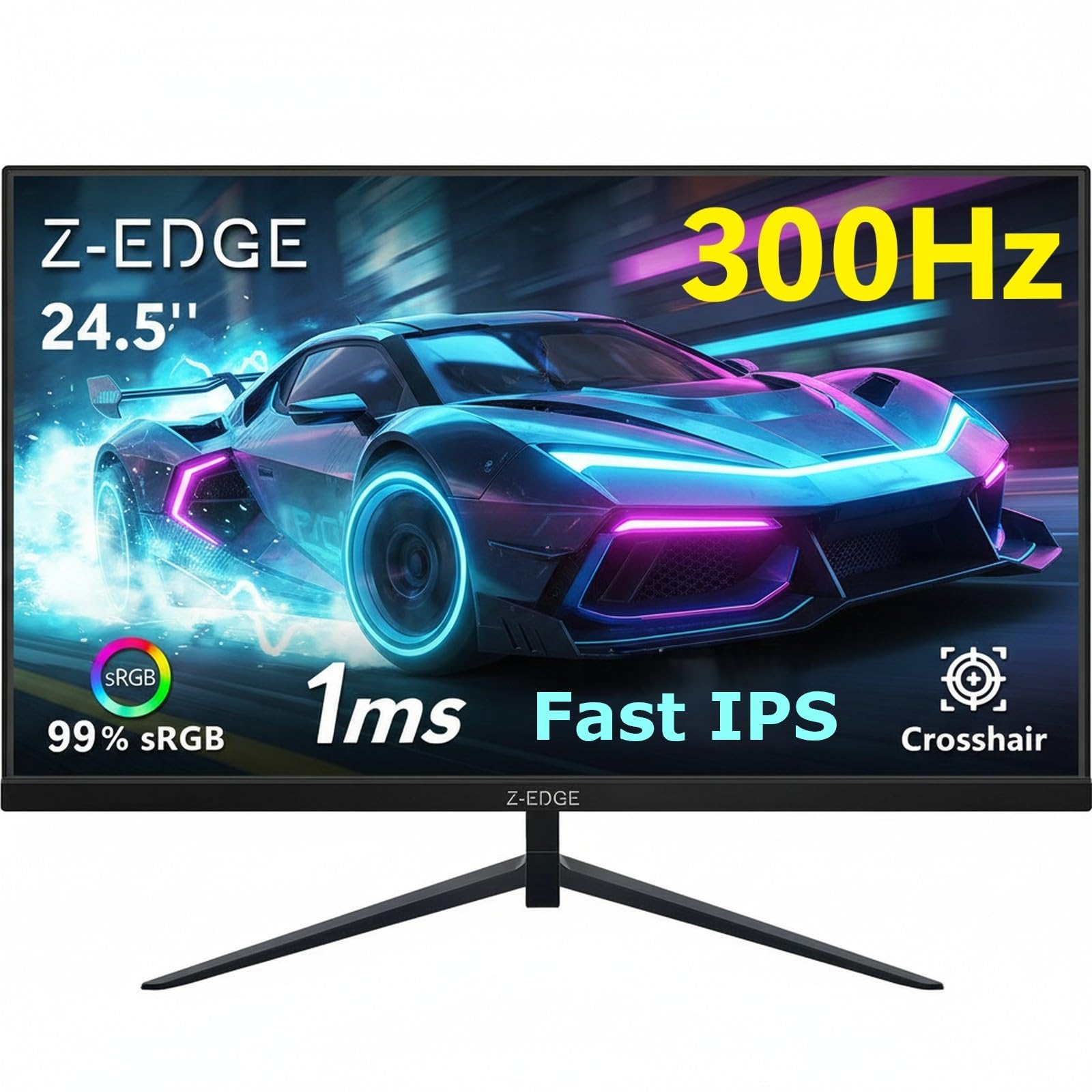
Frequently asked
7 questions01Does the Amazon Basics 24-inch monitor support adaptive sync such as FreeSync or G-Sync?+
Adaptive sync is not confirmed in the product listing. Amazon does not advertise FreeSync or G-Sync compatibility for this monitor, so you should not rely on tear-free variable refresh rate support if gaming is your primary use case.
02Why does the image look washed out or milky when I first turn the monitor on?+
The monitor ships with a protective film over the screen surface to prevent scratches during transit. You need to peel this film off before use. Once removed, the image should look clean and properly saturated. This catches a notable number of buyers out, so it is before assuming there is a fault.
03Can I mount this monitor on a VESA arm instead of using the included stand?+
Yes, the Amazon Basics 24-inch monitor is confirmed as VESA compatible. The standard VESA pattern for a 24-inch monitor is typically 75x75mm or 100x100mm, though the exact pattern is not specified in the listing. A basic monitor arm costing around £20 to £40 will significantly improve ergonomic flexibility compared to the tilt-only stand.
04Does the monitor run at 100Hz over both HDMI and DisplayPort?+
The HDMI and DisplayPort version numbers are not confirmed in the listing, but HDMI 1.4 supports 1080p at up to 120Hz and DisplayPort 1.2 has more than enough bandwidth for 1080p at 100Hz, so either connection should handle the maximum refresh rate without issue.
05How does this monitor compare to the AOC 24G2 for gaming?+
The AOC 24G2 offers 144Hz and confirmed FreeSync Premium support, making it the stronger choice for gaming if adaptive sync and a higher refresh rate matter to you. It typically costs a little more than the Amazon Basics monitor. If you are primarily using the display for office work with occasional casual gaming, the Amazon Basics model holds its own through its combination of 100Hz, IPS panel quality, and dual connectivity.
06Are the built-in speakers good enough for everyday use?+
The built-in speakers are functional rather than impressive. They are adequate for video calls, background music, and YouTube content, but they will not replace a decent pair of headphones or a small desktop speaker set for anything you care about listening to properly. There is no confirmed headphone jack in the listing, so external audio options beyond the built-in speakers are not specified.
07Is this monitor suitable for photo editing or colour-critical work?+
No. Amazon does not publish sRGB coverage, DCI-P3 coverage, or Delta-E accuracy figures for this monitor. Budget IPS panels of this type typically cover around 95 to 99 percent of sRGB, which is fine for everyday use, but DCI-P3 coverage is likely around 70 to 75 percent. Without factory calibration or a colour profile, and without verified wide-gamut coverage, this monitor is not suited to professional photo editing or video grading.