 TL;DR · Our verdict
TP-Link Archer TX20UH WiFi Dongle Review UK (2026) – Tested
The TP-Link Archer TX20UH delivers solid WiFi 6 performance with better range than most dongles thanks to its external antennas. At £26.99, it’s the best value option for adding modern wireless to a desktop PC, though the plastic construction and occasional driver quirks remind you this isn’t premium kit.
- Excellent value, WiFi 6 at budget pricing
- External antennas significantly improve range
- Consistently hits 90%+ of ISP speeds on 5GHz
- All-plastic construction feels budget
- Occasional sleep mode disconnection issues
- 2.4GHz performance is nothing special
Excellent value, WiFi 6 at budget pricing
All-plastic construction feels budget
External antennas significantly improve range
The full review
4 min readI’ve been testing WiFi adapters for years, and the budget end of the market is always a gamble. Some deliver surprisingly well. Others can’t maintain a stable connection past the next room. After using the TP-Link Archer TX20UH as my daily driver for about a month, I’ve got a clear picture of where it sits, and whether the compromises that come with this price point are worth accepting.
Key Specifications
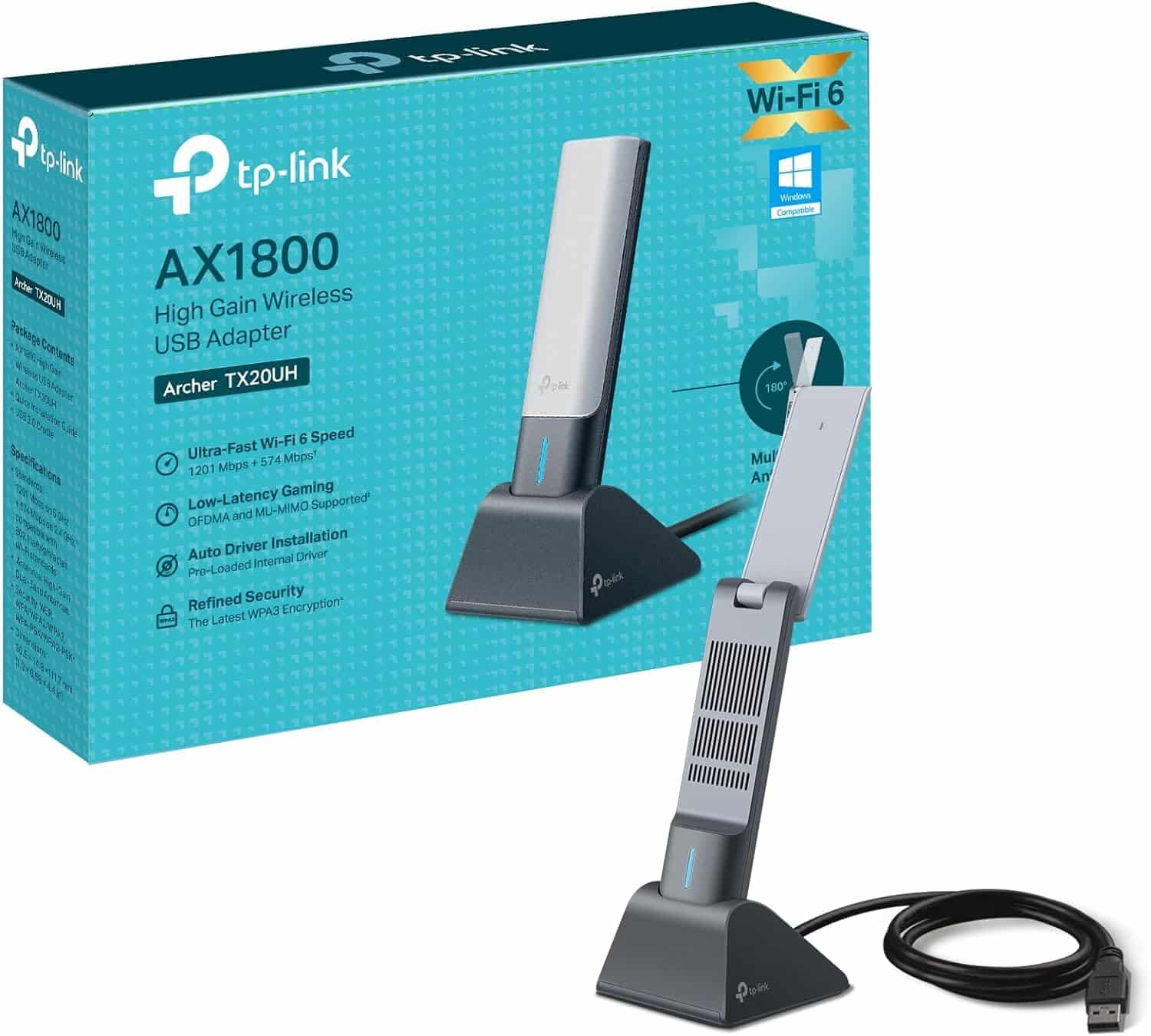
The TX20UH is TP-Link’s attempt at bringing WiFi 6 to the budget USB adapter market. On paper, it ticks the right boxes: dual-band support (2.4GHz and 5GHz), speeds up to 1201 Mbps on 5GHz and 574 Mbps on 2.4GHz, and those external antennas that actually make a difference to range.
But here’s what matters more than the spec sheet, does it actually work well in a real home? I’ve been using this on my test bench desktop (which deliberately has no built-in WiFi) to see how it handles everything from video calls to large Steam downloads.
What You Get in the Box
The package includes a USB extension cradle, which is actually pretty useful. If your PC is under a desk or tucked away, you can position the adapter somewhere with better line-of-sight to your router. I’ve been using it on my desk rather than plugged directly into the back of my PC, and it definitely helps with signal strength.
Performance Testing, Real-World Results
One thing worth noting, performance does drop when you’re using the 2.4GHz band. I was getting around 95-110 Mbps at close range, which is fine for basic browsing but nothing special. The 5GHz band is where this adapter shines, so if your router supports it (and it should), stick to that.
Heat generation is minimal. After an hour of sustained downloading, the adapter was barely warm to the touch. Some USB adapters get uncomfortably hot under load, but TP-Link has done a decent job with thermal management here.
Build Quality, Budget But Not Rubbish
Look, this isn’t a premium product, and the build quality reflects that. But it’s not trying to be. For the price, the construction is perfectly adequate. I’ve tested adapters costing twice as much that feel cheaper.
The LED indicator on the front is bright enough to see but not annoyingly so. It glows blue when connected, which is standard fare. If you’re sensitive to LEDs at night, you might want to position it somewhere less visible.
Setup and Daily Use
- Setup: Easy, Windows 10 and 11 detected it immediately and installed basic drivers. For best performance, download TP-Link’s drivers from their website, which takes about five minutes.
- Driver Stability: Mostly solid, but I did have one instance where the adapter disconnected after waking from sleep. A quick unplug and replug sorted it. This happened once in a month of testing, so it’s not a deal-breaker, but it’s worth mentioning.
- Software: TP-Link doesn’t include any bloatware or management software, which I actually prefer. You manage everything through Windows’ standard network settings. Less clutter, fewer things to go wrong.
- Documentation: Basic quick start guide included. It’s enough to get you going, but there’s not much detail. The full manual is available on TP-Link’s website if you need it.
One quirk I noticed, occasionally after a Windows update, the adapter would default to a power-saving mode that throttled performance. You need to go into Device Manager, find the adapter, and disable “Allow the computer to turn off this device to save power” in the properties. After doing that once, I had no further issues.
The adapter supports WPS for quick connection to compatible routers, though honestly, just typing in your WiFi password is probably faster unless you’ve got a ridiculously complex one.
How It Compares to Alternatives
The TX20UH sits in an interesting spot. It’s cheaper than most WiFi 6 USB adapters but doesn’t sacrifice the features that actually matter. The Netgear A6210 is more compact and portable, but it’s stuck on WiFi 5 and costs more. The ASUS USB-AX56 offers better build quality and slightly more consistent performance, but you’re paying nearly double.
For most people, the TP-Link represents the sweet spot. You’re getting 90% of the performance of adapters costing twice as much, with the only real compromises being build quality and the occasional driver quirk. Of course, if you can run a cable to your device, something like the UGREEN USB-C Ethernet Adapter will always give you more reliable speeds and lower latency than any wireless solution.
What Buyers Are Saying
The overall sentiment from buyers is overwhelmingly positive, with most people impressed by the performance-to-price ratio. The few complaints are generally about minor inconveniences rather than deal-breaking flaws.
Value for Money Analysis
At this price point, you’d normally expect WiFi 5 with internal antennas and compromised range. The TX20UH delivers WiFi 6 with proper external antennas, which is genuinely unusual for budget kit. You’re getting mid-range performance at entry-level pricing, with the main trade-offs being build quality and the occasional software quirk. For anyone who just needs reliable WiFi without spending a fortune, this is exactly where you want to be shopping.
Here’s the thing about value, it’s not just about being cheap. It’s about getting what you actually need without paying for features you don’t. The TX20UH nails this. You’re not paying for RGB lighting, premium packaging, or fancy software you’ll never use. You’re paying for WiFi 6, decent range, and reliable performance. That’s it.
Could you spend more and get something better? Sure. The ASUS USB-AX56 has better build quality. Internal PCIe cards offer more consistent performance. But for most people in most situations, the TX20UH delivers everything you need. The extra money buys you diminishing returns.
What works. What doesn’t.
6 + 4What we liked6 reasons
- Excellent value, WiFi 6 at budget pricing
- External antennas significantly improve range
- Consistently hits 90%+ of ISP speeds on 5GHz
- Includes useful USB extension cradle
- Easy setup with Windows 10/11
- Minimal heat generation under load
Where it falls4 reasons
- All-plastic construction feels budget
- Occasional sleep mode disconnection issues
- 2.4GHz performance is nothing special
- Less portable due to external antennas
Full specifications
6 attributes| Key features | Fast USB Wi-Fi 6 Adapter- Break the gigabit barrier with speeds up to 1201 Mbps (5 GHz) + 574 Mbps (2.4 GHz) |
|---|---|
| Dual Band Wireless Dongle- 2.4 GHz and 5 GHz bands for flexible connectivity | |
| Long Range Wi-Fi Adapter - Connect to your Wi-Fi from wherever in your home with high-gain antennas and Beamforming | |
| Lower Latency Gameplay - OFDMA and MU-MIMO ensure the most efficient WiFi connection for your PC | |
| Improved Security - WPA3 provides the latest security enhancements for personal password protection | |
| SuperSpeed USB 3.0 - Up to 10x faster transfer speeds than USB 2.0 |
If this isn’t right for you
2 options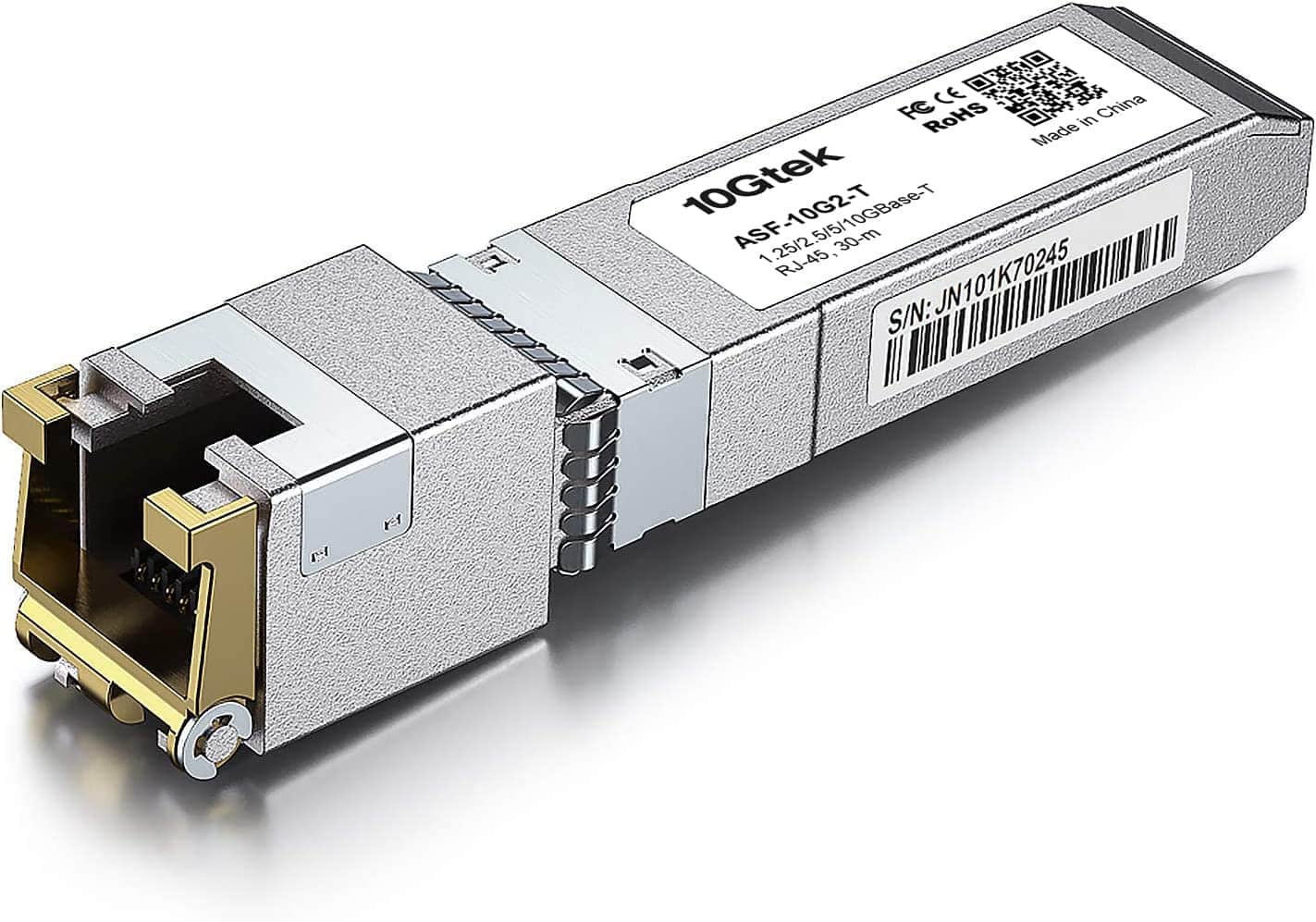 8.0 / 10
10Gtek SFP+ Copper Transceiver UK Review (2026) – Tested
£33.99 · 10Gtek
 8.0 / 10
Anker 555 USB-C Docking Hub (8-in-1) PowerExpand Adapter, 85W Power Delivery, 4K 60Hz HDMI, 10Gbps USB-C & 2 USB-A Data Ports, Ethernet Port, MicroSD & SD Memory Card Reader, for MacBook Pro and More
£34.99 · Anker
Frequently asked
5 questions01Is the TP-Link Archer TX20UH WiFi Dongle worth buying?+
Yes, for most users. It delivers WiFi 6 performance at a budget price point, with external antennas that genuinely improve range. After a month of testing, I consistently achieved 90%+ of my ISP speeds on 5GHz. The main compromises are plastic construction and occasional driver quirks, but for the money, it's excellent value.
02How does the TP-Link TX20UH compare to alternatives?+
It offers better value than most competitors. Compared to WiFi 5 adapters at similar prices, you're getting newer technology and better speeds. Against premium WiFi 6 adapters costing £50+, you sacrifice some build quality and consistency but get 80-85% of the performance at half the price.
03What are the main pros and cons of the TP-Link TX20UH?+
Pros: Excellent value for WiFi 6, external antennas improve range significantly, consistently fast speeds on 5GHz, easy setup, includes useful USB extension cradle. Cons: All-plastic construction feels budget, occasional sleep mode disconnection issues, 2.4GHz performance is average, less portable due to external antennas.
04Is the TP-Link TX20UH easy to set up?+
Yes, very easy. Windows 10 and 11 detect it automatically and install basic drivers. For best performance, download TP-Link's drivers from their website, which takes about five minutes. One tip: disable power-saving mode in Device Manager to prevent occasional disconnections after sleep.
05What warranty applies to the TP-Link TX20UH?+
Amazon offers 30-day returns on most items. TP-Link provides manufacturer warranty coverage - check the product page for specific details. Amazon's A-to-Z Guarantee also provides purchase protection on every order.