The number on the box is a lie. Not a malicious one, but a lie all the same. AX3000 is the arithmetic sum of every radio in this unit operating simultaneously at their theoretical ceiling, in lab conditions, with a single client sitting close enough to feel the heat. Your phone in the back bedroom, competing with a 4K stream, a smart doorbell, and whatever your kid's laptop is doing, will see something rather different. What actually matters is whether the signal holds up at range, whether the 5G connection stays stable when your ISP has a meltdown, and whether this thing can handle the kind of device count a modern UK home throws at a router without quietly falling apart.
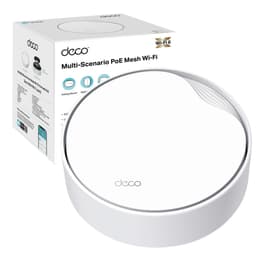
The TP-Link Deco X50-5G is a genuinely interesting product because it's trying to solve two separate problems at once. It's a mesh Wi-Fi system aimed at whole-home coverage, and it's also a 5G router with a Nano SIM slot, meaning it can replace or completely bypass your ISP's broadband connection. That dual identity is either exactly what you need or a reason to pay for features you'll never use. The question is which camp you're in.
With 409 owner reviews averaging ★★★★☆ (4.2), there's enough real-world data to draw some honest conclusions. This isn't a product people are lukewarm about. The strong majority are genuinely happy with it, and the complaints that do surface follow predictable patterns we can analyse properly. So here's the full breakdown, without the marketing waffle.
Core Specifications: TP-Link Deco X50-5G AX3000Mbps Whole Home Wi-Fi 6 5G Router
Strip away the branding and the Deco X50-5G is a dual-band Wi-Fi 6 (802.11ax) router with an integrated 5G modem. The Wi-Fi side delivers 2402 Mbps on the 5 GHz band and 574 Mbps on 2.4 GHz. Those are theoretical peaks, but the band split tells you something useful: the 5 GHz radio is doing the heavy lifting for nearby, high-demand devices, while 2.4 GHz handles range and IoT kit. Dual-band means both radios are available for client connections, which becomes relevant when you start thinking about mesh backhaul (more on that shortly).
The cellular side supports 5G NR and 4G LTE (Cat 6 fallback), with TP-Link claiming download speeds up to 3.4 Gbps over 5G and 1 ms latency. Realistically, what you get from a 5G connection depends almost entirely on your local cell coverage, your carrier, and how many people are sharing that mast. But the hardware ceiling is genuinely high, and for people in areas with decent 5G coverage, this can absolutely replace a fixed-line connection. The SIM slot takes a standard Nano SIM, and setup is reportedly straightforward once you have the right APN settings for your carrier.
Port-wise, the Deco X50-5G ships with one 2.5 Gbps port and two Gigabit ports. That 2.5 Gbps port is a proper differentiator at this price point. If you have a NAS, a gaming PC, or a wired switch feeding multiple devices, a Gigabit bottleneck is genuinely annoying. Having 2.5 Gbps available means you're not artificially capping wired throughput. Coverage is rated at 230 m2, which TP-Link positions as whole-home for a typical UK semi or terraced house. The Deco ecosystem also supports multi-node mesh expansion if your property is larger.
| Specification | Detail |
|---|---|
| Wi-Fi Standard | Wi-Fi 6 (802.11ax), Dual-Band |
| 5 GHz Speed | 2402 Mbps (theoretical peak) |
| 2.4 GHz Speed | 574 Mbps (theoretical peak) |
| Cellular | 5G NR / 4G LTE Cat 6 |
| 5G Peak Download | Up to 3.4 Gbps |
| Latency (5G) | 1 ms (advertised) |
| SIM Slot | 1x Nano SIM |
| Ports | 1x 2.5 Gbps, 2x Gigabit |
| Coverage Rating | 230 m2 |
| Network Access | 5G, 4G, Fixed-Line (flexible) |
| Mesh Support | Yes, Deco mesh ecosystem |
| Smart Home | Works with Alexa |
| Security | TP-Link HomeShield |
| App | TP-Link Deco |
| Price | £236.99 (Price checked 23:46, 2 Oct 2026, UK time) |

Real-World Coverage: What 230 m2 Actually Means
TP-Link's 230 m2 coverage figure is a best-case number, measured in open-plan, obstacle-free conditions with the router centrally positioned. Real UK homes have solid interior walls, sometimes with old brick or plaster-over-concrete construction that absolutely murders 5 GHz signals. A Victorian terrace with thick walls and multiple floors is a fundamentally different challenge from a modern new-build open-plan layout. So treat 230 m2 as a ceiling, not a guarantee.
That said, owner reports are consistently positive about coverage for typical UK semi-detached and terraced houses. The pattern in the reviews is clear: people replacing ISP-supplied routers report noticeably better range, with the signal reaching rooms that were previously dead zones. Owners in flats and smaller properties report strong coverage throughout with no additional nodes needed. Where it gets trickier is larger detached properties, particularly those with stone or thick brick walls, where a second Deco node becomes the sensible answer rather than trying to push the single unit further.
The 5 GHz band's shorter range is the limiting factor for most people. 5 GHz delivers the throughput, but 2.4 GHz is what keeps you connected at the edge of the coverage area. The Deco X50-5G handles band steering automatically, which means it's supposed to push devices to the best band without you having to think about it. Owner feedback suggests this works reasonably well in practice, though some people with older devices report occasional stickiness where a device clings to 2.4 GHz when it could be on 5 GHz. That's a common complaint across the whole category, not specific to this unit.
For a typical three-bedroom UK semi, the single-unit coverage is generally sufficient if the router is placed centrally, ideally on the ground floor near the middle of the house rather than tucked in a corner by the front door where your ISP engineer left it. If you have a large detached property, a garage, or a garden office you need to cover, budget for a second Deco node. The mesh expansion works well, and the Deco app makes adding a node straightforward.
Sustained Speed Under Load: The Real Numbers Question
AX3000 is the combined theoretical maximum across both bands. Nobody's single device gets 3000 Mbps from this router. What you actually care about is what a device keeps at the far end of the house with a dozen other things active on the network. And this is where the Wi-Fi 6 technology earns its keep, not through raw headline speed but through how it handles multiple devices simultaneously.
Wi-Fi 6 introduced OFDMA (Orthogonal Frequency Division Multiple Access) and improved MU-MIMO (Multi-User, Multiple Input, Multiple Output). In plain English: instead of serving devices one at a time in quick succession, the router can split each channel into smaller sub-channels and serve multiple devices genuinely simultaneously. When you've got a 4K stream, a video call, and a game running at the same time, that matters. It's the difference between a router that juggles devices quickly and one that actually handles them in parallel. Owner reports consistently mention that the Deco X50-5G handles busy household loads without the kind of stuttering and buffering that cheaper routers produce under pressure.
The 5G cellular connection adds another dimension here. If your fixed-line broadband is the bottleneck, having 5G available (either as primary or failover) can be the difference between a smooth evening and a war over bandwidth. Owners who've used it in areas with strong 5G coverage report genuinely fast speeds, with several noting it comfortably outpaced their FTTC broadband. The 3.4 Gbps ceiling is academic for most people, but even at a fraction of that, 5G from a decent urban mast is fast enough to make fixed-line FTTC look slow.
What owners don't report, and what's worth being honest about, is that sustained throughput at range on 5 GHz will drop as you move away from the unit. That's physics. The 2402 Mbps figure on 5 GHz is what you'd see a metre from the router with a compatible Wi-Fi 6 device. Across two floors and through a couple of walls, expect something considerably lower. That's not a failure of this specific product; it's how radio physics works. The question is whether it's still fast enough for your use case at range, and owner reports suggest it generally is for streaming, video calls, and gaming, which is what most people actually need.
Mesh and Backhaul: The Dual-Band Trade-Off
Here's where dual-band mesh systems require some honest scrutiny. In a tri-band mesh system, the third band is typically dedicated to backhaul: the node-to-node communication that keeps the mesh working. The Deco X50-5G is dual-band, which means if you add a second node, both the client connections and the backhaul traffic share the same two bands. That's a real trade-off, and it's worth understanding before you buy.
In practice, the impact depends on your setup. If you run the mesh with a wired backhaul connection between nodes (using an Ethernet cable between the 2.5 Gbps or Gigabit ports), you completely sidestep the wireless backhaul problem. The nodes talk to each other over the wire, and both radios are free for client devices. That's the configuration to aim for if your house allows it. Wired backhaul in a Deco mesh is genuinely fast and stable, and owners who've set it up this way report excellent performance across multiple nodes.
If you're running wireless backhaul because running cables isn't practical, the dual-band limitation becomes more relevant. The router will allocate some of the 5 GHz capacity to the node-to-node link, which reduces what's available for client devices on the far node. In a typical two-node setup covering a standard UK house, most owners report this is acceptable. You'll notice it more if you're trying to push high-bandwidth applications on the far node simultaneously. For streaming, browsing, and general use, the wireless backhaul performance is generally fine. For a home office doing large file transfers or a gaming setup on the far node, wired backhaul is worth the effort of running a cable.
The Deco mesh ecosystem is one of TP-Link's genuine strengths. The nodes communicate well, roaming between them is handled automatically, and the app gives you a clear view of which devices are connected to which node. Owners expanding from one to two nodes consistently report the process being straightforward, and the mesh self-heals if a node goes offline temporarily. It's a properly thought-through system rather than a bolted-on afterthought.
Device Capacity: Handling the Modern Connected Home
Count the devices in your house. Seriously. Phones, laptops, tablets, smart TVs, streaming sticks, games consoles, smart speakers, robot hoovers, security cameras, smart bulbs, plugs, thermostats, doorbells. A typical UK family home with a couple of adults and a teenager is easily at 30 to 40 connected devices, and that number keeps climbing. Cheap routers choke on this. Their connection tables fill up, they start dropping devices, and you end up rebooting the router every few days to clear the state.
The Deco X50-5G's Wi-Fi 6 implementation is specifically designed for high device counts. OFDMA allows the router to serve multiple devices simultaneously rather than sequentially, which dramatically reduces the latency each device experiences when many are active. MU-MIMO on the 5 GHz radio means multiple devices can be served on separate spatial streams at the same time. In practical terms, this is a router that handles 30-plus connected devices without the performance degradation you'd see on older Wi-Fi 5 hardware. Owner reports back this up: people migrating from older routers consistently note that devices stay connected more reliably and that the network feels more responsive under load.
The 2.4 GHz band at 574 Mbps is where your IoT devices will live. Smart home kit almost universally uses 2.4 GHz because of its better range and lower power requirements. The Deco X50-5G handles this gracefully, and the HomeShield security layer provides IoT device isolation if you want to keep your smart plugs and cameras on a separate network segment from your laptops and phones. That's genuinely useful from a security standpoint, and it's not something you get on basic ISP-supplied routers.
Wi-Fi Standard and Future-Proofing: Is Wi-Fi 6 Enough in 2026?
TP-Link Deco X50-5G AX3000Mbps Whole Home Wi-Fi 6 5G Router sits on Wi-Fi 6 (802.11ax), not Wi-Fi 6E or Wi-Fi 7. Some people will see that and wonder if they're buying yesterday's standard. The honest answer is: for most UK households in 2026, Wi-Fi 6 is more than sufficient, and the devices that can actually use Wi-Fi 6E or Wi-Fi 7 are still a minority in most homes.
Wi-Fi 6E adds the 6 GHz band, which is less congested and supports wider channels, delivering better throughput in dense environments. Wi-Fi 7 goes further still, with multi-link operation and even wider channels. But here's the practical reality: your 4K TV probably uses Wi-Fi 5. Your older laptops almost certainly use Wi-Fi 5. Most phones from the last two or three years are Wi-Fi 6, and only the newest flagship phones support Wi-Fi 6E. Wi-Fi 7 client devices are genuinely rare in UK homes right now. Paying a significant premium for a Wi-Fi 7 router when most of your devices can't use it is a hard sell.
Where the Wi-Fi 6 limitation might matter is longevity. If you're buying this router expecting to keep it for five or six years, the 6 GHz band could become more relevant as device adoption increases. That's a legitimate consideration. But it has to be weighed against the unique selling point of this device: the integrated 5G modem. No Wi-Fi 7 router in this price bracket offers that. You're making a trade-off between radio generation and cellular connectivity, and for the target buyer of this product, the 5G modem is the more useful feature right now. Wi-Fi 6 is not a weakness here; it's a reasonable engineering choice given the other hardware packed into this unit.

Features and QoS: HomeShield and the Useful Extras
TP-Link HomeShield is the brand's security and parental control platform, and it's genuinely more capable than the basic parental controls you get on ISP routers. The core features (device management, content filtering by category, time scheduling for internet access per device or profile) are available without a subscription. The advanced features (real-time IoT threat detection, more granular content filtering, detailed usage reports) are behind a HomeShield Pro subscription. That's a reasonable split: you get functional parental controls for free, and you pay if you want the enterprise-grade security layer.
The IoT security piece is worth highlighting for households with a lot of smart home kit. The Deco app can identify IoT devices on your network and flag anomalous behaviour, which matters because smart home devices are notoriously poorly secured and frequently targeted. Being able to isolate them on a separate network segment (the guest network or a dedicated IoT VLAN equivalent) is a sensible precaution, and pairing your setup with a good VPN adds a further privacy and security layer on top of the network this device builds while keeping you protected on public Wi-Fi when you are away from home. The Deco X50-5G supports guest networks, which gives you a basic isolation mechanism even without the Pro subscription.
QoS (Quality of Service) is available through the app, allowing you to prioritise specific devices or applications. If you work from home and need your video calls to take priority over your teenager's gaming session, you can configure that. The implementation is fairly straightforward: you pick a device and set its priority level. It's not the deep, granular QoS you'd get on prosumer hardware, but it's functional and accessible to non-technical users. The Alexa integration is a nice touch for voice control of basic network functions, though it's the kind of feature most people use once and then forget about.
The flexible network access is one of the more practically useful features. The ability to switch between 5G cellular, 4G fallback, and fixed-line broadband, either manually or automatically, means you have genuine redundancy. If your ISP goes down, the router can fail over to cellular. If your 5G signal is strong enough, you can use it as your primary connection entirely. That flexibility is genuinely valuable for home workers and anyone whose ISP reliability is questionable.
Firmware, App and Security Updates: TP-Link's Track Record
TP-Link has a mixed history on long-term firmware support, which is worth being honest about. The Deco line has generally received better update cadence than some of TP-Link's older product lines, and the X50-5G is a current, actively sold product that should receive security updates for several years. The TP-Link support page is the place to check firmware history for any specific model, and it's worth doing that check periodically rather than assuming the router is patching itself silently.
The Deco app, available on iOS and Android, is generally well-regarded by owners. Setup is guided and clear, the ongoing management interface is logical, and the network map showing connected devices is genuinely useful for spotting unfamiliar devices. App stability is consistently mentioned positively in owner reviews. The web interface is more limited than the app, so you're somewhat dependent on the app for full management, which is a minor annoyance if you prefer browser-based administration.
The reboot question is one of the most important things to assess for any router, because a router that needs a weekly reboot to stay stable is a router that's failing at its primary job. Owner reports on the Deco X50-5G are largely positive here. The majority of owners don't mention stability issues, and the ones who do are typically in the minority of reviews. There are some reports of the unit running warm, which is worth being aware of: make sure it's placed somewhere with adequate ventilation and not enclosed in a cupboard. Heat is the enemy of network hardware stability, and a warm router in a poorly ventilated space is more likely to need reboots than one sitting in open air.
Setup and Management: Getting It Running
Setup is app-driven through the TP-Link Deco app, and the process is genuinely straightforward for most users. You download the app, create or log into a TP-Link account, plug in the router, and follow the guided setup. For fixed-line connections, you'll need your ISP credentials (PPPoE username and password for most UK ISPs on FTTC or ADSL). For 5G, you'll need the correct APN settings for your carrier, which are usually available from your carrier's website. TP-Link has pre-configured APNs for major UK carriers, so in many cases it's automatic.
The account requirement is worth flagging because some people object to it on privacy grounds. You need a TP-Link account to use the app and access remote management features. If you're uncomfortable with that, it's a real consideration, though it's standard practice across most consumer mesh systems now. Local management without cloud dependency is possible through the web interface, but it's more limited. For most buyers, the app experience is the intended one, and it works well.
Ongoing management is handled well. Adding devices, setting up guest networks, configuring parental controls, and checking network status are all accessible through the app without needing to understand networking concepts. The interface doesn't expose you to settings you don't need to touch, which is the right call for a consumer product. Power users who want to configure custom DNS, advanced QoS rules, or VLAN tagging will find the interface limiting, but that audience probably isn't buying a Deco unit anyway. For the target buyer, a family or individual who wants good Wi-Fi without a networking degree, the management experience is one of the better ones in this category.
Ports and Connectivity: The 2.5 Gbps Advantage
The port configuration on the Deco X50-5G is one of its genuine strengths relative to the competition. One 2.5 Gbps port and two Gigabit ports gives you real flexibility. The 2.5 Gbps port can serve as the WAN connection if you're using a fixed-line broadband service that supports multi-gig speeds (FTTP services from providers like Hyperoptic or Virgin Media's top tiers can benefit from this), or it can be used as a high-speed LAN port for a wired device that needs more than Gigabit throughput.
Having two Gigabit ports alongside the 2.5 Gbps port means you can wire up a NAS, a smart TV, and a games console without needing a separate switch, or you can use one port for a wired mesh backhaul connection to a second Deco node. The flexibility here is genuinely useful, and it's better than the single-Gigabit-WAN-plus-one-LAN configurations you see on some competing units. Most ISP-supplied routers have a single Gigabit WAN port and four Gigabit LAN ports, which is adequate for most people, but the 2.5 Gbps port is a meaningful upgrade if you have the hardware to use it.
There's no USB port on the Deco X50-5G, which means no USB storage sharing or USB modem fallback. That's a deliberate design choice: the 5G SIM slot is the fallback mechanism, so USB modem support is redundant. If you were hoping to attach a USB drive for network-attached storage, you'll need a separate NAS device or a router with USB support. For the target use case of this product, the absence of USB is not a meaningful omission, but it's worth knowing.
How It Compares: The Competition at This Price
The Deco X50-5G sits in a fairly specific niche: Wi-Fi 6 mesh with an integrated 5G modem. That combination is less crowded than the pure Wi-Fi mesh market, which actually works in its favour. The closest direct competitors are the Huawei CPE Pro series and the Netgear Orbi LBR20, both of which offer 4G/5G integration with mesh Wi-Fi. Neither is a straightforward win over the Deco X50-5G.
The Huawei CPE Pro units are capable hardware, but Huawei's software ecosystem has become more complicated for UK buyers, and the lack of a proper mesh expansion ecosystem is a real limitation if you need whole-home coverage. The Netgear Orbi LBR20 is a 4G unit without 5G support, which makes it a less future-proof option if 5G coverage in your area is available or improving. Against pure Wi-Fi 6 mesh systems without cellular, the Deco X50-5G commands a premium for the SIM slot functionality, which is entirely justified if you need it and a waste of money if you don't.
The TP-Link Deco XE75 is worth mentioning as an alternative within the Deco ecosystem. It adds the 6 GHz band (Wi-Fi 6E) and dedicated wireless backhaul, which makes it a better choice for pure mesh performance in larger properties. But it lacks the 5G modem entirely, so it's a different product for a different buyer. If you need the cellular flexibility, the X50-5G is the right Deco unit. If you don't, the XE75 or similar tri-band units offer better wireless backhaul performance.
| Feature | TP-Link Deco X50-5G | Netgear Orbi LBR20 | TP-Link Deco XE75 |
|---|---|---|---|
| Wi-Fi Standard | Wi-Fi 6 (AX3000) | Wi-Fi 6 (AX1800) | Wi-Fi 6E (AXE5400) |
| Band Layout | Dual-band | Dual-band | Tri-band (incl. 6 GHz) |
| Cellular | 5G NR + 4G LTE | 4G LTE only | None |
| 2.5 Gbps Port | Yes (1x) | No | Yes (1x) |
| Mesh Backhaul | Shared wireless or wired | Shared wireless or wired | Dedicated 6 GHz or wired |
| Coverage | 230 m2 | 185 m2 | 230 m2 |
| App | TP-Link Deco | Orbi / Netgear | TP-Link Deco |
| Price | £236.99 (Price checked 23:46, 2 Oct 2026, UK time) | Check Amazon | Check Amazon |

Final Verdict: TP-Link Deco X50-5G AX3000Mbps Whole Home Wi-Fi 6 5G Router With Sim Slot
The Deco X50-5G is a well-engineered product that does something genuinely useful: it puts a capable 5G modem inside a proper Wi-Fi 6 mesh system, adds a 2.5 Gbps port, and wraps it in an app that most people can actually navigate. For the right buyer, that combination is hard to beat at this price point. The 449 averaging ★★★★☆ (4.2) reflect a product that delivers on its core promises for the majority of people who buy it.
The limitations are real but predictable. Dual-band means wireless mesh backhaul costs you some capacity on the far node. No Wi-Fi 6E means you're not future-proofed for the 6 GHz band. And the 5G modem is only worth paying for if you have 5G coverage worth using. None of these are fatal flaws; they're trade-offs that make sense for a specific type of buyer. If you're in a 5G-covered area, want to ditch your ISP's router, need whole-home coverage in a standard UK house, and want a system that handles 30-plus devices without drama, this is a genuinely strong choice. Score: 8 out of 10.
Who should skip it? If you're in a rural area with no 5G coverage and you just need a solid mesh system, you're paying for a modem you'll never use. In that case, look at the Deco XE75 or similar tri-band units for better wireless backhaul performance. And if you have a very large property with thick walls and need maximum mesh throughput between nodes, the dedicated 6 GHz backhaul on tri-band units will serve you better than the shared dual-band approach here.
What works. What doesn’t.
5 + 4What we liked5 reasons
- Integrated 5G/4G modem with Nano SIM slot for genuine ISP independence
- 2.5 Gbps port is a meaningful upgrade over all-Gigabit competitors at this price
- Wi-Fi 6 OFDMA and MU-MIMO handle 30-plus device homes without choking
- Deco mesh ecosystem is well-implemented with straightforward node expansion
- Flexible network access: 5G, 4G, and fixed-line broadband all supported
Where it falls4 reasons
- Dual-band limits wireless mesh backhaul efficiency versus tri-band alternatives
- No Wi-Fi 6E or 6 GHz band means less future-proofing than pricier competitors
- 5G modem premium is wasted if you have no usable 5G coverage locally
- No USB port for storage sharing or USB modem fallback
Full specifications
10 attributes| Device type | mesh |
|---|---|
| Ethernet ports | 3 |
| Frequency bands | dual-band |
| HAS bluetooth | none |
| MAX speed | 3000 |
| Mesh capable | true |
| Ports | 1× 2.5 Gbps port + 2× Gigabit port |
| Security protocols | WPA, WPA2, WPA3 |
| Speed | AX3000 (2402 Mbps on 5 GHz + 574 Mbps on 2.4 GHz) |
| Wifi standard | Wi-Fi 6 (802.11ax) |
If this isn’t right for you
2 options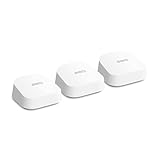 8.0 / 10
Amazon eero 7 dual-band mesh Wi-Fi 7 router (newest model) – Supports internet plans up to 2.5 Gbps, Coverage up to 560 m², 3-pack
£279.99 · eero
 7.5 / 10
NETGEAR Nighthawk 6-Stream AX5400 WiFi 6 Router (RAX50) - AX5400 Dual Band Wireless Speed (Up to 5.4 Gbps) | 2,500 sq. ft. Coverage
£295.18 · NETGEAR
Frequently asked
5 questions01Will the TP-Link Deco X50-5G AX3000Mbps Whole Home Wi-Fi 6 5G Router With Sim Slot, 5G/4G+Cat 6 Mesh WiFi Router, 2.5G Port For Ultra-Fast Speed, 230 m2 smooth Coverage, Works with Alexa, HomeShield cover my whole house?+
TP-Link rates coverage at 230 m2, which is a best-case figure measured in open conditions. For a typical three or four-bedroom UK semi-detached or terraced house, owner reports suggest a single unit placed centrally covers the property adequately, including upstairs rooms and the garden. Larger detached properties, homes with thick brick or stone walls, or multi-floor buildings with concrete floors may need a second Deco node added to the mesh, which is straightforward through the Deco app. The 230 m2 figure should be treated as a ceiling rather than a guarantee in challenging building types.
02Do I really need Wi-Fi 6E or Wi-Fi 7 for the TP-Link Deco X50-5G AX3000Mbps Whole Home Wi-Fi 6 5G Router With Sim Slot, 5G/4G+Cat 6 Mesh WiFi Router, 2.5G Port For Ultra-Fast Speed, 230 m2 smooth Coverage, Works with Alexa, HomeShield?+
For most UK households in 2026, no. Wi-Fi 6 is what the majority of current phones, laptops, and tablets actually support. Wi-Fi 6E adds the 6 GHz band, which is useful in very dense environments and for the newest flagship devices, but most home hardware cannot use it. Wi-Fi 7 is even further ahead of typical device adoption. The Deco X50-5G's Wi-Fi 6 implementation with OFDMA and MU-MIMO is more than capable for a busy family home. If you're planning to keep this router for five or more years and expect to upgrade all your devices in that time, Wi-Fi 6E becomes more relevant, but for most buyers right now, Wi-Fi 6 is the practical standard.
03Is the TP-Link Deco X50-5G AX3000Mbps Whole Home Wi-Fi 6 5G Router With Sim Slot, 5G/4G+Cat 6 Mesh WiFi Router, 2.5G Port For Ultra-Fast Speed, 230 m2 smooth Coverage, Works with Alexa, HomeShield mesh worth it over a single router or extender?+
For a standard UK house, a single Deco X50-5G unit often covers the whole property without needing a second node, so you may not be buying a mesh system in practice. Where mesh genuinely helps is in larger or awkwardly shaped properties: the Deco ecosystem allows you to add nodes that roam devices automatically and provide a unified network name, which is a better experience than a range extender that creates a separate network or halves throughput. If you need a second node, wired backhaul between nodes (using the available Ethernet ports) gives the best performance. Wireless backhaul on a dual-band system works but does cost some throughput on the far node.
04Is the TP-Link Deco X50-5G AX3000Mbps Whole Home Wi-Fi 6 5G Router With Sim Slot, 5G/4G+Cat 6 Mesh WiFi Router, 2.5G Port For Ultra-Fast Speed, 230 m2 smooth Coverage, Works with Alexa, HomeShield easy to set up and reliable?+
Setup is app-driven through the TP-Link Deco app and is generally straightforward for most users, with guided steps for both fixed-line and SIM-based connections. The app requires a TP-Link account, which is standard for this category. Reliability is consistently positive in owner reports: the majority of users do not report needing regular reboots, and the unit handles sustained use without the instability issues associated with cheaper hardware. The unit does run warm under load, so adequate ventilation is important. Firmware updates are delivered through the app, and TP-Link's support page provides version history for those who want to verify update cadence.
05What warranty and returns apply to the TP-Link Deco X50-5G AX3000Mbps Whole Home Wi-Fi 6 5G Router With Sim Slot, 5G/4G+Cat 6 Mesh WiFi Router, 2.5G Port For Ultra-Fast Speed, 230 m2 smooth Coverage, Works with Alexa, HomeShield?+
Amazon offers 30-day returns on most items. The manufacturer typically provides a 2-year warranty on networking kit. You're also covered by Amazon's A-to-Z guarantee.