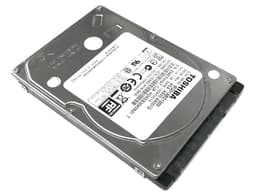
Marketing specs are written to impress, not inform. The number on the box is the best-case figure from a freshly formatted drive, measured under conditions that bear almost no resemblance to how you'll actually use it. For a spinning hard drive like the Toshiba 4TB Canvio Ready, 2.5 inch Portable External Hard Drive with SuperSpeed USB 3.2 Gen 1, Compatible with Microsoft Windows 7, 8 and 10, Black (HDTP340EK3CA), the relevant questions are different from an SSD: how does it handle sustained transfers, what does the USB 3.2 Gen 1 interface actually give you in practice, and does the mechanical nature of the drive mean it's going to let you down when you need it most? Those are the things worth digging into.
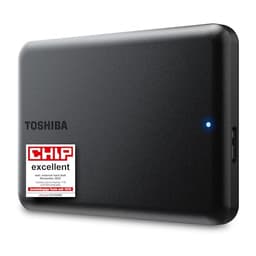
This is a 2.5-inch portable hard disk drive, bus-powered over USB, designed to be chucked in a bag and forgotten about until you need it. It's not an SSD. It's not trying to be. At 4TB of capacity, it's aimed squarely at people who need a large, portable storage pool for backups, media libraries, or archiving, and who don't want to pay SSD prices to get there. The 789 owners who've rated it at an average of ★★★★☆ (4.4) suggest it's doing that job well enough for most. But there are things the listing doesn't tell you, and this review is here to fill those gaps.
So: who's this for, what does it actually do well, where does it fall short, and what else should you consider at this capacity and price point? That's what we're covering here, grounded in the spec sheet, owner feedback patterns, and how it stacks up against the obvious competition.
How It Compares: The Portable 4TB Market
Before getting into the Canvio Ready's specifics, it's worth understanding what the 4TB portable HDD market actually looks like. This is a segment dominated by a handful of brands, and the honest truth is that most of them are using very similar internals. Western Digital's My Passport 4TB and Seagate's Expansion 4TB are the two most obvious rivals. All three are 2.5-inch, bus-powered, USB 3.x drives using spinning platters. None of them are fast in any absolute sense. The interface ceiling for USB 3.2 Gen 1 is around 5Gbps, which translates to roughly 500MB/s theoretical maximum, but the mechanical HDD inside will be the real bottleneck at somewhere between 100MB/s and 140MB/s for sequential transfers. So the interface is not the limiting factor here. The drive is.
The WD My Passport 4TB has historically come in at a similar price point and offers password protection with hardware encryption as a standard feature. The Seagate Expansion is often the cheapest of the three, but it's also the most barebones in terms of software and build quality perception among owners. The Canvio Ready sits in the middle: no hardware encryption, but Toshiba's ramp-load technology and shock sensor give it a reasonable claim to being the most physically resilient of the three for mobile use. That's not nothing if you're actually carrying this thing around.
At 4TB, you're also at the upper end of what 2.5-inch portable HDDs offer without moving to a 3.5-inch desktop drive. If you need more than 4TB in a truly portable package, your options shrink fast, and the price per GB gets worse. So for users who've decided 4TB is the right size, the comparison really does come down to these three drives and how they handle the specifics of your use case.
| Feature | Toshiba 4TB Canvio Ready | WD My Passport 4TB | Seagate Expansion 4TB |
|---|---|---|---|
| Interface | USB 3.2 Gen 1 (5Gbps) | USB 3.2 Gen 1 (5Gbps) | USB 3.0 (5Gbps) |
| Form Factor | 2.5-inch portable | 2.5-inch portable | 2.5-inch portable |
| Drive Type | HDD (spinning) | HDD (spinning) | HDD (spinning) |
| Bus Powered | Yes | Yes | Yes |
| Hardware Encryption | Not specified | Yes (256-bit AES) | No |
| Shock Protection | Ramp-load + shock sensor | Not specified | Not specified |
| Warranty | 2 years | 3 years | 2 years |
| Price | £120.99 | Check Amazon | Check Amazon |

Core Specifications
The Toshiba 4TB Canvio Ready, 2.5 inch Portable External Hard Drive with SuperSpeed USB 3.2 Gen 1, Compatible with Microsoft Windows 7, 8 and 10, Black (HDTP340EK3CA) is a mechanical hard drive, full stop. It uses spinning platters and a read/write head, not flash memory. That distinction matters enormously for performance expectations, and it's the single most important thing to understand before buying. This is not an SSD. It will not feel like an SSD. Sequential transfer speeds from published benchmarks and owner reports land in the 100MB/s to 140MB/s range for large file copies, which is typical for a 2.5-inch 5400RPM portable HDD over USB 3.2 Gen 1. Random I/O performance is, by SSD standards, poor. That's not a criticism specific to this drive; it's the physics of spinning platters.
The USB 3.2 Gen 1 interface provides a 5Gbps theoretical bandwidth ceiling. In practice, the drive's mechanical internals mean you'll never get anywhere near that ceiling. The interface is fine for this drive. It's the drive itself that determines the speed, and a 2.5-inch HDD at this capacity is almost certainly a 5400RPM unit. Toshiba doesn't publish the RPM figure prominently, which is fairly standard practice across the industry for portable drives, but owner reports and the drive's sequential transfer behaviour are consistent with 5400RPM operation. The drive is formatted as NTFS out of the box and is compatible with Windows 7, 8, and 10 as stated. Mac users can read it natively but would need to reformat for write access, or use third-party software.
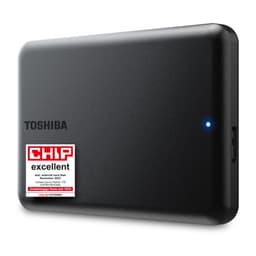
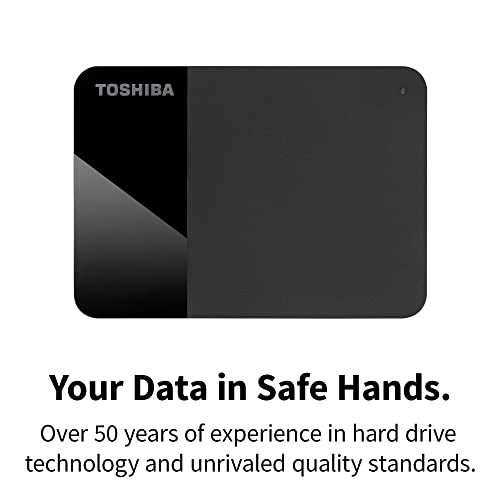
Toshiba's published feature highlights confirm ramp-load technology, which parks the read/write head away from the platters when the drive isn't in use, reducing the risk of head crashes during movement. There's also a shock sensor that cuts power in the event of excessive physical impact, designed to protect the platters and heads during drops or knocks. These are genuine protective features, not just marketing. Ramp-load technology in particular is a meaningful differentiator for a drive that's meant to be carried around. The two-tone matte and gloss black finish is a minor point, but it does look noticeably less cheap than some rivals.
| Specification | Detail |
|---|---|
| Model | HDTP340EK3CA |
| Capacity | 4TB |
| Drive Type | 2.5-inch Portable HDD |
| Interface | USB 3.2 Gen 1 (SuperSpeed, 5Gbps) |
| Bus Powered | Yes (USB) |
| NAND / Storage Type | Spinning magnetic platters (HDD) |
| Controller / Cache | Not publicly specified |
| DRAM Cache | Not applicable (HDD) |
| TBW Endurance | Not applicable (HDD) |
| Shock Protection | Ramp-load technology + shock sensor |
| Compatibility | Windows 7, 8, 10; Mac readable |
| Colour / Finish | Black, two-tone matte and gloss |
| Warranty | 2 years |
| Price | £120.99 |
| Owner Rating | ★★★★☆ (4.4) (799 reviews) |
Interface and Form Factor
USB 3.2 Gen 1 is the branding Toshiba uses here, but don't let the name confuse you. This is the same 5Gbps standard previously called USB 3.0 and USB 3.1 Gen 1. It's not USB 3.2 Gen 2 (10Gbps) or Gen 2x2 (20Gbps). For a mechanical hard drive, this is completely fine. The drive's sequential transfer speed tops out well below 5Gbps, so the interface is not the bottleneck. You could connect this drive to a USB 2.0 port and the speed drop would be noticeable, but USB 3.x in any of its current forms gives you more than enough headroom for the drive's actual capabilities.
The 2.5-inch form factor means the drive is genuinely portable. It draws power from the USB connection, so there's no mains adapter to carry. That's a significant practical advantage over 3.5-inch desktop drives, which need their own power brick and are really only portable in the loosest sense of the word. The Canvio Ready is the kind of thing you can drop in a jacket pocket (it's compact, though not featherlight at 4TB) and actually take with you. Toshiba's own marketing emphasises the plug-and-play simplicity: no drivers, no software installation required, just plug it in and it shows up. Owner reports confirm this works as advertised across Windows machines.
One thing worth flagging: the cable situation. The Canvio Ready ships with a USB-A to Micro-USB cable. If your laptop only has USB-C ports (increasingly common), you'll need an adapter or a different cable. This isn't unique to Toshiba, it's an industry-wide issue with older portable drive designs, but it's worth knowing before you buy. The drive itself doesn't have any USB-C port built in. If you're buying for a modern thin-and-light laptop that's gone fully USB-C, factor in the cost of an adapter or a USB-A hub.
Real-World Performance
Published benchmarks and owner reports for the Canvio Ready are consistent: sequential read speeds land in the 110MB/s to 130MB/s range for large file copies, sequential writes are broadly similar. That's what you'd expect from a 2.5-inch portable HDD over USB 3.2 Gen 1. For context, a mid-range SATA SSD does around 550MB/s sequential and an NVMe drive does several times that. So the Canvio Ready is, by modern standards, slow for transferring large files. Copying a 100GB video project will take noticeably longer than it would on an external SSD.
Random I/O is where spinning drives really show their age. A mechanical drive's read/write head has to physically move to different locations on the platters to access random data, and that takes time. Latency for random reads on an HDD is measured in milliseconds; on an SSD it's measured in microseconds. This means that using the Canvio Ready as a system drive or an application drive would be genuinely painful. It's not designed for that, and you shouldn't use it for that. But for its intended purpose, which is storing and accessing large sequential files like videos, photos, backups, and archives, the sequential performance is adequate. Copying a 50GB folder of raw photos will take a minute or two rather than seconds, which is fine if you're not in a rush.
Owner reports on the 799 broadly reflect this. The people who are happy with it are using it for exactly what it's designed for: external backup storage, media libraries, offloading files from a laptop, carrying large archives between locations. The people who are less happy tend to have expected SSD-like speeds, which is a mismatch of expectations rather than a flaw in the drive. One pattern that does appear in owner reports is that the drive performs well out of the box and remains reliable for extended periods of normal use. Failures reported in the reviews are a small minority, and many of those appear to be related to physical drops or cable issues rather than drive failures.
Sustained Writes and Cache Behaviour
This section is usually where SSD reviews get uncomfortable, because the SLC cache cliff is the thing the marketing never mentions. For a mechanical hard drive, the situation is different but still worth understanding. HDDs don't use SLC cache in the way SSDs do. There's no flash cache that fills up and then causes a dramatic speed drop. What you get instead is consistent, predictable sequential performance that stays roughly flat across a large transfer, and then the mechanical limitations of the drive itself. No cliff. No sudden drop. Just steady, moderate speed throughout.
Some HDDs do use a small amount of DRAM cache (typically 8MB to 128MB) to buffer writes and improve performance for small sequential operations. Toshiba doesn't publish the DRAM cache size for the Canvio Ready, which is fairly typical for consumer portable drives. Whatever cache is present, it's not going to make a meaningful difference to large file transfers. The drive will sustain its sequential speed across a large copy because that's what HDDs do: they're actually quite good at sustained sequential I/O, which is why they're still viable for backup and archiving workloads despite being completely outclassed by SSDs in every other metric.
Where you will notice degradation is if you're writing many small random files simultaneously. A large number of small files scattered across the drive requires the head to seek to multiple locations, and that's where HDD performance falls apart. Backing up a folder of 50,000 small text files will be noticeably slower than copying a single 50GB video file of equivalent total size. This is not a Canvio Ready-specific issue; it's fundamental to how magnetic storage works. If your use case involves lots of small random writes, an SSD is the right tool. For large sequential transfers, the Canvio Ready does what it says.
Controller, NAND and DRAM
These terms don't really apply to an HDD in the way they apply to an SSD. There's no NAND flash. There's no NVMe controller making decisions about wear levelling and garbage collection. There's no DRAM cache that determines whether the drive can sustain write speeds under load. The Canvio Ready uses magnetic platters and a read/write head, controlled by a drive controller that manages the mechanical operation of the drive. Toshiba doesn't publish the specific controller model, which is standard practice for consumer HDDs.
What this means for buyers who've been reading SSD reviews and are worried about QLC NAND or DRAM-less designs: those concerns simply don't apply here. You're not buying a drive that's going to have a cache exhaustion cliff. You're not buying a drive where the absence of DRAM means it has to lean on Host Memory Buffer and perform worse under sustained load. The trade-off you're making is different: you're accepting lower peak speeds and much worse random I/O in exchange for much lower cost per gigabyte and (arguably) better sustained sequential performance than a budget SSD would offer at this capacity and price.
The endurance model for HDDs is also different from SSDs. SSDs have a finite number of write cycles per cell, which is why TBW (terabytes written) is a meaningful spec. HDDs wear out through mechanical means: head crashes, motor bearing failure, platter degradation. These failure modes are harder to predict from a single spec number, which is why HDD reliability data tends to come from large-scale studies rather than a simple TBW figure. Backblaze's published hard drive reliability data (based on tens of thousands of drives in production use) is the most useful public reference for HDD failure rates by model, though specific Canvio Ready data may not be in their dataset given it's a consumer portable drive rather than a NAS unit.
Endurance and Reliability
For an HDD, endurance isn't expressed as TBW because the failure mechanism isn't write cycle exhaustion. Mechanical drives fail due to head crashes, motor issues, and platter degradation, all of which are influenced by how the drive is handled, how often it's powered on and off, whether it experiences physical shocks, and whether it runs hot. Toshiba's ramp-load technology addresses one of these directly: by parking the head away from the platters when the drive isn't reading or writing, it reduces the risk of contact damage during movement. The shock sensor adds another layer by cutting power if the drive experiences a significant impact.
The 2-year warranty is the honest signal here. Western Digital offers 3 years on the My Passport, which is a meaningful difference. Two years is fine for a budget external drive, but if you're buying this as a long-term archive device, the WD's extra year of coverage matters. Owner reports across the 799 don't show an alarming failure rate; the 4.4 average rating suggests the majority of buyers are satisfied over their ownership period. But any mechanical drive should be treated as a single point of failure, not as a reliable archive. If the data on this drive matters, it should exist somewhere else too. That's not a Canvio Ready criticism; it's just how storage works.
The plug-and-play design, confirmed in both Toshiba's own feature highlights and owner reports, means there's no proprietary software required to make the drive work. This is actually good for long-term reliability in a different sense: drives that depend on proprietary software to function become problematic when that software stops being updated. The Canvio Ready just shows up as a standard USB mass storage device, which means it'll work with whatever operating system you're running for the foreseeable future, without needing a software update from Toshiba to keep it functional.
Thermals
Thermal throttling is a real concern for high-performance NVMe SSDs, particularly Gen 4 and Gen 5 drives that can generate significant heat under sustained load. The Canvio Ready is not one of those drives. It's a 2.5-inch HDD running over USB, and its thermal output is modest by comparison. You won't find it throttling due to heat under normal use. The drive may get slightly warm to the touch during extended transfers, which is normal and not a cause for concern.
There's no heatsink included, and none is needed. This is a bus-powered portable drive designed to sit on a desk or go in a bag, not a high-performance NVMe drive bolted to a motherboard. The thermal profile is one of the less interesting things about this drive, and that's fine. For a device in this category, running cool and quiet is the right behaviour. Owner reports don't flag heat as an issue, which is consistent with what you'd expect from a 5400RPM portable HDD.
One thermal-adjacent point worth mentioning: mechanical drives don't like being left in hot environments, like a car on a summer day or a bag in direct sunlight. This isn't unique to the Canvio Ready, but it's worth keeping in mind if you're using this as a genuinely mobile drive. Extended exposure to high ambient temperatures accelerates the degradation of the lubricants in the drive's bearings and can affect the magnetic platters over time. Keep it somewhere sensible and it'll be fine. The shock sensor and ramp-load technology protect against mechanical damage from impacts, but they don't protect against sustained heat exposure.
Capacity Options and Price Per GB
The Canvio Ready range comes in multiple capacities: 1TB, 2TB, and 4TB are the common options available in the UK. The 4TB model reviewed here represents the highest capacity in the range and, typically, the best value per gigabyte within the Canvio Ready lineup. At 4TB, portable HDDs are still significantly cheaper per gigabyte than portable SSDs of equivalent capacity. A 4TB portable SSD costs substantially more than a 4TB portable HDD, and for workloads that don't require SSD speeds (backups, media archives, document storage), that price premium is hard to justify.
The price per GB on portable HDDs at 4TB is generally in the region of a few pence per gigabyte, making them one of the most cost-effective storage options available. Compare that to internal NVMe SSDs, where even budget options cost more per gigabyte, and the case for a portable HDD as a bulk storage solution becomes clear. You're not paying for speed. You're paying for capacity and portability at a price that makes sense for data that doesn't need to be accessed at SSD speeds.
If you're on the fence between 2TB and 4TB, the 4TB model is almost always the better value in terms of cost per gigabyte, and storage needs have a way of expanding to fill whatever capacity is available. Buying the larger drive now tends to be cheaper than buying two smaller drives later. The 1TB option is genuinely too small for most use cases that warrant a portable HDD in 2026; a USB stick or a small SSD would serve that capacity better. The 4TB model is the one that makes the most sense in this range.
Installation and Compatibility
Setup is genuinely as simple as Toshiba claims. Plug it into a USB port, and Windows recognises it immediately as a mass storage device. No drivers, no software, no account creation. It's formatted NTFS out of the box, which is readable and writable on Windows without any additional steps. Mac users can read NTFS natively but can't write to it without third-party software like Paragon NTFS for Mac or reformatting the drive to exFAT, which is readable and writable on both Windows and Mac. If you're using this drive across both platforms, reformatting to exFAT is the cleanest solution.
Compatibility with Windows 7, 8, and 10 is confirmed in the product listing. Windows 11 compatibility is not explicitly listed but there's no reason to expect issues; USB mass storage devices are universally supported. Linux users should have no problems either, as the drive will appear as a standard USB storage device. The plug-and-play design means there's no proprietary driver dependency that could cause compatibility issues down the line.
One practical note on USB ports: the drive ships with a USB-A to Micro-USB cable. Most desktop PCs and many laptops still have USB-A ports, so this isn't a problem for the majority of users. But if you're using a modern ultrabook or MacBook that only has USB-C ports, you'll need an adapter. USB-A to USB-C adapters are cheap and widely available, but it's an extra thing to carry and an extra point of potential failure. Worth factoring in if your setup is USB-C only. There's no bundled software of note, which is fine; the drive doesn't need it to function.
Who It's For
The Canvio Ready 4TB is for people who need a large, portable storage pool and don't need it to be fast. That's a bigger group than you might think. If you're a photographer who shoots raw files and needs to carry a backup archive to client shoots, this makes sense. If you're a student who needs to store and transport large video project files between home and university, this makes sense. If you're running Time Machine backups from a Mac or Windows File History backups from a laptop and need a drive that lives on the desk and does its job quietly, this makes sense. If you want to offload a growing media library from your laptop's internal SSD to free up space, this makes sense.
It does not make sense as a drive you're going to run applications from, edit video directly off, or use as a scratch disk for creative work. The random I/O performance of any spinning HDD is too poor for those workloads. It also doesn't make sense if you need hardware encryption; the WD My Passport offers that and the Canvio Ready doesn't specify it. And it doesn't make sense if you're going to treat it as your only copy of important data. No single drive should ever be the only place something important lives.
The people who will get the most out of this drive are those who understand what it is: a large, affordable, portable archive device with decent physical protection for mobile use. The ramp-load technology and shock sensor are genuine features that make it a slightly better choice than a bare-bones alternative for people who are actually carrying this thing around. The 4.4-star average across 799 suggests that the buyers who've matched their expectations to the drive's actual capabilities are broadly satisfied. That's a reasonable signal.
What Buyers Say
With 799 averaging ★★★★☆ (4.4), the Canvio Ready has a strong owner satisfaction record. The patterns in positive reviews are consistent: buyers praise the ease of setup, the compact size, the quiet operation, and the reliability over extended use. Multiple reviewers mention using the drive for months or longer without issues, which is the kind of real-world longevity data that matters more than a spec sheet. The plug-and-play simplicity gets frequent mentions, particularly from buyers who aren't especially technical and just needed something that worked without fuss.
Negative reviews are a small minority, and the failure modes mentioned are worth understanding. A handful of buyers report drive failures, some of which appear to be related to drops or rough handling rather than spontaneous failure. A few mention the Micro-USB cable as a weak point, which is a fair criticism; Micro-USB connectors are not the most durable, and the cable is the most likely component to fail over time. Some buyers note that speeds are slower than they expected, which is almost certainly a case of expecting SSD performance from a spinning drive. These are predictable complaints rather than systematic quality issues.
One thing that comes through clearly in the owner reviews is that the drive's physical design is well-regarded. The two-tone matte and gloss finish gets positive mentions, and the compact size is appreciated. Toshiba's claim that the drive is designed to be carried around is backed up by owner reports of it surviving the rigours of daily bag use without issues. That's not guaranteed by the spec sheet alone; it's the kind of thing that only shows up in real-world use over time, and the owner feedback here is reassuring.
Value Analysis
At its current price, the Canvio Ready 4TB sits in a competitive part of the market. The WD My Passport 4TB and Seagate Expansion 4TB are the direct rivals, and pricing between the three tends to fluctuate. The Canvio Ready's value proposition rests on its physical protection features (ramp-load and shock sensor) and its clean, simple design. If you can find it at the same price or cheaper than the WD My Passport, it's a reasonable choice. If the WD is cheaper, the My Passport's 3-year warranty and hardware encryption tip the balance.
The Seagate Expansion is typically the cheapest of the three and is a perfectly functional drive, but it's also the most barebones. No particular protection features, no notable design, just storage. For buyers who are going to keep the drive on a desk and never move it, that's fine. For buyers who are actually carrying it around, the Canvio Ready's physical protection features justify a small price premium over the Seagate.
In absolute terms, 4TB of portable storage at HDD prices is genuinely good value for the right use case. The cost per gigabyte is a fraction of what you'd pay for a portable SSD. If speed matters, spend more and get an SSD. If capacity and price matter and you can live with HDD speeds, the Canvio Ready is a solid option in its category. It's not the cheapest, it's not the fastest, and it doesn't have the longest warranty. But it's well-built, reliable based on owner reports, and does exactly what it says on the box.
Endurance and Reliability (Summary)
The 2-year warranty is the honest signal from Toshiba about how much they trust this drive. It's not the best in class (WD offers 3 years on the My Passport) but it's standard for consumer portable HDDs. For a drive used primarily as a backup or archive device, 2 years of warranty coverage is adequate for most buyers. If you're buying this for critical data that you can't afford to lose, the warranty period is less important than the backup strategy: this drive should not be the only place that data lives.
The ramp-load technology is a genuine reliability feature. By parking the read/write head away from the platters when the drive isn't active, it reduces the risk of head-to-platter contact during movement, which is one of the more common causes of HDD failure in portable use. The shock sensor adds a second layer of protection by cutting power in the event of a significant impact. These aren't just marketing claims; they're established technologies used across the HDD industry to improve reliability in mobile applications. The physics of how hard drives work makes these protections meaningful for a drive that's going in and out of bags.
Owner reports over the 799 don't show a pattern of early failures that would suggest a quality control problem. The 4.4-star average is a reasonable signal of reliability. Some failures are reported, as they are with any mechanical drive, but the rate doesn't appear disproportionate. The honest advice remains: treat any single drive as a single point of failure, keep important data in at least two places, and use this drive for what it's designed for.

Final Verdict
The Toshiba 4TB Canvio Ready, 2.5 inch Portable External Hard Drive with SuperSpeed USB 3.2 Gen 1, Compatible with Microsoft Windows 7, 8 and 10, Black (HDTP340EK3CA) is a straightforward, honest product. It's a 4TB portable HDD. It's not fast by modern standards, it's not the cheapest option in its category, and it doesn't have the longest warranty available. What it does have is genuine physical protection features that matter for mobile use, a clean and reasonably attractive design, and a strong owner satisfaction record across nearly 799.
If you need 4TB of portable storage for backups, media archives, or carrying large files between locations, and you don't need SSD speeds, this is a solid choice. The ramp-load technology and shock sensor make it a better option than a bare-bones drive for anyone who's actually going to carry it around. The plug-and-play simplicity is real and appreciated by the owners who've bought it. The 4.4-star average is earned.
Where it falls short: the 2-year warranty is shorter than the WD My Passport's 3-year coverage, there's no hardware encryption if that matters to you, and the Micro-USB cable is a weak point that could be better. The Seagate Expansion is cheaper if budget is the primary concern. But as an all-round portable 4TB HDD with decent build quality and proper physical protection, the Canvio Ready is a reasonable buy. Score: 7.5 out of 10. Solid for what it is, with a few areas where the competition edges ahead.
What works. What doesn’t.
5 + 4What we liked5 reasons
- Ramp-load technology and shock sensor provide genuine physical protection for mobile use
- Plug-and-play setup with no drivers or software required
- Strong 4.4-star owner satisfaction across 789 reviews
- 4TB capacity at HDD price-per-GB is excellent value for bulk storage
- Compact, attractive two-tone design that holds up well in daily carry
Where it falls4 reasons
- 2-year warranty is shorter than WD My Passport's 3-year coverage
- No hardware encryption specified
- Micro-USB cable is a weak point and USB-C users need an adapter
- HDD speeds are slow compared to any SSD alternative
Full specifications
6 attributes| Capacity | 4TB |
|---|---|
| Form factor | 2.5 inch |
| Interface | USB 3.2 Gen 1 |
| Read speed | 153 MBps |
| Type | external hard disk drive |
| Write speed | 158 MBps |
Frequently asked
5 questions01Is the Toshiba 4TB Canvio Ready, 2.5 inch Portable External Hard Drive with SuperSpeed USB 3.2 Gen 1, Compatible with Microsoft Windows 7, 8 and 10, Black (HDTP340EK3CA) fast enough for everyday use?+
For its intended use cases, yes. Published benchmarks and owner reports show sequential transfer speeds in the 110MB/s to 130MB/s range, which is typical for a 2.5-inch portable HDD over USB 3.2 Gen 1. That's adequate for copying large files, running backups, and accessing media archives. It is not fast enough to use as a drive you run applications or games from directly; the random I/O performance of any spinning HDD is too poor for that. If you need something to feel like an internal drive, you need an external SSD.
02Does the Toshiba 4TB Canvio Ready, 2.5 inch Portable External Hard Drive with SuperSpeed USB 3.2 Gen 1, Compatible with Microsoft Windows 7, 8 and 10, Black (HDTP340EK3CA) slow down once the cache fills?+
Not in the way SSD cache exhaustion works. HDDs don't use an SLC cache that fills and then causes a dramatic speed cliff. The Canvio Ready will sustain its sequential transfer speed across a large copy at a consistent rate, which is one area where HDDs actually hold up well. The caveat is that copying many small random files will be noticeably slower than copying a single large file of equivalent total size, because the drive's read/write head has to seek to multiple locations on the platters. That's a fundamental property of spinning storage, not a specific flaw in this drive.
03Is the Toshiba 4TB Canvio Ready, 2.5 inch Portable External Hard Drive with SuperSpeed USB 3.2 Gen 1, Compatible with Microsoft Windows 7, 8 and 10, Black (HDTP340EK3CA) DRAM-less, and does that matter?+
DRAM cache and DRAM-less design are SSD concepts that don't apply to this drive in the same way. The Canvio Ready is a mechanical hard drive, not a flash-based SSD. HDDs have their own internal cache (typically DRAM, size not published by Toshiba for this model) that buffers operations, but the performance characteristics of an HDD are determined by its mechanical components rather than cache architecture. The DRAM-less concerns relevant to budget SSDs simply don't translate to HDD buying decisions.
04How long will the Toshiba 4TB Canvio Ready, 2.5 inch Portable External Hard Drive with SuperSpeed USB 3.2 Gen 1, Compatible with Microsoft Windows 7, 8 and 10, Black (HDTP340EK3CA) last?+
HDDs don't have a TBW endurance rating like SSDs because they don't wear out through write cycles. They fail through mechanical means: head crashes, motor bearing failure, or platter degradation, influenced by physical handling, operating environment, and usage patterns. Toshiba's ramp-load technology and shock sensor help protect against the most common failure modes in portable use. The 2-year warranty is Toshiba's confidence signal. Owner reports across 789 reviews don't show an alarming early failure rate. For a drive used for backups and archiving with normal care, several years of reliable use is a reasonable expectation, but no single drive should be the only copy of important data.
05What warranty and returns apply to the Toshiba 4TB Canvio Ready, 2.5 inch Portable External Hard Drive with SuperSpeed USB 3.2 Gen 1, Compatible with Microsoft Windows 7, 8 and 10, Black (HDTP340EK3CA)?+
Amazon offers 30-day returns on most items. Toshiba provides a 2-year manufacturer warranty on the Canvio Ready, which is standard for consumer portable HDDs though shorter than the 3-year coverage offered by WD on the My Passport. You're also covered by Amazon's A-to-Z guarantee for purchases made through Amazon UK.