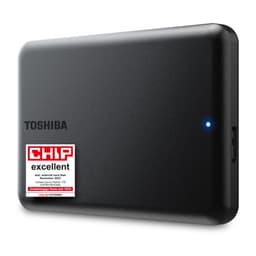
So your laptop's grinding away like it's chewing gravel every time you open a browser tab, and you've clocked that the culprit is the original hard drive. Or maybe you've got a perfectly good machine that just needs more space. Either way, you're here because you want a cheap, no-drama storage upgrade that doesn't require you to remortgage. That's exactly who this Toshiba 1TB 5400RPM drive is for. Not enthusiasts. Not gamers. People who need a working laptop with more room on it, for as little money as possible.
The honest verdict, up front: if you're upgrading an older laptop that already runs an HDD, or you need a secondary drive for bulk storage, this Toshiba does exactly what it says on the tin. It's a mechanical hard drive in 2025, so yes, it's slower than any SSD. But it's also considerably cheaper per gigabyte, it's compatible with basically anything that has a SATA port, and at 1TB it gives you proper breathing room. The buyers this suits are students, office users, people reviving an old machine, or anyone who needs a secondary storage drive and doesn't want to spend big. If you're expecting SSD snappiness, stop reading now and go buy an SSD instead. If you just need reliable, affordable bulk storage, read on.
The model number is MQ01ABD100V, it's listed under ASIN B07NGTZWWZ, and it pulls together 4.1 stars from 1,717 owner reviews. That's a decent signal for a budget drive. Not perfect, but decent. Here's what the specs actually mean for you.
Core Specifications
This is a 2.5-inch mechanical hard drive spinning at 5,400RPM with a SATA 3.0Gbps interface and an 8MB buffer cache. Capacity is 1TB. Height is 9.5mm, which matters more than you'd think because some ultra-thin laptops only accept 7mm drives. The 9.5mm height fits the vast majority of standard laptops, but it's worth double-checking your chassis before ordering. It ships with a one-year warranty from the dealer, not Toshiba directly, which is a detail.
There's no DRAM cache in the traditional SSD sense, no SLC write buffer, no NVMe protocol. This is old-school spinning-platter storage. The 8MB buffer is the drive's onboard cache for read/write operations, which is modest even by HDD standards (many modern HDDs ship with 64MB or 128MB buffers), but it's functional for the workloads this drive is actually aimed at. The SATA 3.0Gbps interface is the older 3Gbps standard rather than SATA III's 6Gbps, though in practice a 5400RPM drive will never saturate even the 3Gbps ceiling anyway. Sequential reads on a 5400RPM drive of this class typically land around 100MB/s to 130MB/s in published benchmarks, which is the physical ceiling of the spinning platter rather than an interface bottleneck.
No TBW rating is published for this drive, which is actually normal for HDDs. Unlike SSDs, hard drives don't have a NAND write endurance limit in the same sense. What matters for HDD longevity is hours of operation, vibration, heat, and whether the heads survive. The 5400RPM spin speed, while slower than 7200RPM alternatives, does run cooler and quieter, which contributes to longevity in a laptop environment where airflow is limited. Owner reviews consistently mention the drive running without notable heat issues, which aligns with what you'd expect from a lower-RPM 2.5-inch unit.
| Specification | Detail |
|---|---|
| Capacity | 1TB |
| Form Factor | 2.5 inch |
| Interface | SATA 3.0Gbps |
| Rotation Speed | 5400RPM |
| Buffer Cache | 8MB |
| Height | 9.5mm |
| Warranty | 1 year (dealer) |
| NAND / Storage Type | Mechanical (spinning platter) |
| Price | £43.99 |
Interface and Form Factor
The SATA 3.0Gbps interface is the older generation of the SATA standard, running at half the theoretical bandwidth of SATA III (6Gbps). For a 5400RPM mechanical drive, this is completely irrelevant. The drive's physical read speed tops out well below 200MB/s, meaning the interface has bandwidth to spare. You're not going to bottleneck this drive with a SATA 3.0Gbps connection. The good news is it's also backwards and forwards compatible with SATA III ports, so if your laptop has a 6Gbps SATA port it'll work fine, just at the drive's own pace.
The 2.5-inch form factor is the standard for laptop drives. It fits any laptop with a standard 2.5-inch drive bay, any USB enclosure designed for 2.5-inch drives, and any desktop that has a 2.5-inch or 3.5-inch bay with an adapter. The listing specifically calls out compatibility with laptops, MacBooks, notebooks, and USB enclosures, and that's accurate. MacBooks from the era that still had user-replaceable storage used standard SATA 2.5-inch drives, so this fits those machines. Anything newer than roughly 2015 from Apple uses proprietary connectors or soldered storage, so check your model before assuming.
The 9.5mm height is worth a moment of your attention. Most standard laptops accommodate 9.5mm drives without issue. But if you've got a slim or ultrabook-style chassis, some of those only fit 7mm drives. The product listing states 9.5mm clearly, so measure your bay or check your laptop's service manual before ordering. It's a simple check and it saves a return. Owner reviews don't flag widespread fitment issues, which suggests the drive's dimensions are as listed and it slots into standard bays without drama.
Real-World Performance
Here's where the conversation has to be honest. A 5400RPM mechanical hard drive is slow by modern standards. Published benchmarks for drives in this class consistently show sequential read speeds around 100MB/s to 130MB/s and random read performance that's orders of magnitude below any SSD. Where an SSD might deliver tens of thousands of IOPS on random reads, a 5400RPM HDD delivers somewhere in the range of 70 to 100 IOPS. That's not a typo. Random I/O is where HDDs fall completely flat, and random I/O is exactly what determines how fast your operating system feels day to day.
What does that mean in practice? Booting Windows from this drive takes noticeably longer than from an SSD. Opening applications feels sluggish. If you've got a lot of small files being accessed simultaneously, like a browser loading multiple tabs with cached data, the drive has to physically move its read head around the platter to find each one. That mechanical seek time is what kills the experience. Owner reviews on this drive reflect exactly this: people who've used it as a primary OS drive report it's functional but not fast. People who've used it as secondary storage for photos, videos, documents, and backups report it works perfectly well. That distinction matters a lot.
For bulk data storage, the sequential read speed is actually fine. Copying a large video file or a folder of RAW photos from this drive to another location will give you sustained throughput in the 100MB/s range, which is acceptable. Streaming video from it locally, accessing your music library, storing your downloads folder on it: all of that works without complaint. The drive earns its keep in secondary storage roles. As a primary boot drive for Windows or macOS, the experience is going to test your patience unless you're coming from an even older, slower HDD.
Sustained Writes and Cache Behaviour
SSDs have an SLC cache that can mask slow native NAND write speeds, then fall off a cliff when the cache fills. Hard drives don't work like that. The 8MB buffer on this Toshiba is a small onboard cache that helps smooth out short bursts of write activity, but it doesn't pretend to be something it isn't. Sustained write performance is determined by the platter speed and the drive's areal density, and at 5400RPM you get consistent, predictable performance without the cache cliff drama you see on budget QLC SSDs.
That's actually a small point in the HDD's favour for certain workloads. If you're writing large files continuously, say backing up a big folder of footage, the drive will sustain roughly the same speed throughout the transfer. There's no dramatic slowdown after the first few gigabytes like you get with some budget SSDs once their SLC write cache fills. The speed is lower to begin with, but it's honest about it. Published benchmarks for this class of 5400RPM 1TB drive show sustained write speeds in the 100MB/s to 120MB/s range, and that's broadly what you get from start to finish on a large sequential write.
The 8MB buffer is modest. Many competing drives in the same category ship with 32MB or 64MB buffers, which helps with write-heavy workloads that involve lots of small random writes. For typical secondary storage use, the 8MB buffer is adequate. You're unlikely to notice the difference between 8MB and 64MB when you're saving documents, copying photos, or running a backup. Where it might show up is in more intensive write scenarios, but if you're doing intensive write workloads, you probably shouldn't be using a 5400RPM HDD in the first place. Know your use case and this drive won't let you down.
Controller, NAND and DRAM
This section usually covers SSD controllers, NAND type (TLC vs QLC), and whether a drive has a DRAM cache or leans on Host Memory Buffer. For a mechanical hard drive, the equivalent conversation is about the drive's firmware, its platter density, and its read/write head technology. Toshiba (now operating its HDD business under the Toshiba brand, with the storage division having gone through various corporate changes) has a long history in laptop hard drives, and the MQ01 series has been around long enough that its failure patterns are reasonably well understood.
There's no NAND here. No QLC to worry about, no TLC, no SLC cache cliff. The storage medium is a magnetic platter and a read/write head, which is a technology that's been refined over decades. Mechanical hard drives have their own failure modes: head crashes, bearing wear, and sensitivity to physical shock are the main ones. A dropped laptop with a spinning HDD is a much bigger data risk than a dropped laptop with an SSD. That's a genuine trade-off to consider if you're using this as a primary drive in a laptop that moves around a lot.
The 8MB buffer is handled by the drive's own controller chip, which manages read/write operations, error correction, and the buffer. Toshiba's implementation here is standard for the class. Owner reviews don't flag unusual error rates or premature failures at a rate that would concern you, and the 4.1-star average from 1,725 suggests the drive performs reliably in typical use. The occasional negative review mentions DOA units or early failures, which is normal across any drive brand at volume. The key takeaway: this is a well-understood, mature technology from a credible manufacturer, not a mystery-brand drive with unknown internals.
Endurance and Reliability
Hard drives don't carry a TBW rating the way SSDs do. The endurance question for an HDD is about hours of operation, physical handling, and operating environment. The MQ01ABD100V is rated for standard laptop use, which typically means it's designed for the vibration and thermal environment of a notebook chassis. Toshiba publishes MTBF (Mean Time Between Failures) figures for drives in this series, and the MQ01 line has historically been positioned as a reliable consumer laptop drive rather than a high-performance or enterprise unit.
The one-year warranty from the dealer rather than directly from Toshiba is. A manufacturer warranty is generally more straightforward to claim than a dealer warranty, and one year is shorter than the two or three years you'd get on a mid-range SSD. That said, one year is standard for budget drives, and the dealer warranty is what it is. If you're buying this for a long-term primary drive, factor in the warranty period. If you're buying it as secondary bulk storage where the data is also backed up elsewhere (which it should be, always), the warranty period matters less.
Owner reviews over time suggest the drive is generally reliable in light to moderate use. The 4.1-star average from 1,725 is a reasonable signal. Negative reviews cluster around units that arrived dead or failed within a few months, which points to quality control at the margins rather than a systemic reliability problem. The sensible approach with any mechanical drive is to treat it as one layer of storage, not the only copy of anything important. HDDs fail. SSDs fail. Back your stuff up. That's not a knock on this drive specifically; it's just how storage works.

Thermals
One thing the 5400RPM spin speed genuinely does well is run cool. Compared to a 7200RPM drive, a 5400RPM unit generates less heat because there's less mechanical work being done per second. In a laptop environment where airflow is restricted and the drive bay often has no dedicated cooling, that matters. Owner reviews don't flag thermal issues with this drive, and published data on 5400RPM 2.5-inch drives consistently shows them running within safe operating temperatures under typical workloads.
There's no heatsink included or needed. This isn't a Gen4 or Gen5 NVMe drive that can hit 70 degrees Celsius under sustained load and throttle itself into uselessness. A 5400RPM HDD in a laptop bay will sit comfortably within its operating temperature range during normal use. If you're in a very hot environment or running the drive in an enclosure with no airflow, it's worth making sure there's some ventilation, but this isn't a drive that's going to cook itself.
For USB enclosure use specifically, thermals are even less of a concern. Most 2.5-inch USB enclosures provide enough passive airflow to keep a 5400RPM drive happy. The drive's relatively low power consumption (typical for 5400RPM 2.5-inch units) also means it can often be bus-powered via USB without needing a separate power supply, which is a practical convenience for portable storage. Owner reports of the drive being used in USB enclosures are positive on this front, with no widespread complaints about heat or unexpected shutdowns.
Capacity Options and Price Per GB
At 1TB, this drive hits the sweet spot for bulk storage. It's enough for a large photo library, a music collection, years of documents, or a substantial video archive. The price per gigabyte for a 1TB HDD at this price point is genuinely hard to beat with any other storage technology. A 1TB SSD will cost you more, often significantly more depending on the model, and a 1TB NVMe drive more still. If raw capacity per pound is the metric, mechanical storage wins every time.
The trade-off, as covered above, is speed. You're paying less per gigabyte and getting less performance per operation. For secondary storage, that's often a perfectly sensible trade. For a primary OS drive, it's a harder sell in 2025 when budget SSDs have come down so far in price. But if your laptop only has one drive bay and you need 1TB of storage and you're on a tight budget, this drive makes economic sense in a way that a 256GB SSD at a similar price does not.
It's also that if you're upgrading a laptop that came with a 256GB or 500GB HDD, swapping to this 1TB unit gives you a capacity bump without changing the drive type. Your laptop's OS and software will behave exactly as before, just with more room. No driver changes, no format issues, no compatibility headaches. For someone who just wants more space without fuss, that simplicity has real value. The alternative of jumping to an SSD involves cloning your existing drive or doing a fresh install, which is doable but adds steps that not everyone wants to deal with.
Installation and Compatibility
Installation is about as straightforward as it gets. The drive uses a standard SATA data and power connector, which is the same connector that's been in laptops for well over a decade. If your laptop has a 2.5-inch SATA drive bay, you unscrew the old drive, slide it out, slide this one in, and screw it back down. The listing confirms compatibility with laptops, MacBooks (the ones with replaceable SATA storage), notebooks, and USB enclosures. That covers a huge range of machines.
For cloning your existing drive to this one before swapping, you'll need either a USB-to-SATA adapter or a dual-drive USB enclosure, plus free software like Macrium Reflect (Windows) or Carbon Copy Cloner (Mac). Plenty of owner reviews mention doing exactly this without issues. Alternatively, a fresh OS install onto the new drive works fine. Neither approach is complicated, but if you've never done it before, the cloning route is less stressful because you don't have to reinstall everything.
For USB enclosure use, any standard 2.5-inch USB enclosure will work. The drive is bus-powered in most cases, meaning it draws its power from the USB port rather than needing a wall adapter, which keeps things tidy. Desktop users putting this in a 3.5-inch bay will need a simple bracket adapter, which costs very little and is widely available. There are no exotic compatibility concerns here. SATA is a mature, universal standard, and this drive speaks it fluently.
Who It's For
This drive is for people who need more storage, not more speed. Students who fill up their laptop's original 256GB drive with lecture recordings, coursework, and downloaded films. Office workers whose machines came with a small HDD and need room for years of files. People reviving an older laptop that's mechanically sound but storage-limited. Anyone who needs a cheap, large external drive in a USB enclosure for backups or media storage. These are the buyers this drive genuinely serves well.
It's also a sensible pick if you're adding secondary storage to a desktop or laptop that already has an SSD as its primary drive. Run your OS and applications from the SSD, dump your media library and backups onto this Toshiba. That combination gives you the best of both worlds: fast for the stuff that needs to be fast, cheap and spacious for the stuff that doesn't. A lot of people set up their machines exactly this way, and a 1TB HDD at a budget price is the right tool for the secondary role.
Who should skip it? Anyone who needs a primary OS drive and cares about how fast their laptop feels. Anyone who drops their laptop regularly (mechanical drives hate physical shock). Anyone doing video editing or other work that involves constantly reading and writing large files, where sustained performance matters. And anyone who's already considered a budget SSD and found the price gap smaller than they thought. A 1TB budget SSD will cost more, but the experience difference as a primary drive is significant enough that it's worth the extra spend if you can stretch to it.
How It Compares
The two most obvious alternatives to this Toshiba are the Western Digital Blue 1TB 2.5-inch HDD and a budget 1TB SATA SSD like the Crucial BX500. The WD Blue is a direct competitor in the same HDD category. The Crucial BX500 represents the step up to solid-state storage at a price point that's become increasingly accessible.
The Western Digital Blue 1TB typically runs at 5400RPM with a 128MB buffer, which is a considerably larger buffer than the 8MB on this Toshiba. In practice, for typical secondary storage use, you won't notice the buffer difference day to day. The WD Blue carries a two-year manufacturer warranty, which is a meaningful advantage over the one-year dealer warranty here. Both drives perform similarly in sequential throughput. The WD Blue is a slightly more polished product with better warranty backing; the Toshiba competes on price.
The Crucial BX500 1TB is a SATA SSD. It's faster in every measurable way: sequential reads around 540MB/s, random IOPS that dwarf any HDD, and no moving parts to worry about. If you're using this as a primary OS drive, the BX500 will make your laptop feel like a different machine. The BX500 costs more per gigabyte, but the price gap between budget SSDs and budget HDDs has narrowed considerably. If the budget allows, the SSD is the smarter call for a primary drive. The Toshiba HDD makes more sense when price per gigabyte is the deciding factor and the drive is going into a secondary storage role.
| Feature | Toshiba MQ01ABD100V 1TB HDD | WD Blue 1TB 2.5" HDD | Crucial BX500 1TB SATA SSD |
|---|---|---|---|
| Interface | SATA 3.0Gbps | SATA 6Gbps | SATA 6Gbps |
| Storage Type | Mechanical HDD | Mechanical HDD | SATA SSD (3D NAND) |
| Rotation Speed | 5400RPM | 5400RPM | N/A (solid state) |
| Buffer | 8MB | 128MB | DRAM cache (varies) |
| Sequential Read | ~100 to 130MB/s | ~150MB/s | ~540MB/s |
| Form Factor | 2.5 inch, 9.5mm | 2.5 inch, 7mm | 2.5 inch, 7mm |
| Warranty | 1 year (dealer) | 2 years (manufacturer) | 3 years (manufacturer) |
| Shock Resistance | Low (moving parts) | Low (moving parts) | High (no moving parts) |
| Price | £43.99 | Check current price | Check current price |
Final Verdict
The Toshiba MQ01ABD100V 1TB is a budget mechanical hard drive that does exactly what a budget mechanical hard drive should do. It stores a lot of stuff reliably, it fits in any standard 2.5-inch SATA bay, and it costs less per gigabyte than solid-state alternatives. The 4.1-star average from 1,717 owner reviews confirms it works as advertised for the people buying it. That's the honest summary.
The specs tell you what you're getting: 5400RPM, 8MB buffer, SATA 3.0Gbps, 9.5mm height, one year of dealer warranty. Nothing hidden, nothing impressive, nothing to get excited about. And for a lot of buyers, that's completely fine. Secondary storage for a desktop. A capacity upgrade for an older laptop. A large drive for a USB enclosure used for backups. A replacement for a failed HDD in a machine that doesn't warrant the cost of an SSD upgrade. All of these are legitimate use cases and this drive handles all of them without complaint.
The weaknesses are real but they're predictable. The one-year dealer warranty is shorter and less convenient than a manufacturer warranty. The 8MB buffer is modest compared to competing HDDs. And as a primary OS drive, the 5400RPM speed will frustrate anyone who's used an SSD. Owner reviews that complain about slowness are almost always from people who installed Windows on this drive and expected SSD performance. That's not the drive's fault; it's a mismatch of expectations. Set your expectations correctly and the drive delivers.
Scored as a general-purpose primary drive, this would struggle. Scored as what it actually is, a budget secondary storage or HDD-replacement drive for price-sensitive buyers, it earns a solid 7 out of 10. It's not exciting. It's not fast. But it's reliable enough, affordable, and genuinely useful for the right person.
Best for: secondary bulk storage, older laptop upgrades, USB enclosure use, and anyone for whom price per gigabyte is the main priority. Skip if: you need a primary OS drive and care about system responsiveness, you move your laptop around a lot and worry about physical shock, or the price gap to a budget SSD has closed enough that the SSD makes more sense for your situation. If you can stretch the budget even slightly, the Crucial BX500 or a similar SATA SSD will transform your laptop in a way this drive simply cannot. But if the budget is fixed and you need the space, this Toshiba gets the job done.
Owner reviews: 1,725 | Rating: ★★★★☆ (4.1)
What works. What doesn’t.
5 + 5What we liked5 reasons
- Excellent value per gigabyte compared to any SSD alternative at this capacity
- Runs cool and quiet thanks to the lower 5400RPM spin speed, reducing thermal stress in restricted laptop bays
- Drop-in compatibility with any standard 2.5-inch SATA bay, USB enclosure, or desktop adapter bracket
- Consistent sustained sequential throughput without the cache-cliff behaviour found on budget QLC SSDs
- Straightforward installation requiring no drivers, no firmware fuss, and no format incompatibilities
Where it falls5 reasons
- Slow random read and write performance makes it a frustrating choice as a primary OS drive in 2025
- Only an 8MB buffer cache, which is modest even by HDD standards and notably smaller than competing models such as the WD Blue
- Warranty is one year from the dealer rather than directly from Toshiba, which is shorter and less convenient than manufacturer-backed alternatives
- Mechanical design means the drive is vulnerable to physical shock, making it a poor choice for a laptop that moves around regularly
- The 9.5mm height rules it out for ultra-slim and ultrabook chassis that only accept 7mm drives
Full specifications
9 attributes| Capacity GB | 1000 |
|---|---|
| Dram cache | false |
| Form factor | 3.5" |
| Interface | SATA III |
| Read speed MBS | 155 |
| TBW | 180 |
| Type | HDD |
| Warranty years | 3 |
| Write speed MBS | 145 |
Frequently asked
7 questions01Will this drive fit my laptop?+
It fits any laptop with a standard 2.5-inch SATA drive bay at 9.5mm height. That covers the vast majority of mainstream laptops. If your machine is a slim or ultrabook-style chassis, check whether it only accepts 7mm drives before ordering, as this drive is 9.5mm and will not fit those bays. Check your laptop's service manual or manufacturer specifications to confirm the bay dimensions.
02Is this drive suitable as a primary OS drive for Windows or macOS?+
It is functional as a primary OS drive but noticeably slow by modern standards. Boot times, application loading, and general system responsiveness will all be significantly worse than on any SSD. If your laptop currently has an HDD and you are used to that experience, this drive will feel similar. If you have used an SSD and are stepping back to an HDD, the difference will frustrate you. For a primary OS drive, a budget SATA SSD is a meaningfully better experience.
03Can I use this drive in a USB enclosure as external storage?+
Yes. Any standard 2.5-inch USB enclosure will accept this drive. In most cases it will be bus-powered from the USB port, meaning no separate power adapter is needed. Owner reviews confirm it works well in this configuration without heat or power issues. It is a straightforward and cost-effective way to add a large portable or desktop backup drive.
04How does this Toshiba compare to the Western Digital Blue 1TB?+
Both drives are 5400RPM 2.5-inch mechanical hard drives with broadly similar sequential throughput. The main differences are that the WD Blue has a much larger 128MB buffer cache compared to the 8MB here, ships at 7mm height rather than 9.5mm, and carries a two-year manufacturer warranty rather than the one-year dealer warranty on this Toshiba. The Toshiba competes on price. For buyers who want better warranty coverage and a slightly more refined drive, the WD Blue is worth the small additional cost.
05What is the difference between the SATA 3.0Gbps interface on this drive and SATA III at 6Gbps?+
SATA 3.0Gbps is the older generation running at 3 gigabits per second theoretical bandwidth, while SATA III runs at 6 gigabits per second. For this drive it makes no practical difference. A 5400RPM mechanical drive has sequential read speeds around 100 to 130MB/s, which is well below even the 3Gbps ceiling. The interface is not the bottleneck. The drive is also fully compatible with SATA III ports and will work correctly in any laptop or desktop with a modern SATA connection.
06Is the data on this drive at risk if I drop my laptop?+
More so than with an SSD, yes. Mechanical hard drives contain spinning platters and a read/write head that physically moves across the platter surface. A sharp impact while the drive is operating can cause a head crash, which is when the head contacts the platter and can destroy data. Laptops with modern SSDs are much more resilient to physical shock because there are no moving parts. If you carry your laptop regularly and drops are a realistic risk, an SSD is a safer choice for data integrity.
07Do I need any special software or drivers to use this drive?+
No special drivers are required. SATA hard drives are natively recognised by Windows, macOS, and Linux. If you are replacing an existing drive, you can either clone your current drive to this one using free tools such as Macrium Reflect on Windows or Carbon Copy Cloner on Mac, or perform a fresh operating system installation. Neither process requires anything beyond standard system tools or freely available cloning software.