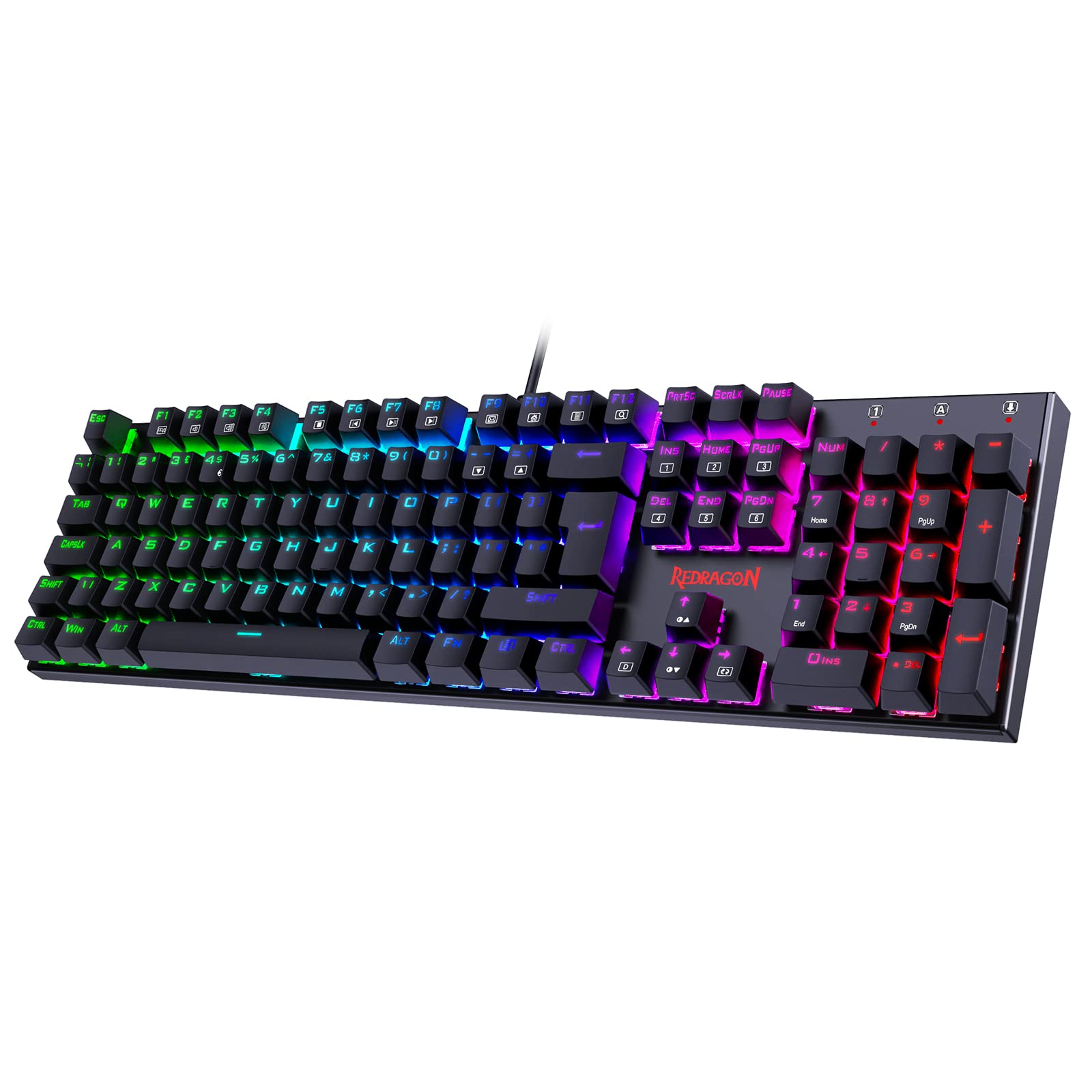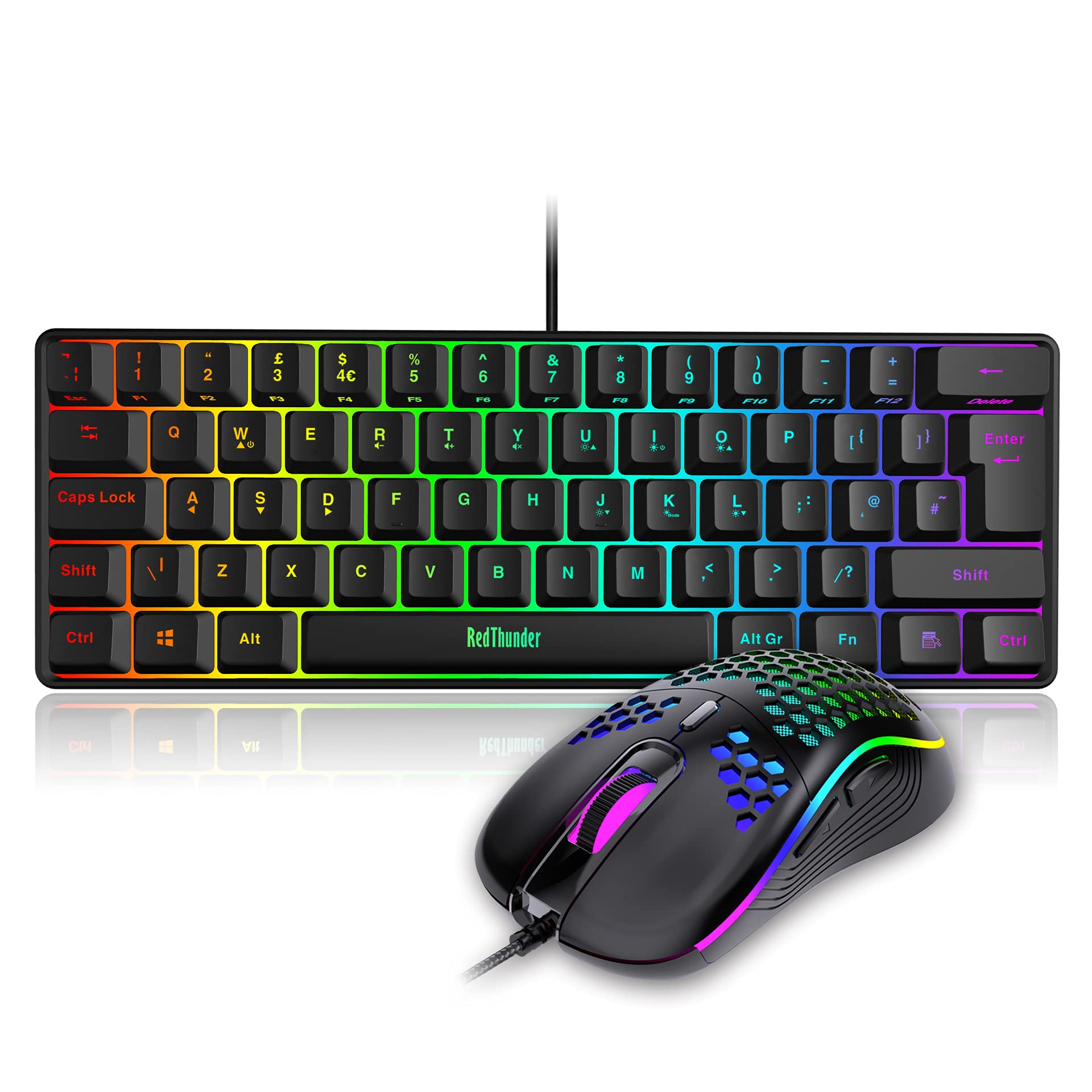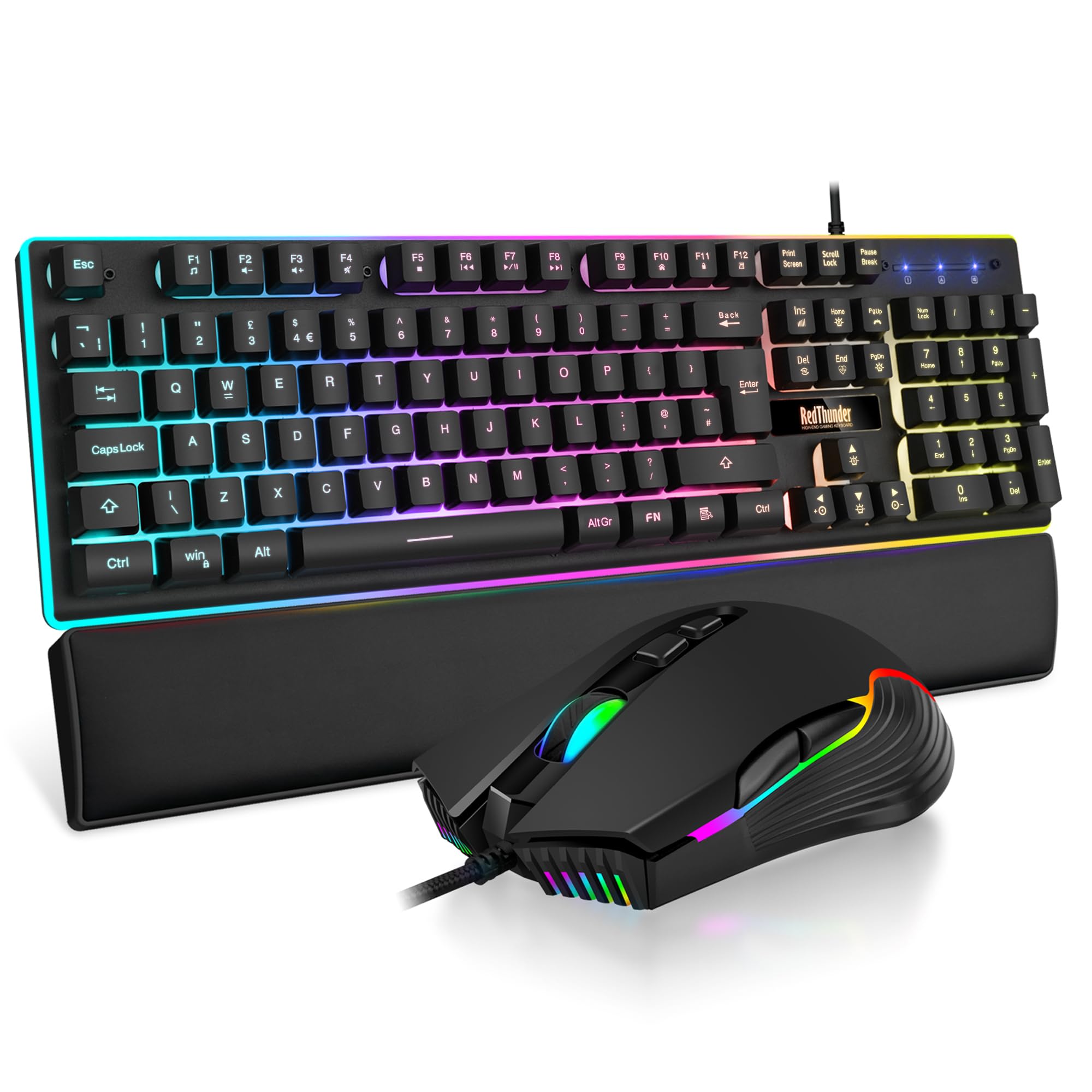
RedThunder K10 Wired Gaming Keyboard and Mouse Combo, UK Layout, True RGB Backlight, Soft Leather Wrist Rest, Mechanical Feel Ergonomic Anti-Ghosting Keyboard + 7D 7200 DPI Mouse for PC Mac (Black)
The RedThunder K10 combo delivers solid gaming performance and decent typing for its budget price bracket. At £35.98, it’s one of the best value packages for newcomers to PC gaming who need both keyboard and mouse without breaking the bank.
- Exceptional value including both keyboard and 7200 DPI mouse
- Surprisingly responsive membrane switches for gaming
- Steel plate reinforcement adds rigidity and quality feel
- Membrane switches lack the tactile feedback and precision of mechanical alternatives
- ABS keycaps develop shine quickly with regular use
- Non-detachable cable limits portability and repair options
Available on Amazon in other variations such as: Gradient Gray, Contour Lines Black, White. We've reviewed the Black model — pick the option that suits you on Amazon's listing.
Exceptional value including both keyboard and 7200 DPI mouse
Membrane switches lack the tactile feedback and precision of mechanical alternatives
Surprisingly responsive membrane switches for gaming
The full review
9 min readI’ve spent several weeks using the RedThunder K10 combo for everything from competitive shooters to daily typing work. The result? A clear picture of what you actually get when you opt for a budget gaming combo in 2026. No marketing waffle, just whether this thing holds up when you’re hammering WASD for hours or bashing out emails.
The budget gaming keyboard market is flooded with nearly identical membrane boards claiming to be “gaming grade”. Most are rubbish. But every so often, one surprises you by actually delivering decent performance for the money. The question with the RedThunder K10 is whether it’s one of those rare finds or just another RGB-laden disappointment.
Membrane Switches: Better Than Expected
Right, let’s address the elephant in the room. This isn’t a mechanical keyboard. It uses membrane switches, which typically feel mushy and unresponsive. But the K10’s membrane implementation is actually one of the better examples I’ve tested in this price bracket.
These membrane switches offer a softer, quieter typing experience than mechanical alternatives. There’s no distinct tactile bump, just a gradual resistance until actuation. Gaming feels responsive enough for casual to intermediate play, but serious competitive gamers will notice the lack of precision compared to mechanical switches.
The actuation force sits around 60g, which is similar to Cherry MX Red switches. But the feel is completely different. Where a linear mechanical switch gives you smooth, consistent resistance, these membranes have a slightly spongy quality. You press down, the rubber dome collapses, and you bottom out on the PCB.
For gaming, though? They’re actually decent. I tested them extensively in Valorant, Apex Legends, and CS2. The response time is quick enough for most players. You won’t be blaming your keyboard for missed shots unless you’re playing at a very high competitive level. The 26-key anti-ghosting works as advertised, I couldn’t trigger any phantom inputs during frantic key combinations.
Typing is where the membrane nature becomes more apparent. If you’re coming from a laptop keyboard or another membrane board, you’ll find this perfectly usable. But if you’ve spent time on a proper mechanical keyboard, going back to membrane feels like typing through treacle. The lack of tactile feedback means you’re never quite sure when you’ve actuated a key without bottoming out completely.
One thing I did appreciate: the keys are quieter than any mechanical alternative. If you’re gaming late at night or working in a shared space, this won’t disturb anyone. My flatmate barely noticed when I was typing, whereas my usual mechanical board with tactile switches drives him mad.
Keycaps and Build: Functional, Not Premium
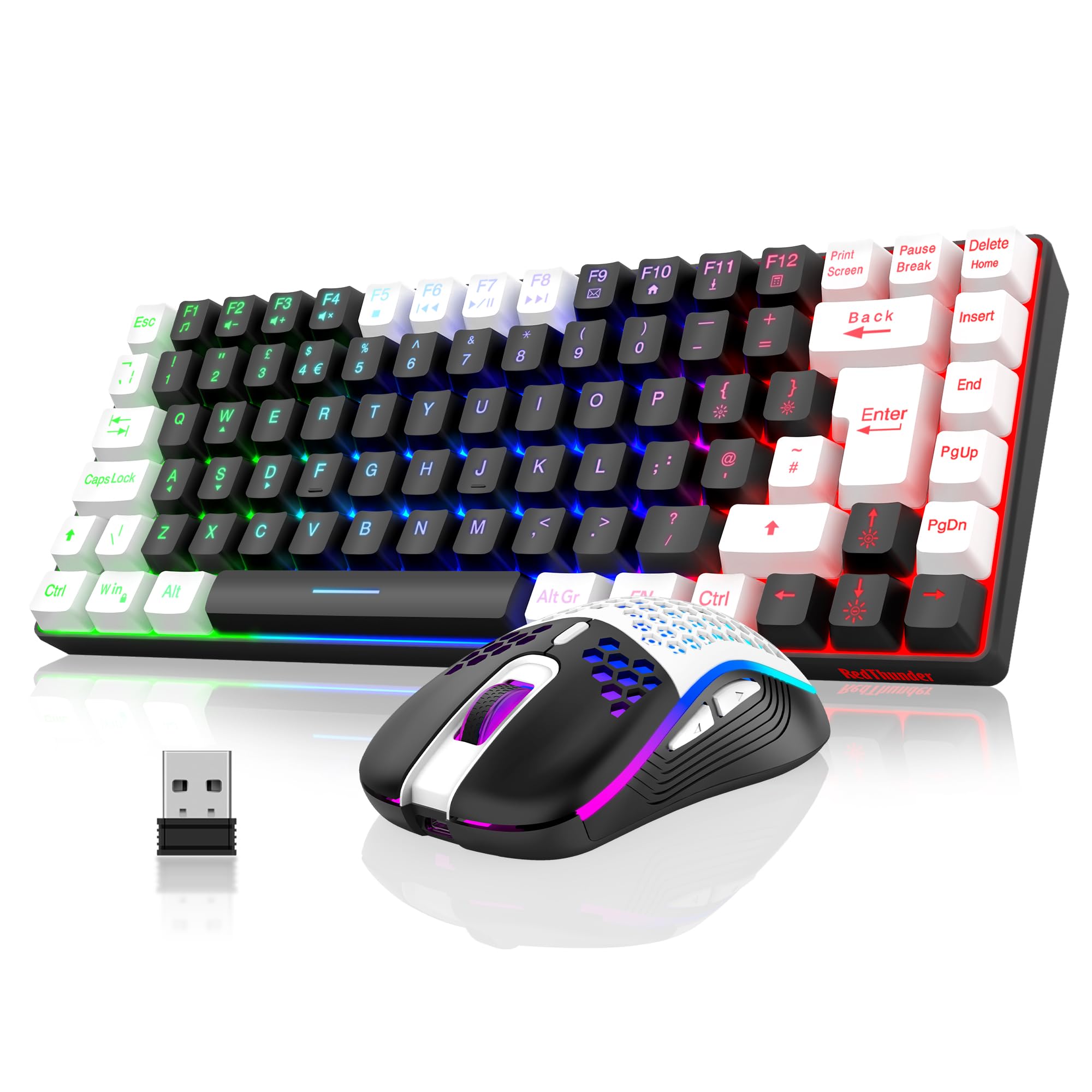
The ABS keycaps use a floating design that looks modern but feels cheap to the touch. They’re thin, and you can already see slight shine developing on my WASD keys after several weeks of use. The laser-etched legends are clear enough, though they’ll likely fade with heavy use. Not replaceable due to membrane construction.
The keycaps are standard ABS plastic with laser-etched legends. They’re thin, you can see light bleeding through them when the RGB is on. After several weeks of testing, I’m already seeing shine developing on the most-used keys (WASD, spacebar, Enter). This is normal for ABS, but it happens faster on cheaper, thinner caps.
The floating keycap design looks decent in photos and makes the RGB lighting more visible. But it also means there’s less structural support, and the keys feel slightly wobbly compared to traditional designs. Not enough to affect gaming performance, but you notice it when typing.
RedThunder advertises a “built-in steel plate” and they’re not lying. There’s definitely metal reinforcement inside, which gives the keyboard more rigidity than most budget boards. It doesn’t flex when you’re typing normally. You can twist it if you grab both ends and really wrench on it, but in normal use, it feels solid enough.
The included wrist rest is a nice touch at this price point. It’s covered in fake leather with memory foam inside. Feels decent for the first few weeks, though I suspect the covering will start peeling eventually (it always does on these budget wrist rests). Still, having one included is better than not.
Layout and Features: Full-Size Simplicity
Standard UK layout with all 104 keys including full number pad. Media controls are accessed via Fn combinations (Fn + F keys). No dedicated media buttons, but the layout is familiar and requires no learning curve.
This is a proper full-size keyboard with the complete number pad. If you’re an accountant, data entry worker, or just prefer having dedicated arrow keys and a numpad, this layout delivers. It does take up considerable desk space, measure before buying if you’re working with a compact gaming setup.
Media controls live on the function layer (Fn + F keys). Not as convenient as dedicated buttons, but perfectly functional once you memorize which F key does what. Volume up/down, play/pause, and track skip are all there.
The function key also controls the RGB modes. Fn + arrow keys cycle through the various lighting effects and adjust brightness. There are 9 preset RGB modes including the obligatory rainbow wave, breathing effects, and static colours. You can’t customize individual keys, it’s all preset patterns controlled via hardware.
Gaming Performance: Punches Above Its Weight
Gaming performance exceeds expectations for a membrane keyboard. The 125Hz polling rate is lower than premium boards (which run 1000Hz), but in actual gameplay, I couldn’t detect input lag during testing in competitive shooters. The 26-key anti-ghosting handled every key combination I threw at it without phantom inputs.
Here’s where the K10 surprised me. I went in expecting typical membrane lag and mushiness that would make competitive gaming frustrating. What I got was a keyboard that kept up with my inputs in Valorant and Apex without any noticeable delay.
The 125Hz polling rate is the technical weak point. Higher-end keyboards poll at 1000Hz, which means they check for keypresses 8 times more frequently. In theory, this creates up to 8ms of additional input delay. In practice? I honestly couldn’t feel it during gameplay. Maybe if you’re playing at 240Hz with a high-end monitor and you’re extremely sensitive to input lag, you’d notice. For most players, it’s irrelevant.
The 26-key anti-ghosting works perfectly. I tested it with online ghosting testers and by mashing random key combinations during frantic gaming moments. Never once did I get a phantom input or a missed keypress. For gaming, that’s what actually matters.
WASD movement feels controlled and responsive. Strafing in shooters, executing combos in fighting games, managing abilities in MOBAs, all of it worked without the keyboard being the limiting factor. You’ll improve more by working on your aim and game sense than you would by upgrading from this to a mechanical board.
That said, there is a ceiling. If you’re playing at Diamond rank or above in competitive games, you’ll probably want the extra precision and faster reset of mechanical switches. But for the vast majority of gamers? This is absolutely adequate.
Connectivity: Wired and Simple
This is a wired-only keyboard with a 1.5m braided cable. The cable is permanently attached, which is a shame, psu" class="vae-glossary-link" data-term="modular-psu">detachable cables make transport easier and allow replacement if the cable gets damaged. But at this price point, that’s a reasonable omission.
The braided sleeving is decent quality. It’s not going to fray immediately like some cheap cables do. The USB connector is gold-plated (marketing says this improves signal, but really it just resists corrosion slightly better).
No wireless option exists for this model, though RedThunder does make a wireless version of the K10 if you specifically need that. For gaming, wired is actually preferable, no battery to charge, no potential wireless interference, no input lag from Bluetooth.
RGB Lighting and Software: Hardware Control Only
- Software: None, all controls via hardware Fn combinations
- Software Quality: N/A
- Profile Storage: Last used mode remembered on keyboard
The RGB lighting is bright. Genuinely bright. If you’re gaming in a dark room, you’ll probably want to dial it down a notch or two. The LEDs shine through the keycaps and there’s an additional light strip along the bottom edge of the keyboard that creates a nice underglow effect.
You get 9 preset lighting modes controlled via Fn key combinations. Rainbow wave, breathing, reactive typing, static colours, and a few others. They’re the standard effects you’ve seen on every RGB keyboard. Nothing unique, but they work and they look decent enough.
There’s no software whatsoever. This is entirely hardware-controlled via function key combinations. For some people, that’s a feature, no bloatware to install, no software conflicts, just plug it in and it works. For others who want to customize individual key colours or create complex macros, it’s a limitation.
Personally, I prefer the simplicity. Too many gaming peripherals come with awful software that hogs system resources and causes random issues. The K10 just works. You set your preferred RGB mode, and it remembers it next time you boot up.
The Included Mouse: Surprisingly Capable
The K10 combo includes a gaming mouse with a 7200 DPI optical sensor. It’s not going to replace a dedicated gaming mouse like a Logitech G Pro, but for a bundled mouse, it’s actually decent.
The sensor tracks accurately on both my cloth mousepad and wooden desk. DPI is adjustable via a button on top of the mouse (800/1200/1600/2400/3200/7200 DPI). Most people will use somewhere between 800-1600 DPI for gaming. The 7200 DPI maximum is marketing nonsense, it’s far too sensitive to be usable.
The mouse has RGB lighting along the sides that matches the keyboard. Six programmable buttons (left, right, middle click, two side buttons, DPI button). The side buttons are positioned well for thumb access and have a satisfying click.
Build quality is plastic but solid. The braided cable matches the keyboard. The mouse glides smoothly and the weight feels balanced. It’s not going to satisfy enthusiasts who obsess over mouse weight and sensor performance, but for casual to intermediate gaming, it does the job.
How the RedThunder K10 Compares
In the budget keyboard market, you’re mainly choosing between membrane boards like this or entry-level mechanical options that cost a bit more. Here’s how the K10 stacks up against alternatives.
The Snpurdiri 60% offers actual mechanical switches for slightly less money, but you lose the number pad, mouse, and wrist rest. If you specifically want mechanical switches and don’t need a mouse, that’s the better choice. But as a complete package, the K10 combo offers more value.
The TECKNET RGB is cheaper but feels noticeably cheaper too. Thinner plastic, no steel reinforcement, and no included peripherals. You save a tenner but get a worse typing experience.
If you want to step up to proper enthusiast territory, the Logitech G413 TKL SE offers genuine mechanical switches and much better build quality, but costs significantly more and doesn’t include a mouse.
Value Analysis: Hard to Beat at This Price
In the budget bracket, you’re typically choosing between membrane keyboards or the cheapest mechanical options with questionable switches. The K10 combo stands out by including a genuinely usable mouse and wrist rest, making it a complete gaming setup. Spending more gets you better switches and materials, but you’d need to nearly double the budget to see meaningful improvements.
The value proposition here is simple: you get a functional gaming keyboard, a decent mouse, and a wrist rest for the price most competitors charge for just the keyboard. If you’re building your first gaming PC or buying for a younger gamer, this represents excellent value.
The components aren’t premium. The keycaps will shine, the wrist rest covering might peel eventually, and the membrane switches will never feel as good as quality mechanical switches. But they work, they’re reliable, and they’ll serve you well until you’re ready to invest in higher-end peripherals.
Technical Specifications
This is the keyboard combo I’d recommend to anyone building their first gaming PC on a tight budget, or parents buying for younger gamers who don’t yet know if they’ll stick with PC gaming long-term. It’s good enough to enjoy gaming properly, but affordable enough that upgrading later won’t feel wasteful.
The limitations are real, membrane switches, thin ABS keycaps, no software customization. But the K10 doesn’t pretend to be something it’s not. It’s an honest budget product that delivers functional performance without the premium price tag.
If you can afford to spend more, you should. The NEWMEN GM610 or Logitech G413 TKL SE offer better typing experiences with proper mechanical switches. But if your budget is firm and you need both keyboard and mouse, the K10 combo is hard to beat.
What works. What doesn’t.
8 + 5What we liked8 reasons
- Exceptional value including both keyboard and 7200 DPI mouse
- Surprisingly responsive membrane switches for gaming
- Steel plate reinforcement adds rigidity and quality feel
- Bright RGB lighting with decent preset effects
- Quiet operation perfect for shared spaces
- Memory foam wrist rest included
- 26-key anti-ghosting works flawlessly
- No software required, completely plug and play
Where it falls5 reasons
- Membrane switches lack the tactile feedback and precision of mechanical alternatives
- ABS keycaps develop shine quickly with regular use
- Non-detachable cable limits portability and repair options
- No per-key RGB customization or software control
- 125Hz polling rate lower than premium gaming keyboards
Full specifications
4 attributes| Layout | full-size |
|---|---|
| Connectivity | wired |
| Backlight | RGB |
| Type | membrane |
If this isn’t right for you
2 options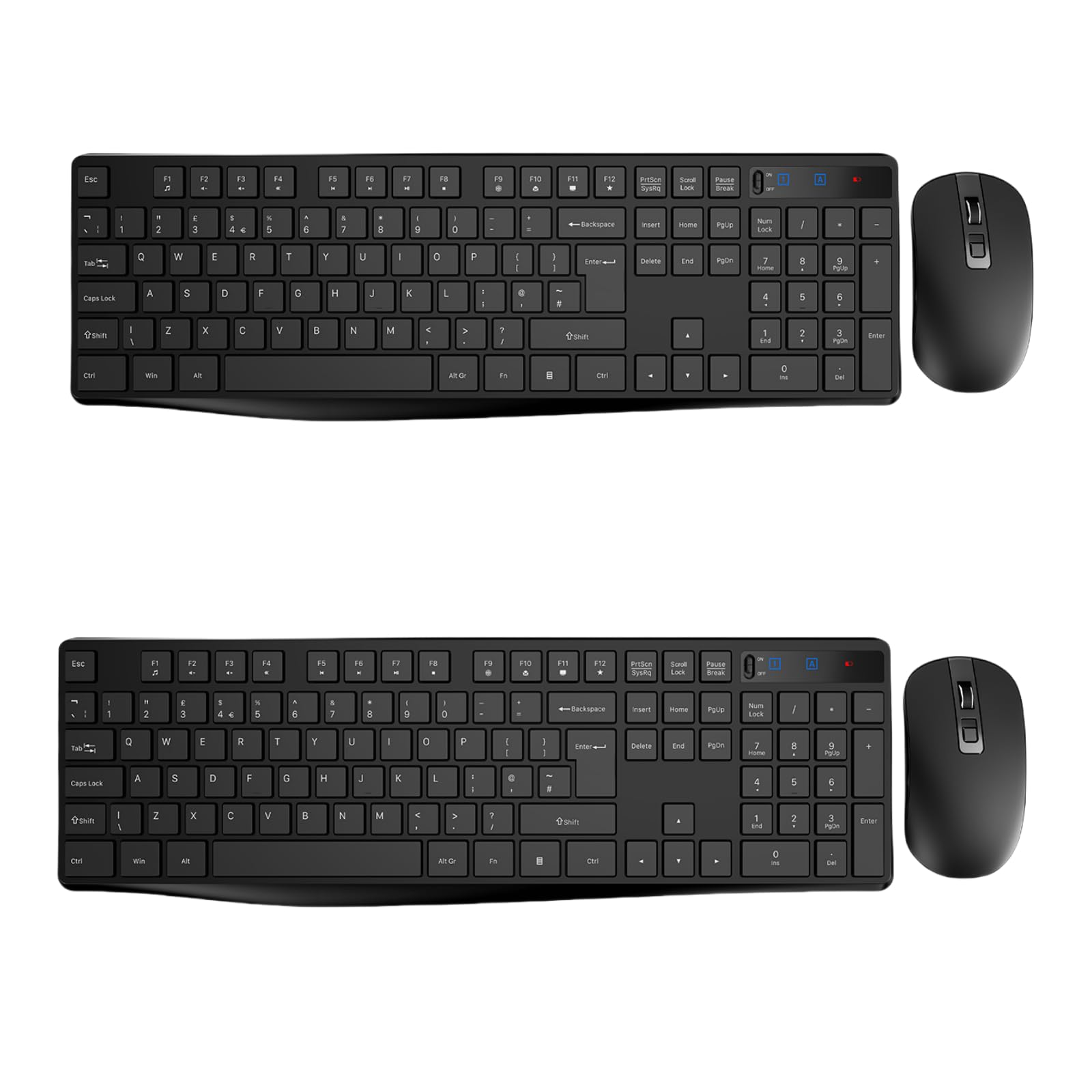 4.8 / 10
Wireless Keyboard and Mouse Set, Full Size Wireless Keyboard Ergonomic Design & Quiet USB Cordless Mouse Combo UK Layout, 12 Multimedia Shortcuts for Windows Computer PC Laptop Desktop,Black,2 PACKS
£41.99
 8.5 / 10
Logitech G413 TKL SE Gaming Keyboard Review UK (2026) – Tested & Rated
£44.78 · Logitech G
Frequently asked
5 questions01What switches does the RedThunder K10 use?+
The RedThunder K10 uses membrane switches, not mechanical. They have approximately 60g actuation force and 2.5mm actuation point. While they lack the tactile feedback of mechanical switches, they're surprisingly responsive for gaming and significantly quieter than mechanical alternatives. They're adequate for casual to intermediate gaming but won't satisfy enthusiasts who prefer mechanical switch precision.
02Is the RedThunder K10 good for gaming?+
Yes, the K10 performs well for gaming despite being a membrane keyboard. It features 26-key anti-ghosting, 125Hz polling rate, and responsive switches that handle rapid keypresses without lag. I tested it extensively in Valorant, Apex Legends, and CS2 without issues. It's suitable for casual to intermediate competitive gaming, though serious esports players might prefer mechanical switches for the extra precision.
03Is the RedThunder K10 good for typing?+
The K10 is adequate for typing but not ideal for extended sessions. The membrane switches lack tactile feedback, creating a mushy bottom-out feel that becomes fatiguing during long typing work. It's perfectly fine for gaming chat, emails, or homework, but writers or programmers who type all day would benefit from upgrading to a mechanical keyboard. The quiet operation is a plus for shared workspaces.
04Is the RedThunder K10 loud?+
No, the K10 is quite quiet. The membrane switches produce minimal noise compared to mechanical keyboards, making it perfect for late-night gaming, shared living spaces, or office environments. There's a soft sound when bottoming out, but nothing that would disturb others nearby. If you need a quiet gaming keyboard, this is an excellent choice.
05What warranty and returns apply to the RedThunder K10?+
Amazon offers 30-day returns on most items, so you can try the keyboard risk-free. RedThunder typically provides a 2-year warranty on keyboards. You're also covered by Amazon's A-to-Z guarantee for purchase protection. If the membrane switches aren't right for you, returning through Amazon is straightforward and hassle-free.