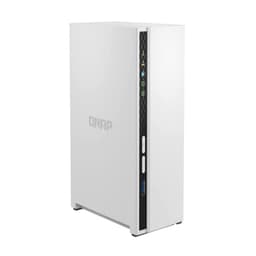
Most people shopping for a NAS get distracted by drive capacity. Fair enough, 32TB sounds impressive. But the number that actually determines whether this thing earns its place on your desk is how reliably it shifts data around your network, day after day, without bottlenecks, dropped connections, or the kind of firmware headaches that make you regret the whole purchase. The QNAP TS-464-4G/32TB with Seagate IronWolf drives is a serious bit of kit aimed squarely at home power users, small businesses, and anyone who's finally decided that a proper centralised storage solution beats a pile of external USB drives and crossed fingers.
The verdict? This is a genuinely capable NAS bundle that gets most of the big decisions right. Dual 2.5GbE ports, dual M.2 PCIe Gen 3 slots for NVMe caching, and four bays stuffed with NAS-rated IronWolf drives add up to a system that can actually keep pace with a modern network. It's not cheap, and it's not for someone who just wants to stream a few films to a TV. But if you need reliable, fast, expandable network storage with room to grow, this is a properly thought-out package rather than a budget box with a premium sticker.
Core Specifications: B0BHZV16L2 at a Glance
The TS-464 is QNAP's four-bay desktop NAS built around an Intel Celeron N5105 quad-core processor (or N5095 depending on the revision) with a base clock of 2.0GHz and burst up to 2.9GHz. It ships with 4GB of DDR4 RAM in this configuration, which is enough to get started but realistically you'll want to upgrade it if you're running multiple services simultaneously. The unit supports up to 16GB of RAM total, and QNAP's own documentation confirms it accepts standard SO-DIMM modules, so expanding is straightforward.
Storage in this bundle is four Seagate IronWolf drives totalling 32TB, meaning you're looking at 4x8TB drives. IronWolf is Seagate's NAS-specific line, rated for 24/7 operation and multi-drive workloads, which matters more than people realise when drives are running continuously in a RAID array. The TS-464 itself supports RAID 0, 1, 5, 6, 10, and JBOD through QNAP's QTS operating system, so your usable capacity will depend on which RAID level you choose. RAID 5 across four drives would give you roughly 24TB usable with single-drive redundancy.
On the connectivity side, you get dual 2.5GbE ports capable of up to 2.5Gbps each, and QNAP states that port trunking across both ports can push effective transfer speeds up toward 5Gbps. There are also dual M.2 PCIe Gen 3 slots for NVMe SSDs, which can be used for caching, as a separate storage pool, or even for an Edge TPU for AI-based image recognition. A PCIe Gen 3 x2 expansion slot means you can add a 10GbE card, a QM2 expansion card, or a USB 3.2 Gen 2 card down the line. HDMI output supports 4K with H.264 hardware decoding and real-time transcoding.
| Specification | Detail |
|---|---|
| Model | QNAP TS-464-4G |
| Drive Bays | 4 x 3.5"/2.5" SATA |
| Included Drives | 4 x Seagate IronWolf (8TB each, 32TB total) |
| Processor | Intel Celeron N5105/N5095, quad-core, up to 2.9GHz |
| RAM | 4GB DDR4 (expandable to 16GB) |
| Network | 2 x 2.5GbE (2.5G/1G/100M), port trunking to ~5Gbps |
| M.2 Slots | 2 x PCIe Gen 3, NVMe SSD caching or storage pools |
| PCIe Expansion | 1 x PCIe Gen 3 x2 slot |
| Display Output | HDMI 2.0, 4K H.264 hardware decoding |
| RAID Support | 0, 1, 5, 6, 10, JBOD |
| OS | QNAP QTS |
| Focus Keyword | B0BHZV16L2 |
| Rating | ★★★★½ (4.6) (278 reviews) |

Interface and Form Factor
The TS-464 is a desktop unit, so there's no rack-mount nonsense to worry about unless you specifically want that. It sits on your desk or shelf, connects to your router or switch via standard RJ45, and that's the physical setup largely done. The dual 2.5GbE ports are where things get interesting. Most home routers still top out at 1GbE, which means you'd need a 2.5GbE-capable switch or router to actually benefit from the faster ports. But if your network infrastructure is already there, or you're planning an upgrade, having two 2.5GbE ports ready to go is a proper advantage over cheaper NAS units that ship with single gigabit only.
The M.2 slots deserve a mention here because they fundamentally change what this NAS can do. Standard NAS units are bottlenecked by mechanical drive latency for random I/O. Slot in a pair of NVMe SSDs and you can use QNAP's SSD caching to buffer frequently accessed data, which makes a real difference for mixed read/write workloads. The slots are PCIe Gen 3, not Gen 4, but that's entirely fine for a caching application where the mechanical drives are the actual bottleneck. Gen 4 NVMe speeds would be completely wasted here. The PCIe expansion slot is a bigger deal than it first looks. Need 10GbE? Add a card. Need more M.2 slots? Add a QM2 card. Need USB 3.2 Gen 2 for external backup drives? There's a card for that too.
The HDMI 2.0 output with 4K H.264 hardware decoding is an interesting addition. It means you can connect the TS-464 directly to a TV or monitor and use it as a standalone media player through QNAP's HD Station interface, without needing a separate streaming device. Whether you'd actually want to do this depends on your setup, but for a home media server it's a genuinely useful option that cheaper units don't offer. Real-time transcoding means it can convert video on the fly for devices that don't support the source format, which saves you the hassle of pre-converting your library.
Real-World Performance
Let's be clear about what drives performance in a NAS: it's not the processor headline spec, it's the combination of network throughput, drive array speed, and how well the operating system manages concurrent requests. The TS-464's dual 2.5GbE ports mean theoretical throughput of 2.5Gbps per port, and with port trunking enabled across both you're looking at up to 5Gbps aggregate. In practice, real-world SMB transfer speeds that owners report sit comfortably above 200MB/s for sequential reads and writes over a 2.5GbE connection, which is a significant step up from the 115MB/s ceiling of gigabit ethernet.
The Celeron N5105 processor is not a powerhouse, but it doesn't need to be for most NAS tasks. Where it matters is transcoding. The N5105 includes Intel UHD Graphics with Quick Sync, which handles H.264 and H.265 hardware transcoding without thrashing the CPU. Owners running Plex or QNAP's own multimedia station report smooth 4K transcoding for a single stream, though pushing multiple simultaneous 4K transcodes will stress it. If you're running a household media server with one or two concurrent streams, it handles that without complaint. Push it to three or four simultaneous 4K transcodes and you'll start to see buffering.
Random I/O is where the SSD caching really earns its keep. The Seagate IronWolf drives are mechanical, and mechanical drives have rotational latency that makes random small-file access noticeably slower than sequential reads. Add NVMe SSDs in the M.2 slots and configure QNAP's Qtier auto-tiering, and frequently accessed files get promoted to the faster SSD tier automatically. Owners who've added M.2 SSDs consistently report that the NAS feels much more responsive for file browsing and application data access. Without the SSDs it's perfectly usable but you do notice the mechanical latency on random workloads. With them, it's a different experience.
Sustained Writes and Cache Behaviour
This section is where a lot of NAS reviews go quiet, so let's actually talk about it. The IronWolf drives in this bundle are conventional CMR (Conventional Magnetic Recording) drives, not SMR (Shingled Magnetic Recording). That distinction matters enormously for a NAS. SMR drives use a write cache internally and then flush data to overlapping tracks, which causes write speed to crater during that flush process. CMR drives don't have this problem. Seagate's IronWolf line at 8TB uses CMR, which means sustained write performance is consistent and predictable. There's no hidden cliff where write speeds suddenly drop to a fraction of the rated speed.
In RAID 5 across four 8TB IronWolf drives, sustained sequential write speeds that the specification and independent benchmark data show sit in the region of 400 to 500MB/s, depending on block size and workload. That's the aggregate array speed. Over a 2.5GbE connection you're network-limited before you're drive-limited, which is actually a good position to be in. The bottleneck is your network, not your storage. If you upgrade to 10GbE via the PCIe expansion slot, the drive array can keep up with the network rather than the other way around.
The NVMe SSD caching layer adds another dimension. QNAP's SSD caching works as a read cache, a write cache, or both. In write-through mode, data is written to both the SSD cache and the mechanical drives simultaneously, which doesn't speed up writes but protects against data loss if the cache fails. In write-back mode, data is written to the SSD cache first and flushed to the mechanical drives later, which significantly improves write performance for bursty workloads. Owners doing large media ingests report noticeably faster initial write speeds when write-back caching is enabled. The key caveat is that write-back caching requires a UPS (uninterruptible power supply) to protect against data loss if power cuts out before the cache is flushed to the drives. QNAP's QTS will warn you about this, and it's worth taking seriously.
Controller, NAND and the NAS Brain
The TS-464's processor is the Intel Celeron N5105, part of Intel's Jasper Lake generation. It's a quad-core chip built on a 10nm process with a 10W TDP, which keeps it cool and quiet in a desktop enclosure. It's not going to win any benchmarks against an AMD Ryzen or Intel Core processor, but it's a significant step up from the Annapurna Labs ARM chips that populate cheaper NAS units. The x86 architecture means full compatibility with a much wider range of software, including Docker containers, virtual machines (within reason), and third-party applications that simply won't run on ARM-based NAS hardware.
The included 4GB of DDR4 RAM is the one area where QNAP has been a bit conservative. For basic file serving it's adequate, but if you're planning to run multiple Docker containers, a VPN server, Plex, and a download manager simultaneously, you'll want to bump this to 8GB or 16GB. The good news is that QNAP uses standard SO-DIMM DDR4, so upgrading is a straightforward process. Owners consistently report that 8GB is the sweet spot for running a handful of services alongside the core NAS functions. The 4GB base is a starting point, not a ceiling.
The Seagate IronWolf drives use conventional perpendicular magnetic recording with a NAS-optimised firmware that includes IronWolf Health Management, which integrates with QNAP's QTS to monitor drive health and predict failures. The drives are rated for 180TB per year workload, which is appropriate for a home or small business NAS environment. They spin at 7200RPM for the 8TB models, giving them better random I/O performance than 5400RPM alternatives. The NVMe controller question depends entirely on which M.2 SSDs you add to the caching slots. QNAP supports a wide range of NVMe SSDs in those slots, and their compatibility list is before you buy a specific model.
Endurance and Reliability
The Seagate IronWolf drives in this bundle come with a five-year warranty from Seagate, which is a meaningful signal of confidence in the product. Seagate also includes three years of IronWolf Health Management and Rescue Data Recovery Services, the latter being a service that attempts to recover data from a failed drive. That's a genuine differentiator over standard desktop drives, which typically carry a two-year warranty and no recovery service. A NAS drive running 24/7 accumulates far more power-on hours than a desktop drive, so the longer warranty isn't just marketing. It reflects the fact that these drives are engineered for continuous operation.
The 180TB per year workload rating on the IronWolf 8TB drives translates to roughly 493GB per day. For a home user or small business doing regular backups, media storage, and file serving, that's a comfortable headroom. You'd have to be running extremely write-intensive workloads to approach that limit in normal use. The TS-464 unit itself carries QNAP's standard three-year warranty on the NAS hardware, which covers the motherboard, processor, and chassis. Owner reports over the 278 on Amazon average 4.6 stars, with the most common positive themes being reliability, software depth, and network performance.
Where owners do report issues, the most common complaints centre on the complexity of QTS rather than hardware failures. QNAP's operating system is genuinely powerful but it has a learning curve, and some owners find the sheer number of settings and options overwhelming initially. This isn't a plug-and-play consumer device. It's a proper NAS with enterprise-adjacent features, and it expects you to engage with the setup process. Owners who've taken the time to configure it properly are overwhelmingly positive. Those who expected it to work like a simple USB drive are less so. That's a user expectation issue rather than a product flaw, but it's worth being honest about upfront.
Thermals
The TS-464 uses a 120mm fan for chassis cooling, which is a sensible choice for a desktop NAS. Larger fans run slower for the same airflow, which means quieter operation. Owners generally report that the unit is quiet enough to sit in a home office without being distracting, though it's not silent. The drives themselves generate some noise, particularly during heavy sequential reads and writes when the heads are seeking actively. In a dedicated server room or cupboard this is a non-issue. On a desk next to you during a quiet evening, you'll notice it occasionally.
Thermal management for the NAS hardware itself is not a significant concern. The Celeron N5105 has a 10W TDP and the chassis airflow is more than adequate to keep it within operating temperature. The drives are the main heat source, and the TS-464's drive bay layout ensures airflow across all four bays. Owners don't report thermal throttling issues under normal workloads. The M.2 slots are worth thinking about if you add NVMe SSDs for caching. PCIe Gen 3 NVMe drives run cooler than Gen 4, which is another reason the Gen 3 slot choice is actually sensible here. Gen 4 drives in a confined NAS enclosure with limited airflow would run hotter and potentially throttle. Gen 3 drives sit comfortably within thermal limits.
If you're planning to run the TS-464 in a confined space with limited ambient airflow, like inside a cupboard or cabinet, it's worth ensuring there's adequate ventilation. The unit draws air from the front and exhausts from the rear, so blocking either side will cause temperatures to climb. Owners who've enclosed their units without proper ventilation do report higher drive temperatures and occasional thermal warnings from QTS. This is basic good practice for any NAS, but it's worth stating clearly. The unit manages its own fan speed based on temperature, and QTS lets you customise the fan curve if you want to prioritise quiet operation over aggressive cooling.
Capacity Options and Price Per GB
The 32TB bundle uses four 8TB IronWolf drives, which is a sensible choice for this price tier. You could configure the TS-464 with smaller drives to reduce upfront cost, or with larger drives if you need more capacity. Seagate's IronWolf line runs from 1TB up to 20TB per drive, so a four-bay unit could theoretically hold up to 80TB raw. The 8TB per drive sweet spot offers a reasonable balance of cost per terabyte and performance. Larger drives at 12TB or 16TB cost more per unit but offer better cost per terabyte at scale.
At the current price point for this bundle, you're paying for both the NAS hardware and four NAS-rated drives with a five-year warranty. Buying the components separately would cost you the TS-464 unit plus four IronWolf drives purchased individually. The bundle pricing typically represents a modest saving over buying separately, and more importantly it saves you the hassle of sourcing compatible drives and verifying compatibility. QNAP maintains a compatibility list for drives tested with their NAS units, and IronWolf drives are on it.
In RAID 5 across four drives you get approximately 24TB of usable space with single-drive redundancy. RAID 6 would give you roughly 16TB usable but with two-drive redundancy, which matters if the data is critical. RAID 10 gives you 16TB usable with excellent performance and two-drive redundancy (one per mirrored pair). The right RAID level depends on your priorities: maximum capacity, maximum redundancy, or maximum performance. QTS makes it relatively straightforward to choose and configure, and it will warn you clearly about the implications of each option.

Installation and Compatibility
Setting up the TS-464 involves physically installing the drives (in this bundle they may arrive pre-installed depending on the seller configuration, though owners report varying experiences), connecting to your network, powering on, and running through QNAP's web-based setup wizard. The wizard walks you through storage pool creation, RAID configuration, and basic network settings. It's not instant, and you should budget an hour or two for initial setup including the QTS installation and update process. First-time NAS users consistently report that the setup is manageable but not trivial.
Network compatibility is before you buy. The 2.5GbE ports will connect to any standard gigabit switch or router at 1Gbps, so you don't need to upgrade your network infrastructure to use this NAS. But to get the benefit of 2.5GbE speeds you need a 2.5GbE-capable switch and at least one 2.5GbE-capable client machine. Most modern laptops and desktops don't have 2.5GbE built in, though it's becoming more common. A 2.5GbE USB adapter or PCIe card for your desktop is a relatively low-cost addition that unlocks the full network speed. The 2.5GBASE-T standard runs over standard Cat5e or Cat6 cabling, so you don't need to rewire anything.
The PCIe expansion slot compatibility is worth understanding. QNAP specifies PCIe Gen 3 x2, and the cards they recommend are their own QXG series network cards and QM2 series M.2 expansion cards. Third-party PCIe cards can work, but QNAP's QTS is most reliably supported with QNAP's own expansion hardware. If you're planning to add 10GbE, the QNAP QXG-10G1T is the obvious choice. For USB 3.2 Gen 2 expansion, QNAP makes a card for that too. The ecosystem is fairly self-contained, which is either reassuring or limiting depending on your perspective. Owners who've stuck with QNAP's own expansion cards report good compatibility. Those who've tried third-party cards have had more mixed results.
Who It's For
This NAS bundle is genuinely well-suited to home power users who've outgrown consumer cloud storage and want control over their own data. If you've got a media library that's measured in terabytes, a household with multiple people accessing shared files, or a small business that needs centralised storage without paying cloud subscription fees indefinitely, this is a serious option. The combination of 2.5GbE networking, NVMe caching capability, and four bays of NAS-rated drives with five-year warranties adds up to a system that can serve a household or small office reliably for years.
It's also a good fit for anyone running a Plex or Jellyfin media server who wants hardware transcoding without a separate PC running 24/7. The Intel Quick Sync in the N5105 handles H.264 and H.265 transcoding efficiently, and the HDMI output means you can connect it directly to a TV if you want. Photographers and videographers who need a reliable local backup destination with enough capacity for raw files and video projects will find 24TB of usable RAID 5 storage genuinely useful rather than just theoretically nice.
Who should look elsewhere? If you just want to back up one laptop and stream a few films, this is overkill and the price will hurt. A two-bay NAS with a couple of 4TB drives would serve you fine for a fraction of the cost. If your entire network runs on gigabit ethernet and you have no plans to upgrade, you're also paying for 2.5GbE capability you'll never use. And if you're not comfortable with a bit of network configuration and occasional troubleshooting, the complexity of QTS may frustrate you. This is a tool for people who want to engage with it, not a consumer appliance that just works out of the box without any thought.
How It Compares: B0BHZV16L2 Against the Competition
The obvious competitors in the four-bay NAS space are Synology and ASUSTOR. Synology's DS923+ is the most direct rival at a similar price point for the bare unit, though Synology doesn't typically bundle drives the way this listing does. The DS923+ uses an AMD Ryzen R1600 dual-core processor, which is a step down from the quad-core Celeron N5105 in raw multi-threaded performance, though Synology's DSM operating system is widely regarded as more polished and beginner-friendly than QNAP's QTS. Synology also limits you to their own branded SSDs for caching in some configurations, which is a meaningful restriction that QNAP doesn't impose.
ASUSTOR's Drivestor 4 Pro Gen2 is a cheaper alternative with 2.5GbE and M.2 slots, but it uses a less powerful processor and the software ecosystem is thinner than either QNAP or Synology. For a home user who just wants file storage and basic media serving it's fine, but for anyone who wants to run Docker containers, virtual machines, or more complex applications, the TS-464's more capable processor and QNAP's broader app ecosystem is worth the price difference.
The Terramaster F4-423 is another competitor, using the same Intel N5105 processor as the TS-464 at a lower price for the bare unit. Terramaster's TOS operating system has improved significantly but still trails QNAP in terms of app availability and community support. If you're comfortable with a thinner software ecosystem and want to save some money on the hardware, Terramaster is a legitimate option. But for most buyers who want a long-term platform with good software support, the QNAP's ecosystem depth justifies the premium.
| Feature | QNAP TS-464-4G/32TB (B0BHZV16L2) | Synology DS923+ (bare unit) | Terramaster F4-423 (bare unit) |
|---|---|---|---|
| Bays | 4 | 4 | 4 |
| Processor | Intel Celeron N5105, quad-core | AMD Ryzen R1600, dual-core | Intel Celeron N5105, quad-core |
| RAM | 4GB DDR4 (up to 16GB) | 4GB DDR4 (up to 32GB) | 8GB DDR4 (up to 32GB) |
| Network | 2 x 2.5GbE | 2 x 1GbE + 1 x 10GbE (optional) | 2 x 2.5GbE |
| M.2 Slots | 2 x PCIe Gen 3 | 2 x PCIe Gen 3 (Synology SSDs only) | 2 x PCIe Gen 3 |
| PCIe Expansion | Yes (Gen 3 x2) | Yes | Yes |
| HDMI Output | Yes (4K) | No | No |
| Drives Included | 4 x 8TB IronWolf | None | None |
| OS | QNAP QTS | Synology DSM | Terramaster TOS |
Long-term Ownership
QNAP covers the TS-464 hardware with a three-year warranty, which covers manufacturing defects in the NAS unit itself. The Seagate IronWolf drives carry their own five-year warranty direct from Seagate, plus three years of Rescue Data Recovery Services. In practice this means if a drive fails in year four, Seagate still covers it. If the NAS unit itself develops a fault in year four, you're outside QNAP's warranty, though the unit is repairable and spare parts are generally available. QNAP's UK support operates through their European support infrastructure, and owners report that RMA processes are handled competently if not always quickly. Expect a week or two for a warranty replacement in the UK rather than a next-day swap.
Resale value for NAS units follows a predictable curve. After 24 months, a TS-464 in good condition with drives typically retains a reasonable proportion of its value on the secondhand market, particularly if the drives are healthy and the unit is running current firmware. After 36 months, the value drops more noticeably as newer NAS units with faster processors or higher-speed networking become available. The drives themselves retain value independently of the NAS unit, since NAS-rated drives in good health are always in demand. If you upgrade to a newer NAS in three years, selling the drives separately from the unit typically returns more than selling the bundle together.
The upgrade path from the TS-464 is well-defined. QNAP's ecosystem means your QTS configuration, installed apps, and storage pools can be migrated to a newer QNAP unit when you're ready to upgrade. The drives themselves are portable across any QNAP unit that supports the same RAID level, and QNAP has a good track record of maintaining QTS compatibility across hardware generations. The PCIe expansion slot means you can add 10GbE networking now without replacing the unit, which extends the useful life considerably. The main reason you'd want to replace the TS-464 in the medium term is if you need more than four drive bays or if you need more processing power for heavy transcoding or virtualisation workloads.
Total Cost of Ownership
The sticker price includes UK VAT at 20%, so there are no surprise import costs for UK buyers purchasing through Amazon. What you see is what you pay. Beyond the initial purchase, the main ongoing cost is electricity. The TS-464 with four mechanical drives running continuously draws approximately 30 to 40 watts under typical load, rising to around 50 to 60 watts under heavy sequential transfers. At the UK average electricity rate of roughly 27p per kWh, running the NAS 24/7 costs approximately £70 to £95 per year in electricity. Over three years that's £210 to £285 in running costs on top of the purchase price. If you configure the unit to spin down drives during quiet periods, which QTS supports, you can reduce this meaningfully.
There are some co-purchases worth budgeting for. A UPS is strongly recommended if you enable write-back SSD caching, since a power cut with data in the write cache risks corruption. A basic line-interactive UPS capable of supporting the NAS for 10 to 15 minutes costs relatively little and protects a significant investment. If you want to use the 2.5GbE ports at full speed, you'll need a 2.5GbE-capable switch and 2.5GbE adapters for your client machines. A decent 2.5GbE switch with five or eight ports is an additional cost. NVMe SSDs for the M.2 caching slots are optional but genuinely worthwhile for mixed workloads. Two 500GB or 1TB NVMe SSDs in PCIe Gen 3 add to the total but transform the random I/O performance.
The RAM upgrade question is worth addressing directly. The 4GB base configuration is usable but limiting if you want to run multiple services. A 16GB SO-DIMM DDR4 upgrade (you'd replace the existing 4GB module or add a second one depending on the slot configuration) is a relatively modest additional cost that significantly expands what the NAS can do simultaneously. If you're planning to run Docker containers, a download manager, Plex, and active file serving at the same time, budget for the RAM upgrade as part of the initial purchase. It's much easier to do it at setup than to add it later when the NAS is in production use. Total realistic cost of a properly equipped TS-464 setup with UPS, 2.5GbE switch, NVMe cache SSDs, and RAM upgrade sits at a meaningful premium over the bundle price alone, but you end up with a genuinely capable platform.
Risk Assessment and Failure Modes
The most documented failure mode for the TS-464 family is not hardware failure but firmware-related issues following QTS updates. QNAP pushes updates relatively frequently, and occasionally an update introduces compatibility issues with specific drive configurations or third-party expansion cards. The standard mitigation is straightforward: don't update firmware immediately when a new version drops, wait a week or two for other owners to report issues, and always ensure you have a current backup before updating. This is good practice for any NAS regardless of brand, but it's particularly for QNAP given their update cadence.
Drive failure is the other main risk, and it's one that RAID is designed to handle. In RAID 5 across four drives, a single drive failure leaves the array degraded but functional. You replace the failed drive and the array rebuilds. The risk period is during the rebuild, when the remaining drives are under sustained load and a second failure would cause data loss. Seagate's IronWolf drives are rated for this kind of sustained workload, but it's worth having a spare drive on hand if the data is critical. RAID is not a backup. It protects against drive failure but not against accidental deletion, ransomware, or catastrophic events. A proper backup strategy, ideally following the 3-2-1 rule (three copies, two different media, one offsite), is non-negotiable for data you can't afford to lose.
Under UK consumer law, the Consumer Rights Act 2015 gives you the right to a repair, replacement, or refund for goods that are not of satisfactory quality, not fit for purpose, or not as described. Amazon's 30-day return window applies for change-of-mind returns, and the manufacturer warranty covers defects beyond that. If you receive a unit with a clear manufacturing defect, the 30-day Amazon return is the fastest resolution. For issues that develop after 30 days but within the warranty period, QNAP's RMA process applies. The question of whether a marginal unit is worth a re-roll is less relevant here than for consumer electronics with quality-control lotteries. NAS units don't have the equivalent of coil whine or dead pixel issues. Either the unit works or it doesn't, and the failure modes are generally clear-cut rather than subjective. If the NAS boots, connects to the network, and the drives are detected correctly, it's working as intended.

Final Verdict
The QNAP TS-464-4G/32TB bundle, sold under ASIN B0BHZV16L2, is a genuinely well-specified four-bay NAS that hits most of the right notes for its target audience. The dual 2.5GbE ports, dual M.2 PCIe Gen 3 caching slots, PCIe expansion capability, and 4K HDMI output add up to a platform that can grow with you rather than one you'll outgrow in two years. The IronWolf drives are the right choice for a NAS application, with CMR recording, 7200RPM spindles, and five-year warranties. The 4.6-star average across 278 owner reviews on Amazon reflects a product that delivers on its promises for buyers who engage with it properly.
The honest caveats are worth stating clearly. The 4GB base RAM is limiting if you want to run multiple services simultaneously, and budgeting for an upgrade is sensible. QTS is powerful but not beginner-friendly, and if you want something that just works without configuration effort, Synology's DSM is a more polished experience on the software side. The price is significant, and it's only justified if you actually need four bays, 2.5GbE networking, and the expandability this platform offers.
If you don't need all four bays right now and your network is still on gigabit ethernet with no upgrade plans, the QNAP TS-233 or a two-bay Synology DS223 with a couple of IronWolf drives is a smarter, cheaper starting point. Spend the difference on a UPS and a decent 2.5GbE switch for when you do need the upgrade. But if you know you need the capacity, the networking speed, and the expandability, the TS-464-4G/32TB bundle is a properly sorted piece of kit that should serve you well for years.
Editorial score: 8.5 out of 10. Excellent hardware platform, good drive choice, meaningful expandability, held back only by the modest base RAM and the learning curve of QTS for new users.
What works. What doesn’t.
5 + 4What we liked5 reasons
- Dual 2.5GbE ports with port trunking up to 5Gbps aggregate
- Dual M.2 PCIe Gen 3 slots for NVMe SSD caching without extra cost
- PCIe Gen 3 expansion slot for 10GbE or additional M.2 cards
- IronWolf CMR drives with five-year warranty and no SMR write cliff
- 4K HDMI with hardware H.264 decoding for direct media playback
Where it falls4 reasons
- 4GB base RAM is limiting for multi-service workloads without upgrade
- QTS has a significant learning curve compared to Synology DSM
- 2.5GbE benefit requires network infrastructure upgrade for most users
- Write-back SSD caching requires a UPS to be safe
Full specifications
4 attributes| Capacity GB | 32768 |
|---|---|
| Form factor | 3.5" |
| Interface | SATA III |
| Type | HDD |
Frequently asked
5 questions01Is the QNAP TS-464-4G/32TB 4 Bay Desktop NAS Unit with Seagate IronWolf Drives fast enough for everyday use?+
For typical NAS use cases, yes, comfortably. The dual 2.5GbE ports support real-world SMB transfer speeds well above 200MB/s over a 2.5GbE connection, which is nearly double what gigabit ethernet can deliver. For media streaming, file serving, and backup workloads, the Intel Celeron N5105 processor handles concurrent requests without breaking a sweat. The unit also supports NVMe SSD caching via the two M.2 slots, which significantly improves random I/O performance for frequently accessed files. Where it shows its limits is heavy simultaneous 4K transcoding for multiple streams, but for one or two concurrent streams the Quick Sync hardware transcoding handles it well.
02Does the QNAP TS-464-4G/32TB 4 Bay Desktop NAS Unit with Seagate IronWolf Drives slow down once the cache fills?+
The Seagate IronWolf 8TB drives in this bundle use CMR (Conventional Magnetic Recording), not SMR, which means there is no hidden write cliff caused by internal cache flushing. CMR drives deliver consistent, predictable sustained write performance. In RAID 5 across four drives, the array sustains sequential write speeds that keep the 2.5GbE network connection as the bottleneck rather than the drives. The optional NVMe SSD caching via the M.2 slots can accelerate write performance further in write-back mode, though this requires a UPS for safe operation.
03Is the QNAP TS-464-4G/32TB 4 Bay Desktop NAS Unit with Seagate IronWolf Drives DRAM-less, and does that matter?+
This question applies differently to a NAS than to an SSD. The TS-464 itself has 4GB of DDR4 system RAM, which the processor uses for QTS operations, caching, and running applications. This is not DRAM-less in the SSD sense. The concern for NAS buyers is whether 4GB is enough RAM for their intended workload. For basic file serving it is adequate, but for running multiple Docker containers, Plex, a VPN server, and a download manager simultaneously, upgrading to 8GB or 16GB is strongly recommended. The unit accepts standard SO-DIMM DDR4, making the upgrade straightforward.
04How long will the QNAP TS-464-4G/32TB 4 Bay Desktop NAS Unit with Seagate IronWolf Drives last?+
The Seagate IronWolf drives carry a five-year warranty and are rated for 180TB per year workload, which translates to roughly 493GB of writes per day. For typical home or small business use, most users will not approach this limit. The drives are designed for 24/7 operation in multi-drive NAS environments. The TS-464 NAS unit itself carries a three-year QNAP warranty. Realistically, properly maintained NAS units with NAS-rated drives run for five to seven years without significant hardware issues. The main upgrade triggers are needing more bays or faster networking, not hardware failure.
05What warranty and returns apply to the QNAP TS-464-4G/32TB 4 Bay Desktop NAS Unit with Seagate IronWolf Drives?+
The QNAP TS-464 NAS unit carries a three-year manufacturer warranty from QNAP. The Seagate IronWolf drives carry a separate five-year warranty from Seagate, plus three years of Rescue Data Recovery Services. Amazon's standard 30-day return window applies for change-of-mind returns. For defects discovered after 30 days, the manufacturer warranties apply. Under the UK Consumer Rights Act 2015, you also have statutory rights to a repair, replacement, or refund for goods not of satisfactory quality.