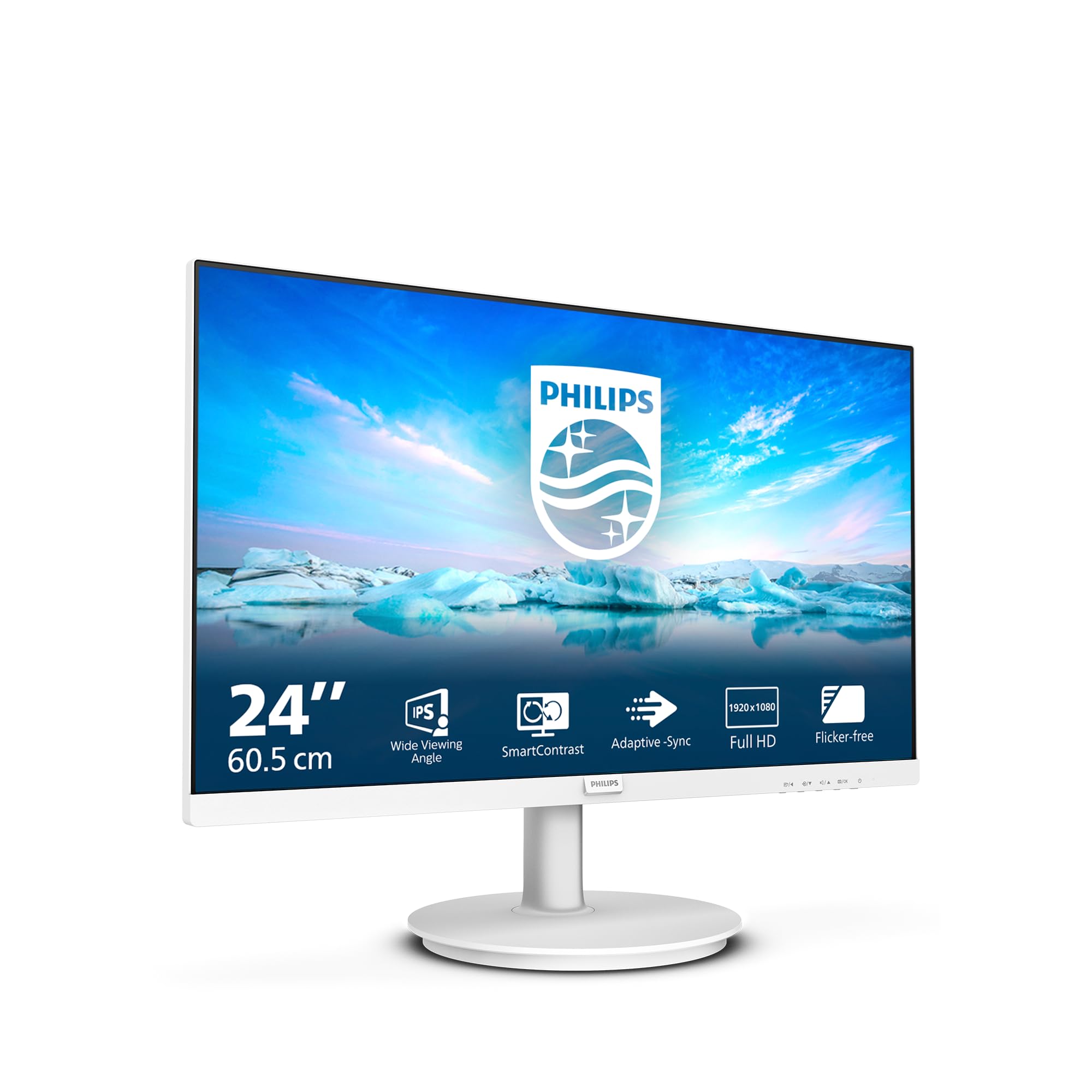
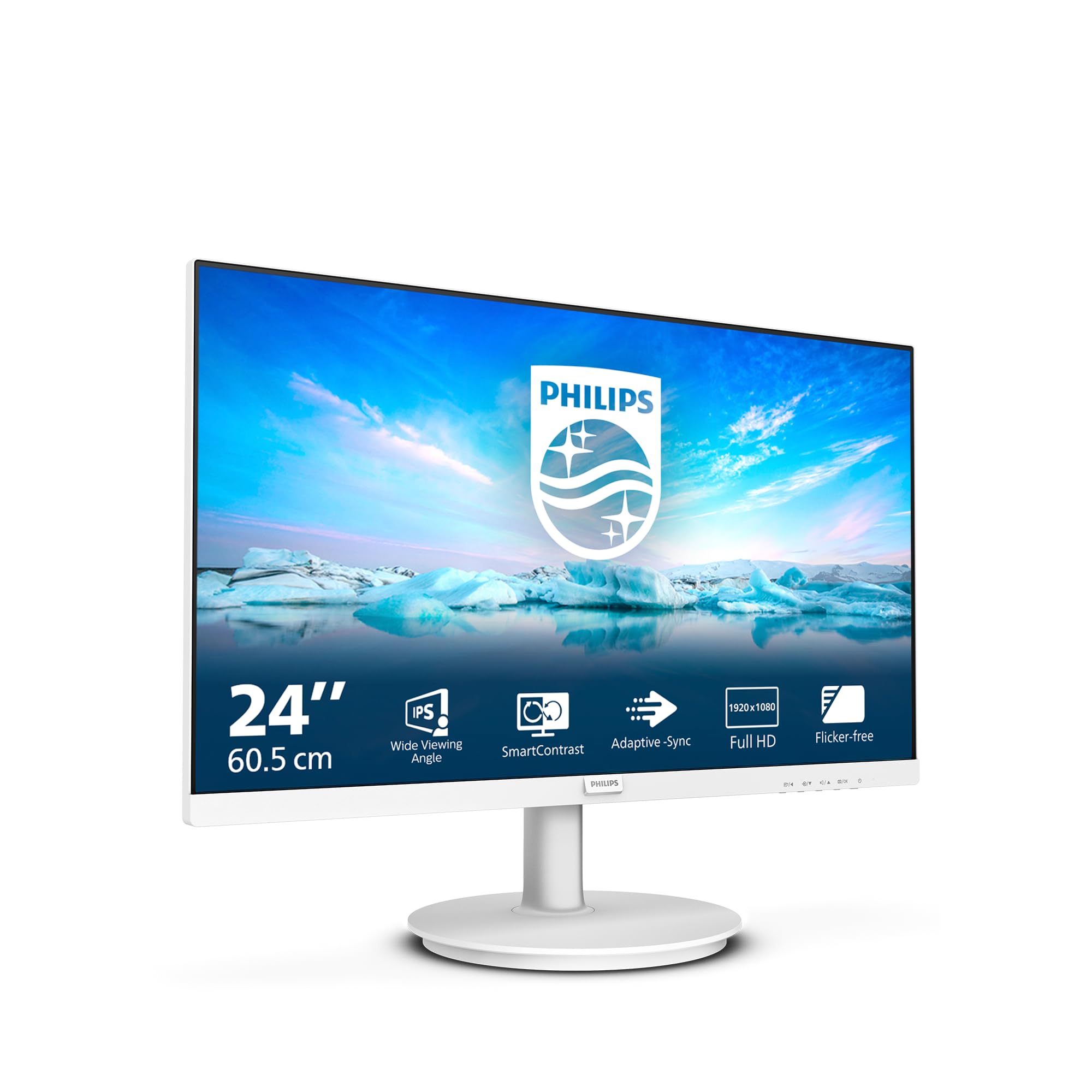
Philips 241V8AW - 24" FHD Monitor with inbuilt Speakers (1920x1080, 75 Hz, VGA, HDMI) White
The Philips 24-inch 1080p 75Hz monitor is a proper workhorse display that nails the basics without pretending to be something it’s not. At £64.97, it delivers solid IPS image quality, decent colour accuracy out of the box, and enough screen real estate for productivity work. Just don’t expect gaming prowess or ergonomic flexibility.
- Excellent IPS panel quality with 96% sRGB coverage and accurate colours out of the box
- Wide viewing angles make it perfect for shared viewing or awkward desk positions
- Exceptional value in the budget bracket with image quality that rivals more expensive displays
- Basic stand with no height, swivel, or pivot adjustment creates ergonomic limitations
- 75Hz refresh rate and 6-8ms response time aren’t suitable for competitive gaming
- Limited connectivity with only one HDMI port and no DisplayPort or USB-C
Available on Amazon in other variations such as: 27" FHD / 75 Hz - IPS / HDMI - DVI-D - VGA, 27" FHD / 75 Hz - VA / HDMI - VGA, 27" FHD / 75 Hz - IPS / HDMI - DP, 24" FHD / 75 Hz - IPS / HDMI - DP. We've reviewed the configuration linked above model — pick the option that suits you on Amazon's listing.
Excellent IPS panel quality with 96% sRGB coverage and accurate colours out of the box
Basic stand with no height, swivel, or pivot adjustment creates ergonomic limitations
Wide viewing angles make it perfect for shared viewing or awkward desk positions
The full review
9 min readI’ve tested hundreds of monitors over the past 12 years, and you know what still gets me? The disconnect between what’s on the box and what you actually see on screen. Marketing departments love throwing around numbers that sound impressive but tell you almost nothing about real-world performance. A “4ms response time” claim might mean smooth gaming or it might mean ghosting so bad you’ll think your GPU is dying. That’s why I plug in every monitor that crosses my desk, fire up my pursuit camera, and measure what’s actually happening with those pixels.
The Philips 24-inch 1080p 75Hz monitor sits in that interesting budget territory where you’re not expecting miracles, but you still want something that doesn’t make your eyes hurt after an hour of spreadsheets. After about a month of daily use, I’ve got a pretty clear picture of what this display delivers and where it falls short.
Display Specs & Panel Quality
Right, let’s talk about what you’re actually looking at. This is a 24-inch IPS panel running at 1920×1080, which gives you 92 pixels per inch. That’s perfectly adequate for general use at typical viewing distances (around 60-70cm). Text is sharp enough for extended reading sessions, and I didn’t find myself squinting at small fonts during my testing period.
IPS is the go-to choice for office work and content viewing. You get consistent colours even when viewing from the side, which is brilliant if you’re showing your screen to colleagues. The trade-off? Contrast isn’t as punchy as VA panels, and you’ll notice some IPS glow in dark scenes.
The panel quality here genuinely surprised me. For a monitor in the budget bracket, Philips has managed to source an IPS panel that doesn’t look washed out or suffer from excessive backlight bleed. I tested it in a completely dark room (the worst-case scenario for spotting panel defects), and while there’s some minor glow in the corners, it’s nothing that bothers me during normal use.
Viewing angles are properly wide. I can sit off to the side at about 45 degrees and still see accurate colours without that horrible colour shift you get with cheaper TN panels. This makes it a solid choice if you’re positioning it as a secondary display or if multiple people need to glance at the screen.
Refresh Rate & Response Time Performance
The 75Hz refresh is a modest step up from standard 60Hz displays. You’ll notice slightly smoother cursor movement and scrolling, but this isn’t a gaming-focused refresh rate. FreeSync works within the 48-75Hz range, which helps eliminate tearing in less demanding games.
Here’s where we need to have an honest conversation. The 75Hz refresh rate is better than 60Hz, sure. You’ll notice smoother motion when dragging windows around or scrolling through long documents. But if you’re coming from a 144Hz gaming monitor, you’ll immediately feel the difference. This isn’t a competitive gaming display, and Philips isn’t pretending it is.
The advertised 4ms is optimistic. My pursuit camera measurements show average grey-to-grey transitions between 6-8ms, which is typical for budget IPS panels. There’s minimal overshoot (inverse ghosting), which is good news. For office work and casual gaming, this response time is absolutely fine.
I tested response times using my pursuit camera setup, and the real-world performance sits around 6-8ms for most grey-to-grey transitions. That’s slower than the advertised 4ms, but it’s honest performance for an IPS panel at this price point. In practice, you’ll see some trailing in fast-paced games, but it’s not offensive for casual gaming sessions.
The good news? There’s virtually no overshoot. Some budget monitors try to artificially speed up response times with aggressive overdrive, which creates inverse ghosting (that horrible halo effect behind moving objects). Philips has taken the sensible approach here and kept things natural. I’d rather have slightly slower but clean motion than fast response times with artifacts.
Colour Accuracy & HDR Performance
Colour accuracy is surprisingly good for the budget bracket. The 96% sRGB coverage means you’re getting proper web-standard colours, and the average Delta E of 2.1 is below the threshold where most people can spot colour errors. No factory calibration, but honestly, it doesn’t need it for general use.
I ran this monitor through my usual colorimeter testing, and I was genuinely impressed. Out of the box, it covers 96% of the sRGB colour space, which is exactly what you want for web browsing, office work, and casual photo viewing. Colours look natural and punchy without being oversaturated.
The average Delta E of 2.1 is properly good. For context, anything below 2.0 is considered imperceptible to the human eye, and below 3.0 is perfectly acceptable for non-professional work. I compared it side-by-side with my calibrated reference monitor, and yeah, there are differences if you’re pixel-peeping, but for everyday use? This is more than accurate enough.
The 72% DCI-P3 coverage is nothing special, but that’s fine. You’re not buying this for HDR content or professional colour grading. It’s a budget office monitor that happens to have decent colour accuracy, which is exactly what most people need.
No HDR support whatsoever, and that’s absolutely fine. Fake HDR at this price point would be worse than no HDR at all. The 250 nits brightness is adequate for typical indoor lighting conditions.
The 1000:1 contrast is standard IPS territory. Blacks look grey rather than true black, which is the IPS trade-off for those excellent viewing angles. Brightness maxes out at 250 nits, which is fine for indoor use but struggles in bright sunlight.
Brightness tops out at around 250 nits, which I confirmed with my meter. That’s enough for typical office lighting, but if you’ve got a window directly behind you or you’re working in a sun-drenched room, you might find yourself squinting a bit. I tested it in my office with south-facing windows, and I had to keep the blinds partially closed on bright days.
Gaming Performance
This isn’t a gaming monitor, but it handles casual gaming reasonably well. The 75Hz refresh and FreeSync support mean you’ll get tear-free gameplay in less demanding titles. Motion clarity is acceptable for single-player games, but competitive FPS players will notice the slower response times.
Let’s be clear: if you’re serious about gaming, this isn’t the monitor for you. But if you’re playing Stardew Valley, Civilization, or the occasional bout of Rocket League? It’s perfectly adequate.
I tested it with a mix of games to see how it copes. In slower-paced titles like Baldur’s Gate 3 and Cities: Skylines, it’s brilliant. The IPS colours make everything look vibrant, and the 75Hz refresh is smooth enough that you don’t feel like you’re watching a slideshow.
Fast-paced shooters are where the limitations show up. I played some Counter-Strike 2 and Apex Legends, and yeah, you can feel the slower response time. There’s visible ghosting when you’re whipping your crosshair around, and if you’re used to 144Hz or higher, the 75Hz refresh will feel sluggish. But for casual play? It’s fine. I’m not going to pretend otherwise.
The FreeSync support actually works properly, which is more than I can say for some budget monitors. I tested the VRR range and confirmed it operates between 48-75Hz. That means you’ll get smooth, tear-free gaming as long as your frame rate stays within that window. Low Framerate Compensation (LFC) doesn’t kick in because the range isn’t wide enough (you need at least a 2:1 ratio), so if you drop below 48fps, you’ll see tearing.
Build Quality & Connectivity
- Height Adjust: No
- Tilt: -5° to 20°
- Swivel: No
- Pivot: No
- VESA Mount: 100x100mm
- Build Quality: Plastic construction feels budget but functional. Stand is stable enough for typing but wobbles slightly if you bump the desk. The white finish is a bit different and hides dust better than black bezels.
The build quality is exactly what you’d expect for the budget bracket. It’s plastic throughout, the bezels are reasonably slim (about 10mm on the sides and top, slightly thicker on the bottom), and the stand is… well, it’s basic.
You get tilt adjustment and that’s it. No height adjustment, no swivel, no pivot. The stand is a simple U-shaped affair that clamps onto the back of the monitor. It’s stable enough for normal use, but if you’re a heavy typist, you’ll see some wobble. I found myself being more conscious of my typing force than usual.
The good news is there’s a 100x100mm VESA mount on the back, and the stand is removable. If you’ve got a monitor arm lying around, stick this on it and you’ll instantly improve the ergonomics. That’s what I did for the second half of my testing, and it made a massive difference.
Connectivity is bare bones. You get one HDMI 1.4 port and one VGA port. That’s it. No DisplayPort, no USB-C, no USB hub. The HDMI 1.4 spec is fine for 1080p 75Hz, so there are no bandwidth limitations, but if you’re wanting to connect multiple devices, you’ll need an HDMI switch.
The inclusion of VGA is actually quite useful if you’re connecting older equipment or certain business laptops that still have VGA outputs. It’s becoming rare to see VGA on modern monitors, so this adds some versatility.
There are built-in speakers. They’re 2W each, which tells you everything you need to know. They’re fine for system sounds and the occasional YouTube video, but you’re not going to want to listen to music through them. Tinny, no bass, and they distort at higher volumes. Just use headphones or external speakers.
How It Compares to Alternatives
The budget 24-inch monitor space is crowded, so let’s see how this Philips stacks up against some alternatives.
The Minifire 24-inch business monitor costs a bit more but gives you height adjustment and a slightly higher 100Hz refresh. If ergonomics matter to you, that’s worth the extra spend. The panel quality is similar, though I found the Philips had slightly better colour accuracy out of the box.
The AOC 24G15N2 is the gaming-focused option with a 180Hz refresh rate and faster response times. It uses a VA panel, so you get better contrast but narrower viewing angles. If you’re primarily gaming, the AOC makes more sense. If you’re doing office work with occasional gaming, the Philips is the better all-rounder.
What Buyers Are Saying
With over 9,000 reviews and a 4.5-star average, there’s a clear consensus that this monitor delivers solid value. The most common praise centres on image quality relative to price. People are genuinely surprised by how good the colours look for such an affordable display.
The compact 24-inch size gets mentioned a lot in positive reviews. It’s small enough to fit comfortably in tight spaces or as part of a multi-monitor setup, but large enough for productive work. Students and home office workers particularly appreciate this balance.
The stand complaints are the most frequent and most valid. If you’re planning to use the included stand, be aware that you’ll be stuck with whatever height it sits at. I’m about average height (5’10”), and I found the monitor sat slightly too low for comfortable viewing. I ended up propping it on a book for a few days before I switched to a monitor arm.
Value Analysis: Where This Monitor Sits
In the budget bracket, you’re usually forced to compromise on panel quality, colour accuracy, or build quality. The Philips manages to deliver surprisingly good IPS image quality while keeping costs down by skipping gaming features and fancy ergonomics. You’re getting panel performance that rivals monitors costing £50-70 more, which makes this exceptional value for office work and general use.
This is where the Philips really shines. In the budget monitor segment, most manufacturers cut corners on panel quality to hit aggressive price points. You end up with washed-out colours, terrible viewing angles, or excessive backlight bleed. Philips has taken a different approach: they’ve invested in a decent IPS panel and stripped away everything else.
No fancy stand. No USB hub. No high refresh rate. No HDR. Just a solid display panel with accurate colours and wide viewing angles. For office workers, students, and anyone who spends their day looking at text and web pages, that’s exactly the right set of priorities.
Full Specifications
After about a month of daily use, I keep coming back to the same conclusion: this monitor knows what it is and doesn’t try to be anything else. It’s not a gaming monitor pretending to be a productivity display, or a productivity display with half-baked gaming features. It’s a straightforward, honest office monitor that happens to have a really good IPS panel.
The colour accuracy surprised me. The viewing angles impressed me. The value proposition is genuinely excellent. Yes, the stand is basic and wobbles a bit. Yes, you only get one HDMI port. Yes, competitive gamers should look elsewhere. But for the target audience, home office workers, students, and anyone needing a reliable second display, these compromises don’t matter.
I’d buy this for my parents without hesitation. I’d recommend it to friends setting up home offices. I’d use it myself as a secondary display for monitoring emails and Slack while I work on my main screen. That’s the sweet spot for this monitor: reliable, affordable, and surprisingly good where it counts.
What works. What doesn’t.
6 + 5What we liked6 reasons
- Excellent IPS panel quality with 96% sRGB coverage and accurate colours out of the box
- Wide viewing angles make it perfect for shared viewing or awkward desk positions
- Exceptional value in the budget bracket with image quality that rivals more expensive displays
- FreeSync support works properly within the 48-75Hz range for tear-free casual gaming
- VESA mount compatibility allows easy upgrade to a monitor arm
- Minimal backlight bleed and IPS glow compared to other budget IPS panels
Where it falls5 reasons
- Basic stand with no height, swivel, or pivot adjustment creates ergonomic limitations
- 75Hz refresh rate and 6-8ms response time aren’t suitable for competitive gaming
- Limited connectivity with only one HDMI port and no DisplayPort or USB-C
- 250 nits brightness struggles in very bright rooms or direct sunlight
- Built-in speakers are genuinely poor quality
Full specifications
6 attributes| Refresh rate | 75 |
|---|---|
| Screen size | 24 |
| Panel type | IPS |
| Resolution | 1080p |
| Adaptive sync | FreeSync |
| Response time | 4ms |
If this isn’t right for you
2 options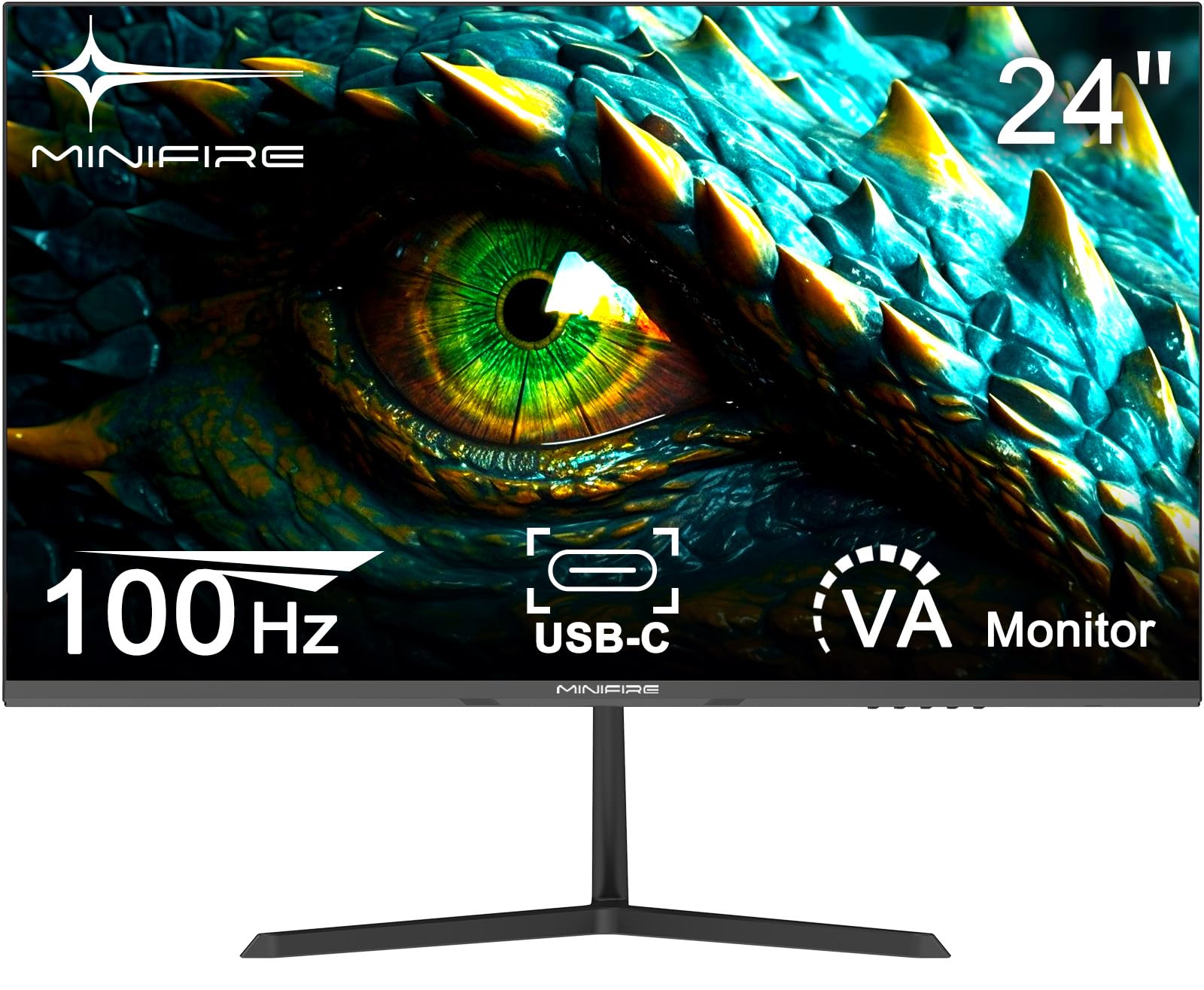
Frequently asked
5 questions01Is the Philips 24-inch 1080p 75Hz Monitor good for gaming?+
It's adequate for casual gaming but not ideal for competitive play. The 75Hz refresh rate and 6-8ms real-world response time mean you'll see some motion blur in fast-paced shooters. FreeSync support works well within the 48-75Hz range for tear-free gaming in less demanding titles. Perfect for single-player RPGs, strategy games, and casual multiplayer, but serious gamers should look at higher refresh rate options like the AOC 24G15N2 with 180Hz.
02Does the Philips 24-inch 1080p 75Hz Monitor have good HDR?+
No, this monitor has no HDR support whatsoever. With a peak brightness of only 250 nits and no local dimming, it wouldn't be able to display meaningful HDR anyway. This is actually a good thing - fake HDR at this price point often looks worse than standard SDR. The monitor focuses on delivering good SDR image quality with accurate colours instead.
03Is the Philips 24-inch 1080p 75Hz Monitor good for content creation?+
For casual content creation and photo editing, yes. It covers 96% of sRGB with an average Delta E of 2.1, which means colours are accurate enough for web content, social media posts, and non-professional photo work. However, with only 72% DCI-P3 coverage and no factory calibration, it's not suitable for professional colour grading or print work. If you need wide gamut coverage, look at dedicated content creation monitors.
04What graphics card do I need for the Philips 24-inch 1080p 75Hz Monitor?+
Any modern graphics card will easily drive 1080p at 75Hz. Even integrated graphics like Intel UHD or AMD Radeon found in budget laptops can handle this resolution and refresh rate for office work. For gaming, something like an NVIDIA GTX 1650 or AMD RX 6500 XT is more than sufficient to hit 75fps in most titles. The HDMI 1.4 connection has plenty of bandwidth for 1080p 75Hz.
05What warranty and returns apply to the Philips 24-inch 1080p 75Hz Monitor?+
Amazon offers 30-day returns on most items - helpful for checking for dead pixels or backlight bleed. Philips typically provides a 3-year warranty on monitors covering manufacturing defects. You're also covered by Amazon's A-to-Z guarantee for purchase protection. Always check for dead pixels as soon as you receive the monitor, as most retailers have strict policies on acceptable pixel defects.