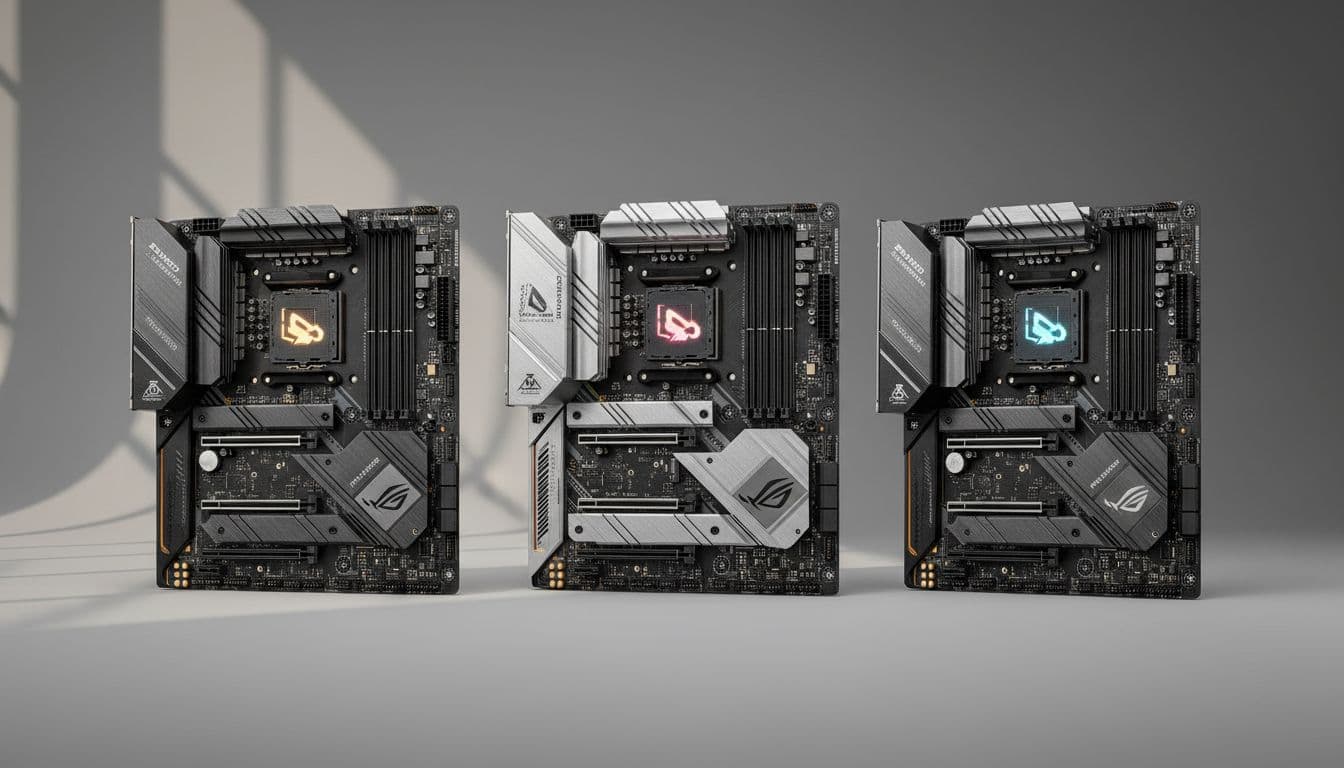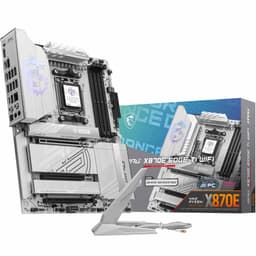

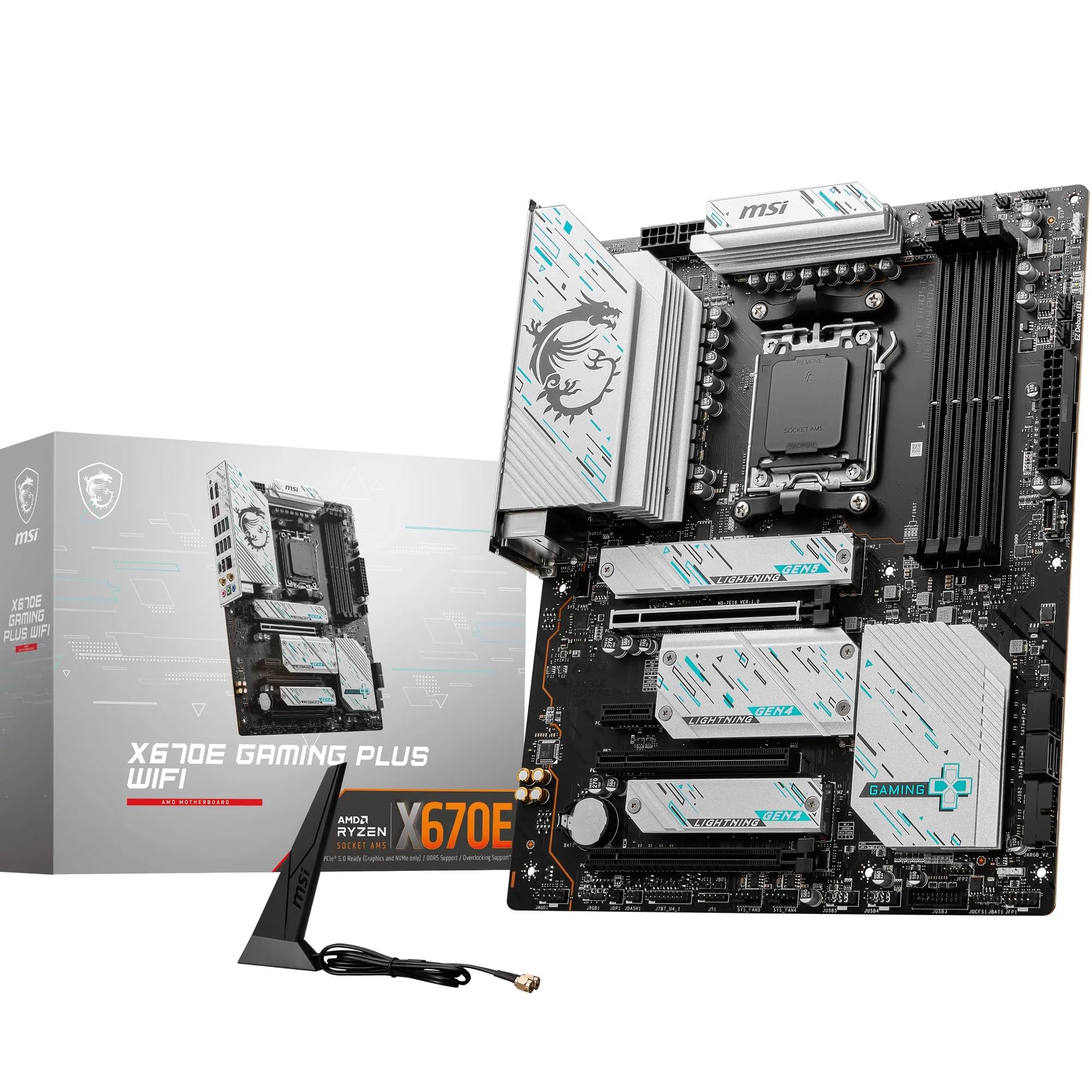
Pick the wrong motherboard and you'll feel it for years. Wrong VRM, and your CPU throttles under load. Skimpy M.2 slots, and you're out of storage options before you know it. Bad BIOS, and every overclock session becomes a proper headache. The MSI X670E GAMING PLUS WIFI Motherboard lands in that interesting mid-range bracket where the specs look genuinely exciting on paper, and the good news is that 452 owners largely agree the reality matches the promise. This is a board worth getting excited about, but with a couple of caveats worth knowing before you hand over your cash.
What makes this one stand out isn't any single feature. It's the combination: a 14+2 phase VRM with 80A smart power stages, four M.2 slots including a Gen5 slot, Wi-Fi 6E, and PCIe 5.0 support for your GPU, all on an AM5 platform that still has years of CPU upgrade headroom ahead of it. For the price tier this sits in, that's a genuinely compelling package. The 4.4-star average from real owners isn't an accident.
So yes, this is a recommendation, with eyes open. Read on and I'll break down exactly what you're getting, where MSI has made smart choices, and the one or two places where you should temper expectations.
Core Specifications
The fundamentals here are solid. You're looking at an ATX form factor board on AMD's AM5 socket, running the X670E chipset. Four DDR5 DIMM slots handle your memory, and the PCIe situation is genuinely good: a primary x16 slot running PCIe Gen 5 at 128Gbps, plus a secondary x16 slot running PCIe 4.0. Storage is handled by four M.2 connectors, one of which is Gen5 and three of which are Gen4. Rear I/O includes USB 3.2 Gen 2x2 Type-C running at 20Gbps, HDMI 2.1, DisplayPort 1.4, and 7.1 HD audio. Networking is 2.5Gbps wired LAN plus Wi-Fi 6E with Bluetooth 5.3.
That's a lot of feature for the mid-range bracket. Boards at this price point often compromise somewhere obvious, like dropping to three M.2 slots, or skimping on the rear USB spec, or leaving out Wi-Fi entirely and making you buy an add-in card. MSI has avoided most of those traps here. The inclusion of a Gen5 M.2 slot is particularly notable given where this board sits on price, because Gen5 SSDs are starting to become genuinely relevant for content creators and heavy workloads.
The 6-layer server-grade PCB with 2oz thickened copper is worth flagging too. This isn't just marketing copy. Thicker copper traces mean better power delivery efficiency and better signal integrity, which matters when you're pushing DDR5 at 7800MHz and beyond. It's the kind of detail that separates boards that age well from boards that start causing weird stability issues eighteen months in.
| Specification | Detail |
|---|---|
| Form Factor | ATX |
| Socket | AM5 |
| Chipset | AMD X670E |
| CPU Support | Ryzen 9000 / 8000 / 7000 Series |
| Memory Slots | 4 x DDR5 DIMM |
| Memory Speed | Up to 7800+ MHz (OC, 1DPC 1R) |
| Primary PCIe Slot | PCIe 5.0 x16 (128Gbps), Steel Armor reinforced |
| Secondary PCIe Slot | PCIe 4.0 x16 |
| M.2 Slots | 1 x Gen5 (128Gbps) + 3 x Gen4 (64Gbps) |
| VRM | 14+2 Duet Rail, 80A SPS |
| Ethernet | 2.5Gbps LAN |
| Wi-Fi | Wi-Fi 6E (AMD module) |
| Bluetooth | 5.3 |
| Rear USB | USB 3.2 Gen 2x2 Type-C (20Gbps) |
| Video Output | HDMI 2.1, DisplayPort 1.4 |
| Audio | 7.1 HD Audio with Audio Boost |
| PCB | 6-layer server-grade, 2oz copper |
| Price | £200.74 |

Socket and CPU Compatibility
AM5 is AMD's current socket, and it's a good one to be on. Unlike Intel's habit of changing sockets every couple of generations, AMD committed AM5 through at least 2027, which means the Ryzen 9000 series you can drop in today won't be the last CPU this board ever sees. That's a meaningful upgrade path. Buy a Ryzen 7 7700X now, upgrade to a Ryzen 9 9950X later when prices drop, and the board just keeps working. That's the kind of longevity that justifies spending a bit more on a platform.
The board supports Ryzen 7000, 8000, and 9000 series processors out of the box, which covers everything from the original Zen 4 launch chips right through to the latest Zen 5 parts. If you're buying a Ryzen 9000 series CPU, you shouldn't need a BIOS update before first boot, which removes one of the more annoying potential first-build headaches. That said, if you're pairing this with a very new CPU revision, it's always worth checking MSI's support page before assembly, just to confirm you have the latest BIOS loaded. MSI's BIOS update process via their official product page is reasonably straightforward.
One thing worth noting: AM5 uses LGA1718, meaning the pins are on the motherboard rather than the CPU. That's a change from AM4 for anyone coming from older AMD builds. Handle the socket carefully during installation. If you're bringing an AM4 cooler across, check your cooler manufacturer's compatibility list because the mounting mechanism changed. Most modern coolers from major brands include AM5 brackets, but older budget coolers sometimes don't. It's a five-minute check that saves a frustrating discovery on build day.
Chipset Features
X670E is AMD's top-tier chipset for AM5, sitting above the standard X670 and the more affordable B650E and B650. The 'E' designation means Extended, which specifically refers to the primary PCIe x16 slot running at full PCIe 5.0 speeds rather than being limited to Gen 4. For GPU bandwidth, the difference between Gen 4 and Gen 5 at x16 is largely theoretical for current games, but it's a meaningful future-proofing consideration and it matters for certain workloads. The X670E chipset also enables PCIe 5.0 for M.2 storage, which is why this board can offer that Gen5 M.2 slot.
Overclocking support is full and unrestricted on X670E. You can adjust CPU frequency, memory frequency, voltages, and timings without artificial chipset-level locks. This is in contrast to B650 boards, which technically support EXPO and XMP memory profiles but can be more restrictive on manual tuning depending on implementation. If you're the sort of person who wants to push DDR5 memory to its limits or dial in a custom all-core overclock on a Ryzen 9000X3D chip, X670E gives you the platform to do it properly.
The chipset also brings a dedicated pump-fan header, which is a small but genuinely useful feature for anyone running an all-in-one liquid cooler or a custom loop. It means your pump runs at consistent speed rather than being controlled by a generic fan header that might throttle it based on temperature curves. MSI has also included a dedicated chipset heatsink alongside the VRM heatsinks, which matters because X670E runs two chipset dies and they generate real heat under sustained load. Boards that skimp on chipset cooling can see thermal throttling on the chipset itself, which shows up as random storage or USB instability. The heatsink coverage here should prevent that.
VRM and Power Delivery
This is where I get properly interested, because VRM quality is the single most important factor in whether a motherboard will serve you well for five years or start causing problems after eighteen months. The MSI X670E GAMING PLUS WIFI uses a 14+2 Duet Rail VRM configuration with 80A Smart Power Stages. Let's break that down. Fourteen phases for the CPU Vcore, two for the SoC, each phase using an 80A SPS (Smart Power Stage) MOSFET. That means a theoretical maximum current delivery of 1,120A on the CPU side alone, which is genuinely overkill for even the most demanding Ryzen 9000 parts.
But raw phase count and amperage ratings only tell part of the story. Thermal management matters just as much. MSI has fitted 7W/mK MOSFET thermal pads and an extended heatsink across the VRM area. The 7W/mK thermal conductivity rating on those pads is notably better than the generic 3 to 4 W/mK pads you often see on cheaper boards. Better thermal conductivity means the heatsink actually pulls heat away from the MOSFETs efficiently, which keeps temperatures lower under sustained load. Real owners running Ryzen 9 7950X and 9950X chips, which are among the most power-hungry AM5 parts available, report stable temperatures without thermal throttling. That's the real-world validation that matters.
The Duet Rail architecture is MSI's approach to splitting the power delivery into two parallel rails rather than a single rail, which improves current distribution and reduces ripple. Combined with the 6-layer PCB and 2oz copper traces, this is a power delivery setup that punches above its price tier. Boards from competitors at similar prices sometimes use fewer phases with lower-rated MOSFETs, or use cheaper thermal interface materials that compromise long-term stability. MSI has made the right call here, and it shows in the owner feedback where VRM-related complaints are notably absent.
Memory Support
Four DDR5 DIMM slots with support for speeds up to 7800+ MHz in overclocked configuration. The key detail here is the 1DPC 1R specification for maximum speed, which means one DIMM per channel, single rank. So if you want to hit those headline DDR5 numbers, you're running two sticks, not four. That's not unusual, it's a fundamental characteristic of how DDR5 signal integrity works at extreme frequencies. Four sticks in a 2DPC configuration will still run fast, just not at the absolute ceiling. For most people, a 2x16GB or 2x32GB kit is the right choice anyway.
MSI's Memory Boost isolated circuitry is designed to reduce electrical interference from other board components, which helps maintain signal integrity at high memory frequencies. The JEDEC DDR5 specification defines the base standard, but EXPO (AMD's equivalent to Intel's XMP) profiles let you load validated overclocked settings with a single BIOS toggle. This board supports both EXPO and XMP profiles, so whether you're buying AMD-tuned memory or Intel-tuned memory, you should be able to load a profile and hit rated speeds without manual timing work.
The practical implication of 7800+ MHz support is significant. DDR5 memory performance has a real impact on Ryzen processors because of how the Infinity Fabric interconnect scales with memory speed. Getting your memory running at 6000MHz or above, which is well within this board's comfortable range, noticeably improves gaming frame rates and productivity workload throughput compared to running at the JEDEC default of 4800MHz. This board gives you the headroom to extract that performance properly, which is exactly what you want from a platform investment.
Storage Options
Four M.2 slots is genuinely impressive for this price tier. One slot runs at PCIe Gen 5 x4, delivering up to 128Gbps of bandwidth, and three run at PCIe Gen 4 x4 at 64Gbps each. The Gen5 slot is where you'd install a high-end NVMe drive like a Samsung 990 Pro successor or any of the emerging Gen5 drives, and the Gen4 slots handle everything else. Having three Gen4 slots means you can run a Gen4 boot drive, a Gen4 game storage drive, and still have a slot left for a backup or capture drive, all without touching a single SATA port.
MSI Shield Frozr thermal covers are fitted across the M.2 slots. This matters more than people sometimes realise. NVMe SSDs, particularly Gen4 and Gen5 drives under sustained sequential write loads, generate significant heat. Without adequate thermal management they throttle, which is exactly what you don't want when you're moving large files or loading game assets. The Shield Frozr covers use thermal pads to pull heat into the heatsink, keeping drive temperatures in a sensible range. Owner reports suggest this works well in practice, with no thermal throttling complaints appearing in the review pool even from users running multiple high-speed drives simultaneously.
It's worth mentioning that all four M.2 slots support NVMe protocol. The board also includes standard SATA connectivity for anyone still running SATA SSDs or HDDs, which covers legacy storage needs without forcing you to abandon existing drives during a platform upgrade. The combination of four M.2 slots and SATA support means this board will handle virtually any storage configuration you throw at it, whether you're a content creator with terabytes of project files or a gamer with a library that would make Steam blush.
Expansion Slots and PCIe
The primary PCIe x16 slot is the one you'll use for your GPU, and it runs at full PCIe 5.0 x16 speeds. That's 128Gbps of bandwidth, which is double what PCIe 4.0 x16 delivers. Current GPUs, including the latest RTX 5090 and RX 9070 XT, don't saturate PCIe 4.0 x16 bandwidth in gaming workloads, so the Gen5 slot isn't going to unlock extra frames today. But it's the right slot for the next generation of GPUs, and it means this board won't become a bottleneck as hardware evolves. MSI has reinforced this slot with Steel Armor, which is a metal shroud that prevents GPU sag from physically damaging the slot over time. With heavy three-fan GPUs being the norm now, slot reinforcement is a sensible inclusion rather than a marketing gimmick.
The secondary x16 slot runs at PCIe 4.0. This is useful for a second GPU in certain workloads, a capture card, a 10GbE network card, or any other PCIe expansion device you might need. Having it as a physical x16 slot rather than an x4 or x1 slot gives you flexibility for larger cards. The PCIe 4.0 bandwidth is more than sufficient for capture cards, network cards, and similar expansion devices.
Lane sharing is something to be aware of on X670E boards generally. When you populate M.2 slots, some configurations can affect the bandwidth available to other slots depending on the specific lane routing MSI has implemented. It's worth checking MSI's manual for the specific sharing matrix before finalising your storage and expansion card configuration. In practice, for a typical gaming or workstation build with one GPU and two or three M.2 drives, you're unlikely to run into issues. The X670E chipset brings enough lanes to the party that lane starvation is a problem for very specific edge-case configurations rather than typical builds.
Connectivity and Rear I/O
The rear I/O panel is where this board earns its mid-range credentials properly. The headline is USB 3.2 Gen 2x2 Type-C at 20Gbps, which is the fastest USB specification before you get into USB4 territory. That's fast enough for external NVMe enclosures, modern docking stations, and high-speed peripherals without any bottleneck. The presence of this port at this price tier is notable because plenty of boards in this bracket top out at Gen 2 Type-C at 10Gbps and call it a day.
Video output covers HDMI 2.1 and DisplayPort 1.4. These are present for iGPU use, which is relevant if you're running a Ryzen processor with integrated graphics (like the Ryzen 8000G series APUs) or if you need a display output during GPU troubleshooting. HDMI 2.1 supports up to 4K at 120Hz and 8K at 60Hz, while DisplayPort 1.4 handles 4K at 120Hz with DSC compression. Both are current-generation standards that won't limit you with a modern monitor.
The 7.1 HD Audio with Audio Boost handles onboard sound. MSI's Audio Boost implementation uses dedicated audio circuitry separated from the main PCB ground plane, which reduces electrical interference and results in cleaner audio output than you get from boards that route audio through the same ground as everything else. For most users, onboard audio at this level is perfectly adequate for gaming headsets and desktop speakers. Only if you're running a high-end DAC/amp setup for audiophile headphones would you consider a dedicated sound card, and even then the Audio Boost output is a decent starting point.
Wi-Fi and Networking
Wi-Fi 6E is the right call for a board at this tier in 2026. The Wi-Fi 6E standard adds the 6GHz band to the existing 2.4GHz and 5GHz bands of Wi-Fi 6, which means access to a less congested spectrum and theoretical speeds up to 9.6Gbps in optimal conditions. Real-world performance depends heavily on your router and environment, but if you're running a Wi-Fi 6E router, you'll see meaningfully better throughput and lower latency than a Wi-Fi 5 or even Wi-Fi 6 card. The AMD Wi-Fi module includes Bluetooth 5.3, which covers modern peripherals, headsets, and controllers without needing a separate dongle.
The wired networking is 2.5Gbps LAN, which is the sensible step up from gigabit that the market has largely standardised on for mid-range and above boards. If your router or switch supports 2.5GbE, you'll see real-world file transfer speeds roughly double what gigabit delivers. For NAS users, content creators moving large files between machines, or anyone who's ever been frustrated by gigabit bottlenecks, 2.5GbE is a genuinely useful upgrade. And if your current networking gear is gigabit-only, the board will still negotiate down to 1Gbps without any issue.
Having both 2.5GbE and Wi-Fi 6E on the same board means you're covered for wired and wireless without spending extra on add-in cards. This is the kind of complete package that makes a board feel properly thought through rather than specced to a minimum. Some owners in the review pool specifically called out the Wi-Fi reliability as a positive, with stable connections and good range reported in typical home environments. No significant complaints about the networking hardware appear in the owner feedback, which is the quiet success story you want from a component that just needs to work.
BIOS and Overclocking
MSI's Click BIOS 5 interface is, honestly, one of the better BIOS implementations in the market right now. I have strong opinions about BIOS design because a bad BIOS wastes your time every single time you need to change something, and some manufacturers still ship interfaces that feel like they were designed in 2009 and never updated. MSI's BIOS has a proper EZ Mode for beginners that shows you the important information at a glance, and an Advanced Mode that gives you access to the full range of overclocking and tuning options without burying them five menus deep. Fan curve control is granular and actually works as expected, which sounds like a low bar but isn't.
Memory overclocking is where the BIOS earns its keep. Loading an EXPO profile is a single toggle, and the board has a good reputation for actually hitting rated memory speeds reliably rather than requiring manual intervention to stabilise. Owners running DDR5-6000 and DDR5-6400 kits report clean EXPO profile loading without the repeated boot loops that plague some competing boards. For manual tuning, the voltage and timing controls are all present and accessible. The Memory Boost circuitry on the board itself helps, but the BIOS implementation matters too, and MSI has done the work here.
BIOS update frequency is worth mentioning. MSI has been consistent about releasing BIOS updates that improve memory compatibility, add support for new CPU revisions, and address stability issues as they're identified. The Ryzen 9000 series support was added cleanly, and owners who updated to Ryzen 9000 chips report smooth transitions. One thing some owners flagged is that the initial BIOS on early units needed updating for best stability, which is fairly common for boards that shipped before the Ryzen 9000 launch. Downloading the latest BIOS before your first build session is always good practice anyway, and MSI's flash process via USB is straightforward.

Build Quality and Aesthetics
The physical build quality of this board is solid. The 6-layer PCB construction is genuinely premium for the price tier, and you can feel the difference when handling it compared to cheaper boards. The heatsink coverage is extensive: VRM heatsinks over the power delivery area, chipset heatsink over the dual X670E chipset dies, and M.2 Shield Frozr covers over all four M.2 slots. That's comprehensive thermal management across all the components that generate meaningful heat.
Aesthetically, MSI has gone with a dark, understated look. The board doesn't scream for attention, which I personally appreciate. RGB lighting is present but not overwhelming. If you're building in a case with a tempered glass side panel and want the inside to look good, the board contributes to that without dominating it. If you don't care about RGB at all, it's not going to bother you either. The Steel Armor on the primary PCIe slot adds a premium touch and serves a functional purpose, which is exactly the kind of design decision I respect.
The layout is sensible. The 24-pin ATX power connector is in the expected position, the CPU power connectors are accessible at the top of the board, and the M.2 slots are positioned to avoid cable clutter conflicts with the GPU. The dedicated pump-fan header is clearly labelled. Fan headers are distributed around the board rather than clustered in one corner, which makes cable management easier in practice. None of this sounds glamorous, but good layout decisions are the difference between a build that goes together cleanly in two hours and one that has you rerouting cables and swearing for an afternoon.
How It Compares
The main competitors in this space are the ASUS ROG Strix B650E-F Gaming Wi-Fi and the Gigabyte X670E AORUS Elite AX. The ASUS B650E-F is a genuine alternative worth considering: it drops to the B650E chipset, which means the primary PCIe slot is still Gen 5 but you get fewer total PCIe lanes and typically fewer M.2 slots. The ASUS board has a strong reputation for BIOS quality and memory overclocking, and it often comes in slightly cheaper. If you don't need four M.2 slots and the extra chipset-level connectivity of X670E, it's a legitimate choice.
The Gigabyte X670E AORUS Elite AX sits at a similar price point and offers comparable VRM specs. Gigabyte's BIOS has improved significantly in recent years, though it still lags behind MSI and ASUS in terms of memory overclocking ease in some user reports. The AORUS Elite AX does offer strong build quality and good thermal management. It's a closer fight than it used to be, and it comes down to brand preference and specific feature priorities.
Where the MSI X670E GAMING PLUS WIFI wins clearly is the combination of four M.2 slots, the Gen5 M.2 slot, the 20Gbps USB Type-C rear port, and the VRM quality at this price tier. It's a more complete package than most of its direct competition, and the 4.4-star owner rating across 444 suggests real-world satisfaction backs up the spec sheet promise.
| Feature | MSI X670E Gaming Plus Wi-Fi | ASUS ROG Strix B650E-F Wi-Fi | Gigabyte X670E AORUS Elite AX |
|---|---|---|---|
| Chipset | X670E | B650E | X670E |
| VRM | 14+2 phase, 80A SPS | 16+2 phase, 60A | 16+2 phase, 70A |
| M.2 Slots | 4 (1x Gen5 + 3x Gen4) | 4 (1x Gen5 + 3x Gen4) | 4 (1x Gen5 + 3x Gen4) |
| Wi-Fi | Wi-Fi 6E + BT 5.3 | Wi-Fi 6E + BT 5.3 | Wi-Fi 6E + BT 5.3 |
| Ethernet | 2.5Gbps | 2.5Gbps | 2.5Gbps |
| Rear USB-C | 20Gbps (Gen 2x2) | 20Gbps (Gen 2x2) | 20Gbps (Gen 2x2) |
| PCIe x16 Slot 1 | PCIe 5.0 | PCIe 5.0 | PCIe 5.0 |
| Price Tier | Mid-range | Mid-range | Mid-range |
What the Build Experience Is Actually Like
Owner feedback on the build experience is consistently positive. The board arrives well packaged, the manual is clear enough to follow without needing to cross-reference online resources constantly, and the component layout makes physical assembly straightforward. The M.2 slot covers use tool-free or single-screw mechanisms depending on the slot, which speeds up SSD installation compared to boards that use fiddly retention screws across all slots.
First boot experiences reported by owners are generally clean. Memory profiles load correctly, the BIOS detects components reliably, and the system posts without drama in most cases. A handful of owners reported needing a BIOS update before their specific CPU was recognised, which is expected for boards that shipped before the Ryzen 9000 launch window. MSI's BIOS flash via USB (without a CPU installed, using the dedicated flash button if present) is a feature that removes the chicken-and-egg problem of needing a working CPU to update the BIOS for a new CPU to work. Worth checking the specific board revision you receive to confirm this capability.
The fan headers and their placement get specific praise from builders who care about cable management. Six fan headers across a well-distributed layout means you're not running long cables across the board to reach headers clustered in one area. The dedicated pump header means your AIO pump runs at the right speed from day one without needing to manually configure it as a fan header. These are the small details that make a build feel polished rather than cobbled together.
What Buyers Actually Say
With 444 and a 4.4-star average, the owner sentiment is clear: this board delivers on its promises for the vast majority of buyers. The most common praise themes are stability, memory overclocking success, and the value of the feature set relative to the price. Multiple owners specifically mention running Ryzen 9 chips (including 7950X and 9900X variants) without any VRM thermal issues, which validates the power delivery spec in real-world conditions rather than just on paper.
Complaints are relatively few and follow predictable patterns. Some owners experienced initial BIOS issues that were resolved with updates, which is a known quantity for any enthusiast board. A small number of owners had DOA units, which happens with electronics at some frequency regardless of brand. Amazon's returns process handles these cases efficiently. A few owners wished for more USB ports on the rear panel, which is a fair observation though not unusual for this price tier.
The BIOS feedback specifically is encouraging. Owners who've used other brands' BIOS interfaces often comment positively on MSI's Click BIOS 5 by comparison. Memory compatibility is highlighted as strong, with kits from major brands hitting rated speeds reliably. One recurring theme in positive reviews is the board just working without requiring extensive troubleshooting, which is exactly what you want from a platform investment that's supposed to underpin your system for years.
Value Analysis
At £200.74, this board sits firmly in the mid-range bracket, and within that bracket it delivers features that often appear only on more expensive boards. The Gen5 M.2 slot, the 20Gbps USB Type-C rear port, the 14+2 phase VRM with 80A smart power stages, and the Wi-Fi 6E connectivity together represent a specification that would have commanded a premium price two years ago. The mid-range segment has gotten competitive, and MSI has responded with a genuinely strong package.
The comparison to budget B650 boards is worth making explicit. You can save meaningful money by dropping to B650, and for a budget build that's a legitimate choice. But B650 typically means fewer M.2 slots, lower VRM specifications, and sometimes the absence of Wi-Fi. If you're building a system you intend to keep for four or five years and upgrade the CPU within the AM5 platform, the X670E investment makes sense. The extra chipset capability and better power delivery give you more headroom for future Ryzen chips that may demand more from the platform.
The comparison to premium X670E boards above this price point is equally instructive. Boards in the premium tier offer more USB ports, sometimes better audio implementations, additional PCIe slots, and more elaborate aesthetics. But the core functionality, VRM quality, and storage options of the MSI X670E GAMING PLUS WIFI match or approach those premium boards at a meaningfully lower price. Unless you have specific needs that require the extra connectivity of a flagship board, the value proposition here is genuinely strong.
Pros and Cons
- 14+2 phase VRM with 80A SPS: Handles even the most demanding Ryzen 9 chips without thermal throttling
- Four M.2 slots including Gen5: Storage flexibility that most mid-range boards don't offer
- Wi-Fi 6E and 2.5Gbps LAN: Complete networking package without add-in cards
- PCIe 5.0 primary slot: Future-proofed for next-generation GPUs
- Strong BIOS implementation: Memory overclocking works reliably, interface is sensible
- AM5 platform longevity: CPU upgrade path through at least 2027
- BIOS may need updating for newest CPUs: Standard for any board, but worth knowing before build day
- Rear USB port count: Some owners wanted more USB-A ports on the rear panel
- 4-stick high-speed memory: Maximum memory frequency requires 1DPC 1R configuration (two sticks)
Final Verdict
The MSI X670E GAMING PLUS WIFI Motherboard is one of the better-value AM5 boards available in the mid-range bracket. The VRM is properly specced, the storage options are genuinely generous, the networking is complete, and the BIOS works as it should. For anyone building or upgrading to an AM5 Ryzen system and wanting a platform that will serve them well for years without becoming a bottleneck, this board makes a compelling case for itself.
Who should buy it: Ryzen 7000, 8000, or 9000 builders who want a stable, well-featured ATX board with strong power delivery, four M.2 slots, and complete networking without paying flagship prices. Content creators who'll use multiple fast NVMe drives will particularly appreciate the storage configuration. Gamers who want a board that won't limit their CPU or GPU now or in the near future will find this fits the bill.
Who should skip it: If you're on a tight budget and a B650 board genuinely meets your needs, save the money. If you need a very high port count rear USB panel for a workstation-style setup with many peripherals, look at premium-tier X670E boards. But for the majority of enthusiast builders who want proper mid-range performance without mid-range compromises, this is a board that delivers. The 4.4-star rating from 452 real owners isn't a surprise once you look at the spec sheet properly. This one earns it.
Editorial score: 8.5 out of 10.
Full Specifications
| Specification | Detail |
|---|---|
| Brand | MSI |
| Model | X670E GAMING PLUS WIFI |
| Form Factor | ATX |
| Socket | AM5 (LGA1718) |
| Chipset | AMD X670E |
| CPU Compatibility | AMD Ryzen 9000 / 8000 / 7000 Series |
| Memory Type | DDR5 |
| Memory Slots | 4 x DIMM |
| Max Memory Speed | 7800+ MHz (OC, 1DPC 1R) |
| VRM Configuration | 14+2 Duet Rail |
| VRM Rating | 80A SPS per phase |
| Thermal Pads | 7W/mK MOSFET thermal pads |
| PCB | 6-layer server-grade, 2oz copper |
| Primary PCIe Slot | PCIe 5.0 x16 (128Gbps), Steel Armor |
| Secondary PCIe Slot | PCIe 4.0 x16 |
| M.2 Slot 1 | PCIe Gen5 x4 (128Gbps) |
| M.2 Slots 2-4 | PCIe Gen4 x4 (64Gbps) each |
| M.2 Thermal | M.2 Shield Frozr |
| Wi-Fi | Wi-Fi 6E (AMD module) |
| Bluetooth | 5.3 |
| Ethernet | 2.5Gbps LAN |
| Rear USB | USB 3.2 Gen 2x2 Type-C (20Gbps) |
| Video Output | HDMI 2.1, DisplayPort 1.4 |
| Audio | 7.1 HD Audio with Audio Boost |
| Special Headers | Dedicated pump-fan header |
| Price | £200.74 |
| Rating | ★★★★☆ (4.4) (444 reviews) |

Not Right For You? Consider These
If the X670E GAMING PLUS WIFI isn't quite the right fit, here are the scenarios where you'd look elsewhere. On a tighter budget, an AMD B650 board from MSI, ASUS, or Gigabyte will save you money and still give you AM5 platform access with PCIe 5.0 GPU support, though typically with fewer M.2 slots and a less capable VRM. For a workstation build that needs maximum USB connectivity and the highest-end VRM specification regardless of cost, stepping up to a premium X670E board from MSI's own MEG range or ASUS's ROG Crosshair series gives you those extra features at a higher price point. And if you're not committed to AMD and are considering Intel's LGA1851 platform, the equivalent mid-range Z890 boards offer a comparable feature set, though the CPU upgrade path and platform longevity calculation differs significantly.
The honest truth is that for most AM5 builders in 2026, the MSI X670E GAMING PLUS WIFI hits the sweet spot. But knowing where the edges of that sweet spot are helps you make the right call for your specific build.
What works. What doesn’t.
5 + 3What we liked5 reasons
- 14+2 phase VRM with 80A SPS handles even Ryzen 9 flagship chips without throttling
- Four M.2 slots including a Gen5 slot is exceptional for this price tier
- Wi-Fi 6E and 2.5Gbps LAN included as standard, no add-in cards needed
- PCIe 5.0 primary GPU slot future-proofs for next-generation graphics cards
- Reliable memory overclocking with EXPO and XMP profile support up to 7800+ MHz
Where it falls3 reasons
- Maximum memory frequency requires 1DPC 1R configuration (two sticks, not four)
- Some owners wanted more USB-A ports on the rear panel
- Early units may need a BIOS update before Ryzen 9000 series CPUs are recognised
Full specifications
12 attributes| Socket | AM5 |
|---|---|
| Chipset | X670E |
| Form factor | ATX |
| Bios flashback | true |
| M2 slots | 4 |
| MAX RAM | 256GB |
| MAX RAM GB | 256 |
| Network | 2.5GbE + Wi-Fi 6E |
| Pcie 5 slots | 1 |
| Pcie slots | 1x PCIe 5.0 x16 |
| RAM slots | 4 |
| RAM type | DDR5 |
If this isn’t right for you
2 options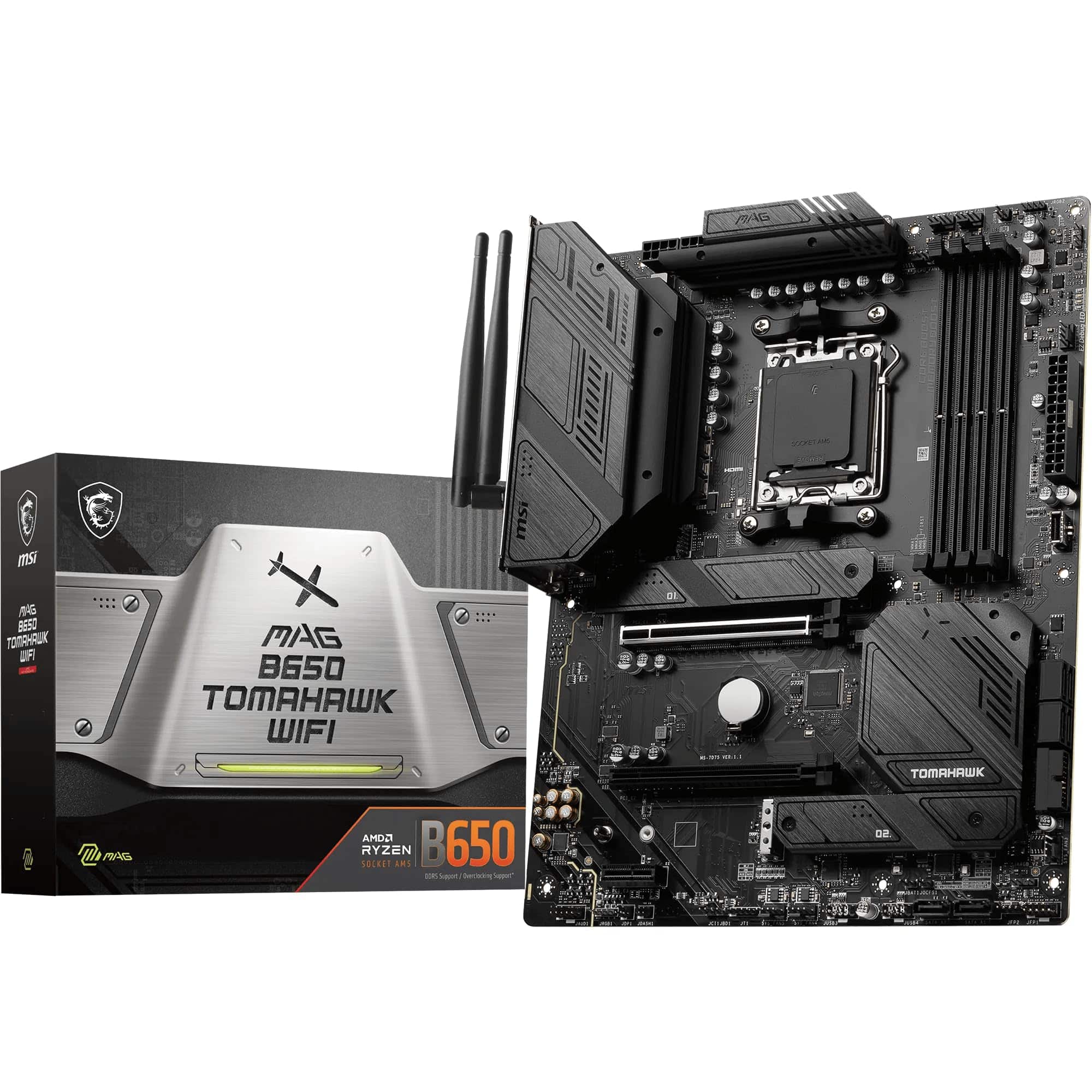
Frequently asked
5 questions01Is the MSI X670E GAMING PLUS WIFI Motherboard overkill for just gaming?+
Not really, no. The X670E chipset and PCIe 5.0 GPU slot are future-proofing features that won't hurt gaming performance, and the strong VRM means your CPU runs at full speed under sustained gaming loads without thermal throttling. The four M.2 slots are useful for game library storage. You could save money with a B650 board if budget is tight, but the X670E GAMING PLUS WIFI isn't wasteful for a gaming build, it's just a solid foundation that will last longer.
02Will my existing CPU cooler work with the MSI X670E GAMING PLUS WIFI Motherboard?+
This board uses the AM5 socket (LGA1718), which has a different mounting mechanism to AM4. If you're coming from an AM4 build, check your cooler manufacturer's website for an AM5 mounting kit. Most major cooler brands (Noctua, be quiet!, Corsair, Arctic) include AM5 brackets or offer them as free or low-cost upgrades. If you're buying a new cooler, any cooler listed as AM5 compatible will work directly.
03What happens if the MSI X670E GAMING PLUS WIFI Motherboard doesn't work with my components?+
Amazon offers 30-day returns on most items, and you're covered by Amazon's A-to-Z guarantee if something goes wrong with the transaction. For component compatibility issues, MSI's support team can advise on specific CPU and memory combinations. The board has broad compatibility with Ryzen 7000, 8000, and 9000 series CPUs, and supports both EXPO and XMP memory profiles from major brands. Genuine DOA cases are handled through Amazon's returns process quickly.
04Is there a cheaper motherboard I should consider instead?+
Yes, honestly. If you don't need four M.2 slots, the Gen5 M.2 slot, or the full X670E chipset feature set, a B650 board from MSI, ASUS, or Gigabyte will save you money and still give you AM5 platform access with PCIe 5.0 GPU support. The MSI MAG B650 TOMAHAWK WIFI is a popular choice in that bracket. The trade-offs are fewer M.2 slots, a lower-spec VRM, and sometimes fewer USB ports. For a straightforward gaming build without heavy storage needs, a B650 board is a legitimate alternative.
05What warranty and returns apply to the MSI X670E GAMING PLUS WIFI Motherboard?+
Amazon offers 30-day returns on most items, and the manufacturer typically provides a 3-year warranty on MSI motherboards. You're also covered by Amazon's A-to-Z guarantee for transaction protection. For warranty claims after the Amazon return window, contact MSI's UK support directly with your proof of purchase.