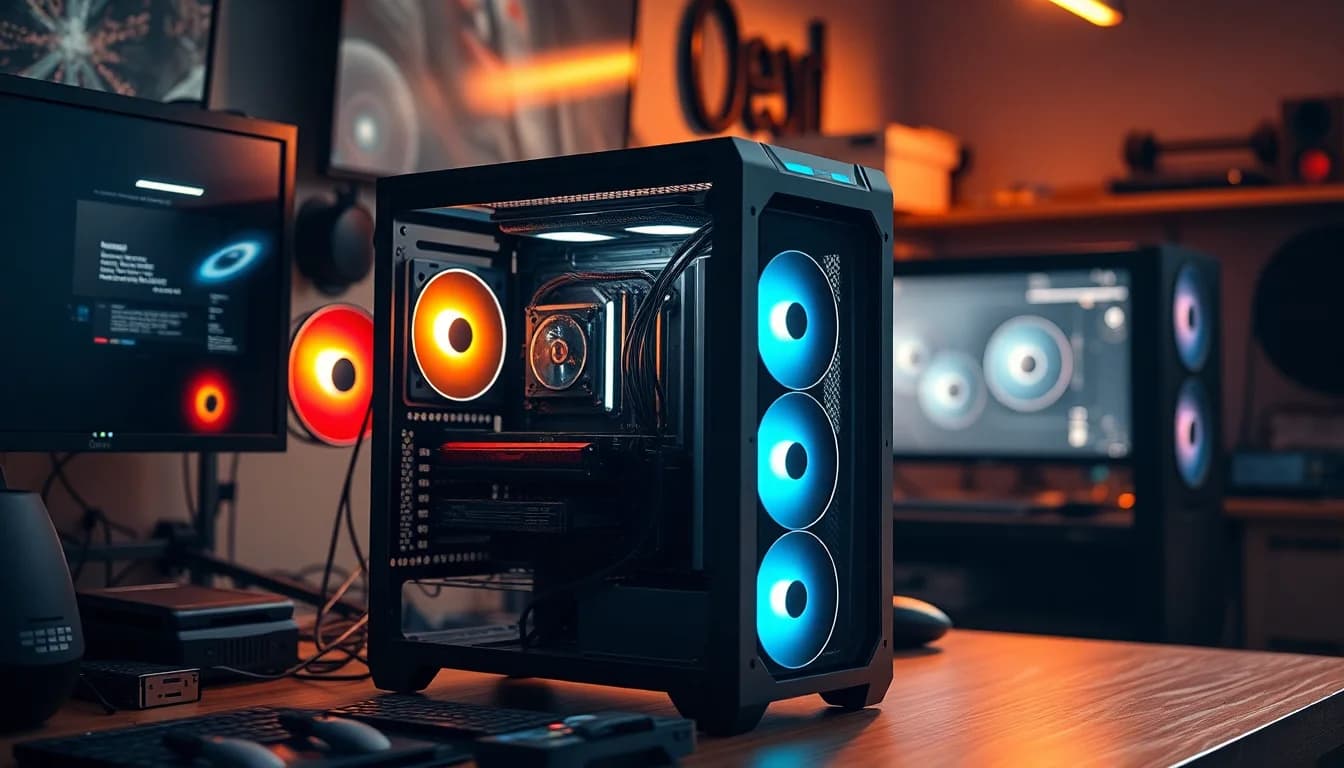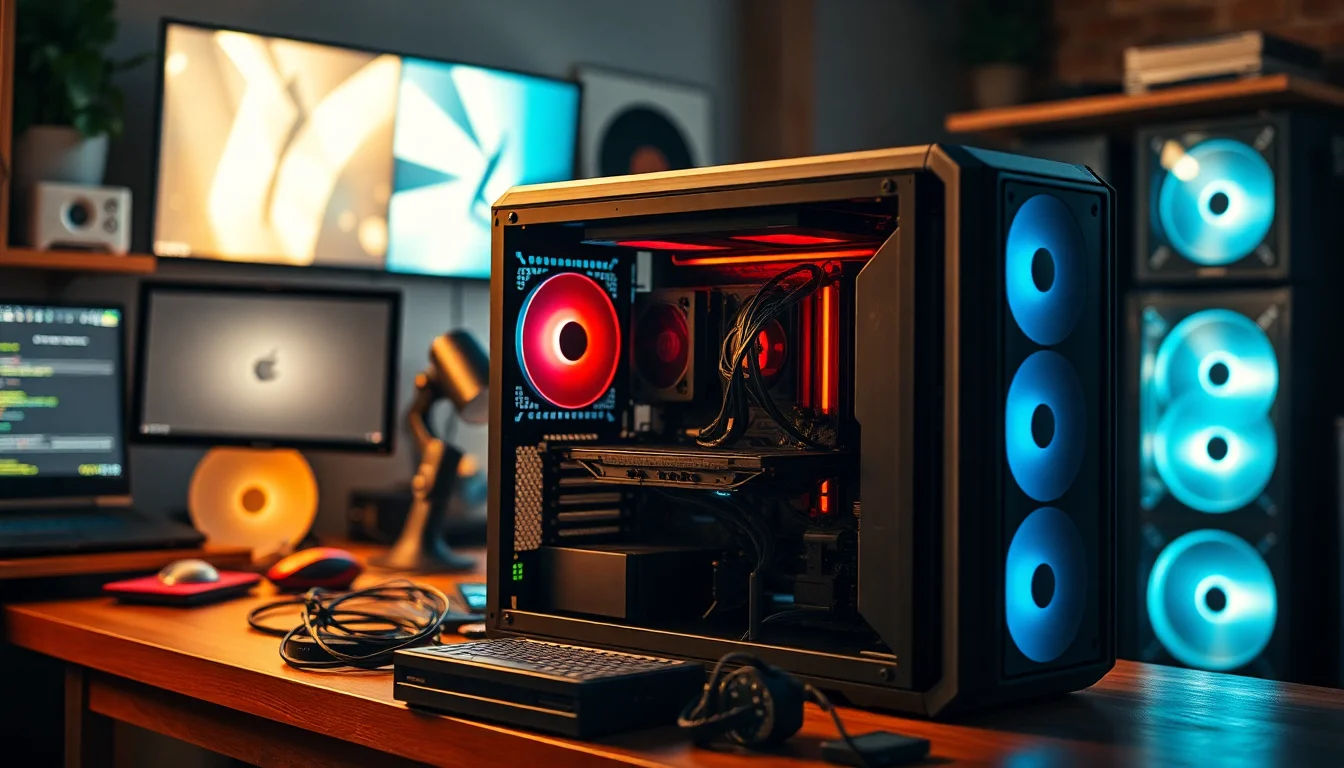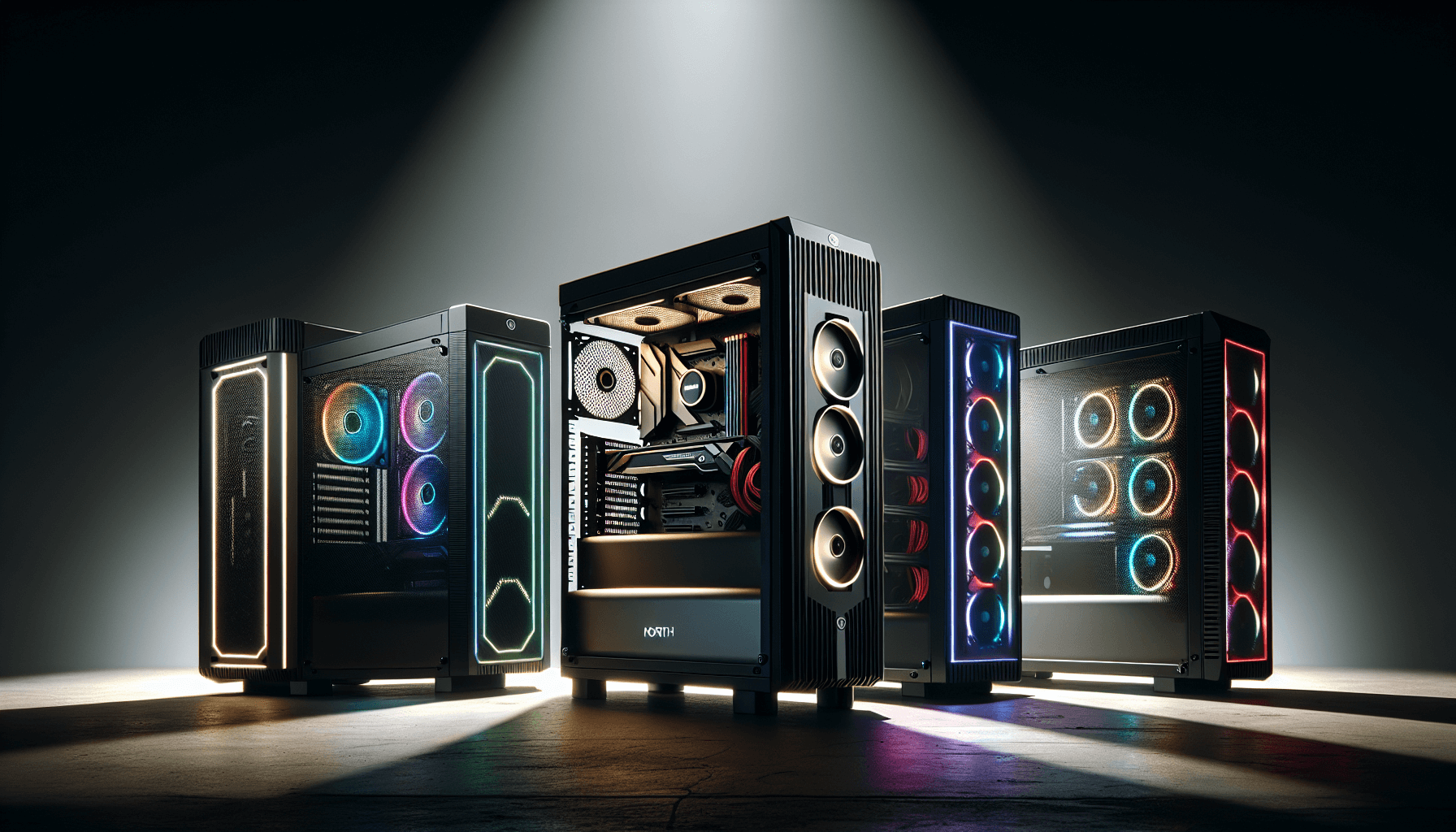
Watch enough case reviews on YouTube and you'll come away with a vague sense of whether something looks nice. Actually building inside one tells you something completely different. The Fractal Design Pop Air RGB sits at the heart of a mid-range gaming build, and the Fractal Design Pop Air RGB Gaming Case Review 2025 picture that emerges is more nuanced than the marketing suggests. This is a case that gets a lot right, but it also makes a few choices that'll either suit your workflow perfectly or quietly annoy you every time you open the side panel.
My test build used an AMD Ryzen 5 7600X, an MSI B650 Tomahawk ATX board, 32GB of DDR5, an RTX 4070 Super (a chunky card at 336mm), and a 240mm AIO up top. That's a fairly typical mid-range gaming rig, and it's exactly the kind of build this case is aimed at. I routed every cable properly, fitted all the included fans, and ran the system under load for several weeks to get a proper feel for thermals and day-to-day usability. Here's what I actually found.
The Pop Air sits in a crowded mid-range market. Fractal Design has always been known for sensible, builder-friendly cases, and the Pop series is their attempt to inject a bit of personality without losing that practicality. Whether they've pulled it off is what we're here to figure out.
Core Specifications
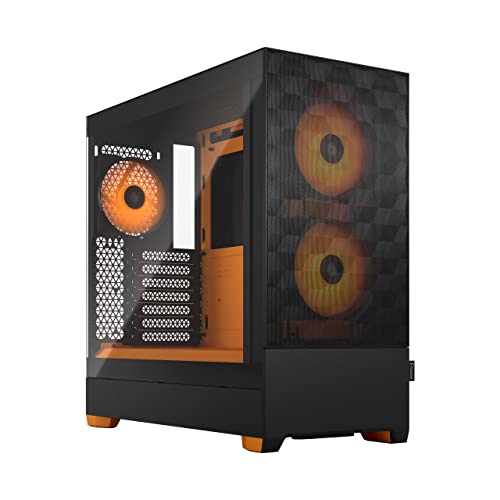
The Pop Air is a mid-tower ATX case, and its dimensions sit comfortably in the mainstream: 464mm tall, 210mm wide, and 426mm deep. It's not a compact case, but it's not a desk-dominating monster either. Weight comes in at around 7.3kg without any components, which feels about right for the steel and tempered glass construction. The front panel is a mesh design, which is the whole point of the "Air" branding, and the right side panel is solid steel while the left is 4mm tempered glass.
Fan support is generous. You get three 140mm fans included in the box (Fractal's own Dynamic X2 GP-14 units), and the case supports up to six fans total across the front (three 120mm or 140mm), top (two 120mm or 140mm), and rear (one 120mm). Radiator support covers 360mm at the front, 280mm at the top, and 120mm at the rear. The PSU shroud is full-length, which keeps the bottom of the case tidy, and there are two 3.5-inch drive bays plus two 2.5-inch dedicated mounts.
The front I/O is on the top of the case and includes two USB 3.0 Type-A ports, one USB 3.2 Gen 2 Type-C port, and a combined audio jack. There's also a dedicated RGB button and a fan speed controller, which is a nice touch at this price point. The power button is large and satisfying to press, which sounds like a small thing but genuinely matters when you're reaching over to boot up every morning.
| Specification | Detail |
|---|---|
| Form Factor | Mid-Tower ATX |
| Dimensions (H x W x D) | 464 x 210 x 426mm |
| Weight | 7.3kg |
| Motherboard Support | E-ATX (up to 272mm), ATX, mATX, mITX |
| Max GPU Length | 467mm |
| Max CPU Cooler Height | 185mm |
| PSU Max Length | 250mm |
| Front Fan Support | 3x 120mm or 3x 140mm |
| Top Fan Support | 2x 120mm or 2x 140mm |
| Rear Fan Support | 1x 120mm |
| Front Radiator Support | Up to 360mm |
| Top Radiator Support | Up to 280mm |
| Included Fans | 3x Fractal Dynamic X2 GP-14 140mm (with RGB) |
| 3.5" Drive Bays | 2 |
| 2.5" Drive Bays | 2 dedicated + 2 on HDD trays |
| Front I/O | 2x USB 3.0, 1x USB-C 3.2 Gen 2, Audio |
| Side Panel | 4mm Tempered Glass (left) |
| Steel Thickness | 0.8mm SGCC |
| Current Price | £89.99 · Details |

Form Factor and Dimensions
At 210mm wide, the Pop Air is on the slimmer side for a mid-tower. That's not a problem in most setups, but it does mean the case feels a little narrower than something like the Corsair 4000D Airflow when you're actually building inside it. The 426mm depth is fairly standard, and the 464mm height means it'll fit under most desks without issue. I had it sitting on a desk next to a 27-inch monitor and it didn't feel oversized or intrusive.
The footprint is compact enough that it works on a desk or on the floor beside one. The rubber feet are decent quality and grippy enough that the case doesn't slide around when you're plugging things in. One thing I noticed is that the front mesh panel does protrude slightly forward, adding a few millimetres to the effective depth. Not a big deal, but worth knowing if you're measuring a tight shelf or cabinet space.
The overall aesthetic is clean and modern without being flashy. Fractal have gone for rounded corners and a slightly softer look compared to the angular designs that dominated a few years ago. It doesn't scream "gaming PC" in the way some competitors do, which is either a positive or a negative depending on your taste. Personally, I think it looks smart. The tempered glass panel shows off the internals well, and the RGB fans add colour without the case itself being garish. It's the kind of case you could put in a living room without your partner complaining about it.
Motherboard Compatibility
The Pop Air officially supports E-ATX motherboards up to 272mm wide, plus standard ATX, mATX, and mITX. That E-ATX support is a nice bonus, though the 272mm limit means some of the wider enthusiast boards won't fit. If you're running a standard ATX board, you'll have no issues whatsoever. The standoff layout is pre-installed for ATX, which saves a bit of time during the build.
I built with an ATX board and the fit was spot on. There's good clearance around the motherboard tray, and the cable routing holes are positioned sensibly relative to where your 24-pin and EPS connectors will land. The EPS cutout at the top left of the tray is large enough to pass even sleeved cables through without a fight, which isn't always the case (no pun intended) at this price point.
One thing worth mentioning: the motherboard tray itself is solid. No flex when you're pushing in RAM sticks or seating the CPU cooler. I've built in cases at similar prices where the tray wobbles noticeably under pressure, and it's genuinely annoying. The Pop Air doesn't have that problem. The standoffs are properly threaded and the tray feels like it's part of a more expensive product. Small detail, but it matters when you're doing a long build session.
GPU Clearance
Fractal Design quotes 467mm of GPU clearance, and in practice that's accurate. My RTX 4070 Super at 336mm had loads of room, and even the longer 4080 Super variants (around 348mm) would fit with plenty to spare. You'd have to be running something truly enormous, like a triple-slot 4090 reference card, to start pushing the limits. Most current-gen cards will be absolutely fine.
There's no vertical GPU mount option out of the box, which is a shame. Some competitors at this price include a riser cable or at least the bracket for one. If you want to show off your GPU through the glass panel in a vertical orientation, you'll need to buy a separate riser cable and bracket. It's not a dealbreaker, but it's worth knowing if that's something you care about.
The GPU clearance from the front fans is also worth considering if you're planning a front radiator. With a 360mm rad mounted at the front, you lose some of that 467mm headroom. Fractal's own guidance suggests you'll want to check compatibility with longer cards if you're running a front radiator I'd agree. With a 240mm AIO at the top and the front fans in place, the 4070 Super had no clearance issues at all. But if you were trying to fit a 400mm-plus card alongside a front 360mm rad, you'd want to measure carefully first.
CPU Cooler Clearance
The 185mm CPU cooler height limit is generous. That covers virtually every mainstream tower cooler on the market, including the Noctua NH-D15 (165mm), the be quiet! Dark Rock Pro 5 (162mm), and the DeepCool AK620 (160mm). You'd have to be running something unusually tall to hit that ceiling. I used a 240mm AIO for my build, mounted at the top, and the installation was straightforward.
Top radiator mounting supports up to 280mm, which means a 240mm AIO fits easily and a 280mm AIO fits too. You won't get a 360mm up top, which is a limitation if you're planning a high-end cooling setup. The front supports 360mm, so if you want the biggest AIO possible, that's where it needs to go. The front mounting position works well, but do check your GPU length compatibility as mentioned above.
Pump head clearance with the top mount is fine for most AIOs. I used a Corsair H100i and the pump head sat comfortably without fouling the RAM slots. With taller RAM (44mm+), you might want to double-check, but standard-height DDR5 sticks had no issues at all. The AIO tubes routed neatly down the back of the case with the cable management channels, which kept the inside looking tidy. Rear exhaust supports a single 120mm fan, and the included fans cover the front intake position, so you're well sorted for airflow out of the box.
Storage Bay Options
Two 3.5-inch drive bays sit behind the PSU shroud, accessible from the front of the shroud. The trays are tool-free for 3.5-inch drives, using a rubber-dampened slide-in system that works well and actually reduces vibration noise from spinning hard drives. I had two 4TB HDDs in there and couldn't hear any resonance through the case panels, which is better than some cases I've used that turn into a drum kit when you add spinning rust.
The two dedicated 2.5-inch mounts are on the back of the motherboard tray, which keeps SSDs out of sight and out of the way. They're screw-mounted rather than tool-free, which is slightly less convenient but more secure. You also get two additional 2.5-inch mounting positions on the HDD trays, so you can technically fit four 2.5-inch drives if you remove the 3.5-inch trays. That's a reasonable amount of storage flexibility for a mid-range case.
M.2 drives obviously mount directly to your motherboard, so the case doesn't need to accommodate those separately. But notably, that the storage situation here is adequate rather than exceptional. If you're building a NAS-style system or need lots of drive bays, this isn't the right case. For a typical gaming build with one or two SSDs and maybe a HDD for bulk storage, it's perfectly fine. The drive cage can also be removed entirely if you want more PSU cable routing space, which is a useful option.

Cable Management
This is where the Pop Air genuinely earns its keep. The PSU shroud is full-length and solid, hiding all the PSU cables and the drive cage behind a clean panel. There's a large cutout on the right side of the shroud for routing cables up to the motherboard, and it's positioned well relative to where the 24-pin connector lands on a standard ATX board. The gap between the back of the motherboard tray and the right side panel is around 25mm, which is enough for most cable bundles without the panel bulging.
Velcro straps are included and pre-installed at several points on the back of the tray. There are also cable routing channels with rubber grommets on the motherboard tray itself, and the grommets are actually decent quality rather than the flimsy plastic ones you sometimes get. I managed to route all my cables cleanly in about 45 minutes, which for a full ATX build with a modular PSU is pretty good going. The EPS cable run from the PSU up to the top of the board is the trickiest part, as always, but the channel behind the tray is wide enough to manage it.
One minor gripe: the PSU shroud doesn't have any pass-through holes on the left side (the visible side), so if you want to run any cables from the PSU area up to the front of the case, you have to route them around the back. It's not a major issue, but it does mean your cable runs are slightly longer than they might be in a case with more routing options. Overall though, the cable management situation here is genuinely good for the price. I've built in cases costing significantly more that were harder to keep tidy.
Airflow and Thermal Design
The "Air" in Pop Air refers to the mesh front panel, and it's a proper mesh rather than the token ventilation slots you get on some cases. The entire front face is covered in a fine mesh that allows good airflow while still filtering dust. Behind the mesh, the three included 140mm fans pull air in from the front. This is a positive-pressure intake setup, and it works well.
With the Ryzen 5 7600X under Cinebench R23 multi-core load, I was seeing package temps around 75-78 degrees Celsius with the 240mm AIO at the top. The RTX 4070 Super runs at around 72 degrees under sustained gaming load, in Cyberpunk 2077 at 1440p across 30-minute sessions. Those are solid numbers for a mid-range build. The three front intake fans combined with the rear exhaust and top AIO exhaust create a good pressure balance that moves air through the case efficiently.
The included Dynamic X2 GP-14 fans are better than you'd expect from bundled fans. They're quiet at low speeds and move a decent amount of air when pushed. The RGB lighting on them is controlled via the front panel button or through a compatible motherboard header, and the colours are bright and even. Dust filtration is handled by a magnetic filter on the front mesh and a slide-out filter under the PSU intake. Both are easy to remove and clean, which matters because you'll actually want to clean them regularly if the case is doing its job properly.
Front I/O and Connectivity
The I/O panel sits on the top of the case, angled slightly towards the user. The layout is logical: power button on the left, then the USB ports, audio jack, and RGB/fan controls. The USB-C port is USB 3.2 Gen 2, which means 10Gbps throughput. That's genuinely useful for fast external SSDs or modern peripherals. The two USB-A ports are USB 3.0 (5Gbps), which is standard for this price range.
The audio jack is a combined headphone/mic port, which works fine but does mean you need a splitter if you're using a headset with separate connectors. It's a minor inconvenience that's become standard across most cases. The front panel header for the motherboard is a standard 9-pin connector, and the USB-C header requires a USB 3.2 Gen 2 Type-C header on your motherboard. Most modern mid-range and high-end boards have this, but it's worth checking if you're using an older board.
The RGB and fan speed buttons are a nice addition. The fan speed button cycles through three preset speeds, which is handy if you want to quickly reduce noise during a video call without diving into software. The RGB button cycles through lighting modes for the included fans. It's all fairly simple, but it works without needing any software installed, which I appreciate. Not everyone wants to run yet another RGB control application in the background.
Build Quality and Materials
The steel is 0.8mm SGCC throughout, which is standard for this price bracket. It's not as rigid as the thicker steel you get in premium cases, but it's not flimsy either. The panels don't flex excessively when you push on them, and the overall chassis feels solid when you pick it up. The tempered glass panel is 4mm thick and hinges open on a latch mechanism rather than screws, which makes accessing the internals much quicker during a build.
The glass panel latch is one of the better implementations I've seen at this price. It's a single push-button release on the rear edge of the panel, and it opens smoothly without any wobble or rattle. The panel sits flush when closed and doesn't vibrate at high fan speeds. I've used cases where the glass panel becomes a resonance chamber at anything above 1000 RPM, and the Pop Air doesn't have that problem. The right-side steel panel is a simple push-and-slide design, which is fine but less satisfying than the glass side.
Edge quality is good. The internal edges are free of sharp spots that would cut cables or fingers during a build. That sounds like a basic requirement, but it's genuinely not universal at this price. The screw quality is decent, with proper threading on the standoffs and no cross-threading issues during my build. The overall fit and finish is consistent with what you'd expect from Fractal Design: not flashy, but properly done. The case feels like it was designed by people who actually build PCs, which isn't always the case (still no pun intended).
How It Compares
The Pop Air's main competition at this price point comes from two obvious directions: the Corsair 4000D Airflow and the be quiet! Pure Base 500DX. Both are well-regarded mid-range cases with strong airflow credentials, and both have been around long enough to have established reputations. The 4000D Airflow is probably the most popular case in this category right now, and the Pure Base 500DX is the choice for people who prioritise quiet operation alongside decent thermals.
Against the 4000D Airflow, the Pop Air holds up well. The Corsair has a slightly wider chassis (230mm vs 210mm) which gives a bit more room to work inside, and it has a better vertical GPU mount option. But the Pop Air includes three 140mm RGB fans in the box, whereas the 4000D Airflow comes with two 120mm fans. That's a meaningful difference in out-of-the-box value. The Pop Air's front I/O also includes a USB-C port, which the base 4000D Airflow doesn't always include depending on the variant.
The Pure Base 500DX is a different proposition. It's quieter thanks to be quiet!'s noise-dampening approach, and the build quality feels marginally more premium. But it sacrifices some airflow performance for that quietness, and it's typically priced a bit higher. If noise is your absolute priority, the 500DX is worth the extra. If you want the best thermals for the money with a clean build experience, the Pop Air is the stronger choice. The Pop Air also looks more modern, which matters to some people.
| Feature | Fractal Pop Air RGB | Corsair 4000D Airflow | be quiet! Pure Base 500DX |
|---|---|---|---|
| Form Factor | Mid-Tower ATX | Mid-Tower ATX | Mid-Tower ATX |
| Max GPU Length | 467mm | 360mm | 369mm |
| Max CPU Cooler Height | 185mm | 170mm | 190mm |
| Included Fans | 3x 140mm RGB | 2x 120mm | 3x 140mm |
| Front Panel | Mesh | Mesh | Mesh with dampening |
| Front Radiator Support | 360mm | 360mm | 360mm |
| USB-C Front I/O | Yes (Gen 2) | Yes (on some variants) | Yes |
| Vertical GPU Mount | No (add-on required) | Yes (bracket included) | No |
| Noise Dampening | Minimal | Minimal | Yes |
| Price Tier | Mid-range | Mid-range | Mid-range to upper-mid |

Final Verdict
The Fractal Design Pop Air RGB is a genuinely good mid-range case that gets the fundamentals right. Airflow is strong, the build experience is clean, cable management is better than you'd expect for the money, and the included fans are actually worth keeping rather than immediately replacing. It's not perfect. The lack of a vertical GPU mount option is a miss, the chassis is slightly narrower than some competitors, and the PSU shroud cable routing could be more flexible. But none of those are dealbreakers for the typical buyer.
For a mid-range gaming build, this is one of the better options available right now. The three included 140mm RGB fans alone represent solid value, and the build quality is consistent with Fractal Design's reputation for sensible, practical design. If you're putting together a Ryzen 5 or Core i5 build with a mainstream GPU and want a case that'll keep things cool, look tidy, and not fight you during the build process, the Pop Air RGB is a strong choice. It's priced competitively against the 4000D Airflow and offers more out of the box.
Who should skip it? If you're dead set on a vertical GPU mount, look at the Corsair 4000D Airflow or spend a bit more on a case that includes the hardware. If noise is your primary concern over thermals, the be quiet! Pure Base 500DX is worth the extra. And if you're building a very compact system, the Pop Air's dimensions might not suit you. But for the mainstream mid-range builder who wants good airflow, a clean aesthetic, and a straightforward build experience, this case does the job properly. I'd happily recommend it.
What works. What doesn’t.
5 + 3What we liked5 reasons
- Three 140mm RGB fans included out of the box
- 467mm GPU clearance handles even large modern cards
- Excellent cable management with proper rear clearance and Velcro straps
- Strong mesh airflow with magnetic dust filter
- USB 3.2 Gen 2 Type-C on the front I/O
Where it falls3 reasons
- No vertical GPU mount option without buying extra hardware
- Slightly narrow chassis at 210mm compared to some rivals
- PSU shroud has limited cable routing flexibility on the visible side
Full specifications
12 attributes| Form factor | Mid-Tower |
|---|---|
| Airflow type | mesh |
| MAX GPU length | 405 |
| MAX cooler height | 170 |
| Radiator support | 280mm front, 240mm top, 120mm rear |
| CPU cooler clearance MM | 170 |
| Dimensions MM | 473.5 x 215 x 454 |
| Drive bays | 3x 3.5"/2.5", 4x 2.5" |
| Fans included | 3 |
| GPU clearance MM | 405 |
| MAX FAN count | 5 |
| MAX radiator MM | 280 |
If this isn’t right for you
2 options 8.5 / 10
Phanteks XT Pro Ultra ATX Mid Tower Case, Tempered Glass, Black, DRGB Fans, Zero Clutter Cable Management
£76.99 · Phanteks · Details

Frequently asked
5 questions01Is the Fractal Design Pop Air RGB Gaming Case Review 2025 good for airflow?+
Yes, airflow is one of the Pop Air RGB's strongest points. The full mesh front panel allows unrestricted intake, and the three included Fractal Dynamic X2 GP-14 140mm fans provide strong positive pressure from the front. With a Ryzen 5 7600X and RTX 4070 Super, CPU temps under full load sit around 75-78 degrees Celsius and GPU temps peak at around 72 degrees under sustained gaming load. The magnetic front dust filter and slide-out PSU filter make maintenance straightforward. This is a genuinely airflow-focused case rather than one that just has mesh for show.
02What's the GPU clearance on the Fractal Design Pop Air RGB Gaming Case Review 2025?+
Fractal Design quotes 467mm of GPU clearance that figure is accurate. An RTX 4070 Super at 336mm fits with substantial room to spare, and even longer cards like the RTX 4080 Super (around 348mm) are well within limits. If you're planning to install a front 360mm radiator alongside a long GPU, you should check compatibility carefully as the radiator will reduce available clearance. For most current-generation cards without a front radiator, you won't have any issues.
03Can the Fractal Design Pop Air RGB Gaming Case Review 2025 fit a 360mm AIO?+
A 360mm AIO fits at the front of the case, which is the recommended position for maximum cooling performance. The top panel supports up to a 280mm radiator, so a 240mm or 280mm AIO can go up top. In our build we used a 240mm AIO at the top without any clearance issues with standard-height DDR5 RAM. If you want the largest possible AIO, mount it at the front and check your GPU length compatibility. The rear supports a single 120mm fan or radiator for exhaust.
04Is the Fractal Design Pop Air RGB Gaming Case Review 2025 easy to build in?+
Yes, it's one of the more builder-friendly cases at this price point. The tempered glass panel opens on a single push-button latch rather than screws, which speeds up access considerably. The rear cable management area has around 25mm of clearance, proper Velcro straps pre-installed, and rubber-grommeted routing holes positioned sensibly relative to standard ATX motherboard connectors. There are no sharp internal edges to worry about. The main cable management challenge is the EPS run from the PSU to the top of the board, which is true of most mid-tower cases. Overall, a full ATX build with a modular PSU can be cabled cleanly in under an hour.
05What warranty and returns apply to the Fractal Design Pop Air RGB Gaming Case Review 2025?+
Amazon offers 30-day hassle-free returns if the case doesn't suit your build. Fractal Design typically provides a 2-year warranty on their cases covering manufacturing defects. Check the product listing and Fractal Design's official website for exact warranty terms applicable to your purchase, as these can vary by region and retailer.