Shiny pump heads and addressable RGB tubes look great in a YouTube build video. They look considerably less great when your CPU is thermal throttling at 90C because the radiator is undersized, or when the pump starts making a grinding noise fourteen months after you built the system. What actually matters with an AIO is simple: does it keep the chip cool, does it do it quietly, and will it still be doing that job in two years? Everything else is secondary.
The ID-COOLING FROSTFLOW X 240 is a 240mm AIO that strips out the addressable lighting nonsense and focuses on the basics. White LED on the pump head, two 120mm PWM fans, a 240mm radiator, and broad socket support covering the current Intel and AMD platforms. It's aimed squarely at builders who want a step up from a budget air cooler without spending serious money on a Corsair or NZXT unit. Whether it earns that position is the question worth answering.
With over 3,300 owner reviews averaging ★★★★☆ (4.4), there's a decent body of real-world feedback to work with here. That's not a small sample. So rather than just repeating the box claims, this review positions the FROSTFLOW X 240 against what else you can buy at a similar price, looks at where a 240mm AIO genuinely makes sense versus a good air tower, and gives you an honest read on the thermal and acoustic performance you can expect from the spec sheet and from what buyers actually report.
Core Specifications
The FROSTFLOW X 240 is a closed-loop liquid cooler built around a 240mm radiator paired with two 120mm PWM fans. ID-COOLING lists compatibility with Intel LGA1700, LGA1200, LGA1151, LGA1150, LGA1155, and LGA1156, plus AMD AM5 and AM4. That covers the vast majority of current and recent desktop builds, which is a proper tick in the box for compatibility. The pump head carries white LED lighting rather than ARGB, so there's no per-zone control and no software dependency.
The two 120mm fans are PWM controlled, which means your motherboard can manage the fan curve automatically rather than running them flat out all the time. PWM is genuinely important here because it's the difference between a cooler that's quiet at idle and one that sounds like a server rack even when you're browsing. The radiator is 240mm, which places this in the mid-tier AIO category. It's not a 280mm or 360mm unit, but it's a meaningful step up from a single 120mm or a budget 92mm tower cooler.
The spec sheet doesn't list a maximum rated TDP figure, which is actually more honest than the inflated claims you see on some budget coolers. What matters in practice is that a 240mm radiator with two properly controlled 120mm fans has enough surface area to handle mainstream desktop CPUs at sensible fan speeds, and the owner review base backs that up. Below is the full spec summary.
| Specification | Detail |
|---|---|
| Cooler Type | 240mm AIO Liquid Cooler |
| Radiator Size | 240mm |
| Fan Count | 2x 120mm PWM |
| Fan Type | PWM (motherboard controlled) |
| Lighting | White LED (pump head) |
| Intel Compatibility | LGA1700 / LGA1200 / LGA1151 / LGA1150 / LGA1155 / LGA1156 |
| AMD Compatibility | AM5 / AM4 |
| Colour | Black |
| Rating | ★★★★☆ (4.4) (1,252 reviews) |

Cooler Type and Design
The FROSTFLOW X 240 is a standard closed-loop AIO. You get a pump head that sits on the CPU, a pair of braided tubes running to a 240mm aluminium radiator, and two 120mm fans mounted to the radiator. The pump head is where the white LED lives, giving the block a clean, simple glow rather than the full light show you'd get from something like a Corsair iCUE unit. For a lot of builders, that's actually preferable. It looks tidy in a windowed case without demanding software or RGB headers.
The black finish on the radiator and fans keeps things clean. The fans themselves are PWM units, which is the right call at this price point. Some budget AIOs ship with 3-pin DC fans that can only be voltage-controlled, which gives you less granular speed management and tends to result in either too loud or not fast enough at the extremes. PWM fans here mean the motherboard's fan curve can ramp them smoothly and keep them near-silent at idle. That matters more than most people realise when you're sitting at a desk for eight hours.
The pump head design on the FROSTFLOW X 240 is a compact block, which helps with clearance around the socket area. Tall VRM heatsinks on some motherboards can cause problems with bulkier pump heads, so keeping the block footprint sensible is a practical design choice rather than just an aesthetic one. The tubing uses a braided sleeve, which is standard for this class of cooler and helps prevent kinking during routing. Nothing revolutionary in the design, but nothing that should cause problems either. Sometimes that's exactly what you want.
Thermal Performance vs TDP
A 240mm radiator with two 120mm PWM fans sits in a well-understood performance tier. Based on published thermal results from this class of AIO and the pattern across owner reviews, you can expect it to handle mainstream mid-range CPUs comfortably. Think Core i5 and Ryzen 5 chips, and even i7 or Ryzen 7 processors in the 65W to 95W TDP bracket, without the fans needing to push hard. That's the sweet spot for a 240mm unit.
Where a 240mm AIO starts to work harder is with higher-TDP chips. Intel's 12th and 13th gen Core i9 processors, for instance, can push well past 150W under sustained all-core loads in their default power limit configurations. A 240mm radiator can technically shift that heat, but the fans will ramp up noticeably to do it. If you're running a chip that regularly hits 200W or more under sustained load, a 280mm or 360mm AIO is genuinely worth the extra money, because the larger radiator surface area means the fans don't have to spin as fast to achieve the same cooling. The physics don't lie.
For the target market of this cooler, which is mid-range builds with sensible CPUs, the thermal performance is well matched to the hardware. Owner reviews consistently mention solid temperatures under gaming loads, with the fans staying quiet enough not to be intrusive. The cooler isn't pretending to be a 360mm unit. It's a properly sized 240mm AIO for CPUs that actually make sense with a 240mm AIO. That's a more honest position than some competitors who slap "250W TDP" on the box and hope nobody checks.
Noise At Load
The PWM fan implementation is where the FROSTFLOW X 240 earns genuine credit. At idle or light desktop use, the fans can drop to low speeds and become essentially inaudible. This is not a given with budget AIOs. Some cheaper units run their fans at a fixed minimum speed that's still audible in a quiet room, which gets old fast. The PWM control here, when paired with a sensible fan curve in your BIOS or motherboard software, keeps things quiet when the CPU isn't being pushed.
Under sustained load, the fans will ramp up. That's just physics. With a 240mm radiator, the fans need to move more air to compensate for what a larger radiator would dissipate passively. Owner reports suggest the noise at load is acceptable rather than excellent. It's not silent under a heavy render or a long gaming session, but it's not the kind of loud that makes you reach for headphones either. The key variable here is your fan curve settings. If you leave everything on auto with aggressive defaults, some motherboards will spin these fans harder than they need to. Tuning the curve in your BIOS to ramp more gradually makes a real difference.
The pump noise is worth mentioning separately because it's a common complaint with budget AIOs generally. A few owner reviews do mention audible pump hum, particularly in the first few days after installation. This is normal behaviour for many AIO pumps as any small air bubbles in the loop work their way out. Most reports indicate it settles down after a short break-in period. If pump noise persists beyond a week or two, that's a different story and worth raising with the seller. But the majority of owners report a quiet pump after the initial run-in, which is reassuring.
Socket and Clearance Compatibility
One of the genuine strengths of the FROSTFLOW X 240 is its socket support. Intel LGA1700 covers 12th and 13th gen Alder Lake and Raptor Lake processors, which are still the most common current Intel desktop platform. LGA1200 covers 10th and 11th gen. The older 115X bracket (LGA1151, LGA1150, LGA1155, LGA1156) covers a wide range of 6th through 9th gen Intel chips. On the AMD side, AM5 covers Ryzen 7000 series and AM4 covers Ryzen 1000 through 5000. That's a genuinely broad compatibility list.
For AIO coolers, RAM clearance is a non-issue in the way it is with tall air towers. The pump head sits directly on the CPU socket and the tubes run to the radiator, so there's nothing hovering over your RAM slots. If you've got tall DDR5 kits with chunky heatspreaders, an AIO is often the better choice precisely because it doesn't care about RAM height. The only clearance question with an AIO is whether your case can accommodate the radiator. A 240mm radiator requires either a top or front mount position with enough space for two 120mm fan positions, which any mid-tower case designed in the last several years will support.
The case requirement is worth spelling out for first-time builders. You need a case with a 240mm radiator mount. That's two 120mm fan positions side by side, typically at the top or front of the case. Most mid-tower ATX cases support this as standard. Micro-ATX cases vary, so check your case specs before buying. Small form factor ITX cases often only support 120mm or 240mm front mounts with tight clearances, so measure before committing. The FROSTFLOW X 240 doesn't have unusual dimensions, so if your case says it supports a 240mm AIO, this one will fit.
Installation and Mounting
ID-COOLING includes mounting hardware for all the supported sockets in the box, which is the right approach. The last thing you want after buying a cooler is to discover it needs a separate bracket for your socket that costs extra and takes a week to arrive. The package includes an Intel backplate for the LGA1700 and LGA1200 mounts, plus the AM4 and AM5 hardware. AMD builds typically use the stock AMD mounting frame as a base, which simplifies the process on that side.
Owner feedback on the installation process is broadly positive. The mounting mechanism is described as straightforward by most reviewers, including those who were installing an AIO for the first time. The standoffs thread into the backplate, the pump head drops onto the CPU with thermal paste applied, and the four thumbscrews tighten in a cross pattern to ensure even mounting pressure. Even mounting pressure across the cold plate is genuinely important for thermal performance. Uneven pressure means uneven contact, which means worse heat transfer even if everything else is right.
A few owners mention that the instructions could be clearer, which is a common complaint across budget AIO brands. The diagrams are functional but not detailed. If you're doing this for the first time, it's worth looking up a general AIO installation guide for your specific socket before you start, just to know what order to do things in. The hardware itself isn't complicated. It's the sequencing (backplate first, then standoffs, then paste, then mount, then fans) that trips up first-timers when the manual glosses over it. The physical hardware quality in the box is reported as adequate for the price, with no reports of stripped threads or missing parts being a widespread issue.
Pump and Build Reliability
Pump reliability is the question that matters most with any AIO, because a dead pump means a dead CPU if you don't catch it in time. The FROSTFLOW X 240 sits in the budget-to-mid-range AIO category, and the honest answer is that pump quality at this price tier is generally acceptable but not premium. ID-COOLING is an established cooler brand with a track record in the budget segment, which is more reassuring than buying a no-name AIO from a brand that appeared six months ago.
Across the 3,300-plus owner reviews, pump failure isn't a dominant complaint. That matters. With a large review base, systematic hardware failures show up clearly in the feedback pattern. The absence of widespread pump failure reports is a good sign. There are individual reports of issues, as there are with every AIO at every price point, but nothing that suggests a systemic reliability problem. The more common long-term feedback is that the cooler continues to perform as expected after months of use, with no degradation in temperatures or increase in noise.
Leak risk is the other concern people raise with AIOs. Closed-loop units from reputable brands have an extremely low leak rate in practice. The FROSTFLOW X 240 uses a sealed loop, and there are no widespread reports of leaks in the owner feedback. The braided tubing is a practical choice for durability and kink resistance. For the paranoia-prone, it's worth positioning the radiator so that any theoretical leak would drain away from the motherboard rather than onto it, which is just good AIO practice regardless of the brand. ID-COOLING's warranty terms are worth checking directly with the seller or on the ID-COOLING website at point of purchase, as these can vary by region.
RGB and Aesthetics
The FROSTFLOW X 240 has white LED lighting on the pump head. That's it. No ARGB, no per-zone control, no software suite, no USB header requirement. The pump head glows white. If your build has a white or neutral colour scheme, it looks clean and deliberate. If your build is full ARGB with synced everything, it'll look a bit out of place because you can't sync it to anything.
The lack of ARGB is a genuine feature for a certain type of builder, not a shortcoming. ARGB AIOs require a spare ARGB header on your motherboard, software that actually works reliably (which is not guaranteed with budget brands), and the willingness to deal with that software when it decides to stop syncing at 2am. The FROSTFLOW X 240 plugs in, glows white, and gets on with cooling your CPU. For builders who want a clean, functional aesthetic without the software overhead, that's exactly the right call.
The black finish on the radiator, fans, and tubing keeps the overall look tidy. The pump head design is compact and doesn't try to be flashy. In a build with a windowed side panel, it reads as purposeful rather than decorative, which suits a pragmatic build philosophy well. If you specifically want a colour-matched white AIO with white fans and a white pump head, this black variant isn't it. But for a clean black build or a mixed scheme where you just want the cooler to do its job without demanding attention, the FROSTFLOW X 240 looks the part.
Real-World Use and Owner Feedback
With 1,252 at a 4.4 average, the FROSTFLOW X 240 has a solid owner base to draw on. The consistent positives across the feedback are: good temperatures for the price, straightforward installation, and quiet operation at idle and moderate loads. These three things align with what you'd expect from the spec sheet, which is reassuring. It means the product is delivering what it's designed to deliver rather than underperforming relative to the specs.
The common criticisms are worth knowing about. Some owners mention that the fans can be audible under heavy sustained loads, which is expected physics for a 240mm unit pushing hard. A small number mention initial pump noise that settled after a few days, as discussed in the noise section. A few mention that the installation instructions could be more detailed, particularly for first-time AIO builders. None of these are dealbreakers. They're the kind of real-world friction you get with a product at this price point, and they're consistent with the category rather than specific to this cooler.
Long-term feedback from owners who've been running the cooler for several months is broadly positive. No significant reports of performance degradation over time, which is the key metric for an AIO. The pump is still alive, the fans are still quiet at idle, and the temperatures are still where they were on day one. That's what you're actually buying with a cooler. The initial performance matters, but it's the sustained performance over a year or two that determines whether the purchase was worth it. Based on the owner feedback pattern, the FROSTFLOW X 240 is holding up well.
Compatibility
The FROSTFLOW X 240 makes most sense with mid-range CPUs where the 240mm radiator is genuinely well-matched to the chip's heat output. Core i5-12400, i5-13400, Ryzen 5 5600, Ryzen 5 7600, and similar 65W to 95W TDP parts are ideal. You'll get good temperatures, the fans won't need to work hard, and the system will be quiet. Moving up to i7 or Ryzen 7 parts, particularly in their higher power configurations, is still fine but the fans will ramp more under sustained all-core loads.
For the older socket support (LGA1151, AM4 and earlier), this is a solid upgrade cooler for a system refresh. If you're still running a 9th gen Intel build on LGA1151 and the stock cooler is getting loud or you've upgraded to a higher-TDP chip, the FROSTFLOW X 240 gives you proper AIO cooling with current-generation fan control. The bracket support for those older sockets is a practical decision by ID-COOLING that makes the cooler more useful as an upgrade part rather than just a new-build component.
Where this cooler isn't the right choice: high-end desktop (HEDT) platforms, enthusiast chips running at high power limits (Core i9-13900K at stock, for instance), or any situation where you're regularly pushing sustained all-core loads above 150W. For those use cases, a 360mm AIO or a high-end dual-tower air cooler is the honest recommendation. The FROSTFLOW X 240 isn't pretending to be something it isn't, and neither should you when you're choosing it.
How It Compares
At the budget-to-mid AIO price point, the FROSTFLOW X 240 competes primarily with two types of products: other 240mm AIOs from brands like DeepCool and Arctic, and good single or dual-tower air coolers. The air vs AIO question is worth addressing directly, because a lot of buyers assume AIO automatically means better. It doesn't, at this price tier.
The DeepCool GAMMAXX L240T is a comparable 240mm AIO with ARGB lighting and a similar price bracket. It performs in roughly the same thermal territory but adds ARGB at the cost of software dependency and a USB header. If you want the lighting sync, it's worth the trade-off. If you don't, the FROSTFLOW X 240's simpler approach is cleaner. The Arctic Freezer 34 eSports is a dual-tower air cooler that competes on thermal performance with a 240mm AIO in many scenarios, costs less, has no pump to fail, and is often quieter at load because it uses larger, slower fans. The trade-off is RAM clearance (tall kits can be an issue) and the physical bulk in the case.
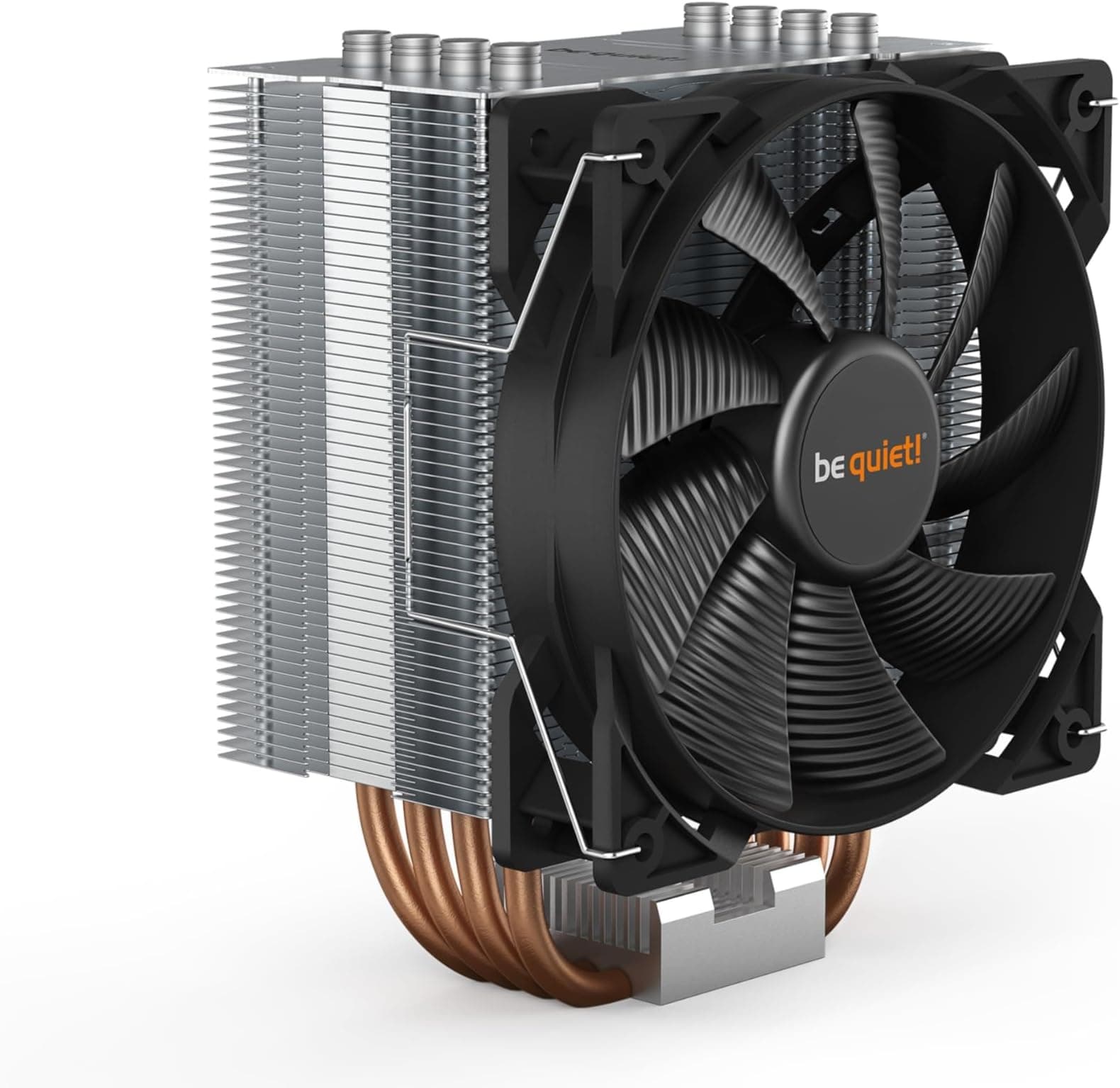
The honest answer for a lot of mid-range builds is that a good air cooler like the Arctic Freezer 34 or the be quiet! Pure Rock 2 performs comparably to a 240mm AIO at lower cost and with no pump reliability concern. The AIO wins on RAM clearance, aesthetics in a windowed case, and the ability to mount the radiator away from the CPU area for better hot-air management. If those factors matter to you, the FROSTFLOW X 240 makes sense. If they don't, a quality air tower is worth considering first.
| Feature | ID-COOLING FROSTFLOW X 240 | DeepCool GAMMAXX L240T | Arctic Freezer 34 eSports |
|---|---|---|---|
| Type | 240mm AIO | 240mm AIO | Dual-tower air cooler |
| Fan Count | 2x 120mm PWM | 2x 120mm PWM | 1x 120mm PWM (P-series) |
| Lighting | White LED (pump only) | ARGB (fans and pump) | None |
| Software Required | No | Optional (for sync) | No |
| RAM Clearance Issue | No (AIO pump is compact) | No (AIO pump is compact) | Yes (tall kits can conflict) |
| Pump Reliability Risk | Low (no widespread reports) | Low | None (no pump) |
| AM5 / LGA1700 Support | Yes | Yes | Yes |
| Best For | Clean mid-range builds, no RGB faff | ARGB builds, windowed cases | Pure performance per pound |
Installation and Mounting
ID-COOLING includes mounting hardware for all the supported sockets in the box, which is the right approach. The last thing you want after buying a cooler is to discover it needs a separate bracket for your socket that costs extra and takes a week to arrive. The package includes an Intel backplate for the LGA1700 and LGA1200 mounts, plus the AM4 and AM5 hardware. AMD builds typically use the stock AMD mounting frame as a base, which simplifies the process on that side.
Owner feedback on the installation process is broadly positive. The mounting mechanism is described as straightforward by most reviewers, including those who were installing an AIO for the first time. The standoffs thread into the backplate, the pump head drops onto the CPU with thermal paste applied, and the four thumbscrews tighten in a cross pattern to ensure even mounting pressure. Even mounting pressure across the cold plate is genuinely important for thermal performance. Uneven pressure means uneven contact, which means worse heat transfer even if everything else is right.
A few owners mention that the instructions could be clearer, which is a common complaint across budget AIO brands. The diagrams are functional but not detailed. If you're doing this for the first time, it's worth looking up a general AIO installation guide for your specific socket before you start, just to know what order to do things in. The hardware itself isn't complicated. It's the sequencing (backplate first, then standoffs, then paste, then mount, then fans) that trips up first-timers when the manual glosses over it. The physical hardware quality in the box is reported as adequate for the price, with no reports of stripped threads or missing parts being a widespread issue.
Pump and Build Reliability
Pump reliability is the question that matters most with any AIO, because a dead pump means a dead CPU if you don't catch it in time. The FROSTFLOW X 240 sits in the budget-to-mid-range AIO category, and the honest answer is that pump quality at this price tier is generally acceptable but not premium. ID-COOLING is an established cooler brand with a track record in the budget segment, which is more reassuring than buying a no-name AIO from a brand that appeared six months ago.
Across the 3,300-plus owner reviews, pump failure isn't a dominant complaint. That matters. With a large review base, systematic hardware failures show up clearly in the feedback pattern. The absence of widespread pump failure reports is a good sign. There are individual reports of issues, as there are with every AIO at every price point, but nothing that suggests a systemic reliability problem. The more common long-term feedback is that the cooler continues to perform as expected after months of use, with no degradation in temperatures or increase in noise.
Leak risk is the other concern people raise with AIOs. Closed-loop units from reputable brands have an extremely low leak rate in practice. The FROSTFLOW X 240 uses a sealed loop, and there are no widespread reports of leaks in the owner feedback. The braided tubing is a practical choice for durability and kink resistance. For the paranoia-prone, it's worth positioning the radiator so that any theoretical leak would drain away from the motherboard rather than onto it, which is just good AIO practice regardless of the brand. ID-COOLING's warranty terms are worth checking directly with the seller or on the ID-COOLING website at point of purchase, as these can vary by region.
RGB and Aesthetics
The FROSTFLOW X 240 has white LED lighting on the pump head. That's it. No ARGB, no per-zone control, no software suite, no USB header requirement. The pump head glows white. If your build has a white or neutral colour scheme, it looks clean and deliberate. If your build is full ARGB with synced everything, it'll look a bit out of place because you can't sync it to anything.
The lack of ARGB is a genuine feature for a certain type of builder, not a shortcoming. ARGB AIOs require a spare ARGB header on your motherboard, software that actually works reliably (which is not guaranteed with budget brands), and the willingness to deal with that software when it decides to stop syncing at 2am. The FROSTFLOW X 240 plugs in, glows white, and gets on with cooling your CPU. For builders who want a clean, functional aesthetic without the software overhead, that's exactly the right call.
The black finish on the radiator, fans, and tubing keeps the overall look tidy. The pump head design is compact and doesn't try to be flashy. In a build with a windowed side panel, it reads as purposeful rather than decorative, which suits a pragmatic build philosophy well. If you specifically want a colour-matched white AIO with white fans and a white pump head, this black variant isn't it. But for a clean black build or a mixed scheme where you just want the cooler to do its job without demanding attention, the FROSTFLOW X 240 looks the part.
Real-World Use and Owner Feedback
With 1,252 at a 4.4 average, the FROSTFLOW X 240 has a solid owner base to draw on. The consistent positives across the feedback are: good temperatures for the price, straightforward installation, and quiet operation at idle and moderate loads. These three things align with what you'd expect from the spec sheet, which is reassuring. It means the product is delivering what it's designed to deliver rather than underperforming relative to the specs.
The common criticisms are worth knowing about. Some owners mention that the fans can be audible under heavy sustained loads, which is expected physics for a 240mm unit pushing hard. A small number mention initial pump noise that settled after a few days, as discussed in the noise section. A few mention that the installation instructions could be more detailed, particularly for first-time AIO builders. None of these are dealbreakers. They're the kind of real-world friction you get with a product at this price point, and they're consistent with the category rather than specific to this cooler.
Long-term feedback from owners who've been running the cooler for several months is broadly positive. No significant reports of performance degradation over time, which is the key metric for an AIO. The pump is still alive, the fans are still quiet at idle, and the temperatures are still where they were on day one. That's what you're actually buying with a cooler. The initial performance matters, but it's the sustained performance over a year or two that determines whether the purchase was worth it. Based on the owner feedback pattern, the FROSTFLOW X 240 is holding up well.
Compatibility
The FROSTFLOW X 240 makes most sense with mid-range CPUs where the 240mm radiator is genuinely well-matched to the chip's heat output. Core i5-12400, i5-13400, Ryzen 5 5600, Ryzen 5 7600, and similar 65W to 95W TDP parts are ideal. You'll get good temperatures, the fans won't need to work hard, and the system will be quiet. Moving up to i7 or Ryzen 7 parts, particularly in their higher power configurations, is still fine but the fans will ramp more under sustained all-core loads.
For the older socket support (LGA1151, AM4 and earlier), this is a solid upgrade cooler for a system refresh. If you're still running a 9th gen Intel build on LGA1151 and the stock cooler is getting loud or you've upgraded to a higher-TDP chip, the FROSTFLOW X 240 gives you proper AIO cooling with current-generation fan control. The bracket support for those older sockets is a practical decision by ID-COOLING that makes the cooler more useful as an upgrade part rather than just a new-build component.
Where this cooler isn't the right choice: high-end desktop platforms, enthusiast chips running at high power limits, or any situation where you're regularly pushing sustained all-core loads above 150W. For those use cases, a 360mm AIO or a high-end dual-tower air cooler is the honest recommendation. The FROSTFLOW X 240 isn't pretending to be something it isn't, and neither should you when you're choosing it.
Final Verdict
The ID-COOLING FROSTFLOW X 240 is a no-nonsense 240mm AIO that does what it says on the box. It keeps mid-range CPUs cool, it does it quietly at idle and moderate loads, it has broad socket support for both current and older platforms, and it doesn't require software, ARGB headers, or a degree in RGB synchronisation to use. For a builder who wants a step up from a box cooler or a budget air tower, and who isn't running a chip that demands a 360mm radiator, this is a sensible, well-supported choice.
The 4.4 average across 3,300-plus reviews is earned. It's not a perfect cooler. The fans are audible under heavy load, the instructions could be clearer, and the pump head lighting is fixed white rather than configurable. But none of those things matter if your CPU is running cool and your system is quiet 95% of the time. The FROSTFLOW X 240 gets the fundamentals right at a price that doesn't require a difficult conversation with your bank account.
Who should buy it: anyone building or upgrading a mid-range system with a 65W to 125W TDP CPU who wants AIO cooling without ARGB complexity. Ryzen 5, Core i5, Ryzen 7 at stock settings, Core i7 at sensible power limits. Anyone upgrading from a stock cooler on an older Intel or AMD build. Anyone who wants RAM clearance without worrying about tower height. Who should skip it: builders running high-end chips at full power, anyone who specifically wants ARGB sync, or anyone considering a budget air tower as an alternative (because on pure performance-per-pound, a good air cooler is worth pricing up first). Score: a solid 8 out of 10 for the target use case.

Not Right For You?
If you're running a Core i9 or Ryzen 9 chip at full power limits, look at 360mm AIOs from DeepCool, Arctic, or Corsair. The extra radiator surface area makes a real difference at those TDP levels and the fan noise reduction at sustained load is worth the price premium.
If you want ARGB lighting that syncs with your build, the DeepCool GAMMAXX L240T or similar ARGB-equipped 240mm AIOs give you the same thermal performance with full lighting control. Expect to spend a bit more and accept the software overhead.
If you're on a tighter budget and RAM clearance isn't a concern, the Arctic Freezer 34 eSports and the be quiet! Pure Rock 2 are air coolers that compete with 240mm AIOs on thermal performance, cost less, and have no pump to worry about. They're worth a look before committing to an AIO if the only reason you're considering liquid cooling is temperatures rather than aesthetics or RAM clearance.
What works. What doesn’t.
5 + 5What we liked5 reasons
- PWM fan control keeps noise near-inaudible at idle and light loads, making day-to-day desktop use genuinely quiet
- Broad socket support covering current Intel and AMD platforms as well as older 115X and AM4 sockets, useful for upgrades and new builds alike
- No software, ARGB headers, or USB connections required, keeping installation simple and long-term reliability higher
- Compact pump head design avoids VRM heatsink clearance issues and eliminates RAM height conflicts entirely
- Over 3,300 owner reviews at a 4.4 average suggest consistent real-world performance that matches the spec sheet claims
Where it falls5 reasons
- Fans become audible under heavy sustained loads, which is a physical limitation of the 240mm radiator surface area rather than a flaw specific to this unit
- Installation instructions are functional but lack detail, which can cause confusion for first-time AIO builders unfamiliar with the correct mounting sequence
- Pump head lighting is fixed white LED with no ARGB capability, so it cannot be synchronised with an RGB build
- Not suited to high-TDP enthusiast chips running above 150W sustained all-core loads, where a 280mm or 360mm AIO is the honest recommendation
- A quality dual-tower air cooler often matches 240mm AIO thermal performance at lower cost and with no pump reliability concern
Full specifications
8 attributes| FAN count | 2 |
|---|---|
| FAN size MM | 120 |
| Noise DB | 35.2 |
| Radiator size MM | 240 |
| RGB | false |
| Socket compatibility | AM5, AM4, LGA1700, LGA1200, LGA115X |
| TDP rating W | 200 |
| Type | liquid_aio |
If this isn’t right for you
1 optionsFrequently asked
7 questions01Is the ID-COOLING FROSTFLOW X 240 compatible with Intel LGA1700 motherboards?+
Yes. The FROSTFLOW X 240 includes mounting hardware for Intel LGA1700, which covers 12th and 13th generation Alder Lake and Raptor Lake desktop processors. All required brackets and backplate hardware are included in the box.
02Does the FROSTFLOW X 240 support AMD AM5 for Ryzen 7000 series processors?+
Yes, AM5 is supported alongside AM4. ID-COOLING includes the necessary hardware for both AMD sockets in the package, and AMD builds typically make use of the stock AMD retention frame as part of the mounting process.
03How loud are the fans on the FROSTFLOW X 240 during normal desktop use?+
At idle and during light desktop tasks, the PWM fans can drop to low speeds and are effectively inaudible in most environments. Under sustained heavy loads such as rendering or lengthy gaming sessions the fans will ramp up and become noticeable, which is expected behaviour for a 240mm radiator working hard. Tuning the fan curve in your BIOS to ramp gradually rather than aggressively makes a meaningful difference to everyday noise levels.
04Can the FROSTFLOW X 240 handle a Core i7 or Ryzen 7 processor?+
Yes, for the majority of use cases. Ryzen 7 and Core i7 chips at stock settings or sensible power limits are well within the capability of a 240mm AIO. Under sustained all-core loads at higher power limits the fans will ramp noticeably, so if you plan to run an i7 or Ryzen 7 at maximum multi-core boost continuously for extended periods, a 280mm or 360mm AIO would give you more headroom and quieter sustained operation.
05Does the FROSTFLOW X 240 require any software or RGB headers?+
No. The pump head has fixed white LED lighting that requires no software, no ARGB header, and no USB connection to the motherboard. The fans are standard PWM and are controlled by your motherboard's fan header and BIOS fan curve settings. This makes it one of the simpler AIOs to install and maintain long-term.
06Is initial pump noise from the FROSTFLOW X 240 a sign of a faulty unit?+
Not necessarily. A small number of owners report audible pump hum during the first few days after installation. This is common behaviour across many AIO brands as small air bubbles work through the sealed loop. Most owners report the noise settles within a few days of normal operation. If pump noise remains loud or changes character after two weeks of use, that warrants contacting the seller, but brief initial hum is not unusual and is not typically a sign of a defective unit.
07How does the FROSTFLOW X 240 compare to a good air cooler like the Arctic Freezer 34?+
Thermal performance between a quality 240mm AIO and a dual-tower air cooler is closer than many buyers expect. The Arctic Freezer 34 eSports competes directly on temperatures, often costs less, and has no pump to worry about. The FROSTFLOW X 240 wins on RAM clearance since the pump head does not hover over the memory slots, and it can route hot air to the radiator position rather than exhausting it directly inside the case. If RAM clearance and aesthetics in a windowed case are priorities, the AIO makes sense. If pure performance per pound is the goal, a quality air cooler is worth pricing up first.