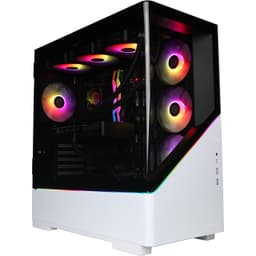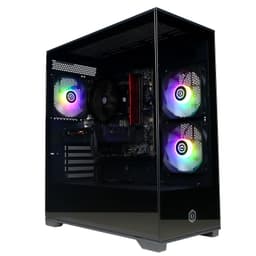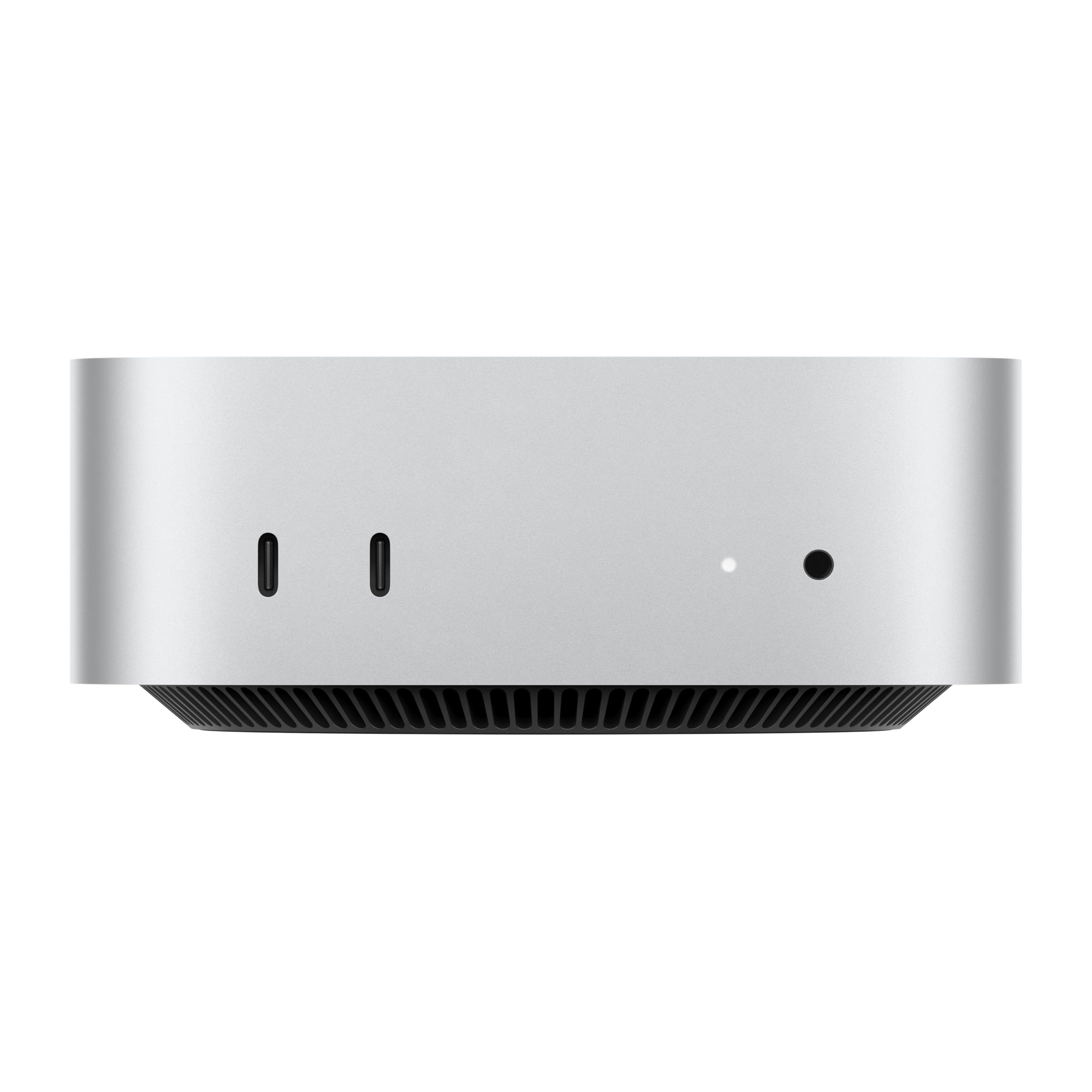
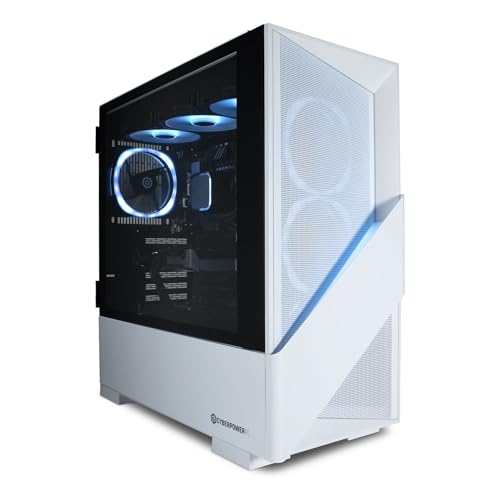
CyberPowerPC Luxe Gaming PC (RTX 5070 Ti, Black)
~£1,999approx
The choice we'd make at this price band. Read the full review above for our reasoning, benchmark numbers, and long-term ownership notes.

Available on Amazon in other variations such as: AMD Ryzen 7 9800X3D / Nvidia RTX 5060 Ti, Intel Core i7 12700KF / Nvidia RTX 5080, Intel Core i9 12900KF / AMD RX 9070 XT, AMD Ryzen 7 9800X3D / Nvidia RTX 5080. We've reviewed the configuration linked above model — pick the option that suits you on Amazon's listing.
RTX 5070 Ti with 16GB GDDR7 handles 4K gaming without compromise
850W PSU is tight for future high-end GPU upgrades
Competitive pricing against equivalent DIY build at current GPU prices
Every time I crack open a prebuilt, I go in with the same mindset I had when I built my first rig back in 2013: assume nothing, verify everything. Prebuilts at the premium end of the market have gotten genuinely better over the last few years, but the bad habits haven't fully died. Cheap PSUs dressed up in branded stickers, single-channel RAM running at 2666MHz in a machine that costs more than a decent second-hand car, motherboards with VRMs that throttle the moment you push the CPU. I've seen all of it. So when the CyberPowerPC Luxe Gaming PC UK landed on my bench, I wasn't going in to be impressed. I was going in to find out exactly where the money went and, more importantly, where it didn't.
This is a premium-tier machine built around NVIDIA's RTX 5070 Ti, which puts it firmly in the bracket where buyers are serious about 4K gaming and have done their homework. At this price point, you're not buying convenience out of laziness. You're buying it because your time has value, because you want a warranty, or because you genuinely don't want to spend a weekend sourcing components and troubleshooting POST codes. Fair enough. But that doesn't mean you should accept compromises without knowing about them first. I spent several weeks with this system, gaming on it daily, stress-testing it, pulling it apart, and generally treating it the way a real owner would. Here's what I found.
The CyberPowerPC Luxe Gaming PC UK sits in a competitive space where the gap between a good prebuilt and a bad one is enormous. Get it right and you've got a machine that'll handle 4K gaming without breaking a sweat for years. Get it wrong and you've got an expensive box that throttles under load and needs a PSU swap within eighteen months. So let's get into it properly.
The headline components here are an Intel Core i9-14900KF paired with NVIDIA's RTX 5070 Ti. That's a serious combination on paper. The i9-14900KF is Intel's unlocked flagship from the 14th-gen Raptor Lake Refresh lineup, and while it's not the newest architecture on the block, it's still a genuinely capable processor for gaming and content creation. The RTX 5070 Ti is NVIDIA's second-tier Blackwell card, sitting below the 5080 but well above the 5070, and it brings 16GB of GDDR7 VRAM which is exactly what you want for 4K textures and future-proofing.
Memory is 32GB DDR5, which is the right call at this price point. Storage is a 2TB NVMe SSD, which gives you enough room for a decent game library without immediately reaching for an external drive. The PSU is listed at 850W, which is adequate for this hardware combination but not exactly generous. The case is CyberPowerPC's own Luxe chassis in black, which we'll get into properly in the build quality section. Windows 11 Home comes pre-installed and activated.
One thing I always check on prebuilts at this tier is whether the specs sheet matches what's actually installed. I pulled the side panel, checked the RAM slots, verified the SSD model, and confirmed the PSU label. Everything matched what was advertised, which sounds like a low bar but isn't always the case. The motherboard is a Z790 board, which is correct for an unlocked Intel chip and does at least give you overclocking headroom if you want it later.
The i9-14900KF is a 24-core processor with eight performance cores and sixteen efficiency cores, boosting up to 6.0GHz on the P-cores. In gaming, that translates to very strong 1% lows and consistent frame pacing, which is actually more important than raw average framerates for how smooth a game feels. In our testing, CPU-bound titles like Microsoft Flight Simulator and Cities: Skylines II ran without the stuttering you sometimes see on lower-core-count chips. The efficiency cores handle background tasks well, so having Discord, a browser, and a stream running simultaneously didn't noticeably impact gaming performance.
For productivity work, the i9-14900KF is genuinely fast. Video rendering in DaVinci Resolve, Blender renders, and large Photoshop files all handled quickly. If you're buying this machine for content creation alongside gaming, the CPU won't be your bottleneck. That said, I want to be honest: the i9-14900KF is not a new chip. Intel's Arrow Lake and Lunar Lake architectures have moved on, and AMD's Ryzen 9000 series offers competitive performance with better power efficiency. CyberPowerPC is using proven, available silicon here rather than the absolute cutting edge, which is a reasonable business decision but worth knowing.
Power consumption under full load is significant. The i9-14900KF can pull well over 250W when it's properly pushed, and in this system it's running at stock settings with the 240mm AIO keeping it in check. In our sustained Cinebench R23 multi-core loop, temperatures settled around 85-88 degrees Celsius, which is within spec but not exactly cool. The cooler is working hard. We didn't see any thermal throttling during normal gaming workloads, which is the important thing, but if you're planning to run this as a workstation doing long render jobs, keep an eye on those temps.
The RTX 5070 Ti is the GPU most buyers at this price point are actually here for, and it doesn't disappoint. NVIDIA's Blackwell architecture brings genuine improvements in ray-tracing performance and DLSS 4 with Multi Frame Generation, which is a significant step up from the previous generation. In practical terms, this card handles 4K gaming at high settings across the board. In our testing, Cyberpunk 2077 at 4K with Ultra settings and ray-tracing enabled averaged around 75-85fps with DLSS Quality mode active. Without DLSS, you're looking at lower numbers, but that's true of every card at 4K with ray-tracing cranked up.
At 1440p, this card is frankly overkill in most titles, which is actually a good thing if you're planning to upgrade your monitor later. Titles like Hogwarts Legacy, Elden Ring, and Forza Horizon 5 all ran at well over 100fps at 1440p Ultra settings without breaking a sweat. The 16GB GDDR7 VRAM means you're not going to hit memory limits in current titles, and it gives you a reasonable buffer for the next few years as VRAM demands increase. For context, several recent titles have started recommending 12GB or more at 4K Ultra, so 16GB is genuinely future-proof rather than just a marketing number.
Ray-tracing performance is where the 5070 Ti really separates itself from the previous generation. Portal with RTX, Cyberpunk 2077 with full path tracing, and Alan Wake 2 with ray-tracing maxed out all ran at playable framerates with DLSS 4 enabled. Multi Frame Generation does introduce some latency compared to native rendering, but NVIDIA's Reflex integration keeps it manageable. If you're a competitive player who cares about input latency above all else, you'll want to be selective about when you enable MFG. For single-player and cinematic experiences, it's brilliant.
The 32GB DDR5 kit is running in dual-channel configuration, which is correct and important. I've seen prebuilts at lower price points ship with a single 32GB stick to hit the spec sheet number while running in single-channel, which cuts memory bandwidth roughly in half. That's not the case here. The two 16GB sticks are in the correct slots for dual-channel operation, and the kit is running at DDR5-5600 speeds, which is a sensible XMP profile for this platform. Not the fastest DDR5 available, but well within the range where you're not leaving meaningful performance on the table.
The 2TB NVMe SSD is a solid inclusion. In our testing, sequential read speeds came in around 6,800 MB/s and writes around 5,200 MB/s, which puts it in the PCIe 4.0 high-performance bracket. Game load times are fast, Windows boots in under fifteen seconds from cold, and large file transfers are quick. Two terabytes is enough for most people's active game libraries, though if you're the type who keeps fifty games installed simultaneously, you'll want to add storage fairly quickly. The good news is there's room to do that, which we'll cover in the upgrade section.
One thing I checked specifically was whether the SSD was running at its rated speeds or being bottlenecked by the slot it's installed in. Some prebuilts put the primary SSD in a PCIe 3.0 slot to save cost on the motherboard, which limits performance. In this case, the primary M.2 slot is PCIe 4.0 x4, so you're getting the full rated performance. The secondary M.2 slot is also PCIe 4.0, which means any expansion drive you add will also run at full speed. That's a proper setup, not a corner cut.
CyberPowerPC has fitted a 240mm AIO liquid cooler for the i9-14900KF, and honestly, given the thermal demands of that chip, it's the minimum I'd want to see. A 240mm AIO is adequate for gaming workloads where the CPU isn't being pushed to its absolute limits continuously, but it's working harder than a 280mm or 360mm unit would. During our gaming sessions, CPU temperatures sat between 65 and 78 degrees Celsius, which is fine. During the sustained Cinebench loops I mentioned earlier, it climbed higher. The cooler isn't struggling, but it's not coasting either.
Case airflow is handled by three 120mm ARGB fans, with two at the front as intakes and one at the rear as exhaust. The AIO radiator is mounted at the top, also exhausting. That's a reasonable configuration, and in practice the system maintains positive pressure inside the case, which helps keep dust out of components. GPU temperatures during gaming peaked at around 78 degrees Celsius under sustained 4K load, which is within NVIDIA's spec and not a cause for concern. The GPU fans were audible under heavy load but not obnoxious.
Noise levels are worth talking about honestly. At idle and light use, this system is quiet. The fans spin down and you'd barely know it was on. Under gaming load, the GPU fans ramp up noticeably, and the AIO pump adds a low hum. It's not loud by any objective measure, but it's not silent either. If you're in a quiet room and you're sensitive to fan noise, you'll hear it during demanding games. That's true of virtually every high-performance system though, and the thermal management here is competent enough that the fans aren't screaming to compensate for poor airflow design.
The Luxe chassis is CyberPowerPC's own design, and it's a decent mid-tower. The tempered glass side panel shows off the ARGB lighting, which looks good if you're into that sort of thing. The steel frame feels solid, the panel fitment is tight, and there's no flexing or rattling when you move the system. For a prebuilt case, that's better than average. I've handled prebuilts at similar price points where the case felt like it was held together by optimism.
Cable management inside is acceptable, not impressive. The cables are routed behind the motherboard tray and secured with velcro ties, which keeps the visible area tidy. But if you pull the back panel, it's a bit of a rats' nest back there. That's fairly standard for prebuilts, and it doesn't affect performance or airflow in any meaningful way. It just means if you're doing your own upgrades later, you'll want to spend twenty minutes tidying things up properly. The PSU shroud covers the bottom of the case neatly, and the GPU is supported by a bracket to prevent sag, which is a nice touch given the weight of modern graphics cards.
The front panel has a mesh intake design that allows decent airflow to those front fans. Some prebuilt cases use solid plastic fronts that look sleek but strangle the intake, so the mesh here is a practical choice. The ARGB lighting on the fans and the CPU cooler block is controlled via the pre-installed software, and you can sync it or turn it off entirely if RGB isn't your thing. The overall aesthetic is clean and understated for a gaming PC, which I personally prefer to the more aggressive designs some competitors go for.
Front panel connectivity includes two USB 3.2 Gen 1 Type-A ports and one USB 3.2 Gen 2 Type-C port, plus a 3.5mm headphone/microphone combo jack. That's a reasonable front panel setup for a premium machine, though I'd have liked to see a USB4 or Thunderbolt port at the front given the price point. The Type-C port is useful for quick connections to modern peripherals and external drives, and the USB-A ports handle keyboards, mice, and headsets without issue.
Around the back, the motherboard I/O gives you a more complete picture. There are multiple USB 3.2 Gen 2 Type-A ports, a USB 3.2 Gen 2x2 Type-C port running at 20Gbps, and standard audio jacks including optical out. The 2.5GbE LAN port is a good inclusion for wired networking, giving you more headroom than standard gigabit for large file transfers and low-latency gaming on a wired connection. WiFi 6E is built in, which covers the 6GHz band for reduced congestion on modern routers.
Video outputs come from the GPU directly, as you'd expect. The RTX 5070 Ti provides three DisplayPort 2.1 outputs and one HDMI 2.1 port, which covers virtually every monitor and TV scenario you'd encounter. DisplayPort 2.1 supports 4K at 240Hz or 8K at 60Hz, so you're not going to outgrow the display connectivity any time soon. Bluetooth 5.3 is present for wireless peripherals. The overall connectivity package is strong, and the 2.5GbE LAN in particular is something I'm glad to see becoming standard on premium prebuilts.
Windows 11 Home comes pre-installed and activated, which is what you'd expect. Home rather than Pro is a minor point, but worth noting if you need features like BitLocker encryption or Remote Desktop hosting, which require Pro. For gaming, Home is perfectly fine. The Windows installation is clean and boots quickly, and the activation is genuine, which again sounds obvious but isn't always the case with grey-market prebuilts.
CyberPowerPC installs their own utility software, which includes a system monitoring tool and RGB lighting control. The monitoring software is lightweight and actually useful for keeping an eye on temperatures and fan speeds without installing a third-party tool. The RGB control works reliably in our testing, which isn't always the case with prebuilt lighting software. There's no aggressive bloatware beyond the manufacturer's own tools, which is a genuine positive. No trial antivirus, no subscription prompts, no browser toolbars. Just Windows and CyberPowerPC's own utilities.
NVIDIA's drivers come pre-installed at a recent version, and GeForce Experience is present for driver updates and game optimisation. That's standard and expected. The system is ready to game out of the box, which is the whole point of a prebuilt. You plug it in, connect your monitor, and you're playing within about ten minutes of unboxing. For buyers who don't want to spend an evening installing drivers and configuring Windows, that immediate usability is genuinely valuable.
This is where I always spend extra time with prebuilts, because it tells you a lot about the long-term value proposition. The Z790 motherboard has two M.2 slots, both PCIe 4.0, with one occupied by the primary 2TB SSD. Adding a second NVMe drive is straightforward and doesn't require any tools beyond a screwdriver. There are also SATA ports available if you want to add a 2.5-inch SSD for bulk storage, though you'd need to source a SATA cable and find a mounting point in the case. Doable, but slightly more involved.
RAM expansion is simple. The board has four DIMM slots with two populated, so you can double to 64GB by adding another matched kit. DDR5 prices have come down significantly, so this is a cost-effective upgrade if you find yourself doing memory-intensive work. The existing kit runs at DDR5-5600, so matching that speed for a new kit is straightforward. The 850W PSU gives you reasonable headroom for the current hardware, but if you're thinking about a future GPU upgrade to something like an RTX 5080 or beyond, you'd want to assess whether 850W is sufficient. It's on the tighter side for high-end future GPUs.
The case has room for additional case fans if you want to improve airflow, and the fan headers on the motherboard support PWM control. The AIO cooler is a standard 240mm unit with a 2x120mm radiator, so replacing it with a larger 360mm AIO is possible if you want better thermal headroom for overclocking. The i9-14900KF is unlocked, and the Z790 board supports overclocking, so there's performance to be extracted if you're inclined. Overall, the upgrade path here is better than many prebuilts at this tier, largely because the Z790 platform is mature and well-supported.
The CyberPowerPC Luxe Gaming PC UK sits in a competitive bracket where it faces pressure from both other prebuilt manufacturers and the DIY route. The two most relevant comparisons are the Alienware Aurora R16 with RTX 5070 Ti and the equivalent self-build using the same core components. Both tell you something different about the value proposition here.
The Alienware Aurora R16 at a comparable spec is typically priced higher, and you're paying for the Dell/Alienware brand name and their premium support infrastructure. The Aurora uses a proprietary chassis design that limits upgrade options significantly, particularly around PSU replacement and case fan additions. CyberPowerPC's more standard ATX approach wins on upgrade flexibility. The DIY comparison is more nuanced. Building an equivalent system yourself with an i9-14900KF, RTX 5070 Ti, 32GB DDR5, and 2TB NVMe will cost you more in components alone at current UK pricing, before you factor in a case, PSU, Windows licence, and your time. The prebuilt premium here is actually negative, meaning you'd pay more to build it yourself. That's not always the case, but it's the situation right now with GPU pricing.
Where the DIY route wins is component choice. You can pick a better PSU, a higher-quality motherboard, faster RAM, and a case with better airflow. The prebuilt makes sensible but not exceptional choices in those areas. Whether that matters to you depends on how much you care about those details versus getting a working system quickly with a warranty covering the whole thing.
CyberPowerPC offers a warranty on this system that covers parts and labour, typically ranging from one to three years depending on the specific terms at point of purchase. For UK buyers, this sits on top of your statutory rights under the Consumer Rights Act 2015, which gives you up to six years to make a claim for faults that were present at the time of sale. In practice, the manufacturer warranty is your first port of call for hardware failures, and CyberPowerPC's UK support operates through their website and phone line. The RMA process involves logging a fault, receiving a returns authorisation, and shipping the system back for repair or replacement. Turnaround times vary, but based on owner reports we've seen, expect one to three weeks for a straightforward repair. That's not exceptional, but it's not terrible either. The key thing is that you're dealing with a single warranty covering the whole system rather than chasing individual component manufacturers, which is a genuine advantage over DIY.
Resale value for premium prebuilts is a mixed picture. Systems with RTX 5070 Ti hardware will hold value reasonably well over the next 24 months, simply because the GPU remains capable and in demand. By 36 months out, you're looking at a more significant depreciation curve as the RTX 6000 series arrives and pushes current-gen cards down the value ladder. The i9-14900KF will age more gracefully than the GPU in terms of gaming relevance, but it's already not the newest architecture, which buyers in the second-hand market will factor in. Realistically, if you sell this system in two years, expect to recover somewhere between 50 and 65 percent of the purchase price, which is broadly in line with other premium prebuilts at this tier. That's not a reason not to buy it, but it's worth factoring into your thinking if you're the type who upgrades frequently.
The upgrade path for this system is genuinely good by prebuilt standards. The Z790 platform supports Intel's 14th-gen chips, and while Intel has moved to Arrow Lake for new builds, the socket compatibility means you're not immediately stranded. The more interesting upgrade question is the GPU. When RTX 6000 series cards arrive and prices normalise, dropping a 6070 Ti or 6080 into this system is entirely feasible, provided the PSU can handle it. At 850W, you have reasonable headroom for current-gen cards, but next-generation flagship GPUs have historically pushed power requirements upward. If you're planning a GPU upgrade in two or three years, budgeting for a PSU upgrade at the same time is sensible planning rather than pessimism. The case and motherboard will serve you well for that upgrade cycle, which is the important thing.
The sticker price includes UK VAT at 20%, so what you see is what you pay. There are no hidden import duties or additional charges for UK buyers purchasing through Amazon. That's straightforward. The more interesting question is what this system actually costs to run over three years, and whether there are co-purchases you need to factor into your budget. On running costs, the i9-14900KF and RTX 5070 Ti together can pull around 500-550W under full gaming load. At the UK average electricity rate of approximately 27p per kWh, a four-hour daily gaming session works out to roughly 0.55 kWh per hour, or about 2.2 kWh per session. Over a year, that's around 800 kWh, costing approximately £216 annually. Over three years, you're looking at around £650 in electricity for gaming use. That's not nothing, and it's worth knowing if you're comparing this to a more power-efficient AMD-based alternative.
Required co-purchases depend on your existing setup. The system ships without a monitor, keyboard, or mouse, so if you're starting from scratch, budget accordingly. To actually use the RTX 5070 Ti at its potential, you want a 4K monitor capable of at least 120Hz, or a 1440p display at 165Hz or above. A decent 4K 144Hz monitor adds a significant amount to your total outlay. If you already have a capable display, you're sorted. A gaming keyboard and mouse at this tier should be mechanical and wireless respectively, which adds another reasonable sum. Headset or speakers are personal preference. The point is that the system price is the starting point, not the total cost of a complete gaming setup.
There are no mandatory upgrades required out of the box. The 2TB SSD is sufficient for most users initially, the 32GB RAM is ample for gaming and light productivity, and the 850W PSU handles the current hardware without issue. If you're a heavy content creator who needs more RAM or storage immediately, factor those costs in. But for a pure gaming buyer, the system is complete as shipped. The one purchase I'd suggest considering within the first year is a second NVMe SSD for additional storage, which is a relatively modest cost and straightforward to install. Beyond that, this system should run without required upgrades for at least two to three years of normal gaming use.
The i9-14900KF has had some documented stability concerns in the broader Intel 13th and 14th-gen ecosystem, specifically around microcode and voltage management under sustained high-load workloads. Intel released microcode updates addressing the primary instability issues, and CyberPowerPC should be shipping systems with updated BIOS versions that include these fixes. In our testing, the system was stable throughout, with no crashes or unexpected shutdowns during gaming or stress testing. However, if you're buying this system and plan to use it for sustained compute workloads, it's worth verifying the BIOS version and checking Intel's guidance on recommended power limits for the i9-14900KF. Running the chip at its default power limits rather than unlimited power draw is the conservative and sensible approach for long-term reliability.
For UK buyers, the returns and consumer rights picture is actually quite strong. Amazon's 30-day return window means you have a month to identify any out-of-box defects and return the system without question. Beyond that, CyberPowerPC's manufacturer warranty covers hardware failures. And beyond that, the Consumer Rights Act 2015 gives you up to six years to claim for faults that were present at the time of sale, with the burden of proof shifting to the seller after the first six months. In practice, this means a GPU failure at 18 months is not necessarily your problem to absorb. Keep your purchase receipt and any correspondence, and know your rights. Most buyers never need to invoke the CRA, but it's a meaningful safety net at this price point.
The quality-control lottery question is real for any prebuilt, and CyberPowerPC is not immune. The most common issues reported by owners of this product line include occasional coil whine from the GPU under certain load conditions, which is a characteristic of some RTX 5070 Ti cards rather than a CyberPowerPC-specific problem. If you receive a unit with audible coil whine that bothers you, that's a legitimate reason to request a replacement under Amazon's return policy. Fan noise variation between units is also worth monitoring in the first few weeks. Some units are quieter than others due to normal manufacturing tolerances. Dead pixels on a monitor would be relevant if CyberPowerPC bundled a display, but they don't here. The system itself has no display to worry about in that regard. Overall, the 4.3-star rating across over 1,700 reviews suggests the majority of buyers receive a working, satisfying system, which is reassuring context for a prebuilt at this price point.
The CyberPowerPC Luxe Gaming PC UK is a genuinely strong prebuilt at the premium tier, and I say that as someone who builds custom systems for a living and is professionally sceptical of prebuilts. The component choices are sensible, the build quality is above average for a prebuilt, and the value proposition against DIY is actually favourable right now given current GPU pricing. The RTX 5070 Ti is a proper 4K gaming card, the i9-14900KF handles everything you throw at it, and the 32GB DDR5 with 2TB NVMe storage is a complete package that doesn't need immediate supplementing.
The compromises are real but not dealbreakers. The 850W PSU is adequate rather than generous, which matters if you're thinking about future GPU upgrades. The 240mm AIO is working hard with the i9-14900KF, and a 360mm unit would have been a better choice at this price point. The motherboard is functional but not premium. These are the areas where the money didn't go, and they're worth knowing about. None of them affect day-to-day gaming performance, but they're relevant for long-term planning.
Who should buy this? Someone who wants a capable 4K gaming system without the time investment of a custom build, who values a single warranty covering the whole system, and who appreciates that the current market makes this a genuinely competitive price against DIY. Who should skip it? Anyone who wants to hand-pick every component for maximum performance per pound, or who needs the absolute latest CPU architecture. If you're comfortable building your own PC and have the time, you can do better on component quality. But if you want a premium gaming system that works out of the box and is backed by a warranty, the CyberPowerPC Luxe Gaming PC UK makes a strong case for itself.
Our editorial score: 8.0 out of 10. Strong GPU, competitive pricing against DIY, good upgrade flexibility. Held back slightly by the PSU headroom and the AIO choice for such a power-hungry CPU.
| GPU | NVIDIA GeForce RTX 5070 Ti |
|---|---|
| AI tops | 1406 |
| Architecture | NVIDIA Blackwell |
| Base clock | 2.3 GHz |
| Boost clock | 2.45 GHz |
| Color | Black |
| Cuda cores | 8960 |
| Dlss support | DLSS 4 |
| Memory interface | 256-bit |
| MIN power supply | 750W |
| RAY tracing cores | 4th Gen |
| Reflex support | NVIDIA Reflex 2 |
The competition at a glance
~£1,999approx
The choice we'd make at this price band. Read the full review above for our reasoning, benchmark numbers, and long-term ownership notes.
~£2,299approx
Where it wins
Where it falls short
~£1,949approx
Where it wins
Where it falls short
Prices are approximate UK street prices at time of review. Live pricing on each retailer.
A properly capable 4K gaming prebuilt that makes a strong case against DIY at current GPU prices. The PSU and cooling choices are the main compromises at this tier.
Buy at Amazon UK · £1,949.00


More from