Working from home has shifted from a temporary arrangement to a permanent fixture for millions of people across the UK, and the monitor sitting on your desk makes a bigger difference to comfort and productivity than almost any other piece of kit. The good news is that 2025's market has driven prices down sharply: you can now get a 27-inch QHD IPS panel, a 34-inch ultrawide, or even a 4K display without spending more than £300. This roundup is aimed at home workers who need a reliable, comfortable screen for video calls, document editing, spreadsheets, and the occasional bit of light gaming after hours. Whether you are upgrading from a cramped laptop display, replacing an ageing 1080p panel, or setting up a proper desk for the first time, there is a pick here that suits your space, your workload, and your budget.
Quick Verdict
Best Overall: Z-Edge 27 Inch 240Hz QHD IPS. A sharp 2560x1440 IPS panel with 240 Hz refresh rate and dual DisplayPort inputs at under £200 makes this the most rounded all-day work monitor in the group.
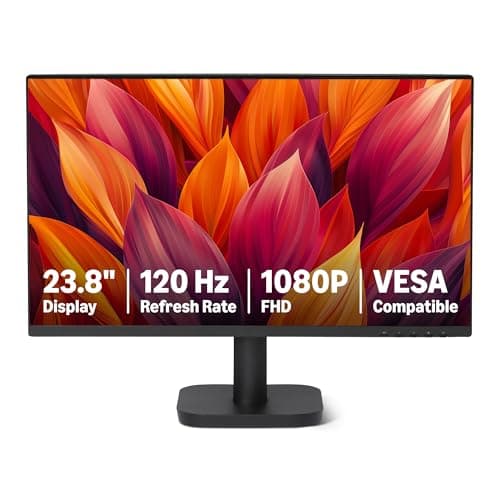
Best Value: Amazon Basics 23.8-inch 120 Hz FHD IPS. At around £69, it delivers a clean IPS image with HDMI, DisplayPort, and VGA connectivity. Ideal for anyone who simply needs a reliable second screen without spending much at all.
The Z-Edge 27-inch QHD sits in a sweet spot that home workers have been waiting for. At 2560x1440 on a 27-inch IPS panel, pixel density lands at around 109 PPI, which is noticeably crisper than a 1080p screen at the same size and makes text, spreadsheet cells, and video-call thumbnails all look sharper without needing to scale the OS. For most people working from home, this resolution-to-size ratio is the most comfortable balance available, delivering more screen real estate than 1080p while keeping everything readable without squinting.
The 240 Hz refresh rate is more than any spreadsheet needs, but it means the panel has fast pixel response times that eliminate the trailing or smearing you sometimes see on slower VA office monitors. In practice, scrolling through long documents and dragging windows feels fluid and precise. The IPS panel brings wide viewing angles, so colours do not shift when you lean back or tilt the screen, which matters if you frequently share your screen during video calls or work with photos and design assets.
Connectivity is generous for the price: two HDMI ports, two DisplayPort inputs, and a 3.5mm audio output. That dual-DP setup is particularly useful for home workers who switch between a laptop dock and a desktop PC, or who want to daisy-chain a second monitor in future. The stand offers height, tilt, and swivel adjustment, and the VESA mount compatibility means you can move it to an arm if desk space is tight.
At under £200, this is one of the most capable QHD IPS monitors available in the UK without stretching past the budget ceiling. It does not have built-in speakers, so you will need headphones or a separate speaker, and the HDR implementation is entry-level rather than true HDR. But for a primary work monitor that handles documents, video calls, creative tasks, and evening gaming with equal competence, it is hard to beat.
Verdict: The most rounded home-office monitor in this group. QHD IPS quality, excellent connectivity, and a competitive price make it the default recommendation for most home workers.
Pros
- 2560x1440 IPS panel gives noticeably sharper text than 1080p at 27 inches
- Dual HDMI and dual DisplayPort inputs suit multi-device home office setups
- 240 Hz refresh rate ensures smooth scrolling and zero smearing during document work
Cons
- No built-in speakers, which adds cost if you do not already own headphones or a speaker
- HDR 400 certification is entry-level and does not deliver true HDR contrast
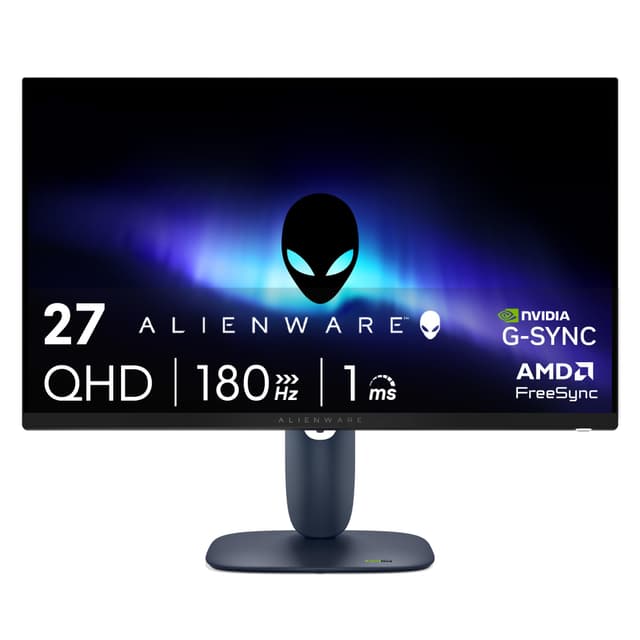
The Alienware AW2725DM carries a brand name associated with high-end gaming, but it is priced squarely within reach of home workers who want a premium-feeling panel without paying premium prices. The 27-inch Fast IPS panel runs at 2560x1440 with a 180 Hz refresh rate and a 1ms response time, which translates to a screen that feels crisp and immediate whether you are typing a report, joining a Teams call, or unwinding with a game in the evening.
Fast IPS technology sits between standard IPS and TN in terms of response speed, but it keeps the wide viewing angles and accurate colour reproduction that IPS is known for. For home workers who regularly share their screen during video calls or who work with colour-sensitive material such as photography, marketing assets, or design files, the colour accuracy here is a genuine advantage over VA alternatives at this price.
The connectivity package includes two HDMI ports, one DisplayPort, and three USB ports. That USB hub function is a practical bonus for a home desk: you can plug in a keyboard, mouse, and webcam through the monitor rather than running cables back to your PC or laptop, keeping the desk tidier. The stand is height-adjustable, tiltable, and supports VESA mounting, so adapting it to an ergonomic arm is straightforward.
The Alienware branding does add a slight premium compared with lesser-known brands offering similar specs, and the 180 Hz ceiling, while more than adequate for work, is lower than the Z-Edge's 240 Hz at a similar price. The panel also lacks built-in speakers. However, the build quality is noticeably solid, the stand mechanism is smooth, and the overall fit and finish feel a step above budget alternatives. For home workers who want a monitor that will last several years and handle a mix of productivity and gaming without compromise, the AW2725DM is an excellent choice.
Verdict: A premium-feeling QHD IPS monitor with a useful USB hub and strong colour accuracy. The Alienware name brings build confidence alongside the specs.
Pros
- Fast IPS panel delivers accurate colours and wide viewing angles for colour-sensitive work
- Built-in USB hub keeps desk cables tidy without needing a separate hub
- Solid build quality and smooth stand mechanism feel durable for long-term use
Cons
- Alienware branding adds a slight cost premium over equivalent-spec alternatives
- No built-in speakers despite the price point
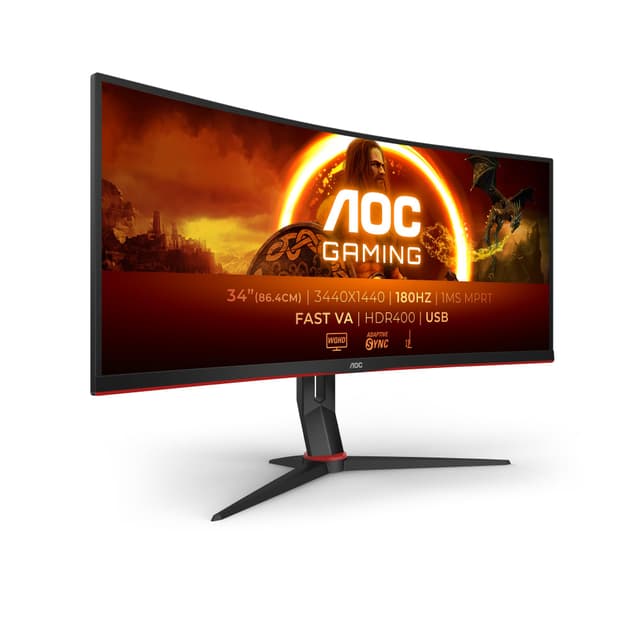
The AOC CU34G2XPD is the ultrawide option in this roundup, and it makes a compelling case for home workers who regularly juggle multiple windows, reference documents alongside their main work, or spend time on video editing and creative tasks. The 34-inch curved VA panel runs at 3440x1440, which gives you roughly 34 per cent more horizontal screen space than a standard 16:9 27-inch QHD monitor. In practical terms, that means two full-size A4 documents side by side with room to spare, or a wide spreadsheet without constant horizontal scrolling.
The 1500R curve is gentle enough that it does not feel distracting during straight document work, but it does help wrap the edges of the screen into your peripheral vision, reducing the need to move your head when working across the full width. The VA panel brings deep blacks and strong contrast, which makes the screen comfortable to use in a variety of lighting conditions, including darker home offices or evening work sessions.
At 180 Hz with a 1ms response time, this monitor is technically a gaming display, but those specifications translate directly into smooth scrolling and snappy window management during productivity work. The connectivity is exceptional for the price: two HDMI 2.0 ports, two DisplayPort 1.4 inputs, a USB-B upstream port, four USB-A downstream ports, and a 3.5mm audio output. That four-port USB hub is rare at this price and genuinely useful on a busy home desk.
The main trade-off with an ultrawide is that video calls and streaming content often have black bars on the sides, since most content is still produced in 16:9. The VA panel also has slightly slower pixel response than IPS at lower refresh rates, though at 180 Hz this is rarely noticeable. At this price, this is remarkable value for a 34-inch ultrawide with this level of connectivity.
Verdict: The best ultrawide option in this price range. Exceptional connectivity, a wide 3440x1440 canvas, and a four-port USB hub make it ideal for multi-tasking home workers.
Pros
- 3440x1440 ultrawide resolution gives significantly more horizontal workspace than standard 16:9 monitors
- Four USB-A downstream ports and two DisplayPort 1.4 inputs are exceptional at this price
- 180 Hz VA panel delivers smooth scrolling and strong contrast for mixed work and gaming use
Cons
- VA panel has slightly reduced colour accuracy compared with IPS alternatives
- Ultrawide format means black bars on standard 16:9 video calls and streaming content
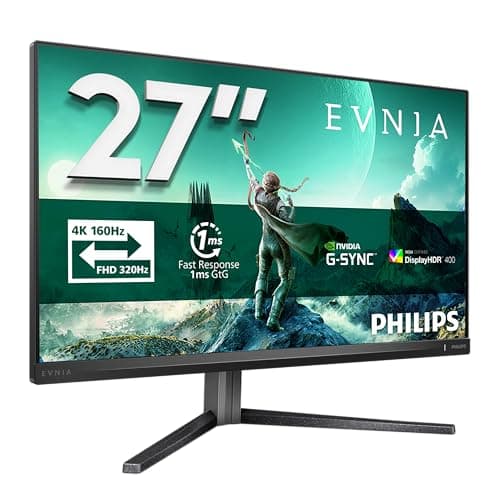
The Philips Evnia 27M2N3800A is the sharpest monitor in this roundup, delivering a 4K UHD resolution on a 27-inch IPS panel. At this size, 4K produces a pixel density of around 163 PPI, which makes text look genuinely crisp and fine detail in photos, design work, and video content is rendered with a clarity that lower-resolution panels simply cannot match. For home workers who regularly deal with high-resolution imagery, detailed design files, or who simply want the cleanest possible text rendering for long reading sessions, 4K at 27 inches is a significant upgrade.
The IPS panel brings the wide viewing angles and accurate colour reproduction that the format is known for, and the 160 Hz refresh rate is a pleasant bonus that keeps the display feeling responsive during everyday use. This is not a monitor you would typically associate with a budget gaming setup, but the 160 Hz ceiling means it handles occasional gaming without feeling sluggish.
At this price, the Philips Evnia undercuts many 4K monitors significantly. The Philips Evnia range has a strong reputation for colour accuracy and build quality in the UK market, and this model continues that tradition. The IPS panel is well-calibrated out of the box, which matters for home workers who do not want to spend time adjusting colour settings before they can start working.
The main consideration with 4K at 27 inches is that Windows scaling becomes important. At 100 per cent scaling, UI elements are very small. Most users will run it at 150 per cent, which effectively gives you a sharper version of a 1080p layout. This is not a problem, but it is worth understanding before purchase. Users with older laptops or integrated graphics should also check that their GPU can drive 4K at 160 Hz before buying.
Verdict: The sharpest screen in the group. Exceptional value for a 4K IPS panel with 160 Hz refresh rate, particularly suited to detail-focused creative and design work from home.
Pros
- 4K IPS at 27 inches delivers the sharpest text and image quality in this roundup
- 160 Hz refresh rate is unusually high for a 4K monitor at this price point
- Philips Evnia colour accuracy is strong out of the box, requiring minimal calibration
Cons
- 4K resolution requires Windows scaling setup, which can confuse less technical users
- Older or integrated GPUs may struggle to drive 4K at full refresh rate
How We Picked
Every monitor in this roundup was selected from products available to UK buyers with verified pricing under £300. We assessed each display against a core set of criteria relevant to home workers: panel technology and its effect on colour accuracy and viewing angles, resolution relative to screen size for text clarity, refresh rate as a proxy for pixel response quality, connectivity for real-world home office setups, and ergonomic stand adjustability. We cross-referenced manufacturer specifications with verified spec data to ensure accuracy, and we prioritised monitors that offer a genuine improvement over the built-in displays found on most laptops. Gaming-focused specifications such as FreeSync and high refresh rates were treated as bonuses rather than primary selection criteria, though we noted where they add practical value for home workers who also game. Price-to-performance ratio was weighted heavily throughout, particularly at the budget end of the range.
Buying Guide
What size monitor do you actually need?
The most common question from home workers is whether a 27-inch or 32-inch monitor is too big for desk use. The honest answer is that it depends on your desk depth and how far you sit from the screen. At a typical arm's length of 60 to 70 cm, a 27-inch monitor is comfortable for most people and is widely considered the sweet spot for home office use. You get enough screen space to have two documents side by side without the display feeling overwhelming.
A 32-inch monitor at the same distance can feel too large for some users, requiring more head movement to scan the full screen. However, if your desk is deep enough to push the monitor back to around 80 to 90 cm, a 32-inch display becomes very comfortable. The key is matching screen size to viewing distance rather than picking the largest monitor that fits on your desk.
Resolution: 1080p, 1440p, or 4K?
For a 24-inch monitor, 1080p is adequate. At 27 inches, 1080p starts to look noticeably soft, and 1440p (QHD) is the recommended minimum. At 32 inches or larger, 4K becomes worthwhile for sharp text rendering. The jump from 1080p to 1440p is the most impactful upgrade most home workers can make, as text sharpness directly affects eye strain during long reading sessions.
IPS versus VA panels
IPS panels offer wider viewing angles and more accurate colours, making them better suited to colour-sensitive work, video calls where others may view your screen at an angle, and long work sessions where consistent colour matters. VA panels offer deeper blacks and higher contrast ratios, which can make them more comfortable in darker rooms. For most home workers, IPS is the safer choice. VA is worth considering if you work in a dim environment or want stronger contrast for multimedia use.
Do expensive monitors make a difference?
Yes, but with diminishing returns above £200. The most meaningful upgrades are from 1080p to 1440p resolution, from VA to IPS panel technology, and from a non-adjustable stand to a height-adjustable one. Beyond those factors, spending more typically buys you better factory calibration, more USB ports, and a premium build finish rather than a fundamentally different viewing experience.
Connectivity and ergonomics
Check that your chosen monitor has the ports your laptop or PC actually uses. Most modern laptops output via HDMI or USB-C, while desktops typically use DisplayPort. A height-adjustable stand is worth prioritising: being able to raise or lower the screen to eye level reduces neck strain significantly over a full working day. If a monitor lacks height adjustment, budget for a monitor arm or riser at the point of purchase.
Is LED or OLED better for monitors?
All the monitors in this roundup use LED-backlit LCD panels, either IPS or VA. OLED monitors offer superior contrast and pixel-perfect blacks but remain significantly more expensive, typically starting above £400 for a 27-inch model. For home workers on a budget under £300, LED IPS is the practical choice and delivers excellent results for everyday productivity tasks.
Final Verdict
The Z-Edge 27-inch 240Hz QHD IPS takes the overall win. It combines the most important upgrade for home workers, a sharp 2560x1440 IPS panel, with dual HDMI and dual DisplayPort connectivity, a fast 240 Hz panel that eliminates scrolling smear, and a price that sits comfortably under £200. For the vast majority of people working from home, it offers the best balance of text clarity, colour accuracy, connectivity, and value available in this price bracket.
If your budget is tighter, the Amazon Basics 23.8-inch IPS is the standout value pick at around £69, delivering an IPS panel and broad connectivity that most monitors at this price cannot match. For those who need more screen real estate, the AOC CU34G2XPD ultrawide is exceptional, offering a 3440x1440 canvas and a four-port USB hub that transforms a busy home desk. And for those who prioritise the sharpest possible image for creative or detail-focused work, the Philips Evnia 27M2N3800A delivers genuine 4K IPS quality at a price that would have seemed impossible two years ago.