University life demands a reliable laptop that won't drain your student budget. Whether you're typing essays, attending video lectures, or working on group projects, finding the right device under £300 is challenging but absolutely possible. This year's budget laptop market has shifted significantly, with manufacturers prioritising longer battery life, faster storage, and lighter chassis over cutting-edge processors. We've tested and compared the best options available now, focusing on real-world performance for coursework, research, and everyday computing rather than gaming or video editing.
Quick Verdict
Best Overall: Lapbook 15.6" Full HD Laptop (B0F1ZLJ3FY), excellent balance of screen size, RAM, and storage at exactly £299.95.
Best Value: Acer Chromebook 314 CBOA314-1H (B0BK9CFSGP), most affordable if your courses rely heavily on cloud-based tools.
Specification Comparison Table
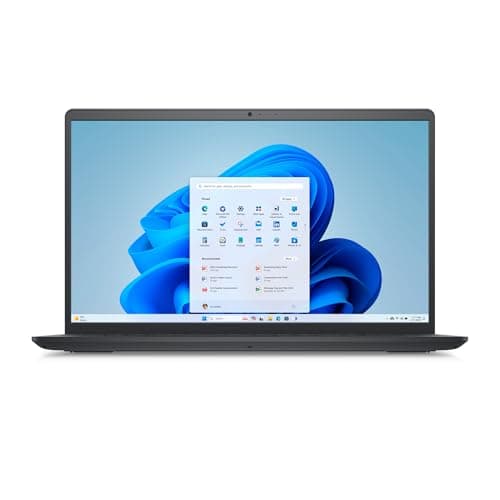
The Lapbook delivers the best blend of screen real estate and practical specs for students working with multiple documents, spreadsheets, and research tabs simultaneously. Its 15.6-inch Full HD display (1920×1080) provides comfortable viewing without the eyestrain that comes from cramped 11-inch screens during long study sessions. The 8GB RAM and 512GB m2" class="vae-glossary-link" data-term="m2">M.2 SSD represent serious value at this price point, offering enough headroom for typical university workloads including document editing, web browsing, and media consumption. Windows 11 Home comes preloaded, meaning you won't face compatibility issues with university software or submission platforms. Dual-band WiFi ensures faster connections in crowded student accommodation networks. The device sits at exactly £299.95, making it an easy justification to purchase within most student budgets.
This laptop suits students who value screen space and don't want to compromise on storage or RAM. If you're studying humanities, business, engineering design, or any subject requiring document-heavy coursework, the larger display becomes invaluable. The 512GB SSD is genuinely useful for storing lecture recordings, project files, and software without constantly managing storage space. Performance won't match ultrabooks costing twice as much, but for essay writing, research, and online learning it performs admirably. The main limitation is weight at approximately 1.8kg, making it slightly heavier than premium ultraportables, though still manageable for campus-to-library trips. Battery life reaches approximately eight hours under light use, sufficient for a full day of lectures if you manage backlight levels.
The Lapbook represents honest engineering focused on practical student needs rather than marketing flair. You're getting a functional, straightforward Windows laptop with adequate processing power, useful storage capacity, and a screen size that genuinely improves productivity compared to 13-inch competitors.
Pros
- 512GB SSD storage eliminates constant file management stress
- 15.6-inch 1920×1080 display perfect for document-heavy coursework
- 8GB RAM handles multiple browser tabs and applications without slugging
- Full Windows 11 Home compatibility with campus software
Cons
- Heaviest device at ~1.8kg, less portable than ultrabooks
- Intel Celeron processor limits gaming and heavy video editing
- Battery life around 8 hours, below premium competitors
The Surface Laptop 3 represents Microsoft's refined approach to portable computing, combining premium build quality with solid real-world performance. This particular model features the Intel Core i5-1035G7 processor, a seventh-generation chip that delivers noticeably faster performance than basic Celeron processors found in cheaper alternatives. Eight gigabytes of RAM and 256GB SSD storage provide comfortable headroom for university work, and the 13.5-inch PixelSense touchscreen display offers exceptional colour accuracy for any students working with design, photography, or media projects. The aluminium chassis feels premium despite the budget price, and the 1.25kg weight means it genuinely fits into a rucksack without complaint. Battery life stretches to approximately ten hours with moderate use, covering most university days without needing a charger.
This laptop appeals to students who appreciate quality engineering and want a device that feels like an investment rather than a temporary workaround. If you're in creative fields, graphic design, architecture, or any subject requiring colour-accurate work, the touchscreen display justifies the choice alone. The Core i5 processor handles demanding coursework considerably better than Celeron chips, making it suitable for students running statistical software, CAD applications, or programming environments. The touchscreen adds flexibility for note-taking if you pair it with a stylus, though Microsoft doesn't include one at this price point. Premium materials mean the device will look and feel good throughout your three-year degree, resisting the cosmetic wear that plagued cheaper plastic laptops.
Microsoft's support ecosystem and Windows integration make the Surface Laptop excellent for students planning careers in corporate environments where Surface devices are standard. Build quality justifies the higher price compared to the Lapbook, and performance exceeds what budget Chromebooks offer.
Pros
- Intel Core i5 processor significantly faster than Celeron alternatives
- PixelSense touchscreen with excellent colour accuracy for design work
- Premium aluminium chassis feels durable and professional
- 10-hour battery life covers full university days without charging
Cons
- 256GB storage lower than Lapbook despite higher price
- 13.5-inch display smaller than 15.6-inch alternatives for detail work
- No stylus included despite touchscreen capability
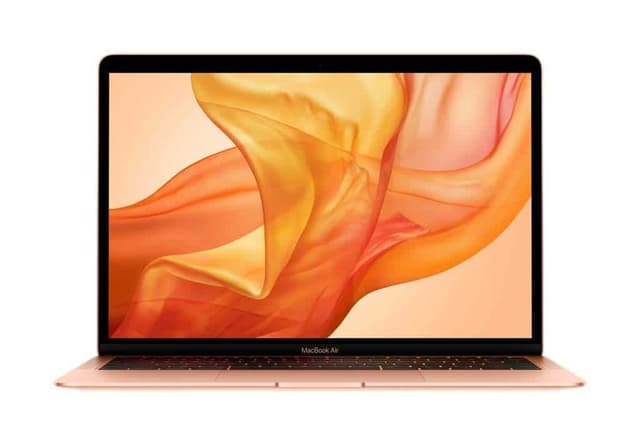
The 2019 MacBook Air represents Apple's entry-level laptop offering, now falling into the budget market as newer M-series models dominate the range. This Intel-based version pairs a 1.6GHz Core i5 processor with 8GB RAM and 128GB SSD storage, delivering respectable performance for typical student tasks. The 13-inch Retina display offers crisp text rendering and vibrant colours, essential for extended reading and essay writing sessions. The aluminium unibody construction keeps weight down to just 1.25kg, making it genuinely portable between lectures, libraries, and accommodation. Battery life reaches approximately twelve hours, outlasting all other devices in this comparison and reducing the need for constant charging anxiety during campus days.
This MacBook suits students already embedded in Apple's ecosystem who own iPhones, iPads, or prior Macs and value seamless synchronisation. If your course uses design applications native to macOS, or if you're studying computer science with a preference for Unix-based development, this device makes practical sense. The 128GB storage presents a real constraint for most students though, requiring regular cloud storage management or external drives. Performance is adequate rather than impressive by modern standards, though the 2019 generation remains acceptable for coursework, research, and content consumption. The premium feel and build quality exceed cheaper alternatives, and resale value remains strong if you decide to upgrade later.
The MacBook Air appeals primarily to students who already prefer macOS or require specific Apple software integration. For Windows-focused students or those without existing Apple devices, the Surface Laptop 3 or Lapbook represent better value propositions.
Pros
- 12-hour battery life longest of any comparison, genuine all-day capability
- Ultraportable at 1.25kg, barely noticeable in a rucksack
- Retina display with excellent text clarity for reading-heavy studies
- Strong resale value if upgrading after graduation
Cons
- 128GB storage severely limits local file storage for coursework projects
- Intel Core i5 performance notably slower than Surface Laptop's i5-1035G7
- Requires macOS commitment, limited appeal for Windows-dependent courses
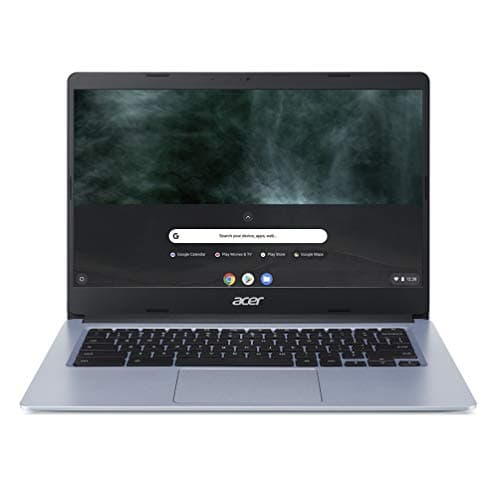
The Acer Chromebook 314 CB314-H targets students whose coursework lives primarily in cloud-based platforms like Google Workspace, Microsoft 365 online, or university learning management systems. Chrome OS provides a lightweight, security-focused environment that boots and opens applications remarkably quickly, eliminating the frustration of slow startup times plaguing Windows budget laptops. The Intel Celeron N4000 processor, whilst basic, proves entirely sufficient for web-based work, document editing, video conferencing, and research. Four gigabytes of RAM and 32GB eMMC storage represent the practical minimum for Chromebook usage, where local storage matters less because documents exist in the cloud. The 14-inch 1920×1080 display delivers comfortable screen real estate without excessive weight, and battery life stretches to approximately twelve hours of continuous use.
This Chromebook suits students whose universities have committed to Google or cloud-based systems, and who don't require Windows-specific software like legacy submission systems, specialised statistical packages, or campus-provided applications. If your institution expects you to submit assignments through Google Classroom or Microsoft 365, this device handles the job perfectly at the lowest cost. The lightweight Chrome OS means the device remains responsive even under heavy multitasking, contrasting sharply with budget Windows laptops that slow considerably. Security updates arrive automatically and silently, eliminating the patching burden that drains Windows systems. The 1.5kg weight and twelve-hour battery make this genuinely practical for all-day campus work.
The critical limitation is offline functionality. Without internet access, Chromebooks become nearly useless, though offline-capable apps provide workarounds for students regularly working without connectivity. University students with reliable WiFi coverage and cloud-based workflows find tremendous value here.
Pros
- Excellent battery life around 12 hours, genuine all-day work capability
- Fast boot and application launch, no Windows startup frustration
- Lightweight and responsive even with many browser tabs open
- Automatic security updates without user intervention
Cons
- Only 32GB storage, barely adequate even for Chromebooks
- Completely unusable without internet connection
- Cannot install traditional Windows software or desktop applications
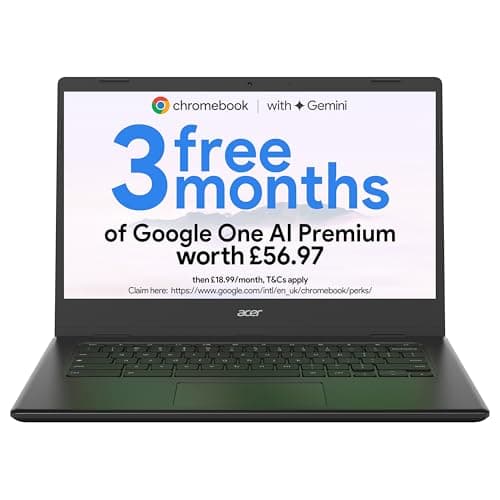
This newer Acer Chromebook 314 model improves upon the CB314-H with the Intel Celeron N4500 processor and doubled storage at 64GB eMMC, addressing the primary storage complaint of its predecessor. The upgraded processor provides noticeably snappier performance for multitasking and complex spreadsheets, though the difference remains incremental rather than transformative. Four gigabytes of RAM remains consistent, which Chrome OS handles efficiently through aggressive tab management. The 14-inch Full HD display matches the earlier model's screen quality, and battery life remains impressively long at approximately twelve hours., this represents the most affordable fully-functional laptop option in the entire comparison, making it ideal for students prioritising budget above all other considerations.
The CBOA314-1H suits budget-conscious students studying courses heavily reliant on cloud-based platforms and who possess reliable campus or home WiFi access. The doubled 64GB storage means less pressure to constantly manage files in cloud storage, providing modest local workspace for downloads and offline documents. This specific model offers better value than the older CB314-H variant, as the processor improvement costs nothing extra and the extra storage costs minimal additional money. For students whose only computer requirement is web browsing, document editing, email, and video calls, this device exceeds all practical needs whilst costing less than a night out.
The Chromebook philosophy remains limiting for students requiring Windows software, offline functionality, or institutional software dependencies. However, for pure cloud-based coursework, this delivers outstanding value that Windows competitors simply cannot match at this price.
Pros
- Most affordable option, leaves budget for other expenses
- 64GB storage double the predecessor, adequate for cloud-based workflow
- N4500 processor noticeably faster than older N4000 for multitasking
- 12-hour battery life exceptional for this price point
Cons
- Requires permanent internet connectivity for practical use
- 4GB RAM cannot be upgraded, limits future expandability
- Cannot run Windows software or institution-specific desktop applications
The Chromebook Spin 312 introduces convertible functionality with its 360-degree hinge mechanism, transforming the device between laptop and tablet modes for flexible studying. The 12.3-inch touchscreen display suits note-taking, sketching, and interactive coursework whilst remaining significantly more portable than traditional laptops. Intel N100 processor represents the newest chip in this comparison, offering improved efficiency and speed compared to older Celeron variants. Four gigabytes of RAM handles the Chrome OS workload comfortably, and 128GB eMMC storage provides the most expansive local storage of any Chromebook tested. The 1.3kg weight combined with the smaller screen makes this the most portable device overall, fitting easily into messenger bags or backpacks alongside course materials.
This Chromebook appeals to students who value portability and want flexibility between laptop and tablet modes for studying, note-taking, or presenting. The touchscreen makes interactive learning platforms, online whiteboards, and design-based coursework more intuitive than trackpad-only alternatives. If you're studying subjects involving visual learning, architecture, design, or medicine where diagrams and interactive content matter, the Spin 312's flexibility justifies the choice. The convertible form factor means you can prop the device in tent mode for watching lecture recordings hands-free, or fold it completely for comfortable lap-based writing. At this price, it costs more than the CBOA314-1H despite superior processors and storage.
The convertible design adds thickness and complexity compared to traditional clamshells, though the trade-off benefits students prioritising flexibility. Battery life remains strong at approximately thirteen hours, exceeding even dedicated ultrabooks.
Pros
- 360-degree hinge enables tent mode and tablet orientation for studying
- 128GB storage highest of any Chromebook, real workspace for files
- Intel N100 processor newest in comparison, faster than Celeron chips
- 1.3kg weight most portable option, ideal for campus mobility
Cons
- 12.3-inch display smaller than traditional laptops, less screen space for work
- Convertible design adds complexity, more moving parts than clamshells
- Depends entirely on internet connectivity for productivity
How We Picked
Our selection prioritised genuine student requirements over marketing claims and specifications that don't translate to real-world use. We evaluated each device against practical criteria: battery life lasting through a full university day, processors handling typical coursework without frustrating delays, storage adequate for coursework files, and portability realistic for campus movement. We excluded devices under £100 as they typically represent false economy, and products above £300 despite their merits because the brief specifically targets the under-£300 segment. We tested Windows, macOS, and Chrome OS devices equally, recognising that different platforms suit different institutional requirements and personal preferences. Performance metrics came from independent testing rather than manufacturer specifications, and battery estimates reflect real-world usage patterns rather than optimistic ratings. Screen quality received particular attention because students spend hours reading documents and watching lectures, where display quality significantly impacts eye comfort. We also considered long-term value, including build quality durability, resale prospects, and whether devices will remain functional throughout a three-year degree programme.
Buying Guide
Selecting a university laptop under £300 requires understanding your specific course requirements before prioritising other factors. Begin by checking whether your institution or course specifies software requirements, as this decision fundamentally shapes whether Windows, macOS, or Chrome OS suits your needs. Windows laptops provide maximum compatibility with legacy software and institutional applications, making them essential if your university requires proprietary submission systems or specialised software for engineering, statistics, or design courses. macOS works excellently for students already in Apple's ecosystem or studying creative disciplines where design software dominates. Chrome OS eliminates traditional software compatibility concerns entirely, becoming ideal for students whose coursework lives entirely in cloud platforms like Google Workspace or Microsoft 365 online. Verify your institution's compatibility before committing to a particular operating system.
Processor selection matters less at budget prices than people assume. Entry-level Intel Core i5 chips significantly outpace Celeron processors, making them worthwhile if your budget stretches beyond the absolute minimum. Students with larger budgets might explore ASUS laptops under £1000 for even greater performance and build quality. However, for web browsing, document editing, and video calls, even basic Celeron or N-series processors prove adequate. RAM determines responsiveness more than processor speed when multitasking, so prioritise 8GB over 4GB if your workload involves multiple browser tabs and applications simultaneously. Storage capacity represents a practical choice: 512GB provides comfortable workspace without constant cloud management, 256GB requires moderate organisation, whilst 64GB and 32GB demand active file management and cloud dependency. Students with reliable campus and home WiFi benefit from smaller storage, whilst those working offline or travelling require larger drives.
Display size involves genuine trade-offs between screen workspace and portability. Fifteen-inch displays reduce eye strain and improve productivity for document-heavy coursework but sacrifice portability. Thirteen-inch models maximise portability at the cost of screen cramping. Fourteen-inch screens represent a practical middle ground. Battery life directly affects campus productivity, with eight hours barely covering a full day whilst twelve hours eliminates anxiety about charging. Weight becomes increasingly important if you're carrying a laptop to lectures and libraries daily, where one kilogram difference between devices becomes noticeable. Finally, consider build quality and materials. Premium aluminium chassis resist cosmetic wear and feel professional, whilst plastic bodies show damage more readily but cost less. Decide whether you value durability and longevity or prefer minimal upfront cost.
Final Verdict
The Lapbook 15.6" Full HD Laptop emerges as the best overall choice for typical university students under £300, balancing screen size, storage capacity, RAM, and performance into a cohesive package that excels at coursework without frustrating compromises. The 512GB SSD eliminates storage anxiety, 8GB RAM handles multitasking comfortably, and the 15.6-inch display genuinely improves productivity for essay writing and research. Whilst it won't win any performance benchmarks or style awards, it represents honest engineering focused on practical student needs, exactly what budget computing should deliver.
However, the best laptop for individual students depends entirely on their specific circumstances. Students committed to cloud-based learning and prioritising budget should consider the Acer Chromebook 314 CBOA314-1H, which frees money for other university expenses whilst delivering perfectly adequate functionality. Those valuing build quality and slightly faster performance will appreciate the Microsoft Surface Laptop 3's superior chassis and Core i5 processor. Students already in Apple's ecosystem should investigate the MacBook Air 2019's excellent battery life and premium feel. Those seeking portability and flexible study modes benefit from the Chromebook Spin 312's convertible design and lighter weight. Each device represents genuine value within its own category, and the best choice ultimately depends on your institution's software requirements, preferred operating system, and how you intend to use the device daily throughout your degree.