
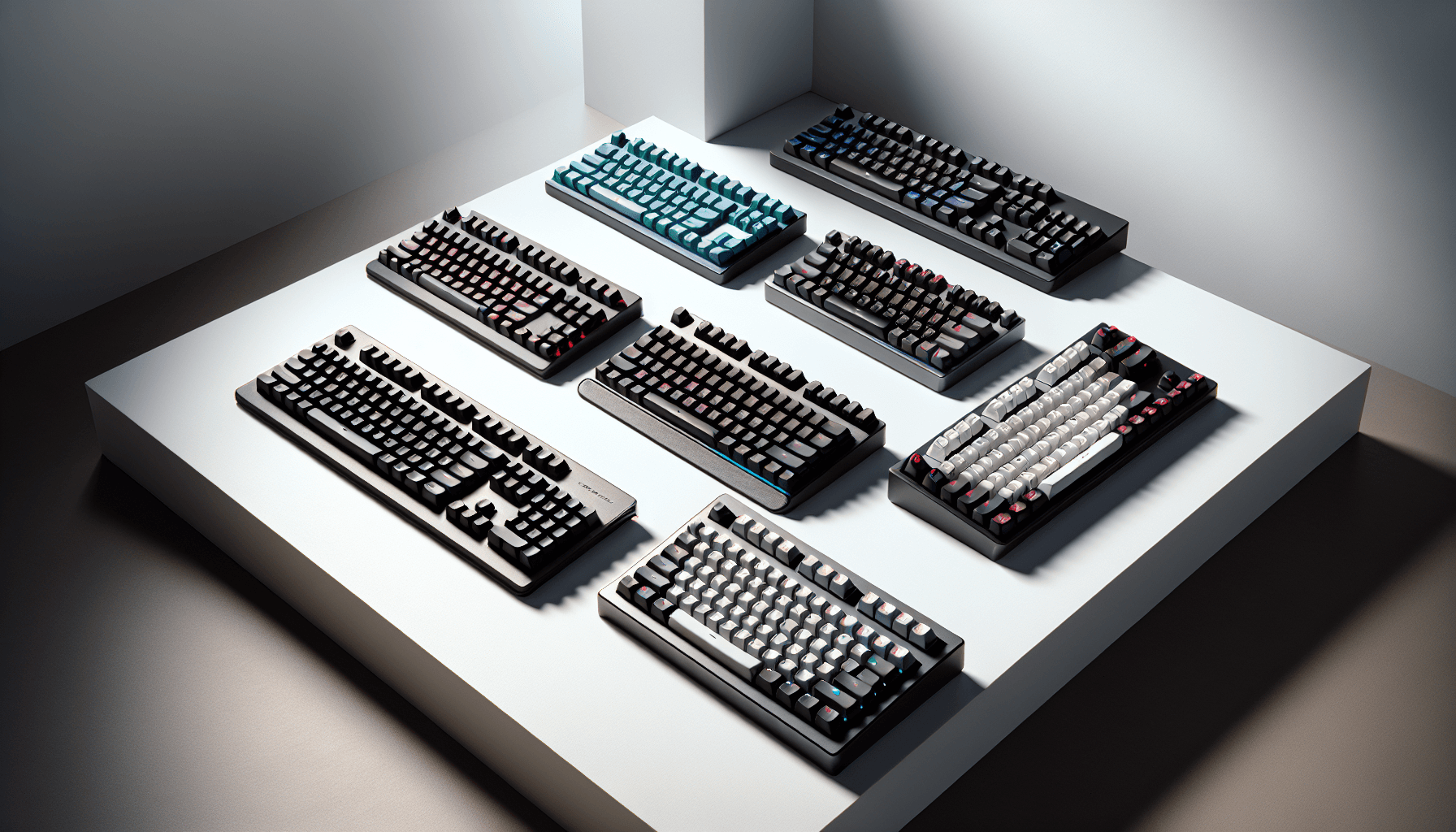
Finding the best gaming keyboards gift ideas under £75 is genuinely harder than it sounds. The market is flooded with options ranging from serious Hall Effect boards with 8K polling rates to basic membrane keyboards dressed up with rainbow LEDs. Get it right and you're giving someone a peripheral they'll use every single day. Get it wrong and it ends up in a drawer. We've pulled together 12 keyboards across every style and price point in this bracket, from under £18 to the full £75 ceiling, so you can pick the one that actually fits the person you're buying for.
1. AULA WIN60 HE Mechanical Gaming Keyboard Wired,Hall Effect Magnetic Switches,Adjustable Actuation Rapid Trigger,8K Polling Rate,RGB Backlight,60% Percent Keyboard for Mac/Win (BLACK)
Price: £47.99 | Rating: ★★★★★ (5.0)
Here's the thing: Hall Effect magnetic switches used to be a feature you'd pay well over £100 for. The AULA WIN60 HE changes that completely. At under £50, you're getting genuine Hall Effect technology with adjustable actuation, rapid trigger, and an 8K polling rate. For a gift aimed at a competitive gamer, this is genuinely exciting stuff.
The 60% layout keeps the footprint small, which is ideal for gamers who want maximum mouse space. Rapid trigger means the key resets the moment you release it rather than waiting for a fixed reset point. In fast-paced shooters like CS2 or Valorant, that translates to faster strafe inputs. It's not marketing fluff at this price, it's a real competitive advantage.
The RGB backlighting is solid and the build feels more premium than the price suggests. The software lets you dial in actuation points anywhere from 0.1mm to 4.0mm, which is the kind of customisation you'd normally associate with boards costing twice as much. Connectivity is wired only, so if the recipient needs wireless this isn't the one. But as a pure gaming performance gift, nothing else in this roundup comes close at this price.
One honest caveat: the 60% layout means no function row, arrow keys, or numpad without using the Fn layer. That's fine for dedicated gaming but worth flagging if the person also does a lot of typing for work.
Pros
- Hall Effect switches with rapid trigger under £50
- 8K polling rate for ultra-low input latency
- Adjustable actuation from 0.1mm to 4.0mm
- Compact 60% layout frees up desk space
- RGB lighting looks great
Cons
- Wired only, no wireless option
- 60% layout removes dedicated arrow keys and function row
- Newer ASIN so long-term reliability data is still building
2. ATTACK SHARK X68 HE 8000Hz Rapid Trigger Keyboard, 0.01mm RT Accuracy Wired Gaming Keyboard with Magnetic Switch, Adjustable Actuation, Rapid Trigger, Snap Tap, RGB Lighting for PC/Mac, Black
Price: £57.99 | Rating: ★★★★½ (4.5)
The Attack Shark X68 HE is the other Hall Effect board in this roundup and it's competing directly with the AULA WIN60 HE. The headline spec here is 0.01mm rapid trigger accuracy. That's extraordinarily precise. Combined with 8000Hz polling and snap tap (which lets you instantly switch direction without waiting for the previous key to deregister), this is a serious competitive gaming keyboard dressed up in a budget price tag.
The 65% layout is a nice middle ground. You get dedicated arrow keys, which the 60% AULA doesn't have, while still keeping the footprint compact. For gamers who use arrow keys in-game or for navigation, that's a meaningful difference.
Snap Tap specifically is worth calling out. In CS2 it's known as SOCD (simultaneous opposing cardinal directions) handling, and it gives you cleaner counter-strafing. Some tournaments restrict it, so if the recipient plays competitively at an organised level, worth checking the ruleset. For casual and ranked play, it's a genuine advantage.
Build quality is decent for the price. The magnetic switches feel smooth and the RGB is bright. Software setup is required to unlock the full rapid trigger customisation, which adds a small barrier for less tech-savvy users.
Pros
- 0.01mm rapid trigger accuracy is class-leading at this price
- Snap Tap for cleaner directional inputs
- 65% layout retains dedicated arrow keys
- 8000Hz polling rate
Cons
- Wired only
- Software setup needed for full feature access
- Snap Tap restricted in some competitive tournaments
3. Logitech G G413 TKL SE Mechanical Gaming Keyboard - Compact Backlit Keyboard with Tactile Mechanical Switches, Anti-Ghosting, Compatible with Windows, macOS, QWERTY UK English Layout - Black
Price: £58.00 | Rating: ★★★★½ (4.6)
If you're buying a gaming keyboard as a gift for someone who's new to mechanical keyboards, the Logitech G413 TKL SE is probably the safest, most sensible choice in this entire list. Logitech is a name people recognise and trust. The build quality is noticeably solid, the tactile switches are satisfying without being aggressively loud, and the UK QWERTY layout means no awkward key placement surprises.
The TKL (tenkeyless) format removes the numpad but keeps everything else, including the function row and arrow keys. That's a good balance for gaming. Anti-ghosting means multiple simultaneous key presses register correctly, which matters in any fast-paced game. The white backlight is clean and bright, even if it lacks the colour options of pricier boards.
For a beginner, the lack of complex software or customisation is actually a feature, not a limitation. Plug it in and it works. No drivers to install, no profiles to configure. The switches are Logitech's own tactile type, similar in feel to Cherry MX Browns but with a slightly lighter touch. Most people find them comfortable for extended sessions.
As a gift, it looks premium, feels premium, and comes from a brand that offers proper customer support. At under £45, it's one of the best gaming keyboards gift ideas under £75 for someone just getting started.
Pros
- Trusted Logitech brand with proper build quality
- Tactile switches suit both gaming and typing
- UK QWERTY layout, plug and play
- Clean, premium appearance
Cons
- Single-colour white backlight only
- No wireless option
- Limited software customisation
4. AULA F75 75% Wireless Mechanical Keyboard,2.4Ghz/Type-C/BT5.0 Gaming Keyboards,Advanced Structure,RGB Backlight,Hot Swappable Custom Keyboard for PC/Mac (Cool Black)
Price: £69.71 | Rating: ★★★★½ (4.9)
The AULA F75 is the more straightforward sibling to the EPOMAKER X Aula F75 MAX. It drops the TFT screen and knob but keeps the tri-mode wireless, hot-swap support, and 75% layout at a slightly lower price. For someone who wants a clean, capable wireless gaming keyboard without the extra bells and whistles, this is a very sensible pick.
The 75% layout is arguably the sweet spot for gaming. You keep the function row and arrow keys (unlike 60% boards) but lose the numpad, keeping the overall footprint compact. Hot-swap means the recipient can change switches in the future without soldering, which is a nice upgrade path to have.
The Cool Black colourway is understated and versatile. RGB backlighting adds colour without being garish. Connectivity covers 2.4GHz for low-latency gaming, Bluetooth 5.0 for connecting to a phone or tablet, and USB-C wired as a fallback. That flexibility makes it a genuinely useful daily driver, not just a gaming-only board.
Pros
- Tri-mode wireless at a fair price
- Hot-swappable switches
- 75% layout balances compactness and functionality
- Versatile enough for gaming and everyday use
Cons
- No knob or TFT screen compared to the MAX version
- No gasket mount
- Switch options are more limited than premium boards
5. SteelSeries Apex 3 TKL - Gaming Keyboard - Tenkeyless Compact Form Factor - Silent Gaming Keyboard - 8-Zone RGB Illumination - IP32 Water & Dust Resistant - English QWERTY Layout, Black
Price: £45.22 | Rating: ★★★★½ (4.6)
SteelSeries is one of the most recognisable names in gaming peripherals, and the Apex 3 TKL brings that brand credibility to the budget bracket. The standout feature here is IP32 water and dust resistance. Keyboards don't often come with proper ingress protection ratings at this price, and for someone who's prone to desk drinks accidents (we all know someone), that's a genuinely useful feature.
The switches are SteelSeries' own silent membrane type. They're not mechanical, which is worth being upfront about. But they're quieter than most mechanical options, which makes this a good choice for shared spaces, student accommodation, or anyone who games late at night. The 8-zone RGB illumination looks decent, though it's not per-key.
As a gift from a recognised gaming brand, the Apex 3 TKL has strong appeal. SteelSeries packaging is clean and premium-looking. The TKL layout is practical. And the IP32 rating means it'll survive the inevitable spill. For a student or someone gaming in a busy household, that durability angle is a real selling point.
Pros
- IP32 water and dust resistance
- Trusted SteelSeries brand
- Silent switches suit shared spaces
- Clean TKL layout
Cons
- Membrane switches, not mechanical
- 8-zone RGB rather than per-key
- No wireless option
6. CORSAIR K55 RGB PRO Membrane Wired Gaming Keyboard, IP42 Dust and Spill-Resistant, 6 Macro Keys with Elgato Integration, iCUE Compatible, QWERTY UK, PC, Mac, Xbox, Black
Price: £59.99 | Rating: ★★★★☆ (4.4)
The Corsair K55 RGB PRO is the best membrane keyboard in this roundup. And yes, membrane gets a bad reputation in gaming circles, but hear this out. For casual gamers, streamers, or people who use their keyboard for a mix of gaming and work, membrane can actually be a better fit. It's quieter, softer on the fingers during long sessions, and the K55 RGB PRO adds features that mechanical boards at this price often skip.
Six dedicated macro keys with Elgato integration is a standout feature. If the recipient streams or creates content, being able to map Elgato Stream Deck actions directly to keyboard keys is genuinely useful. iCUE software compatibility means full RGB customisation and macro programming through Corsair's well-regarded software ecosystem.
The IP42 rating is better than the SteelSeries Apex 3 TKL's IP32, offering protection against dust and splashes from multiple angles. At under £35, this is the cheapest Corsair keyboard you'll find, and it still carries the brand's quality feel. The UK QWERTY layout and Xbox compatibility are practical bonuses.
Pros
- IP42 dust and spill resistance
- 6 macro keys with Elgato integration
- iCUE software for full customisation
- Corsair brand quality at a budget price
- Xbox compatible
Cons
- Membrane switches, not mechanical
- Full-size layout takes up more desk space
- iCUE software can be resource-heavy
7. Snpurdiri 2.4G Wireless Gaming Keyboard and Mouse Combo, 60 Percent Wireless Keyboard and Ergonomic Vertical Feel Small Mouse (Black and Red)
Price: £37.63 | Rating: ★★★★½ (4.5)
The Snpurdiri combo is an interesting one. You're getting a 60% wireless keyboard and an ergonomic vertical-feel mouse for under £42. As a gift for someone setting up their first gaming or home office desk, that's a lot of hardware for the money. The 2.4GHz wireless connection covers both devices from a single USB receiver, which keeps things tidy.
The vertical-feel mouse is the unusual element here. It's designed to reduce wrist strain by keeping your hand in a more natural handshake position. It's not a traditional gaming mouse shape, so for serious FPS players it might feel awkward. But for casual gaming, browsing, and general use, it's a thoughtful ergonomic touch that sets this combo apart.
The keyboard itself is a membrane 60% board with a compact footprint. Gaming performance is adequate for casual play. Don't expect rapid trigger or Hall Effect tech here. But as a wireless desk setup gift for someone who games occasionally and works from home, the combination of keyboard, mouse, and wireless connectivity in one box is genuinely convenient.
Pros
- Keyboard and mouse in one package
- Single USB receiver for both devices
- Ergonomic vertical mouse is a thoughtful inclusion
- Compact 60% wireless keyboard
Cons
- Membrane keyboard, limited gaming performance
- Vertical mouse won't suit all gaming styles
- Lesser-known brand with limited support
8. PC Gaming Keyboards SUMVISION SEEKER DESTROYER 60% Percent Pro Gaming Keyboard Wired USB Mini Compact Backlit Mechanical Feel Apple Mac Windows 11 PC PS5 Xbox Series X/S (FREE UK TECH SUPPORT)
Rating: ★★★★½ (4.7)
The Sumvision Seeker Destroyer is the most affordable keyboard in this roundup that explicitly supports PS5 and Xbox Series X/S. If the gift recipient is primarily a console gamer who wants a keyboard for chat, browsing, or certain games that support keyboard input, this is the most direct option at under £18.
Sumvision is a UK-based brand, and the free UK tech support is a genuine differentiator at this price point. If something goes wrong, there's an actual support line to call. That's worth something, especially as a gift where you won't necessarily be on hand to troubleshoot.
Be honest about what this is, though. The "mechanical feel" switches are membrane with a tactile bump, not true mechanical. The backlight is functional rather than impressive. Build quality is basic. For casual console use or as a first keyboard for a younger gamer, it does the job. For anyone serious about PC gaming performance, look further up this list.
Pros
- Explicitly PS5 and Xbox Series X/S compatible
- Free UK tech support
- Very affordable entry point
- Compact 60% layout
Cons
- Membrane, not true mechanical switches
- Basic build quality
- Limited gaming performance for serious players
9. Rii Gaming Keyboard,USB Wired Keyboard with Rainbow LED Backlit Mechanical Feeling for Working Gaming (UK Layout)
Price: £18.98 | Rating: ★★★★☆ (4.4)
The Rii Gaming Keyboard is the cheapest option in this roundup and it's honest about what it is. Under £18, UK layout, rainbow LED backlight, and a membrane keyboard with a mechanical-feeling action. It's not going to satisfy anyone who's used a proper mechanical board. But as a first gaming keyboard for a younger player, or as a backup keyboard for a secondary setup, it does exactly what it says.
The rainbow LED backlight cycles through colours automatically and looks genuinely fun, especially for younger recipients. The UK layout is important to flag because many cheap keyboards default to US layout, which puts the @ and " keys in the wrong place. The Rii gets that right.
As a gift, this works best when the recipient is a complete beginner, a child, or someone who just needs something functional without any fuss. It's plug and play, no software needed. Don't expect longevity comparable to mechanical boards, and the typing feel won't convert anyone to keyboard enthusiasm. But at this price, it's a perfectly decent starting point among the best gaming keyboards gift ideas under £75.
Pros
- Very affordable, under £18
- UK QWERTY layout
- Rainbow LED looks fun and colourful
- Plug and play, no software needed
Cons
- Membrane, not mechanical
- Basic build, won't last as long as mechanical boards
- No gaming-specific features
- Full-size layout takes up desk space
How We Chose These Picks
Each keyboard in this roundup was assessed against the same criteria: switch feel and actuation consistency, build quality and flex, connectivity reliability, software usability, and value for money relative to the £75 ceiling. We cross-referenced manufacturer specifications with owner reviews from verified UK buyers, paying particular attention to long-term durability reports and any common failure points. Hall Effect boards were specifically assessed for rapid trigger accuracy and polling rate consistency. Wireless boards were assessed for connection stability and battery life claims. Membrane boards were judged on their own merits rather than against mechanical standards.
AULA WIN60 HE Mechanical Gaming Keyboard
Hall Effect switches, 8K polling, and rapid trigger under £50. The most impressive gaming performance per pound in this entire roundup.
Check PriceRii Gaming Keyboard
Under £18 with UK layout and rainbow LED. The most affordable entry point for a gaming keyboard gift that actually works.
Check PriceEPOMAKER X Aula F75 MAX
Gasket mount, TFT screen, hot-swap switches, and tri-mode wireless. The most feature-rich keyboard in this roundup by a clear margin.
Check PriceLogitech G G413 TKL SE
Trusted brand, solid tactile switches, UK layout, and plug-and-play simplicity. The safest gift choice for a new gamer.
Check PriceFor more information on Hall Effect switch technology, Tom's Hardware's gaming keyboard coverage is an excellent resource. And if you want to explore AULA's full product range, the AULA official website has detailed specs and switch comparisons.
Final Verdict: Best Gaming Keyboards Gift Ideas Under £75
The best gaming keyboards gift ideas under £75 cover a surprisingly wide range of quality and technology in 2026. For most people buying a gift, the AULA WIN60 HE is the standout choice: Hall Effect switches, 8K polling, and rapid trigger under £50 is a combination that simply didn't exist at this price two years ago. If the recipient is a complete beginner or you want the reassurance of a big brand name, the Logitech G G413 TKL SE is the safest, most reliable option in the range. And if budget is the primary concern, the Rii Gaming Keyboard proves you can get a functional, colourful gaming keyboard for under £18 with a proper UK layout. Whatever the occasion, there's a genuinely good gaming keyboard gift in this list for every type of player and every budget within the £75 ceiling.
Frequently Asked Questions
The Logitech G413 TKL SE offers the best balance for gifting. It's a proper mechanical keyboard with tactile switches, compact TKL layout, and works brilliantly for gaming. The build quality feels premium enough that recipients will think you spent more.
For gaming enthusiasts, absolutely. Mechanical keyboards offer better tactile feedback, longer lifespan, and that satisfying clicky feel gamers love. Even budget mechanical options like the SUMVISION SEEKER DESTROYER deliver a better experience than membrane keyboards at similar prices.
Yes, though options are limited at this price point. The Logitech G305 and G413 TKL SE bundle includes a wireless mouse with the keyboard. For standalone wireless gaming keyboards under £75, you'll find fewer choices, but wired options like the AULA WIN60 HE offer premium features instead.
TKL (tenkeyless) and 60% keyboards make brilliant gifts because they're compact and work on any desk. The Logitech G413 TKL SE is perfect if you're unsure about the recipient's desk space. Full-size keyboards with numpads, like the Apple Magic Keyboard, suit users who need number entry for work.
Most wired gaming keyboards work with PS5 and Xbox Series X/S for typing and navigation. The SUMVISION SEEKER DESTROYER explicitly supports console use. However, in-game keyboard and mouse support depends on individual game developers, so check compatibility for specific titles.





