
VR-DESKTOP Decision guide
Best Desktop PCs for Video Editors: £1,000, £1,500 UK Guide
Cutting 4K footage shouldn't mean waiting on your PC. Here are the best desktops for video editors between £1,000 and £1,500 in the UK right now.
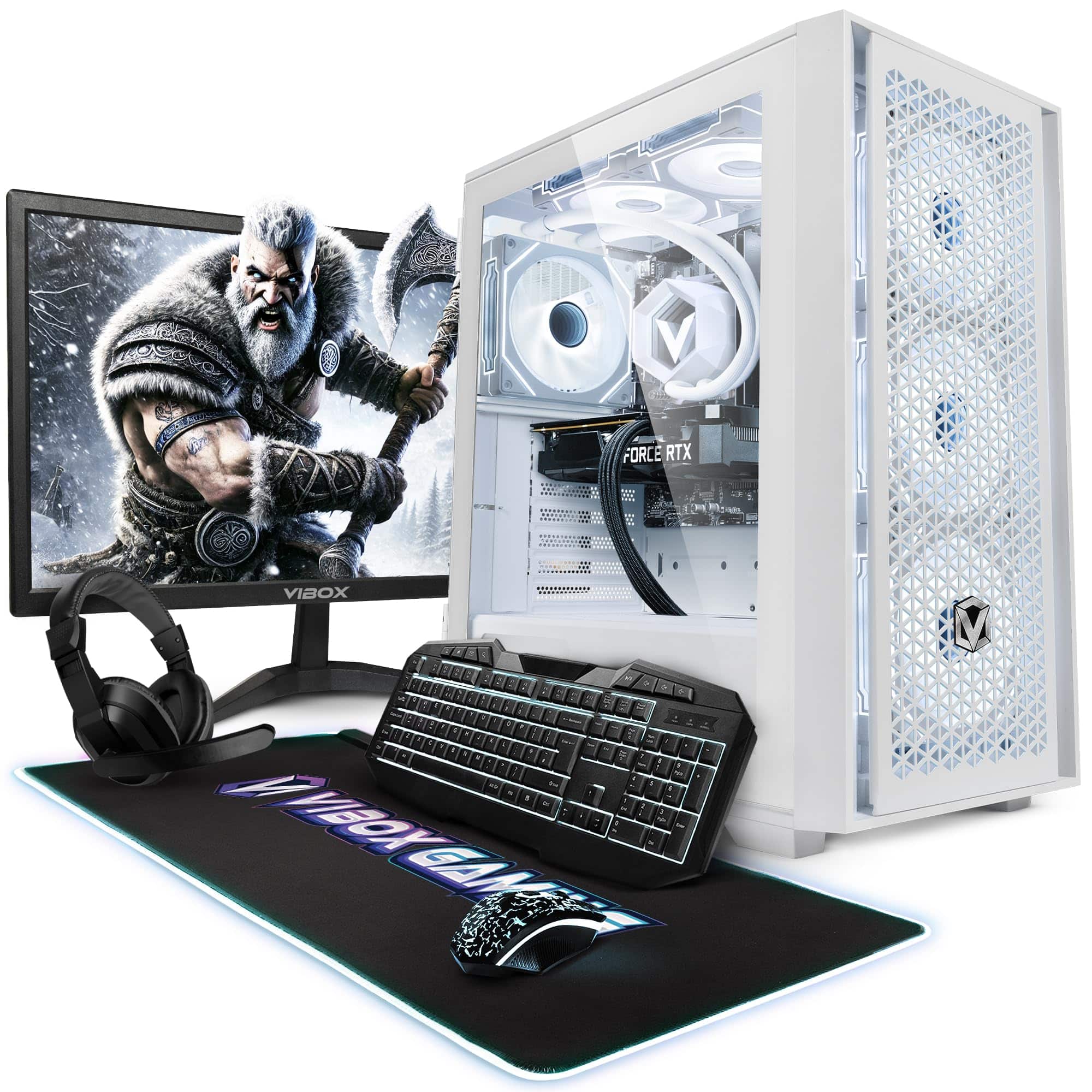 Top pick: Vibox Vibox VII-109 Gaming PC Bundle • Intel Core i7 12700KF 5.0GHz • Nvidia RTX 5060 8GB • 16GB RAM • 500GB SSD • Windows 11 • 23" Monitor • WiFi
It's 10pm. You've got a client delivery at 9am and DaVinci Resolve is chugging through a colour grade like it's running on a potato. Every scrub through the timeline is a gamble. If that sounds familiar, you already know why your current machine isn't cutting it, and why spending between £1,000 and £1,500 on a proper editing desktop is one of the most sensible decisions you can make right now.
What actually matters
CPU multi-core performance
Video editing is one of the few workloads that genuinely taxes a processor. Export times, proxy generation, and effects rendering all lean hard on multi-core performance. An Intel i7-12700KF or an AMD Ryzen 7 5700X will both do the job well here. Don't get distracted by single-core clock speeds, thread count is what moves timelines.
RAM (and how much of it)
Thirty-two gigabytes is the floor for comfortable 4K editing. Less than that and you'll feel it the moment you open a browser tab alongside Premiere. If a machine ships with 16GB, factor in the cost of upgrading before you commit. Unified memory architectures (like Apple's M4) behave differently, but the principle holds.
GPU and hardware acceleration
DaVinci Resolve in particular leans heavily on the GPU for colour science and effects. An RTX 4060 or RTX 5060 gives you proper CUDA acceleration, which cuts render times meaningfully compared to integrated graphics. This is not an area to compromise on at this budget.
Storage speed
NVMe SSD as your primary drive is non-negotiable. Editing directly off a slow HDD will bottleneck even a fast CPU. Ideally you want a second drive or external setup for project media, but at minimum the OS and application drive should be NVMe.
What you can ignore
Overclocking headroom. Unless you're planning to push clocks yourself, factory overclocking specs are largely irrelevant for editing. Stable sustained performance matters more than peak burst speeds you'll rarely hit.
High-refresh-rate gaming monitors bundled in. Some pre-built deals bundle 144Hz or 165Hz displays. Lovely for gaming, largely wasted on a colour grading workflow where you want accuracy over refresh rate. Budget for a colour-accurate panel separately if needed.
RGB lighting. It looks smart in photos. It does nothing for a Premiere Pro timeline. Don't pay a premium for it.
Extreme core counts. A 16-core workstation chip sounds impressive but at this budget it usually means compromises elsewhere, like slower RAM or a weaker GPU. A well-balanced 8-to-12 core setup with strong GPU support will outperform a CPU-heavy rig for most editing tasks.
Three worth considering
The Vibox VII Gaming PC (i7-12700KF, RTX 5060, White) is the pick for editors who want the most rendering headroom in this budget. The i7-12700KF is a strong multi-core chip and the RTX 5060 is a genuinely capable GPU for accelerated workflows in Resolve or Premiere. It's aimed at gamers on the box, but the specs are spot on for editing. The honest trade-off: it runs Windows, so if your pipeline involves Final Cut Pro, it's a non-starter. For everyone else, this is a no-brainer.
The Vibox IV Gaming PC (Ryzen 7 5700X, RTX 4060, Black) sits at the more accessible end of this budget and is worth a look for editors who don't need the absolute latest GPU generation. The Ryzen 7 5700X is a solid, proven chip for sustained workloads, and the RTX 4060 handles GPU acceleration without fuss. If you reckon you'll be editing 1080p or lighter 4K projects rather than heavy multi-cam 4K work, this covers you well and leaves budget for a decent monitor or extra storage.
The Apple Mac Mini M4 is a different beast entirely. It's compact, quiet, and the M4 chip's unified memory architecture makes it genuinely fast for video editing, particularly in Final Cut Pro, which is optimised to a degree that Windows apps simply aren't. If you're already in the Apple ecosystem or you work primarily in Final Cut, this is the most efficient machine here. The trade-off is real though: you're buying into macOS, expandability is limited, and some professional Windows-only tools won't run natively.
macOS vs Windows for video editing at this budget
This is the actual decision most editors face. If your workflow centres on Final Cut Pro, the Mac Mini M4 is the obvious choice, Apple silicon and Final Cut are a genuinely fast combination, and the machine is whisper quiet on a desk. If you're on Premiere Pro or DaVinci Resolve, both platforms work well, but Windows gives you more upgrade flexibility, wider hardware choice, and typically more GPU performance per pound. Neither is dodgy. It comes down to your software and whether you want to stay in the Apple ecosystem long term.
Before you buy: a checklist
- Confirm the machine ships with at least 32GB RAM, or check the upgrade cost before purchasing.
- Verify there's an NVMe SSD as the primary drive, not just a large HDD.
- Check which editing software you use and confirm it runs well on the platform (especially if considering macOS).
- Factor in the cost of a colour-accurate monitor if you don't already have one, the desktop is only part of the setup.
- Check the warranty terms: a one-year return-to-base warranty is the minimum you should accept on a machine at this price.
Vibox Vibox VII-109 Gaming PC Bundle • Intel Core i7 12700KF 5.0GHz • Nvidia RTX 5060 8GB • 16GB RAM • 500GB SSD • Windows 11 • 23" Monitor • WiFi
Our other picks for this guide are temporarily out of stock. This is the one we'd still buy today.
Vibox
Vibox VII-109 Gaming PC Bundle • Intel Core i7 12700KF 5.0GHz • Nvidia RTX 5060 8GB • 16GB RAM • 500GB SSD • Windows 11 • 23" Monitor • WiFi
We're an Amazon Associate. If you click a product link and buy something, we earn a small commission at no extra cost to you. We only recommend products we'd use ourselves.
Top pickVibox VII-109 Gaming PC Bundle • Intel Core i7 12700KF 5.0GHz • Nvidia RTX 5060 8GB • 16GB RAM • 500GB SSD • Windows 11 • 23" Monitor • WiFi£1199.95Add to cart →