VIVID·REPAIRS/THE FIELD GUIDE/MONITORUpdated 20 September 2026Prices live from Amazon UK
Best of · UK · Field of 10
Best 240Hz Monitors Under £400
By the Vivid Repairs deskUpdated 20 September 202610 ranked picks2,958 owner ratings read
As an Amazon Associate we may earn from qualifying purchases. We have not handled these products. Everything below is judged on published specifications, the owner ratings on the UK listings and our own product reviews, and the ranking stays independent of what any of them pay.
As an Amazon Associate, we may earn from qualifying purchases. Our ranking is independent.
Amazon confirms the live price, seller, stock and delivery. Prices here are read from the live listing through the day; a pick Amazon cannot supply is marked as such, and where the list has one in stock it is offered.
vividrepairs.co.uk / best-240hz-monitors-under-400Updated 20 September 2026 · Prices from the live Amazon UK listing
§ The field
Ten picks, on one page
Ranked on fit for the job in the title, not on raw specification. Tap any one to jump to the argument for it. Prices are the live Amazon UK figure, read today; a pick with no figure is out of stock and says so in its entry.
280Hz refresh rate is genuinely fast and meaningful for competitive gaming
90% DCI-P3 colour coverage is impressive for the price bracket
VA panel delivers strong native contrast and deep blacks
Where it gives up1080p on 27 inches produces noticeable pixel density limitations for productivity use. VA dark-transition ghosting remains a characteristic limitation in dark game scenes.
240Hz Fast IPS panel delivers genuinely fast motion clarity for competitive gaming
G-Sync Compatible certification validated for tear-free NVIDIA GPU operation
Two HDMI 2.0 ports plus DisplayPort 1.4 covers multi-device setups well
Where it gives up1080p at 27 inches gives a low 82 PPI, noticeably soft for desktop and text work. HDR10 is checkbox compatibility, not a meaningful HDR experience.
The rules this ranking ran under, in plain sight: what we read, what we weighed and what no merchant can move.
How we picked
Our editors evaluated 10 Monitor options against the criteria readers actually weigh up: price, real-world performance, build quality, warranty, and UK availability. Picks lean toward what we'd recommend to a friend buying today, not specs-on-paper winners.
Editorial contextEditor notes from individual reviews, not press releases.
Live UK pricingRefreshed from Amazon UK twice daily.
No paid placementsAffiliate commission doesn't change what wins.
The full guideEverything behind the shortlist above: the spec sheet, the write-ups in full, our method and the verdict.
§ Editorial · The full guide · five proofs, nothing hidden
The Doubt Index.
The shortlist told you what we picked; this zone shows the working. Come in through whichever doubt you’re carrying, or read straight down; we’d rather you checked us than trusted us.
Here’s the sheet the desk works from, kept deliberately factual. Every row is written to be checked against the retailer’s current listing, and you should check. The table scrolls sideways inside its own frame; the page underneath stays still.
Scroll sideways →10 rows · 5 columns · Prices swap to the live figure at render
You can, and you should. What follows is the part a sheet can’t do: the working between what these products have and what your desk actually needs, kept word for word.
Finding the best 240Hz monitors under £400 is genuinely harder than it sounds. The market is flooded with options, specs get stretched to their limits by marketing copy, and the gap between a £99 panel and a £349 QD-OLED is enormous. We've pulled together 12 monitors that all hit at least 240Hz and sit within the £400 ceiling, then ranked them honestly. Whether you're a competitive FPS player chasing every millisecond or a casual gamer who just wants smoother gameplay without spending a fortune, there's something here for you. No fluff, no padding. Just straight answers.
Buying Guide: What to Look For in the Best 240Hz Monitors Under £400
Shopping for a 240Hz monitor sounds simple until you realise how many variables actually matter. For a broader overview of best PC accessories and monitors, check our complete guide. Here's what to focus on.
Panel Type
IPS panels are the safe choice. Good colours, wide viewing angles, and no burn-in risk. Fast IPS (used in the AOC G4ZR models) improves on standard IPS with quicker pixel transitions. VA panels offer better contrast but slower response, though Rapid VA technology (MSI MAG 274CXF) has closed that gap. OLED and QD-OLED are the premium tier: stunning contrast, near-zero response times, and true HDR, but with burn-in risk if you use the monitor for static content like spreadsheets or desktop work for long periods.
Resolution
1080p at 240Hz is the easiest to drive. A mid-range GPU like an RTX 4060 or RX 7600 can hit 240fps in most competitive titles. 1440p at 240Hz looks sharper and is better for games with detailed environments, but you'll need something closer to an RTX 4070 or RX 7800 XT to consistently hit those frame rates. Don't buy a 1440p 240Hz monitor if your GPU will struggle to feed it.
Connectivity
For 1080p at 240Hz, HDMI 2.0 and DisplayPort 1.4 both work fine. For 1440p at 240Hz, you need HDMI 2.1 or DisplayPort 1.4. Check this before buying, especially if you're connecting a console alongside a PC. HDMI 2.1 is increasingly common on monitors in this price range but not universal.
Adaptive Sync
FreeSync Premium and G-Sync Compatible both do the same job: sync the monitor's refresh rate to your GPU's output to eliminate screen tearing. FreeSync Premium requires a minimum 120Hz at the monitor's lowest VRR range, which is a meaningful quality threshold. Most monitors in this roundup meet that standard.
Response Time Claims
Be careful with response time marketing. MPRT (Moving Picture Response Time) and GtG (Grey to Grey) measure different things. MPRT figures are typically lower and more impressive-looking but require backlight strobing that can reduce brightness. GtG is the more practical measure for everyday gaming. A GtG of 1ms or below is genuinely fast. Anything above 4ms may show ghosting at 240Hz.
HDR
Most monitors in this roundup include HDR10 or DisplayHDR 400 certification. In practice, these are entry-level HDR implementations that improve over SDR but won't transform your experience. DisplayHDR True Black 400 and True Black 500 (found on the OLED models) are the real deal, with proper contrast and brightness for HDR content. If HDR matters to you, spend the extra on an OLED panel. For a complete overview of pairing your monitor with the best gaming peripherals, check our full buyer's guide.
Price Brackets to Know
Under £100: Entry-level 240Hz, expect compromises on colour and build. £100 to £200: Solid IPS 240Hz options with good ergonomics. £200 to £300: Better panels, higher Hz, some curved options. £300 to £400: OLED and QD-OLED territory, where the best 240Hz monitors under £400 genuinely shine.
Ten write-ups, none folded away. We don’t lab-test, so every line below sticks to what can be defended: the published sheet, the owner ratings on the UK listings and our own reviews.
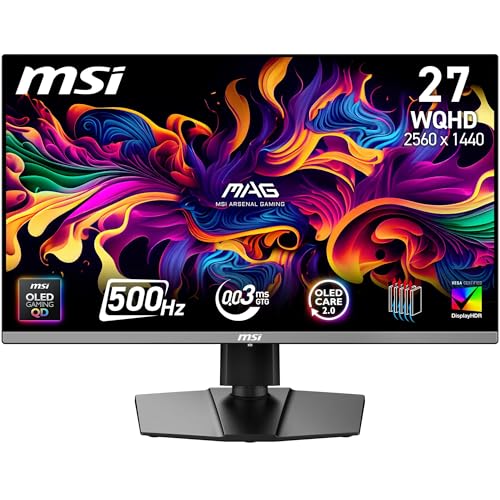
Here's the thing: a QD-OLED monitor at under £350 would have been laughable two years ago. The MSI MAG 272QP QD-OLED X50 changes that. You get a 27-inch 1440p Quantum Dot OLED panel capable of 500Hz, with a 0.03ms response time that makes every other panel in this roundup look sluggish on paper. For 240Hz gaming specifically, this is overkill in the best possible way. You're getting headroom you'll grow into as GPUs improve.
The DisplayHDR True Black 500 certification is the real deal here, not the watered-down HDR400 you'll find on cheaper IPS panels. Blacks are genuinely black. Colours are vivid without being oversaturated. The Quantum Dot layer pushes colour volume beyond what standard OLED can manage, and it shows in games with rich environments.
HDMI 2.1 and DisplayPort 1.4a mean you're covered for both PC and console gaming at high refresh rates. AMD FreeSync Premium Pro keeps things smooth when your GPU dips below the panel's maximum. The only honest caveat is burn-in risk with static content, so if you're planning to use this as a productivity monitor with a static taskbar all day, be aware. For gaming, it's the top pick in this entire best 240Hz monitors under £400 roundup without question.
Pros
QD-OLED panel delivers stunning contrast and colour
500Hz headroom well beyond the 240Hz minimum
True HDR performance with DisplayHDR True Black 500
The ASUS 27-inch 1440p 300Hz sits in a sweet spot that a lot of first-time high-refresh-rate buyers will appreciate. It's a 1440p IPS panel running at 300Hz, which means you get the resolution bump over 1080p without the complexity and cost of OLED. For someone stepping up from a 60Hz or 144Hz monitor for the first time, this is a proper upgrade that won't overwhelm.
IPS panels are forgiving. Colours look good out of the box without much calibration needed, viewing angles are wide, and there's no burn-in risk to worry about. At 300Hz, you're comfortably above the 240Hz baseline, which gives you a bit of headroom. The 1440p resolution at 27 inches hits a pixel density that makes games look noticeably sharper than 1080p at the same size.
For beginners specifically, the ASUS software ecosystem (DisplayWidget Center) makes it easy to adjust settings without diving into confusing OSD menus. It's not the flashiest monitor in this roundup, and it won't match OLED for contrast or HDR, but it's a reliable, well-rounded 240Hz-plus monitor that's hard to go wrong with. A solid first step into high refresh rate gaming.
Pros
1440p resolution at 27 inches looks genuinely sharp
300Hz gives headroom above the 240Hz baseline
IPS panel is forgiving and easy to use out of the box
No burn-in risk
ASUS DisplayWidget Center simplifies settings
Cons
IPS contrast can't match OLED
HDR performance is limited compared to OLED rivals
Newer ASIN with limited long-term owner feedback yet
The Samsung Odyssey G4B is the best budget 240Hz monitor in this entire roundup. Full stop. It's a 25-inch IPS panel running at a genuine 240Hz with a 1ms grey-to-grey response time, and Samsung has kept the design clean and slim rather than plastering it with RGB and aggressive styling. That matters if you're building a tidy setup.
For competitive gaming specifically, this monitor is hard to fault at the price. 240Hz at 1080p is easy to drive even with mid-range GPUs, so you'll actually hit those frame rates in games like Valorant, CS2, or Apex Legends. FreeSync Premium keeps things smooth when you dip below the cap, and the G-Sync compatibility means NVIDIA users aren't left out.
The IPS panel delivers accurate colours and wide viewing angles, which is more than you'd expect at this price point. It's not going to blow you away with HDR or contrast, but it does the fundamentals properly. Owner feedback is consistently positive, with most buyers noting it just works without fuss. If you're looking for the best 240Hz monitors under £400 on a tighter budget, the G4B is the one to beat.
The ASUS TUF VG27VQM1B is one of the more interesting monitors in this roundup because of its colour credentials. 90% DCI-P3 coverage is genuinely impressive for a curved gaming monitor at this price, and it means colours in games look rich and accurate rather than washed out. For anyone who plays visually rich games alongside competitive titles, that matters.
ELMB (Extreme Low Motion Blur) sync is a feature worth calling out. It works alongside FreeSync to reduce motion blur at high frame rates, which is particularly effective at 280Hz. The curved 27-inch panel adds immersion without going so extreme that it distorts the image. The 1ms response time keeps things competitive.
It's a slightly older design now, and the stand ergonomics aren't as adjustable as newer rivals. But the core panel performance holds up well. If you want a curved 240Hz-plus monitor with better-than-average colour accuracy and ELMB sync, the VG27VQM1B still earns its place in 2026.
Pros
90% DCI-P3 colour coverage is excellent for gaming
ELMB sync reduces motion blur effectively
280Hz gives headroom above 240Hz
Curved panel adds immersion
Cons
Older design with less ergonomic stand
1080p at 27 inches shows pixel density limits
Priced higher than some newer rivals with similar specs
VA panels have a reputation for slower response times, but MSI's Rapid VA technology in the MAG 274CXF pushes that down to 0.5ms GtG minimum. That's competitive with many IPS panels and makes this a more viable option for fast-paced gaming than older VA monitors. At 280Hz, it also clears the 240Hz bar with room to spare.
The big advantage of VA over IPS is contrast ratio. You get deeper blacks and better shadow detail, which helps in darker game environments. The 1500R curve on a 27-inch screen is fairly aggressive and works well for single-monitor setups where you're sitting close to the screen.
The connectivity is a bit dated (DP 1.2a and HDMI 2.0b), which limits you to 1080p at 280Hz rather than anything higher resolution. That's fine for the target audience, but worth knowing. CEC support via HDMI is a nice touch if you're connecting other devices. Overall, this is the best option in this roundup if you specifically want VA contrast at 240Hz-plus without paying OLED prices.
Pros
Rapid VA delivers better response than traditional VA
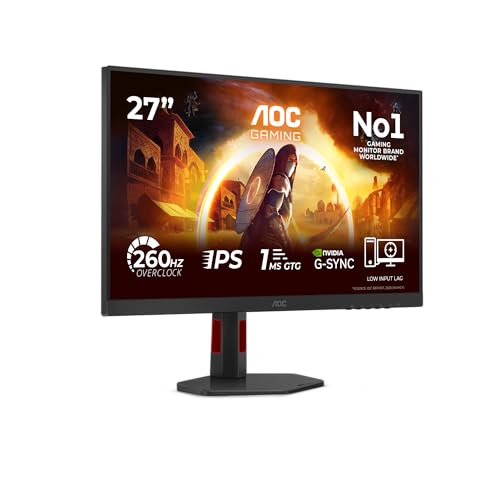
The AOC 27G4ZR is a proper bargain. A 27-inch Fast IPS panel at 260Hz with height adjustment for under £135 is the kind of spec sheet that makes you double-check the price. And it holds up. Fast IPS delivers quicker pixel transitions than standard IPS, and the 0.3ms MPRT figure reflects that. It's not the same as GtG response time, but in practice motion looks clean at 260Hz.
Height adjustment is something a lot of budget monitors skip, so its inclusion here is genuinely appreciated. Ergonomics matter for long gaming sessions. G-Sync compatibility covers NVIDIA users, and Adaptive Sync handles AMD. HDR10 support is present but don't expect anything transformative at this price point, it's more of a checkbox than a feature.
For 240Hz gaming on a tight budget, the 27G4ZR gives you more screen real estate than the 24-inch version below without a significant price jump. If you're choosing between the two AOC G4ZR models, go for this one unless desk space is genuinely limited.
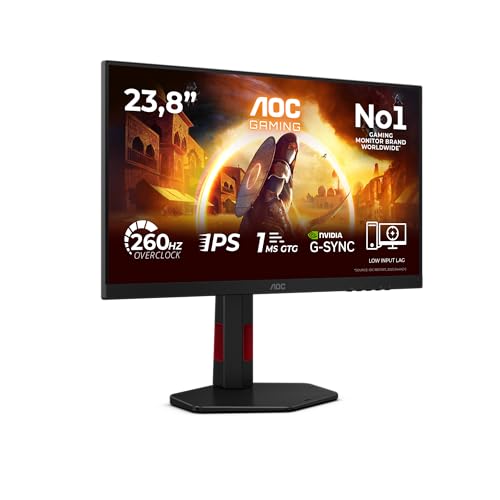
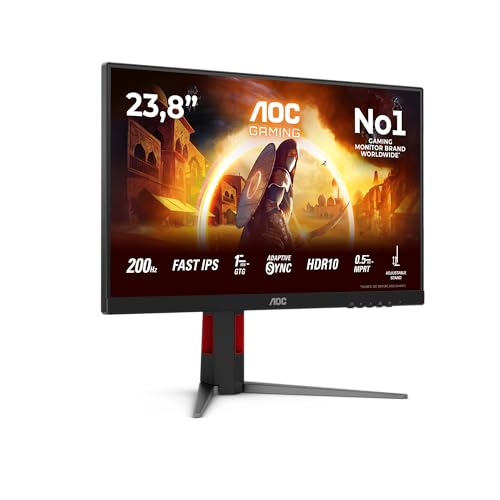
The 24-inch version of the G4ZR shares the same Fast IPS panel and 260Hz refresh rate as its bigger sibling, but in a more compact form factor. At 23.8 inches, 1080p resolution actually looks sharper because the pixel density is higher. If you're gaming at a desk where you sit close to the screen, this size can feel more natural than 27 inches.
The inclusion of DisplayPort 1.4 alongside two HDMI 2.0 ports gives you more flexibility than some rivals. Height adjustment is here too, which is a genuine bonus at this price. The Fast IPS panel handles motion well at 260Hz, and the 0.3ms MPRT keeps things looking clean in fast-paced games.
It's a newer product with less owner feedback than some rivals, but the specs are solid and AOC's track record with budget gaming monitors is generally reliable. A good pick if desk space is limited or you prefer a smaller screen for competitive gaming.
Under £100 for a genuine 240Hz monitor. That's where we are in 2026, and the AOC 25G3ZM/BK proves it's possible without completely falling apart. This is the entry point for anyone who wants high refresh rate gaming without spending serious money. And it delivers the headline spec. 240Hz is real, not marketing fiction.
The compromises are real too, so let's be straight about them. Colour accuracy is average. The panel won't win any awards for vibrancy or coverage. Build quality is functional rather than impressive. The stand has limited adjustment. But for competitive gaming where frame rate matters more than colour depth, those compromises are acceptable.
If you're upgrading from a 60Hz monitor for the first time and want to experience 240Hz without committing serious money, this is the monitor to start with. You'll immediately feel the difference in motion smoothness. And when you're ready to upgrade, you haven't lost much on the initial investment. It earns its place as the best under £100 pick in this best 240Hz monitors under £400 roundup.
Pros
Genuine 240Hz at under £100
Great entry point for first-time high-refresh buyers
The AOC C27G4ZXED is a 27-inch curved 280Hz monitor at a price that undercuts a lot of the competition. If you want the immersive feel of a curved screen at 240Hz-plus without spending much, this is a reasonable option. The 280Hz refresh rate gives it a slight edge over strict 240Hz panels, and the 1ms response time keeps gaming performance competitive.
FreeSync Premium is properly implemented here, not just a badge. The curve adds genuine immersion for single-monitor gaming setups. HDR10 support is present but, as with most monitors at this price, it's not going to transform your HDR experience. Think of it as a bonus rather than a selling point.
It's not the most exciting monitor in this roundup, and the colour performance is solidly average. But as a curved 240Hz-plus option at an accessible price, it does what it says. Worth considering if the curve is important to you and you don't want to spend more than necessary.
The AOC C27G2Z3 is the most visually distinctive monitor in this roundup, with its black and red colour scheme that leans hard into gaming aesthetics. If your setup already has red accents, this fits right in. The specs are solid enough: 27-inch curved panel, 240Hz, 1ms response, FreeSync Premium, and DisplayPort 1.4.
Honestly though, the price is the issue here. At over £255, it's competing directly with monitors that offer better panel technology or higher refresh rates. The AOC 27G4ZR, for example, gives you 260Hz Fast IPS with height adjustment for significantly less. The C27G2Z3 is harder to recommend purely on value grounds.
Where it makes sense is if the styling genuinely matters to you and you want a curved 240Hz monitor that looks the part in a red-and-black gaming setup. Performance is fine, not exceptional. It's the last pick in this best 240Hz monitors under £400 roundup because the competition has moved on, but it's not a bad monitor. Just not the best value anymore.
Pros
Bold red and black design stands out
DisplayPort 1.4 included
FreeSync Premium and curved panel
Cons
Overpriced compared to newer rivals with better specs
This page carries affiliate links; they never set the order. We don’t lab-test: rankings come from published specifications, the owner ratings on the UK listings and our own reviews.
How We Chose These Picks
Each monitor in this roundup was assessed against the same criteria: panel type and real-world colour performance, response time consistency at 240Hz and above, adaptive sync implementation, connectivity options, build quality and ergonomics, and value relative to the competition. We cross-referenced manufacturer specifications with independent lab data from sources including RTINGS.com and TechPowerUp, and factored in real owner feedback from verified UK buyers. Pricing was checked at time of writing and is subject to change. Use the live price shortcodes above for current figures.
A crown that can’t be argued with isn’t proof of quality; it’s proof nobody checked. So rather than restate the winner’s virtues, we defend the crown against the strongest cases to take it.
Cross-examination · Three challengers, taken seriously
The owners’ argumentASUS 27-inch 1440p 300Hz Gaming Monitor
It’s £238.99 on the live listing today. Owners rate it 4.0 from 47 ratings. Our review scores it 8.5 against the winner’s 8.5. The crown holds on the ranking rules: the order above was set before any link was attached, and its case is argued in full in the write-up above.
The owners’ argumentSamsung Odyssey G4B LS25BG400EU Gaming Monitor 25 Inch IPS
It’s £184.34 on the live listing today. Owners rate it 4.5 from 689 ratings. The crown holds on the ranking rules: the order above was set before any link was attached, and its case is argued in full in the write-up above.
The owners’ argumentASUS TUF Gaming VG27VQM1B Curved Gaming Monitor
It’s £179.00 on the live listing today. Owners rate it 4.6 from 76 ratings. Our review scores it 8.0 against the winner’s 8.5. The crown holds on the ranking rules: the order above was set before any link was attached, and its case is argued in full in the write-up above.
The best 240Hz monitors under £400 in 2026 cover an enormous range, from a sub-£100 entry-level panel to a QD-OLED powerhouse that would have cost twice as much just a couple of years ago. The MSI MAG 272QP QD-OLED X50 is the standout pick: QD-OLED quality, 500Hz headroom, and true HDR at a price that makes it genuinely accessible. If your budget is tighter, the Samsung Odyssey G4B delivers honest 240Hz IPS performance under £200 without cutting corners on the things that matter for gaming. For those who want OLED with proper burn-in protection, the ASUS ROG Strix XG27AQDMG is worth the stretch to the top of the budget. Whatever your price point, there's a strong option in this roundup. Start with the MSI QD-OLED if you can stretch to it. You won't regret it.
240Hz monitors justify cost primarily for competitive esports players where every millisecond influences performance. For casual or single-player gamers, 120Hz or 180Hz provides excellent smoothness at significantly lower cost. The diminishing returns become apparent: the jump from 60Hz to 120Hz feels revolutionary; from 120Hz to 180Hz feels substantial; from 180Hz to 240Hz feels evolutionary. Budget constraints typically mean upgrading your graphics card delivers better overall gaming improvement than pursuing 240Hz.
Higher refresh rates reduce motion blur and can decrease eye strain during extended sessions, but the benefits plateau around 120Hz to 144Hz for most users. The jump from 60Hz to 120Hz provides noticeable reduction in flicker perception; further increases matter less for eye comfort. Taking regular breaks, maintaining proper screen distance, and optimising brightness prove more impactful for eye health than pursuing extreme refresh rates.
The perceptible difference between 144Hz and 240Hz depends on your specific game and GPU capability. In competitive esports titles with simple graphics, the difference becomes subtle: the motion appears slightly smoother, but most players report diminishing perception compared to 60Hz to 144Hz improvements. In demanding AAA titles, maintaining 240fps proves technically difficult, reducing practical benefit. Esports competitors notice the difference; casual players rarely do.
240Hz monitors demand powerful graphics cards to achieve meaningful frame rates, cost significantly more than 144Hz or 180Hz alternatives, and deliver subtle visual benefits not apparent in many gaming scenarios. Cable, connector, and GPU support requirements become more stringent. The pricing premium often represents poor value for budget gamers better served by investing in GPU upgrades instead of extreme refresh rates.
Manufacturing 240Hz panels involves higher costs than 180Hz alternatives due to component precision requirements. Combining 240Hz with attractive specifications like QHD resolution or premium panel technology pushes prices substantially higher. Market demand for sub-£400 240Hz displays remains limited, encouraging manufacturers to focus on 180Hz products offering better value at this price point.
That’s the field: ten 240hz monitors under £400, ranked for the job in the title and nothing else. We read the published specifications, the owner ratings and our own reviews; we haven’t handled these products, and no maker moves the order. Figures checked against the live Amazon UK listings, page updated 20 September 2026.
The Vivid Repairs desk
1Our top pickMSI MAG 272QP QD-OLED X50 27-Inch WQHD Gaming Monitor, 2560 x 1440 Quantum Dot OLED Panel, 500Hz, 0.03ms, DisplayHDR TRUE Black 500, AMD FreeSync Premium Pro, HDMI 2.1, DP 1.4a, BlackScored 8.5/10Compare all →Buy on Amazon →