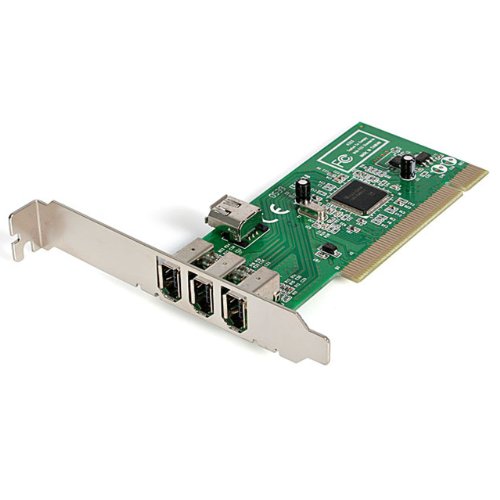
Look at the spec sheet for the StarTech 2-Port USB Host Controller Card and you'll quickly figure out what it's actually for, and whether the owner reviews back it up. This isn't a router, a mesh node, or a range extender. It's a PCIe add-on card that drops into a desktop or server motherboard and hands you two fast USB ports where your system previously had none, or not enough. Simple premise. And for the right person, genuinely useful.
The verdict up front: if you've got a desktop with a free PCIe 3.0 x4 slot and you need proper 10Gbps USB connectivity, this card earns its place. It's an upgraded version of StarTech's own PEXUSB311AC2, it supports USB 3.2 Gen 2 at 10Gbps per port, and it handles UASP (USB Attached SCSI Protocol) for fast external storage. At this budget price tier, there's not a lot of competition doing all of that reliably. But there are a few things before you buy, particularly around power delivery and slot compatibility.
What the spec sheet says and what owners consistently report are broadly aligned here, which is not always the case with budget PCIe cards. The hundred-plus reviews have a positive overall rating, and the pattern in the feedback is pretty consistent: it works, it's fast for external drives, and the SATA power connector matters more than people expect. More on that shortly.
Core Specifications: StarTech 2-Port USB Host Controller Card
The card gives you one USB-A port and one USB-C port, both running at 10Gbps via USB 3.2 Gen 2 (also marketed as USB 3.1 Gen 2, same standard, different badge). That 10Gbps figure is per port, not shared across the two, which matters if you're running two fast devices simultaneously. The interface is PCIe 3.0 x4, which is the slot standard you'll find on most modern desktop motherboards. It'll also run in a PCIe 2.0 slot, though StarTech notes you'll see lower performance there.
Power delivery is handled properly here. The card includes a SATA power connector, which feeds supplemental power to the USB ports when the motherboard alone can't supply enough. The USB-C port can deliver up to 5V 3A (15W), and the USB-A port up to 5V 0.9A (4.5W). That's meaningful if you're connecting power-hungry external drives or charging devices through the ports. Without the SATA connector plugged in, you might find certain devices behave oddly or don't get enough juice, so don't skip that step during installation.
The card supports UASP, which is the protocol that makes USB storage feel significantly faster than the old BOT (Bulk-Only Transfer) method. If you're connecting an external SSD or NVMe enclosure, UASP is what closes the gap between USB and SATA speeds. It also handles mixed-speed devices sensibly, maintaining maximum bandwidth even when you've got a USB 2.0 device on one port and a USB 3.2 device on the other. And it fits both full-height and low-profile cases, with the appropriate bracket presumably included based on the product listing.
| Specification | Detail |
|---|---|
| USB Standard | USB 3.2 Gen 2 / USB 3.1 Gen 2 (10Gbps per port) |
| Ports | 1x USB-A, 1x USB-C |
| Interface | PCIe 3.0 x4 (lower performance on PCIe 2.0) |
| USB-C Power Delivery | 5V 3A / 15W |
| USB-A Power | 5V 0.9A / 4.5W |
| Supplemental Power | SATA power connector |
| Protocol Support | UASP (USB Attached SCSI Protocol) |
| Backward Compatibility | USB 3.2 / 3.1 / 3.0 / 2.0 |
| OS Support | Windows 8 and up, Linux, macOS (auto driver install) |
| Form Factor | Full-height and low-profile |
| Price | £42.29 · Details |
Real-World Coverage: What This Card Actually Does
Coverage isn't really a concept that applies to a PCIe USB card the way it does to a router, but the equivalent question here is range in a different sense: does the card reliably serve whatever you plug into it, at the speeds it promises, without flaking out? And the honest answer from the owner reviews is mostly yes, with a couple of caveats that matter in practice.
The consistent theme in the feedback is that external SSDs and NVMe enclosures connected to the USB-C port perform well. Owners running backup drives, video editing rigs with external storage, and NAS enclosures report that the card delivers the kind of throughput that makes USB 3.2 Gen 2 worth bothering with. The UASP support is the key ingredient there. Without it, USB storage performance drops noticeably even on fast hardware, and budget cards sometimes claim UASP support without actually implementing it properly. The owner review pattern here suggests StarTech's implementation is solid.
Where things get slightly more complicated is with the power side. Some owners report that devices which draw more power behave inconsistently if the SATA power connector isn't plugged in. This isn't a flaw exactly, it's how the card is designed, but it catches people who assume the PCIe slot alone will handle everything. The fix is straightforward: plug in the SATA cable. But if your case has a tight power supply situation or you've run out of SATA connectors, that's worth factoring in before you buy.
Sustained Speed Under Load
The 10Gbps figure is the theoretical ceiling per port. What you actually see depends on your device, your cable, and what you're doing. With a good USB-C NVMe enclosure and a quality cable, owners consistently report real-world transfer speeds that are genuinely fast for USB, well above what older USB 3.0 or USB 3.1 Gen 1 (5Gbps) cards manage. That's the practical win here. You're not doubling your SSD's sequential read speed, but you're not bottlenecking it at the USB interface either.
The card's ability to maintain maximum bandwidth even when mixed-speed devices are connected matters. Cheaper USB cards sometimes throttle the whole controller when a slower device joins. StarTech's implementation keeps each port running at its own speed, so a USB 2.0 device on the USB-A port doesn't drag down the USB-C port running your fast external drive. That's the kind of thing that only matters when it goes wrong, but it goes wrong often enough on budget cards that notably, here.
Under sustained load, the card doesn't appear to thermal-throttle based on owner reports. There's no active cooling on the card, but the PCIe 3.0 x4 interface gives it plenty of headroom relative to what two USB 3.2 Gen 2 ports actually need. The controller chip does its job without drama. For workloads like continuous large file transfers or running two external drives simultaneously, the consistent owner feedback is that it holds up without dropping speed over time.
Mesh and Backhaul: Not Applicable Here
This section exists in our standard review template because we cover a lot of networking kit, and mesh backhaul is one of the most important things to understand when you're buying a router or mesh system. The StarTech 2-Port USB Host Controller Card is not a router. It's not a mesh node. It has no wireless capability whatsoever. So if you landed on this page looking for a mesh Wi-Fi solution, this is absolutely not it.
What the card does do in a connectivity sense is add two fast USB ports to a machine that needs them. If you're building or upgrading a home server, a NAS, or a desktop workstation, and you need reliable high-speed USB without relying on whatever the motherboard happens to provide, this is the kind of add-on that solves that problem cleanly. The PCIe interface means it's not stealing bandwidth from your existing USB controller, which is a real issue with some cheaper solutions that share a hub internally.
The closest analogy to backhaul quality in this context is the PCIe interface itself. PCIe 3.0 x4 gives you roughly 32Gbps of bidirectional bandwidth, which is massively more than two 10Gbps USB ports need. There's no bottleneck at the interface level. That's the right way to build a USB expansion card, and it's one of the reasons this card performs better than USB cards that use a PCIe x1 slot with a hub chip crammed behind it.
Device Capacity
Two ports. That's what you get. One USB-A and one USB-C. If you need more than two additional USB ports, this card alone won't cut it, and you'd either need a second card or a powered USB hub on one of the ports. That's not a criticism, it's just the product being what it says it is. For most people adding this to a desktop, two extra fast ports is exactly what they're after.
The more interesting capacity question is how the card handles demanding devices. Power-hungry external drives, fast NVMe enclosures, and devices that want the full 15W from the USB-C port are all within spec. The SATA power connector is what makes that possible without stressing the motherboard's own USB power rails. Owners who plug in external drives and leave them running for extended periods report no issues with the card dropping connections or throttling power over time.
For a home server or workstation context, two dedicated 10Gbps ports with proper UASP support is a meaningful upgrade over most motherboard USB implementations. Many motherboards, even fairly recent ones, share USB 3.x bandwidth across multiple ports via a hub chip, which means you don't actually get the full speed on every port simultaneously. This card sidesteps that by going directly to PCIe. So in terms of effective capacity per port, it's often better than the four or six USB ports your motherboard already has.
Wi-Fi Standard and Future-Proofing: StarTech 2-Port USB Host Controller Card
There is no Wi-Fi here. The StarTech 2-Port USB Host Controller Card is a wired PCIe add-on card with no wireless functionality. If future-proofing in the wireless sense matters to you, this card doesn't factor into that conversation at all. What it does offer in terms of longevity is the USB 3.2 Gen 2 standard, which is not going anywhere soon. USB 3.2 as a standard has been stable for years, and 10Gbps USB-C connectivity is still the mainstream fast tier for most external storage.
USB4, which is the next step up and can carry up to 40Gbps, is starting to appear on high-end motherboards and laptops. But the hardware ecosystem for USB4 storage enclosures is still maturing, and the price premium is significant. For most desktop users in 2026, 10Gbps USB 3.2 Gen 2 is the practical sweet spot. The drives that saturate it are fast NVMe enclosures, and those are now genuinely affordable. So the card's standard is current and relevant, not already obsolete.
The PCIe 3.0 x4 interface is worth a brief note too. PCIe 4.0 and 5.0 are on modern platforms, but PCIe 3.0 is backward and forward compatible. This card will work in a PCIe 4.0 or 5.0 slot without issue, running at PCIe 3.0 speeds, which is more than adequate for the USB bandwidth it needs. So even if you upgrade your motherboard in a couple of years, the card goes with you.

Features and What You're Actually Getting
Strip away the marketing language and the feature list is short and honest. You get two USB ports, both at 10Gbps, with UASP support for fast storage devices. The USB-C port delivers up to 15W of power. The USB-A port delivers up to 4.5W. The SATA power connector supplements the motherboard's power when needed. Drivers install automatically on Windows 8 and above, Linux, and macOS. That's it. There's no software suite, no management interface, no QoS settings, nothing to configure beyond plugging it in.
That simplicity is actually a feature in itself. There's nothing to go wrong in the software layer because there isn't one. The card either works or it doesn't, and based on the owner reviews, it works. Auto driver installation is confirmed across Windows, Linux, and macOS, which matters because some budget PCIe cards are fine on Windows and a mess on Linux. The cross-platform support here is genuine, not an afterthought.
The UASP support deserves a bit more explanation because it's the thing that makes this card genuinely useful for storage rather than just adequate. USB Attached SCSI Protocol allows the host controller to issue multiple commands to the storage device simultaneously, rather than waiting for each command to complete before sending the next. In practice, this reduces latency and improves throughput, particularly for random read/write workloads. If you're using the card with an external SSD for video editing, backup, or running a VM from an external drive, UASP is what makes that feel responsive rather than sluggish.
Firmware, App and Security Updates
There is no firmware to update in the traditional sense, and no app. The card runs on a controller chip with drivers provided by the operating system or installed automatically at first connection. StarTech is a well-established brand in the PCIe expansion card space, and their cards generally don't require ongoing driver maintenance the way routers need firmware updates. Once it's working, it keeps working.
Security isn't really a concern for a USB host controller card in the way it is for network equipment. There's no network-facing attack surface, no web interface to exploit, no credentials to rotate. The closest security consideration is physical: USB devices connected to the card have full host access, same as any USB port. That's a USB architecture reality, not specific to this card. If you're running a shared machine and worried about unauthorised USB devices, that's a policy and BIOS-level question, not something the card itself addresses.
StarTech's track record as a brand is worth a mention. They've been making PCIe expansion cards, cables, and connectivity accessories for a long time, and their product range is consistently used in professional and server environments. That's relevant because it suggests the controller chip selection and build quality aren't being cut to the bone to hit a price point. The positive overall rating from over a hundred reviews supports that, with very few reports of early failure or driver chaos.
Setup and Management
Installation is about as simple as PCIe cards get. Power down the machine, slot the card into a free PCIe 3.0 x4 slot (or x8 or x16, which are backward compatible), connect a SATA power cable from the PSU to the card, screw it in, and boot up. Windows, Linux, and macOS should all recognise it and install drivers automatically without you needing to hunt for a disc or download anything. Based on owner reports, this generally just works.
The one step people occasionally miss is the SATA power connector. If you skip it and then wonder why a power-hungry device is behaving strangely, that's the first thing to check. It's not optional for devices that draw significant power. The card is designed to use it, and the spec makes clear that it's there to supplement motherboard power when needed. Plug it in, don't think about it again.
There's no ongoing management. No app to open, no web interface to log into, no settings to tweak. The ports behave like any other USB port on your system, just faster and with dedicated bandwidth. If you're the kind of person who finds router firmware updates stressful, this is refreshingly low-maintenance. It's a card that does its job quietly and gets out of the way.
Ports and Connectivity
The card provides one USB-A port and one USB-C port. Both run at 10Gbps under USB 3.2 Gen 2. The interface to the motherboard is PCIe 3.0 x4. The supplemental power input is a standard SATA power connector from the PSU. That's the complete connectivity picture.
The USB-C port is the more versatile of the two in terms of device compatibility. Modern external NVMe enclosures, USB-C hubs, and high-speed storage devices all use USB-C as standard now. The USB-A port covers older devices and the huge range of USB-A peripherals that aren't going anywhere anytime soon. Having one of each is a sensible choice for a two-port card, rather than giving you two of the same connector.
It's worth being clear about what this card is not. It's not a Thunderbolt card. It doesn't carry DisplayPort or PCIe tunnelling. It's purely USB 3.2 Gen 2 host controller functionality. If you need Thunderbolt 3 or 4, that's a different, significantly more expensive product category. For USB storage, USB hubs, and USB peripherals at 10Gbps, this card is exactly what you need and nothing more complicated than that.
How It Compares to the Competition
The PCIe USB expansion card market is fairly crowded at the budget end, but the StarTech card holds up well when you look at what the alternatives actually offer. The two most relevant competitors are the Inateck PCIe USB 3.2 Gen 2 card and the Delock PCIe x4 USB 3.1 card. Both are in the same price bracket and target the same use case.
The Inateck option typically offers more ports (often four USB-A ports) but uses a PCIe x1 interface with an internal hub chip, which means the bandwidth is shared across all ports. If you're running two fast devices simultaneously, you'll see that shared bandwidth limit in practice. The StarTech card's PCIe x4 interface gives each port its own headroom, which is a meaningful difference for storage-heavy workloads. The Delock card is broadly comparable to the StarTech in spec, but owner review volumes are lower and the brand's track record in the UK market is less established.
The StarTech card's upgraded controller compared to the PEXUSB311AC2 is also relevant. StarTech explicitly markets this as an improvement over their previous popular card, and the owner feedback pattern suggests the upgrade is real rather than just a badge change. For the specific combination of USB-C with 15W power delivery, UASP support, and PCIe x4 bandwidth, the StarTech card is competitive at this price.
| Feature | StarTech 2-Port USB Host Controller Card | Inateck PCIe USB 3.2 Gen 2 Card | Delock PCIe x4 USB 3.1 Card |
|---|---|---|---|
| Price | £42.29 · Details | Budget tier | Budget tier |
| USB Standard | USB 3.2 Gen 2 (10Gbps) | USB 3.2 Gen 2 (10Gbps) | USB 3.1 Gen 2 (10Gbps) |
| Ports | 1x USB-A, 1x USB-C | Typically 4x USB-A | 1x USB-A, 1x USB-C (varies by model) |
| PCIe Interface | PCIe 3.0 x4 | PCIe x1 (shared hub) | PCIe x4 |
| UASP Support | Yes | Yes | Yes |
| Supplemental Power | SATA power connector | Varies by model | Varies by model |
| USB-C Power Delivery | 15W (5V 3A) | Not typically available | Varies by model |
| OS Support | Windows, Linux, macOS | Windows, Linux | Windows, Linux |
| Owner Rating | ★★★★☆ (4.2) (109 reviews) | Varies | Varies |
Final Verdict: StarTech 2-Port USB Host Controller Card
The StarTech 2-Port USB Host Controller Card does exactly what it says. If your desktop or server needs fast, reliable USB connectivity and your motherboard's existing ports aren't cutting it, this card solves the problem cleanly. The PCIe 3.0 x4 interface means no bandwidth sharing, the UASP support means external storage performs properly, and the SATA power connector means power-hungry devices get what they need. Owner feedback at 4.2 from over a hundred reviews backs all of that up.
The USB-C port with 15W power delivery is the headline feature that sets this apart from cheaper alternatives. If you're connecting modern NVMe enclosures or USB-C storage devices, that matters. The USB-A port covers everything else. Auto driver installation across Windows, Linux, and macOS is a genuine convenience. And the PCIe x4 interface is the right way to build a two-port 10Gbps card, not the cost-cut PCIe x1 approach you see on some cheaper options.
Who should buy this? Anyone with a desktop or server who needs two additional fast USB ports, particularly USB-C for modern storage devices. Home server builders, video editors with external drives, workstation users who've run out of useful USB ports on the motherboard. It's also a solid pick if you're on Linux or macOS and have been burned by budget cards with poor driver support.
Who should skip it? If you only need USB-A ports and don't care about USB-C, there are cheaper four-port USB-A expansion cards that might serve you better by volume, even if the per-port bandwidth is shared. And if you need more than two ports total, you'll need either a second card or a powered hub. Neither is a problem with the StarTech card specifically, just a practical consideration based on your setup.
The honest don't-overspend note: if you just need one or two extra USB ports for a keyboard, mouse, or occasional thumb drive and you're not running fast external storage, a basic USB 3.0 PCIe x1 card will cost you less and do the job. The StarTech card's value is in the 10Gbps speeds and the USB-C power delivery. If you don't need those, you're paying for more than you'll use.
What works. What doesn’t.
5 + 3What we liked5 reasons
- PCIe 3.0 x4 interface gives dedicated bandwidth per port, no sharing
- USB-C delivers up to 15W, enough for power-hungry external drives
- UASP support is properly implemented for fast external storage
- Auto driver install confirmed on Windows, Linux, and macOS
- Upgraded controller over the previous PEXUSB311AC2 model
Where it falls3 reasons
- Only two ports total, one USB-A and one USB-C
- SATA power connector is required for full performance but easy to overlook
- Lower performance on PCIe 2.0 slots
Full specifications
4 attributes| Mesh capable | false |
|---|---|
| Ports | 1x USB-C, PCIe 3.0 x4 |
| TOP speed mbps | 20000 |
| Type | switch |
Frequently asked
5 questions01Will the StarTech 2-Port USB Host Controller Card work with my motherboard?+
The card requires a free PCIe 3.0 x4 slot, which is standard on most desktop and server motherboards from the last several years. It will also run in a PCIe 2.0 x4 slot, though StarTech notes performance will be lower. It fits both full-height and low-profile cases. It will not work in a PCIe x1 slot due to the physical size of the x4 connector.
02Do I need to plug in the SATA power connector on the StarTech 2-Port USB Host Controller Card?+
Yes, for best results you should connect the SATA power cable from your PSU to the card. The card uses this to supply supplemental power to the USB ports when the motherboard's own power rails are insufficient. Without it, power-hungry devices like external hard drives or NVMe enclosures may behave erratically. It's a straightforward connection and worth doing as part of the installation.
03Is the StarTech 2-Port USB Host Controller Card compatible with Linux and macOS?+
Yes. StarTech lists Windows 8 and above, Linux, and macOS as supported operating systems, with automatic driver installation on all three. Owner reviews broadly confirm this, which is not always the case with budget PCIe cards that sometimes have poor driver support outside of Windows.
04Is the StarTech 2-Port USB Host Controller Card easy to set up?+
Installation is straightforward: power down, slot the card into a free PCIe x4 slot, connect the SATA power cable, boot up, and the drivers install automatically. There is no software to install separately, no app to manage, and no ongoing configuration required. Owner reports confirm the plug-and-play experience works as described across Windows, Linux, and macOS.
05What warranty and returns apply to the StarTech 2-Port USB Host Controller Card?+
The verified product data does not specify a warranty period for this card. StarTech generally offers a warranty on their products, so it is their official website for details. If you purchase through Amazon, you are covered by Amazon's standard 30-day returns policy and the A-to-Z Guarantee.