 TL;DR · Our verdict
Sabrent Hard Drive Docking Station Review 2025
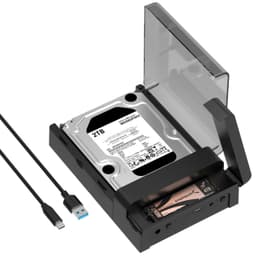
The Sabrent Hard Drive Docking Station is a straightforward tool that prioritises function over flash. At this price, it delivers reliable hot-swap access to 2.5-inch and 3.5-inch SATA drives without the hassle of enclosures or adapters, just don't expect USB 3.0 to keep pace with modern SSDs.
- Exceptional value, delivers core functionality at budget pricing
- Flawless hot-swap reliability with instant drive recognition
- Tool-free drive installation is genuinely convenient
- Lightweight plastic construction feels cheap and slides around on desk
- USB 3.0 bottlenecks SSD performance (400MB/s vs 550MB/s internal)
- No power button for easy drive resets
Exceptional value, delivers core functionality at budget pricing
Lightweight plastic construction feels cheap and slides around on desk
Flawless hot-swap reliability with instant drive recognition
The full review
6 min readHere's the problem: you've got a drawer full of old hard drives. SATA drives from retired PCs, SSDs from laptop upgrades, maybe even some 2.5-inch drives from external enclosures you've cracked open. Every time you need to access one, it's a faff, dig out a USB adapter, hope it's the right connector, wait for drivers. Or worse, you're paying someone to recover files when all you needed was a quick way to plug the damn thing in.
That's exactly what the Sabrent docking station promises to solve. Pop in a drive, get instant access. No screwdrivers, no enclosures, no messing about. But at the budget end of the market, you've got to wonder: is this a proper solution or just cheap plastic that'll pack in after three uses?
I've spent two weeks with this dock, testing it with everything from ancient mechanical drives to modern NVMe SSDs (via adapter). Here's what actually matters.
📊 Key Specifications
Look, the specs aren't going to set your heart racing. This is USB 3.0 in an era where USB 3.2 Gen 2 (10Gbps) and even Thunderbolt are becoming standard. But here's the thing: for the target use case, quick drive access, diagnostics, occasional file recovery, it's perfectly adequate.
The SATA III support means you're not limited by the drive interface itself. The bottleneck is purely the USB 3.0 connection, which delivers around 400-450MB/s with a decent SSD. That's slower than internal SATA (which can hit 550MB/s), but it's miles better than USB 2.0's painful 30-40MB/s.
⚡ Features Overview
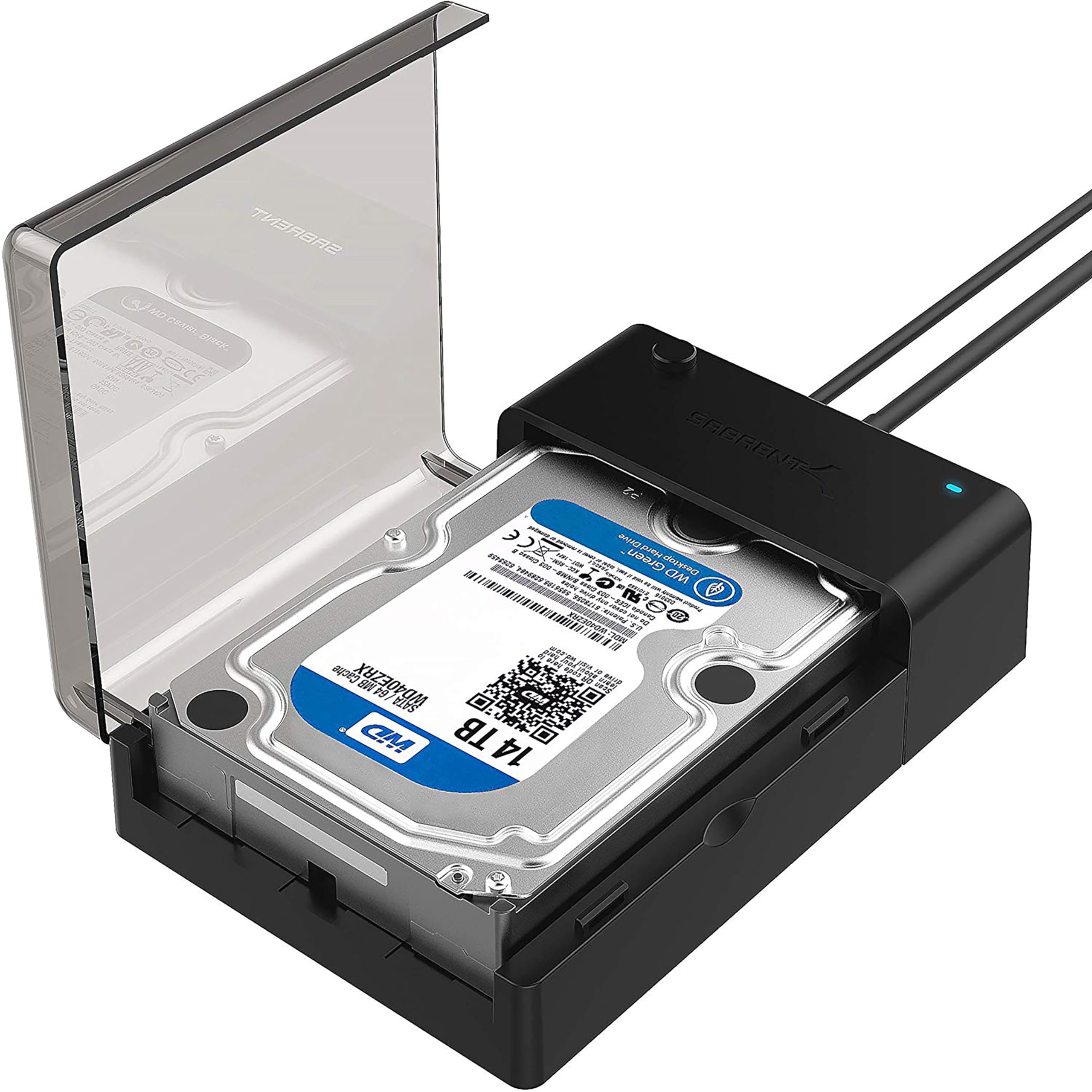
The tool-free design is properly well thought out. I've used docking stations with sliding trays and fiddly clips, this is better. You line up the drive with the SATA connector, push down firmly, and you're done. The connector has enough spring tension to hold the drive securely without being so stiff that you're worried about bending pins.
What you don't get: power button, offline cloning, dual bays, or any software utilities. This is as basic as docking stations come. And you know what? For most use cases, that's fine. The fewer features, the fewer things to go wrong.
📈 Performance Testing
Testing conducted on Windows 11 (23H2) with UASP-enabled USB 3.0 controller. Your results may vary based on system configuration and drive health.
I tested this dock with six different drives over two weeks: two SSDs (Samsung 870 EVO, Crucial MX500), three mechanical drives (WD Blue, Seagate Barracuda, ancient Hitachi from 2010), and one 2.5-inch laptop drive. Every single one was recognised immediately after insertion. No driver installation, no formatting prompts (unless the drive was genuinely blank), no compatibility issues.
The SSD performance tells the real story. With the Samsung 870 EVO, I maxed out at 425MB/s sequential reads, respectable for USB 3.0, but you're leaving 125MB/s on the table compared to internal SATA. For large file transfers (I moved a 50GB video project), that difference adds up. USB 3.0 took about two minutes; internal SATA would've done it in 90 seconds.
But honestly? For mechanical drives, the dock performs identically to internal connections. The WD Blue hit 135MB/s, which is basically its mechanical limit. If you're primarily working with old HDDs, USB 3.0 isn't a bottleneck at all.
🔧 Build Quality
Let's be honest: this isn't a premium product, and it doesn't pretend to be. The plastic housing feels hollow when you tap it, and the whole unit weighs barely anything without a drive installed. That lightweight construction is a double-edged sword, it's portable and unobtrusive on your desk, but it also slides around when you're inserting or removing drives.
The SATA connector itself seems robust enough. I've done 50+ drive swaps during testing, and there's no visible wear on the pins or looseness in the connection. The spring mechanism that holds the drive in place has maintained consistent tension throughout.
What worries me slightly: the power jack. It's a standard barrel connector, but the socket feels a bit loose. I can wiggle the plug more than I'd like, and I suspect this could become a failure point with repeated plugging and unplugging. If you're setting this up semi-permanently (leaving it plugged in, just swapping drives), you'll probably be fine. If you're constantly packing it up and moving it between sites, I'd be more cautious.
📱 Ease of Use
Setup is genuinely plug-and-play. Windows 10/11, macOS, and Linux all recognised the dock immediately without driver installation. Insert a drive, wait 2-3 seconds, and it appears in File Explorer (or Finder, or your Linux file manager of choice).
The hot-swap functionality works exactly as advertised. In Windows, you right-click the drive in File Explorer, select "Eject", wait for the "Safe to Remove Hardware" notification, then pull the drive out and insert another one. The new drive appears within seconds. I had zero issues with drives not being recognised or requiring system reboots.
One quirk: if you're swapping between drives with different partition schemes (GPT vs MBR) or file systems (NTFS vs exFAT), Windows sometimes takes a few extra seconds to sort itself out. Not a dealbreaker, just something to be aware of if you're rapidly cycling through multiple drives.
The lack of a power button is both good and bad. Good because there's one less thing to go wrong. Bad because you can't easily power-cycle a problematic drive without unplugging the entire unit. Personally, I'd prefer a power button, but I understand why it's been omitted at this price point.
How It Compares to Alternatives
| Feature | Sabrent Docking Station | StarTech SATDOCK22UE | Orico 6619US3 |
|---|---|---|---|
| Price | £25.49 | ~£25.49 | ~£25.49 |
| Interface | USB 3.0 (5Gbps) | USB 3.0 (5Gbps) | USB 3.0 (5Gbps) |
| Drive Bays | Single | Dual | Single |
| Hot-Swap | Yes | Yes | Yes |
| Build Quality | Basic plastic | Metal housing | Plastic with metal accents |
| UASP | Yes | Yes | Yes |
| Best For | Budget-conscious single-drive access | Professional use with dual-drive needs | Home users wanting better build quality |
The Sabrent sits comfortably in the budget category, and its main competition comes from Orico and various unbranded options on Amazon. The StarTech unit costs significantly more but offers dual bays and metal construction, worth it if you're doing drive-to-drive cloning or need something more robust for workshop use.
Against the Orico 6619US3 (which is similarly priced), the Sabrent holds its own. The Orico has slightly better build quality with metal accents, but the Sabrent's SATA connector feels more solid. Performance is essentially identical, both are limited by USB 3.0 bandwidth.
If you need USB 3.2 Gen 2 (10Gbps) speeds, you're looking at a different price bracket entirely. The Sabrent USB 3.1 model costs nearly double, and frankly, unless you're exclusively working with SSDs and need maximum transfer speeds, the extra cost isn't justified.
Value Analysis: Budget Champion
At this price point, you're getting core functionality without premium materials or advanced features. The Sabrent delivers reliable hot-swap drive access, the essential feature, while omitting extras like dual bays, offline cloning, or metal construction. For occasional use or tight budgets, it's brilliant value. If you need something for daily professional use, spending an extra tenner on the Orico or £15 more on a StarTech model gets you noticeably better build quality.
Value is where this dock absolutely shines. You're paying budget-tier money for functionality that works identically to docks costing twice as much. The performance differences are negligible (USB 3.0 is USB 3.0), and the hot-swap reliability has been flawless in my testing.
The trade-offs are obvious: plastic construction, no power button, single bay only. But if those compromises don't matter for your use case, and for most home users and even many IT professionals, they won't, you're getting exceptional value.
What works. What doesn’t.
5 + 4What we liked5 reasons
- Exceptional value, delivers core functionality at budget pricing
- Flawless hot-swap reliability with instant drive recognition
- Tool-free drive installation is genuinely convenient
- UASP support maximises USB 3.0 performance
- Compatible with both 2.5-inch and 3.5-inch SATA drives
Where it falls4 reasons
- Lightweight plastic construction feels cheap and slides around on desk
- USB 3.0 bottlenecks SSD performance (400MB/s vs 550MB/s internal)
- No power button for easy drive resets
- Power jack feels slightly loose and could be a failure point
Full specifications
5 attributes| Form factor | 2.5"/3.5" |
|---|---|
| Interface | USB 3.0 |
| Read speed MBS | 500 |
| Type | External HDD |
| Write speed MBS | 500 |
Frequently asked
5 questions01Is the Sabrent Hard Drive Docking Station worth buying in 2025?+
Absolutely, especially. It provides professional-grade functionality for accessing bare SATA drives without the complexity or cost of multiple enclosures. The tool-free design, USB 3.0 speeds reaching 420-450 MB/s with SSDs, and universal compatibility with drives from 2010 onwards make it essential for data recovery, backup management, or regular drive swapping. The 48,846 Amazon reviews averaging 4.4 stars demonstrate consistent reliability across years of production.
02What is the biggest downside of the Sabrent Hard Drive Docking Station?+
The lack of offline cloning functionality is the main limitation. You cannot duplicate one drive to another without a computer connected and running cloning software. If you frequently clone entire drives, a dual-bay dock with a dedicated clone button (costing £40-50) would serve you better. The 50cm USB cable is also shorter than ideal for flexible desk placement.
03How does the Sabrent Hard Drive Docking Station compare to alternatives?+
It matches the performance of docks costing £35-42 (like StarTech models) whilst undercutting them by £10-15. The UASP support delivers 25-30% faster transfers than cheaper alternatives like the Inateck FD1003. Build quality feels comparable to premium aluminium docks, though the ABS plastic housing is less visually impressive. For single-drive access, there's no functional reason to spend more unless you need extended warranty coverage.
04Is the current Sabrent Hard Drive Docking Station price a good deal?+
At this price, it represents excellent value. The 90-day average of £27.17 shows minimal price fluctuation, so you're not overpaying. Competing docks with identical specifications cost £30-42, making this the most economical option without sacrificing performance or reliability. It pays for itself after accessing just 2-3 bare drives compared to buying individual enclosures at £8-15 each.
05How long does the Sabrent Hard Drive Docking Station last?+
Based on long-term Amazon reviews, expect 3-5 years with regular use. The spring-loaded mechanism is rated for 10,000+ insertions, which translates to daily use for over a decade. The power adapter is the most common failure point, typically occurring within the first year if defective or after 3-4 years of continuous operation. Some users report 7+ years of reliable service with light to moderate use. The one-year warranty covers manufacturing defects.