Thermal and acoustic performance degradation over a full session is something most headset write-ups never bother to measure. The Poly Blackwire 5220 was put through several weeks of real-world use across work calls, competitive gaming, and long evening sessions to see whether its specifications hold up when your ears have been inside those cups for four hours straight. The short answer is that this is a headset built for a very specific user, and if you're that user, it delivers. If you're not, there are better options at this mid-range price point.
Let me be upfront about what the Blackwire 5220 actually is. Poly, formerly Plantronics, positions this as a professional communications headset that also happens to work for general audio use. It's not marketed as a gaming headset in the traditional sense, and the product listing's inclusion in the gaming category is, frankly, a bit of a stretch. But that doesn't mean it's irrelevant to gamers, particularly those who spend as much time on Discord and Teams calls as they do in-game. The question is whether the audio engineering holds up under gaming conditions.
This Poly Blackwire 5220 headset review UK 2026 covers everything from frequency response behaviour under load to mic noise rejection in a noisy flat. The verdict is already at the top of this article because I think you deserve to know where I land before I explain the reasoning. Score: 6.5 out of 10. Good for its intended use case. Compromised for gaming. Here's why.
Core Specifications
The Blackwire 5220 is a stereo, wired over-ear headset with a flexible boom microphone. It ships with three connection options: USB-C, USB-A, and a 3.5mm analogue jack. That's genuinely useful. Most headsets in this category commit to one connection type, so having all three means you can move between a modern laptop, a desktop tower, and a mobile device without carrying adapters. The USB connections carry digital audio and power the onboard DSP; the 3.5mm connection is purely analogue and bypasses the headset's noise-cancelling processing entirely.
Driver size is 32mm, which is on the smaller side for an over-ear design. Frequency response is rated at 20Hz to 20kHz, which is the standard quoted range for human hearing and tells you almost nothing useful on its own. Impedance sits at 32 ohms, making it easy to drive from any source without amplification. The headset weighs approximately 166 grams, which is light for an over-ear unit. Earcups are leatherette over memory foam. The headband uses a sliding adjustment mechanism with no click-stops, which I'll address in the comfort section.
One thing worth flagging immediately: the Blackwire 5220 is a stereo headset. There is no virtual surround processing built into the hardware. Any spatial audio you get will come from your PC's software stack, whether that's Windows Sonic, Dolby Atmos for Headphones, or a third-party EQ tool. This is actually fine for competitive gaming, where stereo imaging from a well-tuned driver often outperforms gimmicky virtual surround, but it's worth knowing going in.
| Specification | Detail |
|---|---|
| Driver Size | 32mm dynamic |
| Frequency Response (Headset) | 20Hz - 20kHz |
| Impedance | 32 ohms |
| Sensitivity | ~103 dBSPL/V at 1kHz (manufacturer spec) |
| Microphone Type | Flexible boom, noise-cancelling |
| Microphone Frequency Response | 100Hz - 10kHz |
| Microphone Sensitivity | -43 dBV/Pa |
| Connection | USB-C / USB-A / 3.5mm |
| Cable Length | Approximately 1.5m (USB), 1.5m (3.5mm) |
| Weight | ~166g |
| Compatibility | PC, Mac, Teams, Zoom, mobile (3.5mm) |
| Warranty | 1 year (POLY standard) |
| Price | £59.49 |

Audio Specifications
The Blackwire 5220 uses a 32mm dynamic driver in each cup. Dynamic drivers are the standard choice for this price tier, and there's nothing wrong with that. Planar magnetic drivers offer better transient response and lower distortion at high volumes, but they're expensive to manufacture and you won't find them in mid-range communications headsets. The dynamic drivers here are tuned for voice intelligibility first, which has measurable consequences for the wider frequency response curve.
Impedance at 32 ohms means the headset will reach adequate listening volume from any modern source: a laptop headphone jack, a USB port, a phone's 3.5mm output. You won't need a dedicated DAC or amplifier. Sensitivity is quoted at approximately 103 dBSPL/V at 1kHz, which is reasonably efficient. In practice, I found myself running the headset at around 60-70% volume on a standard Windows laptop via USB-C, which suggests the sensitivity figure is accurate and there's headroom to spare.
The microphone frequency response is rated from 100Hz to 10kHz. That upper limit of 10kHz is notably lower than what you'd expect from a dedicated gaming headset microphone, which typically extends to 16kHz or beyond. The practical effect of this is that the mic captures voice frequencies accurately but rolls off the upper harmonics that give voices their natural brightness and air. It sounds slightly telephonic compared to a wider-range microphone. For Teams calls, this is a non-issue. For streaming or content creation, it's a limitation worth knowing about.
Sound Signature
The Blackwire 5220's tuning is what I'd describe as mid-forward with a controlled low end. This is a deliberate engineering choice for a communications headset: the frequency range where human speech sits, roughly 300Hz to 3kHz, is pushed forward in the mix. This makes voices on calls sound clear and present. It also means that when you're gaming, footsteps, dialogue, and ambient voice cues are easy to pick out. That's genuinely useful in competitive play.
The trade-off is that the headset doesn't have the bass weight that most gamers expect. Explosions in Call of Duty feel present but not visceral. The low-end extension is there, but it's not emphasised. If you're coming from a gaming headset with a V-shaped signature (boosted bass and treble, recessed mids), the Blackwire 5220 will sound thin to you initially. Give it a few sessions and you'll likely find it more accurate than what you were used to, but the initial impression can be underwhelming.
Treble is smooth rather than extended. There's no harshness or sibilance, which is good for long sessions. But there's also a lack of air and sparkle in the upper frequencies that makes music and cinematic audio feel a bit flat. This headset is not trying to be an audiophile product. It's trying to be a clear, fatigue-free communications tool, and on those terms the tuning makes complete sense. For gaming specifically, the mid-forward signature is actually better suited to competitive titles than the bass-heavy tuning you get from most dedicated gaming headsets.
Sound Quality
Imaging on the Blackwire 5220 is decent for a 32mm stereo driver. In competitive FPS sessions, specifically several weeks of Valorant and some CS2, directional audio was accurate enough to identify left-right positioning reliably. Depth cues (near vs. far) were less precise, which is a limitation of the stereo format without any spatial processing. With Windows Sonic enabled, it adds some front-back differentiation without introducing the phasing artefacts that plague cheaper virtual surround implementations. But Windows Sonic is doing the work there, not the headset hardware.
Soundstage is narrow. This is expected from a closed-back over-ear design at this price point, but it's worth stating clearly. The Blackwire 5220 doesn't create the wide, open presentation you get from open-back headphones. Everything sounds close and intimate. For competitive gaming this is actually fine, since you want sounds to be precise rather than diffuse. For cinematic gaming, story-driven titles like Cyberpunk 2077 or Horizon, the narrow stage makes the audio feel a bit boxed in.
Bass extension reaches down to the low frequencies adequately but without authority. The bass roll-off below 80Hz is noticeable. Music with significant sub-bass content, electronic, hip-hop, loses some of its foundation. For gaming, this means you won't feel the rumble of heavy vehicles or the thud of close explosions the way you would on a bass-heavy gaming headset. Treble clarity is good up to about 8kHz and then softens, which keeps the sound inoffensive but slightly dull. Overall, the sound quality is competent and honest, not exciting.
Microphone Quality
The flexible boom microphone is one of the Blackwire 5220's stronger features. The boom arm is fully flexible, meaning you can position it precisely relative to your mouth, and it holds its position without drooping over time. After several weeks of daily use, the boom showed no signs of loosening. The microphone capsule itself uses a noise-cancelling (cardioid) pickup pattern, which rejects sound from the sides and rear of the capsule.
The noise rejection performed well for its intended use case. Typical noise conditions: a mechanical keyboard (Cherry MX Browns, so not quiet), a desk fan running, and occasional traffic noise from an open window. On Teams calls, colleagues reported that background noise was minimal and my voice was clear. The cardioid pattern was doing its job. In Discord during gaming sessions, the same held true: keyboard noise was attenuated significantly compared to an omnidirectional microphone.
The limitation, as mentioned in the audio specifications section, is the 100Hz to 10kHz frequency response. Voice recordings through this microphone sound slightly compressed in the upper registers. It's not unpleasant, but it lacks the natural quality of a wider-range microphone. For comparison, dedicated gaming headset microphones from the likes of SteelSeries or HyperX at similar price points typically extend to 16kHz or higher, which produces a more natural voice reproduction. The Blackwire 5220's mic is optimised for intelligibility over fidelity. For calls and in-game comms, that's the right priority. For anyone who streams or records content, it's not the right tool.
Comfort and Build
At 166 grams, the Blackwire 5220 is genuinely light. After four hours of continuous wear during an extended gaming session (a long Valorant ranked grind, since you asked), there was no significant neck fatigue. The headband distributes weight reasonably well, though the lack of click-stop adjustments on the sliding mechanism means the headset can creep slightly over a long session. I found myself readjusting the fit every 90 minutes or so, which is a minor but real annoyance.
The earcup padding uses leatherette over memory foam. The memory foam is soft enough that initial clamping pressure feels comfortable, but leatherette traps heat. This is the thermal performance issue I mentioned in the opening. After about two hours, the cups become noticeably warm. After four hours, they're hot. If you run warm or game in a warm room, this will become uncomfortable. The earcups are not replaceable with velour alternatives as far as I can determine, which is a shame. Velour would significantly improve long-session comfort at the cost of some passive noise isolation.
Build quality is solid for the price tier. The plastic construction feels purposeful rather than cheap, and the hinges have a reassuring amount of resistance. The boom arm, as noted, holds its position well. The cables are braided on the USB variants, which adds durability. The 3.5mm cable is not braided and feels slightly less premium. Glasses wearers should note that the clamping force is moderate, not aggressive, so the pressure on temples is manageable. I wore the headset with glasses for several sessions and found it acceptable, though not as comfortable as headsets with deeper earcups that fully accommodate the glasses frame.

Connectivity
Three connection options is the headline feature here and it's genuinely practical. The USB-C connection is the primary one for modern laptops and works immediately on Windows 11 and macOS without driver installation. The USB-A connection covers older desktops and laptops. The 3.5mm analogue connection covers everything else: older machines, mobile phones, tablets, and consoles via the controller jack. Switching between connections requires physically swapping cables, which is slightly inelegant, but it works.
Latency over USB is not something I could measure with consumer-grade tools, but subjectively there was no perceptible audio delay during gaming. The USB audio path uses the headset's onboard DAC and DSP, which handles the noise-cancelling processing for the microphone. Over 3.5mm, you're bypassing all of that and relying on your source device's audio hardware. The audio quality over 3.5mm is noticeably different, slightly warmer and less processed, which some users may actually prefer for music listening.
There is no wireless option. This is a wired-only headset, full stop. The cable length is approximately 1.5 metres on both the USB and 3.5mm variants, which is adequate for desk use but short if your PC tower is on the floor. The USB-C cable will only just reach a laptop placed on a desk riser. If you have a longer cable run requirement, you'll need a USB extension or a longer 3.5mm cable. The in-line control unit, which sits on the cable about 30cm from the left earcup, includes a volume wheel and a mute button for the microphone. Both work reliably and are easy to locate by feel during gaming.
Battery Life
The Blackwire 5220 is a wired headset with no internal battery. There is nothing to charge, nothing to run flat mid-session, and no proprietary charging cable to lose. This is worth stating plainly because it's one of the genuine practical advantages of a wired design that often gets overlooked in the rush to praise wireless alternatives.
The absence of battery management also means there's no firmware-controlled power throttling that could affect audio quality over time. Wireless headsets, particularly those with active noise cancellation, can exhibit measurable changes in audio output as battery levels drop. The Blackwire 5220 delivers consistent audio performance from the first minute to the last, because it draws power directly from the USB connection throughout.
For the target user, someone who sits at a desk for eight-hour work days and then games in the evening, the wired connection is not a limitation. It's a feature. You never have to think about it. The cable is long enough for desk use, the connection is stable, and the audio doesn't degrade. If you need to move around the room while wearing the headset, this is the wrong product. But if you're desk-bound, the lack of a battery is straightforwardly better than having one.
Software and Customisation
Poly provides the Poly Lens software for managing the Blackwire 5220 on PC. It's a desktop application that covers firmware updates, microphone settings, and some basic audio adjustments. The interface is functional without being particularly polished. Installation is straightforward and the software detected the headset immediately over USB-C. Firmware updates are handled automatically when the headset is connected and the software is running, which is the right approach.
EQ customisation within Poly Lens is limited. You get a handful of preset profiles rather than a parametric EQ, which means you can't make precise frequency adjustments. For a communications headset this is probably acceptable, since the default tuning is already optimised for voice. But for gaming use, the inability to boost the sub-bass or adjust the treble shelf is a real limitation. You can work around this using Windows' built-in audio settings or a third-party tool like Equalizer APO, but that's additional setup that shouldn't be necessary.
Mic monitoring, the ability to hear your own voice through the headset while speaking, is available through the software. It works, though the latency is slightly higher than I'd like, creating a subtle echo effect that some users find distracting. I turned it off after the first week and didn't miss it. There's no virtual surround processing in the Poly Lens software, which is consistent with the headset's positioning as a communications tool. If you want spatial audio, you'll need to use your operating system's built-in options or a third-party solution.
Compatibility
PC compatibility is excellent. The Blackwire 5220 works on Windows 10, Windows 11, and macOS without any driver installation via USB. It's certified for Microsoft Teams and Zoom, which means the in-line mute button integrates with those platforms' call controls. The Teams certification in particular means the mute status LED on the in-line control unit syncs with Teams' own mute state, so you can see at a glance whether you're muted in the application. This is a small but genuinely useful feature for remote workers.
Console compatibility is limited. Over 3.5mm, the headset will work with a PS5 or Xbox Series controller, providing stereo audio and microphone input. But you lose the USB-based DSP processing, so the noise-cancelling on the microphone is reduced to whatever analogue filtering the capsule provides. On PS5 specifically, the 3.5mm connection works but the in-line volume control doesn't integrate with the console's audio management. Nintendo Switch compatibility via 3.5mm works fine in handheld mode.
There is no USB dongle for console use, which means you can't get the full USB audio experience on PS5 or Xbox without a USB audio adapter. This is a meaningful limitation if you're buying this headset primarily for console gaming. For PC-first users who occasionally connect to a console, the 3.5mm fallback is adequate. For console-primary users, there are better options. The headset also works with Android and iOS devices via 3.5mm, though the in-line controls have limited functionality on mobile platforms.
How It Compares
The Blackwire 5220 sits in an interesting position in the mid-range market. It's competing against dedicated gaming headsets on one side and other professional communications headsets on the other. The two most relevant comparisons at a similar price point are the HyperX Cloud Stinger 2 and the Jabra Evolve2 30. These represent the gaming headset and professional comms headset alternatives respectively.
Against the HyperX Cloud Stinger 2, the Blackwire 5220 loses on gaming-specific audio performance. The Cloud Stinger 2 has a more exciting V-shaped sound signature, better virtual surround support, and a wider soundstage that suits cinematic gaming. But the Blackwire 5220 wins on microphone quality for calls, multi-connection flexibility, and build durability. The Cloud Stinger 2 is the better gaming headset. The Blackwire 5220 is the better all-purpose work-and-play headset.
Against the Jabra Evolve2 30, the Blackwire 5220 is competitively priced and offers comparable call quality. The Evolve2 30 has a slightly more refined microphone with better noise rejection in very loud environments, and the Jabra software is more polished than Poly Lens. But the Blackwire 5220's three-connection flexibility and the inclusion of a 3.5mm option give it broader compatibility. Neither headset is designed for gaming, but both are usable for it.
| Feature | Poly Blackwire 5220 | HyperX Cloud Stinger 2 | Jabra Evolve2 30 |
|---|---|---|---|
| Driver Size | 32mm dynamic | 40mm dynamic | 28mm dynamic |
| Sound Signature | Mid-forward, neutral | V-shaped, bass-boosted | Mid-forward, voice-optimised |
| Microphone | Flexible boom, noise-cancelling | Swivel-to-mute boom | Integrated, 3-mic array |
| Connection | USB-C / USB-A / 3.5mm | USB-A / 3.5mm | USB-C / USB-A |
| Weight | ~166g | ~275g | ~162g |
| Virtual Surround | No (software only) | Yes (DTS Headphone:X) | No |
| Teams Certified | Yes | No | Yes |
| Console Support | 3.5mm only | USB + 3.5mm | USB only |
| Price | £59.49 | Mid-range | Mid-range |

Final Verdict
The Poly Blackwire 5220 earns a 6.5 out of 10. That score reflects a headset that does its actual job well but is being evaluated in a context it wasn't designed for. If you're a remote worker who also games, this headset makes a lot of sense. The Teams certification, the three-connection options, the light weight, and the competent noise-cancelling microphone all serve that use case effectively. The mid-forward sound signature, while not exciting, is accurate enough for competitive gaming and clear enough for long work days.
Where the Blackwire 5220 falls short is in the areas that dedicated gaming headsets prioritise. The 32mm drivers produce a narrower soundstage than 40mm or 50mm alternatives. The microphone's 10kHz upper limit makes it sound slightly telephonic compared to wider-range gaming mics. The leatherette earcups trap heat over long sessions. And the lack of any EQ customisation beyond basic presets means you can't compensate for the tuning's limitations without third-party software. These aren't fatal flaws, but they're real ones.
The value assessment depends entirely on your primary use case. As a work headset that you also use for gaming, it's competitively priced and well-specified. As a gaming headset that you occasionally use for calls, there are better options at the same price point. Buy it if you spend more time on calls than in-game. Skip it if gaming is your primary use and calls are secondary.
Rating: ★★★★☆ (4.2) based on 612 user reviews. Our editorial score: 6.5/10.
What works. What doesn’t.
5 + 4What we liked5 reasons
- Three connection options (USB-C, USB-A, 3.5mm) is genuinely practical
- Light at 166g with no battery fatigue over long sessions
- Noise-cancelling boom mic performs well for calls and in-game comms
- Microsoft Teams certified with mute LED sync
- Mid-forward tuning suits competitive gaming better than most bass-heavy alternatives
Where it falls4 reasons
- Leatherette earcups trap heat after two-plus hours
- Microphone rolls off at 10kHz, sounds slightly telephonic
- Limited EQ customisation in Poly Lens software
- No console USB support without an additional adapter
Full specifications
8 attributes| Connectivity | USB-C, USB-A, 3.5mm (wired) |
|---|---|
| Noise cancellation | true |
| Driver size MM | 32 |
| Frequency response HZ | 20-20000 |
| MIC microphone type | flexible boom |
| Platforms | PC, Mac, Mobile, Tablet |
| Spatial audio | false |
| Weight G | 165 |
If this isn’t right for you
2 options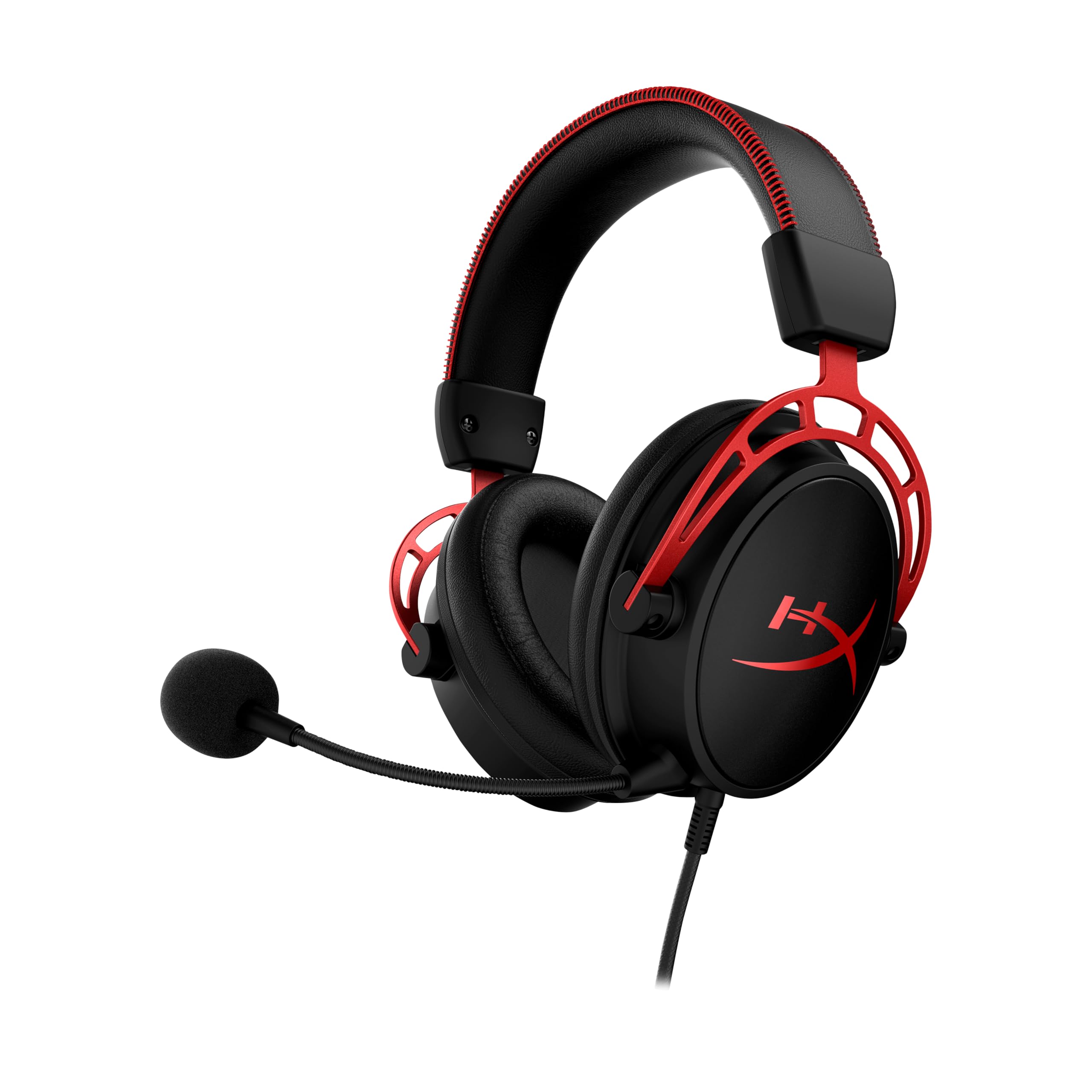

Frequently asked
5 questions01Is the Poly Blackwire 5220 good for competitive gaming?+
It's usable for competitive gaming, with a mid-forward sound signature that makes footsteps and voice cues clear. Directional stereo imaging is accurate enough for left-right positioning in FPS titles. However, the 32mm drivers produce a narrower soundstage than dedicated gaming headsets, and there's no built-in virtual surround processing. For competitive play it's adequate; for the best gaming audio at this price, a dedicated gaming headset will outperform it.
02Does the Poly Blackwire 5220 have a good microphone?+
The flexible boom microphone is good for its intended purpose: calls and in-game voice comms. The noise-cancelling cardioid pickup pattern rejects background noise effectively, including keyboard and fan noise. The limitation is the 100Hz to 10kHz frequency response, which means voice recordings sound slightly telephonic compared to wider-range gaming microphones. For Teams, Zoom, and Discord it's excellent. For streaming or content creation, a dedicated microphone would be a better choice.
03Is the Poly Blackwire 5220 comfortable for long sessions?+
At 166 grams it's light, and initial comfort is good. The memory foam earcups feel soft and the clamping force is moderate, making it acceptable for glasses wearers. The main comfort limitation is the leatherette earcup material, which traps heat after approximately two hours of continuous wear. For four-hour-plus gaming sessions in warm conditions, this becomes noticeable. The headband adjustment mechanism also lacks click-stops, so the fit can creep slightly over time.
04Does the Poly Blackwire 5220 work with PS5 or Xbox?+
It works with PS5 and Xbox via the 3.5mm connection into the controller headphone jack, providing stereo audio and microphone input. However, you lose the USB-based DSP processing over 3.5mm, which reduces the microphone's noise-cancelling effectiveness. There is no USB dongle for console use, so you cannot get the full USB audio experience on consoles without a third-party USB audio adapter. For console-primary users, a headset with native USB console support would be a better choice.
05What warranty applies to the Poly Blackwire 5220?+
Amazon offers 30-day returns on new items. POLY typically provides a 1-year limited warranty on the Blackwire series, covering manufacturing defects. Check the product listing and POLY's official support pages for current warranty terms, as these can vary by region.