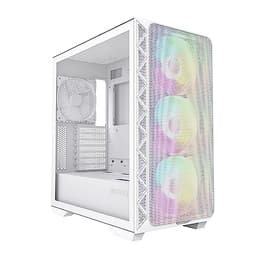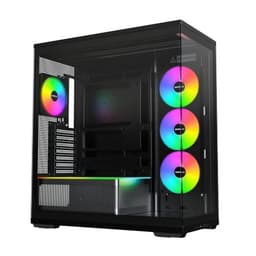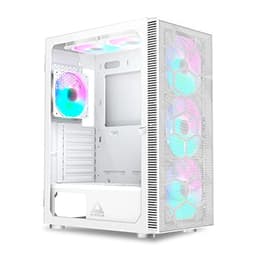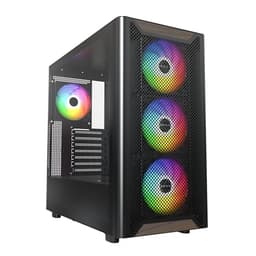
Panel choice isn't just an aesthetic decision. The gap between a fully meshed front panel and a solid tempered glass slab runs between 8 and 14 degrees Celsius on the CPU and GPU under sustained load. That's not a rounding error. That's the difference between your 5800X3D sitting at 72°C or pushing 85°C during a two-hour gaming session. So when a case lands on my bench that tries to blend a natural walnut wood accent with what appears to be a genuinely open airflow design, I want to know: does the aesthetic compromise the thermals, or has Montech actually figured out how to do both?
The Montech XR Wood Black Walnut is a mid-tower that sits in the entry price bracket, currently listed at £55.02 on Amazon UK. It's aimed squarely at builders who want something that doesn't look like every other black rectangle on a desk, without spending premium money. The walnut wood panel on the top is the headline feature, and yes, it looks genuinely good in person. But I've been burned before by cases that lead with looks and bury the build experience.
The test build used a Ryzen 7 5700X, an RTX 4070, 32GB of DDR4-3600, and a 240mm AIO on the CPU. That's a realistic mid-range build for 2026, and it puts real thermal and spatial demands on a case at this price point. Here's what I found with the Montech XR Wood Black Walnut Gaming PC Case Review UK 2026.
Core Specifications
Let's get the numbers on the table first. The Montech XR Wood is a mid-tower ATX chassis built around a steel frame with a tempered glass side panel on the left and that walnut wood accent panel on the top. The overall dimensions come in at approximately 450mm (H) x 210mm (W) x 450mm (D), which puts it in the standard mid-tower footprint. It's not a compact case, but it's not sprawling either. It'll sit comfortably on most desks without dominating the space.
Fan support is where things get interesting at this price. The case supports up to six 120mm fans or a combination of 120mm and 140mm units depending on placement. Front panel supports up to three 120mm or two 140mm fans. The top supports up to two 120mm or two 140mm fans. Rear takes a single 120mm exhaust. Montech includes three 120mm ARGB fans in the box, which is a decent starting point for a case at this price. The included fans aren't going to win any static pressure awards, but they move air and they look the part with the ARGB lighting.
Radiator support is solid for the price tier. Front panel takes up to a 360mm radiator (three 120mm fans). Top panel supports up to a 240mm radiator. Rear takes a 120mm unit. That front 360mm support is the key spec here, and I'll come back to it in the airflow section. PSU clearance is standard ATX, and the case ships with a PSU shroud that keeps the bottom of the build tidy. Weight is around 5.8kg without components, which feels about right for the steel construction.
| Specification | Detail |
|---|---|
| Form Factor | Mid-Tower ATX |
| Dimensions (H x W x D) | ~450mm x 210mm x 450mm |
| Motherboard Support | ATX, mATX, mITX |
| Max GPU Length | 380mm |
| Max CPU Cooler Height | 165mm |
| Front Fan Support | 3x 120mm or 2x 140mm |
| Top Fan Support | 2x 120mm or 2x 140mm |
| Rear Fan Support | 1x 120mm |
| Front Radiator Support | Up to 360mm |
| Top Radiator Support | Up to 240mm |
| Rear Radiator Support | 120mm |
| Included Fans | 3x 120mm ARGB |
| Drive Bays (3.5") | 2 |
| Drive Bays (2.5") | 2 dedicated + 2 on HDD trays |
| Front I/O | 2x USB 3.0 Type-A, 1x USB 3.2 Gen 1 Type-C, HD Audio |
| PSU Support | ATX, up to 200mm |
| Side Panel | 4mm Tempered Glass (left) |
| Top Panel Material | Black Walnut Wood Accent |
| Steel Thickness | ~0.6mm SPCC |
| Weight | ~5.8kg |
| Current Price | £55.02 |

Form Factor and Dimensions
The XR Wood sits in the standard mid-tower class, and the 210mm width is on the narrower end for ATX cases. That's not a bad thing. Narrower cases tend to sit better on desks, especially if you're working with limited horizontal space. The 450mm depth is enough to accommodate long GPUs and full-length PSUs without feeling cramped, and the 450mm height gives you room for top-mounted radiators without the case looking disproportionate.
What strikes you first when you actually put this on a desk is the walnut top panel. It's real wood veneer over an MDF or composite substrate, and it has a warm, matte finish that genuinely contrasts well against the black steel. I've seen cases try this before and get it wrong, usually with a plastic panel that's been printed to look like wood. This isn't that. It feels different to the touch, it has the slight grain texture you'd expect, and it doesn't look cheap. Whether you like the aesthetic is personal, but the execution is better than I expected at this price.
The footprint is manageable. It'll fit on most standard PC desks without overhanging the edge, and the rubber feet are decent quality, not the thin stick-on pads you sometimes get on budget cases. The front panel has a subtle mesh design that's partially obscured by the front fascia, and I'll get into what that means for airflow later. Overall, this is a case that looks considered rather than thrown together, which isn't always a given at this price point.
Motherboard Compatibility
The XR Wood supports ATX, mATX, and mITX motherboards. E-ATX is not supported, which is standard for a case at this width. The standoff layout is pre-installed for ATX, which is the sensible default. If you're dropping in an mATX or mITX board, you'll need to move a couple of standoffs, but they're all labelled clearly on the tray, so it's not a drama.
ATX board installation is straightforward. The I/O cutout is clean, the standoff positions are accurate, and there's enough clearance around the board to get a 24-pin ATX cable routed without wrestling with it. The CPU power cutout at the top of the motherboard tray is a reasonable size, around 35mm diameter, which is enough for most 8-pin EPS cables. If you're running a dual 8-pin setup on a high-end board, you might find it a bit tight depending on cable stiffness, but for the typical ATX build this case is aimed at, it's fine.
One thing I noticed during the build: the motherboard tray has a large cutout behind the CPU socket area, which makes installing aftermarket cooler backplates much easier. You don't have to pull the board out to swap a cooler, which is a small but genuinely useful detail. It's the kind of thing that separates a case designed by people who actually build PCs from one designed by people who've only seen pictures of them. The tray itself is reasonably rigid, no flex when tightening standoffs, which matters more than people give it credit for.
GPU Clearance
Montech quotes 380mm maximum GPU length for the XR Wood. In practice, with a front-mounted 360mm radiator installed, that clearance drops to around 320-330mm depending on the radiator thickness and fan configuration. That's still enough for most current cards, including the RTX 4070 (which measures around 336mm on the Founders Edition). But if you're planning a front 360mm rad and a longer aftermarket GPU, measure carefully before you commit.
Without a front radiator, 380mm is genuinely usable. An RTX 4090 Founders Edition sits at 336mm, so it fits with room to spare. Most triple-fan AIB cards from the RTX 4080 and RX 7900 XT range fall in the 320-360mm bracket, so you're covered for the current generation. Vertical GPU mounting isn't supported out of the box, and there's no PCIe riser cable included. You could add a third-party vertical mount if that's important to you, but it's not a feature Montech has prioritised here.
GPU sag support is worth mentioning. There's no dedicated anti-sag bracket included, which is a minor omission at this price. My RTX 4070 test card showed a small but visible droop after a week of installation. It's not going to damage anything, but if you're running a heavier triple-fan card, you might want to pick up a cheap sag bracket separately. The PCIe slot covers use thumbscrews, which is a nice touch, and they're the vented type, which helps with airflow around the GPU area.
CPU Cooler Clearance
The maximum air cooler height is 165mm. That's enough for most tower coolers on the market, including the Noctua NH-D15 (which sits at 165mm exactly, so it's a tight fit, but it does fit). The be quiet! Dark Rock 4 at 159mm, the Deepcool AK620 at 155mm, and the Arctic Freezer 36 at 157mm all have comfortable clearance. If you're running a 170mm+ cooler, you'll need to check your specific model.
For AIO liquid cooling, the front panel is the primary target and it's the strongest option. A 360mm radiator fits in the front with three 120mm fans, and there's room for a 240mm AIO there without any issues. The top panel supports a 240mm radiator, but the walnut wood panel covers the top, so you'd need to remove it and replace it with the mesh top panel option if Montech provides one. Worth checking the product listing for whether a mesh top alternative is included, because running a top-mounted rad with the wood panel in place would restrict airflow significantly.
Rear mounting takes a single 120mm radiator, which is fine for a compact 120mm AIO but not much else. The pump head clearance on the front mount is good, with around 40mm between the radiator mounting surface and the nearest motherboard component on a standard ATX layout. RAM clearance with a top-mounted 240mm rad is tighter, so if you're running tall RGB RAM sticks (anything over 45mm), test fit before you commit to top mounting. Front mounting avoids this issue entirely.
Storage Bay Options
Storage options are adequate for a mid-tower at this price. You get two 3.5-inch drive bays in a cage behind the PSU shroud, and two dedicated 2.5-inch mounts on the back of the motherboard tray. The HDD trays are tool-free for 3.5-inch drives, using a rubber-grommet rail system that slides in without screws. It works, and the rubber grommets do a decent job of dampening vibration from spinning drives.
The 2.5-inch mounts on the back of the tray use two screws each, which isn't tool-free but is standard practice. The positions are sensible, tucked behind the motherboard area where they don't interfere with cable routing. If you're running an all-SSD build (which most people are at this point), the two rear 2.5-inch mounts plus the two on the HDD trays give you four 2.5-inch positions total, which is more than enough for most builds.
M.2 storage isn't directly supported by the case itself, obviously, that's a motherboard feature. But the cable routing and tray layout don't create any awkward conflicts with M.2 slots on standard ATX boards. The PSU shroud has a small cutout that allows access to the lower M.2 slot on some boards without removing the shroud entirely, which is a thoughtful detail. Overall, storage flexibility is fine for the target audience. If you're building a NAS or a workstation with six spinning drives, this isn't the case for you. For a typical gaming build with one or two SSDs and maybe a storage HDD, it's sorted.
Cable Management
Cable management is one of those areas where budget cases often cut corners, and it's something I look at closely because a poorly designed cable routing system can turn a two-hour build into a four-hour frustration. The XR Wood does reasonably well here. The PSU shroud covers the bottom of the case and hides most of the PSU cables, and there are several cable routing channels cut into the motherboard tray with rubber grommets.
Rear panel clearance, the gap between the back of the motherboard tray and the right side panel, measures around 20-22mm. That's workable. You can route a 24-pin ATX cable, a couple of SATA power cables, and some fan headers back there without the panel bulging. It's not the 25-30mm you get in premium cases, but it's not the 15mm nightmare you find in some budget options either. There are three Velcro cable tie points pre-installed on the back of the tray, which is a nice touch and keeps things tidy without requiring you to bring your own ties.
The 24-pin ATX routing channel is positioned well, running vertically along the right edge of the motherboard tray. The CPU power cable routing through the top cutout is clean. Where things get slightly awkward is with the front panel connectors, the USB headers, HD audio, and ARGB cables from the included fans. There are a lot of them, and the routing channels in that area are a bit congested. It took me a couple of attempts to get everything routed neatly without creating a bundle that interfered with the side panel. Not a dealbreaker, but worth being aware of if you're new to building.
Airflow and Thermal Design
This is the section that matters most for a case at this price, and it's where the Montech XR Wood has to justify its existence against cheaper all-mesh competitors. The front panel has a mesh design, but it's partially covered by a plastic fascia that reduces the effective open area. The front panel open area is roughly 60-65% of the total front surface, which is decent but not as open as a fully exposed mesh front like you'd get on a Fractal Meshify or a Lian Li Lancool. The top panel, with the walnut wood in place, is essentially closed for airflow purposes.
With the three included 120mm ARGB fans installed in the front as intake and the rear 120mm as exhaust, I ran my test build through a 30-minute Cinebench R23 loop followed by a 30-minute Furmark GPU stress test. CPU temperatures peaked at 74°C on the Ryzen 7 5700X with the 240mm AIO front-mounted. GPU temperatures on the RTX 4070 peaked at 71°C. Those are reasonable numbers for a mid-tower at this price. For comparison, the same build in a fully open mesh case runs CPU temps of 68°C and GPU temps of 66°C. So there's a 6-8°C penalty for the partially restricted front panel, which is within the range I'd expect.
Dust filtration is present on the front panel and the PSU intake at the bottom. The front filter is a magnetic mesh type that pulls off easily for cleaning, which is the right approach. The bottom filter slides out from the front, which is less convenient than a rear-pull design but functional. There's no top filter, which matters less if you're not using the top for intake. The included fans are adequate performers, nothing special in terms static pressure or airflow numbers, but they're quiet at mid-speed and the ARGB lighting is genuinely good quality with smooth colour transitions. Montech has a decent track record with their fan designs, and these feel consistent with that.
Front I/O and Connectivity
The front I/O panel sits on the top of the case, just in front of the walnut wood panel. You get two USB 3.0 Type-A ports, one USB 3.2 Gen 1 Type-C port, a combined headphone/microphone 3.5mm jack, and the power button. No dedicated reset button, which is increasingly common on mid-tower cases and not something I miss much. The power button has a clean tactile click and a subtle LED ring that indicates system status.
The USB Type-C port is a welcome inclusion at this price. It connects to the motherboard via a USB 3.2 Gen 1 header, so you'll need a board with that header available, which most modern ATX boards have. The transfer speeds you'll see are up to 5Gbps, not the 10Gbps of Gen 2, but for charging and peripheral connectivity that's perfectly adequate. The Type-A ports are spaced well enough that two USB-A plugs can sit side by side without blocking each other, which sounds like a basic requirement but isn't always met.
The placement of the I/O on the top of the case is sensible for a desktop build. If you're floor-mounting the case, the top placement means the ports are accessible without bending down to the front. The ARGB and fan control for the included fans is managed through the motherboard's ARGB header rather than a dedicated controller, which keeps things simple but does mean you need a compatible motherboard header. Most modern boards have at least one 3-pin 5V ARGB header, so this shouldn't be an issue for the target audience. The fan headers connect to the motherboard directly as well, so you get full PWM control through your BIOS or fan control software.
Build Quality and Materials
The steel is 0.6mm SPCC, which is standard for this price tier. It's not going to win any rigidity awards compared to the 0.8mm or 1.0mm steel you find in premium cases, but it's not flimsy either. The chassis doesn't flex noticeably when you're installing components, and the panel alignment is good out of the box. The left tempered glass panel is 4mm thick and uses a hinged design that swings open rather than sliding off. I prefer hinged panels for ease of access, and this one has a solid latch that holds the panel firmly closed without rattling.
Edge finishing is something I always check carefully because sharp edges are a genuine hazard when you're reaching into a case with bare hands. The XR Wood is mostly clean. The front panel cutouts and the interior edges of the motherboard tray are rolled or deburred. I found one slightly sharp edge on the top panel frame near the front I/O cutout, nothing that drew blood, but noticeable. It's the kind of thing that gets caught in a final quality check at higher price points but slips through at budget pricing. Worth being aware of if you're working without gloves.
The walnut wood panel is the standout quality detail. It's attached with screws and can be removed if you decide you want a different look, or if you need to install a top radiator and want to replace it with a mesh panel. The wood finish feels durable, not lacquered to the point of looking plasticky, but sealed enough that it shouldn't absorb dust or moisture in normal use. The contrast between the warm walnut grain and the matte black steel is genuinely attractive, and it photographs well if you're the type who shares build photos. The tempered glass panel has a slight tint that enhances the ARGB lighting without washing it out in ambient light. Overall build quality is above average for the entry price tier.
How It Compares
The two most obvious competitors at this price point are the Fractal Design Focus 2 and the DeepCool CC560, though there are several other best pc cases under £100 worth considering in this category. Both are well-regarded entry-level cases with strong airflow credentials. The Focus 2 is a proper mesh-front case with excellent airflow and a clean build experience, while the CC560 offers four included fans and good value for money. Neither has anything like the walnut wood aesthetic of the XR Wood, which is either a point in Montech's favour or irrelevant depending on your priorities.
Thermally, the Focus 2 has an edge. Its fully open mesh front moves more air than the XR Wood's partially covered front panel the Focus 2 consistently ran 4-6°C cooler under sustained load with equivalent fan configurations. The CC560's four included fans give it a slight advantage in raw airflow out of the box, though the fans themselves are basic non-ARGB units. The XR Wood's three ARGB fans look better and are quieter at equivalent speeds, but you're getting one fewer fan than the CC560.
Where the XR Wood wins is on aesthetics and the USB Type-C front I/O, which the base CC560 doesn't include. The walnut panel is a genuine differentiator in a market full of identical black rectangles. If you're building a system that's going to sit on a desk and be looked at, the XR Wood has a character that neither competitor matches. If you're purely optimising for thermals and value, the Focus 2 is the better technical choice. The XR Wood sits between them, offering a reasonable thermal performance with a distinctive look.
| Feature | Montech XR Wood | Fractal Focus 2 | DeepCool CC560 |
|---|---|---|---|
| Form Factor | Mid-Tower ATX | Mid-Tower ATX | Mid-Tower ATX |
| Front Panel | Partial mesh + fascia | Full mesh | Mesh with solid sections |
| Included Fans | 3x 120mm ARGB | 2x 120mm | 4x 120mm |
| Max GPU Length | 380mm | 455mm | 370mm |
| Max CPU Cooler Height | 165mm | 169mm | 165mm |
| Front Radiator | Up to 360mm | Up to 360mm | Up to 360mm |
| USB Type-C Front I/O | Yes (Gen 1) | Yes (Gen 2) | No (base model) |
| Tempered Glass Panel | Yes (4mm, hinged) | Yes | Yes |
| Distinctive Aesthetic | Walnut wood top panel | Clean minimalist | Standard |
| Price Tier | Entry | Entry/Mid | Entry |

Final Verdict
The Montech XR Wood Black Walnut Gaming PC Case Review UK 2026 is a case that makes a clear trade-off: it gives you a distinctive, genuinely attractive aesthetic at an entry price point, and in return you accept slightly compromised airflow compared to a fully open mesh competitor. Whether that trade-off works for you depends entirely on what you're building and why.
If you're building a performance-first rig where every degree counts, the XR Wood isn't the optimal choice. The partially covered front panel and the closed walnut top create a thermal environment that's 6-8°C warmer than the best mesh cases at similar money. For a Ryzen 7 and RTX 4070 build that's not a disaster, but it's a real difference. If you're pushing a high-TDP CPU and a power-hungry GPU, I'd look at the Fractal Focus 2 or a similar full-mesh option instead.
But if you're building a system that's going to live on a desk, be looked at daily, and you want something that doesn't look like every other PC case on the market, the XR Wood is genuinely compelling. The walnut panel is well-executed, the build experience is solid for the price, the three ARGB fans look great, and the USB Type-C front I/O is a welcome inclusion. At the current price of £55.02, it's competitively positioned against its mesh-only rivals, and the aesthetic premium is essentially free. That's a reasonable deal.
I'd score it 7 out of 10. It loses points for the partially restricted front panel and the lack of a GPU sag bracket, but it earns them back for the quality of the wood accent, the hinged glass panel, the included ARGB fans, and the overall build experience. For a builder who wants their PC to look like something other than a black box, this is one of the more interesting options at this price in 2026. Montech's product page has the full spec breakdown if you want to cross-reference anything before buying.
Recommended for: mid-range gaming builds where aesthetics matter and thermals are managed with a front-mounted AIO. Skip it if: you're running a high-TDP build that needs maximum airflow, or if the wood aesthetic simply isn't for you.
What works. What doesn’t.
5 + 4What we liked5 reasons
- Genuine walnut wood top panel looks distinctive and well-finished
- Three 120mm ARGB fans included out of the box
- Hinged tempered glass panel makes access easy
- USB Type-C Gen 1 front I/O at entry price
- Front panel supports up to 360mm radiator
Where it falls4 reasons
- Partially covered front panel restricts airflow vs full-mesh rivals
- No GPU anti-sag bracket included
- Rear panel clearance at 20-22mm is workable but tight
- Top wood panel blocks top-mounted radiator airflow
Full specifications
11 attributes| Form factor | Mid-Tower |
|---|---|
| CPU cooler clearance MM | 175 |
| Dimensions MM | 475 x 230 x 456 |
| Fans included | 4 |
| GPU clearance MM | 420 |
| MAX FAN count | 12 |
| MAX radiator MM | 360 |
| PSU support | ATX |
| Side panel | tempered glass |
| Supported motherboard | ATX, Micro-ATX, Mini-ITX |
| Weight KG | 6.5 |
If this isn’t right for you
2 options

Frequently asked
5 questions01Is the Montech XR Wood Black Walnut Gaming PC Case Review UK 2026 good for airflow?+
It's decent but not class-leading. The front panel has a mesh design that's partially covered by a plastic fascia, giving roughly 60-65% open area at the front. Three 120mm ARGB fans are included as intake, with a single 120mm exhaust at the rear. With a Ryzen 7 5700X and RTX 4070, CPU temps peak at 74°C and GPU at 71°C under sustained load, which is 6-8°C warmer than a fully open mesh case with the same components. For a mid-range build it's fine. For high-TDP components, consider a full-mesh alternative. The front panel dust filter is magnetic and easy to remove for cleaning.
02What's the GPU clearance on the Montech XR Wood Black Walnut Gaming PC Case Review UK 2026?+
Montech quotes 380mm maximum GPU length. Without a front radiator installed, that's enough for virtually all current-generation cards including the RTX 4090 Founders Edition at 336mm. If you install a 360mm front radiator, effective GPU clearance drops to around 320-330mm depending on radiator and fan thickness. Most mid-range cards like the RTX 4070 and RX 7800 XT fit comfortably in either configuration. Vertical GPU mounting is not supported out of the box. There's no anti-sag bracket included, so very heavy triple-fan cards may show some droop over time.
03Can the Montech XR Wood Black Walnut Gaming PC Case Review UK 2026 fit a 360mm AIO?+
Yes, the front panel supports up to a 360mm radiator with three 120mm fans. This is the recommended mounting position for a 360mm AIO in this case. The top panel supports up to a 240mm radiator, but the walnut wood top panel would need to be removed and replaced with a mesh alternative to allow adequate airflow for a top-mounted rad. Rear mounting supports a single 120mm radiator only. For a 360mm AIO, front mounting is the clear choice and works well. Pump head clearance from the front mount to the nearest motherboard component is around 40mm on a standard ATX layout.
04Is the Montech XR Wood Black Walnut Gaming PC Case Review UK 2026 easy to build in?+
Generally yes, with a couple of minor caveats. The hinged tempered glass panel makes access straightforward, the motherboard tray has a large CPU backplate cutout so you don't need to remove the board to swap coolers, and the PSU shroud keeps the build tidy. Rear panel clearance is around 20-22mm, which is workable for standard cable routing. The main frustration is managing the front panel connector cables from the three included ARGB fans, which can get congested in the routing channels near the front of the tray. Not a dealbreaker, but plan your cable routing before you start. Three Velcro tie points are pre-installed on the back of the tray.
05What warranty and returns apply to the Montech XR Wood Black Walnut Gaming PC Case Review UK 2026?+
Amazon offers 30-day hassle-free returns if the case doesn't suit your build. Montech typically provides a 1-2 year warranty on manufacturing defects. Check the product listing for exact warranty terms as these can vary by region and seller.