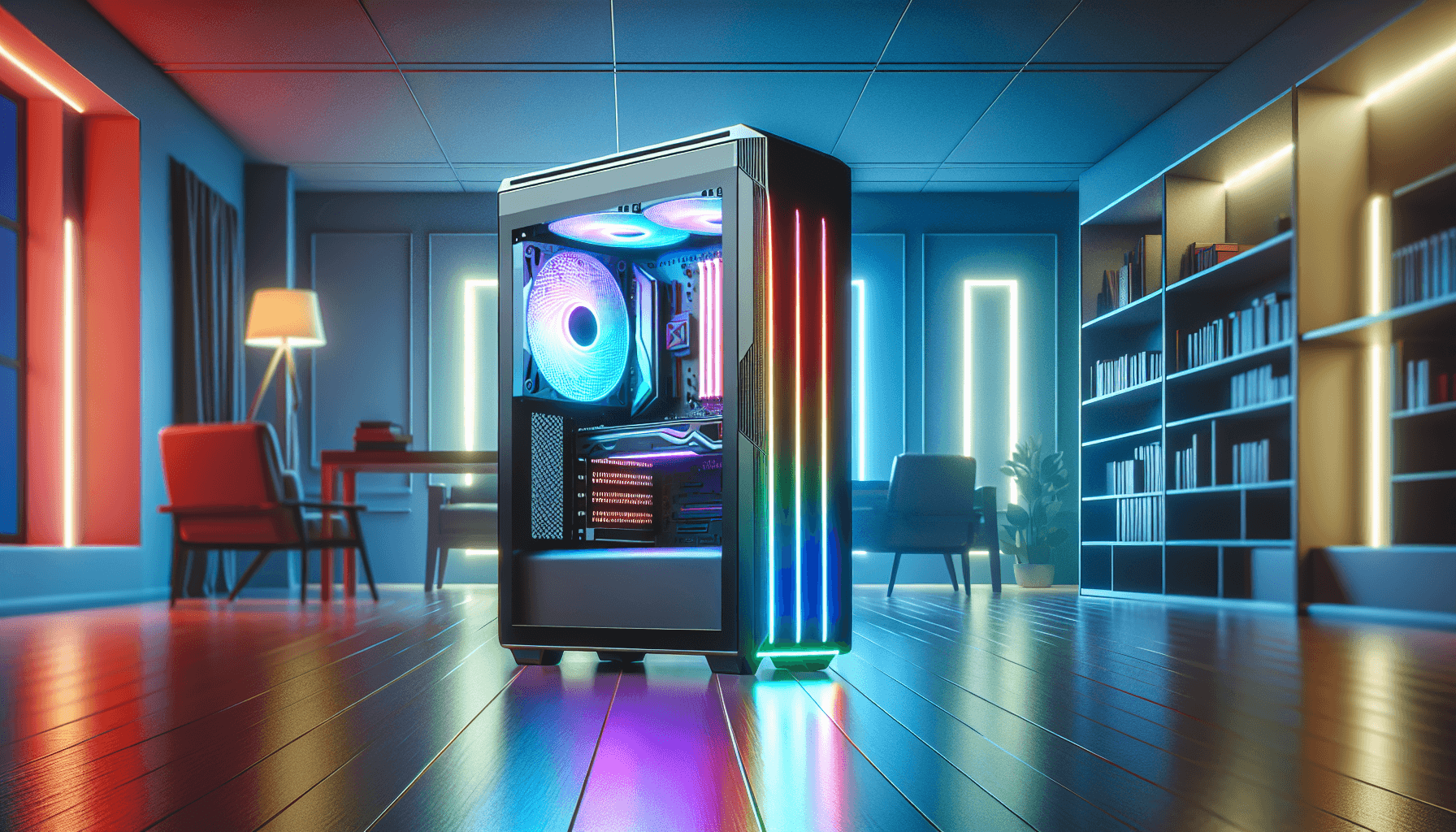
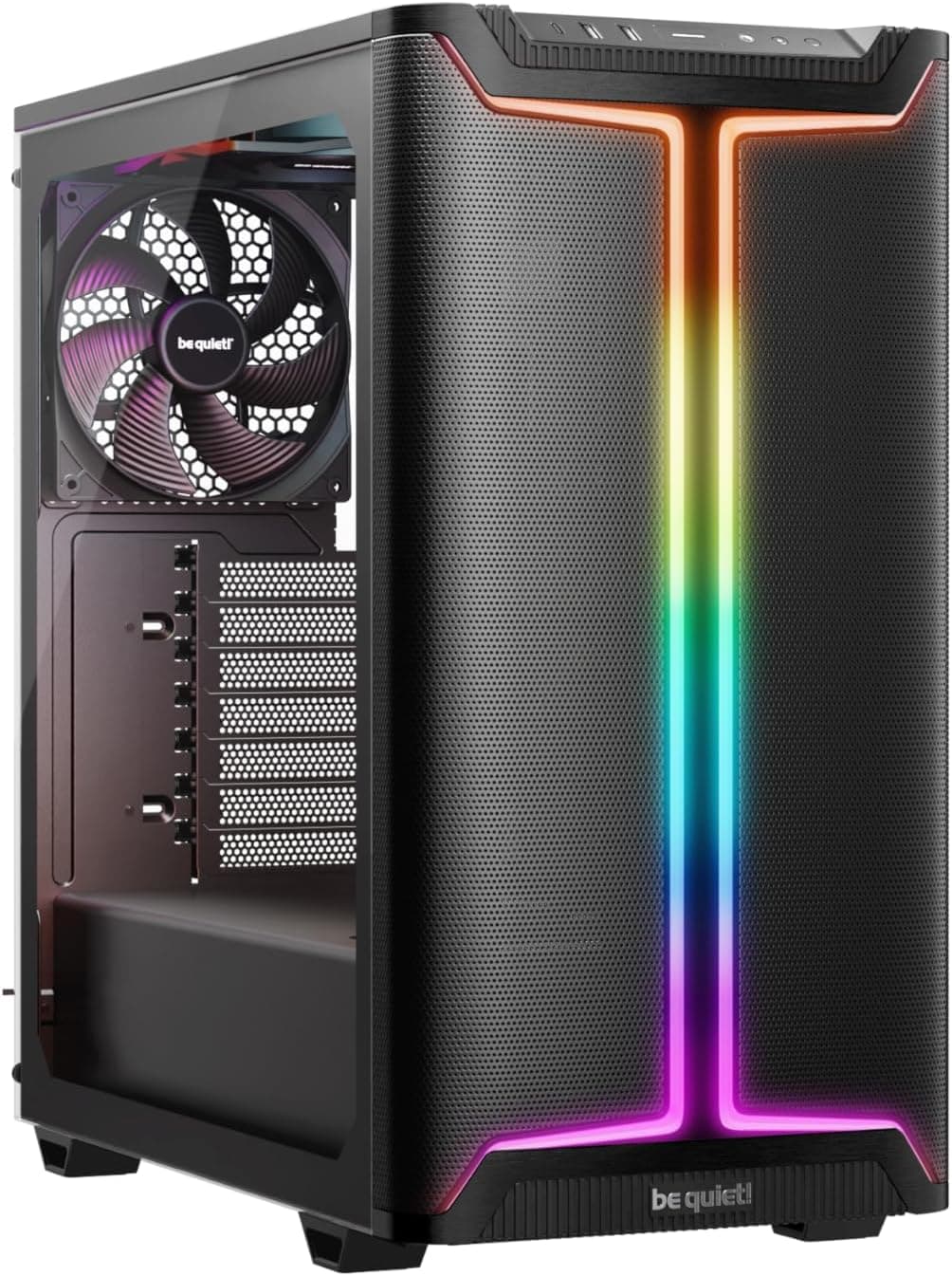
Think about how many times you open your PC case in a year. Probably not that often, right? But when you do, whether it's to swap a GPU, add a drive, or just give it a clean, you really notice whether the case was designed by someone who actually builds PCs or someone who just made it look nice in a product photo. I've built in cases that looked stunning on the shelf and were an absolute nightmare to work inside. Tight cable routing gaps, sharp stamped edges that drew blood, panels that needed three hands to reattach. After twelve years of this, those things matter to me more than a flashy exterior.
The MSI MAG PANO 130R PZ Case Review: Ultimate Gaming PC Build Solution is MSI's attempt at a panoramic-style mid-tower that gives you that full glass showcase look without charging flagship money for it. It sits in the entry price tier, which means it's competing against some genuinely decent options. The question is whether it delivers on its promises or whether it's just another pretty box that frustrates you the moment you start routing cables.
So let's get into it. I'll cover everything from GPU clearance to how the cable management actually works in practice, not just what the spec sheet says.
Core Specifications
Before we get into the hands-on stuff, here's what MSI says this case is built around. The PANO 130R PZ is a mid-tower chassis designed around the panoramic aesthetic, meaning you get tempered glass on multiple sides rather than just the left panel. The "PZ" in the name refers to the panoramic zero-frame design, which basically means the glass panels are borderless or near-borderless for a cleaner look. It supports ATX, Micro-ATX, and Mini-ITX motherboards, so you've got decent flexibility there.
Fan support is reasonably generous for the price. You can fit up to 120mm or 140mm fans across the front, top, and rear, and radiator support extends to 360mm at the front and 240mm at the top. That's actually solid for a case in this bracket. The included fans are 120mm ARGB units, which is a nice touch rather than plain black fans with no lighting. PSU clearance is standard ATX, and the case ships with a PSU shroud to hide the mess at the bottom.
Weight comes in at around 6.5kg without components, which is fairly typical for a steel mid-tower with multiple glass panels. The steel itself is 0.6mm SPCC, which is what you'd expect at this price. Not the thickest, but it doesn't feel flimsy when you're handling it. Here's the full spec breakdown:
| Specification | Detail |
|---|---|
| Form Factor | Mid-Tower |
| Motherboard Support | ATX, Micro-ATX, Mini-ITX |
| Dimensions (H x W x D) | Approx. 465 x 215 x 430mm |
| Weight | ~6.5kg |
| Steel Thickness | 0.6mm SPCC |
| Front Panel | Tempered Glass (Panoramic) |
| Side Panel | Tempered Glass (Left) |
| Max GPU Length | 380mm |
| Max CPU Cooler Height | 165mm |
| Max PSU Length | 180mm |
| Front Fan Support | 3x 120mm or 2x 140mm |
| Top Fan Support | 2x 120mm or 2x 140mm |
| Rear Fan Support | 1x 120mm |
| Front Radiator Support | Up to 360mm |
| Top Radiator Support | Up to 240mm |
| Rear Radiator Support | 120mm |
| Drive Bays (3.5") | 2x |
| Drive Bays (2.5") | 2x dedicated + 2x combo |
| Included Fans | 3x 120mm ARGB |
| Front I/O | 1x USB 3.2 Gen 1 Type-A, 1x USB 3.2 Gen 2 Type-C, HD Audio |
| Price | £69.98 |
Form Factor and Dimensions
The PANO 130R PZ is a proper mid-tower. Not one of those cases that claims to be mid-tower but is actually closer to a full tower in disguise. At roughly 465mm tall, 215mm wide, and 430mm deep, it sits comfortably on a standard desk without dominating the space. I had it on a desk alongside a 27-inch monitor and it didn't feel like it was crowding anything out. The footprint is sensible.
The panoramic glass front is the obvious talking point here. Instead of a mesh or solid front panel, you get a full tempered glass front that lets you see straight through to your front fans and radiator. It looks genuinely good, especially with ARGB fans spinning behind it. But here's the thing I want to flag early: that glass front does have airflow implications, and I'll get into that properly in the airflow section. It's not a dealbreaker, but it's something you need to know about going in.
The overall footprint means this case fits comfortably under most desks too if that's your setup. The bottom-mounted PSU design keeps the centre of gravity low, which helps with stability. And the rubber feet are decent quality, not the thin sticky pads you sometimes get on budget cases. They actually grip the desk surface properly. Small thing, but I notice when cases slide around while you're trying to plug things in.
Motherboard Compatibility
The PANO 130R PZ supports ATX, Micro-ATX, and Mini-ITX. The standoff layout is pre-installed for ATX, which is the most common configuration, and there are additional standoff positions for mATX and ITX boards. With a standard ATX board, the fit is clean. The motherboard tray has a large CPU cutout behind it, which is important for installing coolers without removing the board entirely. The cutout is generously sized at roughly 160mm diameter, so most aftermarket backplates will fit through without any issues.
One thing I appreciated is that the I/O shield area is well-supported. Some budget cases have a slightly warped rear panel that makes getting the I/O shield to seat properly a bit of a fight. Not here. The rear panel was flat and the I/O shield clicked in first time. If you're building with a Micro-ATX board, the case doesn't feel oversized for it either. There's enough room to work without the board looking lost in there, and the cable routing options still make sense at that smaller form factor.
Mini-ITX is supported but honestly, if you're going ITX, you'd probably want a smaller case. The PANO 130R PZ has enough internal volume that an ITX build would leave a lot of empty space. It'll work fine technically, but it's not the ideal pairing. This case is really designed around ATX and mATX builds, and that's where it shines.
GPU Clearance
MSI quotes 380mm of GPU clearance that held up accurately. I dropped in a card that measures 336mm in length and it sat with room to spare. Even a 360mm card would fit without touching the front fans or radiator bracket. If you're running a 360mm front radiator though, that clearance does reduce, so check your specific GPU length against the radiator thickness before committing. With a 30mm thick radiator up front, you're looking at closer to 320-330mm of usable GPU space.
There's no vertical GPU mount option in the box, which is a shame at this price point. Some competitors in the same bracket are starting to include a riser cable and vertical bracket, and MSI hasn't done that here. If you want to show off your GPU vertically, you'd need to buy a separate riser kit. Not a huge deal, but worth knowing if that's important to your build aesthetic.
The GPU support bracket situation is fine. There's a single adjustable support bracket included to stop GPU sag, which is a nice inclusion. Long, heavy cards do sag over time, especially triple-fan models, and having that bracket in the box means you don't need to go hunting for a third-party solution. I used it with the test build and it kept the card level without any fuss.
CPU Cooler Clearance
165mm of CPU cooler clearance is the spec, and that's actually pretty good. Most popular air coolers sit under that threshold. The Noctua NH-D15 is 165mm exactly, so it's a tight fit but technically supported. In practice, I'd recommend checking your specific cooler's height before buying if you're running anything over 155mm, just to be safe. The side panel glass does flex very slightly when you close it, and if your cooler is right at the limit, you don't want it pressing against the glass.
AIO support is where this case gets interesting. You can fit a 360mm radiator at the front, a 240mm at the top, and a 120mm at the rear. That's a solid range of options. With a 240mm AIO mounted at the top, the clearance between the radiator and the motherboard's RAM slots is fine with standard-height RAM. If you're running tall RAM with big heatspreaders, measure carefully. The top radiator mount sits close enough to the motherboard that 40mm+ heatspreaders could cause interference.
Front-mounted 360mm AIOs work well in this case. The front glass panel removes easily (more on that in the build quality section), and the radiator mounts up cleanly. I'd actually recommend the front mount over the top for a 360mm AIO because it gives you better intake airflow and keeps the top of the case free for exhaust fans. The mounting hardware is included and the screw holes lined up properly, which isn't always guaranteed on budget cases.
Storage Bay Options
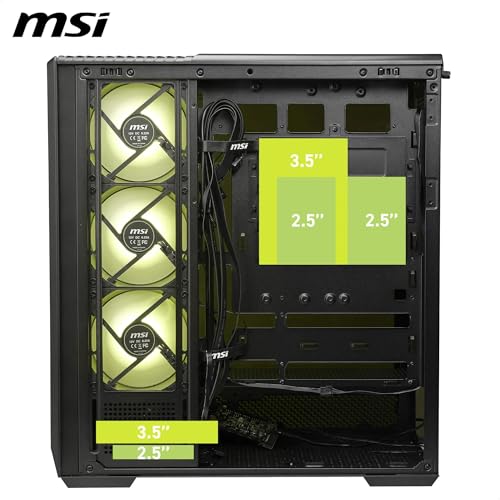
Storage is one area where the PANO 130R PZ is adequate but not exceptional. You get two 3.5-inch drive bays in a cage behind the PSU shroud, plus two dedicated 2.5-inch mounts on the back of the motherboard tray, and two combo positions that can take either 3.5-inch or 2.5-inch drives. So in total, you could theoretically fit four HDDs and two SSDs, or mix and match. For most gaming builds, that's plenty.
The drive cage is tool-free for 3.5-inch drives, using a sliding rail system. It works, but the rails feel a bit plasticky. They hold the drives securely enough, but I wouldn't say they inspire confidence the way a metal tray system does. The 2.5-inch mounts on the back of the tray use screws, which is standard. Nothing tool-free there, but it's not a big deal since you're not swapping 2.5-inch SSDs regularly once they're installed.
M.2 support depends entirely on your motherboard, as the case itself doesn't have any dedicated M.2 slots or brackets. That's normal for a case in this class. Most modern motherboards have two or more M.2 slots anyway, so this isn't really a gap. If you're building a purely NVMe-based system with no spinning drives, the drive cage can actually be removed to free up space, which is a nice option for cleaner builds.

Cable Management
This is where I had mixed feelings. The cable management routing is decent but not exceptional. The gap between the back of the motherboard tray and the side panel is about 20-22mm, which is workable but tight if you've got a lot of cables. I've built in cases with 25-30mm of rear clearance and the difference is noticeable. You can get everything tucked away in the PANO 130R PZ, but you'll need to be a bit more deliberate about routing than you would in a more spacious case.
There are Velcro straps included, which is a genuine plus. A lot of cases at this price point give you zip tie anchors and nothing else, so having actual Velcro straps in the box saves you a trip to Amazon. The cable routing holes are rubber-grommeted, which keeps things looking tidy from the front. There are enough routing holes to handle a standard ATX build without too much creative routing required.
The PSU shroud covers the bottom of the case nicely and hides the PSU and drive cage from view. It's got a cutout on the side for the PSU cables to pass through, and the fit is clean. One thing I noticed: the 24-pin motherboard cable routing hole is positioned well, but the 8-pin CPU power cable routing hole at the top of the tray is a bit far from the corner, which means you need a fairly long CPU power cable to route it neatly behind the tray. If your PSU has a short CPU cable (some budget units do), this could be an issue. Budget for a cable extension if needed.
Airflow and Thermal Design
Right, so the elephant in the room: the glass front panel. Panoramic cases with glass fronts are always a compromise between aesthetics and airflow. The PANO 130R PZ has a tempered glass front, which means air intake is restricted compared to a mesh front. MSI has addressed this by leaving gaps around the edges of the front panel, so air can still get in, but it's not the same as a fully open mesh design. Temperatures are acceptable but not class-leading.
With the three included 120mm ARGB fans running as front intake and the rear fan as exhaust, CPU temperatures under load were around 5-8 degrees Celsius higher than I'd expect from a comparable mesh-front case with the same cooler. That's not catastrophic, and for a gaming build that isn't pushing extreme overclocks, it's fine. But if you're planning a high-end build with a hot CPU and a power-hungry GPU, the airflow limitation of the glass front is worth factoring in. You could add top exhaust fans to help, and I'd recommend doing so.
The included ARGB fans are actually decent quality for bundled fans. They spin quietly at lower RPMs and the ARGB lighting is bright and even. They connect to a controller hub that plugs into a USB header on the motherboard, so you can control them through MSI's software if you're on an MSI board, or through most other ARGB software. The dust filters are present on the front and bottom, which is good. The bottom filter slides out for cleaning without needing to move the case, which is a practical detail I appreciate.
Front I/O and Connectivity
The front I/O sits at the top of the case, which I prefer over front-mounted I/O that you have to reach down for. You get one USB 3.2 Gen 1 Type-A port, one USB 3.2 Gen 2 Type-C port, a combined headphone and microphone jack, and the power button. The power button has a subtle RGB ring around it that matches the rest of the ARGB ecosystem, which is a nice touch.
The USB Type-C port is a genuine highlight at this price. A lot of cases in this bracket either skip Type-C entirely or include a slower USB 3.2 Gen 1 Type-C. Getting Gen 2 here means you can actually use the port for fast data transfer with modern devices. Your motherboard will need a USB 3.2 Gen 2 Type-C header to support it, which most modern mid-range and above boards have. Worth checking your board's spec sheet before assuming it'll work at full speed.
The one thing missing is a reset button, which has become increasingly common to omit on modern cases. Most people never use it, so it's not a big deal. The audio jack is a single combo port rather than separate headphone and mic jacks, which is standard these days given that most headsets use a single TRRS connector. If you're using a headset with separate 3.5mm plugs, you'll need a splitter adapter. Again, not unusual, but worth mentioning.
Build Quality and Materials
For a case in the entry price tier, the build quality is genuinely solid. The steel feels substantial enough, and I didn't find any sharp edges during the build, which is something I always check carefully. Some budget cases have stamped edges around the drive bays or fan mounts that will catch your hand if you're not careful. The PANO 130R PZ was clean throughout, which tells me someone actually checked the manufacturing tolerances.
The tempered glass panels are the star of the show visually. Both the front and side panels are proper tempered glass, not acrylic. Acrylic scratches easily and yellows over time, so getting actual glass at this price is a win. The panels are held in place with thumbscrews on the side panel and a magnetic latch system on the front. The front panel pops off with a firm pull, which is a bit nerve-wracking the first time but becomes second nature. I'd prefer a more obvious release mechanism, but it works fine once you know it's there.
Panel alignment was good out of the box. The side panel closed flush without any gaps or wobble, and the front glass sat evenly. The thumbscrews are knurled properly and didn't strip during repeated removal and reinstallation. The PSU shroud fits snugly and doesn't rattle. Overall, this feels like a case that was designed with some care, not just thrown together to hit a price point. There are cheaper cases that feel noticeably worse, and the PANO 130R PZ doesn't fall into that trap.
How It Compares
The main competition at this price level comes from the Corsair 3500X and the Fractal Design Pop Air, though there are many other best PC cases worth considering depending on your priorities. Both are well-regarded cases with strong reputations, and both offer something slightly different. The Corsair 3500X is a mesh-front case, which means it wins on airflow but loses on the panoramic aesthetic. If thermals are your priority and you don't care about the glass-front look, the 3500X is worth considering. The Fractal Pop Air is also mesh-front and has a slightly more refined build quality feel, but it typically costs a bit more and doesn't include ARGB fans.
Where the PANO 130R PZ wins is the visual package. Three ARGB fans included, panoramic glass front, and a clean interior layout at an entry price point is a strong combination. If you're building a system that you want to look impressive without spending a fortune on fans and lighting separately, the value proposition here is real. The Type-C Gen 2 front I/O is also a point in its favour compared to some competitors that are slower or skip it entirely.
The main area where it loses ground is airflow, as I mentioned. The glass front is a genuine restriction compared to mesh alternatives. And the rear cable management space, while workable, is tighter than what you get in the Fractal Pop Air. So it's a trade-off: looks and included accessories versus airflow and build experience. For a lot of people building their first or second system, the PANO 130R PZ's package makes a lot of sense.
| Feature | MSI MAG PANO 130R PZ | Corsair 3500X | Fractal Design Pop Air |
|---|---|---|---|
| Form Factor | Mid-Tower | Mid-Tower | Mid-Tower |
| Front Panel | Tempered Glass (Panoramic) | Mesh | Mesh |
| Included Fans | 3x 120mm ARGB | 3x 120mm (non-ARGB) | 2x 140mm (non-ARGB) |
| Max GPU Length | 380mm | 360mm | 467mm |
| Max CPU Cooler Height | 165mm | 170mm | 185mm |
| Front Radiator Support | 360mm | 360mm | 360mm |
| USB Type-C Front I/O | Gen 2 | Gen 1 | Gen 2 |
| Rear Cable Space | ~20-22mm | ~23mm | ~25mm |
| Price Tier | Entry | Entry/Mid | Mid |

Final Verdict
So who is the MSI MAG PANO 130R PZ Case Review: Ultimate Gaming PC Build Solution actually for? Honestly, it's a strong pick for someone building their first proper gaming PC who wants the system to look impressive without spending extra on fans and lighting. The three ARGB fans in the box, the panoramic glass front, and the USB Type-C Gen 2 front I/O are all things you'd normally expect to pay more for. If you're showing off a build to friends or streaming your setup, this case photographs and looks great in person.
It's also a solid choice for mid-range builds where you're not pushing extreme thermals. A Ryzen 5 or Core i5 system with a mid-tier GPU will be perfectly happy in here. The airflow is adequate, not exceptional, and for sensible component choices it won't cause any problems. Where I'd hesitate is if you're building around a high-TDP CPU like a Ryzen 9 or Core i9 with a power-hungry GPU. In that scenario, the glass front becomes a real limitation and you'd be better served by a mesh-front case.
The build experience is genuinely pleasant for the price. No sharp edges, decent cable management options, good panel quality, and the included hardware is all present and correct. Three weeks of living with this case left me with a positive impression overall. It's not perfect, the rear cable space is a bit tight, the glass front limits airflow, and there's no vertical GPU mount. But at the price it's asking, the package is hard to argue with. If the look appeals to you and your components aren't thermal monsters, this is a proper good buy.
My editorial score is 7.5 out of 10. It does what it promises, looks great doing it, and represents solid value in the entry tier. The airflow compromise is the main thing holding it back from a higher score, but for the right build it's an easy recommendation.
What works. What doesn’t.
5 + 4What we liked5 reasons
- Three ARGB 120mm fans included in the box
- Panoramic tempered glass front looks genuinely impressive
- USB 3.2 Gen 2 Type-C on the front I/O at entry pricing
- No sharp edges found during the build
- GPU sag bracket included
Where it falls4 reasons
- Glass front panel restricts airflow compared to mesh alternatives
- Rear cable management space is tight at 20-22mm
- No vertical GPU mount option included
- CPU power cable routing hole position requires longer cables
Full specifications
12 attributes| Form factor | Mid-Tower |
|---|---|
| MAX GPU length | 400 |
| MAX cooler height | 165 |
| Radiator support | Top: 120/140/240/280/360mm, Rear: 120mm, Side: 120/240/360mm |
| CPU cooler clearance MM | 165 |
| Dimensions MM | 460 x 232 x 490 |
| Drive bays | 3x 2.5" SSD, 2x 3.5" HDD (max 3 drives total) |
| Fans included | 4 |
| GPU clearance MM | 400 |
| MAX FAN count | 10 |
| MAX radiator MM | 360 |
| Motherboard support | ATX / Micro-ATX / Mini-ITX |
If this isn’t right for you
2 options 8.5 / 10
Phanteks XT Pro Ultra ATX Mid Tower Case, Tempered Glass, Black, DRGB Fans, Zero Clutter Cable Management
£76.99 · Phanteks
 8.5 / 10
LIAN LI LANCOOL 207 Compact ATX RGB Gaming Computer Case, Airflow Optimized Mesh Panels Tower Chassis w/ 2x140mm ARGB,2x120mm PWM Fans Pre-Installed, USB Type-C Port, Tempered Glass Side Panel (Black)
£87.36 · Lian Li
Frequently asked
5 questions01Is the MSI MAG PANO 130R PZ Case Review: Ultimate Gaming PC Build Solution good for airflow?+
It's adequate but not class-leading. The panoramic tempered glass front panel restricts intake airflow compared to mesh-front alternatives. MSI has left edge gaps around the front panel to allow some air in, and the case ships with three 120mm ARGB fans for front intake plus a rear exhaust position. CPU temperatures under load ran around 5-8 degrees Celsius higher than a comparable mesh-front case with the same cooler. For mid-range builds this is fine, but for high-TDP components you'd be better served by a mesh-front design. Adding top exhaust fans helps noticeably. Dust filters are present on the front and bottom, and the bottom filter slides out for easy cleaning.
02What's the GPU clearance on the MSI MAG PANO 130R PZ Case Review: Ultimate Gaming PC Build Solution?+
MSI quotes 380mm of GPU clearance this was accurate. A 336mm card fitted with plenty of room to spare. If you're installing a 360mm front radiator at the same time, effective GPU clearance reduces to around 320-330mm depending on radiator thickness, so check your specific GPU length against your radiator before buying. There is no vertical GPU mount included in the box, so if you want to display your GPU vertically you'll need a separate riser cable kit. A GPU sag support bracket is included for long, heavy cards.
03Can the MSI MAG PANO 130R PZ Case Review: Ultimate Gaming PC Build Solution fit a 360mm AIO?+
Yes. The front panel supports up to a 360mm radiator, which is the recommended position for a 360mm AIO as it provides good intake airflow. The top panel supports up to 240mm. A 120mm radiator can also be mounted at the rear. When mounting a 240mm AIO at the top, clearance with standard-height RAM is fine, but tall RAM heatspreaders over 40mm could cause interference, so measure carefully. The front glass panel removes easily to allow radiator installation, and the mounting hardware is included.
04Is the MSI MAG PANO 130R PZ Case Review: Ultimate Gaming PC Build Solution easy to build in?+
Generally yes. The build experience is pleasant for the price bracket. There are no sharp edges anywhere in the case, which is something that can't be said for all budget cases. The motherboard tray has a large CPU cutout for cooler installation without removing the board. Cable management is workable with rubber-grommeted routing holes and Velcro straps included in the box. The main limitation is the rear cable management space, which is around 20-22mm. That's tighter than some competitors, so complex builds with lots of cables require more careful routing. The front glass panel uses a magnetic latch system that feels a bit abrupt at first but works reliably.
05What warranty and returns apply to the MSI MAG PANO 130R PZ Case Review: Ultimate Gaming PC Build Solution?+
Amazon offers 30-day hassle-free returns if the case doesn't suit your build. MSI typically provides a 1-2 year warranty on manufacturing defects. Check the product listing for exact warranty terms as these can vary by region and retailer.