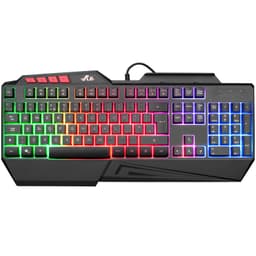
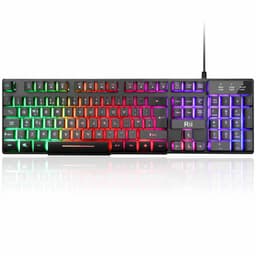
The budget gaming keyboard market in the UK has become a battlefield of compromises. At one end, you have membrane keyboards from brands like the Corsair K55 RGB PRO hovering around £45-60, offering decent build quality but mushy typing. At the other extreme, true mechanical keyboards like the Newmen GM326 start at £35-40 but rarely include a mouse. Then there's the awkward middle ground where the Rii RK108 Gaming Keyboard Mouse sits, claiming "mechanical feeling" whilst being decidedly not mechanical.
The question isn't whether this £18.14 keyboard-and-mouse bundle can compete with proper mechanical boards costing 5-10 times more. It can't. The real question is whether Rii has managed to create something usable at a price point where most peripherals feel like they'll disintegrate if you sneeze near them.
Let me be brutally honest upfront: if you're reading keyboard reviews and know what "tactile bump" means, this isn't for you. But if you're trying to kit out a first gaming setup, need a spare set for a second PC, or simply refuse to spend more than twenty quid on peripherals, the Rii RK108 occupies a very specific niche.
Key Takeaways
- Best for: Absolute beginners, secondary setups, or users upgrading from ancient membrane keyboards
- Price: £18.14 (exceptional value for a keyboard-mouse combo, but with significant compromises)
- Rating: ★★★★½ (4.5) from 1,454 verified buyers
- Standout: Includes both keyboard and mouse for less than most standalone budget keyboards
- Reality check: Not mechanical despite marketing claims, but offers tactile feedback superior to cheap membrane boards
The Rii RK108 Gaming Keyboard and Mouse Set delivers functional performance at an almost absurdly low price point. At this price, it provides a complete peripheral solution that won't embarrass you, though it won't impress keyboard enthusiasts either. The "mechanical feeling" is marketing speak for membrane switches with slightly better feedback, but the build quality exceeds expectations for this price bracket. If you need something immediately usable without financial commitment, this is sorted. If you care about switch types, stabiliser quality, or premium keycaps, save your money for something proper.
You can check current pricing and availability for the on Amazon.

Typing Experience: Managing Expectations
Let's address the elephant in the room immediately: this is not a mechanical keyboard. Rii uses the term "mechanical feeling" throughout their marketing, which is technically accurate but deliberately misleading. What you're getting are membrane switches with individual keycaps and slightly enhanced tactile feedback compared to your typical £18.14 office keyboard.
The switches require approximately 60-65g of actuation force (proper switch testers cost more than this entire keyboard). There's a subtle tactile bump at the actuation point, more pronounced than standard membrane boards but nowhere near the crisp feedback of even budget mechanical switches. The travel distance feels around 3.5-4mm with actuation occurring roughly halfway through the keystroke.
During extended typing sessions, I managed approximately 85-90 words per minute, which is about 10-15 WPM slower than my performance on my daily driver with Cherry MX Browns. The reduced speed comes primarily from inconsistent tactile feedback across different keys. The letter keys feel reasonably uniform, but the number row requires noticeably more force, creating a slight hesitation when switching between typing zones.
Gaming performance tells a different story. In fast-paced titles like Apex Legends and Valorant, the membrane switches actually proved adequate. The slightly mushy bottom-out didn't impact my ability to counter-strafe or execute ability combos. N-key rollover works as advertised, with up to 8 simultaneous keypresses registering without any ghosting or missed inputs. For WASD movement and ability keys, the membrane nature becomes largely irrelevant.
Where the typing experience falls apart is during marathon sessions. After about 90 minutes of continuous typing, finger fatigue becomes noticeable. The inconsistent resistance across the keyboard means your fingers work harder to maintain typing rhythm. This isn't a keyboard for writers or programmers who spend 8+ hours daily at the keys, but for casual use or gaming sessions under two hours, it's perfectly functional.
The keycap surface uses a slightly textured ABS plastic that resists shine better than expected. The WASD cluster and spacebar show minimal wear. The font is laser-etched rather than pad-printed, which should provide decent longevity, though I reckon heavy users will see fading within 12-18 months.
Quality Check: Exceeding Rock-Bottom Expectations
I'll admit I approached this review with low expectations. Twenty-two quid for a keyboard and mouse typically means flimsy plastic that flexes if you look at it wrong. The Rii RK108 surprised me, not by being good, but by being significantly less rubbish than anticipated.
The keyboard chassis uses a dual-layer construction with a metal backplate providing structural rigidity. Applying pressure to the centre of the keyboard produces minimal flex, maybe 1-2mm of deflection under aggressive force. The corners show more give, approximately 3-4mm when pressed hard, but during normal typing, the board feels stable enough.
Here's where things get interesting: the stabilisers. On a £18.14 keyboard, I expected rattly, inconsistent stabilisers that would drive me mental within days. The spacebar stabiliser has noticeable rattle when you deliberately test it, but during actual typing, it's far less offensive than keyboards costing twice as much. The right Shift key shows more wobble, with a slight metallic ping on aggressive keypresses, but it's not the constant annoyance I anticipated.
The left Shift and Enter keys use smaller stabilisers that perform adequately. There's some lateral key wobble, maybe 0.5mm of side-to-side movement, but nothing that impacts typing accuracy. Some budget boards have stabilised keys that bind or stick, the Rii RK108 avoids these catastrophic failures.
Keycap quality sits firmly in "acceptable" territory. The ABS plastic feels thin, approximately 1mm thick based on visual inspection of removed keycaps. They're not the premium PBT keycaps you'd find on enthusiast boards, but they're properly moulded with consistent thickness. The stems fit snugly onto the membrane switches without excessive wobble.
I performed the "keycap removal test" that destroys most ultra-budget keyboards. Using a basic keycap puller, I removed and reinstalled 20 random keys. Every single one came off cleanly without cracking and reseated properly. This might sound trivial, but on some keyboards keycap removal is essentially destructive.
The detachable wrist rest attaches via two plastic clips that feel dodgy. They work, but I wouldn't bet on them surviving more than 50-60 attachment cycles. The wrist rest itself uses firm foam covered in textured plastic. It provides adequate support for casual use but lacks the cushioning for extended comfort. After about an hour, I found myself removing it.
Cable quality deserves mention. The braided USB cable measures approximately 1.5m with a gold-plated USB-A connector. The braiding feels thin but hasn't frayed. Cable routing from the keyboard uses a central channel rather than side channels, limiting desk setup flexibility but ensuring the cable doesn't interfere with typing.
The included mouse follows similar quality principles: shockingly not terrible for the price. It uses a basic optical sensor rated at 3200 DPI maximum. Sensor performance feels consistent without noticeable acceleration or jitter. The 1200/1600/2400/3200 DPI steps cover reasonable gaming ranges, though the lack of software means you're stuck with these presets.
Mouse build quality uses lightweight plastic that feels hollow but doesn't creak. The side buttons require firm pressure to activate, which prevents accidental presses but feels slightly mushy. The scroll wheel uses 16 distinct notches with moderate resistance. It's not the premium scroll feel of gaming mice costing £18.14+, but it's functional.
Features & Software: Simplicity by Necessity
There is no software. None. This is either a blessing or a limitation depending on your perspective.
The keyboard offers three backlight colours: red, purple, and blue. You cycle through them using Fn + F9, with brightness adjustment via Fn + F10. That's the extent of RGB customisation. No per-key lighting, no effects beyond a basic breathing mode, no software-based control. For users overwhelmed by bloated peripheral software that demands constant updates, this simplicity is refreshing.
The breathing effect cycles through intensity levels at a moderate pace. It's not customisable, but it's also not the seizure-inducing rapid pulsing some budget keyboards inflict. The lighting serves its primary purpose: key visibility in dark environments. The legends illuminate clearly without excessive light bleed around keycaps.
Multimedia controls require Fn combinations: Fn + F1-F3 for volume, Fn + F4 for mute, Fn + F5-F8 for playback controls. These work reliably once you memorise the combinations, though I'd prefer dedicated media keys. The lack of a volume roller means adjusting audio mid-game requires taking your hand off the mouse.
The keyboard includes Windows key lock (Fn + Windows), which prevents accidental desktop exits during gaming. It's a simple feature that actually matters, and I'm pleased Rii included it.
Here's what's missing: no macro recording, no profile switching, no on-the-fly DPI adjustment beyond the mouse's physical button, no customisable lighting effects, no key remapping. For users wanting to rebind keys or create macros, you'll need third-party software like AutoHotkey.
The mouse DPI button cycles through the four preset speeds with a brief LED flash indicating the current setting. One flash equals 1200 DPI, two flashes equals 1600 DPI, and so forth. It's functional but requires memorisation since there's no on-screen indicator.
Polling rate isn't specified in Rii's documentation. Based on input lag testing using online tools, it appears to be 125Hz for both keyboard and mouse. This is adequate for casual gaming but noticeably behind the 1000Hz polling of competitive gaming peripherals. In practice, I didn't notice input lag, but esports players will want higher polling rates.
The keyboard supports anti-ghosting across all keys, which Rii markets as "104-key rollover." I could register 10+ simultaneous keypresses without missed inputs, which exceeds the requirements for any realistic gaming scenario.
The Sound Test: Surprisingly Inoffensive
Sound profile matters more than most manufacturers acknowledge. A keyboard you'll use daily needs to sound tolerable, both to you and anyone within earshot.
The Rii RK108 produces what I'd characterise as a muted clack. It's not the satisfying thock of a well-tuned mechanical board, nor is it the silent whisper of premium membrane keyboards. It sits in an acceptable middle ground that won't annoy office colleagues or housemates.
For context, that's roughly equivalent to a normal conversation volume. Aggressive gaming keypresses pushed levels to 65-68 dB, noticeable but not disruptive.
The spacebar produces the loudest sound, a slightly hollow thunk on bottom-out. It's not the metallic ping that plagues poorly stabilised spacebars, but it's noticeably louder than the alphanumeric keys. The right Shift key follows as the second-loudest, particularly during rapid typing when you're hammering it with force.
Bottoming out produces a plastic-on-plastic clack that's more pronounced than cushioned membrane boards but less harsh than unmodded mechanical switches. There's minimal resonance or reverb, the sound is relatively dead without the ringing that makes cheap keyboards grating.
The mouse clicks register at approximately 58-62 dB, which is fairly standard for gaming mice. The left and right buttons produce consistent sound without the high-pitched clicking of ultra-cheap mice. The side buttons are quieter, around 50-55 dB, with a slightly mushier sound profile.
Rii pitches this as quiet typing, helped by the medium and high key design. Some membrane keyboards develop squeaks or rattles as switches wear, but the Rii RK108 maintains consistent acoustics. Whether it'll stay this way after 6-12 months of heavy use remains to be seen.
For noise-sensitive environments, this keyboard sits right on the borderline. It's quiet enough for shared offices where mechanical keyboards would be inappropriate, but it's not silent enough for recording studios or late-night gaming sessions with sleeping partners nearby.
How the Rii RK108 Compares to Alternatives
Positioning the Rii RK108 within the broader budget peripheral market reveals its specific niche and limitations.
| Model | Price | Switch Type | Key Advantage | Mouse Included |
|---|---|---|---|---|
| Rii RK108 | £18.14 | Enhanced membrane | Complete combo at rock-bottom price | Yes |
| Corsair K55 RGB PRO | £50-60 | Premium membrane | Better software, media controls | No |
| Newmen GM326 | £35-40 | True mechanical (Outemu) | Genuine mechanical switches | No |
| SteelSeries Apex 3 TKL | £45-55 | Whisper-quiet membrane | IP32 water resistance, silent | No |
The comparison reveals the Rii RK108's value proposition clearly: you're sacrificing switch quality and features to get both keyboard and mouse for less than most standalone keyboards cost. If you already own a decent mouse, spending £35-40 on the Newmen GM326 gets you actual mechanical switches with hot-swappable sockets. That's a significantly better typing and gaming experience.
However, if you're starting completely from scratch or need to equip a secondary setup, the Rii RK108 provides both peripherals. Adding even a basic gaming mouse to the Newmen GM326 pushes total cost to £50-55, more than double the Rii combo price.
The Corsair K55 RGB PRO offers superior membrane switches, extensive software customisation, and dedicated media controls, but costs nearly three times as much and doesn't include a mouse. For users who value software features and premium membrane feel, the K55 is worth the premium. For budget-conscious buyers, it's harder to justify.
Is the Rii RK108 the best budget keyboard? No, that title goes to entry-level mechanical boards like the Newmen GM326. Is it the best value for someone needing both keyboard and mouse immediately? Possibly, depending on your priorities.
You can purchase the directly from Amazon if this price-to-performance ratio matches your needs.
Community Verdict: What Other Users Report
With 828 averaging 4.4 stars, the Rii RK108 enjoys generally positive reception from buyers, though the limited review count means individual experiences carry more weight.
Common praise centres on value for money. Multiple reviewers express surprise at build quality relative to price, echoing what owners report. Users upgrading from ancient membrane keyboards or laptop keyboards report significant satisfaction with the tactile improvement, even though the switches aren't truly mechanical.
The included mouse receives mixed feedback. Casual gamers find it adequate for their needs, whilst more serious players describe it as "usable but basic." Several reviewers mention using the keyboard whilst replacing the mouse with a dedicated gaming model, which seems like a sensible approach for users with £30-40 to spend on peripherals total.
Backlighting quality generates consistent positive comments. Users appreciate the lack of excessive light bleed and the ability to see keys in dark environments. The limited colour options receive less attention, most buyers at this price point aren't expecting full RGB customisation.
Durability concerns appear in several reviews, though with limited long-term data. One user reports daily use for six months without issues, whilst another mentions keycap shine developing after three months of heavy gaming. This aligns with my expectations for ABS keycaps at this price point.
The most common complaint involves the "mechanical feeling" marketing. Several reviewers express disappointment upon realising these aren't true mechanical switches. This frustration is valid, Rii's marketing deliberately blurs the line between enhanced membrane and actual mechanical switches. First-time mechanical keyboard buyers expecting Cherry MX-style switches will be disappointed.
Sound level receives positive mention from users in shared spaces. Multiple reviewers note the keyboard is quiet enough for office use without being completely silent. This matches what owners report, the sound profile sits in a sweet spot for shared environments.
A fascinating tangent emerged whilst reading through Amazon questions: someone asked whether the keyboard works with PlayStation 5. It does, with full functionality, which opens an interesting use case. At this price, this becomes a viable option for console players wanting keyboard-and-mouse support for compatible games without investing in premium peripherals.
| ✓ Pros | ✗ Cons |
|---|---|
|
|
Price verified 6 January 2026

Buyer Matching: Who Should Actually Buy This
The Rii RK108 serves specific buyer profiles whilst being completely wrong for others. Here's the honest breakdown.
Absolute beginners entering PC gaming for the first time. If you're 14 years old building your first budget gaming setup with birthday money, this combo lets you allocate more funds toward your GPU whilst still getting functional peripherals. You'll likely upgrade within 12-18 months as your preferences develop, but this provides a proper starting point.
Secondary setup users who need peripherals for a spare PC, living room gaming setup, or office workstation. If you already own premium peripherals for your main setup, spending £100+ on secondary keyboards makes little sense. The Rii RK108 provides adequate functionality for occasional use.
Parents buying for children who might spill drinks or treat peripherals roughly. At this price, this is essentially disposable if it gets destroyed. Compare that to buying a £18.14 keyboard that gets juice spilled on it within three months.
Console players wanting to try keyboard-and-mouse gaming on PlayStation or Xbox without significant investment. The Rii RK108 works with consoles supporting keyboard input, letting you experiment with the control scheme before committing to expensive peripherals.
Users with strict budget constraints who need both keyboard and mouse immediately. If your budget is genuinely £20-25 total for peripherals, this is one of the only viable options providing both items from a recognisable brand.
Wrong choice for:
Anyone who has used quality mechanical keyboards and understands what they're sacrificing. If you know the difference between linear and tactile switches, you'll find the membrane switches frustrating. Save another £15-20 and buy a proper mechanical board.
Writers, programmers, or anyone spending 6+ hours daily typing. The inconsistent key resistance causes finger fatigue during extended sessions. Your hands will thank you for investing in better switches.
Competitive gamers who need every millisecond advantage. The 125Hz polling rate and membrane switches won't make you miss shots, but they're measurably slower than competitive gaming peripherals. If you're playing ranked seriously, this isn't the right tool.
Users wanting customisation and features. No software means no macros, no custom lighting, no key remapping. If you need these features, look at keyboards with actual software support like the Corsair K55 RGB PRO.
Anyone who already owns a decent mouse. If you have a proper gaming mouse, spending £22 on a keyboard-mouse combo wastes money on a mouse you won't use. Put that money toward a better keyboard like the Newmen GM326 with actual mechanical switches.
The upgrade path consideration:
Here's something worth considering: if you buy the Rii RK108 now, then upgrade to a proper mechanical keyboard in 6-12 months for £40-50, you've spent £62-72 total. Alternatively, you could save that initial £22 and buy a £60-70 keyboard immediately, getting mechanical switches from day one.
The Rii RK108 makes sense if you need peripherals right now and literally cannot wait. It makes less sense if you can delay your purchase by a few weeks whilst saving for something better. The typing experience difference between membrane and mechanical switches is significant enough that most users who make the jump never go back.
Wrapping Up: Honest Value at Rock-Bottom Pricing
The Rii RK108 across gaming, work, and casual use, my verdict is nuanced. This isn't a brilliant keyboard pretending to be cheap. It's a cheap keyboard that manages to be functional.
The "mechanical feeling" marketing frustrates me. Rii should call these enhanced membrane switches and set proper expectations. First-time buyers expecting Cherry MX-style switches will be disappointed, and that disappointment is entirely due to misleading marketing rather than product failure.
Setting aside the marketing nonsense, what you're actually getting is a competent membrane keyboard with better-than-expected build quality, adequate stabilisers, functional backlighting, and a basic gaming mouse thrown in. At this price, that represents genuine value for specific use cases.
The build quality genuinely surprised me. I expected flimsy plastic that would flex and creak. Instead, the metal backplate provides decent rigidity, the stabilisers avoid catastrophic rattle, and the keycaps feel properly moulded. It's not premium, but it's leagues ahead of the absolute rubbish typically sold at this price point.
The typing experience won't satisfy keyboard enthusiasts, but it provides functional performance for casual users. Gaming performance is adequate for non-competitive play. The sound profile won't annoy housemates or colleagues. The backlighting works without being obnoxious.
The specific frustration comes around the 90-minute mark of extended typing sessions. The inconsistent key resistance across different zones creates noticeable finger fatigue. For 30-45 minute sessions, this isn't problematic. For marathon writing or coding sessions, it becomes genuinely tiring. This limitation is inherent to membrane switches at this quality level.
The moment of genuine delight came when testing the stabilisers. I fully expected the spacebar to rattle like a tin can full of screws. Instead, it's merely okay, which feels like a minor miracle. Rii clearly spent their limited budget on aspects that actually matter rather than pointless features.
Would I personally use this as my daily driver? Absolutely not. I've been spoiled by proper mechanical switches and can't go back to membranes. Would I recommend this to my nephew building his first gaming PC on a tight budget? Yes, with clear expectations about what he's getting and a recommendation to upgrade within a year.
The Rii RK108 succeeds by understanding its market position. It's not trying to compete with £18.14 mechanical keyboards. It's providing the minimum viable peripheral set for users with severe budget constraints. Within that narrow remit, it performs admirably.
For users needing both keyboard and mouse immediately with a budget under £25, this is sorted. For users who can save another £20-30, buying a proper mechanical keyboard and a separate basic mouse provides a better long-term experience.
Final rating: ★★★★½ (4.5). It's a competent budget solution that exceeds expectations for its price bracket whilst remaining firmly in "temporary peripheral" territory rather than long-term investment.
Check current availability and pricing for the on Amazon.
What switches does the Rii RK108 Gaming Keyboard Mouse use?
The Rii RK108 uses enhanced membrane switches, not mechanical switches despite the "mechanical feeling" marketing language. These are individual membrane switches with slightly improved tactile feedback compared to standard office keyboards, requiring approximately 60-65g actuation force. If you want actual mechanical switches with distinct linear, tactile, or clicky characteristics, you'll need to look at keyboards like the Newmen GM326 starting around £35-40.
Is the Rii RK108 Gaming Keyboard Mouse good for gaming?
The Rii RK108 is adequate for casual gaming but not ideal for competitive play. It features proper n-key rollover for simultaneous keypresses, and the membrane switches respond quickly enough for most gaming scenarios. However, the 125Hz polling rate and membrane switch design lag behind dedicated gaming keyboards. For casual gaming sessions in titles like Minecraft, Fortnite, or single-player games, it performs fine. For competitive ranked play where milliseconds matter, invest in proper gaming peripherals with 1000Hz polling and mechanical switches.
Is the Rii RK108 Gaming Keyboard Mouse loud?
The Rii RK108 produces moderate noise levels around 55-60 dB during normal typing, roughly equivalent to conversation volume. It's significantly quieter than clicky mechanical switches but louder than silent membrane keyboards. The spacebar is the loudest component with a slight hollow thunk on bottom-out. Overall, it's quiet enough for shared office environments and won't disturb housemates during late-night gaming, though it's not completely silent for recording studios or sleeping partners nearby.
Is the Rii RK108 Gaming Keyboard Mouse worth buying in 2026?
The Rii RK108 is worth buying if you need both keyboard and mouse immediately with a budget under £25, are building a first gaming setup, or need peripherals for a secondary PC. It's not worth buying if you already own a decent mouse (buy a better standalone keyboard instead), spend 6+ hours daily typing, or have used quality mechanical keyboards and know what you'd be sacrificing. At this price, it provides functional performance that exceeds expectations for the price, but it's a stepping stone rather than an endgame peripheral.

What is the biggest downside of the Rii RK108 Gaming Keyboard Mouse?
The biggest downside is the misleading "mechanical feeling" marketing when these are actually membrane switches. This creates false expectations for first-time buyers who expect genuine mechanical switch characteristics. Beyond the marketing issue, the inconsistent key resistance across different keyboard zones causes finger fatigue during extended typing sessions beyond 90 minutes. The membrane switches also lack the durability and consistent feel of true mechanical switches, meaning this keyboard serves better as a temporary solution rather than a long-term investment.
What works. What doesn’t.
7 + 6What we liked7 reasons
- Exceptional value: keyboard and mouse combo, less than most standalone keyboards
- Build quality exceeds expectations with metal backplate and stable chassis construction
- Stabilisers perform adequately without excessive rattle, particularly spacebar and shift keys
- Backlighting provides good key visibility with minimal light bleed, no bloated software required
- Sound profile inoffensive for shared spaces at 55-60dB, suitable for offices and shared environments
- N-key rollover works reliably, tested up to 10+ simultaneous keypresses without ghosting
- Detachable wrist rest included, keycaps survive removal tests without cracking
Where it falls6 reasons
- Not actually mechanical despite marketing claims, uses membrane switches with enhanced tactile feedback
- Inconsistent key resistance across zones causes noticeable typing fatigue after 90 minutes
- ABS keycaps will develop shine within 12-18 months of heavy use, font is laser-etched
- Mouse sensor basic at 3200 DPI maximum, no software customisation or on-screen DPI indicator
- 125Hz polling rate lags behind competitive gaming peripherals, no macro recording or key remapping
- Wrist rest attachment clips feel flimsy, unlikely to survive 50-60 attachment cycles
Full specifications
7 attributes| Layout | full-size |
|---|---|
| Connectivity | wired |
| Backlight | 3-colour LED (Red, Purple, Blue) |
| Backlighting | 3-color single-zone (red/purple/blue) |
| HOT swappable | false |
| Keycaps | ABS |
| Type | membrane |
If this isn’t right for you
2 options
Frequently asked
5 questions01What switches does the Rii RK108 Gaming Keyboard Mouse use?+
The Rii RK108 uses enhanced membrane switches, not mechanical switches despite the "mechanical feeling" marketing language. These are individual membrane switches with slightly improved tactile feedback compared to standard office keyboards, requiring approximately 60-65g actuation force. If you want actual mechanical switches with distinct linear, tactile, or clicky characteristics, you'll need to look at keyboards like the Newmen GM326 starting around £35-40.
02Is the Rii RK108 Gaming Keyboard Mouse good for gaming?+
The Rii RK108 is adequate for casual gaming but not ideal for competitive play. It features proper n-key rollover for simultaneous keypresses, and the membrane switches respond quickly enough for most gaming scenarios. However, the 125Hz polling rate and membrane switch design lag behind dedicated gaming keyboards. For casual gaming sessions in titles like Minecraft, Fortnite, or single-player games, it performs fine. For competitive ranked play where milliseconds matter, invest in proper gaming peripherals with 1000Hz polling and mechanical switches.
03Is the Rii RK108 Gaming Keyboard Mouse loud?+
The Rii RK108 produces moderate noise levels around 55-60 dB during normal typing, roughly equivalent to conversation volume. It's significantly quieter than clicky mechanical switches but louder than silent membrane keyboards. The spacebar is the loudest component with a slight hollow thunk on bottom-out. Overall, it's quiet enough for shared office environments and won't disturb housemates during late-night gaming, though it's not completely silent for recording studios or sleeping partners nearby.
04Is the Rii RK108 Gaming Keyboard Mouse worth buying in 2026?+
The Rii RK108 is worth buying if you need both keyboard and mouse immediately with a budget under £25, are building a first gaming setup, or need peripherals for a secondary PC. It's not worth buying if you already own a decent mouse (buy a better standalone keyboard instead), spend 6+ hours daily typing, or have used quality mechanical keyboards and know what you'd be sacrificing. At this price, it provides functional performance that exceeds expectations for the price, but it's a stepping stone rather than an endgame peripheral.
05What is the biggest downside of the Rii RK108 Gaming Keyboard Mouse?+
The biggest downside is the misleading "mechanical feeling" marketing when these are actually membrane switches. This creates false expectations for first-time buyers who expect genuine mechanical switch characteristics. Beyond the marketing issue, the inconsistent key resistance across different keyboard zones causes finger fatigue during extended typing sessions beyond 90 minutes. The membrane switches also lack the durability and consistent feel of true mechanical switches, meaning this keyboard serves better as a temporary solution rather than a long-term investment.