The MHz number on a RAM kit's box tells you roughly half the story. What it doesn't tell you is the CAS latency, and without that you can't actually calculate how fast the memory is in real terms. Two kits both rated at 5600MHz can have meaningfully different true latencies depending on their timings, and the difference shows up in latency-sensitive workloads even if gaming benchmarks barely flinch. So before you get excited about "5600MHz DDR5" on the box, the first question worth asking is: what are the timings, and what does that work out to in nanoseconds?
For this kit, the Crucial CT32G56C46S5, the answer is CL46. At 5600MHz with a CAS latency of 46, the true latency works out to approximately 16.4 nanoseconds (calculated as CL divided by half the clock speed in GHz, so 46 divided by 2800, multiplied by 1000). That's not tight. It's not embarrassing either, it's pretty standard for mainstream DDR5 SODIMM territory, but it's upfront rather than discovering later. The verdict here is straightforward: this is a solid, no-fuss 32GB laptop upgrade that does exactly what it says, for a buyer who needs capacity and compatibility rather than chasing the lowest latency on the market.
With 689 owner reviews averaging 4.7 stars, the picture from real buyers is pretty clear. People are buying this, fitting it, and getting on with their lives. That's not nothing. Compatibility drama and dead sticks do happen with DDR5, and the fact that most owners here aren't posting angry one-star rants about no-post situations is genuinely reassuring. So who's this for? Someone with a 12th or 13th Gen Intel laptop, or an AMD Ryzen 6000 Series machine, who's running out of headroom on 16GB and wants 32GB of proper DDR5 without overthinking it.
Core Specifications
The CT32G56C46S5 is a single 32GB SODIMM stick running at 5600MHz with a CAS latency of 46. The form factor is SODIMM with a 262-pin interface, which is the standard for DDR5 laptop memory. Voltage sits at 1.1V, which is the JEDEC-specified nominal for DDR5 and keeps things sensible from a thermal standpoint in a chassis where airflow is always a compromise. The PC speed rating is PC5-44800, which is consistent with the 5600MHz headline. Configuration is 2Rx8, meaning dual rank with eight chips per rank, which has implications for latency and bandwidth that we'll get to.
The ECC type is non-ECC, which is standard for consumer laptop memory. Error-correcting code memory is for servers and workstations where data integrity is mission-critical; for a gaming laptop or productivity machine it's irrelevant, so don't let the "non-ECC" label put you off. The single-stick format means you're buying one 32GB module rather than a 2x16GB kit. That matters for channel configuration. If your laptop has two SODIMM slots and you're adding this alongside an existing stick, you'll want to check what's already fitted. If you're replacing both slots, you'd want two of these for dual-channel operation.
One thing from the verified product data: this kit is rated at 5600MHz but will downclock automatically to 5200MHz or 4800MHz if your system's memory controller only supports those speeds. That's sensible behaviour and means you're not going to get a no-post situation just because your platform tops out at 4800MHz. You'll just run at that speed instead. No manual intervention needed, which is exactly what laptop memory should do.
| Specification | Detail |
|---|---|
| Capacity | 32GB (single SODIMM) |
| DDR Generation | DDR5 |
| Rated Speed | 5600MHz (PC5-44800) |
| CAS Latency | CL46 |
| Form Factor | SODIMM, 262-pin |
| Voltage | 1.1V |
| Rank Configuration | 2Rx8 (dual rank) |
| ECC | Non-ECC |
| Compatible Platforms | Intel 12th and 13th Gen, AMD Ryzen 6000 Series laptops |
| Speed Downclocking | Auto-adjusts to 5200MHz or 4800MHz if required |
| Price | £490.87 |

Speed, Timings and Real Latency
The 5600MHz headline looks good on paper. But CL46 is where things get more nuanced. As mentioned, the true latency formula gives you roughly 16.4ns at 5600MHz CL46. For comparison, a hypothetical 5600MHz CL40 kit would come out at around 14.3ns, which is a meaningful difference in absolute terms. You won't feel it gaming, frankly. The frame rate impact of memory latency in games is marginal at best, and the difference between 14ns and 16ns is not going to show up in your Counter-Strike scores. But in latency-sensitive workloads, database operations, certain compilation tasks, or anything that hammers random access patterns, tighter timings do matter.
What this kit is, then, is a mainstream-spec DDR5 SODIMM running at JEDEC-adjacent speeds with timings that match the speed tier. It's not a high-performance, tight-timing kit. It doesn't pretend to be. The 2Rx8 dual-rank configuration is actually a small positive here. Dual-rank memory gives the memory controller more to work with in terms of interleaving, which can improve effective bandwidth compared to a single-rank equivalent. It's not transformative, but it's the better configuration when you have the choice, and Crucial have gone with it here rather than a cheaper single-rank design.
The auto-downclocking behaviour is worth thinking about in latency terms too. If your Ryzen 6000 laptop tops out at 4800MHz and this kit drops down to run there, your true latency actually gets worse in absolute terms even though the CAS number stays the same. At 4800MHz CL46 you're looking at around 19.2ns. Still perfectly functional, still faster than DDR4 in bandwidth terms, but not what the box implies. If your platform maxes at 4800MHz and you're buying specifically for speed, a kit rated natively at 4800MHz with tighter timings might serve you better. That's an honest caveat before you buy.
XMP, EXPO Stability and Compatibility
SODIMM DDR5 memory doesn't typically carry XMP or EXPO profiles in the same way desktop DIMMs do. On most laptops, the memory controller just reads the SPD data and runs at whatever the platform supports, up to the rated speed of the module. There's no "enable XMP in BIOS" step for most laptop buyers, which actually simplifies things considerably. You fit the stick, boot up, and the system negotiates the speed. That's it. The auto-downclocking behaviour Crucial have built in (5600 to 5200 to 4800MHz depending on platform support) is the laptop equivalent of XMP compatibility, and it works without any user intervention.
Compatibility is where DDR5 laptop memory can get awkward, and it's worth being direct about the scope here. The verified data confirms support for 12th and 13th Gen Intel Core laptops and AMD Ryzen 6000 Series laptops. That's a fairly specific list. If you've got a 14th Gen Intel laptop, or a Ryzen 7000 Series machine, this kit is not listed as compatible. That doesn't necessarily mean it won't work, DDR5 is DDR5, but Crucial haven't validated it for those platforms and you'd be taking a small risk. Always check your laptop's specific memory compatibility list before buying any SODIMM.
The owner review picture is reassuring on the stability front. With 690 at 4.7 stars, the overwhelming majority of buyers are reporting clean installs and stable operation. The low frequency of compatibility complaints in that review pool is meaningful. DDR5 SODIMM compatibility issues do exist in the wild, particularly with certain laptop BIOSes that are fussy about non-OEM memory, but this kit doesn't seem to be triggering those problems at any notable rate. Crucial's reputation for broad compatibility, built over years of making memory for consumer laptops, probably helps here. They know what SPD programming gets along with finicky laptop firmware.
Capacity and Use Case
32GB is the right answer for a lot of people right now. In 2024 and into 2025, 16GB is feeling genuinely tight for anyone doing more than light browsing and document editing. Chrome alone will eat 8GB if you let it. Add a few Electron apps, a video call, and a game running in the background and 16GB starts swapping to disk. The result is sluggishness that no amount of fast storage entirely fixes, because swap is always slower than RAM. 32GB gives you real headroom. You can have your browser with forty tabs open (you know who you are), your creative suite running, a game loaded, and still not be gasping for memory.
For content creators, video editors, and anyone running virtual machines, 32GB is arguably the minimum worth targeting rather than the aspirational ceiling. Premiere Pro, DaVinci Resolve, and similar tools will use every gigabyte you give them when working with high-resolution footage. A single 32GB stick is a good starting point for that kind of work on a laptop. If your machine has two slots, you could pair this with another 32GB stick later for 64GB total, which is where serious video work gets genuinely comfortable. The 2Rx8 dual-rank configuration helps here too, giving the memory controller more bandwidth to play with when you're doing heavy lifting.
Gaming-specific buyers should probably recalibrate expectations about what 32GB actually delivers. The honest answer is that most games are comfortable at 16GB, and 32GB gives you headroom for background applications rather than a meaningful in-game performance boost. The speed of this kit at 5600MHz CL46 is not going to transform frame rates either. What 32GB does give a gamer is the ability to stream, record, have Discord open, and run a game simultaneously without the system choking. That's a real quality-of-life improvement, just not a frames-per-second one.
DDR5 vs DDR4 Value
If your laptop platform supports DDR5, you don't have a choice here anyway. DDR5 SODIMMs and DDR4 SODIMMs are physically incompatible; the pin count and key position are different. So the DDR4 versus DDR5 debate is really only relevant if you're buying a new laptop and choosing a platform, or if you're considering whether the DDR5 laptop you already own is worth upgrading. For the latter, the answer is almost always yes if you're capacity-constrained, because the alternative is living with 16GB and that's increasingly uncomfortable.
The bandwidth advantage of DDR5 over DDR4 is real. DDR5 starts at higher speeds and has a wider prefetch architecture, which means peak bandwidth is substantially higher than DDR4 even at equivalent CAS latencies. For gaming, as mentioned, this translates to marginal real-world gains. But for workloads that are genuinely memory-bandwidth-bound, such as video encoding, large data processing, and certain machine learning tasks, DDR5 can make a noticeable difference. The JEDEC DDR5 standard was designed with these higher-bandwidth workloads in mind.
The price premium for DDR5 over DDR4 has compressed significantly since DDR5 launched. In the early days, DDR5 commanded a steep premium that was hard to justify for most buyers. Now the gap is much smaller, and for a 32GB SODIMM specifically, the DDR5 option isn't dramatically more expensive than DDR4 equivalents. Given that DDR5 platforms will be the mainstream for the next several years, buying DDR5 now is the sensible long-term play if your machine supports it.
Build Quality and Heat Spreaders
SODIMM memory doesn't have heatspreaders. That's not a criticism, it's just physics and form factor reality. The sticks have to fit inside a laptop chassis where clearance is measured in millimetres, and a heatspreader would make that impossible. Crucial's SODIMMs are bare PCB modules, which is completely standard and correct for the application. The thermal management for laptop memory is handled by the laptop's cooling system, such as it is, and DDR5 at 1.1V is not generating the kind of heat that needs active cooling anyway.
The PCB quality on Crucial's consumer memory has a long track record of being unremarkable in the best possible way. They're not cutting corners on materials, the modules pass their own validation testing, and the failure rate in the owner review pool here is low. The 2Rx8 configuration means there are more physical chips on the module than a single-rank design, which some people interpret as more potential failure points, but in practice the reliability difference between rank configurations is negligible for consumer use.
One thing from owner reports is that installation is consistently described as straightforward. The module seats properly in standard SODIMM slots, the locking clips engage cleanly, and there are no reports of modules being physically incompatible with slot designs. That sounds like a low bar, but there have been DDR5 SODIMM modules from less careful manufacturers where the PCB thickness or edge connector quality caused fitment issues. Crucial don't seem to have that problem here.
RGB and Aesthetics
There is no RGB on this module. None. It's a bare SODIMM that lives inside your laptop where you will never see it again after installation. This is exactly correct. RGB on laptop memory would be pointless, and any manufacturer charging an RGB premium on a SODIMM would deserve the mockery. Crucial haven't done that here, and the module is priced accordingly.
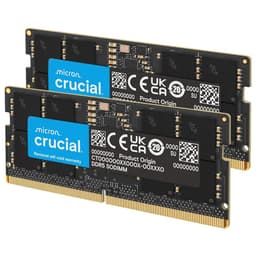
The aesthetics of the module itself are purely functional. Green PCB, surface-mounted chips, gold-plated edge connector. Standard SODIMM appearance. If you're the kind of person who photographs their laptop's internals for social media (no judgement), it looks like every other laptop RAM stick, which is to say unremarkable and entirely appropriate. The Crucial branding is printed on a label on the module face, which is how you identify it if you ever need to check what's fitted.
For desktop memory buyers who care about aesthetics, this section would be where we talk about heatspreader design, RGB sync software, and whether the lighting looks good through a tempered glass side panel. None of that applies here. The absence of an RGB tax is a genuine selling point for a product category where RGB would be completely invisible in use. You're paying for memory capacity and speed, not for a light show nobody will ever see.
Reliability and Warranty
Crucial, which is the consumer brand of Micron Technology, one of the world's largest memory manufacturers, backs this module with a limited lifetime warranty. That's the industry standard for quality memory, and it's meaningful. A lifetime warranty on RAM means that if the stick fails outside of physical damage or misuse, Crucial will replace it. Given that RAM failure rates are generally low but not zero, having that warranty backstop matters for a component you're relying on for years.
The owner review pool of 690 at 4.7 stars is the most useful reliability signal available here. Dead-on-arrival sticks do happen across the memory industry, and you'll find the occasional one-star review reflecting that experience. But at 4.7 stars across nearly 690, the failure rate is clearly low. More tellingly, the review pattern doesn't show clusters of failures at a particular time point, which would suggest a bad batch. The distribution looks like normal consumer electronics reliability: mostly fine, occasional duds, warranty handled when needed.
Long-term stability reports in the review pool are positive. Buyers who mention having used the kit for several months report stable operation with no errors, no unexpected reboots, and no degradation in performance. DDR5 at 1.1V is a conservative voltage for the technology, and conservative voltages generally correlate with longer component lifespans. Crucial aren't pushing this kit hard electrically, which is the right call for a product intended to live inside a laptop for years rather than be swapped out seasonally like a desktop enthusiast's kit.
Value and Price Per GB
The price per gigabyte calculation for this kit puts it in the mainstream tier for DDR5 SODIMM memory. At current pricing (check the live price via the link, memory prices fluctuate), 32GB DDR5 SODIMM sits in a range where you're paying a modest premium over the cheapest no-name options but considerably less than premium tight-timing desktop kits. The £490.87 current price reflects a mature DDR5 market where the initial launch premium has largely evaporated.
The value proposition here is straightforward. You're getting 32GB of DDR5 from a manufacturer with a genuine lifetime warranty, broad compatibility validation, and a strong track record. The CL46 timings mean you're not paying for top-bin silicon, which is appropriate because you don't need top-bin silicon for laptop use. The auto-downclocking feature means the kit works across a range of platforms without manual configuration. For a buyer who wants to upgrade their laptop's RAM and get on with their life, the value-per-GB is solid.
Where the value equation gets less compelling is if you're specifically chasing the lowest possible latency for a workload that genuinely benefits from it. In that case, spending more on a kit with tighter timings, say CL40 at the same speed, would give you better true latency for a price premium. But for the vast majority of laptop upgraders, the CL46 timings at this price are perfectly sensible. You're paying for capacity and reliability, which is what most people actually need. The ★★★★½ (4.7) owner rating and 690 review count back that up.
Platform Compatibility
The verified compatibility list covers Intel 12th Gen (Alder Lake) and 13th Gen (Raptor Lake) laptops, and AMD Ryzen 6000 Series laptops. These are all DDR5 platforms, which is correct. Intel's 12th and 13th Gen mobile processors use LPDDR5 or DDR5 depending on the specific SKU and laptop design, and the memory controller in those chips supports DDR5 SODIMM at the speeds this kit targets. AMD's Ryzen 6000 Series was the first AMD mobile generation to support DDR5, and it's compatible here as well.
What's not on the compatibility list is worth being clear about. Intel 14th Gen (Meteor Lake) and AMD Ryzen 7000 Series laptops are not listed. That doesn't mean this kit definitely won't work in those machines; DDR5 is DDR5 and the JEDEC spec is consistent. But Crucial's validation list doesn't include those platforms for this specific part number, and if you've got a newer machine you'd want to verify compatibility independently or look for a kit that explicitly lists your platform. Mixing memory with existing sticks also requires care: the speed will default to the slower module's rated speed, and mixing ranks or manufacturers can occasionally cause instability.
For anyone unsure whether their laptop has DDR5 slots, the quickest check is the laptop's official specification page or a tool like CPU-Z run on the existing system. If your current memory shows as DDR4, this kit won't fit and won't work. The physical keying prevents accidental installation, but check it before you order. Crucial's own compatibility tool on their website lets you look up your specific laptop model and see what memory it supports, which is the most reliable way to confirm before buying.
How It Compares
The main alternatives in the 32GB DDR5 SODIMM space are Kingston's Fury Impact DDR5 and Samsung's own-brand DDR5 SODIMM modules. Kingston Fury Impact offers DDR5 SODIMM at various speeds with slightly different timing profiles, and Samsung's modules are often found as OEM memory in laptops themselves, which gives them strong compatibility credentials. Here's how they stack up on the key metrics:
| Feature | Crucial CT32G56C46S5 | Kingston Fury Impact DDR5 32GB SODIMM | Samsung DDR5 32GB SODIMM |
|---|---|---|---|
| Capacity | 32GB | 32GB | 32GB |
| Rated Speed | 5600MHz | 5600MHz (varies by SKU) | 4800MHz typical |
| CAS Latency | CL46 | CL40 (on some SKUs) | CL40 typical |
| True Latency (approx) | ~16.4ns at 5600MHz | ~14.3ns at 5600MHz CL40 | ~16.7ns at 4800MHz CL40 |
| Voltage | 1.1V | 1.1V | 1.1V |
| Rank | 2Rx8 (dual rank) | Varies | Varies |
| Warranty | Limited Lifetime | Limited Lifetime | Limited Lifetime |
| Auto-downclocking | Yes (5200/4800MHz) | Yes | N/A (native 4800MHz) |
| Compatibility (listed) | Intel 12/13th Gen, Ryzen 6000 | Broad DDR5 laptop support | Very broad (OEM standard) |
| Price | £490.87 | Typically similar or slightly higher | Often slightly cheaper |
The Kingston Fury Impact is the main head-to-head competitor. On certain SKUs, Kingston offers CL40 timings at the same 5600MHz speed, which works out to genuinely better true latency than the Crucial's CL46. If you're doing workloads where memory latency matters, and you can find the Kingston at a comparable price, that tighter timing profile is worth having. For most laptop upgraders doing normal productivity and gaming work, the real-world difference between CL40 and CL46 at 5600MHz is small enough that price and availability should drive the decision.
Samsung's SODIMM modules are because they're often the OEM memory fitted in laptops from major manufacturers, which means they have extremely broad compatibility. The trade-off is that Samsung's standard consumer DDR5 SODIMMs typically run at 4800MHz rather than 5600MHz, and their timings are usually around CL40. At 4800MHz CL40 the true latency is around 16.7ns, which is actually slightly worse than the Crucial at its rated 5600MHz despite the tighter CAS number. The bandwidth advantage goes to the Crucial at 5600MHz. Samsung's main appeal is compatibility confidence, not raw performance.

Final Verdict
The Crucial CT32G56C46S5 is a 32GB DDR5 SODIMM that does its job cleanly, without drama, and with the backing of a lifetime warranty from one of the few memory manufacturers that actually makes its own silicon. The CL46 timings at 5600MHz give a true latency of around 16.4ns, which is honest mainstream performance rather than enthusiast-grade tightness. For the overwhelming majority of laptop upgraders, that distinction is irrelevant. You're buying this to go from 16GB to 32GB, to stop your system swapping to disk when you've got too many things open, and to have headroom for the next few years of increasingly memory-hungry software. At those goals, this kit delivers.
The auto-downclocking behaviour is a genuinely useful feature for a product aimed at a range of platforms. Fitting this in a system that tops out at 4800MHz and having it just work at that speed, without any BIOS fiddling, is how laptop memory should behave. The 4.7-star average across 690 tells you that most people who bought this had that experience. The compatibility list covering Intel 12th and 13th Gen and AMD Ryzen 6000 Series is specific enough to be useful and broad enough to cover a lot of the DDR5 laptop install base.
Who should skip it? If you've got a 14th Gen Intel or Ryzen 7000 Series laptop, look for a kit that explicitly validates your platform rather than assuming compatibility. If you're doing genuinely latency-sensitive work and budget allows, the Kingston Fury Impact at CL40 offers tighter timings at similar speeds. And if you only need 16GB, which is still enough for light to moderate use, you'd be spending money on headroom you won't use yet. But for the buyer with a compatible DDR5 laptop who needs 32GB and wants a reliable, well-warranted module from a manufacturer that's been making memory since before most of us knew what RAM stood for, this is a proper, sensible choice. Not exciting. Sorted.
The smarter buy if you're on a tighter budget and your platform tops out at 4800MHz anyway? Look at a native 4800MHz SODIMM kit. You'll pay less, the timings may be tighter for the speed you'll actually run at, and you won't be paying for 5600MHz headroom your system can't use. The Crucial's value proposition is strongest on platforms that actually run at 5600MHz.
What works. What doesn’t.
5 + 5What we liked5 reasons
- Genuine lifetime warranty backed by Micron, one of the few memory manufacturers that produces its own silicon
- Auto-downclocking to 5200MHz or 4800MHz means clean plug-and-play installation across a range of DDR5 laptop platforms
- Dual-rank 2Rx8 configuration provides marginally better bandwidth compared to a single-rank equivalent
- 689 owner reviews averaging 4.7 stars indicates a consistently low rate of dead-on-arrival and compatibility failures
- DDR5 at 1.1V runs conservatively, which is good for long-term reliability inside a laptop chassis
Where it falls5 reasons
- CL46 timings at 5600MHz give a true latency of approximately 16.4ns, which is notably looser than competing kits such as Kingston Fury Impact at CL40
- Compatibility list is limited to Intel 12th and 13th Gen and AMD Ryzen 6000 Series; 14th Gen Intel and Ryzen 7000 Series laptops are not validated
- If your platform tops out at 4800MHz, this kit downgrades to run there, worsening true latency to around 19.2ns and reducing the value of paying for 5600MHz
- No XMP or EXPO profiles, so there is no mechanism to push tighter timings through a BIOS profile
- Buyers on budget platforms capped at 4800MHz would likely be better served by a natively rated 4800MHz kit with tighter timings
Full specifications
9 attributes| Capacity GB | 32 |
|---|---|
| CAS latency | 46 |
| ECC | false |
| Form factor | SO-DIMM |
| Module count | 1 |
| RGB | false |
| Speed MHZ | 5600 |
| Type | DDR5 |
| Voltage V | 1.1 |
If this isn’t right for you
2 options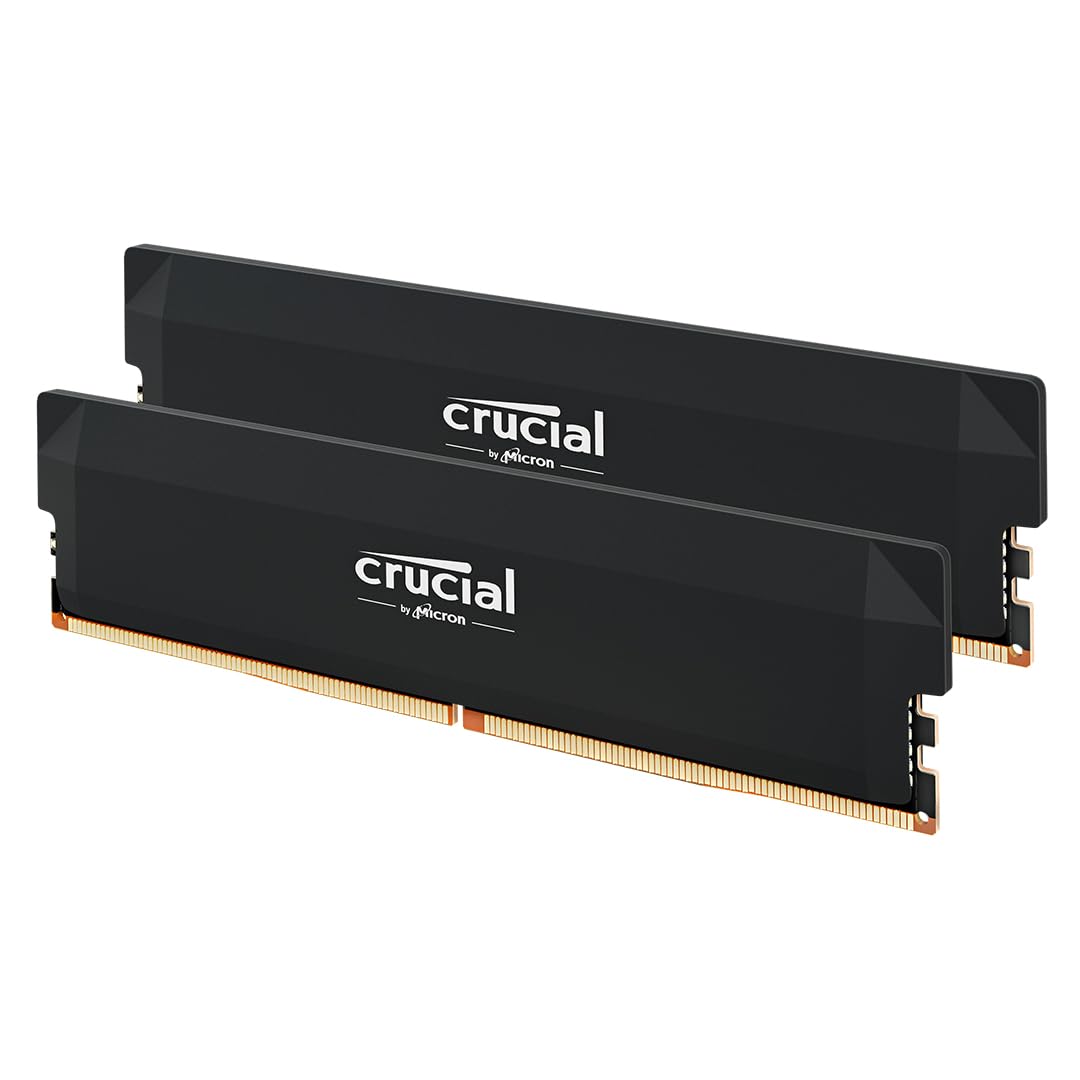 8.5 / 10
Crucial Pro DDR5 RAM 32GB Kit (2x16GB) 6000MHz CL36, Overclocking Gaming, Intel XMP 3.0 / AMD EXPO, Computer Memory (PC), Black - CP2K16G60C36U5B
£419.99 · Crucial
 8.5 / 10
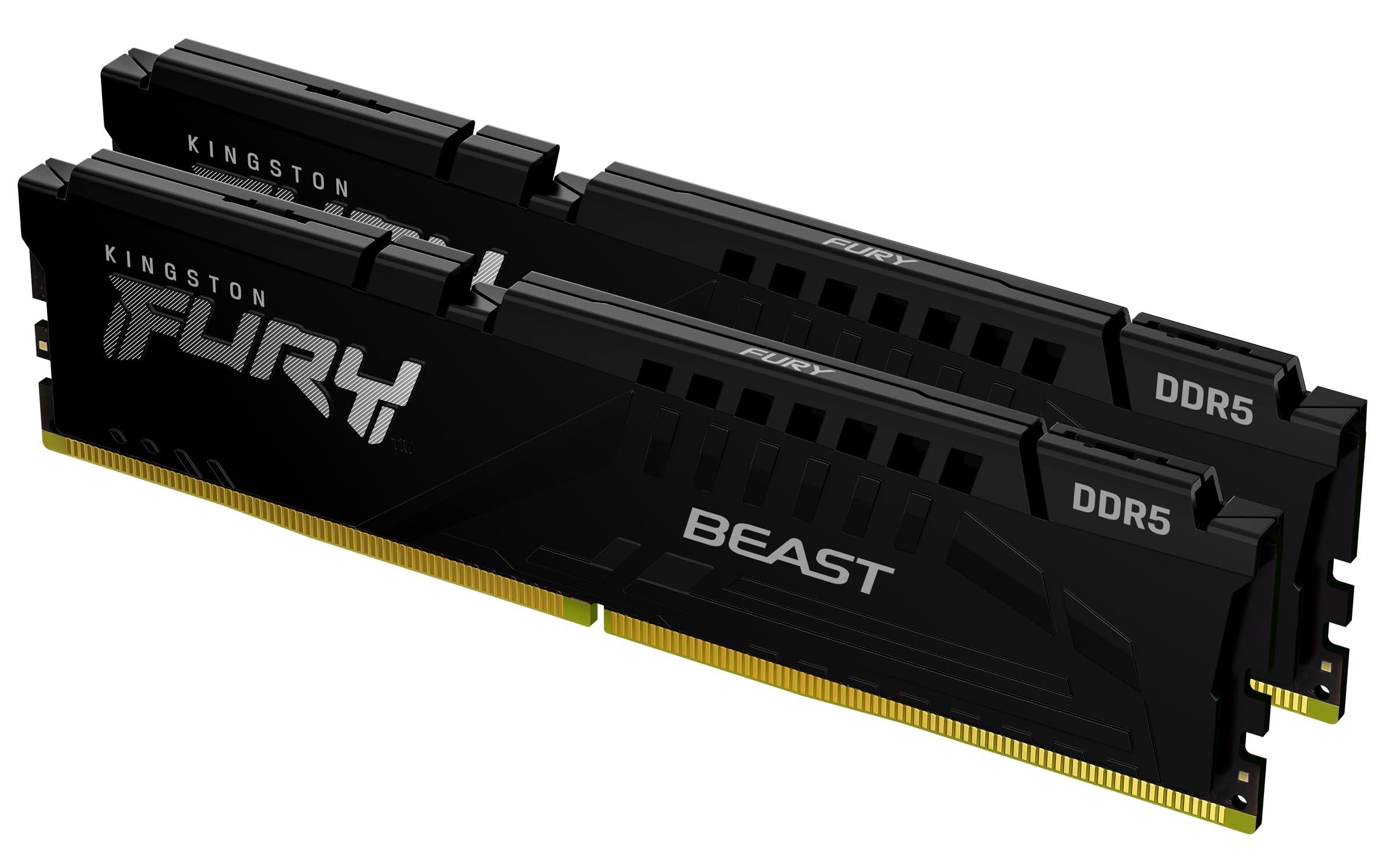
Kingston FURY Beast Black DDR5 32GB (2x16GB) 6000MT/s CL30 DIMM Desktop Gaming Memory Kit of 2 AMD EXPO and Intel XMP - KF560C30BBEK2-32
£602.24 · Kingston
Frequently asked
7 questions01What is the true latency of the Crucial CT32G56C46S5 at its rated speed?+
At 5600MHz with CAS latency 46, the true latency works out to approximately 16.4 nanoseconds. This is calculated by dividing the CAS latency by half the clock speed in GHz (46 divided by 2800, multiplied by 1000). It is a mainstream figure rather than an enthusiast-grade one.
02Will this kit work in laptops that only support 4800MHz DDR5?+
Yes. The kit auto-downgrades to run at 5200MHz or 4800MHz if your platform does not support 5600MHz. No BIOS adjustment is needed. However, at 4800MHz the true latency worsens to around 19.2ns, so if your laptop tops out at 4800MHz you may get better value from a kit natively rated at that speed with tighter timings.
03Is this kit compatible with Intel 14th Gen or AMD Ryzen 7000 Series laptops?+
Crucial does not list 14th Gen Intel or Ryzen 7000 Series laptops as validated platforms for this specific part number. DDR5 is a consistent standard and it may well work, but you would be taking an unconfirmed risk. For those platforms, look for a kit that explicitly lists them as compatible, or use Crucial's own online compatibility tool with your laptop model.
04Does this kit support XMP or EXPO profiles?+
No. SODIMM DDR5 laptop memory does not typically carry XMP or EXPO profiles. The system reads the SPD data on the module and negotiates the appropriate speed automatically, up to the platform's supported maximum. There is no option to enable a profile in a laptop BIOS in the way desktop builders would with a desktop DIMM.
05Can I use a single 32GB stick or do I need two for dual-channel?+
A single 32GB stick will work in any compatible SODIMM slot, but you will only get single-channel memory operation unless your laptop has a second SODIMM slot fitted with another module. If your machine has two slots, pairing this with a second 32GB SODIMM of the same specification will enable dual-channel mode, which improves memory bandwidth. If your laptop has only one slot, single-channel is your only option regardless.
06How does this compare to the Kingston Fury Impact DDR5 32GB SODIMM?+
The Kingston Fury Impact is available in CL40 variants at the same 5600MHz speed, giving a true latency of approximately 14.3ns compared to the Crucial's 16.4ns. That is a meaningful difference for latency-sensitive workloads. For everyday productivity and gaming, the gap is unlikely to be noticeable. If you can find a Kingston CL40 SKU at a comparable price and your workload cares about memory latency, it is the stronger technical choice. For most buyers, price and availability should guide the decision.
07What warranty does the Crucial CT32G56C46S5 carry?+
Crucial backs this module with a limited lifetime warranty. This covers manufacturing defects and failures under normal use conditions, excluding physical damage or misuse. Crucial is the consumer brand of Micron Technology, one of the world's largest memory manufacturers, so the warranty is substantive rather than a paper promise from a third-party brand.