Best Overall Value
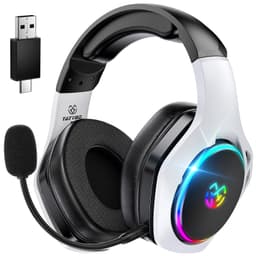
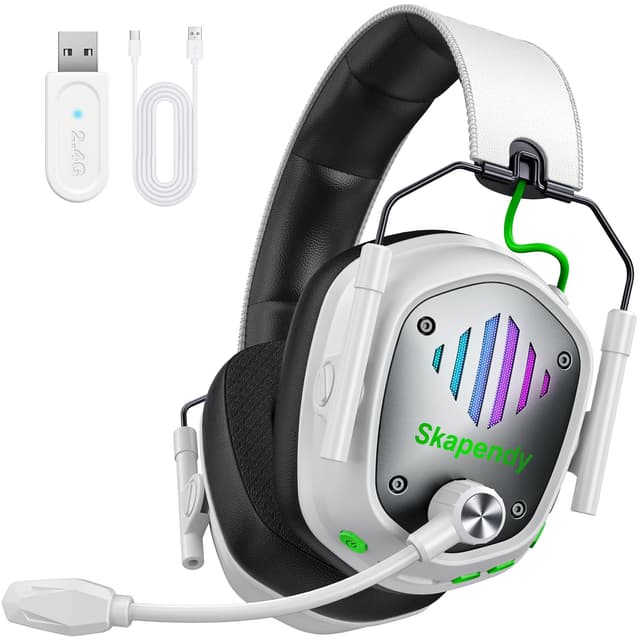
Right, let's start with the one that surprised us most. On paper the Picun G2 reads like a wishlist someone forgot to price up. Three connection modes (2.4GHz dongle, Bluetooth 5.4, and a wired fallback), a claimed 100 hours of battery, and an ENC noise-cancelling mic, all for well under most rivals here. For streaming, that flexibility is genuinely useful. You can run the low-latency dongle for game audio and mic, then flick to Bluetooth for your phone between streams.
The mic is the headline for us. ENC actively trims background hiss, so your keyboard clatter and that dodgy radiator don't bleed into the stream. It's not studio-clean, but it's clear, warm enough, and viewers won't wince. The 7.1 virtual surround helps with in-game positioning too, though remember that's for your ears, not your audience.
Comfort is decent for long sessions, and the 100-hour battery means you basically never think about charging. Is the RGB a bit much? Sure. But you can turn it off. For anyone wanting the most streaming-ready features per pound, this is the pick. For the full breakdown, see our full Picun G2 Wireless Gaming Headset review.
Pros
- Triple connectivity is rare at this price
- ENC mic is clean enough for streaming
- Absurd 100-hour battery life
- Low 5ms latency on the dongle
Cons
- Build feels plasticky next to Razer
- RGB is a bit gamer-bro if that's not your thing
Buy on Amazon£66.49Read full review
Best Under £100
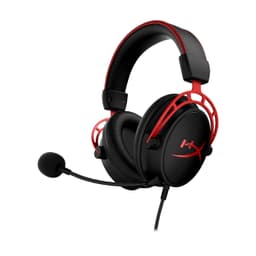
The Cloud II is the headset every reviewer keeps recommending, and there's a reason it refuses to die. Comfort first: the memory foam earcups are still some of the plushest you'll find, which matters when you're streaming for three hours straight. Your ears won't cook and your head won't ache.
For streaming, the detachable mic is the star. It's noise-cancelling, it sits on a bendy boom, and it captures your voice with a fullness that a lot of pricier headsets miss. Pop it off when you're not talking and you've got a tidy pair of headphones. The included USB sound card gives you virtual 7.1 and a bit of extra volume punch too.
Downsides? It's wired only, which some streamers love (no battery anxiety) and others find limiting. And the styling is showing its age. But as a do-everything budget headset that nails the two things streamers care about, comfort and mic, the Cloud II earns its spot near the top. HyperX build quality is reassuringly solid, and you can dig into the specs on the official HyperX site.
Pros
- Best-in-class comfort for long streams
- Detachable mic sounds full and clear
- Bundled USB sound card adds flexibility
Cons
- Wired only
- Design looks a little dated now
Buy on AmazonRead full review
Best Build Quality
If you want a headset that feels like it'll survive being knocked off the desk mid-rage, the BlackShark V2 X is the one. It's light (around 240g), the frame is properly sturdy, and the noise-isolating earcups block out a surprising amount of room noise. That passive isolation is a quiet win for streaming, less ambient noise means a cleaner mic pickup.
Speaking of the mic, it's a cardioid design, which means it focuses tightly on your voice and rejects sound from the sides. For streamers that translates to clearer speech and less background waffle. The 50mm drivers give you a full, slightly bassy sound that's fun for gaming and easy on the ears over long sessions.
It's wired via 3.5mm, so it plugs into basically anything, controller included. No battery, no faff. The trade-off is you don't get wireless freedom or fancy software. But for build, mic focus and comfort at this price, it's a cracking shout. We covered the details in our Razer BlackShark V2 X review. You can also check Razer's own product pages for the full spec sheet.
Pros
- Excellent, durable build for the money
- Cardioid mic isolates your voice well
- Light and comfy for long streams
- Universal 3.5mm compatibility
Cons
- Non-detachable mic
- No wireless or software EQ
Buy on Amazon£44.00Read full review
Best App Features
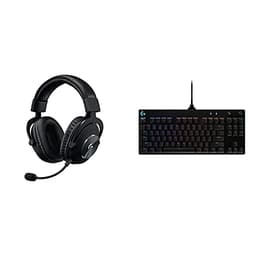
Here's an odd one, but hear me out. This bundle pairs the G Pro X headset with a mechanical keyboard, and the headset alone is a genuine streamer's tool thanks to Blue VO!CE. That's Logitech's software mic processing, and it lets you add compression, noise reduction, de-essing and EQ to your voice in real time. For streaming, that's the kind of polish people usually buy a separate mic for.
The headset itself is comfy, with swappable earpads (leatherette and velour) so you can pick your comfort. Sound is balanced and detailed, good for hearing game cues clearly. And getting a keyboard thrown in makes the value here hard to argue with if you need both.
It's USB and wired, so no wireless freedom. And the bundle only makes sense if you actually want the keyboard, otherwise you're overpaying for the headset alone. But for streamers chasing the best mic sound under budget, Blue VO!CE is the trick card.
Pros
- Blue VO!CE mic processing is superb for streaming
- Swappable earpads for comfort
- Keyboard included adds real value
Cons
- Only worth it if you want the keyboard too
- Wired USB only
Buy on AmazonRead full review
Comfiest Headband
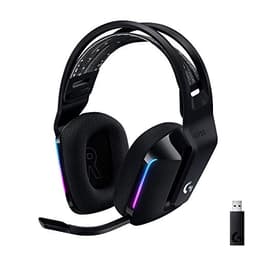
The G733's suspension headband is its party trick. Instead of clamping down, it spreads weight across a stretchy band, so long streams don't leave you with a sore crown. Combined with the light body, it's one of the comfiest wireless options here.
It also packs Blue VO!CE, so you get the same handy mic processing as the Pro X, wirelessly. That's a real plus for streamers who want cleaner voice without cables. LIGHTSPEED wireless keeps latency low, and the 20m range means you can wander off without dropping out.
Now the honest bits. The 29-hour battery is fine but not class-leading, and the PRO-G drivers lean light on bass, so explosions lack some thump. The detachable-style mic isn't the best for capturing deep voices. Still, for wireless comfort plus Blue VO!CE, it's a solid streaming companion.
Pros
- Suspension band is seriously comfy
- Blue VO!CE mic tech, wirelessly
- Low-latency LIGHTSPEED wireless
Cons
- Bass-light sound signature
- Battery only middling at 29 hours
Buy on AmazonRead full review
Lightest Wireless
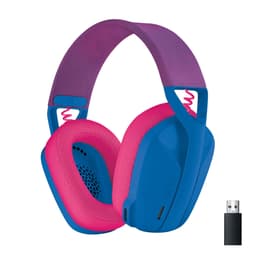
At 165g the G435 is feather-light, and if neck fatigue is your enemy on long streams, that matters. It runs both LIGHTSPEED and Bluetooth, so you can game low-latency on the dongle and pair a phone over BT. Nice bit of flexibility for the money.
Here's where I have to be straight with you though. The G435 uses built-in mics rather than a boom, and for streaming that's the weak spot. It picks up more room noise and sounds thinner than a dedicated boom mic. Perfectly fine for party chat and casual streams, less ideal if audio quality is your priority.
The 18-hour battery is on the short side too. So think of the G435 as the comfort-and-portability pick. If your streams are casual and you value a light, wireless headset over pristine mic audio, it's a good shout. If mic quality tops your list, look higher up.
Pros
- Ridiculously light at 165g
- Dual LIGHTSPEED and Bluetooth
- Fun colourways, eco-friendly build
Cons
- Built-in mics aren't great for streaming
- Short 18-hour battery
Buy on Amazon£62.99Read full review
Best for Beginners
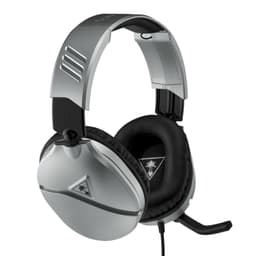
If you're just starting out and don't want to gamble much money, the Recon 70 is the sensible first buy. It's cheap, light, and the flip-up mic is genuinely handy: flip it up to mute, down to talk. Simple. For a first streaming setup, the mic sounds better than you'd expect at this price.
The 40mm drivers give a punchy, bass-forward sound that suits action games. It's wired via 3.5mm, so it works with a controller, PC, laptop, Switch, whatever. No drivers, no charging, no faff, just plug in and go. For beginners, that simplicity is a feature, not a limitation.
The compromises are what you'd expect. The build is all plastic and feels a bit creaky, and the sound lacks refinement compared to pricier picks. But as an affordable way to test the streaming waters without regret, the Recon 70 does the job.
Pros
- Very affordable starting point
- Handy flip-to-mute mic
- Works with everything via 3.5mm
Cons
- Creaky plastic build
- Sound lacks refinement
Buy on AmazonRead full review
Cheap Wireless
This one's for the budget wireless hunters. It offers 2.4GHz and Bluetooth, virtual 7.1, and 40-plus hours of battery for a price that undercuts nearly everything with a dongle. If you want to cut the cable on a tight budget for casual streams, it's tempting.
The noise-cancelling mic is fine for chat and light streaming. It won't win awards, and you'll hear a bit more background than on a HyperX or SteelSeries, but for getting started wirelessly it does the basics. Battery life is genuinely good, so charging won't nag you.
Be realistic about the trade-offs. Build quality is basic, the surround sound is more marketing than magic, and the mic sounds a touch processed. For serious streaming, spend more. For casual, cable-free gaming with the odd stream, it's a cheap way in.
Pros
- Cheap wireless with 2.4GHz and BT
- Strong 40-hour-plus battery
- Mic fine for casual streaming
Cons
- Basic build quality
- Surround sound is gimmicky
Buy on AmazonRead full review
Bargain Wireless
The Buwnia is another sub-£30 wireless contender, and its pitch is 2.4GHz lossless audio at a bargain price. In practice that means clean, low-latency game audio when you're on the dongle, which is more than you'd expect this cheap. Bluetooth 5.3 handles your phone.
For streaming, the noise-cancelling mic is average. It captures your voice clearly enough for viewers, though it doesn't isolate background noise as well as the pricier picks. The 40-hour battery is solid, and the RGB adds a bit of flair if you're into that.
The honest picture: this is entry-level kit. The plastic build won't survive rough handling, and audio, while decent for the money, is nothing special. But if your budget is tight and you want wireless with a workable mic, the Buwnia delivers surprising value.
Pros
- Low-latency 2.4GHz at a bargain price
- 40-hour battery
- Bluetooth 5.3 for phones
Cons
- Only average mic
- Entry-level build
Buy on AmazonRead full review
Cheapest Wired
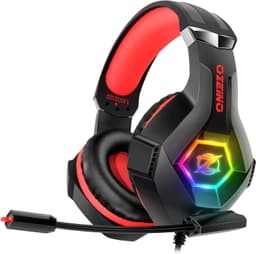
The Ozeino is the rock-bottom wired option, and it does cover the basics. You get a flexible noise-cancelling mic, memory foam earcups, RGB lighting, and broad compatibility across consoles and PC via 3.5mm. For a first-timer streaming on a shoestring, it ticks the boxes.
The mic is the important bit for streaming, and it's serviceable. It'll pick up your voice clearly for chat and casual broadcasts, though it lets more keyboard and room noise through than the better picks. The memory foam earcups are actually comfy for the price.
Where it shows its cost is sound and durability. Audio is thin, especially in the low end, and the build feels flimsy. It's a fine budget backup or starter, but if streaming quality matters to you, treat it as a stepping stone rather than a destination.
Pros
- Very cheap and widely compatible
- Comfy memory foam earcups
- Flexible mic does the basics
Cons
- Thin, bass-light sound
- Flimsy build
Check availabilityRead full review
Best Under £50
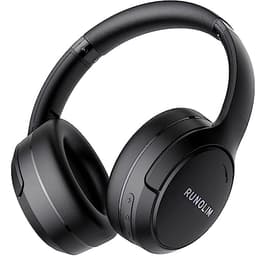
Now, the RUNOLIM isn't a gaming headset in the traditional sense. No dongle, no flashy boom mic, no RGB. But hear me out, because for a certain kind of streamer it's brilliant value. It's the cheapest way here to get hybrid active noise cancelling plus a built-in mic, and it's foldable with a mammoth 70-hour battery.
For chatty, talking-head streams over Bluetooth, or for streamers who mostly do just-chatting or IRL content, this works. The ANC blocks out household noise so you can focus, the HiFi tuning and deep bass make it enjoyable for music, and the mic handles voice adequately. It's a genuine dual-purpose buy: streaming plus travel plus office.
The catches are real. Bluetooth latency means it's not ideal for fast-paced competitive game audio, and the mic is functional rather than crisp. But at this price, getting ANC and multi-use flexibility is a proper bargain for casual streaming.
Pros
- Cheapest ANC-plus-mic option here
- Huge 70-hour battery, foldable
- Great multi-use value
Cons
- Bluetooth latency for fast games
- Mic is functional, not crisp
Buy on Amazon£24.03Read full review