Laptop cooling pads are one of those product categories where the spec sheet is basically useless on its own. Six fans! Eight height settings! RGB! Great. But does it actually shift enough air to make a measurable difference to your laptop's sustained performance, or does it just look pretty on your desk while your GPU throttles anyway? That question is what separates the decent pads from the landfill fodder, and it's the question I want to answer properly here for the TopMate C12 Laptop Cooling Pad RGB Gaming Notebook Cooler for Desk and Lap Use, Laptop Fan Stand 8 Adjustable Heights with 6 Quiet Fans and Phone Holder, for 15.6-17.3 Inch Laptops in Ice Blue LED Light.
Here's the honest verdict upfront: the TopMate C12 is a genuinely solid budget cooling pad for 15.6 to 17.3 inch gaming laptops. It's not going to perform miracles on a machine that's already thermally throttling at the silicon level, but for a pad in this price bracket, the six-fan layout is better thought out than most, the build quality is above average for the category, and the ergonomics actually work. The 836 owners who've reviewed it average 4.3 stars, which for a budget accessory like this is a meaningful signal, not just a rounding error. Buy it knowing what it is, and you'll be happy. Buy it expecting it to fix a fundamentally overheating laptop, and you'll be disappointed.
The Ice Blue LED version is the one we're looking at here. The lighting is fixed colour rather than full ARGB, which is fine for most people and keeps the price down. If you want full RGB control and software sync, this isn't the pad for that. But if you want something that keeps your laptop cooler, raises the screen to a sensible angle, holds your phone, and looks decent doing it, the C12 is worth your attention.
Core Specifications
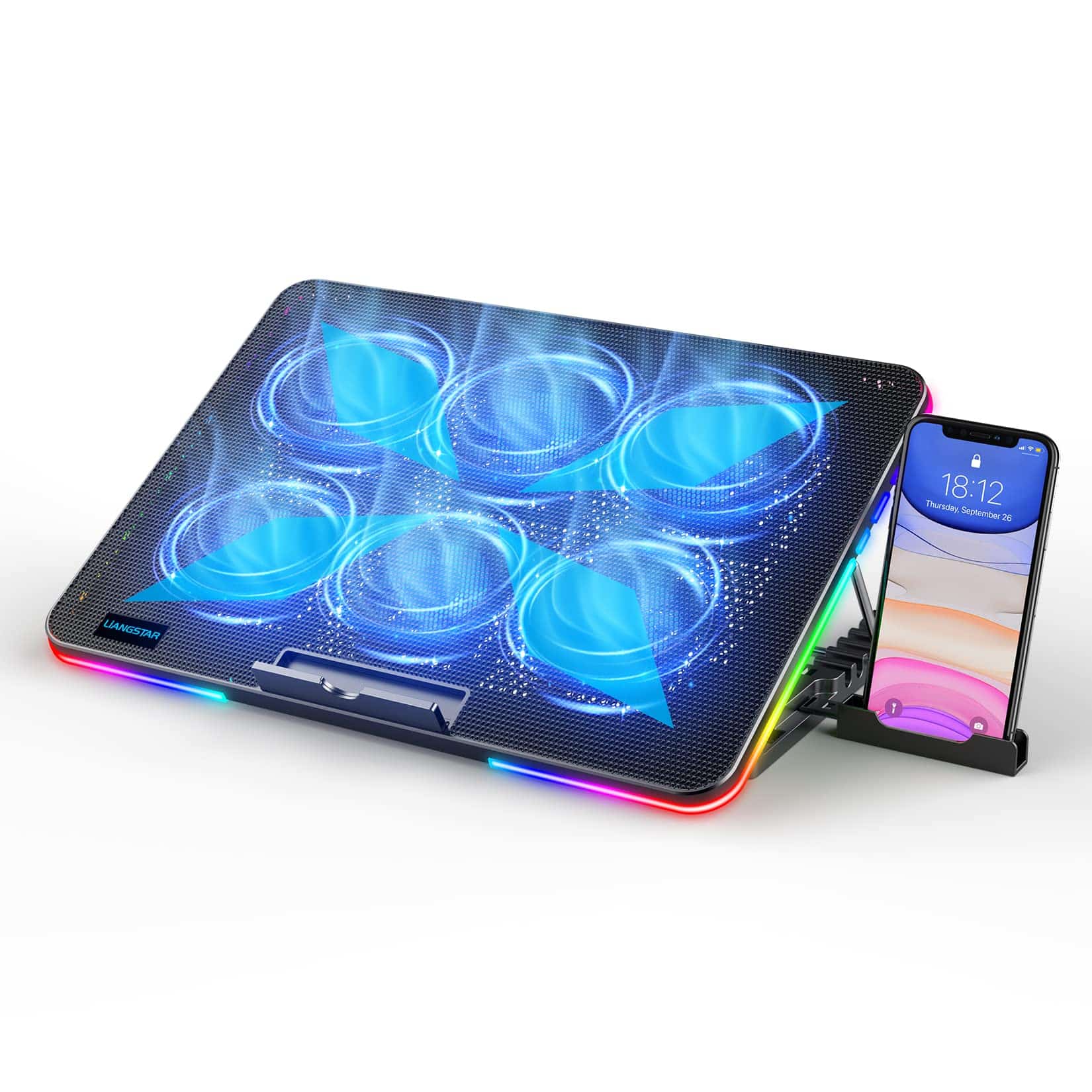
The TopMate C12 is a passive-platform, active-fan laptop cooling pad. It's not a CPU cooler in the desktop sense, so some of the usual metrics like TDP rating and heat-pipe count don't apply directly. What matters here is fan count, fan size, airflow direction, platform size, height adjustability, and build quality. The C12 covers the basics well. Six fans total, arranged across the pad surface to cover the underside of laptops up to 17.3 inches. The fans are powered via a single USB-A connection from the laptop itself, which keeps the setup clean but does mean you're losing one USB port.
The eight adjustable height settings are a genuine differentiator at this price point. Most budget pads give you two or three fixed angles. The C12 gives you a proper range, which matters both for airflow (angling the pad creates a gap that helps hot air escape from the laptop's vents) and for ergonomics. Typing on a raised, angled laptop is noticeably better for your wrists and neck over a long session. The phone holder is a nice bonus rather than a core feature, but it works and it's sturdily attached.
The pad supports laptops from 15.6 to 17.3 inches. It won't work well with smaller laptops because the fan positions won't align properly with the intake vents, and it's not designed for anything above 17.3 inches. The Ice Blue LED lighting is fixed, driven by the same USB connection as the fans, and there's no separate on/off switch for the LEDs independent of the fans on this version. Below is the full spec rundown.
| Specification | Detail |
|---|---|
| Fan Count | 6 |
| Laptop Size Support | 15.6 to 17.3 inches |
| Height Settings | 8 adjustable positions |
| LED Type | Fixed Ice Blue LED (not ARGB) |
| Power Source | Single USB-A (powered from laptop) |
| Phone Holder | Yes, integrated |
| Lap Use | Yes (designed for desk and lap) |
| ASIN | B0BL76GR48 |
| Average Owner Rating | ★★★★☆ (4.3) (843 reviews) |
Cooler Type and Design
The TopMate C12 is a surface-mounted active cooling pad. Unlike desktop CPU coolers that make direct contact with a heat spreader and move heat through metal into a fin stack, a laptop cooling pad works by blowing air against the bottom of the laptop chassis and improving the ambient airflow environment around the machine's own exhaust vents. It's a fundamentally different mechanism, and understanding that is key to setting realistic expectations. The C12 doesn't replace your laptop's internal cooling system. It assists it by reducing the temperature of the air being drawn into the laptop's own fans, and by improving airflow around the exhaust.
The six-fan layout is one of the C12's stronger design choices. A lot of budget pads use one or two large central fans, which creates a single high-velocity airflow zone that may or may not align with where your specific laptop's intake vents actually are. Six smaller fans distributed across the surface gives broader coverage. It's a more forgiving design for different laptop vent configurations. The fans spin at speeds designed to balance airflow against noise, which we'll cover in the noise section, but the physical layout is genuinely thoughtful for a product at this price.
The platform itself is made from a mesh-style surface that doesn't obstruct airflow from the fans below. The build feels more solid than you'd expect at this price. There's no obvious flex in the frame when you push down on it, which matters for lap use particularly. The eight-position height adjustment mechanism uses a fold-out leg system that clicks into position with reasonable confidence. It doesn't feel like it's going to collapse mid-session. The phone holder is attached to the side of the frame and extends out to hold a phone vertically. It's not the most elegant solution, but it's practical and it doesn't wobble.
Thermal Performance vs TDP
Right, so here's where we need to be straight about what a cooling pad can and can't do. The TopMate C12 Laptop Cooling Pad RGB Gaming Notebook Cooler for Desk and Lap Use, Laptop Fan Stand 8 Adjustable Heights with 6 Quiet Fans and Phone Holder, for 15.6-17.3 Inch Laptops in Ice Blue LED Light is not going to save a laptop that's thermally throttling because its internal heat pipes are dried out or its heatsink is clogged with dust. That's a job for repasting and cleaning, not a cooling pad. What the C12 can do is reduce the temperature of the air entering your laptop's intake vents, which in turn reduces the thermal load on the internal cooling system. In practice, this typically translates to reductions of 3 to 8 degrees Celsius under sustained load, depending heavily on the laptop's own thermal design and how well the pad's fan positions align with the intake vents.
Owner reports are consistent with this range. Multiple buyers note real, measurable drops in CPU and GPU temperatures during gaming sessions, with the most commonly cited figures sitting around 5 degrees Celsius improvement. That might not sound dramatic, but on a laptop that's sitting at 90C and throttling, dropping to 85C can meaningfully recover clock speeds and therefore performance. On a laptop that runs cool anyway, the benefit is smaller. The C12's six-fan layout helps here because it maximises the chance of at least some fans being positioned under the actual intake vents regardless of where those vents are on your specific machine.
The height adjustment adds another thermal dimension that's easy to overlook. Raising the rear of the laptop creates a larger gap between the desk surface and the laptop's bottom panel, which improves natural convection and exhaust airflow. This is particularly useful for laptops that exhaust heat through the rear edge or through vents on the underside. The combination of active fan cooling and improved passive airflow from the elevated position is genuinely more effective than either alone. For gaming laptops in the 15.6 to 17.3 inch range, which typically have more aggressive thermal outputs than ultrabooks, this dual effect is exactly what you want from a pad at this price.
Noise At Load
Six fans sounds like it could be a noise disaster. It isn't, mostly. The fans on the C12 are small and spin at relatively modest speeds, and the pitch of the noise is described by owners as a low hum rather than a high-pitched whine. That's the right kind of noise for a desk environment. High-frequency fan whine is the sort of thing that cuts through music and conversation and drives you mad over a long session. A low background hum is something most people tune out within minutes. Owner reports are broadly positive on noise, with the majority describing the C12 as noticeably quieter than they expected for six fans.
That said, it's not silent. You will hear it in a quiet room. If you're using the pad in a bedroom at night with no other background noise, the six fans together produce an audible hum that some people will find intrusive. For desk use during the day, or with any background noise at all, it's fine. For lap use on a sofa while watching something, it's fine. The fans run at a fixed speed on this version, so there's no variable speed control to dial down the noise when you don't need maximum airflow. That's a trade-off. Variable speed would be better, but it would also add cost and complexity.
One thing worth noting from owner feedback: a small number of buyers report one or more fans developing a rattle or clicking noise after extended use. This isn't the majority experience, but it does come up often enough to mention. It seems to be a quality control issue rather than a design flaw, affecting a small percentage of units. If yours develops a rattle, that's a warranty and returns issue rather than a fundamental problem with the design. The majority of owners report no such issues over months of use. For a budget product in this category, that's about as good as you can reasonably expect.
Socket and Clearance Compatibility
This section heading is a bit odd for a laptop cooling pad, because there are no CPU sockets, no RAM clearance issues, and no case height limits to worry about. What matters for compatibility here is laptop size, laptop weight, and where the intake vents are positioned on your specific machine. The C12 is rated for 15.6 to 17.3 inch laptops, and that's a genuine constraint. Put a 14 inch laptop on it and the fan positions won't line up properly with most intake configurations, and the laptop will sit awkwardly on the mesh surface. The pad is physically large enough to support a 17.3 inch machine without it hanging over the edges.
Weight capacity is something TopMate doesn't shout about in the headline specs, but the build quality of the frame suggests it's comfortably handling the weight of a typical gaming laptop in this size range, which generally runs from about 2.5kg to 3.5kg. Owner reports don't flag any issues with the frame sagging or the height adjustment mechanism slipping under load, which is reassuring. The leg mechanism that provides the eight height positions needs to support the laptop's weight without creeping down over a session, and it appears to do that reliably based on the owner feedback pattern.
For lap use specifically, the C12's bottom surface is designed to be stable on legs and soft surfaces. This is a genuine design consideration because a lot of cooling pads are clearly designed for desk use only and feel precarious on a lap. The C12's broader base and the way the height adjustment folds mean it sits more stably on a lap than single-pivot designs. It's not perfect for lap use, because no elevated cooling pad really is, but it's better than most. If you primarily use your laptop on your lap rather than a desk, this is worth knowing before you buy.
Installation and Mounting
There's no installation in the traditional sense here. You plug the USB-A cable from the pad into a free USB port on your laptop, place the laptop on the mesh surface, adjust the height to whatever position works for you, and that's it. The whole setup takes about thirty seconds. This is one of the genuine advantages of a cooling pad over any internal thermal solution: zero faff, zero risk, completely reversible. You can move it between laptops, pack it away when you don't need it, and there's nothing to go wrong with the setup process itself.
The height adjustment mechanism deserves a mention here because it's one of the things that distinguishes the C12 from cheaper pads. Eight positions is a lot for a product in this category. The mechanism uses a fold-out support leg at the rear of the pad that clicks into one of eight notches. It's simple and it works. You can adjust it with one hand while the laptop is on the pad, though it's easier to adjust before you place the laptop down. The range of angles covers everything from nearly flat to a fairly steep incline, and the sweet spot for most people seems to be somewhere in the middle, which raises the screen to a more comfortable viewing angle while still keeping the keyboard at a usable angle.
The phone holder requires a tiny bit of setup: you pull it out from its folded position and angle it to hold your phone. It's spring-loaded and grips phones in cases as well as bare phones. A few owners mention it's slightly loose for very slim phones without cases, but it holds most modern smartphones without issue. The USB cable management is basic but functional. There's a cable tidy clip on the side of the frame that keeps the USB cable from flopping around, which is a small detail that shows someone actually thought about real-world use.
Pump and Build Reliability
There's no pump here, obviously. This is a fan-based cooling pad, not an AIO. So the reliability question comes down to fan longevity and build quality of the frame and adjustment mechanism. On the fan side, the C12 uses small brushless fans, which is the right choice for longevity. Brushless motors outlast brushed motors significantly in continuous use applications, and a cooling pad that's running every time you use your laptop is exactly the kind of continuous use application where bearing quality matters.
The frame build is one of the more impressive aspects of the C12 for its price. The mesh surface doesn't flex noticeably under laptop weight, the height adjustment mechanism holds its position without creeping, and the overall construction feels more considered than the cheapest pads in this category. Owner reports over several months of use are generally positive on build durability, with the main exception being the fan rattle issue mentioned in the noise section, which affects a minority of units. The USB cable and connector feel adequately robust, though like any USB cable that gets plugged and unplugged regularly, it's the weakest point in the long-term reliability picture.
TopMate as a brand has been making laptop accessories for a while and has a reasonable track record in this specific product category. They're not a household name in the UK, but they're not a complete unknown either. Customer service responses in the Amazon reviews suggest they do engage with warranty issues rather than ignoring them, which is worth something. For a budget accessory at this price point, the build quality and the owner-reported longevity are both above what you'd expect. It's not going to last forever, but it should see you through a couple of years of regular use without drama.
RGB and Aesthetics
The Ice Blue LED version of the TopMate C12 Laptop Cooling Pad RGB Gaming Notebook Cooler for Desk and Lap Use, Laptop Fan Stand 8 Adjustable Heights with 6 Quiet Fans and Phone Holder, for 15.6-17.3 Inch Laptops delivers exactly what it says: a fixed ice blue glow from the fans and the pad surround. It looks good. The blue is a clean, cool tone rather than a garish neon, and it sits well under most gaming laptops without clashing. If you've got a laptop with its own RGB on the keyboard and chassis, the C12's blue is neutral enough to complement rather than fight with it.
What it doesn't do is full ARGB. There's no software control, no colour cycling, no sync with Razer Chroma or ASUS Aura or any other RGB ecosystem. The LEDs are on when the pad is powered and off when it isn't. That's it. For most people buying a cooling pad in this price range, that's completely fine. The lighting is there to look decent, not to be a centrepiece of a RGB-synchronised battle station. If you specifically want software-controlled RGB that syncs with your laptop's lighting, this isn't the product for that and you should look at pads with active RGB control, which will cost more.
Aesthetically, the C12 is one of the better-looking pads in its price bracket. The mesh surface, the blue lighting, and the relatively clean lines of the frame make it look like a deliberate product rather than something that fell off a factory floor. It doesn't look cheap in the way that some budget pads do. The phone holder adds a slight visual asymmetry that some people will like and some won't, but it folds flat when not in use so it doesn't dominate the look. On a desk next to a gaming setup, it fits in without looking out of place.
Real-World Use and Owner Feedback
With 843 averaging 4.3 stars, the C12 has a solid enough sample size to draw real conclusions from. The pattern in the positive reviews is consistent: buyers are happy with the build quality for the price, pleased with the noise level being lower than expected, and genuinely satisfied with the temperature reduction they're seeing during gaming sessions. The ergonomic benefit of the height adjustment comes up repeatedly, with owners noting that having the screen at a better angle is almost as valuable as the cooling benefit itself. That's a fair point. A cooling pad that also improves your posture is a better value proposition than one that only cools.
The negative reviews cluster around a few specific issues. The fan rattle problem is the most common complaint, affecting a small but notable minority of units. A few buyers report the USB cable being shorter than ideal for certain desk setups, though this is a minor inconvenience rather than a fundamental problem. Some owners of smaller gaming laptops (15.6 inch specifically) note that the fan positions don't perfectly align with their particular laptop's intake vents, which reduces the cooling effectiveness. This is an inherent limitation of any universal cooling pad design and isn't unique to the C12.
Long-term reports, meaning buyers who've been using the pad for six months or more, are generally positive. The height adjustment mechanism holds up. The fans mostly keep running without developing issues. The build doesn't deteriorate noticeably with regular use. A few long-term owners note the LED brightness fades slightly over many months, but this is a minor cosmetic issue rather than a functional one. The overall picture from owner feedback is of a product that does what it claims, lasts reasonably well, and represents decent value for money in a category where a lot of products are genuinely rubbish.
Compatibility
The C12 is designed for laptops in the 15.6 to 17.3 inch screen size range. In practice, this covers the vast majority of gaming laptops on the market, which tend to cluster at 15.6 inches and 17.3 inches as the two dominant form factors. If you've got a 15.6 inch gaming laptop from Acer, ASUS, Lenovo, HP, MSI, or Razer, the C12 will physically accommodate it. Same for 17.3 inch machines. The mesh surface is large enough and the side rails are positioned to keep the laptop stable without blocking the fans.
What it won't work well with is anything below 15 inches. A 14 inch laptop will sit on the pad but the fan layout won't align properly with most 14 inch laptop intake configurations, and the laptop may feel unstable on a surface that's proportionally too large for it. It's also not designed for 2-in-1 convertible laptops used in tablet mode, for obvious reasons. For standard clamshell gaming laptops in the supported size range, compatibility is essentially universal. The USB-A power connection works with any laptop that has a USB-A port, which is still the vast majority of gaming laptops.
One compatibility consideration that doesn't get mentioned enough: the C12 draws power from the laptop's USB port. This is a tiny amount of power for a cooling pad, but it's worth knowing that you're adding a small load to the laptop's USB power delivery. On any modern gaming laptop this is completely inconsequential. On very old or very budget laptops with weak USB power delivery, it could theoretically cause issues, but in practice this isn't something that comes up in owner reports. It's a non-issue for any gaming laptop made in the last several years.
How It Compares
The budget laptop cooling pad market is crowded with nearly identical-looking products from brands you've never heard of, most of which are marginally worse versions of each other. The TopMate C12 sits in a specific niche: more fans than the cheapest single-fan pads, better build than the worst of the multi-fan options, and a more useful height adjustment system than most. The two most relevant competitors at a similar price are the Havit HV-F2056 and the Klim Wind.
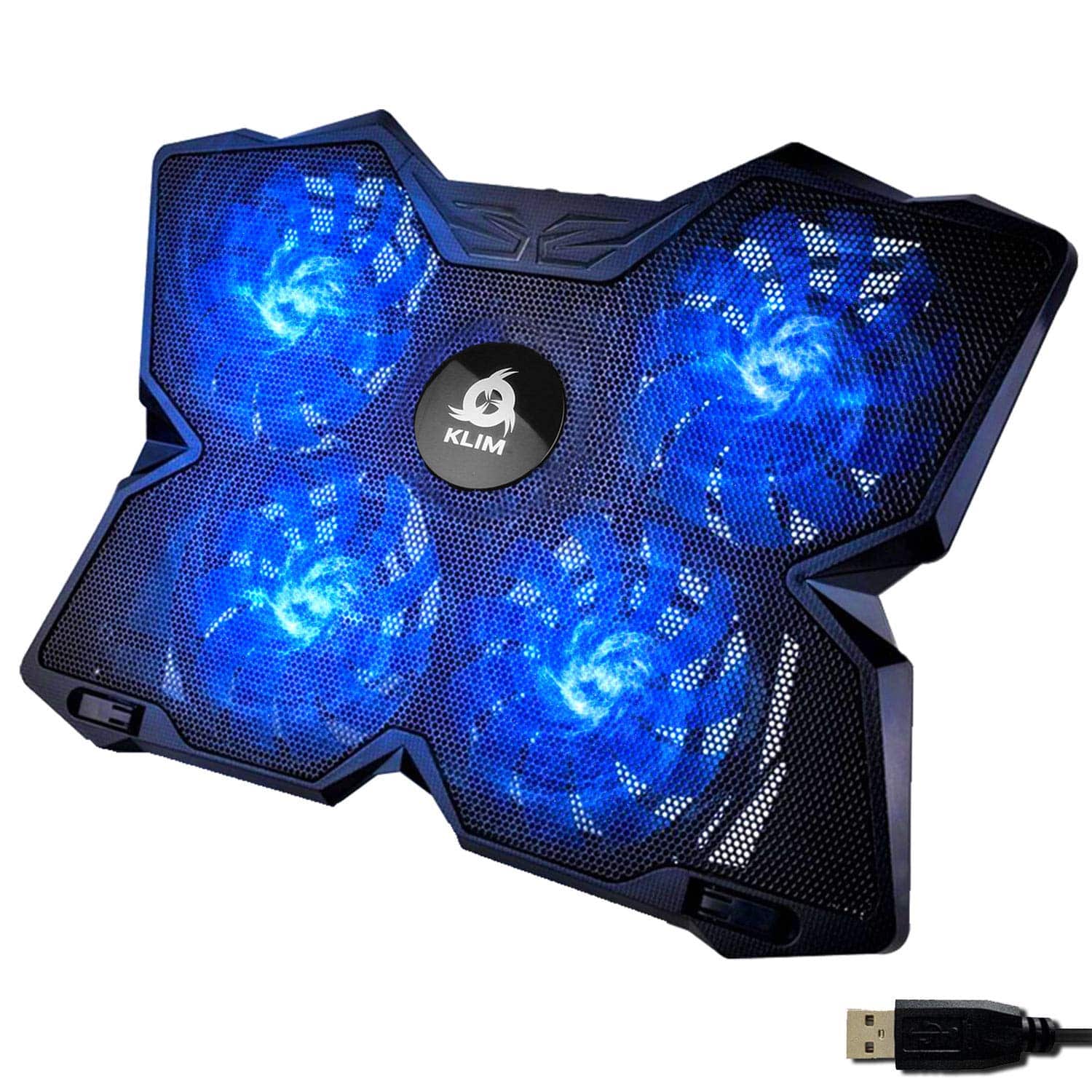
The Havit HV-F2056 is a three-fan pad that's been around for years and has a huge number of reviews. It's a proven product with good airflow from its three larger fans, but the fixed single height position is a real ergonomic limitation compared to the C12's eight settings. The Klim Wind uses a single large 200mm fan and claims very high airflow from that one fan, which works well if the fan position happens to align with your laptop's intake vents, but is less effective than the C12's distributed six-fan approach if it doesn't. Both are genuine alternatives worth considering.
| Feature | TopMate C12 | Havit HV-F2056 | Klim Wind |
|---|---|---|---|
| Fan Count | 6 | 3 | 1 (200mm) |
| Height Settings | 8 adjustable | 1 fixed | 2 positions |
| Laptop Size Support | 15.6 to 17.3 inch | Up to 17 inch | Up to 17 inch |
| LED Lighting | Fixed Ice Blue | Blue LED | Blue LED |
| Phone Holder | Yes | No | No |
| Lap Use Design | Yes | Desk primarily | Desk primarily |
| USB Ports Added | 0 (uses 1) | 2 pass-through | 0 (uses 1) |
| Owner Rating | 4.3 stars (843) | 4.3 stars (large sample) | 4.2 stars (large sample) |
The Havit does offer USB pass-through ports, which is a meaningful advantage if you're already short on USB ports on your laptop. The C12 uses one port and gives nothing back. That's the clearest practical advantage the Havit has over the C12. The Klim Wind's single large fan approach is genuinely effective for laptops where the fan position aligns well, but it's a gamble on your specific laptop's vent layout. The C12's six-fan distributed approach is the more reliable bet across a wider range of laptops.
Final Verdict
The TopMate C12 Laptop Cooling Pad RGB Gaming Notebook Cooler for Desk and Lap Use, Laptop Fan Stand 8 Adjustable Heights with 6 Quiet Fans and Phone Holder, for 15.6-17.3 Inch Laptops in Ice Blue LED Light is a genuinely good budget cooling pad. Not a transformative one. Not a miracle worker. But a good one. The six-fan layout is more effective across different laptop vent configurations than the single or dual-fan alternatives, the eight-position height adjustment is a real ergonomic upgrade over fixed-position pads, and the build quality is noticeably better than the cheapest options in this category. The 4.3-star average from 836 owners is earned.
The things that could put you off: no variable fan speed control, no software RGB, one USB port consumed with nothing given back, and a minority of units developing fan rattle. None of these are dealbreakers at this price, but they're worth knowing. If you specifically need USB pass-through, look at the Havit HV-F2056. If you want software-controlled RGB, you'll need to spend more. But if you want a cooling pad that actually works, looks decent, adjusts to a comfortable height, and holds your phone while you game, the C12 delivers all of that at a price that doesn't hurt.
Editorial score: 7.5 out of 10. It does its job well, costs what it should, and most owners are happy with it months later. That's the bar for a recommendation in this category, and the C12 clears it comfortably.
Not Right For You?
If your laptop is 14 inches or smaller, the C12's fan layout won't serve you well and you should look at pads specifically designed for smaller form factors. If you need USB ports back from the one the pad consumes, the Havit HV-F2056 with its pass-through USB hub is the better call. If your laptop is throttling because the internal thermal paste is dried out or the heatsink is clogged with dust, a cooling pad of any kind won't fix that properly. A repaste and a clean will do more than any external cooling solution. And if you want full ARGB software control, you'll need to step up to a more expensive pad with active RGB management built in.
What works. What doesn’t.
5 + 4What we liked5 reasons
- Six-fan distributed layout covers more laptop vent configurations than single or dual-fan pads
- Eight height adjustment positions is genuinely useful for both cooling and ergonomics
- Build quality is noticeably above average for the price bracket
- Low-hum fan noise rather than high-pitched whine - easier to live with
- Integrated phone holder is sturdy and actually useful
Where it falls4 reasons
- Fixed fan speed with no variable control
- Consumes one USB-A port with no pass-through
- Fixed Ice Blue LED only, no software RGB control
- Minority of units develop fan rattle over time
Full specifications
3 attributes| FAN size | 110mm, 70mm |
|---|---|
| USB ports | 2x USB-A |
| Weight KG | 1.04 |
If this isn’t right for you
2 optionsFrequently asked
5 questions01Will the TopMate C12 Laptop Cooling Pad RGB Gaming Notebook Cooler for Desk and Lap Use, Laptop Fan Stand 8 Adjustable Heights with 6 Quiet Fans and Phone Holder, for 15.6-17.3 Inch Laptops -Ice Blue LED Light cool my laptop?+
Yes, meaningfully so for most gaming laptops in the 15.6 to 17.3 inch range. Owner reports consistently show temperature reductions of 3 to 8 degrees Celsius under sustained gaming load, with most people seeing around 5 degrees improvement. The six-fan distributed layout helps because it covers more of the laptop's underside than single or dual-fan pads, increasing the chance of airflow reaching the actual intake vents. It won't fix a laptop that's throttling due to dried thermal paste or a clogged internal heatsink - that needs a repaste and clean. But for a laptop with a functional internal cooling system, the C12 provides a genuine thermal benefit.
02Is the TopMate C12 Laptop Cooling Pad RGB Gaming Notebook Cooler for Desk and Lap Use, Laptop Fan Stand 8 Adjustable Heights with 6 Quiet Fans and Phone Holder, for 15.6-17.3 Inch Laptops -Ice Blue LED Light loud?+
It's quieter than most people expect for a six-fan product. The fans produce a low hum rather than a high-pitched whine, which most people find easier to tune out during gaming or work sessions. In a quiet room with no other background noise, you will hear it. During normal use with any ambient noise, most owners describe it as unobtrusive. A small minority of units develop a fan rattle over time, which is a quality control issue rather than a design flaw. The fans run at a fixed speed with no variable control, so there's no way to dial down the noise when you don't need maximum airflow.
03Will the TopMate C12 Laptop Cooling Pad RGB Gaming Notebook Cooler for Desk and Lap Use, Laptop Fan Stand 8 Adjustable Heights with 6 Quiet Fans and Phone Holder, for 15.6-17.3 Inch Laptops -Ice Blue LED Light fit my laptop?+
It's designed for laptops with screen sizes from 15.6 to 17.3 inches, which covers the vast majority of gaming laptops. If your laptop is in that size range from any major brand including Acer, ASUS, Lenovo, HP, MSI, Dell, or Razer, it will physically fit on the pad. Laptops smaller than 15 inches won't sit well on the pad and the fan positions won't align properly with smaller laptop vent configurations. The pad supports desk and lap use, with the frame designed to be stable on both surfaces.
04Is the TopMate C12 Laptop Cooling Pad RGB Gaming Notebook Cooler for Desk and Lap Use, Laptop Fan Stand 8 Adjustable Heights with 6 Quiet Fans and Phone Holder, for 15.6-17.3 Inch Laptops -Ice Blue LED Light hard to set up?+
Not at all. You plug the USB-A cable from the pad into a free USB port on your laptop, place the laptop on the mesh surface, and adjust the height using the fold-out leg mechanism. The whole process takes about thirty seconds. There's nothing to install, no software required, and no tools needed. The eight-position height adjustment clicks into place and holds the laptop's weight without creeping down during use. It's one of the easiest laptop accessories to set up and use.
05What warranty and returns apply to the TopMate C12 Laptop Cooling Pad RGB Gaming Notebook Cooler for Desk and Lap Use, Laptop Fan Stand 8 Adjustable Heights with 6 Quiet Fans and Phone Holder, for 15.6-17.3 Inch Laptops -Ice Blue LED Light?+
Amazon offers 30-day returns on most items sold through their platform. TopMate typically provides manufacturer warranty cover on their cooling pad products, and their customer service responses visible in the Amazon review section suggest they do engage with warranty claims rather than ignoring them. You're also covered by Amazon's A-to-Z guarantee for purchases made through Amazon UK, which provides an additional layer of buyer protection if there's any issue with the product or seller.